Category: Lighting & Work Setup

  • Why Stable Cable Management Transforms Your Lighting Setup Experience

    A “clean” lighting setup often unravels the moment daily life returns. A desk lamp placed with care, its cord tucked along the edge, looks resolved for a week—until a rolling chair brushes the cable loose or the next charger crowds the outlet. Suddenly, the tidy surface is broken: a curling cord now hooks ankles, blocks a drawer, or trails dust under the work light. You don’t have to look for the clutter; you feel it every time you adjust your chair, reach for something below, or catch your foot on a wire that’s supposed to stay out of sight. That tension—between looking finished and actually staying usable—defines whether your lighting and support setup helps or keeps dragging you back to the same fixes.

    When a Tidy Lighting Setup Isn’t Enough

    Even the best LED panel, task lamp, or under-shelf light looks flawless on day one. But setups change in ways that static photos can’t show: a small chair shift, an extra device, or one deep sweep under the desk brings every supposed “solution” into test. If you rely only on cables hidden by surface placement or adhesive clips, a single nudge or the warmth from a power supply weakens your arrangement. The result? A wire once beautifully concealed now droops or curls into walkways and work zones. Rooms that collect real use—shared offices, family study corners, multipurpose tables—expose every shortcut in cable management. What looks resolved on Monday is already slipping by week three, and everyday movement makes the disorder more obvious, not less.

    Everyday Friction: What Unmanaged Cables Really Do

    Loose cords from lamps or panels are more than visual noise—they actively reshape routines. If you’ve ever had to pause mid-edit to steer a chair around a snagged cord, or back up from a shelf because a wire pulls taut under your hand, you know the disruption isn’t theoretical. In shared rooms, these disruptions multiply: lamps unplugged by passing feet, chargers tugged from place by kids, cables trailing across dusting and cleaning paths that signal “not really set up.” An exposed drop under an open shelf means you hesitate each time you store or retrieve something, and a cord draping off a shared table means each user has a new interruption to solve. The more traffic and turnover in the room, the faster a lazy cable solution becomes the new source of daily hassle.

    “Hidden” Only Until Something Moves

    Slim fixtures and plug-in accessories promise a low-profile look, but “out of sight” rarely survives the real habits of a workspace. A cable pressed flat behind a shelf edge or run along a baseboard with a cheap adhesive will keep its promise for a handful of days—until vacuuming, kids, pets, or bag handles disconnect it. The calm illusion is snapped; a wandering cord returns to view, crossing the same clear table you thought you’d finally resolved. The more active the space, the more precarious any cable route that depends on being left alone.

    Real Room Example: When Good Setups Break Down

    Imagine two side-by-side workstations, both originally installed with slim LED lighting and tidy cable runs. In the first week, each looks sharp—no wires on show, surfaces stay open. But life starts to pull at the setup: headphone swaps, laptop moves, under-desk organizing. On one desk, a weak adhesive bracket lets go, dumping a cable where feet slide or bins shift. That desk now hosts small, persistent failures: a shifting light every time someone nudges under the desk, an unexpected unplug when a bag catches the wire, or a slow buildup of clutter in the open. The other desk uses screw-in clips and locked cable runs. Over time, even as chairs roll and routines bend, nothing shifts, catches, or interrupts. Only then do you realize which setup you can ignore—and which one keeps demanding corrections.

    Why Anchoring Outperforms Hiding

    An anchored cable stays predictable, even as everything else in the room changes. Relying on pure concealment—tucking wires behind or under with only tape or adhesive—sets a countdown until the next surprise tangle or slip. Clipped or bracketed cables, mounted along walls, under worktops, or behind solid support points, handle dozens of daily disruptions without needing to be re-fixed. Every shortcut you take for appearance over anchoring piles up, leaving future-you a maintenance loop instead of a solved setup.

    Small Fix, Big Relief: A Mid-Desk Clip

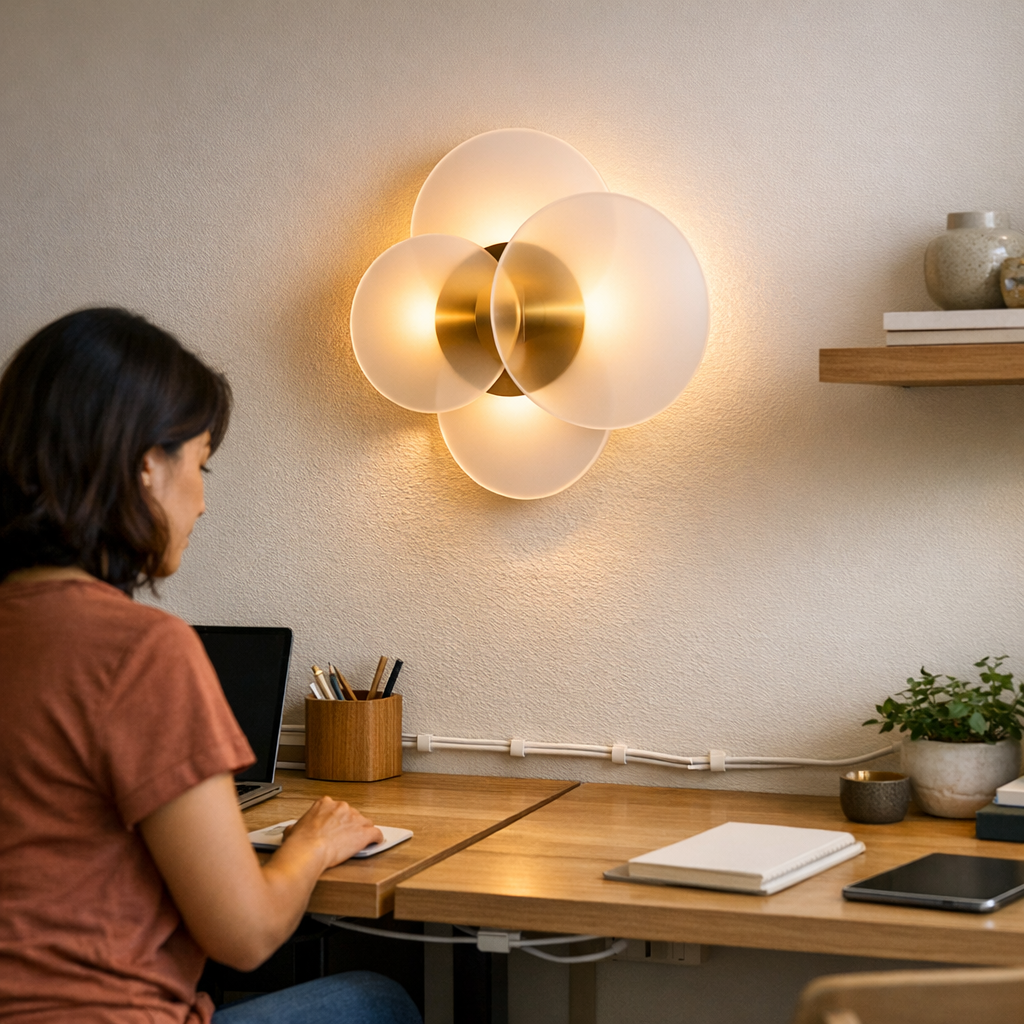
    One simple, targeted change often resolves the pattern of nuisance. After months of chasing a lamp cable under a shared work table—pushing it back after every chair adjustment or cleaning—the installation of a single screw-on clip between the wall and knee zone kept cords up and away for good. The difference isn’t just visual calm; suddenly you’re free to add another light, plug in extra devices, or clean quickly without new tangles appearing. Once the route is anchored, the work surface serves you, not the cable’s latest drift. This minor, precise fix erases repetitive friction without needing a full overhaul or invisible miracle solution.

    Questions That Shape a More Usable Setup

    How much cable management does a room actually need?

    Just enough to keep every wire off moving surfaces, pathways, and visible room edges—no more, no less. Any cord that repeatedly crosses into a cleaning zone, desk edge, or walk path needs its own anchor. “Invisible” is a weak goal if it trades away the ability to move freely without snag or surprise.

    What can I do if running cables behind furniture isn’t possible?

    Work with what your room’s lines actually allow. Use slim surface-mounted channels, tough clips, or even bracketed runs to lead cables tight along desktop edges, shelf undersides, or baseboards—never across open zones. Consistency beats all else: a straight, anchored cable is quickly forgotten, while a wandering or slumped cord becomes the room’s persistent weak spot. Order matters more than invisibility here.

    Do cable color or cover type actually change usability?

    Matching cable color to wall or furniture can subdue visual clutter, but movement control trumps all aesthetics. The material matters only once you’ve anchored the cable mechanically, not just concealed it. What makes a setup functional is not how the cord looks, but how reliably it stays where you placed it, regardless of daily shifts.

    Making Quiet Improvements: What Really Works?

    Chasing total cable invisibility creates a fragile setup. Satisfying lighting and support systems are the ones that handle cleaning, new tech, chair rolls, and changing routines without shifting out of order. The real win? A few well-chosen clips or channels, a bracket on the right surface edge, and a cable route so regular you forget it exists. This isn’t about a showroom look—it’s about not being interrupted by the same fix each week, and feeling like the room is set up to work with, not against, you.

    One Small Tip: Reroute for Calm, Not Just for Looks

    If a cable keeps reappearing or blocking your movement, redirect it behind a non-movable anchor—along a desk leg, shelf bracket, or wall edge—and lock it in. Perfect invisibility is a myth in real rooms, but a cable that never strays restores calm immediately. Stability, not concealment, is what lets you stop thinking about cables at all.

    A lighting setup that works lets you adjust, clean, or reroute devices without re-fighting the same cable every time. The best support structure disappears from your routine not because of how it looks, but because it stays silent—steady, anchored, and ready for whatever your space needs next.

    Find practical indoor lighting and support solutions at LightSupport.

  • Why Ventilation Is Crucial for Enclosed Indoor Lighting Fixtures

    The real headache of fully sealed ceiling fixtures doesn’t show up on installation day—it hits after dozens of damp mornings, late laundry shifts, or one too many dim trips down a hallway. What looks crisp and tidy at first slowly turns into fogged lenses, persistent shadows, and an odd sense that the light just isn’t keeping up. If you catch yourself squinting at the bathroom mirror after a shower or hesitating on a stair landing that used to be brighter, it’s not just your imagination—the setup itself is starting to interfere with routines. These scenes aren’t unusual. They’re the repeat signals that even the sleekest, most enclosed ceiling lights break down in real home use, especially when heat and humidity have nowhere to go.

    When the Look Outlasts the Performance

    Sealed ceiling fixtures are pitched as tidy solutions: flush with the ceiling, no exposed bulbs, easy to wipe, and theoretically built for steamy or dusty corners. But initial appearances fade. What you see—an unbroken lens and a streamlined base—can hide the slow start of trouble underneath. With each shower or laundry load, trapped steam creeps behind the lens. LEDs run hotter. Clarity takes a hit, and smudges start to build on the inside, out of reach.

    After dry spells, everything seems fine. But give it two dozen shower cycles or the constant churn of a laundry space, and the difference is obvious: the lens clouds up, wiping does less and less, and suddenly that “maintenance-free” promise is a joke. Bulbs dim, plastics yellow, and the fixture you barely noticed now demands attention—right when you need to move fast or see clearly.

    Everyday Friction in Real Spaces

    Picture a weekday bathroom rush: steam rolling across the ceiling, the sealed fixture softening and blurring its beam over the mirror. The glare hardens where it should fade. You move your head and the shadow splits—right where you need to shave clean lines or check for missed mascara. Clearance fails in the spot you actually use.

    Or step into a tight laundry room: the overhead lens is no longer clear, and that subtle yellow edge near the wall doesn’t wash off. Shadows stretch across the washer, and checking for stains means shifting the basket, ducking for a better angle, or dragging in a backup lamp from another room. Even the hallway: the sealed light looks fine when you flip the switch, but night after night, one side of the corridor fades too soon, the far corner always just a little murky thanks to the buildup of dust and heat sealed behind the lens.

    How Quiet Problems Build Up and Spread

    Bad lighting rarely fails with a bang. Instead, discomfort crawls in slowly:

    • Lens fog that returns the next day, no matter how recently you wiped it
    • Yellow streaks and haze growing stubborn under repeated cleaning
    • Shifting shadows at the mirror, the counter, or the stair turn—springing up just when routines are tightest
    • Glare growing harsher the more you need soft, even spread
    • Unplanned bulb or LED changes—months ahead of schedule because heat keeps cycling up in a sealed shell

    This isn’t just about how the fixture looks. It’s about losing confidence in movement: second-guessing your step on stairs, not trusting what you see at the mirror, and wasting time fighting shadows that weren’t supposed to exist. Each little workaround—an extra wipe, a backup flashlight—is another sign the setup is working against you.

    Why Ventilation Changes the Game

    Ventilated fixtures rewrite the story invisibly. By letting heat and moisture escape, they keep the lens clear, color true, and shadows consistent. The contrast becomes obvious once routines are in motion: after back-to-back showers, after endless laundry cycles, after a week of dark mornings and quick turns along the hallway. You don’t need to clean as often, and the light you get actually stays usable—no surprise haze, no creeping dimness by the end of the month.

    This stands out fastest in:

    • Bathroom mirror areas: Where you quickly see what’s missing when light blurs on one side of your face or glare makes you hunt for clarity.
    • Stair landings and tight corridors: Where you feel the difference at night as clear sightlines let you move without the hesitation that comes from dim, lopsided light.
    • Laundry and utility corners: Where clean spread means no more squinting into baskets or checking the same counter twice for messes you missed in shadow.

    When Small Design Choices Add Up

    Most people get used to scrubbing enclosed fixtures until the repeated hassle starts to feel normal. But once you swap in a vented, damp-rated model, the frame shifts. One LightHelper user cut lens cleanings by more than half after updating a hallway fixture—and the nagging puddle of shadow that lived on the stair bottom finally vanished. In the laundry nook, treating the “fog cycle” wasn’t a six-step trick; it was a design fix. Back-to-back laundry loads didn’t add haze, stretch shadows, or force extra checks—there was simply more working light, less fumbling around, and noticeably fewer mistakes left behind.

    Spotting the Signs Before Problems Grow

    If your lens clouds up after every shower, starts yellowing early, or leaves your main working zones always half-lit, it’s a clue: the fixture is trapping more heat and moisture than it can handle. With sealed housings, even the newest LEDs aren’t safe. They lose their sharp edge, degrade faster, and leave you chasing a brightness that never seems to last beyond the first few months.

    LEDs are tough, but not invincible: In a steamy, closed fixture, even premium bulbs wear out early, and the promise of “maintenance-free” lighting turns hollow—no one brags about a new install that already feels like a compromise.

    One Smart Fix: Rethinking Where “Clean” Lighting Comes From

    The surface of a sealed fixture might look spotless, but the real question is what happens underneath after weeks of real use. In spaces where water, steam, or heat shift daily—above bathroom sinks, along hallway turns, inside laundry corners—a bit of fixture ventilation isn’t a trivial upgrade. It’s the separation between a room that only looks illuminated and a routine that actually works: clear, balanced, and ready every time. Vented and damp-rated fixtures don’t just last longer; they keep your sightlines sharp, your cleaning list shorter, and your small daily movements—whether shaking out a towel, stepping off a stair, or checking for stains—friction-free.

    http://www.lighthelper.myshopify.com

  • Why Wide Cable Bends Keep Your Desk Setup Smooth and Efficient

    A cable-free desktop looks flawless at first glance: clear surfaces, nothing to trip over, and the calm satisfaction of a desk that appears “finished.” But if you’ve tried working on one, you know how quickly the trade-offs show. Each cable forced flush along a cable tray or stuffed into a tight channel starts to snag the minute you move a monitor, reposition a charger, or need that one HDMI cord for a quick call. What starts as organized turns awkward—every attempt to swap a keyboard or grab a device hits hidden resistance. The setup that looked streamlined now frustrates at just the wrong moments, grinding down your rhythm every time you need flexibility.

    Cable friction: the hidden cost behind a tidy look

    The frustration rarely shows up on day one. Where it hits is day three—when the routine kicks in. You pull your laptop from its dock for a client meeting, or shift your monitor’s angle to fit a sketchpad beside the keyboard, only to fight cables yanked tight around desk legs or wedged into storage trays. Bending and untangling connectors isn’t just a visual annoyance: it’s lost time and an interruption to flow, whether you’re mid-call or trying to clear space to jot quick notes. Tight bundles promise order, but every cable swap becomes a clumsy dance under the desktop—raising questions about whether the desk is working for you, or the other way around.

    If cables won’t flex and follow your movements, every small adjustment costs you more energy than you notice until it’s too late. The invisible drag—sticky USB cables that catch on tray edges, resistance as you try to undock, tiny delays setting up for the next task—adds up over weeks. Minor friction slowly wears down patience and puts extra strain on connectors meant to be plugged and unplugged without a thought.

    Why cable arcs succeed where tight paths fail

    Crowding every cable flat and pin-straight looks clean for photos, but repeated use tells another story. Workflows rarely stay static: speakers and headsets swap, phones charge, displays angle back and forth. Tight cable paths become chokepoints, jamming up when you reach for something new or try to plug in a client’s drive. Wide arcs let cables move with your hands, reducing tension points. Instead of treating cable management as background décor, the real test is whether it lets you rebound quickly: removable storage, shifting between mouse and tablet, undocking for a meeting—each change finds its groove when cables are allowed gentle, flexible curves instead of forced precision.

    Effective cable management flexes with your routine instead of trapping it. Even a few centimeters of extra curve between anchor points can mean the difference between fluid motion and a desk that resists you. The more motion your devices require, the more a cable’s arc wins over a cable’s straight line. Reset moments become faster, and the “perfect” surface actually supports the grind, not just the appearance.

    Real scenes: a workstation that adapts, not just hides

    That midday shuffle: cables get in the way

    The test isn’t how a desk looks right after setup, but what happens at 2 p.m. when normal pace resumes. You finish a call and switch headsets for the speaker, or need to charge a second device. One cable stretches tight, another refuses to budge without crawling under the desk, and suddenly the organizer tray that looked so tidy is a barrier. By late afternoon, you start skipping resets and avoiding equipment changes because every adjustment takes longer than it should. The desk’s order remains, but momentum dips and your reach across the desktop is less fluid—an “organized” problem that only grows with each cycle.

    Subtle signs the cable management isn’t working

    Real trouble shows up in mundane ways: a phone cable that doesn’t quite reach when you need it, a monitor that strains its connection each time you tilt it for note-taking, desk depth disappearing as under-desk trays bump your knees during a stretch, or that persistent few seconds lost feeding a USB cable through a jammed slot. The signs are small but cumulative—connectors loosening, surfaces kept neat at the cost of flexibility. Each forced reset breaks flow before you even notice you’re adapting your own posture or work habits just to match the desk’s constraints.

    How I reset for smoother work cycles

    Moving from tension to bend made the real difference. Instead of jamming cables flat to every angle, I left arcs—enough curve between anchors for each wire to flex naturally, roughly the space of three fingers. The effect isn’t messy; under-desk trays and surface organizers still keep things corralled, but the cables now move as I do. Docking the laptop is no longer a series of tiny struggles. Charging cables reach the notebook without feeling like they’re about to snap. The desk surface still reads as minimal, but the work behind it—moving gear, resetting after a meeting, dragging an external hard drive across—actually feels frictionless, not forced.

    Each adjustment stopped being a mini project. Instead of inching a charger to the desk’s edge or fighting to clear a hub out of a trap of wires, gear shifted as needed. No hidden cable strain, no slow fidgeting under the desk. The system now works around the pace of daily resets, not against them.

    Quick FAQ: common cable management issues in real use

    How do I prevent cables from getting tangled under the desk?

    Give every cable enough slack—spread lines in gentle curves, and avoid cramming more than needed into trays. Flexible routing prevents snags and lets you swap or move devices without a wrestling match each time. Tension-free arc equals tangle-free reset.

    Are cable trays or boxes better when I swap devices a lot?

    Open trays usually win for desks that shift often. They make it easy to adjust or remove cables one at a time without dragging the whole bundle out. Boxes hide mess but force cables into rigid patterns—great for untouched setups, rarely ideal for workspaces in constant motion or shared teams.

    What signals that my cable routing is starting to cause problems?

    If plugging or unplugging gets slower, cables start to fray at connector ends, or you regularly dodge under-desk snags or blocked movement, your setup is too tight. Cables should glide, not resist, and you should never be forced to change your workflow just to appease your storage choices.

    It’s not just about looking organized—it’s about staying usable

    Surface order only matters if the work itself stays smooth. If daily tasks include frequent device swaps, pulling notes to the front, or shifting monitors for a late session, then rigid cable paths undercut the whole reason for organization. Choose flexible arcs and anchor points over purely hidden bundles—use under-desk storage only if it leaves clearance for your knees and reach, and keep cable runs wide enough to handle motion, not just appearance. A workstation that stays functional beats one that just appears neat—especially after the hundredth reset or last-minute plug-in of the week.

    Explore the full WorkBasic collection

  • How Proper Cable Management Transforms Your Workspace and Lighting Setup

    All it takes is one exposed cable to disrupt a desk, shelf, or reading nook that’s supposed to work—and keep working—day after day. Maybe it’s the lamp cord that slips from the desk’s edge, now catching your sleeve every time you reach for the mouse. Or an under-shelf light’s power cable—neatly routed at first—drooping until it becomes the thing you notice first, not the lighting. Suddenly, what looked finished turns into a source of small, constant interruptions: snagged books, realigned chargers, and a glowing fixture you can’t fully use without skirting the mess beneath it. Even a so-called “clean setup” sours fast when the cable path becomes a hazard or a distraction.

    Why Visible Cables Rarely Stay Out of the Way

    Lighting setups almost always look controlled the first day—the lamp sits exactly where you want it, fixtures bracketed neatly, the cord tucked to one side. But as you actually use the space, small failures show up. You grab a pen, catch the cord, and have to straighten the lamp again. The cable migrates: off the desk edge, into your direct line of sight, or along the shelf where it presses against objects you move every day. An under-cabinet strip that looked invisible when you walked away now pulls its cord right across the work zone during the morning’s shared scramble. These breakdowns rarely feel catastrophic, but they start to dominate how the space functions in practice.

    A loose cable wrecks more than looks. Forced runs and slack lines ruin the effect of clean surfaces, trip up your hands during cluttered routines, and wear against brackets or mounts that need stability. Over time, one weak cable path shapes your use of the entire room—forcing new habits, making tidy setups feel unreliable, and gradually undoing your original intent.

    The Real-World Consequences: More Than a Visual Mess

    Exposed or awkwardly run cables disrupt normal use again and again:

    • Lamp or charger shifts out of place as soon as something catches or tugs the cable
    • Loops slip over table or counter edges, setting up easy snags, unplugging, or even tripping
    • Cords collect dust in the spots you clean least, and make simple wipe-downs awkward
    • Brackets and mounting points lose their hold, especially if every use puts pressure on the support line
    • The cable keeps invading your sightline—a constant, minor demand for attention

    This is the practical cost: not a dramatic failure, but a weakening of focus and comfort every single day—precisely where you wanted lighting to make use easier, not harder.

    Small Differences That Change the Whole Feel

    The space between “noticeable cable” and “working setup” is often less than an inch. A cord held flush to the desk’s rear edge disappears from routine; let it sag or creep forward, and you’ll nudge it, shift your arm, and move devices all day long. This friction builds: a connection strains, the lamp drifts off true, cleaning turns into a balancing act around a cable you can’t ignore. In real use, every time you adjust to the cord’s position, the upgraded lighting feels less like an improvement and more like a new obstacle.

    The best routing vanishes in practice. The worst steals your attention—without warning or drama, just daily drag.

    Scenes Where Weak Cable Setups Break Down Fast

    Family Table Trouble

    Imagine a family table with an LED light bar mounted under a shelf. The fixture is slim, the light strong, but the power cable runs loosely toward a wall outlet. As laptops appear, hands shift, and books slide during a busy evening, the wire is bumped out of its clip. A heavy textbook drags the cord down, yanking the light bar on its bracket. A distracted hand sends everything closer to the table’s edge—close to falling, all stability suddenly in question. What started as “out of the way” proves fragile when a living room routine really pushes the setup.

    Work Desk Drift

    Or take a streamlined, “finished” work desk: minimal lamp, under-cabinet lighting, cabling routed tightly at first. After a week of swapping cables, adding a phone charger, shifting books—the cord that started tidy now dips across your work area. You find yourself working around it, nudging the wire to avoid your wrist, and watching dust gather where cord meets desk. The lighting still looks good in photos, but in use, your desk quietly gets harder to work at.

    Taming the Cord: What Actually Holds Up Over Time?

    What solves this isn’t a fancy gadget but a practical, visible reroute. If you anchor the cord tight—flush to the shelf or desk underside, clipped every foot or so—it simply stops drifting into your workspace. The lamp sits straight, plugs aren’t yanked sideways, and cleaning turns back into a two-second job. Low-profile clips work because they manage the line without making it permanent: you can rearrange when you change furniture or swap in a new light, without a trail of old adhesives or screw holes to regret later. The main trick: keep cables out of your hands’ path and out of your cleaning routine, but easy to rework when reality changes.

    The right cable path is rarely complicated. The wrong one slowly eats away at both the look and use of your space.

    Practical Signs Your Cable Run Needs Attention

    • Cord sags, migrates, or falls back into your active work or reading zone
    • You’re forced to adjust your reach or move devices to avoid running into the cable—again
    • Plug fittings and mounting hardware feel less secure, or start shifting out of alignment
    • Dust and clutter keep gathering around cable lines, never fully clean
    • Everything looks settled, but feels slightly wrong the minute you actually use the space

    If these issues have become routine, the payoff from managing the run sharply outweighs the five minutes it usually takes. The result: a space that doesn’t just look fixed but actually stays reliable in action.

    Tips for Better Cable Management in Living Workspaces

    • Use removable clips—every 12 to 18 inches—to hold cords flush, with no commitment to a single layout. Change your mind later without tearing up the surface.
    • Skip permanent anchors if you plan on rearranging: modular clips and channels are easier to rework and don’t scar desks or shelves.
    • Follow natural room lines: hide cables along the back or underneath edges, behind brackets, or under shelves to keep them invisible and out of everyday movement.
    • Don’t shrug off recurrence: If a cable keeps drifting or collecting dust, fix it now—the problem won’t solve itself and only gets more annoying with time.

    Cable Calm Means Lighting That Supports, Not Distracts

    A lighting upgrade only delivers if it works—uninterrupted, every day. Let the cable situation slip, and the same fixtures you chose for clarity or mood become daily points of resistance. The difference between “looks resolved” and “feels right” is almost always cable logic—secure or drifting, stable or always in the way. Manage the cord once and surfaces don’t just look calm—they support every routine without becoming another friction point.

    http://www.lightsupport.myshopify.com

  • Why Proper Wire Space Prevents Flickering and Uneven Lighting Fixtures

    Flush ceiling lights that won’t close flat, awkward shadow streaks on the wall, or a hallway that seems bright but always leaves part of the path in doubt—these common indoor lighting failures rarely start with a bad bulb. It’s the wiring, cramped out of sight behind too-small fixture bases, that turns a room from “technically lit” to a source of constant minor strain. Every time you reach to clean a lens, flip a switch, or just try to see the full counter in your laundry, you feel it: the stiff cover that won’t seat fully, the unreliable light every time furniture bumps the wall, or the steps you take more slowly because the bottom stair fades into shadow. What looks like a finished install becomes a repeat performance of shifting covers, flicker, and off-kilter brightness—especially when narrow hallways, small bath mirrors, or multi-switched laundry zones pack in extra wiring.

    When “Installed” Doesn’t Mean “Usable”: The Friction of Crowded Lighting

    Mounting a ceiling or wall fixture feels like progress until you live with it. Most wiring mistakes hide behind a solid-looking fixture and show up only after several weeks—never in the first hour. Instead of true, shadow-free visibility, crowded junction boxes deliver:

    • Covers that won’t seat flush, twisting or resisting no matter how many times you try
    • Bright central light with creeping dark edges along floors, counters, or mirror lines
    • Fixture bases that shift or tilt days or even months after install with the slightest touch
    • Surprise flickering after you wipe down a surface, swap a bulb, or even just nudge the housing when cleaning

    This friction isn’t just lost brightness. It erodes routines: the bathroom mirror that throws off your shave or makeup, the stairs where every night walk feels risky, the laundry counter you can never fully see edge to edge. Each visit means an extra pause, a small adjustment, or a growing wariness of “did I fix that light, or is it about to act up again?”

    How Overcrowded Junction Boxes Create Daily Lighting Headaches

    You don’t see the real culprit until repetition exposes it. Cramped wiring doesn’t just hide; it guarantees trouble:

    • Loose or unreliable connections: Slight bumps or minor tweaks break circuit contact, dimming or killing light on just one side.
    • Bulging, leaky covers: Gaps appear around the edge—collecting dust, inviting moisture, or letting even more air through in damp spaces like bathrooms and laundry zones. Cleaning turns from routine to risk.
    • Shifting light footprint: Even if a fixture claims even output, an angled install sends shadows along walls, floors, or mirrors—making setups like stairs or vanities visually unreliable.
    • Bulb and socket fatigue: More wire means more crush, warped seats, and early failures that repeat the cycle of flicker and fiddling.

    Miss a stair edge or misjudge a damp floor and it’s not just annoying—it’s unsafe. The wrong fixture behind the right specs becomes a quietly persistent problem in the places you need clarity and confidence most.

    Real-World Scenes: Where the Difference Shows Up Every Day

    Pausing at a Stairway Turn

    Every misaligned fixture becomes obvious the night you descend the stairs—one step lands in full light, the next falls into a dull shadow that’s never quite fixed. The underlying problem: a fixture forced off-plumb by excess wiring stuffed into a shallow base, so light can’t reach the landing cleanly. You compensate, your gait slows, and the routine becomes a small risk.

    Leaning in at the Bathroom Mirror

    Wall vanity lights should erase under-eye shadows, but too-tight wiring leaves the cover tilted or gapped. Steam finds every crack, and post-shower you’re met by indirect glare or a flicker at the worst moment. You shift your stance, turn your head, trying to sidestep that one bright flare or gray patch—never quite achieving the balanced light you thought you bought.

    Sorting Laundry Under Flickering Light

    In laundry rooms, the goal should be obvious visibility across every inch of the folding counter. When extra wires crowd a flush mount, the cover bows, breaking the spread and dropping unexpected shadows exactly where you stack folded shirts. The small hassle grows: a single nudge or routine cleaning brings the flicker back, and every fix is temporary.

    Moving Down a Hallway—But Only Half is Usable

    Hallways should guide movement, but a crowded fixture leaves a persistent stripe of shadow at one end. No matter how many bulbs you swap, you find yourself drifting to the bright side, running hands along the wall, pausing before entering—movement loses its fluidity because the light won’t cooperate. The room appears “lit” but never feels fully usable.

    It’s Not Just about Brightness—It’s the Right Fixture Fit

    Two flush mount lights can promise identical output, but only one with enough base depth can actually host all its wiring without distortion. The difference isn’t on the box—it shows up each morning, evening, and weekend chore when covers stay steady, glare is controlled, and edges stay clear. A deeper, cleaner fit prevents not just sagging but the accumulation of “almost light”—patchy, uneven, and never fully reliable. Trust in a space wears out when you learn which spots, switches, or motions set it off.

    Practical tip: If your light is on a multi-switch circuit, or you notice resistance as you attach a fixture, pause before forcing. Count wires, check connector size, and choose a fixture base with the real internal clearance your box needs—don’t let a tight fit set up months of routine interruptions.

    What to Watch for—And When to Rethink Your Solution

    • Covers that need force or never sit flush
    • Flicker triggered by ordinary cleaning, humidity, or minor movement
    • Visible dust or moisture tracking through edge gaps
    • Shadow lines or dimmer corners that worsen over time—especially in active areas
    • If the switch, cover, or bulb never quite “feels right” after a few weeks’ use

    If you recognize any of these, don’t let surface brightness hide the real trouble. Wire crowding is a repeat offender, and fixing bulb specs won’t solve it—rethink the fixture’s internal space before troubleshooting anything else.

    Building Reliable Lighting Means Solving Wire Management Up Front

    Room lighting never stays neutral. The balance between fixture depth, wiring layout, and repeated movement is what lets a space hold up over seasons, not just on the install day. When you solve wire fit before mounting a flush or semi-flush fixture, you remove a chain of flickers, tilts, and partial shadows before they can start. That means mirrors give true light; stairs feel secure; hallways and laundry counters keep their visibility week after week.

    The spaces you depend on deserve more than “lit enough.” Every well-managed wire behind a stable, correctly fitted fixture is one less daily stutter, one more surface or path made confidently usable. Let your rooms prove their value by how quietly, and reliably, their lighting works each day—no second guessing required.

    LightHelper

  • Why Selective Drawer Labeling Boosts Desk Efficiency During Busy Days

    An organized desk promises quick starts and smooth routines. Every pen has a tray, every cable vanishes under the surface, and those drawers close on what feels like a finished solution—you sit down believing the reset is permanent. But as soon as the day shifts—when a charger moves from bag to desktop during a rushed call, or you fumble for a sticky note while your screen lights up with back-to-back urgent tasks—the cracks show. A clean desk hides friction until it counts. You pause, scan one storage tray, then another, maybe rifle the same drawer twice while your flow slips. That half-second stutter isn’t dramatic until it’s stacked: small interruptions spread across a week, quietly erasing the advantage of every morning reset. The more your setup relies on silent memory and unlabeled order, the more that invisible drag creeps in whenever real work collides with routine breaks.

    The Clean Desk That Stumbles When Work Moves Fast

    Clutter doesn’t have to be visible to slow you down. Drawer organizers and neat storage boxes create the look of productivity, but glossy order only holds until routines flex or timing gets tight. The unlabeled workstation isn’t a mess—it’s a moving target. The same cable that slipped easily into its tray yesterday turns up under a notebook or beside a wireless mouse after one long afternoon of calls. Loose headphones blend with chargers; pens migrate just far enough to force a double-check. Each swap or tool hunt is just awkward enough to break your stride, especially when your natural reach path is blocked by under-desk storage or an extra unit that seemed smart until it started intercepting your knees.

    Fast cycles expose the soft spots. By Thursday, “Is the backup drive in the left drawer or right?” becomes routine, and a once-clear system now means you’re touching three places instead of one. Those little grabs amount to resets you didn’t plan for—the paper organizer looks sharp but fails to anchor your most-used tools when the workflow doesn’t pause for sorting.

    When Drawer Labels Make All the Difference

    Labeled drawers don’t announce themselves in a still photo, but in motion, they’re the difference between flowing through the day and hesitating mid-task. Reach for the SD card—your hand goes straight there. Open a drawer for two types of cables—one scan is enough. By contrast, even the tidiest unlabeled system invites drift: you guess, second-guess, move to the next bin, or toss something back where it “sort of fits.” During busy stretches, those micro-mistakes start to shape your perception of the whole setup—suddenly a perfect system has invisible friction lines everywhere you need speed.

    Picture a week with high-rotation drawers: by Wednesday, pen refills have swapped with adapters, USB keys mixed with receipts, and each retrieval has shifted from routine to chance. The visual order on Monday doesn’t defeat the lived chaos by Friday, especially after every meeting leaves a charger somewhere new.

    Stress-Test Moments: When Flow Breaks Down

    Desk organization works when the routine is calm. But most setups fail their test during spikes: double-device days, urgent deadline sprints, or when you’re shifting between keyboard and notebook while fielding messages. It’s in those moments—the cable tray partially blocked by a laptop stand, or a deep drawer that never quite lines up with where your left hand reaches—that well-intentioned systems slow you down. You hunt for the USB dongle and emerge with yesterday’s receipts, or yank a drawer only to find it packed with things that belong elsewhere but never made it back. Labels, meanwhile, quietly rescue these situations: they cut reset time, anchor items, and save you from the seconds lost to guesswork, even as the work surface looks as minimal as ever.

    Delay can come from the unexpected: a quick device swap, a not-quite-centered monitor arm forcing your body to bend, the way a task light skips the exact spot you’re writing your notes. When the whole setup relies on memory, every real-world curveball becomes a drag on your momentum.

    Making Organization Work for Real-World Routines

    It’s a mistake to cover every inch with labels—real improvement comes from targeting. Most desks only need the top “traffic” drawers marked: the ones you open every session, where fast multitasking or blended contents create constant turnover. Labeling just these hotspots is enough to change retrieval from hesitation to habit. High-use, mixed-content drawers get bold, readable cues; low-rotation and single-item drawers stay clean and label-free, preserving calm where it’s earned and urgency where it’s needed most.

    This way, the workspace avoids the clutter of over-labeling and the stalls of memory-only systems. You skip sticker fatigue and endless name edits—just quick visual guidance, anchored to the physical workflow that repeats most, especially on high-pressure days. The aim isn’t decoration; it’s keeping the desk functional and frustration-proof even when routines collapse or priorities stack up unexpectedly.

    The Small Stuff That Changes Everything

    Sometimes a label is the whole difference between a smooth handoff and a stalled reset. “Cables—Power” keeps you from upending a drawer when an urgent plug-in comes; “Adapters” makes the grab-and-go motion truly single-step, regardless of how many swaps a chaotic week brings. These aren’t just niceties: they’re friction-busters that grow in value every time you sit down again. Tiny cues accumulate into a desk that stays ready, even as your tools and priorities rotate unpredictably.

    Quick FAQ: Labeling Drawers Without Overdoing It

    Which drawers should get labels?
    Target drawers you open repeatedly during the day or that hold blended groups of tools. If you notice yourself scanning for something twice, the system needs a label.

    Does labeling ruin a streamlined desk look?
    Not if you’re selective. Focusing only on high-turnover drawers keeps your primary workspace minimal while giving clarity where reach and reset speed matter. Most drawer fronts—and the surface itself—remain untouched.

    Can a label-free drawer ever work well?
    Yes—for dedicated, single-item, or infrequently used drawers. But frequent-use, mixed-item drawers don’t stay stable without visible anchors. If you’re reaching and pausing, a simple label restores flow.

    Workstation Flow: Labels Support Real Use, Not Just Appearance

    Scrubbing every label off your setup might look great for a moment—until hidden friction returns and productivity stalls. Routines shift, memory slips, new cables and devices shuffle in. Targeted labeling—clear markers for drawer “hotspots” and nothing extra—bridges the gap between aesthetic order and functional speed. This is the small, concrete tweak that helps a real workstation keep up: clarity where pressure lands, open simplicity elsewhere. Organization finally supports the way you really work, not just how your desk looks after a clean-up sweep.

    Explore the full WorkBasic collection

  • Slim Lighting Solutions That Keep Workspaces Clear and Functional

    Cluttered desks and tangled cords aren’t just side effects—they’re a warning signal your lighting setup isn’t actually working for you. After a week, the friction becomes impossible to ignore: light brackets eat into shelf space, cables hang into reach every time you plug or unplug, and surfaces designed for work become navigation puzzles. An area that looked organized on move-in day turns into a hands-on obstacle course—lighting intended to help now interrupts the simplest tasks, from cleaning to opening a notebook to sliding your chair.

    When Clutter Creeps In: The Hidden Cost of Bulky Fixtures

    Most people buy lighting once, but use it a hundred times—rarely pausing to picture how much elbow room will remain after cords and brackets take over. Opt for a thick, hardware-heavy fixture and open space quickly disappears: cable coils find permanent residence at the desk edge, tall arms shadow books or snag bags, and every “quick clean” means dodging supports and wiping around clamps. Over days, the clutter isn’t just visible—it’s physically in the way. You fumble past a bracket to charge a laptop, shift a lamp just to wipe dust, then add “fix lighting mess” to your mental to-do list.

    The disruption is practical, not just visual. Let cables run across active spots or block shelf edges, and every equipment adjustment becomes an awkward workaround—built for a static showroom, not situations where seats shift, routines change, or you just want to clear a surface fast.

    Slim and Low Profile: Practical Lighting that Stays Out of the Way

    The difference only becomes obvious after repeated use: fixtures that look minimal don’t always behave that way, especially in tight quarters. Slim lights and low-profile bars don’t just clear up photos—they free up real working edge. Daily impact changes fast:

    • No visible cables forming new “corners” in your line of sight
    • No support arms eating into vertical reach or casting excess shadow
    • No hidden dust magnets or new snag points for sleeves and cables

    You know your lighting is overdue for an upgrade the moment you keep shoving cords aside to spread out papers, or notice guests pausing before sitting to see where the lamp arm can swing. Even minimal-looking hardware often turns annoying when used by more than one person or when the setup needs to shift for a new task. Routine motions—moving a charger, turning to get something, or simply cleaning—expose what bulky setups hide at first glance.

    Repeated Use Reveals What a Setup Really Feels Like

    The true test hits by the first week of use. A swing-arm lamp with a clean look seems fine until the shade blocks an outlet, or a bracket means you have to reach awkwardly for a book. Cleaning becomes an exercise in working around fixed hardware and dodging cords that stick out just enough to catch a cloth or a sleeve.

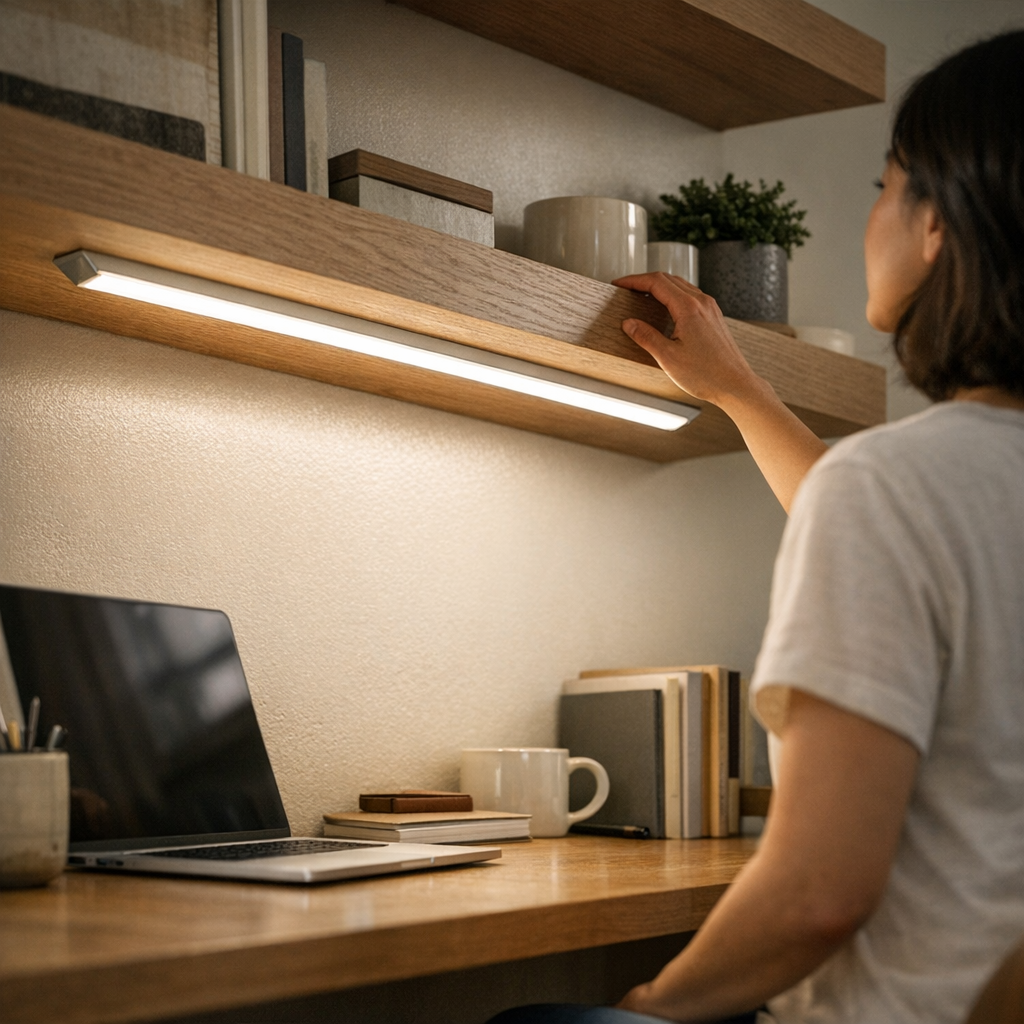
    Switch to a low-profile LED bar under a shelf or along the back edge of the desk and the relationship with the surface changes. The light stays out of the way, reach is open from edge to edge, and even after a week’s mix of projects, repositioning, and cleaning, nothing interrupts. There’s a visible absence—no sudden tangle, no makeshift adjustments, no clearing gear just to use the area you set up as “organized.”

    Shared Spaces Show the Difference Faster

    Shared desks put setup friction on display. A clamp-arm lamp that works for one user leaves the next with a tangle of cable and a bracket blocking a comfortable position. Over a few days, the sequence is predictable: people start shifting chairs sideways, stacking items away from the arm, or leaving the lamp unplugged to avoid the extra step. Surface clutter increases and everyone adapts to the light—rather than the light adapting to the room.

    With a low-profile strip mounted under a shelf or along a wall edge, these problems recede. No one has to negotiate for cord space. There are no bulky arms to inch around or brackets dictating where the work zone ends. The clean feel remains, because the light works invisibly—everyone can sit, read, or charge devices without dodging hardware or tracing cable paths.

    Desk Transformation: Small Shifts, Big Results

    Swapping a heavy swing-arm for a slim LED bar immediately changed how the entire back edge of a desk could be used. Suddenly:

    • Devices, notebooks—even things as irregular as a water bottle—could move anywhere along the surface without colliding with hardware or tugging a cord loose
    • Light was evenly spread, no sharp glare where you’d normally rest your hands
    • Cleanup went from a five-minute maneuver around brackets to a single wipe—no unplugging, no careful dusting

    What changed wasn’t just tidiness, but the daily mechanics. No more yanking a lamp aside to reach a power strip, no more pausing to detangle a cable after shifting work materials. That practical clarity—you never need to remind yourself to “fix the lighting situation”—signals a structural improvement, not a passing clean look.

    Shelves, Cabinets, and the Reality of Limited Space

    On shelves or inside cabinets, even a small bracket or stray wire quickly turns usable inches into lost space. Install a thick fixture, and soon you’re stacking books in front of a mount or brushing past a cord to get to supplies. With slim under-shelf LED bars, every front edge stays accessible—for hands, cleaning, and light itself. The fixture disappears into the background, yet coverage reliably reaches to the visible edge, with no bump risk and no tangle when shifting stored items.

    If you choose a large accent piece for style or maximum output, expect the tradeoff: cable management becomes critical, and surface area shrinks by the width of every bracket, cable, and connector. These are choices imposed by hardware—not just aesthetics.

    Cable Management: Don’t Treat It as Optional

    Even a minimal fixture can lose all practical benefit if its cable becomes the next visual nuisance. A thin wire over a desk, left unmanaged, turns into a line you see—and catch—every time you plug in a device or tidy up. “Looking simple” at installation fades fast if a week later, there’s a loop draping down a wall or crossing the field of view at an awkward angle.

    The obvious fix: adhesive cable channels or discrete clips to guide cords along surfaces and out of the action zone. This doesn’t just clean up the look; it eliminates daily cable snags, accidental tugs, and visual clutter, freeing up attention and workspace for what actually matters.

    Brightness, Placement, and Actual Task Visibility

    The fear with slim fixtures is losing usable light. But brightness means nothing if the light falls in the wrong place. Most modern low-profile LED bars far outshine their bulk, easily lighting desk runs or shelf edges. What actually fails most often? Poor placement. A bright light, misaligned, leaves a dim work area or glints directly off screens; too far back, and the front edge of your work disappears in a dim zone that negates the extra lumens entirely.

    Choosing fit and placement over arbitrary output transforms the space. A slim bar installed where you actually reach and write—rather than where it “looks best”—results in clear, usable surfaces and even task illumination, not just a pretty wash.

    Living with Lighting: The Difference Shows Over Time

    The warning signs are immediate but often ignored: a shelf edge catches cable twice in a day, a lamp blocks a simple reach, a “finished” desk setup still requires routine workarounds. These small frustrations add up: lost momentum, uneven work zones, constant mental notes to fix, move, or clean when the hardware never really fit the tasks it’s supposed to support.

    The real upgrade isn’t visible on installation day—it’s what stays unbroken after a dozen different routines. Slim, low-profile lighting reduces interruptions, reserves space for new needs, and lets every adjustment happen smoothly, without hardware holding the room back.

    Day after day, small frictions vanish—and you start noticing your work, not your lighting. LightSupport

  • Why Fixed Task Lighting Outperforms Room Lighting in Small Office Corners

    The problem with small office corners isn’t that they start out dark—it’s how quickly their lighting breaks down when you actually work there. A ceiling fixture can make the room seem bright, but the second you lean over paperwork, swipe a file from under a shelf, or catch the edge of your monitor, the weak spots snap into view: shadows you can’t outmaneuver, glare slicing across screens, surfaces that refuse to stay consistently lit no matter how many times you angle a desk lamp. Most home offices with a corner setup—wedged beside bookcases, jammed against storage, or half-blocked by equipment—reveal the same stress: what passes for general illumination is uneven, unreliable, and quietly draining every time you sit down to work.

    The Hidden Friction of Small Office Corners

    You flip on the overhead light, expecting the whole office to function. But most “well-lit” corners unravel once you start using them. Your keyboard is half in shadow by late afternoon; your planner disappears under the permanent dusk cast by a high monitor. Move a stack of papers, push your chair, or adjust for a Zoom call—every shift exposes new gaps. Instead of the workspace serving you, you’re forced to hunt and compromise for usable light, second by second.

    Closely-packed storage, tall bookshelves, printers, and even the shape of your desk conspire against most ceiling fixtures. Their supposedly wide beams collapse into cluttered corners, leaving your tasks split between pools of visibility and dead zones of shadow. This isn’t a harmless inconvenience. Over time, the small drag of bad light adds up to genuine strain: mistyped notes, weary eyes, misplaced documents, and the underlying fatigue of adapting to a setup that works against itself.

    Why Room Lighting Alone Fails These Spaces

    Standard room lighting—a flush mount or semi-flush on the ceiling—throws a broad wash of light, but that spread is blunt. The more surfaces and edges your work area has, from raised shelves to deep desktop gear, the more the fixture’s light fractures. The ceiling solution that looked even at first glance can’t handle the real geometry of a cornered workspace. Monitor glare shifts with each hour and task surfaces stay patchily bright in exactly the wrong spots. Each piece of equipment you add multiplies the problem—not just briefly, but with predictable, routine friction every single day.

    This difference becomes painfully clear in late afternoons, during cloudy days, or any stretch when daylight shifts. The central area stays visible, sure, but the edges—the parts you use most for detail work—become unreliable. You end up angling your chair, dragging your laptop toward the middle, or reflexively sliding paperwork into the only area that “feels right” to see. These constant micro-adjustments interrupt not just comfort, but your momentum—adding invisible hurdles to every standard workflow.

    Real-Life Example: The Elusive, Usable Light Zone

    Picture a home office corner boxed in by shelves and a bulging filing cabinet. Overhead, a single flush mount: all looks set. But as your routine shifts from typing to reading, then to marking up printouts, the ceiling fixture’s limits close in. A shelf edge throws a line of shadow right where you annotate. The leftmost part of your desk disappears into dimness. Extend your arm, and you block what little light escapes. Tasks drag out as you chase a moving patch of visibility—constantly repositioning notes, chasing the “good” angle—while large portions of your surface slip into murk.

    Even a fast routine, like double-checking an invoice or updating a calendar, turns sluggish and odd. Small interruptions become habit; slow strain turns invisible but cumulative. The cost isn’t just time—it’s the depletion of focus, accuracy, and willingness to stay at the desk.

    The Task Lighting Difference: Targeted Clarity Where It Counts

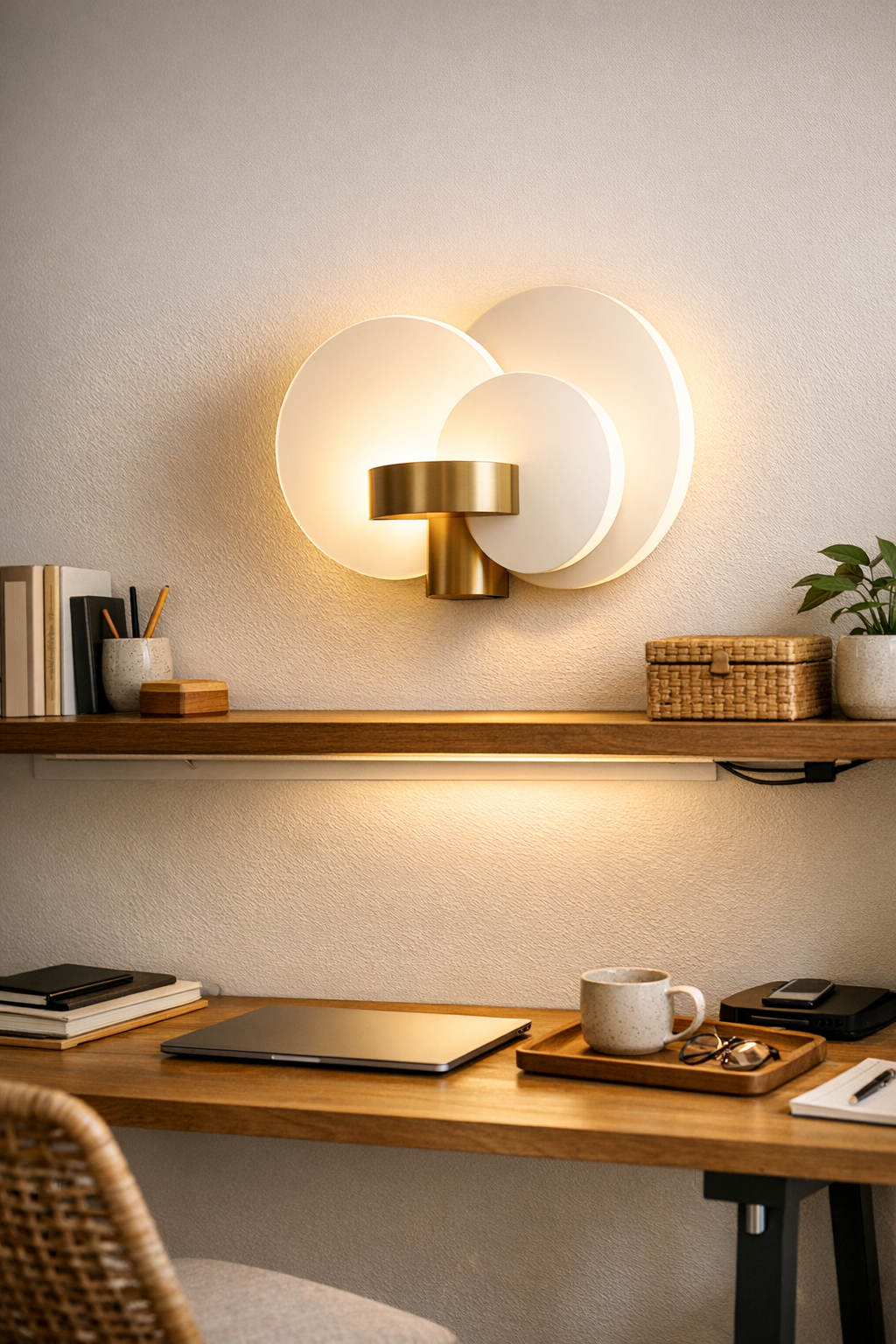
    Fixed task lighting changes this equation entirely by anchoring clear, reliable light right where the work happens. Instead of asking a ceiling fixture to reach around corners and under shelves, an under-cabinet LED strip or hardwired wall sconce targets the actual problem zone. Mounted, for instance, 60 centimeters above the desk lip or shelf underside, these lights erase persistent shadow lines and carve a steady, usable surface no matter the hour or desk load.

    This isn’t just generic “brightness”—it’s a stable, focused field of light that doesn’t shift with every object you move. Your keyboard, notepad, and current project stay evenly visible whether the sun is up, down, or behind clouds. Where ambient-only setups cause glare, task lighting settles quietly, keeping outlines crisp and fine details legible. The directness ensures you never have to “find” your light; it’s always exactly where your hands, eyes, and tools need it—consistently reducing squinting, desk shuffling, and accidental shadow-casting.

    Routine Use: How Fixed Task Lighting Shifts Your Workflow

    Add a fixed under-shelf light to a formerly shadow-ridden desk and the change is immediate: that stubborn afternoon dimness across the center of your workspace just stops showing up. You’re no longer inching papers toward the cheapest patch of brightness, no longer twisting awkwardly for better angles. The entire usable zone stays predictable from morning to night, whether you’re editing, reading, drafting, or switching between monitors and hard copies. The difference? Each repeated task now unfolds on your terms, in constant clarity, rather than at the whim of your fixture’s coverage.

    Recognizing Lighting Weakness Before It Wears You Down

    Don’t trust a room’s overall glow—watch for the signals that lighting is quietly failing your workflow:

    • Lopsided desk brightness, where one half stays stubbornly dim even with lights fully on.
    • Shifting glare on monitors that creeps larger as daylight fades or as you change tasks.
    • The need to physically move objects, or yourself, to rescue documents from shadow or glare zones.
    • Rising eye strain or headache, especially tied to certain desks, times of day, or activities.

    These red flags are the early warnings: repeated annoyance isn’t normal wear-and-tear—it’s the product of a setup that isn’t supporting you, visually or practically.

    Tips for Achieving Reliable, Repeated Task Visibility

    1. Track where your hands and eyes are most active. Identify the physical zones—keyboard, reading nook, reference shelf—that see the most use. Test in real time; don’t assume a plan matches your routines.

    2. Target fixed task lighting to those weak spots. Just one well-placed under-shelf light or wall sconce over your crowded desk can outperform any ceiling fixture when the light actually needs to reach around objects and corners. Prioritize direct coverage over the actual work surface.

    3. Skip just adding more ambient light. Raising overall room brightness rarely solves shadow; it often just multiplies glare and wastes power. Layered lighting—balancing task and ambient—delivers control and reduces visual discomfort.

    4. Treat persistent eye discomfort as a setup failure, not an annoyance. When you catch yourself squinting at the same spot or reaching for tasks in unreliable light, it’s a sign to adjust the fixture, not just soldier through.

    The Lasting Impact: From Chasing Light to Predictable Comfort

    If you’re working daily in a tight office corner, lighting is not an upgrade—it’s the foundation for every task that requires accuracy and endurance. Ceiling fixtures perform for open rooms, but corner-heavy routines quickly show their gaps. Fixed task lighting, tuned for your real-world setup, banishes the constant distraction of “not enough” light and delivers the kind of usable clarity you stop having to think about.

    The shift isn’t cosmetic. It’s practical: no more rearranging papers for a sweet spot, no more squinting at half-lit forms, no more compounding fatigue that sneaks up day after day. A small upgrade to targeted lighting resets the baseline of your office—from an endless, interrupted hunt for the right light, to a routine that always runs on steady, reliable visibility. Find fixtures that solve these practical frustrations at LightHelper.

  • Why Leaving Space in Your Workstation Boosts Daily Workflow Efficiency

    Most tidy desks hide a real snag: the stricter your straight lines and cable paths, the more your routine chokes on invisible friction. You see it fast: drag your laptop an inch and the cable snags; nudge a notebook and it topples your phone because every object’s locked to the millimeter. Try to reach a pen “where it belongs”—and notice that tiny catch, that physical resistance, because everything looks perfect but nothing actually flows past the first hour. What at first reads as order soon turns into a maze—a setup so rigid it treats every lateral move like a problem to correct, not a gesture to support.

    When Order Looks Good—But Feels Awkward

    It’s easy to crave that photo-ready desk where every organizer, monitor, and lamp lines up perfectly. The flaw shows up the next time you actually work: switching between typing and notetaking, you find elbow room swallowed by a block of trays. Pulling your chair forward for a call leaves your shin pressed into the fixed face of a drawer unit. That “centered” monitor forces you to lean because the base won’t actually slide to match your posture drift mid-afternoon.

    Even cable management, when routed in locked channels or boxed flush against the rear, leaves you wrestling to plug in a device or crawling under the desk for a charger. Monday’s setup says “organized.” By lunch, each move starts bumping up against invisible rails—a desk that looks tidy at rest but drives slower with use.

    The Difference: Space for Movement Beats Rigid Lines

    Real function starts with open margins along your main work edges. Instead of forcing every item into a permanent slot, leave gaps—especially where your hands, arms, or devices actually move. That simple 15–20cm buffer between monitor riser and desktop trays gives you a swath for grabbing a pen, sliding a notebook, or flipping between tasks without running into staged barriers. A short run of cable left loose near your reach zone makes charging or swapping a device a two-second move, not a five-step process.

    Across a normal day, these margins pay off: you can drop a sketchpad next to your keyboard, sweep clutter off in one motion after lunch, or sneak a reference sheet under the monitor riser instead of rearranging storage cubes. The setup flexes when the workflow bends—no more negotiating with the tools that are supposed to help you.

    Rigid Setups: Where Small Friction Adds Up

    The most popular desk solutions—drawer units, cable trays, organizer sets—often trade one kind of mess for a new bottleneck. Add under-desk drawers: now, your legs knock them every time you adjust your chair or want to cross your feet. Add a cable box: now, every device swap means fishing for the right lead against resistance. The result: you start by solving “visible mess,” but land in a zone where your actual movements get pinched and guided by storage itself.

    This is why so many neat Monday setups morph into Thursday fatigue. It’s not about piles or chaos; it’s the creep of resistance. Each small interruption steals speed—reach, reset, slide, or stand become micro-negotiations with the gear, not seamless actions shaped by you.

    Real Use: Resetting for the Next Session

    The biggest test comes at reset. In a setup where every cable is clipped and every device docked, you can’t wipe the surface clear or reset for the next work block—because first you have to detach, trace, and align, slot by slot. Leave open workspace, and post-task resets take one gesture: swipe notebooks aside, uncoil a cable, and you’re already ready for what’s next.

    How Small Setup Changes Fix Daily Friction

    A deliberate 20cm margin between main elements makes all the difference. Laptops and notebooks “float” to where you need them, not where the tray prescribes. Releasing just a section of cable—enough for a natural plug-in—removes the repeated snag that turns every charge into a distraction. These small changes aren’t just for show: cleaning up takes seconds, not minutes; you can shift a lamp edge-on for a new angle, or pivot from digital to paper and back without hitting plastic roadblocks.

    Clutter comes back sometimes. But with usable, open lanes built into the setup, restoring clear working room never becomes a chore or a puzzle. The desk serves the work, not the other way around.

    Quick FAQ: Making Space Work for You

    How much desk should actually stay clear?
    Leave 15–20 centimeters open between core tools—monitor, keyboard, tray—especially where your forearms land or your hands do most of the switching. If you’re always dodging a box or organizer, that’s a sign you need more gap, not another tray.

    Cable trays or loose cables—which reset smoother?
    Anchor main cables with trays or boxes at the far edge, but always keep a section loose at the front or side. It’s about navigability: fast plug-ins, no tangled sprawl, and no need to unhook everything during a quick shift or reset.

    Why do “perfectly” aligned desks slow down over time?
    Because strict lines build unseen barriers. Every change gets translated into a friction point: move a monitor, catch on a wire; swap a pen, bump the tray. As habits and priorities flex during the week, those hard boundaries force old moves to become new chores, fragmenting your routine.

    What Actually Makes a Desk Functional, Not Just Neat

    Function isn’t about deliberate mess, but allowing movement and reset at desk-speed. A truly useful setup doesn’t just hold its shape for an end-of-day photo—it changes shape as quickly as your workflow does. Clamping a lamp for reposition, swapping a fixed drawer for a rolling cart, or using risers you can slide: these moves turn empty desk centimeters into flex space, not dead air.

    Instead of working “around” your setup—knees bumping drawers, hands colliding with organizers, cables dragging—you start seeing your workspace adjust to you. The difference is blunt: less forced tidiness, more unbroken flow between tools, tasks, and resets.

    In real use, the best workstation is the one that adapts without ceremony. That means room to move, objects that slide without a fight, routines you can reset in seconds, and a surface that never stops serving you even after the first “clean reveal.” If your desk looks organized but still interrupts your moves, it’s signaling for more open space—let the layout flex, and let workable order emerge from how you actually use it.

    Explore the full WorkBasic collection

  • Achieving Lasting Calm with Slim Lighting and Smart Cable Support

    Your shelf or desk can look surgically clean with slim LED strips, hidden cables, and “invisible” mounts—until real use exposes the cracks. What seems minimal on install day often unravels: glare lines appear, cables droop where your hand lands, and the outer desk edge stays dim no matter how much you nudge the fixture. The difference between a lighting setup that quietly does its job and one that sabotages your routine lies entirely in the support details: the routes, anchors, and brackets most people skip right past.

    Where Friction Creeps In: The Problem with Quick Fixes

    That tidy light bar under the shelf or plug-in edge panel looks like a solved problem—until the second or third day of use. The cable you meant to hide starts poking out between books. By the end of the week, you’re shifting your chair to dodge an unexpected glare angle, or finding your workspace half-lit, the front edge still in shadow.

    Loose cables, soft mounting, and ignored fixture alignment never look urgent at first. But in any setup that sees traffic—actual work, cluttered surfaces, or just repeated arm sweeps—these small gaps turn into constant irritants. Shared desks, hallway shelves, or kids’ zones especially expose how quickly “clean” lighting degrades into visual mess or daily hassle.

    Why Low-Profile Lighting Needs High-Attention Support

    Blending a fixture into the background only works if its support disappears just as well. The three fast ways a minimal lighting plan breaks down:

    • Dangling or drifting cords: Unanchored cables slowly work loose, get caught on objects, or become the thing you notice first—breaking the whole minimalist illusion.
    • Lighting pushed too far back: Light aimed at the wall leaves the active zone—where you write, swipe, or drop your keys—in consistent shade.
    • Mounting that obstructs or interrupts: Even slim brackets, if placed wrong, snag elbows, clash with stacked books, or become dust catchers right where you reach.

    These breakdowns get worse with every touch, plug-in, or quick rearrangement—making the “minimal” setup feel messier than what came before.

    Real Scenes: The Difference in Day-to-Day Use

    Picture two shelf lights, identical in type:

    • The first stays flush against the rear wall, cable left dangling out of reach, mount clips visible where you set down your bag.
    • The second routes its cable flat and hidden along the shelf’s back, with the light itself nudged forward to throw coverage directly over the day’s work zone.

    Within a week, the first setup is a small minefield: books push against loose wires, glare catches your eye at odd angles, tablet cables knot themselves with lighting cords, and a persistent streak of shadow stays along the work edge. With the second setup, the light just works—no tugged wires, no frustrating dimness at the shelf’s edge, no hardware interrupting routine motion. The difference shows up not in photos, but in the absence of daily distractions or half-conscious tweaks.

    This isn’t about add-ons. It’s the disciplined use of support details—tight cable runs, low-profile brackets, practical placement—that keep a clean install from collapsing into visible, lived-in disorder.

    Beyond Appearance: Where Lasting Setup Stability Comes From

    Most lighting stays perfect for a day or two. Then support weakness creeps in:

    • Cables that migrate: If you don’t guide wires firmly along the rear or down a well-defined path, they creep forward, getting caught or becoming another source of dust and interruptions.
    • Fixtures that flex or tilt: Adhesive or magnetic strips survive a few days’ use, then start sagging—the light bar doesn’t sit flat, and the “straight line” turns crooked the tenth time you open the cabinet.
    • Lighting that misses target zones: Even a couple inches off with placement and the edge you work or read on turns into a lingering dark spot, obvious halfway through every use session.

    Ignored, any of these can become a small but fixed annoyance—one that’s always present, even after the novelty of a new fixture vanishes.

    Making “Invisible” Lighting Actually Work—For The Long Haul

    Real improvement comes from small, targeted adjustments:

    • Anchor cables completely flat, not just out of sight. Adhesive guides let wires stay pressed to the surface—reducing both accidental pulls and the habitual “cable in your sightline” effect.
    • Shift lighting to where activity actually happens. Don’t center by habit. Shift the fixture toward the front third of a shelf, or directly above the tools or devices that get daily friction. That inch of difference pulls the shadow line off your workspace.
    • Scale support to the hardware you’re using. Too-large clips create slack; overly small ones strain or pop off. When bracket and fixture fit together, the whole setup remains tight and unobtrusive over time.

    What feels like a tiny improvement at install becomes the reason you forget about the lighting at all in everyday life—a sign you actually got it right.

    Reality Check: Common Support Weak Points You’ll Notice Only After Living With Them

    Plenty of support issues hide until a week of living with the setup loosens them:

    • Magnetic fixtures on metal: Quick to install, but door vibration or even a warm day weakens the grip—until the bar sags or tilts, breaking the look and the lighting line. A near-invisible screw or secondary bracket fixes it for good, but most skip the step early on.
    • Long cable paths with nothing to hold them down: The longer an unanchored cable runs along a surface, the more likely it is to creep, curl, or catch. Small, spaced anchors mean less tugging and no surprise cable clusters by week two.

    The setup that “looks perfect at install” is almost always the one that drifts into distraction after a few rough days. It’s only after a few hundred quick reaches, plug swaps, or surface cleanings that the true weak points show, right at the edge, the corner, or the unsupported run you barely noticed at first.

    One Good Adjustment Lasts Longer Than Ten Quick Fixes

    The setups that survive—across desks, shelves, and hallway drops—aren’t the ones you tinker with every few days. One perfectly guided cable, a bracket aligned exactly where it’s needed, or a light that finally extends to the active edge buys more calm and stability than a pile of temporary workarounds. The difference, weeks or months down the line, shows in whether you actually use the whole space without pause—or catch yourself dodging, adjusting, or fixing what should have stayed invisible from the start.

    No lighting fixture hides repeated-use problems by itself. But when cable paths are precise, brackets scaled right, and lighting actually hits the areas you touch, even a slim, nearly unseen setup stays friction-free long after install day. Clean lighting isn’t just a look. It’s the quiet, ongoing absence of daily interruption—and support details are the only way to get there in real rooms, not just in photos.

    LightSupport: Indoor lighting and support that actually stays functional, not just tidy at install.