Category: Lighting & Work Setup

  • Balancing Corridor Lighting for Safer and More Comfortable Spaces

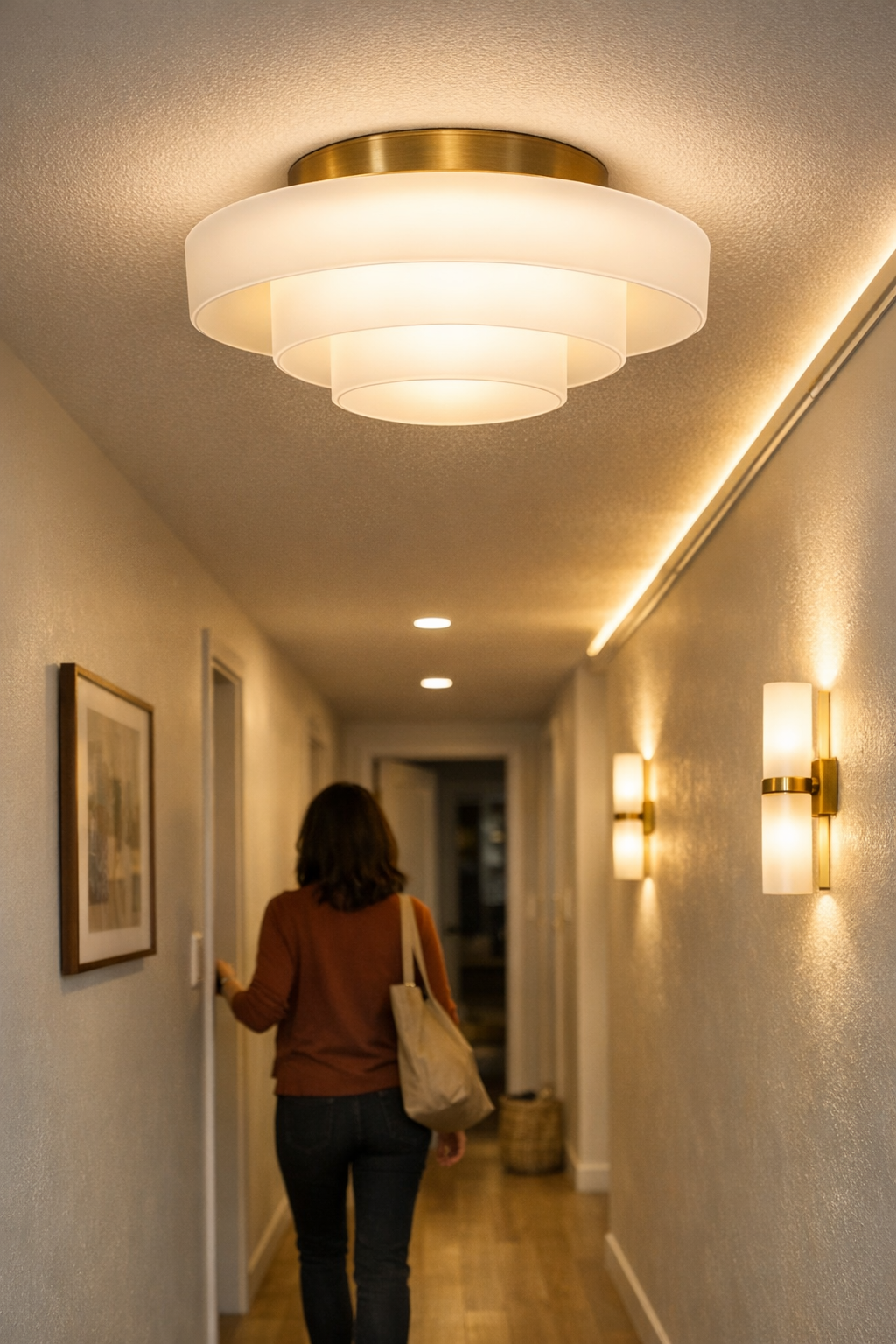
    Corridor lighting problems announce themselves with every step. A ceiling row that looks orderly on paper turns traitor in daily use: glare catches your eyes when you pass a workstation, then three steps later your foot lands awkwardly in a dim patch where storage juts into the hallway. Every door, corner, and shelf becomes a test—does the light land where you need it, or does it leave you squinting, hesitating, and dragging bags through awkward shadows? This isn’t just about not having “enough” fixtures. The core frustration is misaligned light—fixtures chosen for visual symmetry, not for how bodies and routines actually move through space. Mismatched corridor lighting makes itself felt instantly and keeps messing with comfort and flow every single time you cross the space.

    The Everyday Consequences of “Even” Lighting

    Uniform fixture rows might impress on the first day, but corridors fight back. After a week, what stands out isn’t the tidy ceiling symmetry—it’s the unpredictable friction below. Glare at one end forces you to duck or shield your eyes; a step later, you’re feeling for the next foothold because a deep shadow hugs the floor near a bracket or storage shelf. That “even” appearance quickly exposes its seams in actual use: you catch yourself stumbling over dim corners, turning your head to avoid light in your eyes, or pausing uncertainly where the corridor should be most predictable—by a coat hook, a door, a step. It’s not an occasional annoyance; it’s built into the daily rhythm.

    When Looks Don’t Match Daily Use

    Most corridor lighting goes wrong in the difference between showroom logic and lived reality. On install day, everything lines up—flush-mount ceiling lights, cables out of sight, surfaces neat. But then you reach for shoes under a shelf and realize the shadow never left; the bracket you hung for bags is half-lit, still awkward. The cleaner one section looks, the more the murkiness at the next feels like a flaw you can’t ignore. Grabbing a toolbox or kneeling to tie laces means squinting at the floor, even with all lights “on.” By night or early morning, that half-meter stretch near the main shelf turns into a risk zone—still dim, still inconvenient, a bottleneck that repetition never makes comfortable.

    The Real Test: Corners, Edges, and Busy Spots

    It’s the transition points that expose weak lighting plans: thresholds by a door, edges of a crowded wall shelf, or that bottleneck beside a coat hook. These are where corridors actually work—or don’t. Repeated use reveals:

    • Dragging bags along a floor edge that disappears into shadow as storage crowds the path
    • Stopping, hesitant, at a patch where a missing step blurs into the floor—especially with hands full
    • Endlessly adjusting a fixture or swapping bulbs, only for new glare or shadows to show up elsewhere
    • Sensing cable runs or plug-in support pieces before you register the room itself—clutter that translates as distraction

    First impressions fade. By week’s end, you map out the avoid zones: places to guide kids around, places where guests pause unsure. A neat row overhead might feel resolved, but at ground level, unavoidable discomfort settles into the routine.

    Small Changes, Tangible Improvements

    The fastest way to cut shadow and strain isn’t adding more ceiling light—it’s targeting the real friction. Installing a wall-mounted linear light, angled down at the edge of a stubborn shadow, made a recent setup instantly more livable. One slim fixture near a dim shelf cut the hard-to-see patch by half a meter—now shoes, bags, and everyday drop-off spots stand out, not vanish into gray. The movement path and storage nook both became legible at a glance, not harshly lit but simply unfussy, even on evenings or overcast mornings. And it wasn’t just boosting brightness; it was about delivering light exactly where the routine needed it. Pair that with a stable cable bracket or tidy run holder, and messy support gear fades from view. For days with constant back-and-forth—or with hurried kids—the change is unmistakable: less micro-managing, fewer instinctive detours.

    Practical Tip:

    Test your corridor at dusk or on a gray afternoon with all main lights on. Walk slowly and focus on what doesn’t resolve: Is the shelf’s edge clear or is it just a fading line? Stand by the door and check for glare bouncing off metal brackets or desk corners. Pinpoint these uneven spots—they’re the priority for a targeted fixture or a clearing support piece.

    Blending Structure with Actual Use

    To fix the mismatch between appearance and comfort, look beyond the ceiling row. The strongest gains come from added support: wall-mounted spots, slim under-shelf lighting, bracketed task lights tucked where routines actually force you to squat, reach, or pause. Every adjustment should answer one question: “Is this where the discomfort starts?” Real improvements come from:

    • Erasing recurring shadow pockets at routine turn points and habitual pauses—not just ends, but every hang-up zone
    • Taking glare out of play before it hits eye level—at desks, shelf edges, and anywhere someone sits or grabs gear
    • Grouping cable management and support at true friction points, then running wires clear of sightlines and daily hand-traffic
    • Smoothing out lighting lapses at bends or ceiling drops—patching dim spots without flooding the whole corridor and inviting more glare

    Why Segment-by-Segment Beats the One-Row Standard

    No corridor is uniform—there are always corners, crowded storage, odd brackets breaking the line. Standard rows gloss over these weaknesses, but lived-in use exposes the real cost. Fixing by segment means:

    • Delivering safety exactly where turns, clutter, or dropped bags make stumbles most likely
    • Making every transition—from door to shelf, from bend to straightaway—less tense, more visually clear, and faster to use day after day
    • Avoiding the trap of endless quick-fixes: stick-on lights that don’t last, moving obstacles, adjusting fixtures further and further from where they help

    The only test that matters: after repeated trips, does the corridor demand less of your attention—or is it still a source of slowdowns and subtle risks? When each segment gets its own lighting logic, the repeated discomfort just fades. You see what’s on the floor, grab what you need, and move without hesitation or second-guessing the lighting itself.

    Getting Corridor Lighting Right: A Checklist from Repeated Use

    • Walk first, diagnose second: Mark spots that break your flow—those corners, doorways, shelf and storage edges where tension or dimness lingers.
    • Target support, not just volume: Place task or under-shelf lights where the problem starts—low, angled, aimed at persistent shadows or repeated glare.
    • Refine cable paths: Use cable brackets and discreet support so sightlines stay clear and routines stay unbroken.
    • Test at worst light: Evaluate at dusk for the real answer: does each surface, bracket, and turn-off now show itself, or do you sense the setup as staged and unfinished?

    Making Practical Adjustments, Not Just Visual Tweaks

    The difference between a corridor that simply looks streamlined and one that actually makes daily routine easier comes through in small moments: no more squinting at a half-lit step, no more hunting and re-hanging cables, no more daily run-ins with “mystery patches” that appear whenever natural light drops. When support pieces help instead of getting in the way, and lighting is targeted by use instead of appearance, the corridor starts serving you back. Segment-driven fixes—better support, focused light, less cable chaos—quiet the repeated friction. The goal isn’t showroom perfection. It’s a setup that finally disappears into the background of your routine, not because you stopped caring, but because it just works.

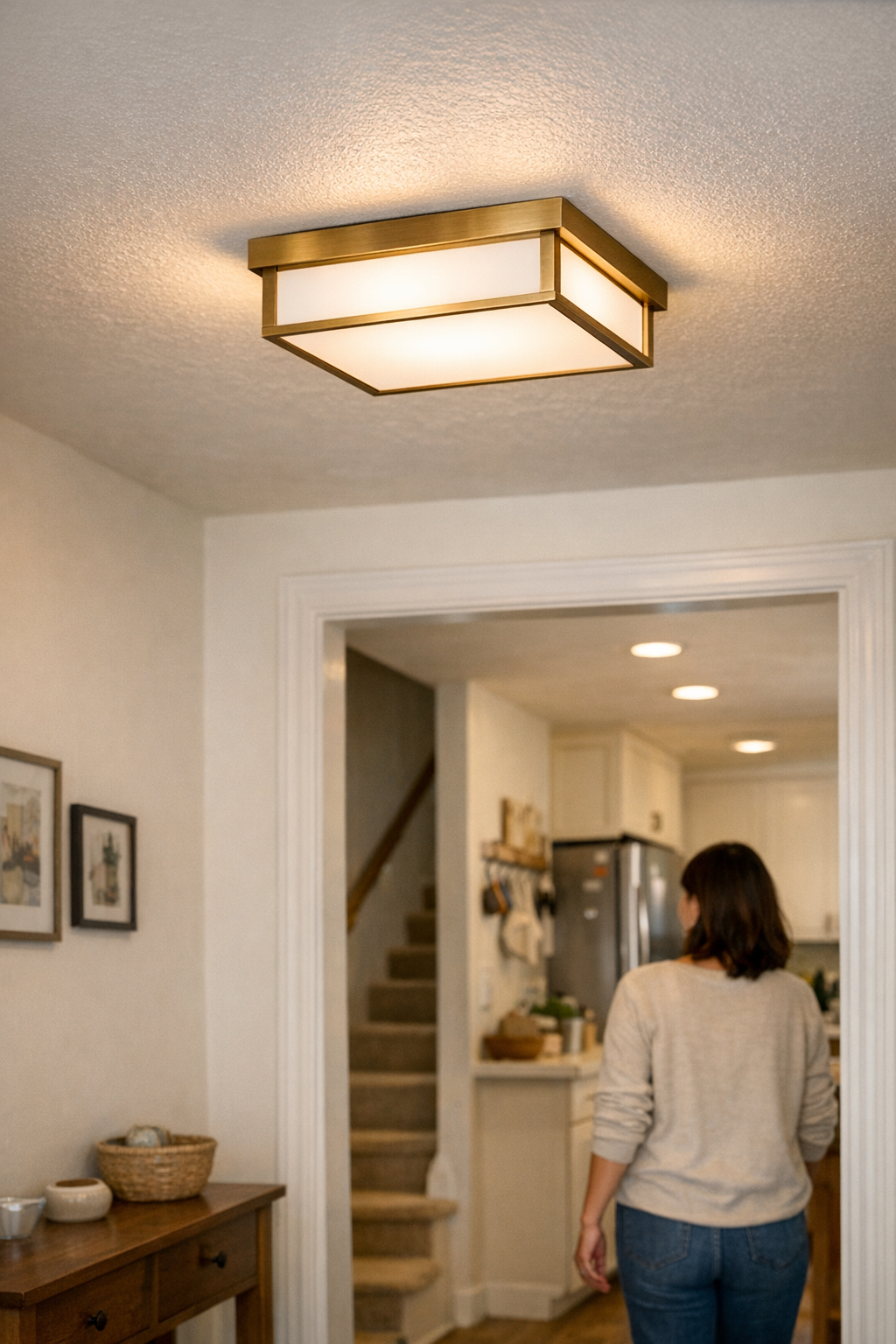
    Visit LightSupport for targeted lighting, mounting, and support solutions built for real, everyday setups.

  • Why Cable Sleeves Transform Travel Workstations Into Stress-Free Zones

    If you depend on a travel workstation—think hotel desks with shallow depth, airport charging counters already crowded at the edge, or another reshuffled co-working table—your approach to cable control isn’t just about appearances. It’s a repeated test of how fast you can actually reset, pack up, and get working again when routines aren’t stable. Loose cables and “temporary” solutions might seem flexible, but after three or four cycles, the reality is slower: cords snag under power bricks, twist around bag handles, and always seem to block your reach for a notepad or charger, even on a desk that still looks technically clean. Setup friction piles up in small, annoying ways—each time you break down or restart—until getting organized isn’t just about how your workspace looks, but about cutting the minutes lost to hunting, untangling, and fixing what repeatedly slips out of place.

    The Real Cost of “Looking Organized”

    A tidy surface often hides a cycle of small slowdowns and missed details. Maybe your setup looked flawless on day one: every cable wrapped and laid flat, phone charger tucked out of the way. But by day four, the story changes. Cables ride up over the desk edge, the HDMI cord disappears behind your keyboard tray, or your phone charger gets pulled tight around a notebook, making it harder to reach both at once. “Streamlined” starts to mean “guesswork under time pressure,” especially if your desk space doubles as last-minute storage—crowded, unpredictable, and just awkward enough to keep you distracted during quick work pivots.

    Even a carefully rolled cord won’t stay put for long. Every time you plug and unplug, cables inch toward pockets, snag on zippers or seams, and wedge into the gaps in your bag. Reach across for a pen and you feel one drag around your elbow or ride up onto the keyboard tray. No matter how often you reset, if the routine doesn’t change, the underlying disorder returns: tidy desk, tangled access, and that creeping sense your cables are in the way even when they seem “put away.”

    The Moment Setup Decisions Make Themselves Obvious

    If you push through even a few rapid-fire setup cycles, cable management stops being cosmetic and turns into the real bottleneck. Picture the third hotel desk of the week—there’s a call to join, notes to review, cords tumbling out. With cables grouped in a sleeve, the routine shrinks: one bundle out, charger and video cable ready, desk edge cleared, and nothing hanging loose or stuck behind the lamp base. Plug in and work begins within seconds, not minutes.

    Without a sleeve, the pack-up and teardown spiral. One cable hangs behind, another gets jammed under the corner of a notebook, a third slips off the side and vanishes under the desk. You sweep a hand to clear space, but the cords rearrange themselves into new obstacles. Repeating this chaos—after each new session or or trip back to your bag—turns “desk ready” into a source of low-grade stress. It isn’t the time lost in one move; it’s the fact that every session gets slower and more scrambled, dragging down momentum, especially when meetings or deadlines line up back to back.

    Cable Control in Real Use

    The hidden snag with leaving cables loose is wear—the kind that never shows up in the desk photo. Each rushed unplug leaves connectors twisted, tips bent, persistence wearing thin. By the fifth or sixth setup, at least one cable feels softer or starts failing right where it bends. Bundling them in a sleeve does more than declutter the look; it shields weak points, absorbs abrupt pulls, and keeps the whole set together when fast breakdowns and resets are part of the job. The result is visual: a single line stretched across the desk instead of four separate cords, two always escaping just beyond reach.

    Adapting the Desk for Actual Repeat Use

    Your tolerance for cable chaos usually cracks after a week of constant moves. For most, the breaking point isn’t the mess itself—it’s the moment you miss something crucial because a cord is stuck, or realize you’re spending more brainpower untangling than actually working. My own fix: a braided sleeve, trimmed just to fit the primary device cords without excess. Not too tight, no leftover tangle, no wasted movement.

    Now the cables swing off one side with a single motion. No mistaken grabs. No frayed wire catching midway into a bag. Instead of thinking about cords, my hand follows the same setup path automatically—a physical routine quietly built by repetition, not by willpower. That kind of hidden upgrade doesn’t show up in the first hour, but after a dozen sessions, it’s the difference between steady focus and small, regular slowdowns you barely notice until they’re gone.

    What the Right Sleeve Changes for Routine Work

    With the sleeve in place, cables drop onto the desk at the same point, every time. My hand knows where to reach—no guesswork, no rerouting loops under a pile of notebooks, no digging to find the right connector. It fixes the specific friction that slips below notice: the seconds lost every single cycle to cables that do not land where you need them. Some quirks stay; it won’t solve every workspace flaw. But for repeated work, it strips away one slow reset you don’t need to keep fighting.

    Direct Answers for Real Travel Desk Scenarios

    Are Cable Sleeves Better Than Clips for Packing?

    If your setup moves more than two or three times a week, sleeves win every time. Clips pin cables in place for static desks but don’t unify them for quick changeovers. A sleeve gathers every cord, holding the entire set as one unit for instant pack-up, so you can shift workstations without forgetting, crossing, or leaving any cable behind. For mobile work, sleeves cut error and reset time, not just clutter.

    What If I Need to Swap Devices or Reposition Cables?

    The right sleeve matters. If you pick a sleeve that’s too short or too stiff, the bundle fights your movements—and you’re back to awkward, fiddly swaps. A flexible sleeve, cut exactly to the combined cord length, lets everything move naturally. Leave just enough space inside so you can pull or slide cables as needed—overpacking traps them and loses the modular feel. Fit the sleeve to your actual device layout, not a one-size-fits-all solution.

    Is Leaving Cables Loose Really That Bad?

    It’s tempting to shrug off for a day or two, but each loop left exposed will twist, bunch, or flex at the weak point by the connectors. Every extra bit of sorting—especially when you’re tired or in a hurry—adds unnoticed stress, and that’s when cables fail. If you’re breaking down fast and often, the risk isn’t just clutter; it’s silent wear and surprise breakdowns when you need reliable gear most. Active control stops the hidden damage before you realize it’s begun.

    When “Calm” at the Desk Is More Than Surface-Level

    The gap between appearances and actual ease-of-use appears after the fifth or sixth repeat. Cable sleeves don’t exist for looks—they’re a minor adaptation that reduces one of the quietest, most persistent interruptions in the real travel-desk routine. A sleeve cut for the way you use your gear simply fades into muscle memory, letting you focus on shifts that matter instead of routine repair.

    If your setup feels a little off after each reset—even when it “should” be organized—a proper sleeve might be the single unglamorous fix that sticks. It won’t perfect your workflow, but it erases the friction that keeps a workstation from being as reliable as it looks.

    Explore the full WorkBasic collection

  • Why Plastic Light Fixtures Fail Quickly in Humid, High-Traffic Areas

    Why does a ceiling light that looks bright at installation become a daily annoyance in kitchens, bathrooms, hallways, or utility rooms? It only takes months for a plastic lens overhead to turn from “clear and even” into a source of glare, shadow lines, and uneven, fatiguing light. The surface may look clean from a distance, but pause by the mirror in the morning or step onto the stairs at night, and the weak spread and muddled clarity start to interfere—forcing you to angle your head to dodge a streak of glare, or reach for the edge of a counter that fades into shadow. The room might check the box for “lit,” but navigating, working, or even glancing at your own reflection in that light shows every limitation. This is the quiet reality of routine indoor lighting failure.

    The Real-World Downside of Plastic-Lens Lighting

    Plastic flush mounts and wall fixtures appeal for their low price and promise of bright, diffuse light—at first. The problem sets in with real, repeated use. Within the first stretch of humid weather or a few cleaning cycles, hairline cracks start to form, almost invisible but multiplying quickly in steamy bathrooms, kitchens after pasta boils over, hallway corners where warm air meets the draft, or laundry rooms hammered by wet loads and temperature swings. Daily movement, frequent door openings, and simple surface wipes become forces that split and cloud the lens, changing how the light moves through your space.

    From “Looks Bright” to “Feels Dim:” When Cracks Take Over

    The shift isn’t instant, but it’s obvious once it starts. Micro-fractures in the lens scatter beams off-target—the result is room light that looks “on” but sends the counter edge plunging into gray shadow, or throws a sharp glare strip across a stair step right when you need to see your footing. Cracked plastic doesn’t just disrupt evenness; it catches dust and moisture, compounding the problem as every cleaning leaves behind a dull haze. Normal tasks—chopping at the kitchen island, folding laundry, finding a dropped item in the hallway—get undercut by streaky patches, unpredictable shadows, or a flicker that won’t wipe away.

    Workhorse Rooms Reveal the Flaws First

    Certain spaces accelerate the problem. Hallways between entry and kitchen—the corridor you cross all day—see constant temperature change and abrasive, wet traffic. Bathroom mirrors, used at both rush and rest hours, show every lighting mistake as a shadow under the jaw or a band of reflection refusing to cooperate. In busy rooms, the supposed “uniform” glow is gone fast. You end up with:

    • Harsh glare points where cracks magnify bulbs into hot, narrow flares
    • Shadow stripes breaking up long countertops or showing up across every other stair
    • Clouded mirror edges that hide or distort detail regardless of cleaning
    • Staggered movement as your foot hesitates on a darkened patch or your eyes flick past another inconsistent band of light

    This is more than an aesthetic gripe. Late-night trips through a dimmed corridor feel off-balance, morning routines at the mirror turn into a game of shifting angles, and kitchen workspaces demand extra caution or time just to keep up with the basics.

    Scene: Hallway Crossings and Daily Disruptions

    Picture the hallway between your main entrance and kitchen: a single ceiling light, passed under a dozen times a day. Six months in, each cold blast or running shoe adds a bit more wear to an ordinary plastic fixture. Suddenly, you can’t help seeing the kink of light breaking along a fracture—every step throws a glare into your eye or leaves one side of the path dim and ambiguous. At night, it’s not just unpleasant; it actually slows you down, makes you test where your next step will land, or leads to a quiet flare of frustration you didn’t expect from a plain overhead lamp.

    Bathroom Routines: Glare, Shadow, and the Unfixable Haze

    In the bathroom, lighting imbalance announces itself every time you use the mirror. One side of your face falls away in shadow, the other lights up with an intrusive reflection off a fine crack. Wiping the lens can’t restore clarity—scratches and moisture have settled in, so every morning you find yourself fighting fog, hunting for the best angle, or wishing the light were just a little smarter, a little more even, a little stronger.

    The Hidden Cost: Extra Cleaning, Less Trust

    Every new fracture or scratch drags down more than just appearance—plastic fixtures demand constant maintenance yet never deliver their original quality again. Drag out a chair and wipe the lens as much as you want; dust stays caught inside the cracks, and that shadow behind the cabinet or quirk in the stair lighting never clears up. You start accepting awkward workarounds: moving kids’ shoes closer to the center, shifting recipe prep to the one guaranteed lit spot, waiting extra seconds in the hallway to be sure of your next move. The lighting is a reminder, not a solution.

    What Actually Changes When You Upgrade to Stronger Fixtures

    Swap out that aging plastic lens for glass, metal, or a damp-rated fixture, and the contrast is immediate and sustained. Glass or metal fixtures resist moisture and scratches—they keep their clear, even spread through the roughest use cycles. You see stair treads outlined cleanly, the mirror in the bath reflects skin tones accurately on both sides, and kitchen counters are simply usable, every edge and surface visible without mental effort. The job of “seeing clearly” fades into the background—replaced by smooth routines that don’t force you to adapt to bad coverage or fix your own lighting on the fly.

    Easier Upkeep, No Compromises

    A stronger fixture is about more than avoiding problems—it’s about not thinking about them anymore. Glass and metal don’t trap grit, don’t develop a layer of streaky haze, and wipe clean in a moment with no permanent scarring or stubborn dust shadows. You skip the weekly wrestling with a lens, and your rooms stay reliable, even when the shower steams or the laundry cycles stretch late into the evening.

    Quick Troubleshooting: Should You Replace That Plastic Fixture?

    • Cracks along wiring or across much of the lens? Replace promptly—especially where humidity is high or fixtures see heavy use.
    • Still hazy after cleaning? If embedded dust and streaks remain, the material is beyond restoring, and the “good enough” light is gone for good.
    • Regular glare or lost visibility in your key routes? When lighting balance breaks your stride or skews your mirror, the root is structural, not just cleanliness. A damp-rated or glass fixture restores what cleaning and adjustment can’t.

    Real signal: Wait until late at night or open the bathroom after a shower—faulty plastic reveals itself most clearly when lighting matters most. Don’t judge midday, judge when you actually use the room.

    Choose Fixtures for Real Routines, Not Just Cost

    Cheap plastic looks passable out of the box, but exposes its limits everywhere routines expose its flaws—low ceilings where dust hangs on cracks, utility corners where a flush lens never quite recovers, mirror walls where every small scratch multiplies. Glass, metal, or damp-rated indoor lighting fixes the problem you actually feel day to day: predictable, usable light that endures repeated friction and leaves every surface, mirror, or movement path as reliable as you first expected. What you pay up front is measured every day in returned confidence—no more working around your lighting’s failures, no more silent frustration marking your routine.

    Lighting that Matches the Real Demands of Use

    Compromising on lighting is not a victimless choice—it quietly disrupts your steps, distracts your attention, and delays every small task you repeat. The real upgrade isn’t about aesthetics; it’s about reclaiming rooms that simply work as intended, at every hour, in every condition. Reliable fixtures mean reliable routines—no more silent detours, no more fighting the light itself.

    LightHelper practical lighting solutions

  • How Under Desk Storage Transforms Workspace Efficiency and Reduces Clutter

    The real source of desk charging headaches isn’t the tangle you see on the surface. It’s the mess that starts as soon as chargers, power strips, and cables hit the floor. Step under almost any desk, and you’ll find cables coiling behind chair legs, a power brick nudging your ankle, and chargers hiding just out of reach. Every time you switch from laptop to tablet to phone, you lose a few extra seconds to the awkward hunt below—and when your chair wheels catch a stray cable mid-shift, it’s more than just a nuisance. One clumsy reset, and the whole routine frays: dropped chargers, crowded leg space, and a desk that looks clean but never feels settled.

    Stacking chargers in a desk drawer or tying cables behind a leg panel might tidy up the surface. But the illusion cracks fast—the space feels less tangled, yet your workflow gets tripped up again. A few days in, the bundle sprawls out of reach, legroom quietly disappears, and midday you’re back scraping for the same cable you cleaned up in the morning. Behind every neat snapshot, there’s real-life friction: extra reaching, hidden trip points, and reset routines that never stick.

    Where Floor-Based Charging Fails the Real Routine

    Open legroom is temporary—charging clutter undercuts it fast. Slide your chair in and out even a half-dozen times and a misplaced charger sabotages every move. Floor piles collect beneath desk chairs, so you end up rerouting your legs around stray bricks or catching a cord on your shoe. By mid-afternoon, reaching for a charger means crouching and feeling for cables with your fingertips, interrupting flow for the fourth—or tenth—time. Any device swap becomes a stop-and-search routine masquerading as organization.

    The gain with under-desk storage isn’t just a neater look—it’s a new baseline for what “usable” feels like after several hard-working days. No crawling, no second-guessing where a 6-foot cord vanished, no pausing to keep your foot from yanking a plug loose. Your work zone stays clear enough for legs, yet everything’s glanceable and within reach. Even a basic cable tray, if mounted where you can grab a charger without shifting in your chair, rewires the daily routine: smoother, less hesitant, actually fit for real pace rather than just a photo.

    The Hidden Difference Between ‘Looks Organized’ and ‘Works Clean’

    There’s desk organization that sells in photos—and then there’s a setup that doesn’t make you reach, twist, or reset with every device change. Stashing chargers in a drawer looks clean but fails in practice: every plug-in means a break in your flow, cables getting pinched at the edge, adapters sliding into corners you can’t see. Bundles behind the panel just shift the mess lower, trading clear surface for cramped knees and cords pulling your chair off-center before lunch.

    Compare that to a cable tray just above eye level from your seat—chargers visible, cords controlled, all movement happening above the tangle zone. When trays and under-desk organizers sync with your real movement (from keyboard to notebook to phone), the busy moments get easier. No crawling, no “where did that cord go?”, just step-by-step swaps without losing momentum. Not pretty for a magazine, but nothing breaks up a work groove faster than a hidden cable snare. This is the difference you feel—especially when everything else looks good but still slows you down.

    What Mid-Week Use Actually Feels Like

    By the middle of the week, the payoff is obvious. Battery at zero on headphones, phone, and an external drive—sometimes all at once. Floor-charging means every top-off is a crouch-and-search, cables slipping out of reach, your sweep for the right charger breaking conversation or focus. But with an under-desk tray, you finish plugging in mid-task, barely missing a beat. You notice the difference most on days when device swaps stack up, and the line between an organized surface and a functional routine comes into focus: one works, the other just hides the hassle.

    Adjustments That Actually Made Work Smoother

    The biggest reset I made: mounting a cable tray two hand-widths back from the desk’s edge—still within fingertip reach while seated. Not a storage dump, but a way to group chargers, hook cables, and see everything clearly as you work. After that, mornings started with zero cable chase, and cleanup at night was just a matter of unplugging, placing chargers back in the tray, and giving the desktop a fast swipe. The left-behind chaos under the desk—the real cause of hidden friction—was finally addressed, not disguised.

    And the relief was in the motion: rolling in and out of the chair, no sudden resistance, no accidental disconnects, no tense hesitations around what your foot might find. Each day’s reset became less about anticipating blocks under the desk and more about settling straight into work. Floor tangles out of play, surface clutter kept minimal—the high-impact improvement wasn’t visual. It was the reliable ease of every transition, every single session.

    The Routine Reset: Working With, Not Against, Your Desk

    The warning sign isn’t scattered clutter. It’s when grabbing a charger means shifting out of your chair or ducking below the desktop—moving against your natural flow. Whether you use a standing desk, a slim writing table, or a creative workspace, these repeat-use blocks surface quickly. Over time, even neat-looking setups reveal where cables gather, adapters bury themselves, and leg space quietly shrinks between resets.

    What actually drags down your work aren’t the obvious piles—it’s the micro-pauses, the cables brushing calves, and the split-second dread before you nudge yet another adapter out from under your foot. What works: mounting, routing, and suspending chargers and cables so device swaps and resets happen above the problem zone. Not for the sake of looks, but as a foundation for repeatable, low-friction sessions—day after day—regardless of how tidy your desk stays on the surface.

    Real Questions That Come Up in Everyday Use

    How do you actually keep chargers from dropping to the floor or hiding under the desk?
    Install a tray or under-desk bin that mounts securely under your desk—ideally in your reach path, not just wherever there’s free space. Group all cables inside with Velcro or twist ties so every charger stays suspended and within easy fingertip access while seated. Plug your devices into a strip inside the tray, loop only the minimal slack you need, and avoid letting cords drape down. The result: no shuffling on the floor, quick cleanup, and easy troubleshooting if anything changes.

    What annoyances show up if you let power strips and chargers live on the floor?
    Slowdowns add up fast. Cords wrap around chair legs, outlets twist just out of reach, and occasionally a device disappears behind a panel mid-day. Each reset—whether plugging in something new or cleaning—feels like more effort than it should. In tight desk setups, the margin for stray gear is smaller, so interruptions pile up and the workflow gets choppy before you realize what’s costing you the most time.

    Can under-desk storage actually work for standing desks or variable heights?
    Yes—if you plan for vertical movement. Install trays or organizer bins that move with the desk and double-check you’ve got enough cord length and flexibility for the entire range of motion. Fixed cable runs or too-short cords are common traps. Take a few extra minutes to check mounting before locking in your setup. It’s the difference between a standing desk that moves smoothly and one that fights you every time you adjust the height.

    The Takeaway: Subtracting Daily Workspace Friction

    The best desk setups aren’t just organized at a glance—they’re predictable to operate, easy to reset, and never force you to pause mid-flow for another awkward reach. Under-desk storage for chargers and cables isn’t about hiding mess, but about eliminating the loop of micro-annoyances that slow you down. The real upgrade isn’t a prettier desktop; it’s not having to think about cable traps, missing chargers, or accidental yanks again.

    Once you start using real cable and charger organization beneath the desk, sessions start and end with less interruption. The difference shows up on back-to-back busy days—when devices run low and resets spike, when you find yourself moving between chair, keyboard, and notebook more often, when the old pattern of crawling or reaching under the desk vanishes from your routine. Not every friction point disappears—for example, leg space can still feel tight with larger bins—but with chargers and cables always within reach and never in your chair’s path, they’re no longer the reason your desk slows you down.

    Explore the full WorkBasic collection

  • Ensuring Clear and Comfortable Hallway Lighting for Daily Use

    Hallway lighting often works against you where it matters most—during the rush, not on the first look. Flush fixtures and hidden cables give a tidy finish, but the disguise falls apart in daily routines. The moment you scoop up laundry, scramble for keys, or edge around a guest in the evening, the flaws announce themselves: shadows cluster along skirting, glare lands right in your line of sight, and crossings require extra attention to see or avoid what your setup failed to solve. The promise of a “finished” hallway clashes with the reality of repeated movement—the real test is whether the space lets you pass through easily without glancing down for every step or nudging past another misjudged bracket.

    When Visual Cleanliness Hides Daily Friction

    Choosing flush ceiling lights, tight brackets, and barely-there cable covers can make any hallway look organized for a listing photo. But daily use exposes problems that surface only with repetition. Only after multiple passes will you notice shadow-stripes left by a mispositioned fixture, or that your bag reliably snags on a cable channel just a shade too low. These aren’t cosmetic disappointments—they’re daily speed bumps built into the very idea of “tidy” lighting if the setup isn’t dialed to match how the hallway is actually used.

    This friction escalates in the rush of real life. Early-morning shoe hunts, bathroom runs with low light, or a fast trip while holding groceries each magnifies what the original install missed. When the hallway turns from pathway into obstacle course, the neat setup loses its relevance and starts actively getting in the way.

    The True Test: Movement and Repetition

    If you have to adjust your route, pace, or grip, your hallway lighting isn’t working.

    The clearest sign of a weak hallway setup is the repeated need to compensate: slowing down to see into a dull bend, shifting away from a low wall bracket, or shuffling too close to one edge because light coverage doesn’t reach across. This doesn’t just happen once. Every routine—grabbing shoes, walking groceries, or passing with arms full—turns into a reminder of missed coverage or misplaced support.

    Even minimalist or visually seamless designs become irrelevant if you find yourself steering around a glare spot or brushing past a protruding bracket every day. In hallways, use patterns matter more than the clean lines seen in static photos. What looks resolved isn’t actually solved if your everyday path keeps forcing small corrections.

    Where Clean Lineups Miss: Underlit Runs and Glare Spots

    Flush-mount ceiling panels or slim wall fixtures often promise streamlined clarity, but break down after sunset or when real traffic resumes. The central strip of brightness is rarely enough—doorways, corners, and junctions acquire dark bands exactly where you turn or pause. One harsh hotspot near an entrance might impress a visitor but leaves you squinting the rest of the time or stepping into sudden dimness halfway down the run.

    Spotlighting fails outright when a hallway isn’t straight or when use concentrates at the ends, not the center. Exposed cables—sometimes left visible for style or fast install—only trade one problem for another: extra visual distraction, more cleaning work, or a persistent signal that function came second to the appearance of neatness.

    Hidden Obstacles: Wires, Brackets, and Subtle Annoyances

    An install that “cleans up the look” but puts one wire box or bracket in the wrong path guarantees a lifetime of quiet annoyance. In tight hallways—especially with bags, coats, or quick-moving kids—any hard edge, dangling cord, or slightly jutting mount turns into a hazard that slows or snags as often as you pass by.

    Recurring tells include always stepping wide of a dim patch, tracing along the wall to feel secure in low light, or seeing guests hesitate at a dark threshold. Subtle in isolation, these are compounding costs when the hallway should simply let you through without thinking. Even cable supports meant to stabilize can project into traffic zones, adding risk instead of reducing it if not sited high and outside the active path.

    What Actually Fixes a Subpar Hallway Setup?

    Improvement in a hallway means you can walk its length—even half-asleep or carrying bags—without rerouting or scanning your steps. The fix rarely comes from dialing up brightness or loading up decorative trims. What works is overlap and placement: switching from a single centered fixture to a staggered pair of low-glare linear LEDs lit up the entire four-meter stretch in real-world trial, making edges and drop zones clear on every pass. Running cable high along the trim and using evenly spaced, out-of-reach brackets erased both clutter and the recurring need to steer away with your shoulder.

    Suddenly, hands stayed free of snags, floors didn’t hide trip-points in shadow, and routine cleaning no longer dragged cables out of position. Not every flaw vanished, but for the first time, the hallway handled actual movement—a visible and felt upgrade, not just a fresh look. Even with full arms or tired eyes, the space simply worked instead of demanding attention.

    Practical Tweaks That Genuinely Help

    Break Up Uniformity for Consistency

    Skip the urge for a matched row of identical fixtures. Layering ceiling and wall mounts, even at irregular heights, helps eliminate both glare and persistent shadow. Staggered, diffused fixtures break up the “dark lane” effect and create a reliable, readable path where motion actually happens, not just where it looks best in photos.

    Elevate, Tuck Away, and Repeat

    Keep all wires above shoulder level and out of grab zones, held steady by brackets well clear of normal reach. Use channels or covers that match the wall tone to move distraction out of sight. This doesn’t just protect the wiring—it lets you stop thinking about cables completely, restoring the hallway’s usefulness instead of shifting the problem to eye height.

    Don’t Shrink the Space With Spotty Light

    Concentrated lights not only create glare but can make the passage feel tighter than it is. Spread the light pattern across the footpath, and stagger your support pieces to echo natural use—not arbitrary symmetry. Function wins in a hallway when the coverage runs edge to edge, no matter the fixture lineup, so you aren’t funneled into a narrow, artificially dim channel.

    What Adds Up in Real Use

    The difference between a hallway that feels clear and one that nags at you is measured in tiny, accumulated interruptions: places you slow down, obstacles that catch, cables that break the line of sight. Over a month, what’s “minor” becomes unmissable friction. Ignoring these compounding weak points means living with a setup that looks settled but works against you, over and over.

    Upgrades that focus only on aesthetics or simple swaps disappoint as soon as practical movement resumes. The most reliable fixes blend intentional overlap, clean support placement, and deliberate cable management—letting you treat the hallway as a functional, not decorative, part of your home every time you use it.

    View more indoor lighting and support solutions at LightSupport.

  • How Fixed Task Lighting Transforms Home Workspaces and Reduces Eye Strain

    A “bright” workspace can still leave you squinting, frowning, or restless after an hour. Step in, flip on the overhead light—everything looks officially lit. But ten minutes into reading or sorting papers, shadow bands stretch across your desk, glare bounces from polished surfaces, and the outside edges fade into gray zones. You start shifting left, leaning closer, or stacking paper just to chase a clear spot. Every small movement feels like compensation for a ceiling fixture that claims the room, but loses your workspace detail—the difference is not subtle after a week of returning to the same chair.

    When the Ceiling Light Isn’t Enough

    Most home offices and work corners fall for the simple idea: a single ceiling light checks the “bright enough” box. Plenty of rooms hit technical brightness targets, but real use makes the cracks obvious. Every day you notice:

    • Shiny desktops flaring up when overhead beams hit the wrong angle
    • Your hands or a laptop edge suddenly casting deep shadows on the page
    • The far corners of your surface dropping into murky half-light
    • That ritual of dragging your chair or supplies, chasing the one spot that’s just usable enough

    It feels minor until the interruptions stack up. You end up fighting unpredictable daylight, uneven spread, and a constant need to “work around” the lighting instead of through your routine—every trip to the desk means a new round of workaround habits.

    The Hidden Cost of Shadow and Glare

    Unlike hallway or entry lighting, work-area lighting proves its worth only when the task in front of you gets easier—not just brighter. Rely solely on the ceiling, and the consequences multiply:

    • Half-finished tasks because eye fatigue sneaks up fast
    • Paperwork and screens shifted back and forth, searching for a clean spot with no shadow
    • Unconscious hunching and squinting that turn into tension headaches by the end of the week

    No single moment is dramatic, but every small stretch, squint, and shuffle is a sign that the “official” lighting is quietly underperforming. All those micro-adjustments slowly build a workspace people avoid instead of use smoothly.

    How Fixed Task Lighting Changes the Everyday Use

    Adding fixed task lighting shifts the room from “bright in theory” to actually workable—all day and night. A well-placed task light—whether wall-mounted, under a shelf, or set beside your usual reach—aims the beam onto your work zone directly. You stop compensating; the light covers your surface, not just the room at large.

    Immediate, Practical Changes

    • The far side, corners, and edges of your desk stay equally clear, not just a spotlight circle in the middle
    • Your notes and printouts read sharp at 9 PM, not only when the sun is out
    • No reflex to push your chair or laptop “into the light”; the whole zone works without shifting aimlessly
    • Shadow lines from hands and screens shrink or disappear, especially for detail or craft work

    Task lighting doesn’t just make the space brighter—it stops the routine loss of focus caused by poor coverage, restoring the desk to a tool, not a blind spot.

    Real Use: The Subtle Comforts

    The first week with a true task light, the difference is easy to test: you catch yourself sitting back instead of hunched; you aren’t dragging papers to the strip of light in the middle. Finishing a project doesn’t fall apart just because an overcast afternoon made the corner unreadable. The best cue? You stop noticing the light at all and just get on with the job.

    Getting Task Lighting Placement Right

    Mounting matters as much as the fixture. Precision beats power:

    • Positioning just above eye line shines cleanly across the surface with less glare
    • Angling at 30–45 degrees knocks out harsh shadows that would otherwise cross your work or notes
    • Running light side-to-side—from the far edge to your reach—means that even with papers or tools scattered, everything stays visible without searching for lost edges

    If you’re tight on space or sharing the surface, a slim under-shelf or edge-mounted strip stops the “one user at a time” compromise. The setup follows your use—not the other way around.

    Avoiding Old Frustrations

    If you see yourself moving piles, hunching, or rotating your work to line up with the best patch of light, that’s a direct signal the current structure is failing. Task lighting solves this at the source: no more habitually working from the least-worst spot of the desk because the lighting forgot your real routine.

    What About General and Task Lighting Together?

    A ceiling fixture alone is never enough for real work—no matter how “bright” it looks at first glance. Overhead lights handle walking, cleaning, or general movement. But any pattern that involves reading, sorting, or making a decision at your desk exposes the ceiling-only limit. The common cycle: move back and forth, get frustrated by shifting shadows, and end up stacking more bulbs without solving the real problem.

    General lighting gives broad coverage. Task lighting brings focus and comfort to repeated, precise activity. Getting both working together means the simplest job—like checking one invoice or jotting a note—never gets derailed by your own workspace.

    Everyday Signals That Your Lighting Set-Up Needs a Change

    • You shuffle papers or drag your laptop, but never find a spot where everything’s equally clear
    • Eye strain creeps up on gray days or after longer sessions, not just late at night
    • Headaches and irritability fade only when you leave the task area
    • The work surface “looks” bright until you try to use its last inch—then the clarity drops off fast

    If these habits repeat, it’s a lighting structure shortcoming, not simply a need for more wattage. Upgrading bulbs or swapping fixtures without rethinking the light’s direction and spread only postpones the frustration.

    Why Lighting Structure Outweighs Decorative “Finishing”

    The most “finished” workspace isn’t always the easiest to use. Reliable surface clarity—at any hour—beats decorative edits or cosmetic tweaks every time. A truly functioning lighting structure means the full desk is usable, predictable, and interruption-free, with no hourly rearranging or squinting just to keep momentum going.

    Functional lighting disappears from your attention. If you keep fighting shadow, glare, or awkwardly bright spots just to work in what looks like a well-designed space, the fix is rarely one more decorative touch. A simple, fixed lighting change—like adding a wall-mounted or under-cabinet fixture—solves shape and reach issues design alone will never touch.

    Removing the Invisible Obstacles

    Whether you’re sorting bills, typing late, fixing a broken hinge, or finishing craft projects, the right structure takes lighting from background annoyance to invisible support. A better routine doesn’t waste energy adapting around light—or lack of it. The best setups turn the workspace into something you use by choice, not endure by habit.

    If you want to make your workspace—and the rest of your home—less frustrating and genuinely easier to use, LightHelper is focused on practical, reliable indoor lighting for every real-world zone.

  • Why Avoiding Tight Cable Bends Improves Your Desk Workflow

    A desk can look perfect—every cable hidden, every surface clear—until you actually work at it. The moment you shift your monitor to find a better angle, reach for your tablet charger mid-call, or try pulling your keyboard closer, friction emerges. Hidden cable paths that seem tidy on day one can quickly turn routine actions into mini-struggles: cables snag under trays, bend sharply behind drawer units, or tug unpredictably against a monitor arm. The setup appears organized, but the cost shows up in every slow reach, subtle resistance, or disrupted flow. This is the difference between a desk that’s only clean in appearance and one that supports how you actually move hour after hour.

    When a Tidy Desk Interrupts the Flow

    The frustration builds quietly: a charging cord tugs as you slide your laptop forward, or a monitor refuses to swivel without extra force. Maybe your phone cable vanishes beneath a cable tray and reappears only after awkward fishing every morning. By Wednesday, the work rhythm is chipped away by these interruptions—each snag slowing a task, each stiff cable pulling you half out of focus.

    This isn’t just daily inconvenience. Drag a notebook beside your keyboard and catch on a cable edge, or find your monitor arm suddenly “snaps back” because a tight cable underneath is resisting the move. Over time, you notice you’re thinking about the hardware, not the work. The line between a desk that adapts to your routine and one that demands constant correction gets sharper as the week wears on.

    Why Hard Cable Bends Create Invisible Problems

    You win on looks when you tuck every cord out of sight, but hard angles and clamped turns create trouble beneath the surface. Each sharp bend in a power or HDMI cable presses the wires closer to their breaking point, weakening the strands hidden inside. You might not see it immediately, but the warning signs start stacking up:

    • Devices disconnect with the smallest nudge, or plugs need adjusting just to stay on
    • Laptops only charge if you hold the connector at exactly the right angle
    • Display flickers or “no signal” errors after moving a monitor arm
    • That run-down feeling every time you have to fight tangled or stiff cables to reset your space

    What’s driving these failures? Cables routed to fit a tidy plan—not the natural way you move, plug, and adjust every day. Over weeks and months, this makes every small reset—plugging a charger back in, sliding a chair forward—feel heavier and more distracting.

    Recognizing Real-World Friction—Not Just Surface Clutter

    People often hunt for clutter, but real trouble comes from blocked flow: the moment-to-moment freedom to move hands, devices, and screens without thinking. In a short-depth desk or if you layer in under-desk organizers, that easy reach disappears fast. If you need to pause and remember where a charger’s routed or if shifting the monitor makes you wonder if the cables will resist, the cleanliness is only skin-deep—and actual efficiency suffers.

    Where does this gap between appearance and use become unmistakable?

    • Switching between laptops, phones, and tablets in a single morning—each device forced to share tight cable routes or access points
    • Changing your desk from “work mode” to “personal mode” every evening—only to find the cables don’t flex with the new setup
    • Adding under-desk storage that hides mess, but eats up all the space your power strip or charging brick needs to shift naturally

    If every minor adjustment is a fight or a pause, the space works against your routine—even as it looks pristine to a visitor.

    What Actually Changes When You Give Cables Room

    The fix isn’t about buying the bulkiest cable tray or boxing everything twice over—it’s about giving every cable permission to curve instead of forcing it to bend. After switching to a cable sleeve and a tray with open space underneath—leaving about a hand’s width for slack at each major turn—the improvements were immediate. Cables stayed where they belonged. No more “memory” from past sharp angles or unexpected tension when grabbing a plug under the desk.

    • Monitor arms glided without that “snap” of cable recoil, making quick screen shifts feel natural again
    • Chargers plugged in smoothly, no more hunting for the only position where they’d work
    • The desk still looked sharp, but finally moved at the speed of daily habits—no extra friction

    The benefit isn’t just appearance—it’s that, for once, every movement feels expected. The space fits the routine, rather than the other way around.

    Typical Scenarios Where Cable Flow Matters Most

    Moving Between Keyboard, Notebook, and Screen

    Trying to take a handwritten note or flip to a second device? That’s where trouble shows up: a cable hidden under your notebook tugs the keyboard off-balance, or a tight monitor wire pulls the whole screen off-center. Each pause breaks your task flow.

    Under-Desk Storage Helping—But Also Hurting

    Stashing drawers and boxes under the surface feels smart—until you find that every under-desk move is grinding against the edge of a hidden cable tray. The more you fill the space, the less “give” is left for power cables or hubs, turning a simple port access into a hidden battle.

    Adding or Removing Devices Midday

    Plugging headphones or charging a second phone should be mindless. If the cable path involves dodging storage, bending around corners, or working against resistance, this one-second chore adds up over a week—turning reset time into a repeated frustration point.

    How to Spot Trouble—And Fix It Without Overcomplicating

    Cut through the guesswork: Run your real routine at full speed—adjust the monitor, slide the chair, fetch a charger behind a lamp. Any spot where a cable feels rigid or pulls back, stop. Trace the line: are you forcing wires through an awkward hairpin under a tray, or forgetting to leave slack where cables drop behind the desk?

    Quick fixes that actually work:

    • Use a cable tray or sleeve with a gentle curve, not cramped corners; cables should rest, not fold
    • Make sure there’s actual slack (about a hand’s width) at every turn, especially where cables enter or leave the desktop
    • Skip tight, rigid anchors—one too many cable clips can break natural motion
    • After every change, swing the monitor and run through normal plug routines—nothing should pull back or resist

    Even for clamp lamps and task lights, a free cable path means you can pivot and reposition the light without pinching the cord or risking a blackout at the socket. Small resistance turns into big annoyance once it repeats.

    FAQ: Pinpointing Cable Friction Before It Becomes Device Trouble

    How much slack is enough?

    Think a hand’s width (about 8 centimeters) for every bend and each spot cables drop under trays or along the desk. It’s enough to avoid forced angles and stops cables from “learning” the wrong path over time.

    Are all cables equally sensitive to tight bends?

    No—thicker cables and those carrying more wires, like HDMI, charging bricks, or USB-C, wear out faster when bent hard. Lighter audio cords tolerate more, but still fail early if they’re twisting against plugs constantly. Ignore thickness at your own risk.

    How do I know if a cable is already damaged?

    If a device only works when you hold the connector just right, or a cable’s outer sleeve looks creased or thin, you’re already in the danger zone. Random disconnects, heat at the plug, or stiff “memory” bends mean the route or the cable itself needs a reset—sometimes both.

    The Desk That Works With You, Not Against You

    The best desk setups aren’t just clean—they move with you, not against you. When cables drag, stiffen, or force you to rewire your routine every day, the surface order is an illusion. True usability comes from accessories—trays, arms, storage—that respect movement and avoid the little traps: blocked elbow paths, stubborn cables, unreachable ports.

    Let form follow motion: give cables room to curve, keep slack wherever you switch tasks, and use desk solutions that flex as your workday does. The shift is real. Friction fades away, small irritations disappear, and the space finally feels like an ally, not a daily test of patience.

    Explore the full WorkBasic collection

  • Why Choosing the Right Lighting Accessories Ensures Lasting Room Functionality

    Most lighting setups pass the first-day test: a clean edge, no cables in sight, everything snapping perfectly into place. But within days, friction shows up—literally. Laptop cords shift, a bracket slips, and the under-shelf LED that made your workspace sleek on Monday now droops or throws glare across your desk by Thursday morning. Cables once tucked away creep back into view, tripping wrists or knocking into charging ports mid-task. These aren’t dramatic failures—they’re the repeated annoyances that slowly invade every desk, shelf, and work surface relying on “invisible” supports.

    The Hidden Cost of Weak Lighting Supports

    Every minimal LED panel or under-cabinet strip promises a finished look and rapid install, especially when adhesive mounts and “no drill” brackets are in the box. It’s what you see on the product page or in showrooms: lines straight, surfaces clear. But the real test starts when you actually use the space—sliding a monitor, rerouting a charger, reshuffling books. Adhesive pads let go a little each day; mounts twist or sag, pushing glare onto screens and shuffling cables right back across surfaces you meant to clear. The weakness rarely fails all at once. It drags out across the week, turning routines into a cycle of last-minute fixes and small, distracting adjustments.

    Where the Friction Builds Up: Recognizing Subtle Setup Failures

    Lighting support pieces aren’t just wallflowers—they actively shape the work zone. Use adhesive-backed LED strips above the desk and they’ll hold until you move a chair or plug something in: a half-centimeter droop, edge light lost, glare sneaking into your line of sight, a cable pulling sideways with each reach. Under-shelf lights that looked seamless on day one need realignment after every new device is added. And “quick fixes”—a bit more tape, angled brackets, a cable tucked in haste—never last. Instead, the desk drifts into a semi-permanent state of maintenance, never quite finished, always almost convenient but never quite right.

    Spot the signals early:

    • Sagging or off-level LED strips turning task lighting into uneven, shadowy zones
    • Cables making surprise appearances on workspace edges
    • Glare that creeps in hours after installation, not just from the fixture but from a shifting mount
    • Mount points that let go with every nudge or device shuffle, but never fully detach

    The true cost isn’t in the single repair—it’s in the low-level distraction that grinds on, routine after routine.

    Real Use Scene: The Desk That Never Feels Truly Clear

    Picture a shared desk under floating shelves: on install, stick-on under-shelf LEDs instantly modernize the look. Fast forward two days. Now, phone chargers compete for outlets, drive cables crisscross, a power brick pushes a lighting strip sideways. The once-bright, seamless light leaves a shadow at the desk edge or stabs glare onto the back wall. Each fix—shifting brackets, taping a cable, straightening the strip before lunch—lasts hours, not days. By Friday, the “finished” setup is a tangle of compromises: drooping lights, cables in the way, adhesive barely sticking. Everything’s still technically installed—but now every device move means thinking about supports, not just getting work done.

    This isn’t poor installation; it’s proof that everyday desk movement outpaces minimal support hardware.

    How Sturdier Supports Quietly Change the Routine

    Swap out weak adhesive for fixed metal brackets and tight cable guides and the dynamic shifts immediately. With screwed-in supports, the under-shelf light stays in place—even as chargers tug and monitors slide. Cables run along the back edge, never clawing their way back over your workspace. The brackets show, but function wins: by the week’s end, the lighting still aligns, glare never reappears, and there’s no need to prop, realign, or fix uncooperative pieces before starting work. For desks, shelves, and counters, proper support structure quietly lifts mindless maintenance and leaves behind a routine that finally feels clear and unbroken.

    Real stability beats showroom smoothness every time. A bracket you only notice once makes more difference than a hundred adhesive “solutions” that can’t withstand real use.

    Spot the Signals: When to Upgrade Your Mounting or Cable Management

    Stop waiting for something to fall before fixing it. The strongest upgrade signals are:

    • Cable drift: Wires keep creeping across a desk or shelf, no matter how you arrange them. Your guides aren’t holding under real movement.
    • Sagging/tilting lights: Any fixture going crooked within days needs rigid, anchored mounting, not a temporary pad.
    • Repeated surface interruptions: If you’re constantly moving cables or angling lights just to see or work, your supports are losing the daily-use contest.

    Robust brackets and proper cable guides solve what upgraded lights alone can’t: predictable, stable routines that make you forget hardware was ever a problem.

    Practical Tips: Setup Choices With Fewer Regrets

    Choose Real Brackets Over “Invisible” Solutions

    Adhesive strips and near-invisible clips cut corners, not friction. For desks, entryways, or any high-traffic surface, a visible bracket or direct mount quietly wins in actual use. Minor hardware visually fades when the light and cables stay right where you need them, all week long.

    Install Cable Guides Early

    Getting ahead of cable chaos is the single most effective trick. Install screw-in cable guides or serious clips before surface use begins—they keep wires pinned, prevent cables from spilling over the edge, and eliminate the creeping mess that adhesive patches rarely manage for long.

    Take Five Minutes at the End of Week One

    Don’t assume a clean start stays that way. At week’s end, check: Is something already drooping? Are cables sneaking into reach or getting tangled? Swap in solid supports or double up cable guides now. Addressing small failures before they become habits is the easiest way to stop endless micro-repairs from taking over your surface.

    Setup Appearance vs. Real-World Function

    There’s always a gap: what looks resolved under clean lighting versus what feels genuinely frictionless after five days of real work. The true test of a lighting support isn’t invisibility but whether you stop noticing flaws—do cables catch your eyes before the room? Does a fixture sag into your typing zone? Reliable mounting and cable structure simply let you live with the light, not with its maintenance. If you realize after seven days you haven’t straightened a strip or wrangled a cable, you’ve reached a better setup—practical, not just pretty.

    Lighting only truly improves a space when repeated-use problems—glare, cable mess, shifting supports—fade out. Smart mounting and good cable control transform ordinary routines so they stay effortless, not just look finished. You’ll notice the difference the next time you move a laptop, reach for a book, or plug in a charger—and nothing needs fixing just to get back to work.

    LightSupport – lighting, accessories, and setup solutions that work as smoothly as you need them to

  • Why Inspecting Old Ceiling Boxes Matters for Safer, Clearer Home Lighting

    Lighting doesn’t fail all at once—it breaks down at the edges of your routines. You walk into a laundry room and notice one end of the counter always sinks into shadow while you check a hem twice. A ceiling light in the hallway gleams overhead but leaves you guessing at the stair turn after sunset. The mirror looks bright when the room’s empty, but the moment you stand in front of it, half your reflection fades into gloom. Even the most solid-looking fixture reveals its limit not in a quick glance, but in the small, repeated movements where comfort dissolves into squinting, pausing, or stepping sideways. That’s when good lighting matters—and that’s where too many setups quietly fall short.

    Where Old Fixtures Fall Short: Real-Use Friction You Stop Noticing

    Fixtures that seem fine in casual testing unravel when routines put them under pressure. A tired ceiling box, still technically working, starts hiding the key symptom: patterns of shadow and glare that force you to lean in at the work surface, hesitate at a stair landing, or slide past a hallway corner the brighter side avoids. Over time, these interruptions become background noise—tiny pauses, shifted stances, or double-checks—as you work around an aging fixture that never fully fits how you move, see, or use the space for real.

    Shadow lines tell the truth. That moment folding sweaters under a supposedly bright light—one side of the surface clear, the other blurry with shadow—signals more than a minor annoyance. Or the quick realization that a mirror, perfect without anyone present, is suddenly lopsided with shadow streaks the second you need task clarity. These aren’t oddities; they’re signs your lighting is out of sync with actual, repeated routines.

    Why First Impressions Mislead—and What Shows Up Instead

    Lighting that flips on without flicker may look right in passing. The real test is repetition: if a glossy ceiling fixture makes your hallway gleam but you still step carefully at the bend each night, it’s missed its role. In stairwells, a single misplaced beacon throws harsh shadows exactly where secure footing counts, triggering subtle caution at every turn. These aren’t outright failures—they’re friction points that quietly persist, long after the novelty of “everything lights up” fades away.

    The failure isn’t always technical. It’s structural—mismatched sightlines, dead zones in movement, and surfaces that should work but don’t, revealed by demands your routine places on them over and over.

    Where Repeated Use Exposes Weakness

    Routine is the real stress test. Dull laundry lighting means rearranging baskets just to see the last sock. In the kitchen, a forgotten under-cabinet strip lets dusk push the chopping board into semi-darkness, slowing prep and spotlighting where the fixture’s spread comes up short. Misty bathrooms with ancient wall sconces leave you tilting your face, tracking down streaks and bright spots just to shave or catch real skin tone in the mirror.

    Every small annoyance—hesitating on stairs, sidestepping a dark slice in the hallway, repositioning under a bathroom light—becomes part of your routine, not a fluke.

    Fix the Fixture, Not Just the Bulb

    Swapping bulbs won’t fix daily light failure. Most repeated frustration comes from how the fixture actually spreads and shapes light over time: its mounting, direction, and age set the boundary for comfort or for ongoing struggle. One persistent case: a laundry alcove with a tired, moisture-weak ceiling box doomed one half of the counter to dullness after every cloudy afternoon. Only after replacing it with a damp-rated, flush-mount LED fixture did the full counter fall under even, usable light—no more shadow seam, no more tilting to double-check the bottom of the pile.

    This wasn’t just new brightness—it was a shift. The routine became clearer, less compromised, and required no more workarounds just to do a simple task.

    How to Tell When Structure, Not Maintenance, Is the Real Issue

    How can you tell when it’s not about upkeep, but a real failure in lighting structure? Start by checking any inherited or long-ignored fixture for:

    • wobble or loose mounting
    • signs of aged wiring, especially in pre-renovation homes
    • new or growing shadow bands on key surfaces
    • persistent flicker or unevenness after swapping bulbs

    If squinting, pausing, or shifting has become routine—even after a bulb change—the structure is failing. That friction compounds quickly in zones you count on for safe footing, grooming, or reliable visibility. The missed detail, the hesitation, the patch of shadow: these are clear signals to look beyond just the bulb.

    Damp-Rated and Task-Tuned Fixtures: When They’re Non-Optional

    Bathrooms, laundry zones, and utility corners see real steam and moody air. Non-rated fixtures break down from the inside: moisture gets in, spreads corrosion, and subtly disrupts even coverage long before anything looks wrong. Damp-rated ceiling and wall fixtures deflect condensation, keeping both lighting spread and wiring reliably intact. The result isn’t just longer lifespan—it’s fewer daily interruptions: no more unpredictable dimming, more stable task clarity, fewer surprise outages, and less uncertainty mid-routine.

    Lighting Structure in Real Use: What Outlasts the First Impression

    For actual routines, the fixture’s design—flush-mount for low ceilings, semi-flush for taller halls, damp-rated for steamy rooms—decides whether you forget your lighting or get snagged by it nightly. Well-matched structure banishes hesitation: you stride through hallways with even spread, never guessing which step will disappear in shadow. Bathroom mirrors finally reflect the entire face, not just the side closest to the glass. Kitchen counters stay visible whether the sun’s out or the house is closed up for winter. These are the details that separate “technically lit” from “effortlessly usable.”

    Old, worn, or badly matched fixtures quietly invite routine friction. Change the fixture to fit the use, and you shave down layers of silent annoyance—until the real proof is simple: you stop thinking about the light, and just do what you came to do.

    http://www.lighthelper.myshopify.com

  • How Guided Cable Paths Keep Your Desk Organized and Efficient

    A desk can look uncluttered at 9am, but by noon, you’re dodging cables with every move—dragging a charger across your wrist while reaching for notes, snagging your chair on a cord that slipped just out of view, or kicking at a tangle underfoot. What starts as clean order quickly unravels when your workflow relies on unplugging, plugging in, and shifting your setup all day. Cable management that only hides wires for the first hour falls apart fast: each new device, every laptop dock or phone recharge, turns simple movements into time-wasting resets that chip away at your focus. If you find yourself clearing your notebook or keyboard just to make room for cords (again), the problem isn’t just visual clutter—it’s a structure that can’t keep up with real work.

    Why “clean at a glance” doesn’t survive a busy day

    A desk with cables pushed behind or loosely tucked away will always look tidy for the first few minutes, but as soon as you start switching devices, sliding your keyboard forward, or pulling up closer in your chair, those neat bundles loosen. Cords creep back into the zones you use—next to your mouse, beneath your writing hand, or right where you try to roll your chair. The supposedly organized surface turns into a slow obstacle course.

    Small frictions add up: tilt your screen to fit a second device, and a charging cable flops across your workspace; reach for a notepad and meet resistance or drag; re-center your monitor and dislodge a hidden power cord. Every interruption costs more energy than it seems, especially as the day stretches on. By afternoon, you’re not just losing workspace—you’re losing focus to the workarounds.

    Guided cable paths change the reset cycle

    The real difference: a cable “route” you improvise vs. a cable path that holds steady no matter what moves. Clips, trays, or sleeves aren’t about tidiness—they’re structural. Clipped or guided cables run in controlled lines under the desk, instead of spreading wherever the last movement sent them. Every cord has a corridor, not a guess or a loose sweep, and it stays put even if you swap devices half a dozen times.

    This structure flips the reset routine. Switching out a laptop, charging your phone from a new spot, or angling a monitor arm stops being a slow process of untangling and reclearing space. Cables flex just where a tray or clip allows, but disappear from your work area the rest of the time. The desk feels available: hand, chair, and device movement happens without repeated cable drag or the creeping sense your clean surface is once again being claimed by wires.

    Daily routines that expose weak cable decisions

    Real-world test: sit at a desk with a keyboard, notebook, charging phone, headphones, and a monitor all in play. Without true cable direction, every plug-in or device shift sows confusion—a charger falls to the floor just as you roll in, a mouse wire finds its way underneath your elbow, and the next focus session starts with fishing for the right line. Desk depth shrinks a little every cycle as the mess grows back.

    Add even a modest set of under-desk clips or a well-placed cable tray, and the tone changes. Cables keep to the desk perimeter, never crossing where your hands land or blocking chair access. Peripheral swaps stop requiring big clearing gestures, and clutter doesn’t snap back between every meeting. The benefit is not just tidier surfaces—it’s a workflow that doesn’t have to negotiate cables at every turn.

    One change that made resets faster and fewer cables in my way

    In my own setup, cables landed right where I slid my chair—a daily obstacle in the only open gap. Tracing device traffic, I added three flat cable clips just under the work surface, past the main zone. Suddenly, the room under the desk was open again. I could drop in a laptop, swap out a mouse, or charge in a new spot without hunting wires off the floor.

    Big organizers or trays didn’t solve what those few clips fixed: the path that matters is the one you repeat, not the one you plan on day one. Device moves stopped feeling like chores. Routine resets went from a tangle on the floor to a second’s work—and I stopped wasting effort on a problem I used to redo daily.

    Real workspace questions: cable clips, desk types, and smarter adjustment

    How many cable clips do most setups actually take?

    Three or four, spaced along the key cable run, usually does it for a 3–5 device workstation. It’s enough to guide cables and block sagging, without making updates a hassle. More than that, and you can’t adapt quickly; fewer, and slack returns right into your working grip or spills behind your drawers and storage.

    Do clips work for height-adjustable desks?

    Yes—with the right allowance. Make sure there’s slack for vertical movement, or raised desktops yank wires tight and may even disconnect gear. Place clips where cables can flex in both directions, so sit-stand cycles don’t turn into wire-check routines or accidental unplugging mid-shift.

    The most common cable management misstep?

    Clipping only at the ends, leaving the center free. Looks intentional for the first day, but within a few cable swaps or device changes, the sag sneaks back into your knee space or across the desk face. Use clips along the whole line—not just the edges—to keep the cable path out of the danger zone all day.

    Visible order vs. true usability: what actually changes for workflow

    Cable guidance transforms more than just desk looks—it turns daily device cycles into frictionless movements. The improvement isn’t just seeing less mess; it’s the end of rolled chairs fighting dangling wires, hands snagging on random chargers, or missing power cords derailing a quick reset. Work doesn’t slow for cleanup, and your main work area is always reachable, not crowded.

    No single cable solution fits every workspace—layouts and tech change—but the logic is constant: define the cable path to follow behavior, not just appearance. Adjust as new devices appear; reset as routines shift. The outcome is clear every hour you don’t wrestle cables out of the way or re-clear the surface just to work. Structural cable management—trays, clips, and guides—doesn’t just look better. It’s what makes the clean desk actually feel like less work to use.

    Explore the full WorkBasic collection