Category: Lighting & Work Setup

  • Why Proper Mounting and Cable Management Transform Indoor Lighting Reliability

    A new ceiling light or slim desk lamp can make a workspace look finished, but most setups break cover almost instantly once daily routines really begin. The “just-installed” neatness fades fast: cords droop into view, adhesive strips shrug under light fixtures, and plugs snake out behind monitors no matter how tidy things looked on day one. Within a week, you’re adjusting a sagging under-cabinet light for the third time—or bumping a cable under your desk every time you slide back your chair. The illusion of order doesn’t survive regular use. That moment when a stray cord or tilted bracket interrupts your flow? It’s the first clear signal your lighting or support hardware wasn’t built for actual life indoors.

    A Finished Look That Doesn’t Last

    Day-one “solution” often masks deeper trouble: hidden mounting problems and unplanned cable runs creep out of hiding as soon as real routines push against them. The difference between setups that hold up and those that quietly fall apart isn’t visible packaging—it’s in the decisions you don’t see at first. Weak adhesive pads lose grip just from desktop friction; “temporary” cord clips slip under the smallest tug. A rolling office chair yanks loose a charging cable, or a shelf light starts to sag after you wipe down the counter—each one a small sign that even good-looking setups fail when the underlying structure is wrong. It only takes a couple of weeks for a ‘clean install’ to turn into a daily readjustment loop, especially where appliances, chairs, and plugged-in accessories keep forcing everything out of line.

    Routine Disruption Happens Fast

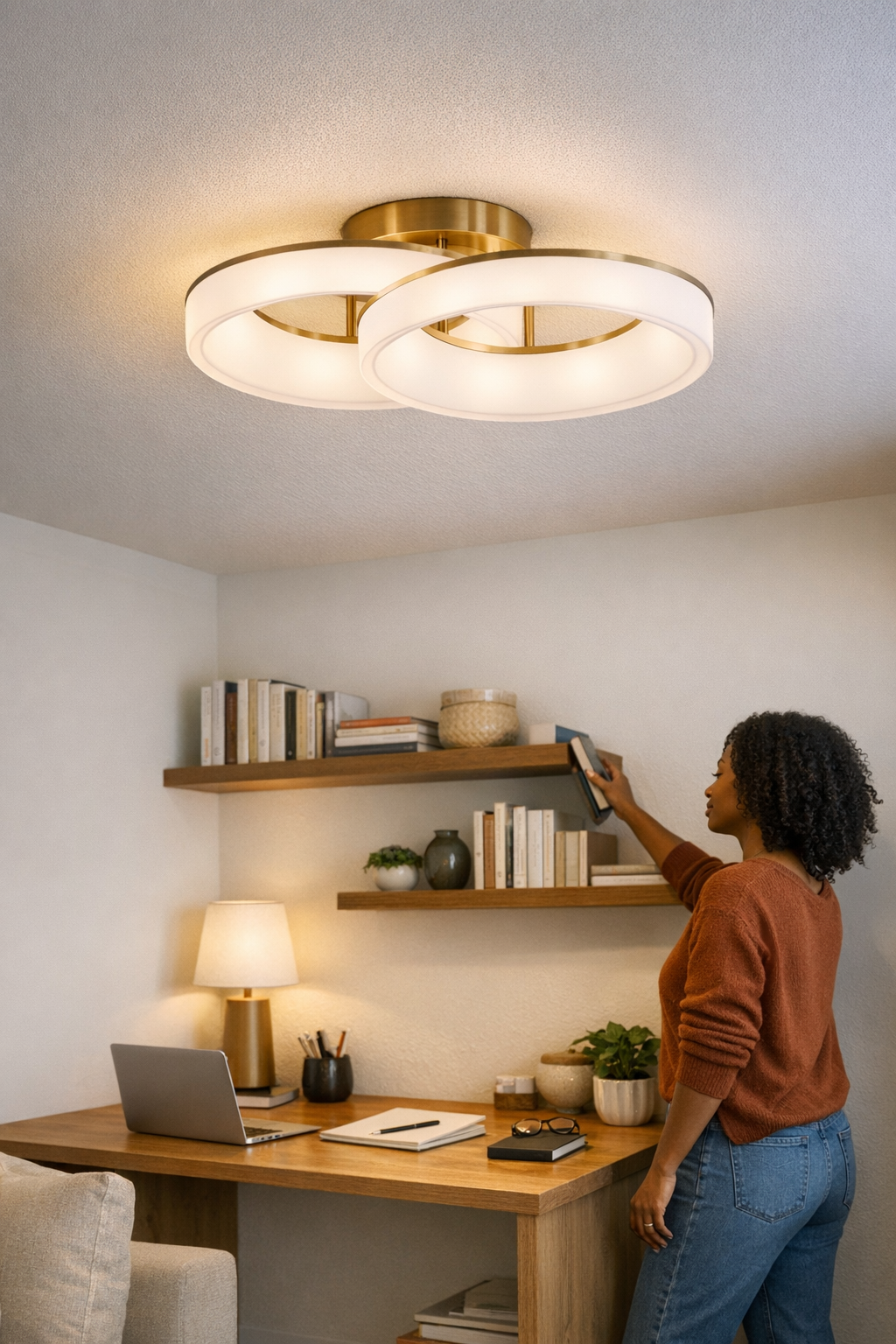
    Real use exposes shortcuts—fast. Two matching panel lights might sit perfectly straight above workstation desks on installation day, but only the one with rigid mounting and protected cable stays that way after a week of plugging, cleaning, and shifting. Its twin, stuck up with adhesive and a soft plug cord, starts angling off and collecting dust where the cable bends into view. You sweep a hand past, nudge a cable, and now the fixture sags or glares into your eyes. What began as a barely-noticeable tilt soon means daily repositioning, awkward shadows, and creeping dust lines under every edge.

    Why Weak Support Shows Up First in Busy Spaces

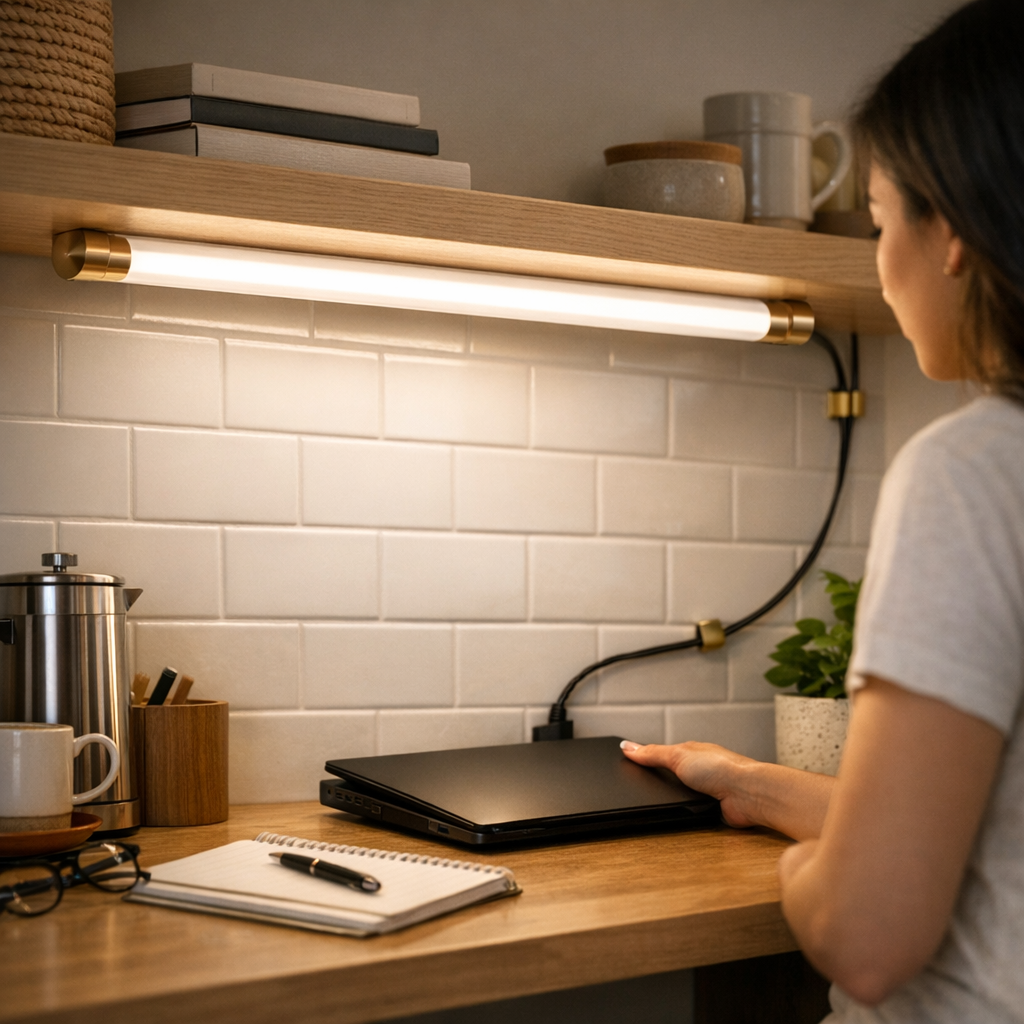
    Nowhere do shortcuts fail faster than in shared or high-contact areas. In kitchens, even slim LED strips reveal the gap between stable and “good enough” mounting. One under-shelf light, anchored with real hardware and tight cord routing, keeps close to the shelf’s edge and out of the way. Its adhesive-backed twin slips with each counter wipe or shuffled blender, leaving cords exposed and light running dim just where you prep most often. Drooping strips don’t only look tired—they trap utensils behind loose cords and distort light along the workspace, turning what should help into a minor obstruction every day.

    It’s the ordinary motions—a rinse at the sink under a sagging light, a cord caught by a rolling chair, a cable that shifts loose every time you tidy—that show whether your mounting and support choices are actually holding up. Even relentless cleaning can’t offset the strain of brackets too weak for real use or cord guides that always seem just a few millimeters out of place.

    How Setup Decisions Shape Daily Routines

    Lighting fails the moment it draws more attention to its hardware than the surface it’s meant to illuminate. If a desk lamp promises “even light” but its arm starts to droop by week’s end, you’re not getting reliable spread; you’re getting constant glare. Crawling under a desk to untangle the same cable every few days is another friction point—one that marks a setup more concerned with hiding clutter in photos than in use.

    The Limit of Quick Fixes

    Adhesive cable tabs and plastic holders look right in still photos. In practice, they rarely outlast three cleaning cycles or a single spilled coffee. As soon as hands, vacuum heads, or chair legs brush past, they peel loose or sag, letting cords drop where they’re guaranteed to get in the way. Upgrading to slim, rigid cable channels fixed along the desk’s back edge or underside makes a visible difference: cables stay tight and reach plugs without tangling, wheels stop snagging loose lines, and you stop knocking the lamp out of aim just by moving in your seat. True improvement is easy to recognize: it’s not having to fix what never should have come loose in the first place.

    Clutter-Free Only if It Lasts

    Support hardware only “disappears” when it’s built for friction. Rigid brackets, proper mounting sleeves, and correctly routed cable channels turn fixture edges invisible and keep lines from slipping out, no matter how often routines change or surfaces are wiped down. The payoff is simple: worktops stay bright and surfaces open, not buried under shifting shadows and creeping clutter. A desk doesn’t become the problem spot where everything is almost-but-not-quite right. Even wall-mounted ambient lights hold their aim and their effect long after the last major cleanup—if what holds them up is built for the job.

    Visible Signs Your Setup Needs an Upgrade

    • Cables become the first thing you see—transforming a finished corner into an exposed tangle
    • Under-cabinet strips lose their straight line, drooping exactly where you prep or reach the most
    • Desk or floor lamp arms drift out of position, forcing constant small nudges to refocus the light
    • Mounts and accessories shift, showing dirt outlines and hinting at instability you keep noticing

    Practical Tips: What Actually Holds Up

    In places that see real action, prioritize:

    • Rigid, bracketed mounting for overhead and task lights (especially at desk edges and above counters)
    • Continuous cable channels or sleeves under or behind surfaces to keep wires held tight, not just hidden
    • Non-adhesive mounting in damp, high-traffic, or regularly cleaned areas—stick-ons fail where daily use hits hardest

    Small but effective: Even the most basic, neutral cord cover—run tight along trim or tucked just behind a shelf edge—becomes almost invisible, but its absence is obvious every time a stray cable gets caught or forces a routine stop-and-fix.

    How Good Setup Changes Everyday Use

    The benefit of solid mounting and structured cable control isn’t theoretical—it happens in the way a desk stays clean (not just looking clean), a fixture holds its light angle instead of creeping into glare, and you plug in devices without battling a nest of cords every time. Less visual mess means fewer interruptions and a surface that doesn’t intrude when you’re trying to work or reset. Real setup improvement is clear: instead of noticing lighting and support hardware with every small problem, you practically forget about it—even after months of constant movement.

    LightSupport

  • Transform Your Workspace by Clearing Adapter Clutter Efficiently

    A desk may look organized on day one—chargers lined up, adapters minimized, notepads squared off—but a single week of real work exposes the cracks. By Wednesday, that carefully staged order starts slipping: you reach for a notebook and catch your arm on a stray cable, nudge a cluster of power bricks that drags across the desktop, or feel resistance opening a drawer blocked by cords sliding back into the “tidy” zone. The surface stays deceptively clean, but every routine task—switching devices, shifting a file, sliding your chair in—starts to show hidden friction. The illusion is order; the reality is a desktop that keeps pulling you off pace, one small snag at a time.

    Spotting the Slow Return of Clutter—And What Actually Eases It

    The easiest mistake? Judging a setup by how it looks just after reset—rather than how it acts after three work cycles. Adapter chaos creeps in quietly. The fifth time you catch a cord on your sleeve or hesitate to charge a device because it means untangling another, the problem isn’t just mess—it’s lost minutes and shifting focus. Stacking adapters in one corner holds up for a day, maybe two, but soon cords snake past the keyboard and “spare” bricks migrate into the prime working area. Desk space that started spacious shrinks fast under the repeat pressure of swapping, charging, and stowing gear.

    The underside isn’t a sanctuary, either. A hidden mess—knee-high tangles, loose bricks by your feet—means every device swap starts with an awkward stretch or a blind grab. Quick “fixes” like under-desk baskets often swap clutter for inconvenience; fast changes slow down, and you find yourself picking between tripping on cables or breaking work rhythm just to reach the right plug.

    Choosing Where Adapters Live—Tidy vs. Usable

    A clear desk doesn’t guarantee a smoother routine—it just hides the friction until the next swap. Clearing adapters into a tray or stashing them behind drawers creates empty surface… but if every phone charge or laptop reboot forces a crouch or a hunt beneath the desktop, you’ll skip organization as soon as you need speed.

    The tension is always the same: “tidy but hard to reach” versus “handy but messy.” Mainstay adapters—your daily chargers, laptop bricks, tablet cables—should land in a structure you can reach, move, and reset with one hand, not a two-step shuffle. Mounting a cable box just under the desk edge, or securing a flexible cable sleeve at arm’s length, keeps cables contained without pushing them out of working reach. The desk’s front six inches matter more than most people think: leave it clear and you can move between notebook, keyboard, and screen without pushing against a line of adapters or catching a sleeve on a stray cord.

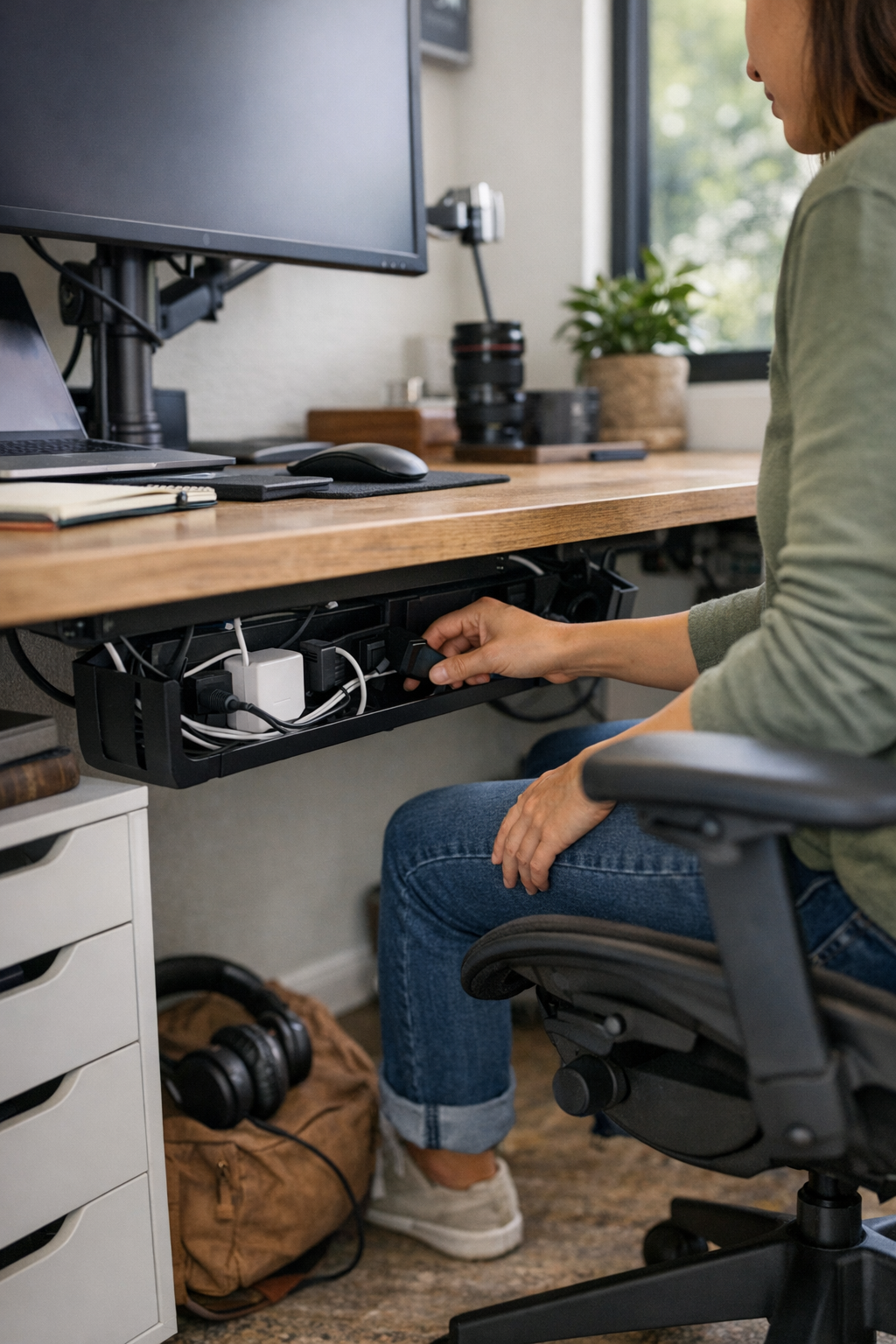
    Case in point: moving a pile of adapters from the desktop corner into an under-desk cable box, placed near the most-used outlet, cut cable drag to zero. No more chasing a charger that slides with your elbow—only a one-handed grab when swapping hardware, with the rest of the surface staying open and interruption-free.

    Subtle Routine Changes You’ll Notice by Midweek

    The strongest upgrades aren’t always about what’s visible, but what you stop noticing after a few days in use: drawers glide open instead of catching on cords, paperwork moves across the desk without snagging a brick, and hardware swaps drop from a sequence of micro-motions to a single, uncluttered reach. The best sign? You no longer pause to plan around clutter—it just doesn’t get in the way of what you’re doing.

    But the equilibrium is fragile. Push adapter storage too far under the desk, and even a quick plug-in feels like an interruption—breaking flow, and tempting you to leave cables trailing across the surface again. Loosely managed adapters creep back into sight, invading arm’s reach and forcing you to start nudging the mousepad, pushing aside paperwork, or shifting your chair to clear knee-space. The real conflict isn’t just “messy” vs “neat”—it’s whether your system still feels frictionless during constant device change, not just after cleanup.

    Setting Up for Fewer Interruptions—A Field-Tested Shift

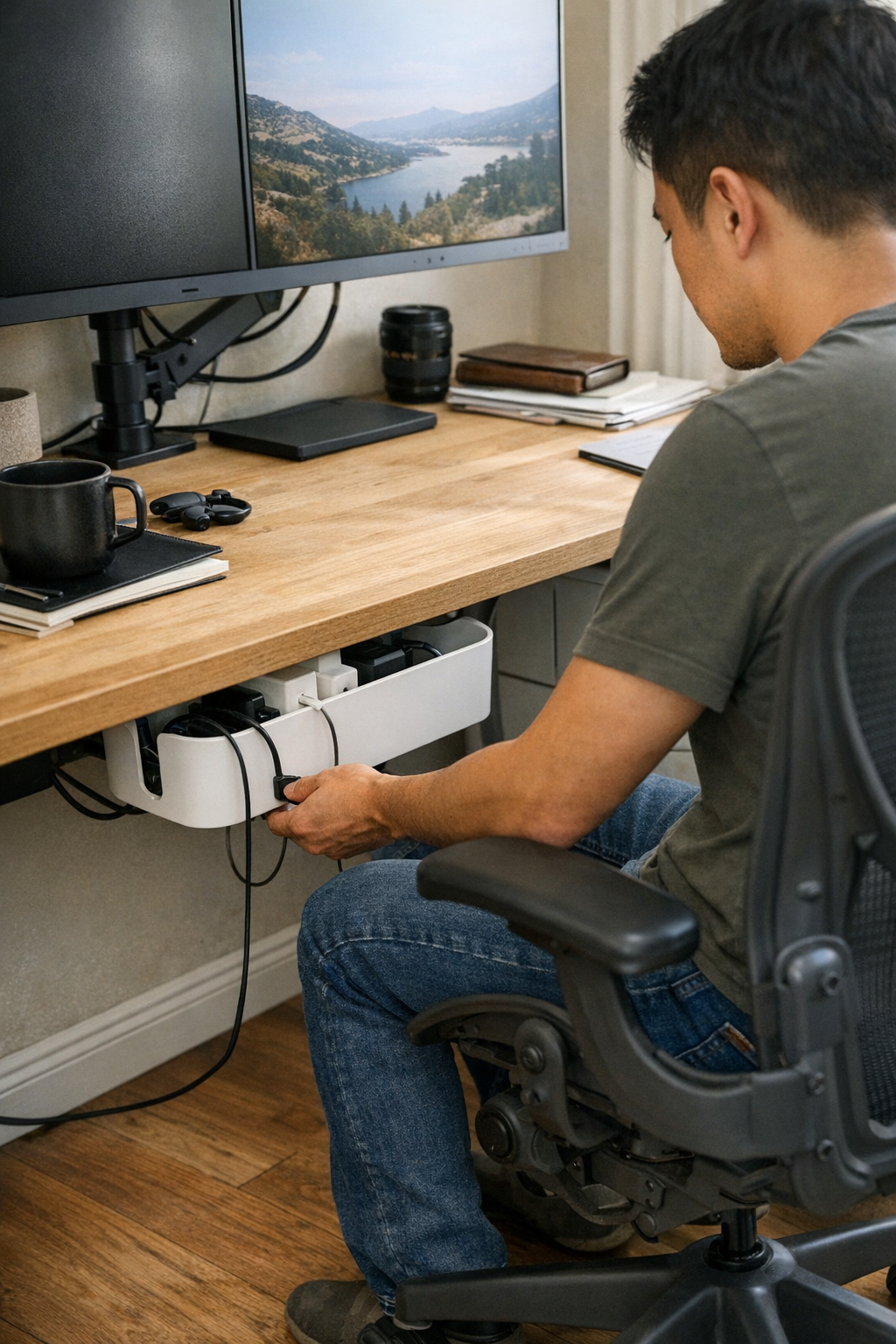
    One real change: install a cable box right at the front desk edge, not deep beneath or buried behind drawers. The result? No elbows bumping tangled bricks. Swapping in a new device—laptop, phone, tablet charger—calls for one motion, not a full reset. Prime clutter territory (the front desk corner and drawer edge) stays open, letting paperwork and hardware cycle through without resistance or crowding. This offset—keeping six inches open at your dominant hand—proves crucial: it’s where most mid-session shuffling, quick notes, or screen nudges play out during longer sessions.

    Equally important: using cable trays or clips near the desk edge, with just enough spacing, keeps cables from tangling—even after half a dozen hardware swaps in a single afternoon. Fewer cables crossing means less disruption, less time spent untangling, and less risk of yanking something loose when you pull for a charger in the heat of a busy switch.

    Desk Routine: Small Decisions Make the Biggest Difference

    The placement and structure behind every adapter, tray, and cable path sets the tone for the whole workday. Place a cable tray an inch too far back or wedge a brick deep behind a drawer, and you instantly turn a smooth routine into a workaround—one you’ll keep avoiding until clutter returns on the surface. Instead, aim for cable boxes close to reach, trays for staple device lines, and enough space to bypass other hardware with your hands, not your whole body.

    The signals are subtle: if plugging in a device, pulling out a file, or sliding your monitor even slightly slows you down, friction is already creeping back in. Over weeks and months, those tiny interruptions add up—wasting focus, creating fatigue, and making each desk reset longer and more draining than it needs to be.

    Real-World FAQ: Desk Corner Cable Fixes

    Should adapters be totally hidden or partly visible?
    In most functioning setups, a semi-hidden approach is best. Mount cable boxes or trays just off the worksurface—close enough to reach without ducking under the desk, but not spilling back into the main work area. Full concealment looks sleek but slows every swap; fully exposed adapters don’t stay sorted for long and quickly sprawl into active working space.

    What helps most with under-desk cable tangles?
    Keep cable trays, clips, or sleeves within arm’s reach of your go-to outlets—never buried at the back. Regulate spacing between bricks, so each cable can move freely for a fast swap. Small dividers or built-in guides help keep cable runs independent, especially after a series of hardware changes across a heavy-use week.

    Do these changes really cut down on work interruptions?
    Yes—less drag equals more usable minutes. Cable pulls and rearrangements shrink, accidental unplugging is rare, and end-of-day resets don’t pile up as background mental load. With visible order and true reachability, you interrupt your focus less and spend much less time fighting your own desk system.

    Clearing the Corner—So the Desk Works, Not Just Looks Good

    A visually tidy desk means little if you still hesitate before reaching across your corner or swapping devices. Surface-level clarity is not the goal—a desk should handle hundreds of quick changes and movement cycles with near-zero resistance, not just photograph well. That means cables routed off the primary worksurface, adapters close to hand yet out of the action zone, and open space held for actual movement—not for show.

    If your end-of-day reset involves dragging piles aside, untangling hidden cables under the desk, or bracing your knees around a loose drawer unit, your setup is signaling unfinished business. The harshest test comes during peak workload: does your system let you reconfigure and keep moving, or do you make another mental note to reorganize—again?

    The most reliable workstations aren’t just tidy—they don’t turn small motions into recurring friction or let clutter resurface after every busy stretch. When resisted drag is gone, your focus lasts longer, your desk works with fewer corrections, and your workflow adapts without backtracking—because the structure of your space is actually supporting the pace you need to keep.

    Explore the full WorkBasic collection

  • Why Simple Lighting Often Fails and How to Fix It for Safer Homes

    The moment you call a room “bright enough” is usually the last moment it actually is. Install a flush-mount ceiling light in the hallway, and it seems fine—until you’re taking laundry up the stairs with one hand, pausing at a shadowy turn because the final step slips into darkness. A week later, the frustration repeats: the edge of the countertop vanishes under a stretch of cabinet shadow, or one side of your face blurs in the mirror, half-lit and uneven. These small but steady interruptions don’t just reveal bad lighting—they stack into routines you start to dread. Indoor lighting that looks solved on day one can unravel into friction at every stair edge, countertop, and reflection once daily movement puts it to the test.

    When Everyday Routines Expose Lighting Weaknesses

    Lighting almost never fails during a quick glance. Its weaknesses become obvious when your hands are full, your eyes are adjusting, or your path needs to be certain—like pausing mid-stair because shadow falls exactly where you step, or wiping down a kitchen counter only to discover, in the morning sun, a streak of missed spills kept hidden by angled glare. Lighting that claims the space with nice output on paper can fail the first real test: repeated, imperfect movement where confidence is required.

    Lighting passes or fails in motion and repetition, not in a showroom photo. If you find yourself hesitating or shifting to avoid a shadow, what “looked bright” on install is quietly derailing your routine.

    The Real Gap: Looks Bright vs. Works Right

    A room can glow on first power-up and still fall short. Many flush or semi-flush ceiling fixtures pour light into the center but leave edges dim, corners faded, and surface tasks half-lit. Your laundry basket stays in shadow unless you hover directly under the fixture. Navigating a corridor, you might feel the distance to the side wall as patches vanish from sight, making every open cabinet or doorway feel riskier at night. The illusion of even light vanishes when real movement or work is required, and the unlit zones become predictable sources of slowdown.

    Bathrooms and vanities especially show this: an overhead fixture can leave your face split between glare and dullness, making shaving or makeup a trial in second-guessing. With time, you unconsciously accept these awkward imbalances, learning to lean in, squint, or mentally map out which areas just never quite light up the way you need.

    Where Lighting Actually Trips You Up

    Specific friction points repeat in lived spaces:

    • Stair turns: The ceiling fixture throws a tight shadow with your body, forcing hesitation at the step—the pattern repeats whether it’s midday or evening.
    • Hallways: One end remains dim; even with a strong bulb, the far wall retreats into gray, and safe footing along the edge never feels certain.
    • Utility counters: Under-cabinet shadows hide what cleaning missed, while a sharp glare bounces from a glossy counter and baits you into moving your head instead of your hands.
    • Mirror glare: Overhead bathroom lighting dodges half your face, so the reflection you actually work with becomes unreliable—every attempt to “get in the right light” turns into subtle gymnastics.

    When lighting works against you, it slowly disrupts every repeated action—movement, cleaning, grooming—until you start working around the light instead of with it.

    Matching Lighting to Daily Patterns and Obstacles

    Adding more lumens alone rarely fixes these weak points. What matters is targeting light to exactly where routine friction shows up. When a stair turn forced daily hesitation, replacing the sole overhead with two slim wall sconces at step height changed the entire path: sudden clarity revealed dropped gloves or toys before a foot ever landed. The friction wasn’t just visual—it was navigational, and the fix was placement, not power. Now, moving through that stairwell requires zero extra attention, even exhausted or distracted.

    In the kitchen, switching on under-cabinet strips means the full run of countertop is visible—you can instantly see spills, crumbs, or utensils right at the edge. No more leaning in or guessing at what’s hidden in the shadow cast by the upper cabinets. Likewise, a pair of hardwired vertical mirror lights in the bathroom removes the daily scramble for good light; the whole face appears evenly, with no need to adjust your angle or give up on fine-grooming at night. It’s the structure and location—and how they respond to actual movement—that recasts lighting from obstacle back to support.

    Moisture-Prone Areas: Where Standard Fixtures Fail Quietly

    Bases in bathrooms or laundry corners often look fine at first but falter under real use. Steam and condensation break down ordinary fixtures fast, fogging up output and leaving visibility patchy after every hot shower or heavy laundry run. Upgrading to damp-rated lights is less about specification and more about simply making sure the fixture actually stays functional—so the room doesn’t slowly slip into shadow or flicker the longer you own it.

    Spotting—and Solving—Hidden Lighting Problems

    Recurring slow steps, side glances at mirrors, or a habit of nudging open a cabinet to find what the counter missed—none of these are quirks. They’re the real audit: if you adapt your movement, squint, or double back to “find” what light should reveal, your indoor lighting isn’t supporting your routines. The weak spot is usually in the spread, angle, or position of the fixture—not the headline wattage.

    Quiet diagnostic: If you shift, pause, or hesitate in the same spot each day—the bottom stair, entry corner, sink edge—track exactly how the light falls and what gets missed. In many cases, a modestly placed wall sconce or a cheap under-cabinet strip outperforms a new, brighter ceiling bulb at banishing these everyday gaps.

    Lighting That Simply Works (and Why It’s Rare)

    Good lighting almost never draws attention to itself—but the wrong fixture forces you to notice, usually at the worst possible moment. You should be able to walk, clean, cook, or check the mirror without tracking shadows or bracing for glare. The correct strategy isn’t chasing bigger bulbs or trendier hardware; it’s recognizing the mismatch between fixture style and the way rooms are actually navigated. Every lighting decision should begin with a stubborn look at where routines fail—at the stair you always slow down for, the face half-missing in the mirror, the counter that never quite feels finished after cleaning.

    When you shape lighting structure around honest daily movement—layering flush or semi-flush, wall lights, under-cabinet, or damp-rated fixtures where old friction appears—you stop propping up bad routines and let rooms quietly do their job. The relief isn’t just visual. It’s practical, trust-building, and hard to ignore once you’ve lived with the difference.

    Explore practical lighting solutions for daily routines at LightHelper.

  • Streamline Your Desk Setup by Routing Cables from One Side Only

    The myth of a perfectly “organized” desk collapses fast the moment you actually try to work at one. A desk can look clean—cords coiled, adapters within reach, power strips tucked away—yet the first real work session tells the truth. By day two, cables snag your notebook when you reach across. Drawers catch on dangling chargers. A mouse stutters because its cord is pinned under a charging brick. Under-desk space, meant for legs, turns into a maze: boxes, blocks, one ankle-snag after another. Every reset tries to restore order, but friction quietly returns—revealing that what looks sorted rarely stays usable after repeated, real tasks.

    That’s when the actual problem shows up: Desk friction builds less from visible mess, and more from cables and tools entering your space from every angle. A clean surface doesn’t guarantee a clear workflow. The entry point of every cord—where and how it cuts across your routines—decides whether your setup helps, or just gets in the way.

    Why “one side only” changes everything about cable management

    Route every cable—power, USB, adapters—through one edge and you change the way your entire station functions under pressure. The real improvement isn’t just visual. It’s how the desk physically responds during actual use:

    • No more pausing because your sleeve tugs a cable as you grab a pen or reach for your notebook.
    • Drawers swing open smoothly—no unexpected collisions with an overfed power brick stuck behind the handle.
    • Swapping devices finally feels like a two-step task, not a cautious game of spaghetti untangling.

    Instead of slowdowns at every rearrange, your workspace stays ready for the next task. The top looks ordered—and stays that way—because minor annoyances never gain a foothold. Single-edge cable entry doesn’t just tidy a desk; it prevents the slow slide into repeated-use frustration.

    When an “organized” cord layout is the root of your workstation friction

    Desks often chase symmetry: charger to the right for phone, USB hub out back, laptop power on the left. On setup day, that spread feels logical, even “custom.” Two days in, the system misfires:

    • Now plugging in a tablet blocks where you want your sketchbook.
    • Your dominant hand can’t avoid a cord bulge; every note-taking session meets resistance or a tangle.
    • Adding another charger means gambling on which drawer you can open without rerouting lines first.

    These aren’t dramatic desk failures, just slow-building resistances that make every session a little less efficient. The surface fools you with its tidiness, but the workflow stalls. Real cable chaos isn’t about what you see—it’s the invisible friction from scattered, unpredictable entry points that break your session’s flow.

    The difference a single-side approach makes in real work

    Mid-morning on a real desk: notebook spread out, mug nearby, phone on charge. If lines come in from multiple sides:

    • Every time you slide the notebook away, it snags on an unfamiliar cord.
    • Your right wrist brushes past an unanchored cable—phone stops charging, plug needs to be checked again.
    • Chair arms never slide in smoothly. There’s always a mystery cable getting flexed or partially yanked free under the desk.

    This friction rarely shouts, but it piles up. By midweek, you stop trying to reset the desk at all. Cords refuse to cooperate, so tools drift out of place, and each routine action takes a little longer.

    But with single-side cable routing—maybe a left-edge power strip, cords trimmed and wrapped back—your main working area stays open. The reach zone next to the dominant hand remains clear: pen, notes, phone, mug—nothing blocks easy access. Chair movement is unblocked, and plug swaps become a one-motion task. The shift is instant and quiet—a physical path for work, not a cord-dodging dance.

    How to change—without a desk overhaul

    Full rewiring isn’t necessary. Small, targeted changes produce the shift:

    • Pick your edge: Start with the side nearest wall outlets, but check carefully—choose the side that minimizes storage or drawer interference and doesn’t block chair arms.
    • Mount the strip under or behind the desk edge. Skip placing it on the desktop. Hidden mounting means fewer stray lines and a tighter, cleared surface.
    • Cut the slack short. Cables need only a minimal loop onto the desk—just enough for movement, but not enough to migrate visibly.
    • Guide all lines along the back edge, not the surface center. This keeps cables away from hands, paper, and tools, so the desk feels less like a minefield and more like usable space.

    Once cable entry is contained, the old frustration spots fade. The desk side previously clogged with power bricks or dangling phone chargers becomes an open, flexible landing strip for whatever your work cycle actually requires.

    How does this affect other workstation tools?

    Single-edge cable entry pays off across every tool:

    • Monitor arms don’t need to thread cables around messy loops; height or tilt can be adjusted cleanly, with less chance of pulling a connected device.
    • Under-desk storage and drawers open their full range—charging blocks no longer lurk, waiting to jam or unplug with one careless motion.
    • Task chairs and stools finally slide in neatly, not stuck on an unseen, migrating power cord below the surface.
    • Desk lamps, monitor risers, and other peripherals all pull from a single, predictable line, reducing the chance of accidental overlap and surface clutter.

    Each minor workstation task—opening a drawer, scooting a chair, moving the screen—is less likely to prompt a small but memorable interruption.

    Quick Q&A: Smart cord entry choices

    What’s the top cable mistake in real workstations?

    Letting cables enter anywhere—“just using what’s nearby”—is nearly always the trap. Every new line fans the tangle and blocks movement or storage. Centralizing makes the contrast obvious after a single full reset.

    How do I know if the single-side method fits my actual desk?

    If you swap devices more than once per session, alternate typing and handwriting, or find yourself detangling at least one cord after every break, this approach almost certainly buys you back real speed. Do a quick check: does the desk layout and outlet position allow for one-side concentration? If not, the problem may be your layout or furniture—not your accessories.

    Will this mess up my monitor arm or block my drawers?

    If you plan, almost never. Feed cables to avoid monitor arm clamps and drawer glides—if one edge blocks everything, rotate devices or tweak hardware locations before re-routing. The goal: tools move without pausing for cables—workflow defines layout, not the other way around.

    Real improvement means fewer slowdowns, not just a cleaner look

    The most productive workstations aren’t just “organized”—they’re free of preventable slowdowns. Cable entry is the most common fault line: it’s not about how neat things look after a Sunday reset, but whether a busy Tuesday lets you move and reset without irritation. You can upgrade chairs, add monitor arms, fill drawers with organizers—but if cable entry splits across three sides, every session eventually gets slower and less rewarding to use.

    Route every cord through one chosen side and you’ll see it: desk stays open, working zones remain clear, and you reset almost by habit rather than caution. The upgrade is invisible but unmistakable—attention finally shifts from negotiating your workspace to actually using it.

    Explore the full WorkBasic collection

  • Why Combining Ceiling and Task Lighting Transforms Everyday Safety Indoors

    You can spot the problem after just a week: a room that looked “finished” under new ceiling fixtures but keeps interrupting your routines. You pause at the bottom stair, feeling for the next step. You shift between shadows and glare in front of the bathroom mirror, or reach blindly for socks in a laundry corner that’s always dim. Most lighting passes the install-day test—but when daily movement brings weak visibility, missed keys, and slowed routines, it’s clear the fixture choices or placement aren’t matching what the space actually demands.

    The Hidden Gaps in “Complete” Lighting

    Flush mount ceiling lights, semi-flush styles, and linear fixtures check boxes for general fill and a presentable look. But lived-in use quickly reveals what’s missing. Behind a bathroom sink, shadows appear each time you lean closer. The mirror throws a lopsided glow, forcing you to shift left and right just to shave or apply makeup with both sides of your face visible. Hallways promise openness but instead break into segments—one area bright, the next lost below a shadow from a doorframe. In the laundry, the countertop vanishes into a shadow every time you drop a sock or hunt for change. The “bright enough” fixtures fix the look, not the movement—or the frustration.

    Daily Friction That Builds Up Fast

    Lighting doesn’t have to fail dramatically to slow you down. Miss a stair edge late at night. Bump your knee on a hallway turn hidden from the main fixture. Fumble for keys on a shadowed entry mat—these little stumbles cue you that brightness isn’t the same as easy use. Kids, guests, or anyone carrying an armful of groceries feel these flaws even more, and that early “ready” feeling from new lighting evaporates. The problem isn’t how bright the room is; it’s how well you can actually use it in motion, at speed, and on autopilot.

    Why Ceiling Lights Alone Rarely Get the Job Done

    Most homes were wired with one big overhead—easy for an electrician, simple for a builder, detached from how you’ll actually move and see every day. But rooms are full of edges and obstacles: corners you rarely step into, work surfaces tucked under cabinets, and step-downs or doors that make light fade before you need it. The result: any ceiling light leaves dead angles. There’s always a vanished patch behind the washing machine, a vanity shadow, a bottom stair you feel around for in the dark, or the back third of a countertop lost in gloom. The more you repeat a routine, the more these dead zones get in your way.

    Routine Use Reveals What Brightness Can’t Fix

    • Stairways: Overhead lighting pools at the landing, barely reaching the full depth of each step. As you climb at night, you slow down—eyes adjusting, one hand ready for the rail.
    • Bathrooms: With only an overhead, grooming becomes guesswork. You bob side to side for clear light; shadow patches force you into odd angles; mirror glare returns every time the sun shifts.
    • Laundry rooms: The fixture says the room is bright, but the working edge—where lost coins, tags, and dust collect—remains a blind spot. Tasks turn into a hunt by feel, or you prop a flashlight in a laundry basket just to see clearly.
    • Entryways: Entry mats and shoes disappear at the threshold. Wet weather adds glare, making it easier to miss a step or track water past the carpet while juggling bags.
    • Hallways: Light fades just when you cross a door, hesitate at a threshold, or swing a laundry basket around—a stubbed toe or a bumped knuckle is the reminder that even “bright” spaces can create micro-risks.

    Layering Light: The Real-World Upgrade

    Ceiling fixtures do their job, but won’t erase the daily friction. Layering—combining ceiling lights with wall sconces, mirror lights, under-cabinet strips, or fixed task spots—is how you actually clear these snags. Even one well-placed fixture can erase years of stop-and-go movement, shadowed surfaces, and repeated hassle.

    A Small Shift That Makes the Routine Smoother

    In one stubborn laundry room, simply adding a damp-rated wall sconce over the counter made sorting and folding faster. Not because the bulbs were brighter, but because the old drop-shadow finally disappeared. No more feeling blindly along the back edge; no more digging for a flashlight in the junk drawer. This kind of “invisible fix” means less pausing, smoother movement, and a room that finally works as promised—without needing a full overhaul.

    Why Placement Rules (and General Advice Fails)

    It’s not just the number of fixtures—it’s where the light lands. Wall sconces defeat those sink and mirror shadows overhead fixtures ignore. Vanity lights even out both sides of your face and stop the shadow play. Under-cabinet strips pull the working edge of your kitchen and laundry into full visibility. In any room facing moisture or drifted-in humidity—bathrooms, laundry, certain entry zones—damp-rated fixtures last longer and prevent sudden outages from corrosion or short circuits. General lighting advice ignores the real pain: poor placement makes a room look right and feel awkward for years.

    Spotting Trouble Spots Before They Drag Down the Room

    “Looks good, works bad” lighting signals itself with these repeated aches:

    • Do hallway shadows stretch from every doorframe or corner, breaking up your walk?
    • Does the mirror force you to lean or shift just to get a clear, shadow-free reflection?
    • Is the laundry counter’s back edge always lost in the dark unless you move a lamp or lean at a strange angle?
    • Are the stairs clear at noon but vague at night, causing that tiny hesitation with every step?
    • Do you find yourself squinting or fumbling for keys at an entry or in corners, even with the lights on?

    If you recognize these, you rarely need to rewire the whole room. Targeted lighting—just one or two purpose-placed fixtures—often dissolves the most stubborn friction better than a new all-room fixture ever could.

    Quick Tips for Targeted, Reliable Lighting

    • Ignore the old junction box habits—light what you actually use. Place sconces, under-cabinet, or task lighting directly where you work, move, or pause, not just where there’s a pre-cut hole in the ceiling.
    • Never skip damp-rated fixtures in moisture-prone spots. This is non-negotiable in bathrooms, laundry, and corners that stay steamy or are cleaned hard—risking flicker or corrosion costs you visibility and safety.
    • Test with your real routine, not just a glance. Walk the space after install. Any step, counter, or face that stays in awkward shadow gets its own lighting fix—don’t settle for “good enough” brightness at the center.
    • Balanced, shadow-free movement beats brute brightness. The best setups let you move, wash, sort, or check the mirror without pause—not with floodlights, but with placement that clears every hurdle your routine finds.

    At the End of the Day, It’s About Quiet Reliability

    A space that quietly supports you, day after day, almost always adds a focused fix: one stair sconce, a mirror-side task light, or a slim under-cabinet strip where the general overhead fails. These aren’t splashy upgrades. They’re what makes a room move from “finished on paper” to a space where motion, vision, and daily tasks happen without interruption, second-guessing, or shadowed edges.

    See which purpose-ready lighting options can smooth out your space at LightHelper.

  • Why Proper Brackets and Cable Management Keep Lighting Perfect Longer

    Even the sleekest indoor lighting setup can start to unravel within days of use. That flush-mounted LED? It creeps askew after the second desk shuffle. Cables that vanished at install reappear, catching the eye—or a sleeve—every time someone plugs in a device. One week in, you’re not admiring a crisp workspace; you’re nudging lights back into line, pushing cords aside, and wondering why all that supposed “minimalism” now feels like a recurring maintenance job instead of a solved problem.

    The False Security of a Finished Look

    Minimal cable clips and slim brackets promise calm surfaces but rarely outlast a real week in a shared or flexed room. If support fails, convenience collapses—no matter how neat it looked initially.

    Picture a desk: On day one, the linear LED disappears under the shelf, cable hidden. By Friday, the bar leans just off-parallel, leaving one edge in shadow. Cable clamps loosen as laptops come and go, until an exposed wire cuts across that “clean” line. Suddenly it’s not just the look that suffers; it’s the way you use the space—constantly realigning, tucking, re-routeing. The sense of “done” dissolves as you fight the same annoyances, one interruption at a time.

    • A fixture that sags a few millimeters throws glare onto the work surface or leaves half the desk in murky light
    • A cord, at first tamed by a discreet clamp, slips forward and becomes the obstacle you move around every morning
    • Daily use turns a “solved” setup into a slow cycle of repeated, forgettable corrections

    This is more than cosmetic. In high-traffic kitchens, compact shared desks, and shallow shelves, every flex or bump makes minor weaknesses obvious and unignorable.

    Where Most Lighting Setups Start to Unravel

    The illusion ends after you clean, plug in, or adjust—usually by the third interaction. Weak points consistently emerge, including:

    • Brackets that flex, so an edge droops and uneven light spills onto backsplashes or out toward the user—making small tasks harder and reintroducing glare
    • Cable management designed to hide, but not to hold, slips near high-tension spots—think of where power strips meet desk legs, or where a cable rounds a corner that sees constant movement
    • Single-point supports, which rotate or slide with a brief nudge, especially on floating shelves or flexible wall panels

    These failures rarely announce themselves. Instead, they erode visibility, inject glare, or leave once-lit corners in a new dimness. An under-shelf LED brightens a counter until a bump leaves a dull shadow. In every shared workspace, the hidden cord migrates—first off-stage, then snaking visibly, then snagging as soon as a chair is rolled back.

    How Subtle Drift Becomes Everyday Friction

    Lighting drift and visible cable creep aren’t dramatic. They build subtly, with the next realigned light, jostled wire, or minor tilt. The test: Do you fix the same little thing every few days?

    • A student’s under-shelf lamp, mounted with a center bracket, demanded near-daily nudging. Switching to a dual-lock bracket and clamp kept it set—the “finished” feeling finally lasted through a month of use.
    • Two side-by-side kitchen LED bars: one secured on both ends stayed even, giving full counter light; the other, clipped at one point only, slouched until a prep area faded half into shadow and made chopping awkward.

    Fixes That Actually Last Beyond Day One

    The difference between constant fixes and true clarity isn’t surface-level minimalism but real support matched to repeated movement.

    • Double-bracket supports, especially with locking tabs, stop dips across longer LED bars or heavy shelves; single brackets rarely survive repeated shelf flexes or hands brushing past.
    • Cable clamps belong where force happens most, not just where wires are visible—usually at transition points, plug-ins, or the edge within arm’s reach, not halfway along a hidden run.
    • Early, intentional retightening during the first week makes a visible difference—pressing a clip or adjusting a bracket after the room settles can prolong the setup’s clean look and real use.

    It’s not about over-accessorizing. The right choices, placed by habit patterns, make the clutter disappear—and stay gone—despite hands, chairs, and plugged-in chaos.

    Small Setup Tweaks: From Daily Fix to Seamless Use

    Still fighting alignment drift? Move your anchor point closer to where hands interact with the surface—often just a few centimeters is enough to keep things steady under real-world traffic.

    Cables inching back toward visibility? A clamp or adhesive guide placed right at the main trouble spot (entry edge, wall drop, plug socket) can lock the cable’s path. When supports anticipate the room’s daily behavior, maintenance falls away—you notice the light, not the setup.

    Questions That Come Up Again and Again

    Why does my light fixture keep drifting out of place?

    The most common reason: brackets are undersized or fixed only at one end. Every shelf flex or accidental bump nudges the bar, and edge droop accumulates. Secure two-point brackets and periodically check for slip in real use—not just after install.

    How do I stop cables from becoming visible, even with cable management?

    Clamps often fail because they’re not placed where movement happens. Install them at transition spots—corners, plug zones, or emerging from behind desks—to prevent creeping wires from reappearing with every user adjustment.

    What’s the most frequent mistake people make in lighting setup?

    Choosing accessories based on visual neatness instead of how the space is actually used. “Invisible” brackets or once-tucked cables turn into visible distractions if real-world motion, tension, or flex isn’t addressed at the setup stage.

    Recognizing What Really Lasts in Lighting Setup

    The value of a lighting support setup shows up weeks later. If you’re still straightening, untangling, or nudging month after month, the solution failed silent stress-testing. Areas that truly feel “finished” let you walk in, use the space, and never think about the hardware—because every contact point, wire path, and bracket was judged for how you really move, plug, or clean, not just how it looked in photos.

    For practical, lasting solutions in indoor lighting support and cable management, visit LightSupport.

  • How Linear and Panel Ceiling Lights Cut Eye Strain with Smart Placement

    A workspace that looks finished can still feel wrong within days of real use. The problem isn’t just a question of “enough” light—it’s where the bright zones hit and where convenience falls apart. You shift between tasks at a desk squeezed by a walkway, reach for the edge near a shelf, or push your laptop back after lunch, and run into the friction: glare slices across your screen, cables drag where your arms need to move, and that supposed upgrade overhead leaves the same dim border where your mouse always travels. Lighting that photographs as “clean” can still interrupt every routine, exposing support mistakes and coverage gaps that surface only after repeated use—the drag that signals your lighting and support logic needs more than an appearance boost.

    When an “Upgrade” Only Shifts the Problem

    The fresh fixture goes in—maybe a crisp LED panel, a more modern linear, anything to banish the old bulb. Day one, the difference feels like progress. The desk lights up, the setup looks tidier. But by the second week, as you move through real work, new friction appears: shadows return to the corners, glare traces the papers whenever the sun shifts, and cables—pitched as discreet—slide into sightlines or tangle the gear. Classic domes and spotlights do this in familiar ways:

    • Desks with a bright center but edges that never leave shadow
    • Walkways half-lit while glare interrupts the main work zone
    • Loose cables crossing surfaces, always just in reach of elbows or peripherals

    Function that looked “solved” feels less stable as routines settle in. The working edge gets dimmer; cables pull focus; your eyes work harder in the exact spots that matter most. At some point, it’s not background annoyance—the design is failing in repeated use.

    What Linear and Panel Ceiling Lights Actually Fix

    Broad-beam ceiling panels and linear lights promise a more usable room: smoother coverage to the full edge of shelves or desks, and less jump between brightly lit and underlit patches. They help most where real patterns test the setup:

    • Low ceilings compress fixture spread, raising the odds of annoying halos or dark outer corners
    • Mixed-use rooms demand even light from surface to shared area, not just over the “main” zone
    • Edges matter—where books, gear, or hands actually end up day after day

    But that promise breaks fast if the details miss. A panel sized for looks instead of coverage leaves the final few inches stubbornly dim. Cables that aren’t routed tight, or bracket supports angled for speed, shed the illusion of tidiness, pulling distraction into every routine. An exposed wire grabs attention just as fast as a patch of shadow in the wrong place. What’s supposed to “solve” the surface instead sets up the next round of minor workarounds.

    The Overhead Trap: Looks Tidy, Feels Awkward

    A slim fixture overhead often hides the same flaws as old domes—a tidy appearance isn’t clarity at the work level. Common misses become obvious in the flow of the week:

    • Weak edge coverage: Light lands where you don’t work, leaving hands or notes in a half-shadow you can’t eliminate by shifting your chair.
    • New glare lines: Panels reflect on smooth or glossy surfaces, tracing bright streaks across your direct sightline whenever you check documents or adjust screens.
    • Cable and bracket distraction: Extension lines drop into view or brackets land at eye level along a shelf, so every walk-by or reach risks a snag or unwanted visual anchor.

    “Clean” up top quickly becomes a practical burden where lighting and support aren’t mapped to how the space actually gets used. The clarity you expected slips as soon as annoyance sneaks back in from cables, clamp points, or missed zones.

    Where Small Annoyances Turn Routine Into Work

    Friction often builds quietly—by Friday, the same space that looked sharp on Monday wears you down:

    • A corner desk gets an overhead upgrade, but the print zone always sits in stubborn dimness. Each time you shuffle paper, a heavy shadow follows your arm, undoing the promise of “full” coverage.
    • A shallow shelf blocks the panel’s spread, so the desktop center is bright while the edges are drained of useful light. When you reach for books, glare kicks up at just the wrong moment.
    • Cables tucked cleanly on install begin to sprawl after a week of moving power adapters or sliding monitors. Mouse movement meets fresh resistance, and that “unused” desk edge collects dust and frustration in the poorly lit margin.

    These slipups aren’t exotic—they repeat as routines change, as hands, eyes, and devices react to unfinished setup logic. Repositioning a lamp, sliding accessories, or learning to ignore cable drag may feel minor, but the toll compounds every hour the habit persists.

    Smart Adjustments That Restore Comfort and Order

    Some fixes show results the same day—and keep working as use shifts:

    • Panel placement: Redefine the fixture’s angle or lateral position to prioritize edge coverage, not just central brightness. Suddenly, that persistent shadow line gives way and the whole surface becomes usable—not just the showcase area.
    • Cable re-routing: Reposition runs along walls, under shelving, or behind main zones. Use smaller, higher brackets to remove sightline clutter—a shelf-top cable is easy to miss, one mid-wall never is.
    • Support tweaks: Move brackets or mounting points a couple of inches off the “obvious” spot to avoid snags or blockages where you write, swipe, or reach. Small geometry changes eliminate daily fidgeting that would otherwise erode focus.

    With clear, physical logic behind each support and cable line, the space becomes easier to use: the surface stays evenly lit; transitions between zones are smooth; and visual noise drops away as function matches how you actually move through the day.

    What Causes Panel or Linear Lights to Fall Short?

    Even good fixtures create new headaches when installed without room awareness:

    • Panel too narrow: Edges of the surface remain off-limits, and the setup becomes “nearly” right but never quite comfortable.
    • Mounting in the line of sight: Brackets and wires cut across areas where you look, move, or reach, increasing daily friction instead of reducing it.
    • Insufficient throw in tall rooms: Panels that work in compact spaces lose strength when ceilings rise, washing out for ambiance but falling short for real work zones.
    • Reflective mishaps: Any high-gloss or polished finish amplifies stray light, setting up unwanted streaks or spots in the path of your hands and tools.

    The room’s actual conditions—not just abstract needs—set what a fixture must solve. Only when placement, spread, support, and cable logic sync with day-to-day use does the benefit of panel or linear ceiling lights really show up.

    Which Rooms Benefit Most?

    Compact rooms under nine feet, crowded work-plus-life areas, or any desk/shelf run where every inch is worth using will almost always gain from a logical, well-set ceiling panel or linear light—if the install treats edges, cable path, and support as recurring decisions, not just a first-day reveal. Big, open, or tall spaces need stricter mapping: more panels, distributed brackets, sharper cable control—to sidestep the “almost finished” feeling that drags on every routine.

    Quick Practical Tips:

    • Start with your own routine: Map where you move, reach, and pause most often. Watch for shadow pockets or flashes of glare that mark incomplete coverage.
    • Route cables after living in the setup: Wait a week before final cable and bracket choices—premature tidying always misses how surfaces are really used.
    • Edge audit: After several work sessions, check whether you avoid the last visible inches of desk or shelf. If shadows, cable crossings, or glare make you shrink from the edge, the setup isn’t tuned yet.

    The Real Standard: Does the Setup Stay Easy to Live With?

    Lasting clarity—and comfort—grow from setups that make light, cable runs, and bracket positions quietly invisible in repeated use. Linear and panel lights can solve most shared or edge-dependent surfaces, but only when matched to the way the room flexes through daily shifts and not just to what looks better overhead. The real test comes a week later: if your hands, eyes, and gear all reach further without friction, the setup is finally working.

    Explore more lighting and support solutions for real-use spaces at LightSupport.

  • How the Right Cable Management Transforms Your Desk Workflow

    An organized workstation feels possible—until you actually start working. Cables hugged along the desk’s edge or pooled beneath seem harmless, just part of the background. But that power strip you scoot aside with your foot every time you shift your chair, or the tangle you brush past when reaching for a pen, quietly chips away at any sense of order. By midweek, simple routines—plugging in a phone charger, stretching a laptop cord for a quick recharge, swapping a monitor cable—are interrupted by detours: untangling knots, sliding surge protectors, fishing behind drawers that now block a clear reach. The problem isn’t that your desk looks messy; it’s the tiny, repeated friction points that stall your work, making a supposedly “sorted” space feel slow and distracted when you’re in the middle of actual tasks.

    It’s the little interruptions that shape your real desk experience

    The real drag of a messy outlet area is repeat interruption, not just clutter. A tidy-looking setup can disguise cable drag, awkward under-desk scrambles, and micro-pauses when work heats up. You might not mind bending to track down the right plug or nudging a cable bundle aside once or twice. But do it eight times a day—switching a USB-C charger in for a tablet, plugging in camera gear for a call, or disconnecting an external monitor—and you start feeling the grind. Even with surfaces looking clear, dissonance shows up where it matters: grabbing a cable mid-session only to have your chair snagged, or losing momentum toggling devices because plugs aren’t within fluid reach. It’s not appearance that slows you down—it’s wasted seconds that accumulate, especially as your device load and cable swaps increase.

    Hiding outlets: when calm looks collide with daily use

    Sealing cables in a box or organizer instantly tidies the view—cords vanish, floor space clears, and your desk looks cleaner. For a day or so, the improvement feels real. Then comes the catch: each new connection turns into a small project. Need to charge a new device, plug in a guest’s laptop, or patch in an extra hard drive? Suddenly you’re crouching at the edge of your work zone, pulling cumbersome covers, feeling for the right socket, and threading cables out one by one. The process that was supposed to “organize” your space adds steps and stalls, breaking the flow that an efficient desk should preserve.

    This isn’t a one-off annoyance. Every extra move—whether prying open stiff plastic, untangling what was meant to be hidden, or hunting for a socket—nudges you out of focus. All those cables you meant to tame still twist and catch, just now behind barriers. Out of sight doesn’t equal friction-free—especially as monitors, chargers, and adapters cycle in and out multiple times a week. A cable box that seemed low-maintenance on Monday can become the thing you quietly dread dealing with by Thursday.

    When “covered” setups start costing you time and movement

    That power strip locked in a cable box works only as long as your equipment stays static. Meetings bring a second screen, a reset forces you to swap power bricks, a new laptop demands switching adapters—suddenly your “clean” setup interrupts real work. Three calls later, after you’ve knelt on the floor, pried a box lid, and fumbled to line up plugs by touch, visual calm is replaced by impatience. You’re not tripping on cords, but you’re stalling—right when you mean to stay in rhythm.

    If your desk never changes, a sealed system might disappear into the background. But for anyone resetting cables more than once or twice a week, these neat containers start to work against you. The logic flips: it’s not about hiding clutter now, but about preserving simple, repeated actions—plug, swap, go. Each time your workflow is broken by a cable box that’s in the way, you lose not minutes, but readiness. A system meant to declutter ends up interfering more than the clutter itself.

    Real scene: the trap of the “perfectly tidy corner”

    You’re mid-Zoom, a monitor flickers, and you instinctively reach down to reset the cable. The box hugs the wall. Instead of a quick swap, you swerve your chair, fumble for the lid, reposition yourself, and finally crack it open. Everyone waits. Multiply that: new device, new morning, same stutter. The surface stays photo-ready, but every routine change turns into an obstacle course. Order wins visually—function loses, and the interruption creeps into your workflow.

    An open cable tray: one switch, no daily slowdown

    Eventually, the decision becomes clearer—does the “cleanest” look matter if it blocks your pace? Moving from a fully concealed box to an under-desk open cable tray is less about style and more about live performance. These trays keep cables grouped and sliding neatly in place, but allow you to reach in, swap, or drag a cord across the desk in seconds. You skip lid wrestling and socket guessing—everything is visible, organized, and, most importantly, ready for the next reset.

    The benefit is cumulative. What started as five-minute fixes shrink to five-second resets. You go from ducking beneath the desk to checking a tray at elbow level. The floor stays uncluttered, but without hiding connections behind barriers. The routine moves—plugging in, switching out, grabbing a loose charger—stop being events and return to background actions, keeping your session in motion and your space set for new demands.

    FAQ: Real cable management, everyday answers

    Can cable covers or boxes cause heat buildup under my desk?

    Most vented cable boxes are safe for standard setups, but it’s worth checking for warmth if you run multiple bricks or power-hungry gear. Open-sided trays vent heat passively, giving back desk air flow—safer if you stack monitors, keep adapters plugged in, or leave devices running all day.

    How can I stay organized without sacrificing quick access to outlets?

    Choose trays or covers that flip open easily or hang below the desk with tool-free access. An open tray mounted under the surface lets you reach every plug and wire at a glance, blocking neither reach nor workflow during sudden swaps or device changes.

    Is hiding the outlet area just moving the hassle somewhere else?

    Only if the solution ignores your workflow pace. For infrequent changes, closed boxes work. But if swaps and additions are routine, too much covering transforms clutter into daily delays. The answer is always matching structure to swap frequency—not just appearance needs.

    The right answer is the one that doesn’t interrupt real work

    Hiding outlets can clear visual noise, but every cover, box, or tray must serve your actual pattern of device swaps and resets—not just your wish for neatness. The wrong design turns “clean” into clumsy; a flexible tray or quick-access organizer preserves your work rhythm. The real payoff isn’t in tidiness—it’s in sessions that start steady, recover fast, and don’t stall when you reach for the next cable. That’s a workstation you barely notice—and a fix that actually lasts.

    Explore the full WorkBasic collection

  • Transforming Indoor Lighting: How Placement Solves Everyday Shadow Problems

    You don’t really see a lighting problem the first hour a new fixture goes up—you feel it every morning when a stair edge vanishes in shadow, or when a bathroom mirror turns your shave into a guessing game. The disappointment isn’t in the bright look of a room, but in the daily friction: stumbling steps, squinting at glare, task corners that stay murky no matter how “upgraded” your fixture claims to be. Good indoor lighting isn’t about how much you see, but about how reliably you can move, work, and notice details right where the routine calls for them. The cracks only really show with use—when a room that looked brilliant at install keeps tripping you up in small, stubborn ways.

    Where “Bright” Isn’t Enough: Seeing Past First Impressions

    Flick the switch on a new ceiling light or wall sconce, and the room appears fully lit. But walk through it at night, bend to the bathroom sink, or try to find something on a shelf, and the limits appear. A flush mount may spotlight the center but leave aisles and edges vague. The reflection at your mirror looks vivid until half your face falls into gloom just by tilting your head. The letdown isn’t about total brightness—it’s the uneven sweep, the patchy glare, the corners that stay stubbornly dim even in “finished” rooms.

    This mismatch between how a space appears and how it actually works is hard to ignore, especially when you spot the same trouble spots every time you move or look closer. A hallway lined with what looks like powerful fixtures may still have alcoves and turns that trigger hesitation, proving visible light isn’t the same as usable light.

    Hallways, Stairs, and Edges: Trouble in the Transitions

    Movement reveals the weak spots fast. Stand at the top of a stairway or halfway down a hallway—often, the light feels strong overhead, but leave the landing and each step seems to fade into gray. On stairs, this means not just slowing down but adjusting your stride, hands reaching out “just in case,” especially in early mornings or late evenings. When arms are full, your margin for error shrinks. Even a small blind patch or dim corridor corner creates a pause. Over days and weeks, these moments stack up: more caution, less flow, small delays that grind against the rush of morning departures or quick turns at night.

    Mirror Zones and Grooming Spaces: More Than Just Glare

    Bathrooms are where lighting trouble feels personal. Overhead bulbs promise a “bright” zone, but real use tells another story—chin in shadow, browline washed out. Move closer to shave or apply makeup, and you catch yourself shifting left or right, trading one shadow for another. It’s not a question of style or overall power: it’s about whether the lighting setup lets both sides of your face appear clearly, or if a wall sconce throws light so narrowly that one half always needs a second try. If you’re constantly changing position at the mirror, the light is working against you, not with you.

    Laundry Corners and Work Surfaces: Useful Tasks Require Useful Light

    Laundry rooms and utility counters rarely get lighting that actually helps. Most get a ceiling fixture that blankets the room but doesn’t address the source of the problem—the disappearing front edge of the washing machine or the folding counter that loses detail when you need to spot a stain. Work surfaces live in the shadow zone. Instead of adding another ceiling bulb, targeted under-cabinet lighting or a focused hardwired wall light can turn a half-lit zone into a fully functional space. Otherwise, you end up working around the dim spots: dragging a lamp over, leaning closer, or just guessing if the job is really done.

    How Problems Add Up Over Time

    The real cost of poor indoor lighting comes with repetition. A dull shadow near the top step or one persistent dark slant at your mirror feels minor the first week. But after months, those little delays add up: double-checked steps, extra squinting, habits bent around invisible obstacles. You adapt without thinking—tilting your head, repeating movement, running your hand along a wall—tiny compensations that slowly erode the confidence and efficiency of the whole space.

    Simple Shifts That Open Up the Space

    You don’t have to gut your setup for big gains. Try replacing a glare-heavy overhead with a semi-flush mount that softens but expands the spread—making stair turns fully visible, not just the middle landing. Wall lights placed level with your face at the mirror (not above, but to the side) tamp down shadows, giving a true reflection instead of a guessing-game silhouette. In utility spaces, a run of under-cabinet fixtures does more for folding, sorting, and cleaning tasks than even the brightest ceiling mount ever could.

    Put new lighting to the test: observe shadow lines and glare at your real-use times—before dawn or after dusk reveals issues midday can hide. Adjusting light placement even slightly can make cluttered corners or tricky edges actually usable, not just bright-looking. Pay attention to surface clarity and coverage, not just if the whole room “reads” as lit.

    Testing for Real Coverage: Everyday Checks

    Day-to-day patterns reveal lighting strength or failure. Watch for dark bands under cabinets, faded stair treads, hallway spots you avoid, or work surfaces that flip between visible and veiled with every step. If you’re drawn toward bright patches and avoid certain angles, it’s not just a decor flaw—it’s a setup problem. The living test is: do you find yourself squinting, hesitating, or shifting behavior in the same places, again and again?

    The Problem with “Inherited” Fixture Placement

    Lighting trouble is often a legacy problem: ceiling boxes land where the builder found easiest, not where you need light most. Relying on existing fixture spots means you inherit their blind spots too—shadow trails, awkward glare, work zones that never get addressed. The better measure isn’t just “where does this fixture fit?” but “does this actually create visibility where the routine demands it?” Sometimes a hardwired wall light, under-cabinet panel, or switched-up sconce is what it takes to break the pattern of chronic, baked-in dimness or glare.

    Moisture and Durability: Don’t Skip Damp-Rated Fixtures

    In laundry rooms, shower areas, or anywhere steam creeps in, using an ordinary light is quietly risky. Damp-rated fixtures aren’t just legal checks—they’re peace-of-mind for the long haul, holding up against corrosion and short-lived bulbs where humidity wears everything down. Skipping this step doesn’t show until it fails: rusty hardware, flickering performance, or full breakdown long before you expected it. In high-usage, moisture-prone rooms, durability isn’t a bonus feature—it’s the minimum for lighting that doesn’t let you down after the first season.

    Making Light Work With You—Not Against You

    The sign of good indoor lighting isn’t the initial “wow,” but spaces that keep up. Corridors read clearly underfoot, mirrors give honest feedback, and those small, stubborn slowdowns—hesitant steps, repeated squints—finally fade. The best fixture choice isn’t about chasing lumens or trend shots, but about daily clarity: does light keep pace when your hands are full, or when routines call for speed and accuracy? Don’t just count bulbs—watch for the moments that still frustrate. Fixing the right pain point can do more for daily movement than any claim of “room-filling brightness.” Living with friction isn’t inevitable.

    http://www.lighthelper.myshopify.com

  • How Small Plug-In Accessories Transform Everyday Lighting Setups

    The difference between lighting that looks organized and lighting that works is easiest to spot after a week of real desk use. Day one, every cable is tucked, every lamp sits just so, and the power strip waits behind neat brackets. By day five, the cracks show: you reach for a switch that’s wedged behind a stack of books, cables hang visible along a shelf edge despite “hidden” routing, and the area under your hands stays weirdly dim even though the lamp beams brightly. Each minor drag—an awkward reach, a half-tugged plug, a glare hotspot that shouldn’t exist—adds up. What started as clean ends up interrupting the routine, slowing you down every time you try to work or read.

    Where Lighting Setups Meet Everyday Friction

    Every “finished” setup reveals weak points the moment you use it for real tasks. The classic move isn’t flipping a switch easily—it’s a hunt along the cable run, tracing the line behind the monitor and under floating paperwork to find the hardest-to-grab spot. Adjust a lamp just a hand’s width and the taut wire threatens to unplug, or you nudge an adapter only to see the whole cable set jerk into view. What looked streamlined now becomes a quiet source of strain that you solve with workarounds: leaning, scooting the chair, untangling, or just leaving parts semi-adjusted because the fix never feels worth the trouble.

    Tidy on the Surface, Tangled in Practice

    Installation guides and catalog shots sell appearances: no cables draped, neat lines around the desk, supports vanished somewhere below sight level. But the moment you move a light or shift a charger, the system’s limits show up. Duck under the table for a switch, see your careful cable management break as soon as you pivot the lamp, or find someone tripping on what’s meant to be out of the way. That difference—a neat photo vs. a usable workspace—doesn’t show on day one but rewrites every routine interaction over time. You notice the frictions not by looking for them, but by being interrupted by them over and over.

    Hidden Pain Points: Where Most Setups Fall Short

    Power usually arrives wherever a wall outlet happens to be. Extension cords trail quietly behind shelving, adapters sit “out of sight,” but that places switches and plugs just beyond easy reach. A right-angle plug or a sleek bracket may clean up the lines, but it often shifts the problem further from where it actually matters—where your hands go, where devices need to swap, and where you end up needing to stretch or sweep paper aside just to get basic control.

    Two Nearly Identical Desks, Two Very Different Days

    Picture a compact home office desk used by two people. Laptops swap daily, each with its own lamp and charger. The early phase: cables bracketed under the surface, visually perfect. Give it a week. The only setup that holds up is the one with outlets, switches, and lamp pivots placed on the seat side or just beneath the desktop’s front—close enough to adjust without leaving your chair. If the tidy look wins and those points are pushed to the back wall, you get brushes against cords, missed lighting at the desk’s edge, and a daily scramble to flick off a lamp or swap a charging point. The desk looks ready; living with it is a different story.

    Small Changes, Substantial Relief

    Fixing the friction is rarely about adding hardware—it’s about deliberate placement. Moving a power strip from beside the desk leg to directly under the front edge replaced floor-level tangle with cords just above knee height, hidden yet easy to reach. Adjusting the lamp or plugging in a laptop went from an arm-stretch-and-crouch to a subtle hand movement. The setup didn’t become perfect—books still pile up, devices come and go—but the difference was instant: far less interruption, no repeated bending, and easier use even for visitors.

    Repeated Use Reveals What Works–and What Doesn’t

    The first round of “fixes” often just tidy the surface. You only see what actually helps once you’ve used the routine for days. Support hardware matters most when controls, plugs, and lights fall inside the zone where your hands already move. Miss that by a few inches, and the daily routine becomes a sequence of small frustrations—pauses to reach, stands to adjust, repeats of the same workaround night after night. The best lighting supports become nearly invisible in daily life. The worst, no matter how well hidden, are noticed every single time the work gets interrupted.

    What Actually Makes Plug-In Accessories Helpful?

    Permanent fixes—rewiring, hard-mounting—take time, but a smart plug-in accessory can snap the setup into real alignment in minutes. The winner isn’t showy: a slim angle adapter that clears a charger from your elbow’s path, a bracket securing cables along a desktop edge where hands can always grab power, or a relocated support placing light right where it’s needed, rather than just where it fits. Sometimes a shift of a few inches, a better cable run, or moving a switch out from a shadow means the next tweak is unnecessary. Friction drops, routines settle, and it no longer feels like the desk is fighting back.

    The Everyday Checklist: Ask Yourself

    • Are you hunting for the same switch night after night?
    • Does your lamp force you to choose between good light or a clean reach zone?
    • Do charger cables always seem one movement from being snagged?
    • Do the plug-in supports make actual use easier—or just look less messy until you need them?

    Practical Placement: Where Plug-Ins and Supports Matter Most

    Placement wins over appearance every time. Hide every cord, but put the switch out of easy reach, and each interaction stays clumsy. Instead, plug-in accessories and cable supports make the biggest difference when:

    • They sit just under the forward edge of a desk, within the natural seated reach zone
    • Run along the front face of a shelf for fast access, not buried along the back wall
    • Mount to the adjustment side, where hands change light direction or plug in as part of the main routine

    Letting outlets and supports live only in “allowed” wall spots means dailly routines are built around inconvenience. Each scramble for a switch or stretch for a charger is a settled-for hassle you don’t need to accept—a signal the setup needs a deliberate shift, not just a cleaner look.

    Common Mistake: Appearance Over Use

    Turning “clutter” invisible often moves inconvenience into the routine itself: cables out of view, but switches awkward to use; lamp placed symmetrically, but eye-level glare every night; charger socket hidden, requiring full arm extension. The real benchmark is not whether the floor looks clear, but whether each interaction with lighting, controls, and power feels like how you want to use the room—not just how you want it photographed.

    Small Tweaks, Big Impact Over Time

    Lighting support upgrades aren’t about overhauling the entire workspace. Sometimes moving a bracket six inches or angling an adapter to match your dominant hand eliminates a nightly interruption for weeks at a time. The change is easy to miss if you’re only looking for visible tidiness—but visible cables rarely disrupt as much as poorly placed controls or unhelpful support logic. Over months, each adjustment that shortens a reach, clears a line of sight, or stops a cable snag adds up to a setup that works with you, not against you.

    The Difference Between Looking Neater and Feeling Better

    Chasing invisible cables and gallery-ready desk edges rarely solves what matters during actual use. Effective lighting setups aren’t just visually “clean”—they line up with the ways people move, reach, and adjust as habits evolve. If your lighting supports react instantly to hand movement and routine changes, you stop noticing them. If you’re still improvising dozens of little fixes each week, the setup has missed the mark. The real win is not in showroom-perfect lines, but in a room or desk that simply stops slowing you down.

    Explore practical accessories and smarter lighting supports for real-life routines at LightSupport.