Blog

  • Why Flat Carts Fail to Keep Small Items Visible in Entryways

    Entryway order fails fast—and always at the worst times. That first week with a flat cart parked by the door feels controlled: surfaces are clear, bags stacked neatly, keys dropped in one spot. But give it three hectic days—grocery runs, kids back from practice, weather swinging—and suddenly: keys slide behind a gym bag, shoes wedge under mail, and the cart that once worked becomes a scramble zone. Instead of a smooth transition, you get the familiar stall—searching, shifting, and reshuffling just to step out or come back in.

    Why Flat Entryway Carts Feel Helpful—But Fall Short

    Open carts dominate threshold areas for a reason: they soak up everything at once. Shoes, coats, bags, daily odds-and-ends—drop and go. For a family or housemates, that “catch-all” feels flexible. But it’s a surface that resets itself against you. Drop one oversized duffel or winter coat, and yesterday’s mail, keys, or lunch sack slip underneath. On the first day, maybe a minute fixes it. By midweek, layered routines—one person hurrying in, another heading out—mean stuff piles up, and you’re not grabbing what you need without digging.

    As each person grabs a different item at a different time, the zone blurs. The cart itself becomes a moving target; quick exits turn into impromptu archaeology. That “adaptable” setup blocks the way, requiring everyone to filter through unrelated layers or tip the whole stack. The more varied the flow, the worse the mixing—and the slower the reset gets each time.

    Everyday Friction Points: What Actually Happens in Entry Zones

    A Cycle of Hidden Essentials

    Start with everything in line. Forty-eight hours later: keys are somewhere beneath a sagging backpack, a stray hoodie flattens the day’s mail, and what you thought you left on top now lives under a flap or jacket sleeve. The search routine gets repeated. Every exit, every return: a hand slides under the pile, looking for earbuds, then comes up with extra chargers or old receipts. Even a short, ten-second scan—multiplied by each person—turns into a bottleneck where entryway flow should be automatic.

    Clutter Drifts, Zone Boundaries Blur

    No setup drifts faster than a single open cart. At first, clutter seems contained, but “just for now” placements always sprawl—shoes nudge the edge, a backpack blocks one side, the bench next to the cart becomes the new drop spot. Sit down to put on boots, and in seconds, overflow claims your seat. The walking line narrows, forcing one person to squeeze past a half-blocked path. True routines—grab-and-go, kids loading up, swapping shoes, hauling groceries—put constant pressure on every inch. Movement slows as soon as you must move one thing just to reach another. Meanwhile, that reset you keep meaning to do only gets heavier.

    The Real Cost: Reset Fatigue and Slowed Flow

    Daily clutter isn’t about one mess—it’s the grind of decisions that never end. Toss a jacket here, dump a bag there, promise yourself to “sort it later.” Flat carts let this pile-up happen invisibly at first, but the cost is cumulative. With each pass-through, the stack grows and category lines blur, making every reset a full-scale reshuffle. Short-term convenience becomes long-term reset drag. Instead of a grab-and-go threshold, you’re hesitating, retracing, or skipping the reset entirely—until the next rerouted morning or lost item slows down everyone again.

    What Actually Works Better in Heavy-Traffic Entryways?

    Breaking the Stacking Cycle: Vertical and Divided Storage

    Divided zones flip the script. Slim racks, wall hooks, tiered organizers—they force one category per lane, breaking up the pile. Shoes stay on the floor, keys live at eye level, bags hang above the clutter zone without blocking the walkway. Imperfect as it looks, every item has a first-grab slot, and fewer things hide each other. It’s not just about looking organized: you touch only the essentials, pull one thing without moving three others, and see the clutter before it overflows.

    After a standard week—wet boots, hurried departures, late returns—a flat cart is crushed under accumulation. A vertical or divided setup, even if not pristine, keeps everyone’s everyday items visible and easy to retrieve. Reset is no longer an overhaul but a fast scan. When overflow happens, it’s obvious and contained, not quietly blocking the passage.

    How Everyday Flow Changes with Vertical Organization

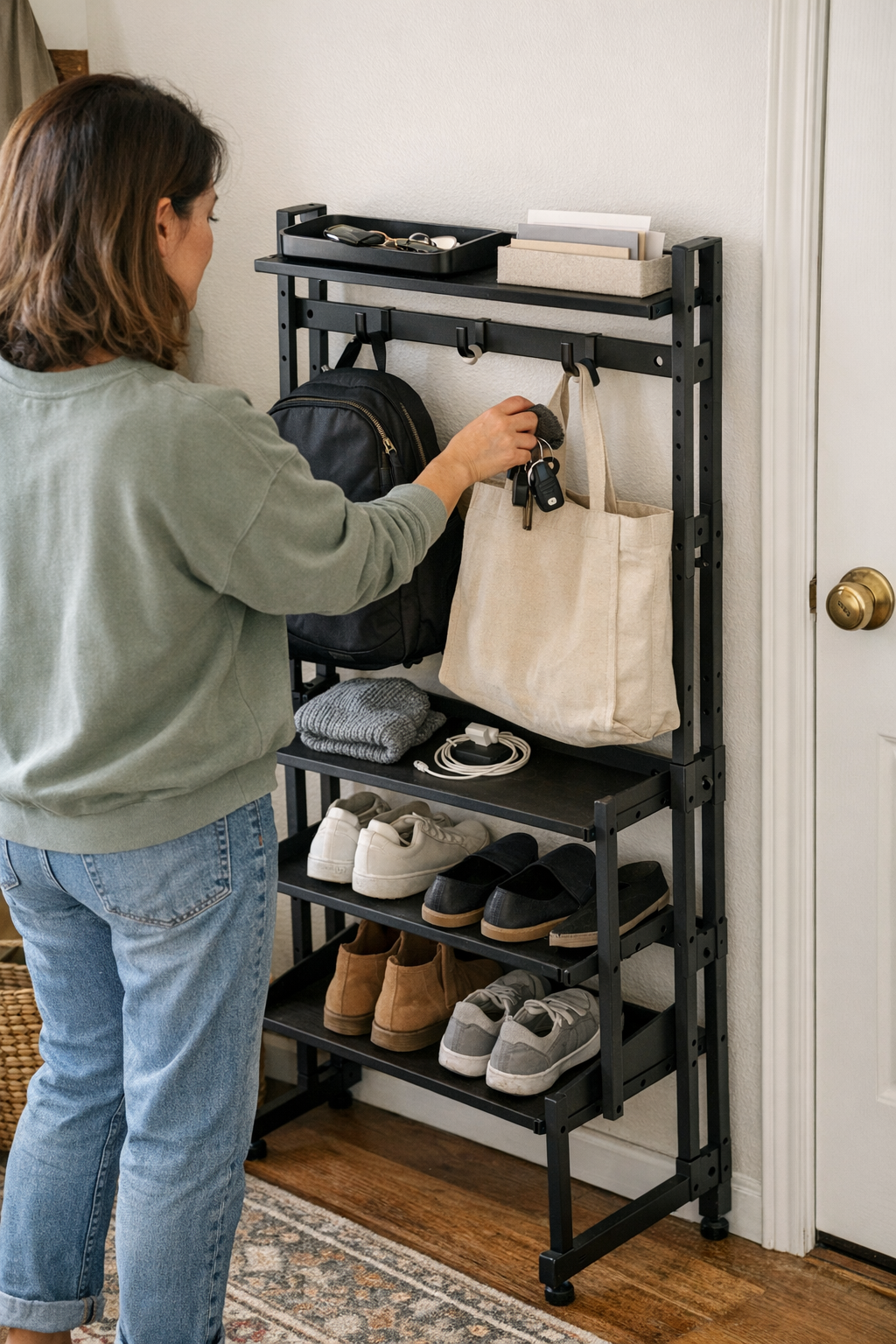
    Switch to a tiered rack: now, the key tray sits up top, shoes land in a visible row below, and bags hang ready to grab. Drop-off is direct—no more fighting a heap to make space. Departures mean actually spotting what you need: keys right up front, shoes not sprawled under the path, mail waiting in the pocket. Even when multiple people move through at once, traffic lines stay clear. Overflow stands out instead of hiding below something larger, so a rescue reset takes seconds, not a half-hour block. Your “clean” zone stops being just a project; it becomes the unblocked path you actually use, whether it’s a busy Monday or a muddy Saturday.

    Tips for Smoother Setups in Real-Life Thresholds

    Real entryways aren’t showrooms—they live under pressure. These behaviors help more than endless re-straightening:

    • Divide by type, not just space: Force separation—shoes in one row, keys or mail in their own tray, bags up off the floor. Consider a less uniform look in favor of grab-and-go reliability.
    • Put storage on the wall, clear the walking path: Mount hooks and shelves at various heights; make sure nothing narrows your main entry line, even during busy mornings.
    • Assign a “just for now” tray: Prevent pileups with a high-visibility pocket or tray for daily drop-off. Even a small container at the threshold will curb spillover.
    • Expect drift—and design resets for speed: Don’t fight overflow; accept it’s coming and make sure clutter is easy to see (and fix) with one quick sweep, not a major overhaul.

    From Clean Appearance to Reliable Performance

    A flat cart and a divided setup might look similar for a day. The difference shows up by the end of a real week: vertical and modular solutions keep retrieval and return fast, block less movement, and make clutter stand out before it blocks your entry. What looks managed is only half the battle; what stays usable is what changes exit and entry from slow shuffle to actual flow.

    See real-world entryway and threshold storage options at Betweenry.
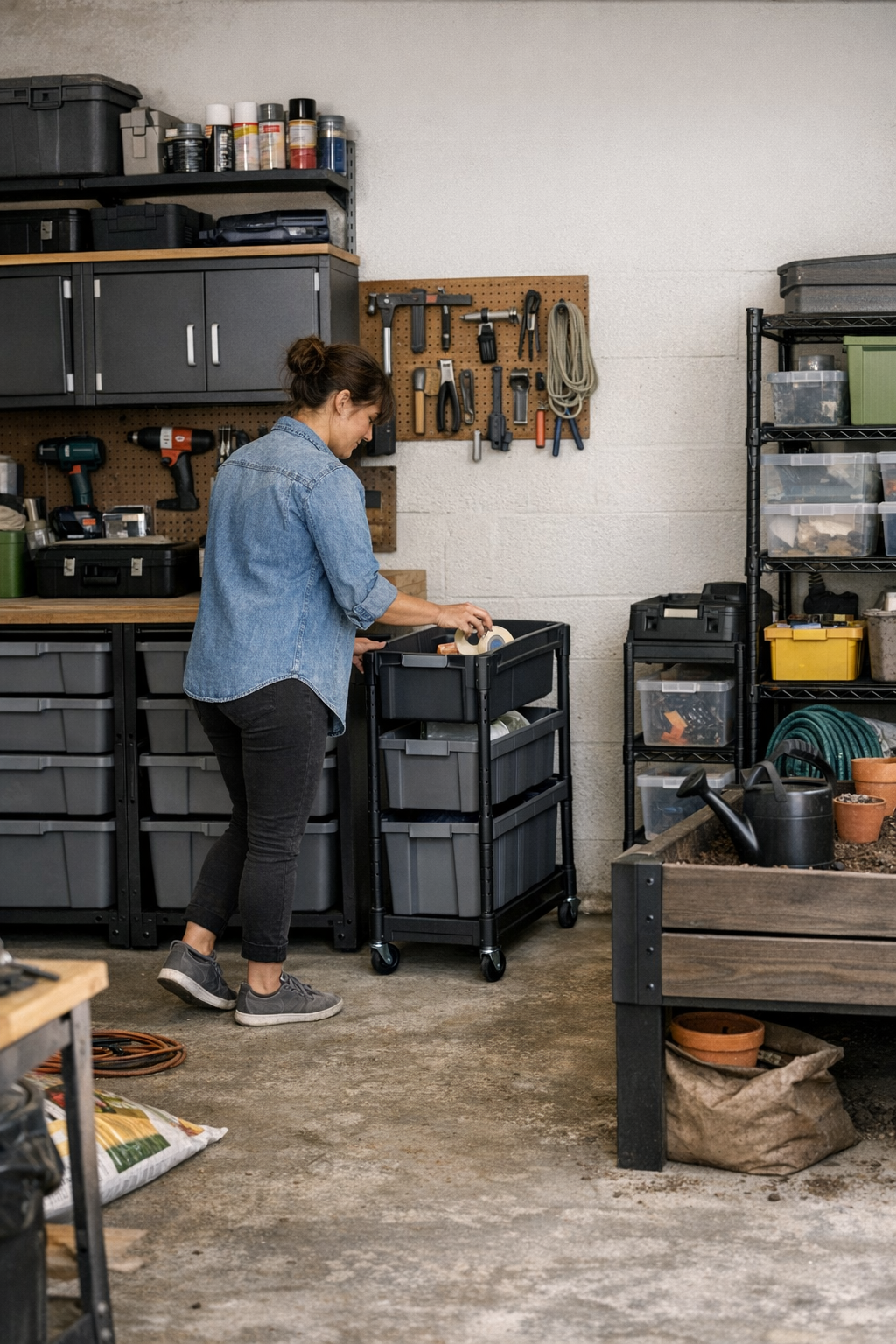
  • Why Modular Storage With Clear Paths Beats Packed Cabinets Every Time

    The fantasy of a perfectly organized garage, workshop, or utility space collapses fast—usually the moment you try to get real work done. At first, every shelf, cabinet, and cart lines up crisp and spotless. But give it one week. Before you know it, that “picture perfect” setup reminds you what the photo missed: shift a rolling cart just to squeeze by, reach awkwardly behind a stacked bin to snag a tool, find yourself boxed in by some heavy cabinet you thought you’d use more. The frustration isn’t cosmetic. It’s the grind of daily resets and slowdowns built into a system that looked organized—but never learned how you really move through the space.

    Nice to Look At, Exhausting to Use

    Too often, initial storage setups are designed by the eye—not by the way you work. The temptation is to create a seamless wall of closed cabinets or shelves. On day one, it feels complete—until the first project, repair, or weekday rush. Suddenly, every closed door becomes a barricade. The walkway narrows because there’s nowhere to park a cart. You sidestep into a corner just to avoid that cabinet edge (again), or find yourself nudging a bin into whatever spot looks least in the way.

    The visual order that felt reassuring now steals time: you reach, shuffle, and reshuffle. That leftover stack of supplies? It lives in the overflow corner—the same spot that always seems one step too far. By the end of the week, “organized” means tripping over what you can’t put away and parking projects out of sight so they aren’t in the path. The result: a system that stores things but never truly supports how you use the area.

    Where the Setups Really Break Down

    The difference between a setup that helps and one that quietly wears you down becomes obvious with real, repeated use. It’s about flow: can you cross the workspace quickly, bring back supplies without re-stacking, and put tools away without detours? Packed, rigid systems conspire against you. Every extra shelf or closed cabinet adds a step—a little sidestep here, a reach over there—until you’re working around obstacles you paid to install.

    Ask yourself: Do you avoid a certain route because the rolling cart blocks it? Is there a spot you instinctively skip because it gathers clutter or is just hard to reach? Are you always doubling back for the same tool? These aren’t minor annoyances—they’re repeated friction points, the sign that your storage “plan” is winning a war against your actual routines.

    When More Turns Into Less

    It’s logical to think that using every inch—floor-to-ceiling storage, deep shelves, wall-to-wall cabinets—means less clutter. But in practice, more often creates dead corners, crowded walkways, and zones that become permanent overflow dumps. That “just one more” shelving run easily traps heavy or rarely used gear where you can’t get at it without a sequence of moves. With each project cycle, these black holes of blocked access multiply, making every reset slower and more frustrating.

    The Missing Ingredient: Space You Can Actually Use

    The best workspaces are built for action, not just display.

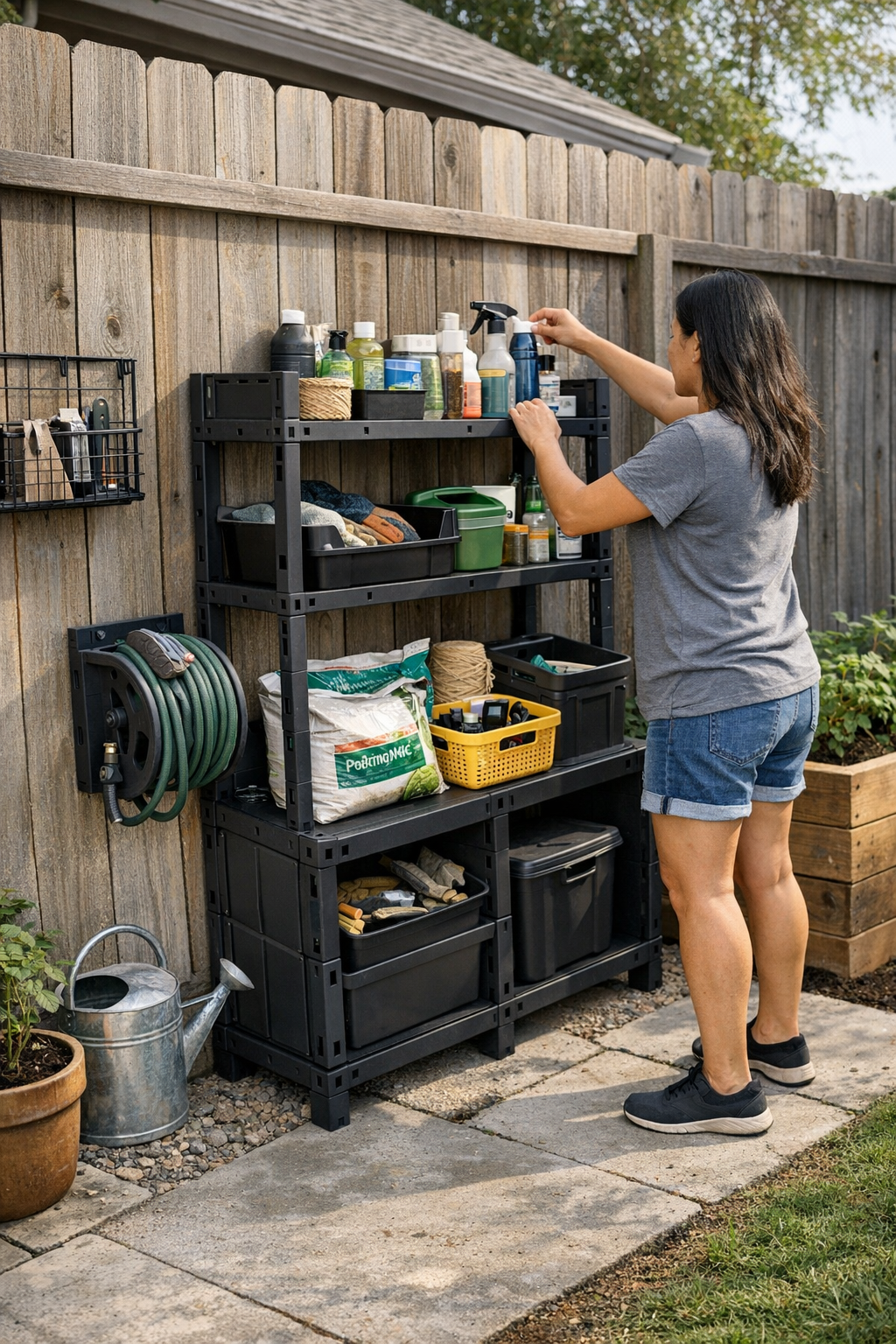
    One small tweak can shift everything. Instead of filling wall after wall, try this: leave a deliberate, open pass-through—maybe 16 inches wide—between major storage banks. Place a slim mobile rack on locking casters in the gap. Suddenly you’ve got a flexible “reset lane”: somewhere to drop a project-in-progress, move overflow bins temporarily, or just walk through cleanly, no rerouting required. It isn’t wasted space; it lets you keep using the setup even as your projects and supplies cycle endlessly.

    What Actually Happens After the First Week

    Walk through your own space on a Monday: the tool panel’s tidy, paint cans sorted, hardware in neat drawers under the bench. Then flash forward to Saturday. The rolling chest is wedged tight, half the bench blocked. Two bins sit in your usual path, and you have to slide trays just to get a screwdriver. That one supply box? It’s always in the way. The stuff looks stored, but you’ve lost clear movement. What used to take seconds now takes shuffling, searching, and second-guessing—proof that a “finished” setup can still interrupt work every single day.

    Why Modular and Mobile Means Fewer Headaches

    Locked-in storage lines work only for routines that never change. But most real setups serve shifting projects, rotating supplies, and shared spaces. Too much rigidity breeds bottlenecks and “dead zones”—places nobody uses except to hide overflow. Modular shelves, mobile carts, and purposeful gaps break that pattern. Need to clear the floor for a delivery? Roll something aside instead of unloading a whole wall. Got a new project? Wheel the parts where you need them, no reshuffling or full reset required. Weeks later, you’re still moving smoothly, and no corner is filled with a mystery pile of orphaned gear.

    Real-World Storage Reduces Routine Friction

    Every small instability in a setup—each needless reach, sidestep, or shuffle—turns into hours lost across a month. It’s easy to underestimate just how fast “organized” descends into “in the way.” Filling your garage or workspace with containers looks tidy for a day, but if every reset is a minor headache, the system failed. The best setups protect your movement: build-in pass-through zones, fallback areas for overflow, and mobile elements that flex with your tasks. Storage shouldn’t just corral mess—it should adapt to your routine so you can move, fetch, and put away without thinking twice.

    Two Simple Fixes That Actually Matter

    1. Hold back one open patch on purpose. Resist the urge to fill every wall. Leaving a single flexible area (just big enough for a cart or bench) gives you the breathing room to handle projects, manage temporary chaos, and survive busy resets without the whole setup unraveling.

    2. Walk your entire routine—literally. Every few weeks, load your hands, walk your route, and notice what slows you down. Where do you shift things, detour, or give up and pile something random? If you find repeat friction, don’t wait: adapt the layout before the clutter takes over for good.

    No One Notices “Perfect,” but Everyone Feels Clumsy Resets

    Stacking, labeling, and filling shelves is satisfying—the photo looks great. But watch what happens after a week of actual use: blocked walkways, sticky corners, overflow spots where every stray item piles up. That’s the difference between appearance and reality. The best storage setups learn from that tension. Leave room to move, choose mobile options, build in a safety net for surprises—and your workspace stops being a source of friction, even on your busiest days.

    Change doesn’t mean gutting everything you’ve built. Often, it takes just one smart, modular tweak to get you back on track—so every trip across the space feels easier and the “order” stays, no matter what the week brings.

    StackNest modular storage and organization systems

  • Transform Your Workspace by Clearing Adapter Clutter Efficiently

    A desk may look organized on day one—chargers lined up, adapters minimized, notepads squared off—but a single week of real work exposes the cracks. By Wednesday, that carefully staged order starts slipping: you reach for a notebook and catch your arm on a stray cable, nudge a cluster of power bricks that drags across the desktop, or feel resistance opening a drawer blocked by cords sliding back into the “tidy” zone. The surface stays deceptively clean, but every routine task—switching devices, shifting a file, sliding your chair in—starts to show hidden friction. The illusion is order; the reality is a desktop that keeps pulling you off pace, one small snag at a time.

    Spotting the Slow Return of Clutter—And What Actually Eases It

    The easiest mistake? Judging a setup by how it looks just after reset—rather than how it acts after three work cycles. Adapter chaos creeps in quietly. The fifth time you catch a cord on your sleeve or hesitate to charge a device because it means untangling another, the problem isn’t just mess—it’s lost minutes and shifting focus. Stacking adapters in one corner holds up for a day, maybe two, but soon cords snake past the keyboard and “spare” bricks migrate into the prime working area. Desk space that started spacious shrinks fast under the repeat pressure of swapping, charging, and stowing gear.

    The underside isn’t a sanctuary, either. A hidden mess—knee-high tangles, loose bricks by your feet—means every device swap starts with an awkward stretch or a blind grab. Quick “fixes” like under-desk baskets often swap clutter for inconvenience; fast changes slow down, and you find yourself picking between tripping on cables or breaking work rhythm just to reach the right plug.

    Choosing Where Adapters Live—Tidy vs. Usable

    A clear desk doesn’t guarantee a smoother routine—it just hides the friction until the next swap. Clearing adapters into a tray or stashing them behind drawers creates empty surface… but if every phone charge or laptop reboot forces a crouch or a hunt beneath the desktop, you’ll skip organization as soon as you need speed.

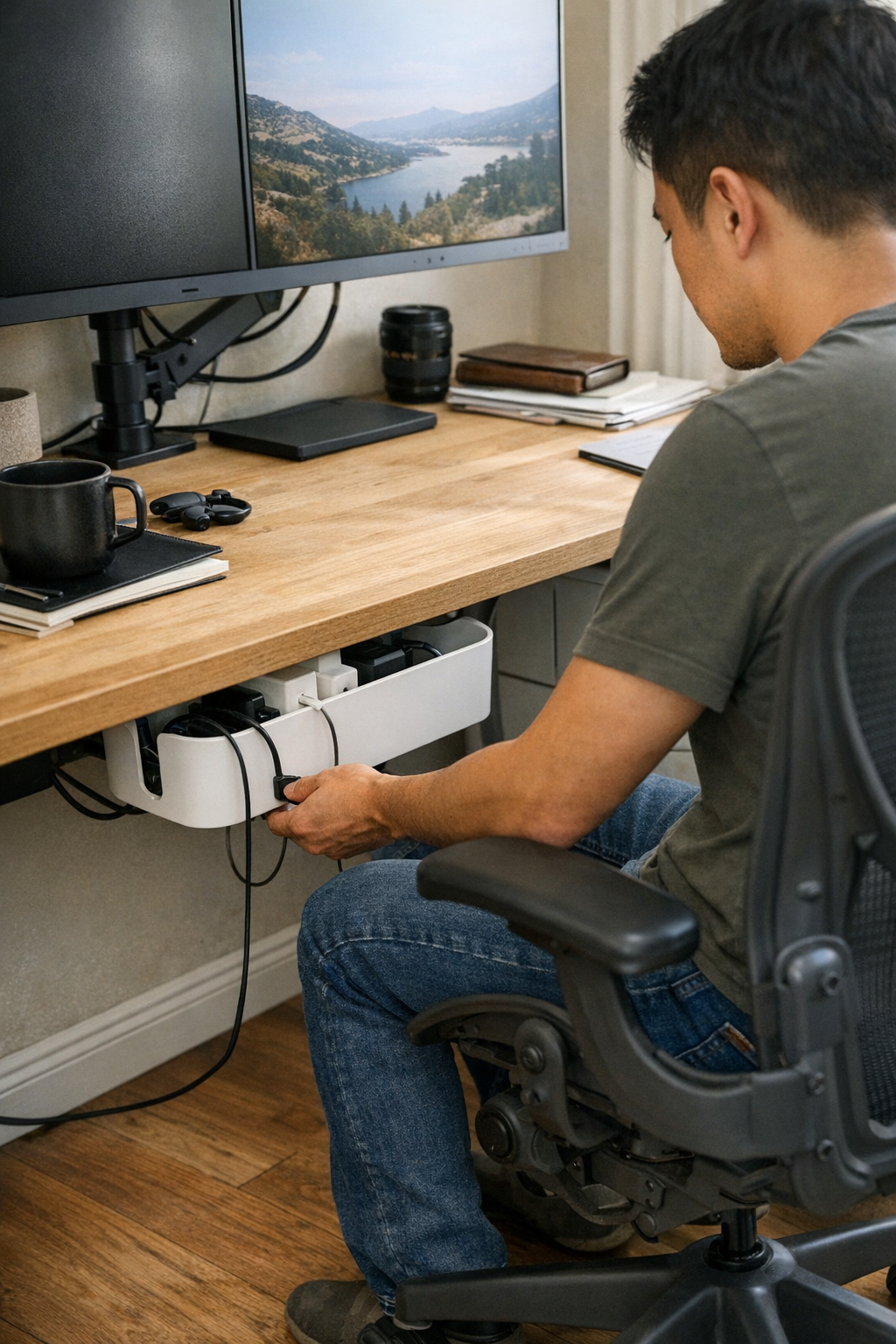
    The tension is always the same: “tidy but hard to reach” versus “handy but messy.” Mainstay adapters—your daily chargers, laptop bricks, tablet cables—should land in a structure you can reach, move, and reset with one hand, not a two-step shuffle. Mounting a cable box just under the desk edge, or securing a flexible cable sleeve at arm’s length, keeps cables contained without pushing them out of working reach. The desk’s front six inches matter more than most people think: leave it clear and you can move between notebook, keyboard, and screen without pushing against a line of adapters or catching a sleeve on a stray cord.

    Case in point: moving a pile of adapters from the desktop corner into an under-desk cable box, placed near the most-used outlet, cut cable drag to zero. No more chasing a charger that slides with your elbow—only a one-handed grab when swapping hardware, with the rest of the surface staying open and interruption-free.

    Subtle Routine Changes You’ll Notice by Midweek

    The strongest upgrades aren’t always about what’s visible, but what you stop noticing after a few days in use: drawers glide open instead of catching on cords, paperwork moves across the desk without snagging a brick, and hardware swaps drop from a sequence of micro-motions to a single, uncluttered reach. The best sign? You no longer pause to plan around clutter—it just doesn’t get in the way of what you’re doing.

    But the equilibrium is fragile. Push adapter storage too far under the desk, and even a quick plug-in feels like an interruption—breaking flow, and tempting you to leave cables trailing across the surface again. Loosely managed adapters creep back into sight, invading arm’s reach and forcing you to start nudging the mousepad, pushing aside paperwork, or shifting your chair to clear knee-space. The real conflict isn’t just “messy” vs “neat”—it’s whether your system still feels frictionless during constant device change, not just after cleanup.

    Setting Up for Fewer Interruptions—A Field-Tested Shift

    One real change: install a cable box right at the front desk edge, not deep beneath or buried behind drawers. The result? No elbows bumping tangled bricks. Swapping in a new device—laptop, phone, tablet charger—calls for one motion, not a full reset. Prime clutter territory (the front desk corner and drawer edge) stays open, letting paperwork and hardware cycle through without resistance or crowding. This offset—keeping six inches open at your dominant hand—proves crucial: it’s where most mid-session shuffling, quick notes, or screen nudges play out during longer sessions.

    Equally important: using cable trays or clips near the desk edge, with just enough spacing, keeps cables from tangling—even after half a dozen hardware swaps in a single afternoon. Fewer cables crossing means less disruption, less time spent untangling, and less risk of yanking something loose when you pull for a charger in the heat of a busy switch.

    Desk Routine: Small Decisions Make the Biggest Difference

    The placement and structure behind every adapter, tray, and cable path sets the tone for the whole workday. Place a cable tray an inch too far back or wedge a brick deep behind a drawer, and you instantly turn a smooth routine into a workaround—one you’ll keep avoiding until clutter returns on the surface. Instead, aim for cable boxes close to reach, trays for staple device lines, and enough space to bypass other hardware with your hands, not your whole body.

    The signals are subtle: if plugging in a device, pulling out a file, or sliding your monitor even slightly slows you down, friction is already creeping back in. Over weeks and months, those tiny interruptions add up—wasting focus, creating fatigue, and making each desk reset longer and more draining than it needs to be.

    Real-World FAQ: Desk Corner Cable Fixes

    Should adapters be totally hidden or partly visible?
    In most functioning setups, a semi-hidden approach is best. Mount cable boxes or trays just off the worksurface—close enough to reach without ducking under the desk, but not spilling back into the main work area. Full concealment looks sleek but slows every swap; fully exposed adapters don’t stay sorted for long and quickly sprawl into active working space.

    What helps most with under-desk cable tangles?
    Keep cable trays, clips, or sleeves within arm’s reach of your go-to outlets—never buried at the back. Regulate spacing between bricks, so each cable can move freely for a fast swap. Small dividers or built-in guides help keep cable runs independent, especially after a series of hardware changes across a heavy-use week.

    Do these changes really cut down on work interruptions?
    Yes—less drag equals more usable minutes. Cable pulls and rearrangements shrink, accidental unplugging is rare, and end-of-day resets don’t pile up as background mental load. With visible order and true reachability, you interrupt your focus less and spend much less time fighting your own desk system.

    Clearing the Corner—So the Desk Works, Not Just Looks Good

    A visually tidy desk means little if you still hesitate before reaching across your corner or swapping devices. Surface-level clarity is not the goal—a desk should handle hundreds of quick changes and movement cycles with near-zero resistance, not just photograph well. That means cables routed off the primary worksurface, adapters close to hand yet out of the action zone, and open space held for actual movement—not for show.

    If your end-of-day reset involves dragging piles aside, untangling hidden cables under the desk, or bracing your knees around a loose drawer unit, your setup is signaling unfinished business. The harshest test comes during peak workload: does your system let you reconfigure and keep moving, or do you make another mental note to reorganize—again?

    The most reliable workstations aren’t just tidy—they don’t turn small motions into recurring friction or let clutter resurface after every busy stretch. When resisted drag is gone, your focus lasts longer, your desk works with fewer corrections, and your workflow adapts without backtracking—because the structure of your space is actually supporting the pace you need to keep.

    Explore the full WorkBasic collection

  • Why Short Familiar Walks Can Increase Dog Walk Friction Over Time

    You know the routine: leash by the door, shoes on, and you’re outside—same route, same return, convinced the predictability should save time. But after a week, the cracks show. Each walk interrupts your morning for all the wrong reasons: feet stuck at the same gate, leash snagged behind a backup harness, towel always out of reach when muddy paws land. What looks “ready” by the door hides a line of friction points that slow you from first step to the last bowl wipe. DogPile’s world makes one thing clear: the tangle isn’t from chaos, but from routine setups that look neat but stall your actual flow.

    Why Familiar Walks Still Get Stuck

    What holds you up isn’t just your dog’s curiosity—it’s a routine that keeps bottlenecking itself in the same stubborn spots. If you can feel leash tension tighten before you hit the usual corner, you’re not imagining it. That patch of grass or battered trash can—your dog makes a pit stop, you brace for a pause, and seconds leak away. These stalls aren’t random; repeat them enough times and they carve delays right into your daily reset, no matter when you try to move faster.

    Even a route you know blindfolded builds friction where it doesn’t show on paper: a fence with lunging dogs freezes your leash arm, your own dog digging in, and then a crosswalk hesitation stalls everything again. The real price isn’t “lost enrichment”—it’s morning minutes leaking into breakfast, chores, and the mad scramble to regain your home rhythm.

    The Small Delays that Undermine the Flow

    A walk that’s supposed to be simple never quite is. The hold-ups aren’t one-offs—they stack, checkpoint by checkpoint: a fire hydrant held hostage for sniffing, a driveway that’s always a dramatic pause, a mailbox claimed as a daily ritual. The route repeats, and so do your dog’s stalls.

    • Stuck waiting at an intersection, your dog scanning for something invisible while you look at your watch.
    • Trying to gently tug your dog forward while she turns cement into an anchor at the same old gate.
    • Finally moving on, only to pause again as she fixates on a lamppost—meanwhile, you’re reworking your mental checklist on the fly.

    Each pause ripples: your breakfast sits cooling, wipes are where you can’t grab them, and your coffee break shrinks because the “efficient” walk has thrown off your entire schedule.

    Efficiency Isn’t Always What It Looks Like

    A tidy entryway hides the traps a repeated routine leaves behind. Predictable walks should mean faster resets: leash off, paws wiped, water down, back to business. But a perfect setup on the surface—leash hung straight, treat pouch set, toy bin tucked—only hides the actual interruptions that come from lived use. The moments that count don’t happen where you thought, especially after several days of the same start-stop drama. One misplaced harness turns reaching for the leash into a fumble. The towel is somehow never on the right side of the door, again. Or worse: your just-cleaned mat gets soaked because your dog cuts off your step at the water bowl the second you walk through the door.

    Visual order means nothing if your repeated actions keep getting blocked. Where bowls, towels, and gear actually land in your setup—whether on purpose or by shrugging convenience—decides whether your routine keeps you moving or quietly jams the flow every single morning.

    Why Sticking Points Keep Coming Back

    You expect that with routine, the sticking spots will fade. But when the route stays the same, the same stalls don’t just persist—they become built-in. By week’s end, you know your dog will anchor herself at the fence or fixate on the trash can, even when the clock is ticking. These aren’t training mishaps; they’re the cost of repetition, embedded right inside the structure. The more familiar the path, the more your dog confirms those as “approved” pausing spots. The walk isn’t getting easier—it’s quietly locking down your flexibility, making the idea of a “quick walk” a memory.

    The Ripple Effect: One Stall Can Reshape Your Whole Morning

    Delays on your walk don’t stay outside—they drag into every step that follows. A run of pointless stops means your reset at home comes derailed. Breakfast bowls go missing under cabinets. The towel you need for muddy paws isn’t by the door when it matters. Suddenly, you’re kneeling, stretching, managing a leaping dog, and realizing that your time-saving routine is stealing time at every stage.

    Real-World Example: When Routine Fails the Reset Test

    Say you use the same route every morning. You fudge the timing because you know the routine bottlenecks—a fence, a gate, a familiar patch of grass. But one morning, it all runs late anyway—ten extra minutes lost because your dog dug in even harder than usual. Back inside, you’re stuck searching for the right towel, fishing breakfast bowls out from under the cabinet as your dog paces impatiently, and nothing feels reset. The setup that looked efficient added two new interruptions before you ever sat down with coffee. The friction wasn’t random—it repeated right on cue.

    Adding Variation: Small Shifts Make the Routine Work Again

    Breaking bottlenecks doesn’t require reinventing your whole setup. Sometimes a tiny shift resets the flow. It might mean sliding water bowls out just far enough that you’re not crouching or risking a spill on your way in. Or switching your walk start to a different door, so the most stubborn stall comes earlier—or later—instead of at the worst possible moment. Shake up the route, and your dog’s predictability blunts. She can’t anchor to the same old distractions. The walk finishes cleaner, with fewer backtracked steps and less frustration carrying over to feeding, cleaning, or settling in after.

    Variation Adds Interest—But Also Practical Flow

    Dogs hunt for friction points. Shake up their “auto-pause” cues by varying direction or switching up the handoff, and you’ll spot shallower stalls and fewer planted paws. This isn’t about fancy novelty—it’s about making sure your morning doesn’t trip over the same weak spots, day after day.

    Fix What’s Sticky, Not Just What’s Messy

    Neatness and flow are different battles. It’s not the visual mess that kills your speed—it’s the hidden traffic jam where gear, toys, and walk tools stack just wrong. Look at:

    • Toy baskets nudged too close to the crate, forcing a shuffling act every time your dog comes home for a break.
    • Leashes tangled together so the one you use most takes three tries to grab—or causes you to drop everything else on the way out.
    • Cleanup wipes always almost within reach, but never quite where your hand lands as you step through the door with muddy paws.

    If your hand has to hunt, pause, or sidestep, the “tidy” routine is already slowing you down. The friction’s built into the layout—not your habits.

    When Short Walks Backfire

    Cutting your loop down to ten minutes, thinking it’ll buy you margin, only works if the routine actually gives back that time. But identical routes mean identical stalls. If your dog comes home restless or starts pacing right after a “quick” walk, the time saved is lost at new sticking points—restlessness, poor reset, or splashes into other routines that needed a smooth handoff.

    Efficiency is more than just minutes on the clock; it’s how the routine sets

    DogPile

  • Why Simple Lighting Often Fails and How to Fix It for Safer Homes

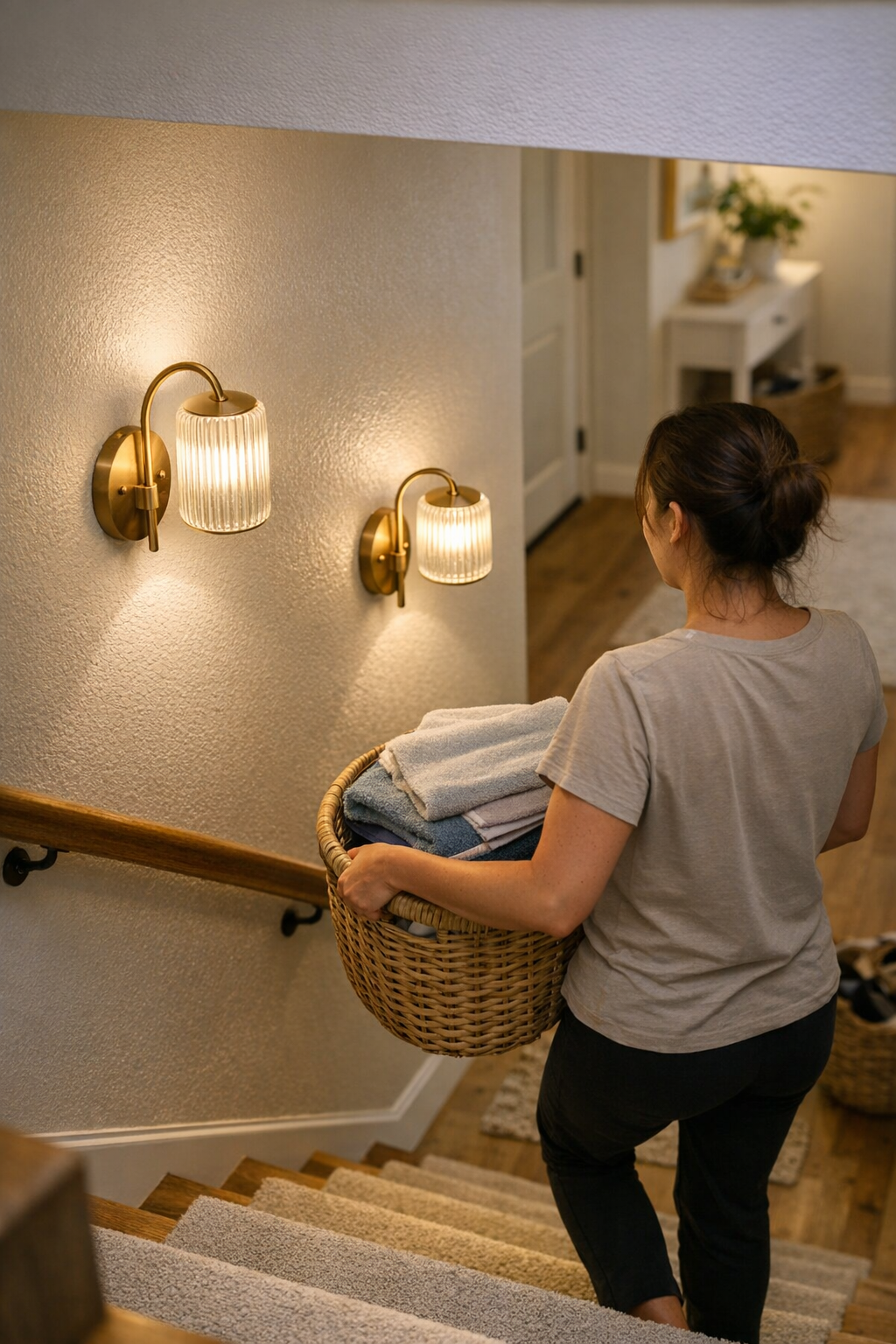
    The moment you call a room “bright enough” is usually the last moment it actually is. Install a flush-mount ceiling light in the hallway, and it seems fine—until you’re taking laundry up the stairs with one hand, pausing at a shadowy turn because the final step slips into darkness. A week later, the frustration repeats: the edge of the countertop vanishes under a stretch of cabinet shadow, or one side of your face blurs in the mirror, half-lit and uneven. These small but steady interruptions don’t just reveal bad lighting—they stack into routines you start to dread. Indoor lighting that looks solved on day one can unravel into friction at every stair edge, countertop, and reflection once daily movement puts it to the test.

    When Everyday Routines Expose Lighting Weaknesses

    Lighting almost never fails during a quick glance. Its weaknesses become obvious when your hands are full, your eyes are adjusting, or your path needs to be certain—like pausing mid-stair because shadow falls exactly where you step, or wiping down a kitchen counter only to discover, in the morning sun, a streak of missed spills kept hidden by angled glare. Lighting that claims the space with nice output on paper can fail the first real test: repeated, imperfect movement where confidence is required.

    Lighting passes or fails in motion and repetition, not in a showroom photo. If you find yourself hesitating or shifting to avoid a shadow, what “looked bright” on install is quietly derailing your routine.

    The Real Gap: Looks Bright vs. Works Right

    A room can glow on first power-up and still fall short. Many flush or semi-flush ceiling fixtures pour light into the center but leave edges dim, corners faded, and surface tasks half-lit. Your laundry basket stays in shadow unless you hover directly under the fixture. Navigating a corridor, you might feel the distance to the side wall as patches vanish from sight, making every open cabinet or doorway feel riskier at night. The illusion of even light vanishes when real movement or work is required, and the unlit zones become predictable sources of slowdown.

    Bathrooms and vanities especially show this: an overhead fixture can leave your face split between glare and dullness, making shaving or makeup a trial in second-guessing. With time, you unconsciously accept these awkward imbalances, learning to lean in, squint, or mentally map out which areas just never quite light up the way you need.

    Where Lighting Actually Trips You Up

    Specific friction points repeat in lived spaces:

    • Stair turns: The ceiling fixture throws a tight shadow with your body, forcing hesitation at the step—the pattern repeats whether it’s midday or evening.
    • Hallways: One end remains dim; even with a strong bulb, the far wall retreats into gray, and safe footing along the edge never feels certain.
    • Utility counters: Under-cabinet shadows hide what cleaning missed, while a sharp glare bounces from a glossy counter and baits you into moving your head instead of your hands.
    • Mirror glare: Overhead bathroom lighting dodges half your face, so the reflection you actually work with becomes unreliable—every attempt to “get in the right light” turns into subtle gymnastics.

    When lighting works against you, it slowly disrupts every repeated action—movement, cleaning, grooming—until you start working around the light instead of with it.

    Matching Lighting to Daily Patterns and Obstacles

    Adding more lumens alone rarely fixes these weak points. What matters is targeting light to exactly where routine friction shows up. When a stair turn forced daily hesitation, replacing the sole overhead with two slim wall sconces at step height changed the entire path: sudden clarity revealed dropped gloves or toys before a foot ever landed. The friction wasn’t just visual—it was navigational, and the fix was placement, not power. Now, moving through that stairwell requires zero extra attention, even exhausted or distracted.

    In the kitchen, switching on under-cabinet strips means the full run of countertop is visible—you can instantly see spills, crumbs, or utensils right at the edge. No more leaning in or guessing at what’s hidden in the shadow cast by the upper cabinets. Likewise, a pair of hardwired vertical mirror lights in the bathroom removes the daily scramble for good light; the whole face appears evenly, with no need to adjust your angle or give up on fine-grooming at night. It’s the structure and location—and how they respond to actual movement—that recasts lighting from obstacle back to support.

    Moisture-Prone Areas: Where Standard Fixtures Fail Quietly

    Bases in bathrooms or laundry corners often look fine at first but falter under real use. Steam and condensation break down ordinary fixtures fast, fogging up output and leaving visibility patchy after every hot shower or heavy laundry run. Upgrading to damp-rated lights is less about specification and more about simply making sure the fixture actually stays functional—so the room doesn’t slowly slip into shadow or flicker the longer you own it.

    Spotting—and Solving—Hidden Lighting Problems

    Recurring slow steps, side glances at mirrors, or a habit of nudging open a cabinet to find what the counter missed—none of these are quirks. They’re the real audit: if you adapt your movement, squint, or double back to “find” what light should reveal, your indoor lighting isn’t supporting your routines. The weak spot is usually in the spread, angle, or position of the fixture—not the headline wattage.

    Quiet diagnostic: If you shift, pause, or hesitate in the same spot each day—the bottom stair, entry corner, sink edge—track exactly how the light falls and what gets missed. In many cases, a modestly placed wall sconce or a cheap under-cabinet strip outperforms a new, brighter ceiling bulb at banishing these everyday gaps.

    Lighting That Simply Works (and Why It’s Rare)

    Good lighting almost never draws attention to itself—but the wrong fixture forces you to notice, usually at the worst possible moment. You should be able to walk, clean, cook, or check the mirror without tracking shadows or bracing for glare. The correct strategy isn’t chasing bigger bulbs or trendier hardware; it’s recognizing the mismatch between fixture style and the way rooms are actually navigated. Every lighting decision should begin with a stubborn look at where routines fail—at the stair you always slow down for, the face half-missing in the mirror, the counter that never quite feels finished after cleaning.

    When you shape lighting structure around honest daily movement—layering flush or semi-flush, wall lights, under-cabinet, or damp-rated fixtures where old friction appears—you stop propping up bad routines and let rooms quietly do their job. The relief isn’t just visual. It’s practical, trust-building, and hard to ignore once you’ve lived with the difference.

    Explore practical lighting solutions for daily routines at LightHelper.

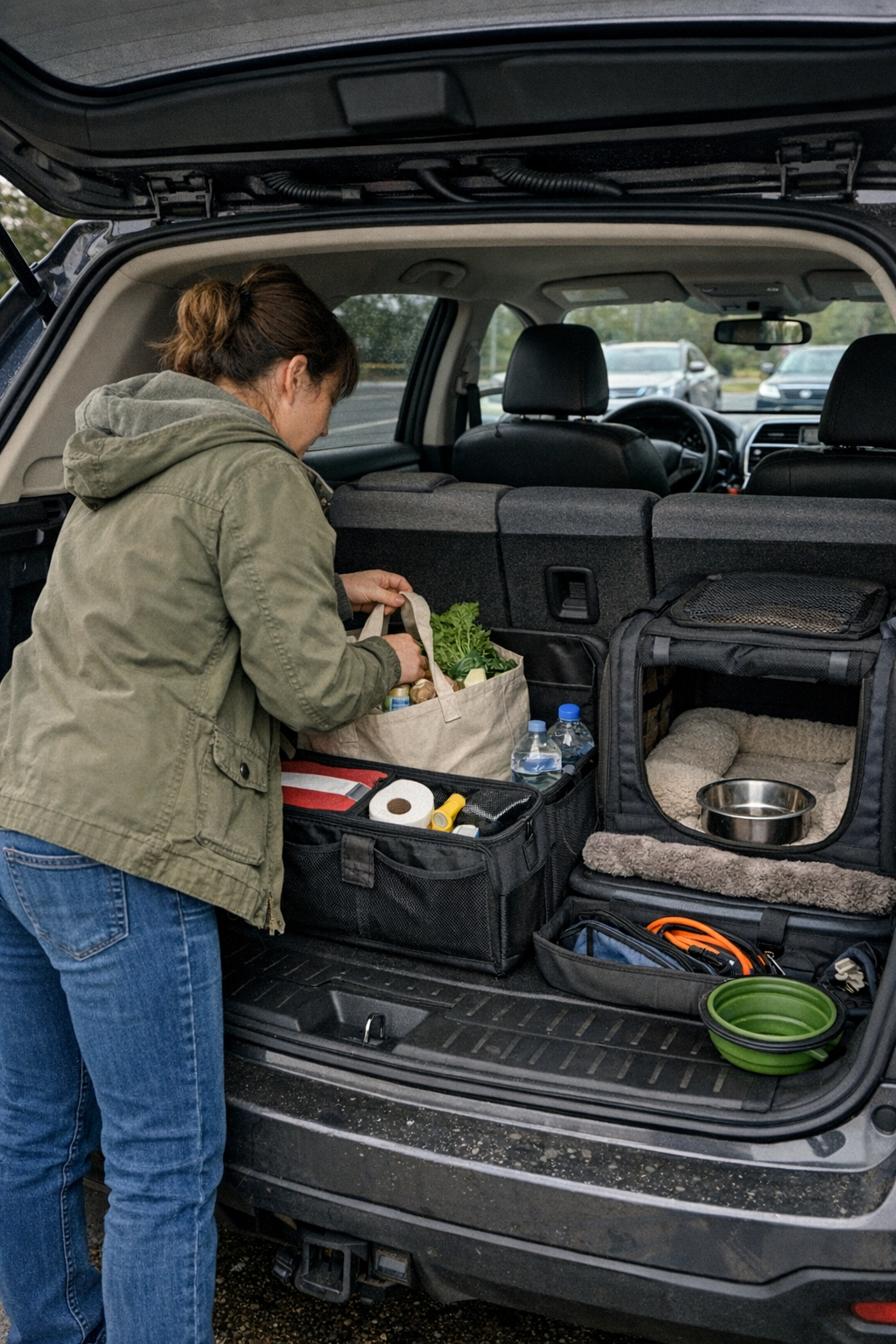
  • How Thoughtful Bag Design Transforms Mid-Flight Pet Travel Experience

    The weak point in a pet-travel setup usually isn’t obvious when you first zip it closed—it shows up in the middle of a trip, when every reach and every stop drags more than it should. That “ready-to-go” bag on your kitchen floor transforms under real-world pressure: the moment you need a wipe for a small accident in a cramped airplane row or try to fish out a toy when your pet’s anxiety suddenly spikes. In too many setups, grab points are hidden beneath seat belts, pockets get blocked by blankets or straps, and the neat organization from home becomes a chain of small hassles that stack up minute by minute. Those aren’t isolated problems; they’re the cracks that disrupt your whole trip.

    When “Organized” Bags Become Obstacles

    Most pet-travel bags look disciplined right up until the rules of motion change. That stack of labeled pouches? Now jammed behind a carrier handle that’s pinned by a seatbelt. A zip pocket meant for “quick access” gets trapped by another bag’s shoulder strap. As soon as you need an urgent cleanup after a tiny spill, instead of one clean reach, you’re bending, twisting, and temporarily blocking your pet’s air space just to reach a buried supply. For every planned spot, there always seems to be one move that’s either out of order or twice as slow as you need. The tidy setup you trusted at the start is now stealing time and calm at every turn.

    The real stress isn’t the one-off emergency—it’s in the routine moves that should be easy and aren’t. Reach for a chew at a stoplight, only to have to shift the entire carrier. Go for a water bowl, but the comfort blanket is wedged on top. Instead of smooth resets, every attempt means digging under, lifting aside, or repacking afterward. These frictions don’t explode your trip, but they chip away at comfort and control—a constant restart tax for setups that work better as a photo than on the actual road or runway.

    The Cost of Slow Access: Real-World Travel Scenarios

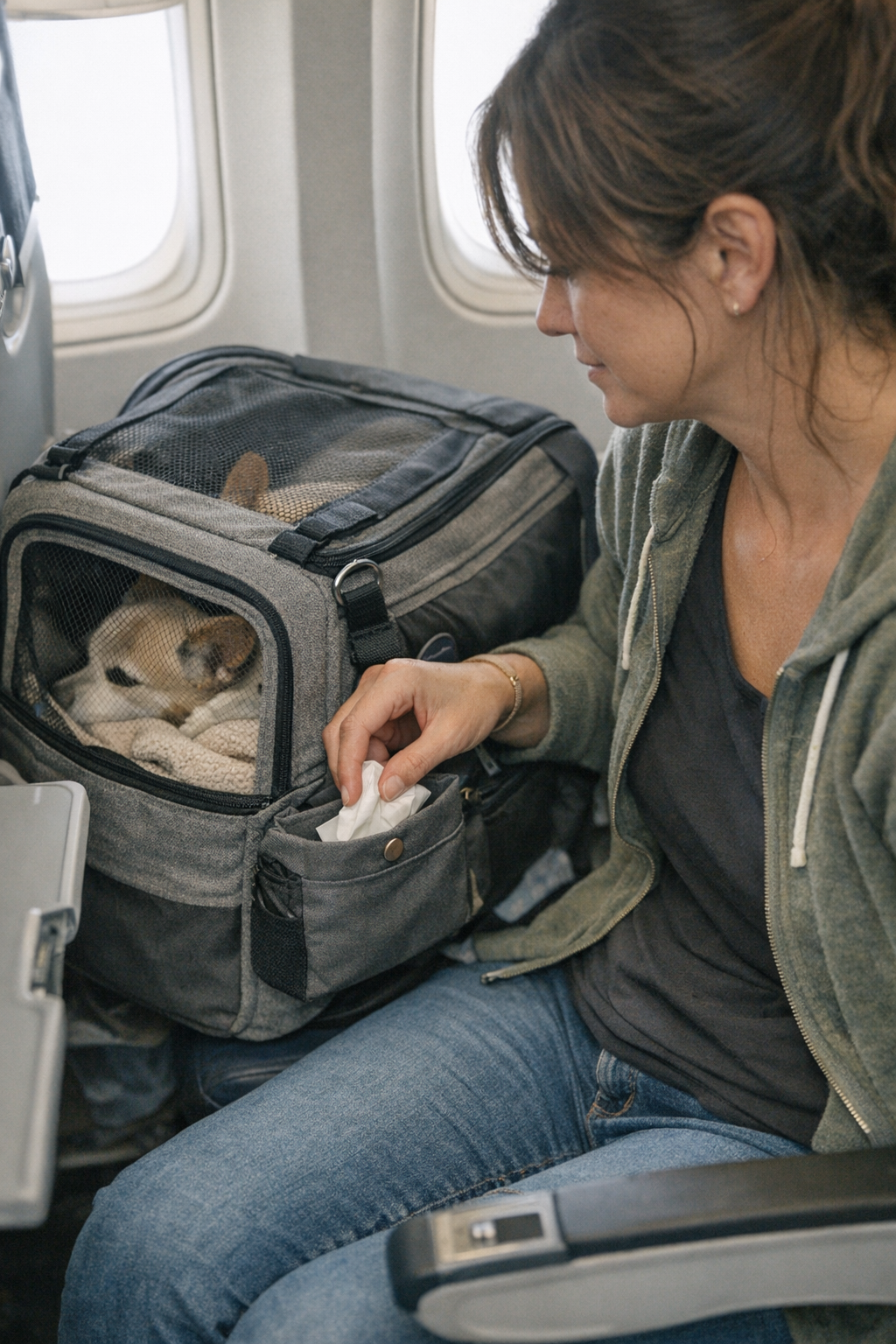
    Take the standard airplane moment: you’re seatbelted in with your pet at your feet, turbulence gets announced, and your pet’s getting fidgety from cabin noise. You try to calmly pull a toy or treat, but your current bag’s best compartment demands two hands and three moves: pull the bag from under a seat, unzip around an awkward corner, shuffle items dry or wet. If pressing through a crowd or under a tray table, you end up juggling with your knees, only to finally locate the right object just as the stressful moment crests and passes. In the rush, you can’t maintain a smooth handoff to your pet or yourself; it’s easy to drop supplies, bend awkwardly, or block your pet’s space—each detail slowing you down right when you need to be quick.

    Now switch to a road trip, pausing for a short rest stop. Your organizer—attractive, well-labeled, full of pockets—starts to work against you when you need a single wipe: it’s under a second set of food pouches, nested inside a sub-pocket that looked “logical” at home. Each delay magnifies the pressure: windows down, ambient noise swirling, your pet half out of a harness, you’re forced to juggle layers of kit mid-parking lot. If you’ve ever had cleanup supplies spill or had to awkwardly shove everything back in on a sloping seat, you know that elegant at-home setups rarely stand up to repeated stop-go reality.

    How Overlapping Items Slow You Down

    The friction gets worse once pet gear starts bleeding into owner gear: your own charger cords tangled with spare leashes, snack pouches swapped between your needs and theirs. Every motion back to your seat brings another round of separation and reshuffling—one bag, too many jobs, no pause in the irritation. These overlaps create invisible setup debt, with each restart costing more attention and time than you notice at first.

    What Actually Changes the Trip Flow

    The answer isn’t doubling down on more compartments or chasing a “perfectly packed” checklist. The fix is structural: moving the true repeat-use essentials—cleanup, comfort, and hydration—out from buried or zippered spots and into unlocked, right-at-hand pockets that actually function in motion. A seat-side or outer pouch may not look spotless, but it wins every time you can complete a wipe, hand over a treat, or reset your kit without forcing your pet to shift, lifting the carrier, or spilling contents mid-turbulence.

    In real use: you grab a chewable in two seconds, one hand, no drama. The carrier stays anchored, your pet stays calm, you get order instead of an unplanned mess. Repeat that small win five or ten times per trip and the pattern emerges—your routine becomes less fragile, interruptions get neutralized quickly, and your travel setup starts working for you, not against you.

    Repeated Stops: The Hidden Test

    The real verdict isn’t at takeoff—it’s after several stops or restarts, when speed and smoothness matter most. Every new reach is a test: will your item slide smoothly back into its home, or will you leave it out, building clutter and stress for the next round? If an essential returns to a visible, seat-level pocket, reset is instant. If not, you’re setting up tomorrow’s frustration today, stacking future problems with every round of forced neatness and hidden organization.

    From “Packed Right” to “Works in Motion”

    Every frequent pet traveler knows that what passes as “done” at home can be exposed in motion, especially on a day with multiple stops or tired, anxious moments. When you keep running into the same slight snag—dragging out the whole carrier just to retrieve a single wipe, reaching around the blanket you used ten minutes ago, repeating the same awkward stretch each time—it’s no longer a minor annoyance; it’s a recurring weak point that slows the whole trip. Prioritizing surface tidiness too often means trading fewer messes for more moments of sudden interruption and reset, costing real energy and calm at the worst times.

    True progress is measured in friction, not appearances. Even a smarter layout won’t erase every awkward move. You’ll still snag the wrong latch or block your pet’s view in a rush. But a structure built on real repeated use—and not just theoretical organization—shrinks the need for handling acrobatics and stops those small, familiar stalls from eating into your routine. That is what actually lifts repeated travel from barely manageable to reliably workable, trip after trip.

    If you’re burned out by the same movement slowing you down every time, don’t just swap gear—look at where, how, and when your essentials get put back into reach. For pet travel kits tested against seat-side access and real trip flow, check out PawGoTravel.

  • How Floating Bathroom Shelves Transform Sink Clutter Into Lasting Order

    Just after cleaning the bathroom sink area, there’s a short-lived calm: counters are clear, everything stands in place, routines speed up. But the relief evaporates fast. Within days, tubes, brushes, and hair ties start drifting back—items not quite returned, some left out “just for tonight,” others lost behind taller bottles. The perfect surface unravels, and suddenly, you’re shuffling bottles just to wash your face or chasing stray floss past the faucet. What seemed organized now slows every basic task, piling frustration on top of the mess you thought you fixed. This is where storage setups make—or break—your bathroom’s flow.

    When Wall Space Becomes a New Overflow Zone

    Mounting floating shelves above the sink promises to unlock counter space and restore order, but that first-night upgrade is deceptive. Too often, the shelf just relocates the problem: pileup shifts from counter to eye level. A misplaced or badly sized shelf quickly becomes a raised clutter rail—lotion teetering at the edge, backup toothpaste thrown up out of the way “for now,” and essentials marooned at the back, easy to forget. The wrong shelf turns one problem into two: visual chaos at a new height and a counter still fighting for open space every morning.

    Over the next weeks, shelf position and shape start to show their true importance. Shelves set too high force awkward reaching, and over time, daily items simply stop making it back up—stacks drift back down, or worse, migrate into odd bathroom crevices. Too low or too shallow, and you’re fighting a different battle: cramped elbow space, bottles rattling forward after every grab, constant rearrangement just to keep things upright. The cost of a bad fit is hard to ignore when every reset gets slower, not simpler.

    Reach, Visibility, and the Hidden Cost of ‘Convenient’

    For floating shelves to actually lighten your routine, reach and visibility can’t be optional. If you set the lower shelf about 12–18 inches above the counter—just above splash height but still in direct line of sight—essentials stay accessible without the stretch-and-fumble repeat. Face wash and toothbrushes land where your hand expects them. Miss this window, and people start dropping everyday items on the counter again: too tedious to return, too out of sight to remember. Friction returns, routines slow, and you’re back to stack-and-tumble cleanup at the end of the week.

    Shelf depth digs up another layer of friction. Shallow shelves force products to lean, topple, or overflow. Deep shelves seem generous until you’re fishing for that rarely-used serum lost in the shadows behind the mouthwash. When every inch matters—especially in small, shared, or high-traffic bathrooms—getting the depth right turns “out of sight” into “out of the way,” not “out of circulation.” The wrong shelf builds micro-barriers: one awkward grab becomes two, wipes and bottles swap slots, and the whole area feels subtly resistant instead of smooth.

    Category Boundaries or Blurred Lines?

    The cleanest setup fails fast if category lines fade. Having a single open shelf for everything lures you into merging hair gel with dental floss, sunscreen with razor refills. Within days, you’re reaching twice for the same item, moving one thing to access another, and the shelf’s calm edge starts mimicking yesterday’s mess on the counter. Reset moments multiply as categories collapse—no one wants to fight through a nest of “almost empty” tubes just to find daily moisturizer.

    The fix isn’t about fancy bins; it’s about simple, visible divisions. A low box, a short upper tier, or even a small divider splits “use every day” from “reach occasionally.” Suddenly, toothpaste stops sliding toward cosmetics, and hands put things back almost automatically. Instead of constantly re-sorting, you return items where muscle memory expects them, trimming down daily reset time and keeping hidden chaos from building up behind neat fronts.

    Small Adjustments, Big Daily Differences

    A double-shelf or clearly divided setup upends sink chaos. Place daily-use basics—cleanser, toothbrush, everyday lotion—at hand’s reach. Above, reserve a slimmer shelf for extras: backup floss, once-a-week scrubs, or travel sizes. Now, end-of-night tidying is a quick lift and return—no rearranging piles, no speed-stacking to clear room for soap. Quick routines stay quick, and you stop fighting the drift of “I’ll just leave this here for now.” The better zone isn’t about more storage—it’s about never having to clear a path before you start your day.

    Trouble Spots: Where Clutter Creeps Back In

    No shelf setup is immune to slow friction. Look for these warning signs:

    • An upper shelf quietly absorbs overflow—backup bottles or stray tools “perch temporarily” and become permanent clutter.
    • Return flow breaks down: daily items are left low for speed, then crowd out the essentials that still fit above.
    • Blocked access layers up. You lift bottles just to get at what you need, moving two things for one action, routines slowing down step by step.
    • Tip or spill cycles restart: tall bottles leaning, nothing holding their base, droplets reaching the counter below.

    These are not system failures—they’re signals to adjust. Raise a shelf by an inch, introduce a small bin, add a visual boundary, or switch category positions. Good setups don’t just store items—they evolve to keep return flow frictionless, so resets stay fast and zones stay defined with almost zero mental load.

    The Real Value of a Well-Placed Shelf

    The best bathroom shelves don’t just store—they reduce decision points and keep clutter from gathering a second time. The right shelf and divider placement keeps every item on a predictable return path, so the sink zone “stays good” long after the first reset. Even when real life intrudes—family shifts, new products arrive, boundaries get challenged—a storage setup shaped by routines and refined by small, visible tweaks doesn’t lock you into one brittle order. Instead, it keeps the flow clear enough that you can spot and fix friction while still keeping the calm surface you actually see and use.

    Explore practical shelving and modular storage for real-world bathroom routines at Gridry.

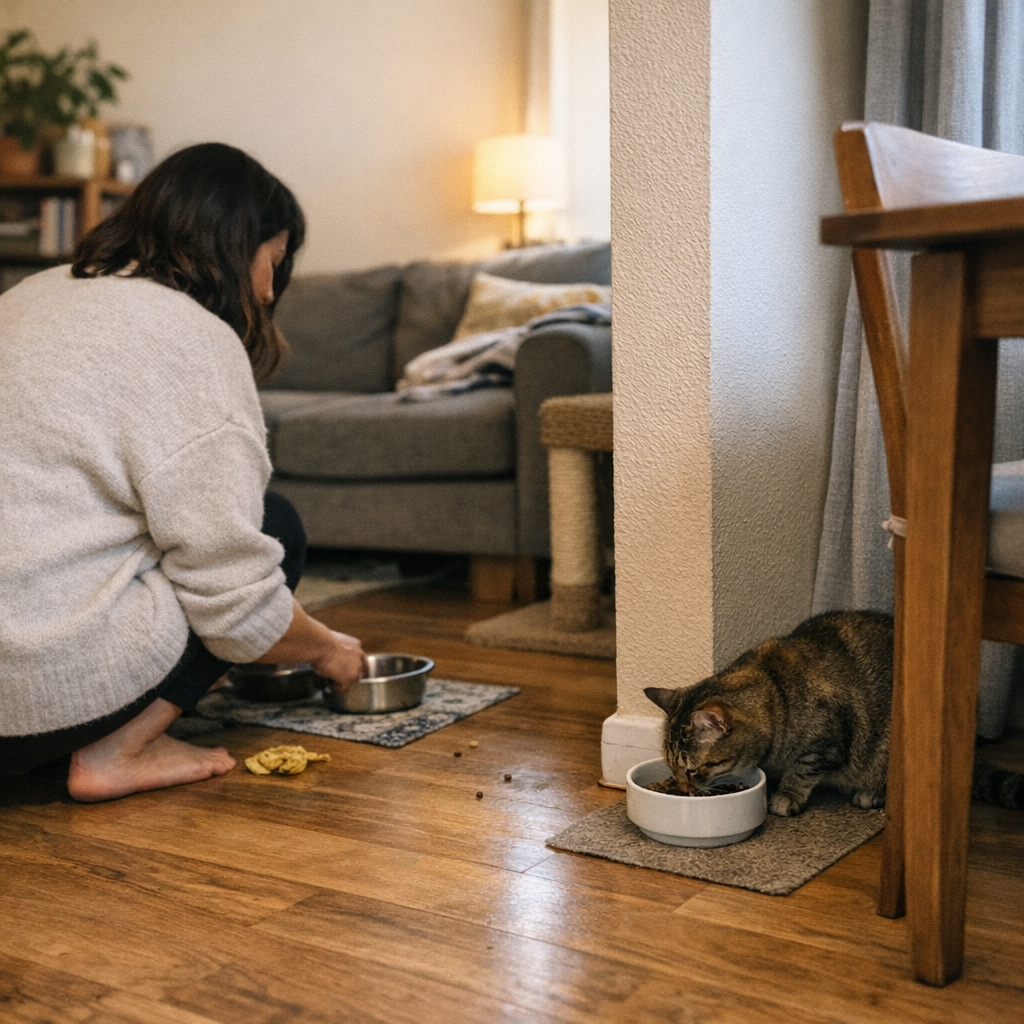
  • How Separating Cat Bowls Ends Mealtime Stress and Mess in Multi-Cat Homes

    Most multi-cat households discover this the hard way: your feeding corner looks organized for a few days, but the mess, tension, and repeat cleanup keep exposing its weak points. At first, neat bowl rows and matching mats promise an easy routine—a simple refill, one quick wipe-down, and the sense that you’ve contained the chaos. But by the end of the first week, order cracks. If one cat eats faster, you’re left policing every breakfast, scraping extra crumbs from hallway seams, and watching your “clean” feeding area sprawl out, meal by meal, into the rest of your living space. The setup that felt solved on day one turns into a friction point you can’t ignore, especially if your cats have different paces or personalities. That’s what starts to separate the setups that only look tidy from the ones that actually reduce your daily burden—the difference is obvious once you live with it.

    When “Organized” Falls Apart: The Repeated Friction of Lined-Up Bowls

    The classic approach—lining all cat bowls on a single mat—seems practical: one spot to refill, a single cleanup zone, and a tidy look. That illusion usually breaks as soon as your cats’ rhythms diverge. The fast eater plows through their portion and zeroes in on the slow cat, starting a routine that barely changes day to day:

    • The quick cat crowds the slow feeder or hovers right at their bowl’s edge.
    • Slow cats pick up the pace awkwardly or back off, leaving more food (and more anxiety) behind.
    • Displaced food and stray crumbs jump the mat border, spreading under the nearest furniture or halfway across your floor.
    • What began as a self-contained corner now means extra wiping, more frequent floor checks, and a routine interruption that sneaks up every single meal.

    The first meal or two won’t reveal the problem. But by the end of the week, cleanup covers more space, one bowl is always picked clean while another sits half-full, and the “easy” reset gets more annoying to keep up with.

    Why Shared Bowls Trigger Stress—and Cleanup You Can’t See in Photos

    Side-by-side bowls create a direct visual prompt for territorial eating. The speedy cat doesn’t need to wander—they just swivel and see another helping waiting. In the daily cycle, that means:

    • Early meal finishing leads straight into hovering or bowl stealing.
    • Meals turn into flashpoints—tension at the bowls, rushed finishes, sometimes half-abandoned servings.
    • Instead of peaceful feeding, you scramble to intervene, just to stop this cascade of stress and spillage from repeating itself.

    If you’ve ever caught yourself standing over a feeding area while one cat tries to finish in peace, you know how quickly the “neat” routine unravels. The bowls stay lined up, but calm mealtimes and easy resets get crowded out by tension, scattered kibble, and extra cleaning—the hidden costs of a setup that’s only visually organized.

    Containing Mess Shouldn’t Mean Spreading Mess—But That’s What Happens

    One mat, one spot, one wipe-down: it sounds like minimal work. But in practice, bowl edges overlap, cats angle for space, and food migrates. What you actually see is:

    • Kibble clumps nudged under baseboards or wedged behind the fridge feet.
    • Cats bumping bowls against table legs or tracking bits through a high-traffic hallway.
    • What should be a two-minute reset expands as you chase crumbs around shoe racks, mat edges, and low corners you weren’t planning to clean today.

    The daily interruption isn’t just about what’s on the mat—it’s about how far the mess, and the frustration, travel. The original “efficient” zone keeps asking for more of your morning, while the actual convenience drifts farther from what got planned at setup.

    Why Bowl Separation Changes the Everyday Cleanup Game

    Breaking the line—moving bowls apart—brings instant, practical relief even in cramped spaces. You don’t need remodels or spare rooms. Instead, you pause and look for places to borrow a little privacy:

    • Slip the slow eater’s bowl behind a chair, beside a low shelf, or half-shielded by a potted plant so sightlines break and pressure drops.
    • Let furniture edges, curtain corners, or a room’s natural nooks create feeding spots that keep one cat’s meal out of the other’s view and easy reach.
    • Place bowls across the logical path of the room—cat A by the sofa end, cat B in the reading nook—so each location belongs to its own eater and not to opportunistic scavenging.

    The change isn’t just that you see fewer standoffs. It’s that each reset gets simpler: the slow cat can finish undisturbed, the quick cat is less tempted to “double dip,” and every bit of spilled food lands where you actually expect to find it. If a reset takes more than a couple of steps, it’s the sign of a system still letting chaos sneak in.

    Real-World Shift: A Week After Pulling Bowls Apart

    Picture a narrow city apartment: two bowls under the kitchen counter, one feeding mat, both cats eating side by side. Within minutes of every meal, the fast cat hovers; the slow cat either bolts down bites or leaves half the food untouched. Resetting the mat involves moving shoes, bending to sweep errant crumbs, and wiping beyond the planned zone—the “tidy” setup only holds together in theory.

    Three days after shifting the slower cat’s bowl behind a living-room chair, patterns change. The slow cat settles in beside the window, eating in a kind of privacy, unhurried. The fast cat finishes and loses interest—the second bowl is out of sight and out of reach. Cleanup becomes only what’s right there, next to each bowl. Refilling for the next meal means a two-step process and a single wipe. The routine stops expanding into the rest of your day, and the setup starts holding its boundary again.

    Small Spaces Don’t Need Big Fixes—Just Smarter Dividers

    Trying to separate feeding areas in a small home feels counterintuitive, but the fix is rarely about more distance—just better blockages. In most multi-cat homes, you get practical success by blocking the direct view, breaking habitual overlaps, and letting each cat stake claim to a personal space, even if it’s just a chair’s width apart. Examples that work in real-world apartments:

    • One bowl tucked behind the end of a couch or set flush by a curtain, breaking visibility.
    • Furniture pieces—bookshelves, side tables, storage bins—used as low barriers to define zones.
    • One cat’s dish moved to an entry alcove or hallway bend—not dramatic distance, just a line cats don’t routinely cross at meal times.

    The goal isn’t isolation; it’s giving each cat enough privacy to eat calmly. Shifting a mat or bowl a couple feet off the old line, or nudging it against a piece of structure already in the room, creates a change you notice every day. The space stays livable—your reset gets lighter, not heavier.

    Does Splitting Bowls Double the Mess? Here’s Where Reality Breaks Expectations

    A common worry: scattering bowls means more zones to manage, more crumbs to find. But when feeding is interrupted less often, the cleanup contracts, not expands. Here’s what shows up once you separate:

    • Crumbs and spills stick to their source—no more food trails meandering out of bounds.
    • Referee duties drop off: less need for mid-meal intervention, more predictable wipe-downs.
    • Cleanup is local and fast—you know exactly where the problem zone will be and how big it gets (much smaller once the stress drops).

    The prettiest, most symmetrical bowl lineup doesn’t always win on speed or stress. Once you’re through the week with a split setup, you’ll find less littering, fewer tense standstills, and a routine you can reset without supervising every move. The feeding corner stops spreading into the rest of your living area—not just visibly but in terms of repeated work.

    Practical Cleanup: When the Overlap Disappears, So Does the Repeat Labor

    Pinterest-ready rows mask the real work in multi-cat homes. You want a layout you don’t need to micro-manage—a setup where you can refill, check, and wipe up in one run, with no detour for missed crumbs or leftover stress by the sofa. The strongest setups work because they keep the next step predictable:

    • Bowl refills don’t come with surprise double-clear-outs from sneaky eaters.
    • You spot almost no “mystery” crumbs in the hall—just a minor sweep at each spot.
    • Resets mean one motion—pick up, wipe down, prep for the next round—without
  • How to Spot and Fix Hidden Friction in Your Car’s Steering Area

    Everyday car use breaks “tidy” faster than you think—especially if you’re in and out of your car a dozen times a week. Step in after work, quick errand, or a kid drop-off: cables are tucked, wipes in their tray, phone mount set just so. But as soon as you pull out, what seemed organized in the parked car quickly turns inconvenient. One charging cord catches your knee. The sanitizer bottle slips from door pocket to footwell. Coins from your “decluttered” tray slide toward the shifter. The reality isn’t mess—it’s the steady grind of having to adjust, nudge, or move the same pieces again and again. That’s when you realize: the steering wheel area isn’t a design showcase; it’s a stress test for any car setup.

    Why the Steering Wheel Area Falls Apart So Quickly

    This zone wants to hold everything—phone holder, charge cord, sanitizer, keys, parking pass—and still let you drive safely. Even after you organize it, the cracks show fast: a cable slides loose and tangles near your pedals, a bottle knocks loose on a curve, or a mask wedges itself against the cupholder. In most cars used daily, the friction returns within days. No major spills, just repeated, low-level interruptions each time you settle in. By week’s end, you’ve done ten “quick fixes” and the area still fights you during normal re-entry or a fast parking-lot stop.

    The Hidden Cost of “Tidy” That Doesn’t Work

    Visual order isn’t operational order. If you regularly nudge the same cable aside, reposition a mount after it slides, or notice pocket organizers failing to stay put after a routine drive, your system is costing you time and focus. Most setups don’t collapse, they just leak: each shifted wire or half-blocked cupholder means another micro-adjustment. These pressure points might seem minor, but with repetition, they become routine obstacles—especially when arms are full, roads are wet, or you lose daylight. Any car zone that can’t hold up to genuine repeat use isn’t just “not ideal”—it’s a slow drag every trip.

    What Real-World Car Use Actually Feels Like

    Picture this: Rainy errand, bag in one hand, the other swiping for navigation. The phone mount stays, but the charging cable slaps across your knee. Hand sanitizer, meant to be handy, clogs the only clear grab point. You try to shift, but a coin tray wobbles, receipts drift into the shifter slot, and you’re doing low-level cleanup before you even buckle in. None of this reads as “mess,” yet it breaks flow—a week of these moments stacks up into a pattern: driving begins with a mental note about what to fix next time, instead of focusing on the road.

    The Subtle Problem: Good-Protecting Solutions That Still Interrupt

    Every “fix” risks causing another problem. Run a charging cord under the mat for a neater look? Now when the mat slides, the wire sneaks under your foot. Add an organizer to the dash? Maybe you’ve slowed your reach for parking passes or GPS access. You swap one interruption for another; the routine never works as smoothly as it looked on day one. The real difference isn’t “looks organized” vs. “looks messy”—it’s whether your setup creates fewer interruptions on the third, fifth, or fifteenth use, instead of quietly adding new ones you tolerate until you hit your limit.

    Making a Setup That Handles Routine and Distraction

    After too many trips where the cable wrapped around the pedal or the phone mount blocked defrost controls, I rebuilt for single-move, zero-hesitation returns. Phone mount fixed left of the wheel—quick glance, quick grab. Charging cable clipped high, always just above the mat—never drifts, never dangles near my leg. A slim pocket slid between seat and console: sanitizer and keys land there without rolling loose. Does it look as staged as a car commercial? Not even close. But every high-touch item cycles back instantly, no hesitation, no surprises—rain, shine, or arms loaded with groceries. Critical reach lines—seat to wheel, wheel to shifter—stay open on every entrance.

    Car Organization That Survives Actual Use

    The only setups that pass the daily test are the ones that let you return, grab, and go with one motion—even when distracted or rushed. Good organization happens when nothing blocks the seat or pedal path, the cable never swings out of line, and no pocket sags or dumps its contents because the last drive was bumpier than expected. Any fix that still interrupts your re-entry or return flow is unfinished business. End-of-day reality: the best system is the one you forget exists because it doesn’t demand one more adjustment, clean-up, or workaround—regardless of how many times you get behind the wheel.

    Find gear designed to survive repeated car use at DriveWellSupply.

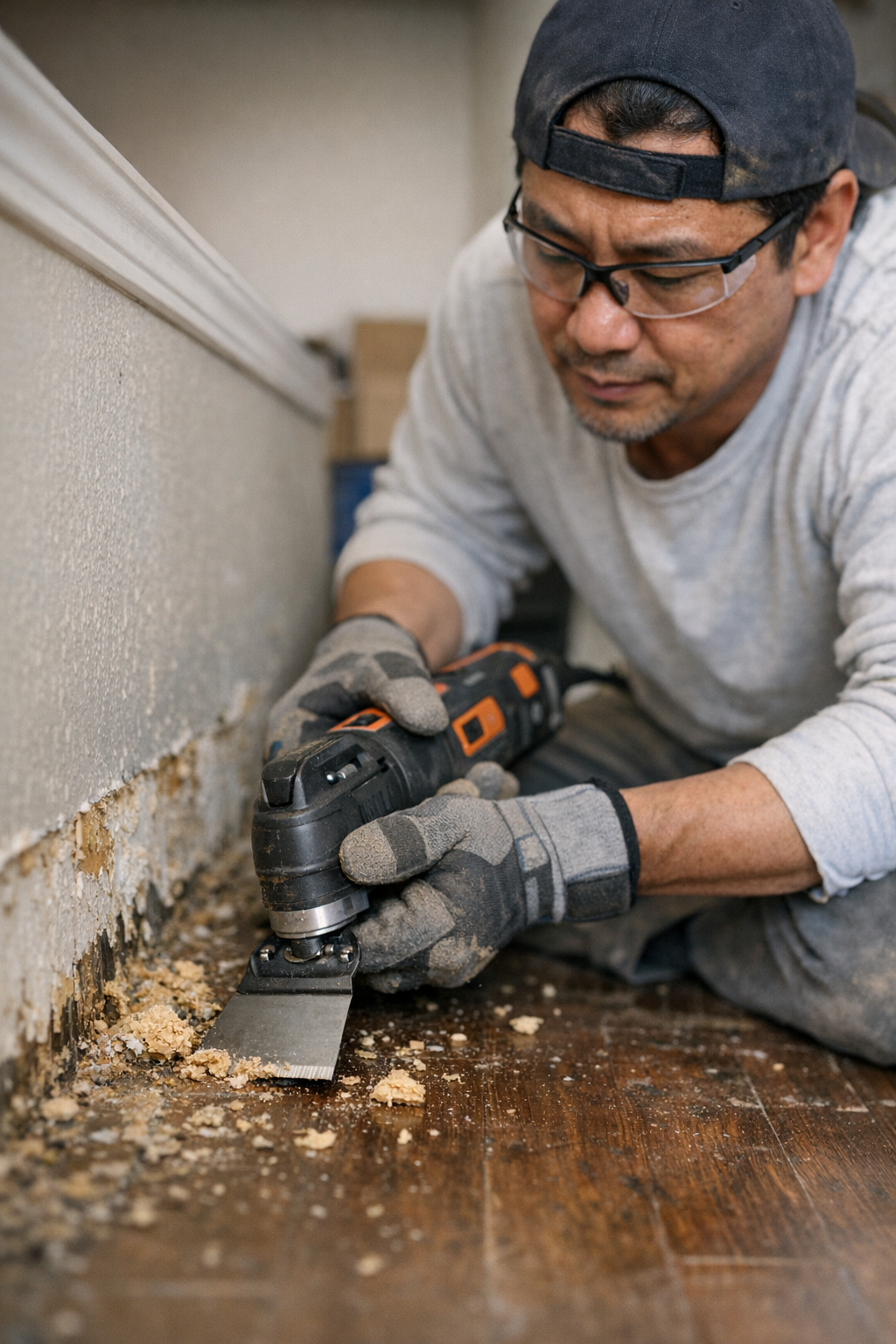
  • Choosing the Right Oscillating Blade for Efficient Adhesive Removal

    Adhesive removal always looks easier on paper—until you’re hunched over a floor, wrists throbbing, and every pass of the blade leaves behind more smears than progress. If you’ve wrestled with ancient carpet glue that won’t let go, or scraped mystery adhesive from a garage workbench for the tenth time, you already know the sinking feeling: the tool’s got muscle, but with the wrong blade, it’s like dragging a butterknife through tar. The right scraper makes or breaks your day. And that truth punches in much sooner—sometimes within the first ten minutes—than most people expect.

    Why “Almost Right” Blades Turn Into Extra Work

    At a glance, any oscillating blade feels pretty much like the next. Rip open a box of multi-tool accessories and most days you’ll just grab the nearest “scraper.” If it’s just a few glue blobs? No big deal. But under real pressure—stripping glue off old subfloor, or getting adhesive and dried caulk out of a hundred trim edges—a so-so blade burns through your energy faster than it clears anything.

    Small, nagging problems pile up. Standard-issue blades might snag a patch or two, but as the hours drag on, your arm tingles and your patience thins. Sudden chatter. Blade veers. Streaks and gouges crop up where you least want them. Multiply every minor slip and shake by the number of corners, doors, and panels in an average job, and “good enough” quickly means “hours lost and surfaces roughed up.” When you realize you’re spending as much time sanding scars and recutting seams as scraping glue, that cheap blade feels more like a penalty than a shortcut.

    What Really Happens When Adhesive Won’t Let Go

    Adhesive removal is never just a clean pass and done. Real jobs bring years of dried glue, random paint streaks, maybe mud, maybe sawdust. After a few passes, blades start to heat up, fill with gunk, and lose their edge. Suddenly every motion requires a little more muscle and the tool begins to fight you—heat warping the blade, edge drifting, work slowing to a crawl.

    That starter-kit flexible blade you tossed in for quick hits seems helpful—right up until the glue thickens. Now it bends, skips, even skates away from the surface. You chase the same patch two, three, even five times. The tool buzzes, the blade flexes, and before you know it, you’re fighting fatigue and making a tired mess of the job you meant to finish before lunch.

    Real Scene: The Wall-By-Wall Difference

    Imagine clearing six baseboards in a rental unit. The early runs, flexible and rigid blades fare about the same. But after a few meters, adhesive globbing onto a flexible blade turns every stroke into guesswork. The handle vibrates, scraping sounds go rough, and you find yourself buffing out streaks you didn’t see coming. Meanwhile, the worker who switched to a stiff, wide scraper is wrapping up steady, controlled passes—taking out old glue, leaving paint and trim lines sharp. Over a single board it’s subtle; by the entire room, you’re staring at a real divide in effort and finish.

    The Workhorse: Rigid, Wide Scraper Blades

    Here’s the overlooked truth: not every blade is built for the beating that real adhesive removal gives back. Rigid, broad blades—especially something like a 50mm reinforced edge—transform the way your tool hits the job. Size lets you plant the blade squarely and dig in instead of fighting slip and chatter. Pressure spreads out, so you cut instead of gouge. Passes grow consistent. Instead of tiptoeing around the surface, you work with confidence, making steady, workable progress you can feel in your hands and wrists by the end of the day.

    Switching to a rigid blade partway through a job doesn’t just save time—it steadies your workflow. Stubborn, rubbery glue finally lifts in whole strips. You’re not stuck pausing for clean-up or tracking back to erase smeared streaks. Especially under counters, around old adhesives, or stubborn tile mastic, the relief in control and speed is the difference between a drawn-out struggle and a manageable, even satisfying process.

    Quick Tactic: Don’t Ignore Blade Build-Up

    If you see glue building up on the blade, stop. Don’t push through—clean it. Clogged blades heat up and slip, ruining the finish and burning through tool battery or your patience. A wiped-clean, rigid edge slices more efficiently, protects the surface, and keeps wrist fatigue at bay. Those extra seconds to clear gunk off pay back in smoother workflow—every single pass.

    Blade Specs Matter—But Rigidity Wins Most Battles

    Carbide-tooth blades talk up their toughness, and for concrete-thick glue or adhesives studded with grit, they have their place. But in the daily jobs—old floor glue, construction adhesive on trim, sticky residues under paneling—choose width and stiffness over fancy coatings every time. Stock your kit with blades meant for scraping, not just cutting. Narrow profiles work for tight corners, but when the job is long and the adhesive stubborn, a rigid, wide scraper is the tool that keeps the job on track and you off the struggle bus.

    Better Blades, Lower Fatigue—Every Job, Every Room

    Most of us don’t start a job expecting to swap blades halfway through. Only when vibration takes over, seams start to fray, and fatigue sets in do we realize a dull, flexible blade can double our work and halve the quality. The right scraper isn’t about instant speed—it’s about trading in stalls, scrap-outs, and wrist pain for steady, clean, predictable progress as the day winds on and stubborn adhesive keeps fighting back.

    If you’re facing down old linoleum glue, caulk that won’t quit, or a deck patched with construction adhesive, don’t leave performance up to chance. The right scraper blade keeps its edge longer, delivers cleaner surfaces, and lets you end the job without the urge to switch wrists every hour. Less shaking. Fewer rough fixes. More stretches where the tool feels like an extension of your hand, not an enemy. Start smarter, and you’ll skip a world of rework no amount of grit paper or late-night patching will truly fix.

    Find the right scraper and tool accessories at Gumboll