Author: jaesoon_admin

  • How Quiet Door Closures Improve Your Dog’s Rest and Home Routine

    The way you close the door before your dog’s rest time isn’t just a finishing gesture—it’s the real divider between a room that supports deep rest and a corner that keeps leaking distractions. If you’ve stood in that doorway, debating whether a quiet tug is enough or catching your dog’s half-raised head after every hallway noise, you know what’s really at stake. You can line up the right bed, arrange water just so, and keep the space clear—yet it only takes a careless, barely-closed door to undo the entire reset. Every loose latch, every open crack invites the outside back in: paw taps, the restless head dip, the constant “are we done yet?” stare. The difference isn’t cosmetic; it’s the line between a routine that actually resets the house and one that quietly drains your patience.

    The Familiar Friction: When the Door Never Quite Settles the Room

    Most rest setups look right from afar. Bed’s in place, traffic path is clear, your dog drops into a curl, but that uneasy energy hangs around: is it really rest, or just monitoring from a different angle?

    Real friction: You close the door—too quickly or just enough—start down the hall, and within moments, the pattern repeats. The muffled sound of dog nails against the floor, a shifting shadow under the door seam, the echo of your own steps or fridge door traveling straight through the gap. Instead of calming down, your dog’s body tenses: ears up, ready for anything. Restlessness sets in before you even make a cup of coffee. The “closed” door fails to block the swirl of movement outside, leaving your dog to decode every laugh, cupboard shut, or stray voice. Settlement becomes surveillance: the same cycle, every afternoon, every bedtime, no matter how neat the corner looks to you.

    Why the Door Close Impacts Your Dog’s Rest (and Your Routine)

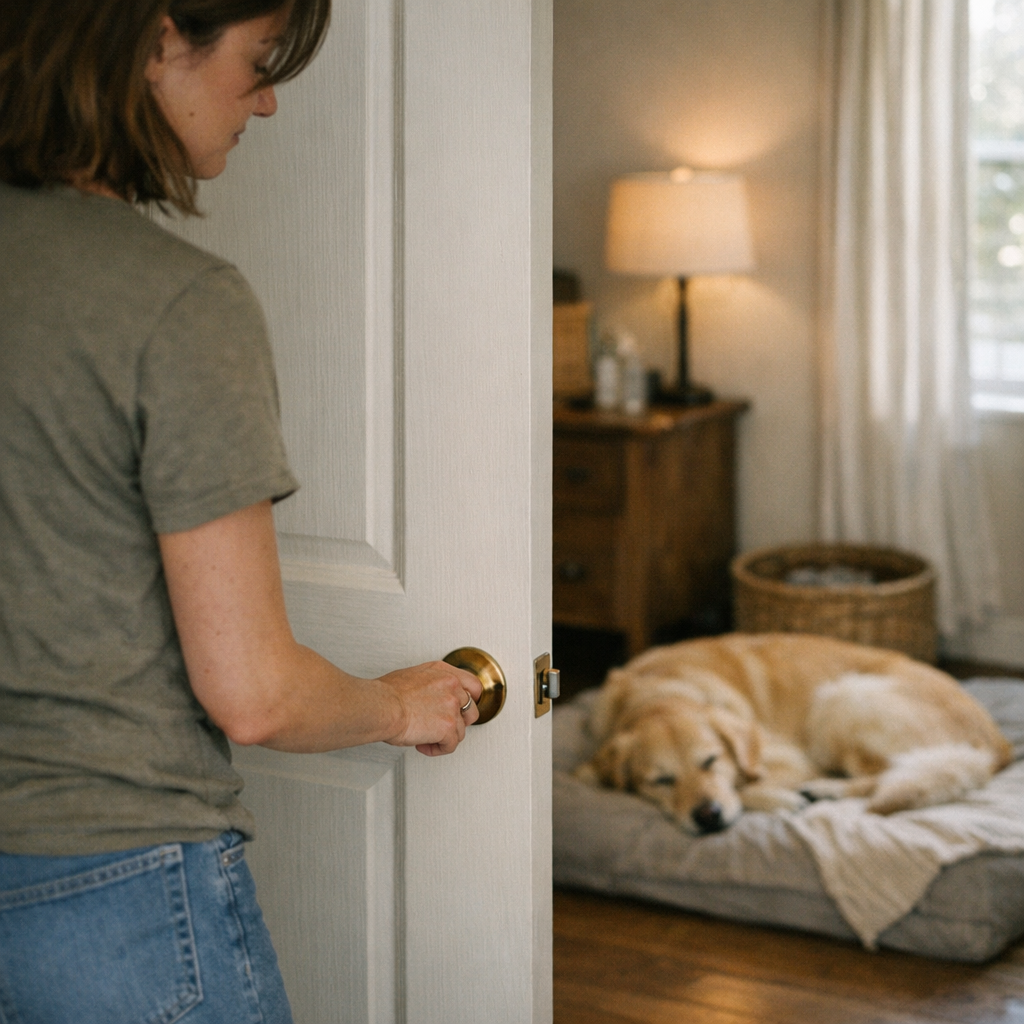
    This isn’t about eliminating all noise—it’s about sending the right signal at the right moment. When you close the door softly, fully, and with purpose, your dog recognizes a boundary: the rest shift. Any hesitation—the door bouncing off the jamb, a rattled handle, or a careless gap—broadcasts uncertainty. That small difference replays: predictable rest versus repeated interruption. Over just a few uses, patterns lock in. The dog who learns the door will quietly click and stay closed becomes the dog who sets down faster, lasts longer between wakeups, and requires less rescuing. Let it slip, and familiar frictions creep back in:

    • Circling, shifting, or repeated “testing” to check if the coast is clear
    • Heads popping up for every distant step
    • Extended watchfulness, not actual relaxation
    • Breaks that get broken for everyone else—reset after reset

    Real-World Complications: It’s Not Just the Door

    The setup is more than a shut door. Bed placement, sound lanes, and the spaces where dog and human flow cross paths all stack up. Put the bed flush to the door, and every nudge or vibration jolts your dog awake. Space it back with a clear buffer—half a meter or more—suddenly, distant sounds fade, drafts drop out, and the physical divide becomes real. It’s not just about making things look calmer—it’s about making sure the setup blocks the daily friction points you can’t see until you run the routine for real. The edge cases add up: one misplaced bed, one blocked bowl, one door that never quite stays shut, and the cost piles onto every day you try to get your dog to settle.

    The Unseen Downside: Friction Accumulates

    A door left mostly closed seems minor—until it drains an hour across a week. Your dog looks fine, but small flaws show up every cycle:

    • Door not tight? Every pass in the hallway or kitchen triggers a micro-wake
    • Shortened nap: the dog stands in the doorway, half in and half out, waiting for you
    • Chopped-up flow: you pause prepping food, dealing with bags, or moving laundry to resettle the dog over and over
    • Rest morphs into pacing, circling, or vigilance—no one gets a break

    This is the compounding drag: the space looks prepped but can’t actually buy you, or your dog, a stretch of peace before something pulls you right back to square one.

    The Small Adjustment That Changes the Routine

    The real-world fix is simple: guide your dog to their spot, close the door fully, gently but with a final “click,” and make sure no gear (no bowl, no bed, no crate wall) is jammed up against the action zone. That small half-meter of bedding distance from the door buffer absorbs shakes, cuts sounds, and sets eligibility for rest that sticks.

    After even a few runs, the payoffs are obvious:

    • Fewer “half-lift” responses to random sounds outside
    • More uninterrupted downtime, fewer accidental get-ups
    • The dog stops dashing to the door every time something shifts outside

    This isn’t effortless at first. Busy days make it easier to push and move on, but the quick reset—slow door, buffer space—becomes self-sustaining. Over time, less owner intervention is needed. Calm becomes the norm, not the exception inherited only after the third failed attempt.

    The Price of Slipping Back: Why Consistency Matters

    Letting habits go—propped door, bed inching forward, a lazy latch—undoes a week’s focus in one rushed errand. Every less-than-clean step brings the old pattern: standing by the crack, checking the hall light, waiting instead of resting. Only a consistent door close and setup routine keeps rest from slipping back into a noisy holding pattern.

    Why Not Just Accept Some Noise? The Real Difference of a Clean Close

    Acclimating to noise isn’t the same as shedding tension. For most setups, strict silence doesn’t help—but repeatable boundaries do. A firmly shut door signals a predictable block; a partial close leaves unknowns to manage. Your dog stops scanning only when the signals are always the same. A missed signal (door not fully closed, slam, or rattle) reintroduces background static—forcing them to keep one ear and half their brain tuned for the next interruption.

    Everyday Broken Flow: A Setup That Looks Fine But Works Slowly

    The same logic shows up everywhere: reaching for a leash but knocking into scattered wipes, grabbing for a post-walk towel and finding it buried, or losing time reshuffling bowls that keep drifting into walkways. A rest setup can be neat but slow to use—a tidy corner that still involutes your routine with avoidable slowdowns. If you’re repeatedly blocked at key moments (walks, cleanup, settling down, crate resets), the space isn’t supporting the flow, it’s resisting it. The cost is rarely dramatic, but always felt in the background drag it creates.

    Refining the Flow: Practical Adjustments Anyone Can Make

    Better flow doesn’t mean more rules or new gear—it means fixing the points you actually trip over. For rest routines, that means:

    • Always closing the door gently, completely, without shortcuts
    • Keeping bed, crate, and bowls out of the door’s immediate sweep and buffer zone
    • Tracking which outside noises consistently disrupt calm, then moving the setup to reduce their impact before friction builds up
    • Owning the friction up front—don’t chase lost calm after it’s already gone

    The goal isn’t an immaculate space, but a setup that holds firm against the same repeat problems—so you don’t spend each day correcting what the routine could have prevented on its own.

    Small Tweaks, Lasting Payoff

    It rarely takes dramatic change: just a quieter, slower door, a rest zone with a buffer, and gear that stays out of the main action path. The rest is about removing the reasons to reset—letting comfort and routine support each other, not clash. Most days, that’s enough to keep the next hour calm, and the next routine less likely to run off track.

    Find rest setups, cleanup gear, and routine-ready solutions made for real-life routines at DogPile.
  • Slim Lighting Solutions That Keep Workspaces Clear and Functional

    Cluttered desks and tangled cords aren’t just side effects—they’re a warning signal your lighting setup isn’t actually working for you. After a week, the friction becomes impossible to ignore: light brackets eat into shelf space, cables hang into reach every time you plug or unplug, and surfaces designed for work become navigation puzzles. An area that looked organized on move-in day turns into a hands-on obstacle course—lighting intended to help now interrupts the simplest tasks, from cleaning to opening a notebook to sliding your chair.

    When Clutter Creeps In: The Hidden Cost of Bulky Fixtures

    Most people buy lighting once, but use it a hundred times—rarely pausing to picture how much elbow room will remain after cords and brackets take over. Opt for a thick, hardware-heavy fixture and open space quickly disappears: cable coils find permanent residence at the desk edge, tall arms shadow books or snag bags, and every “quick clean” means dodging supports and wiping around clamps. Over days, the clutter isn’t just visible—it’s physically in the way. You fumble past a bracket to charge a laptop, shift a lamp just to wipe dust, then add “fix lighting mess” to your mental to-do list.

    The disruption is practical, not just visual. Let cables run across active spots or block shelf edges, and every equipment adjustment becomes an awkward workaround—built for a static showroom, not situations where seats shift, routines change, or you just want to clear a surface fast.

    Slim and Low Profile: Practical Lighting that Stays Out of the Way

    The difference only becomes obvious after repeated use: fixtures that look minimal don’t always behave that way, especially in tight quarters. Slim lights and low-profile bars don’t just clear up photos—they free up real working edge. Daily impact changes fast:

    • No visible cables forming new “corners” in your line of sight
    • No support arms eating into vertical reach or casting excess shadow
    • No hidden dust magnets or new snag points for sleeves and cables

    You know your lighting is overdue for an upgrade the moment you keep shoving cords aside to spread out papers, or notice guests pausing before sitting to see where the lamp arm can swing. Even minimal-looking hardware often turns annoying when used by more than one person or when the setup needs to shift for a new task. Routine motions—moving a charger, turning to get something, or simply cleaning—expose what bulky setups hide at first glance.

    Repeated Use Reveals What a Setup Really Feels Like

    The true test hits by the first week of use. A swing-arm lamp with a clean look seems fine until the shade blocks an outlet, or a bracket means you have to reach awkwardly for a book. Cleaning becomes an exercise in working around fixed hardware and dodging cords that stick out just enough to catch a cloth or a sleeve.

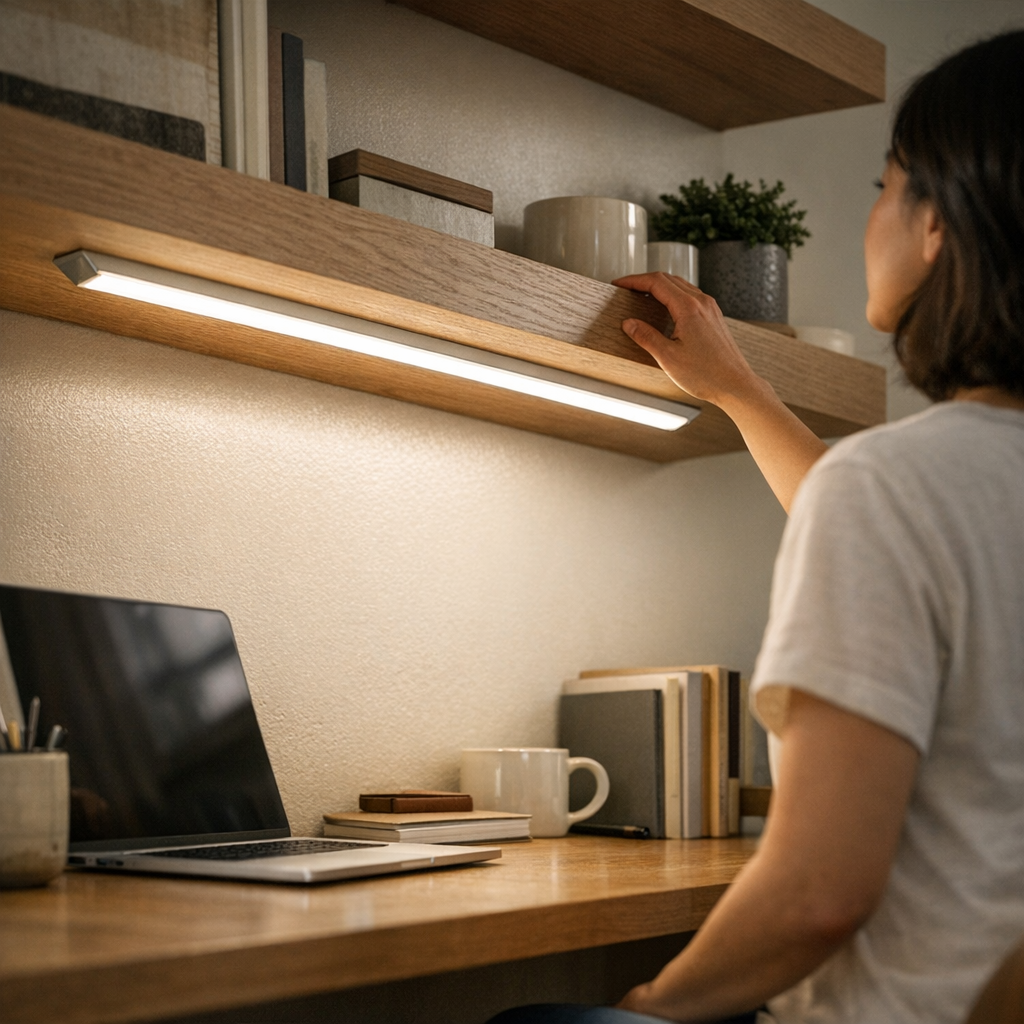
    Switch to a low-profile LED bar under a shelf or along the back edge of the desk and the relationship with the surface changes. The light stays out of the way, reach is open from edge to edge, and even after a week’s mix of projects, repositioning, and cleaning, nothing interrupts. There’s a visible absence—no sudden tangle, no makeshift adjustments, no clearing gear just to use the area you set up as “organized.”

    Shared Spaces Show the Difference Faster

    Shared desks put setup friction on display. A clamp-arm lamp that works for one user leaves the next with a tangle of cable and a bracket blocking a comfortable position. Over a few days, the sequence is predictable: people start shifting chairs sideways, stacking items away from the arm, or leaving the lamp unplugged to avoid the extra step. Surface clutter increases and everyone adapts to the light—rather than the light adapting to the room.

    With a low-profile strip mounted under a shelf or along a wall edge, these problems recede. No one has to negotiate for cord space. There are no bulky arms to inch around or brackets dictating where the work zone ends. The clean feel remains, because the light works invisibly—everyone can sit, read, or charge devices without dodging hardware or tracing cable paths.

    Desk Transformation: Small Shifts, Big Results

    Swapping a heavy swing-arm for a slim LED bar immediately changed how the entire back edge of a desk could be used. Suddenly:

    • Devices, notebooks—even things as irregular as a water bottle—could move anywhere along the surface without colliding with hardware or tugging a cord loose
    • Light was evenly spread, no sharp glare where you’d normally rest your hands
    • Cleanup went from a five-minute maneuver around brackets to a single wipe—no unplugging, no careful dusting

    What changed wasn’t just tidiness, but the daily mechanics. No more yanking a lamp aside to reach a power strip, no more pausing to detangle a cable after shifting work materials. That practical clarity—you never need to remind yourself to “fix the lighting situation”—signals a structural improvement, not a passing clean look.

    Shelves, Cabinets, and the Reality of Limited Space

    On shelves or inside cabinets, even a small bracket or stray wire quickly turns usable inches into lost space. Install a thick fixture, and soon you’re stacking books in front of a mount or brushing past a cord to get to supplies. With slim under-shelf LED bars, every front edge stays accessible—for hands, cleaning, and light itself. The fixture disappears into the background, yet coverage reliably reaches to the visible edge, with no bump risk and no tangle when shifting stored items.

    If you choose a large accent piece for style or maximum output, expect the tradeoff: cable management becomes critical, and surface area shrinks by the width of every bracket, cable, and connector. These are choices imposed by hardware—not just aesthetics.

    Cable Management: Don’t Treat It as Optional

    Even a minimal fixture can lose all practical benefit if its cable becomes the next visual nuisance. A thin wire over a desk, left unmanaged, turns into a line you see—and catch—every time you plug in a device or tidy up. “Looking simple” at installation fades fast if a week later, there’s a loop draping down a wall or crossing the field of view at an awkward angle.

    The obvious fix: adhesive cable channels or discrete clips to guide cords along surfaces and out of the action zone. This doesn’t just clean up the look; it eliminates daily cable snags, accidental tugs, and visual clutter, freeing up attention and workspace for what actually matters.

    Brightness, Placement, and Actual Task Visibility

    The fear with slim fixtures is losing usable light. But brightness means nothing if the light falls in the wrong place. Most modern low-profile LED bars far outshine their bulk, easily lighting desk runs or shelf edges. What actually fails most often? Poor placement. A bright light, misaligned, leaves a dim work area or glints directly off screens; too far back, and the front edge of your work disappears in a dim zone that negates the extra lumens entirely.

    Choosing fit and placement over arbitrary output transforms the space. A slim bar installed where you actually reach and write—rather than where it “looks best”—results in clear, usable surfaces and even task illumination, not just a pretty wash.

    Living with Lighting: The Difference Shows Over Time

    The warning signs are immediate but often ignored: a shelf edge catches cable twice in a day, a lamp blocks a simple reach, a “finished” desk setup still requires routine workarounds. These small frustrations add up: lost momentum, uneven work zones, constant mental notes to fix, move, or clean when the hardware never really fit the tasks it’s supposed to support.

    The real upgrade isn’t visible on installation day—it’s what stays unbroken after a dozen different routines. Slim, low-profile lighting reduces interruptions, reserves space for new needs, and lets every adjustment happen smoothly, without hardware holding the room back.

    Day after day, small frictions vanish—and you start noticing your work, not your lighting. LightSupport

  • How Adjustable Hooks Transform Entryway Organization Over Time

    The tipping point for any entryway or mudroom isn’t the moment when coats pile up or the shoe row unravels—it’s when you find yourself improvising just to move through the space. A row of fixed wall hooks and a neat bench promise control, but after a few cycles of real use—morning departures, weekend returns, school sports swaps—the setup stiffens into a bottleneck. Hooks are locked in place, so switched-out jackets and overlapping bags keep fighting for the same narrow strip. Shoes start spreading past their line. The bench intended for calm shoe changes turns into a semi-permanent “just for now” dump zone. Resetting the space gets slower. Walkways narrow. The drop zone becomes a block everyone angles around, not a threshold everyone moves through. Over and over, the return flow stutters on the friction of a system that worked once, but can’t adjust now.

    Where Fixed Hooks Break Down in Real Use

    On paper, a straight line of hooks looks like a cure. In daily life, those static stations are rigid—indifferent to the churn of bags, coats, and gear that keeps changing week by week. As soon as someone brings in an extra tote or swaps out a coat for a bulkier one, the logic of “a place for everything” fails silently. Typical breakdown points look like this:

    • Bags blocking each other—doubling up on hooks, dropping to the floor, or dangling in awkward overlap.
    • Shoes drifting out in wider and wider spread, forcing detours or becoming tripping hazards on the edge of the path.
    • The bench—supposed to be functional seating—becoming a passive overflow heap for unhooked jackets, ongoing returns, or bags that never fit on the wall.
    • Adding or retrieving just one item setting off a domino effect: a coat drops, bags shift, a path narrows, and “resetting” becomes a time-consuming project instead of a two-minute fix.

    The whole threshold can look organized after a deep reset, but that order is fragile. Every layer of gear brings back a little more disorder, nudging items further from reach or ready exit. The static system increases friction in small, stacking ways—until the entry zone itself feels like a hurdle.

    Adjustable Hooks: Adapting to Mixed Real-World Flow

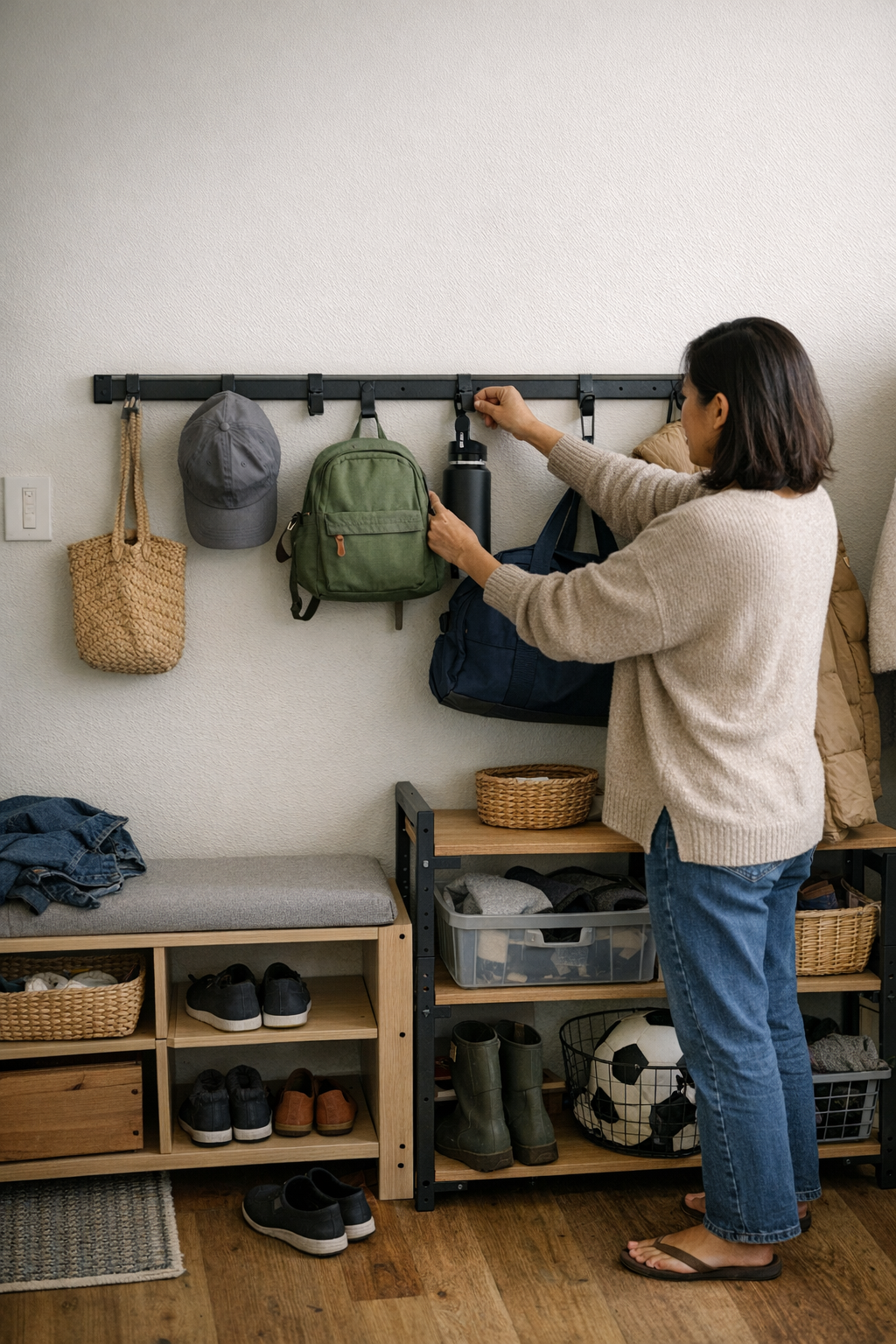
    What makes adjustable hooks work isn’t novelty—it’s the way they answer real pressure points as the routine shifts. In a space where today’s lineup of bags, hats, or jackets may not match next week’s, being able to move a hook lower for a child, space two hooks apart for big gear, or reclaim a bench edge by simply sliding a bracket makes all the difference. The result: gear sorts itself into temporary groups and recovers fast after use. Pileups recede, and access opens back up without a full reset effort.

    Every static setup breaks somewhere—what’s perfect for one term can’t flex for wet boots, heavy coats, or rotated-in sports duffels. Fixed wall hooks trap the zone in a single version of order. Adjustable hooks keep the system live: shifting to fit whatever combination of gear and users walks through the door that day.

    Scenes from a Real Threshold

    Midweek, the illusion of control cracks. A child tiptoes to reach a high hook, but tugs down three entangled jackets. Someone else shuffles a cluster of shoes wider just to reach their pair, bumping into a sports bag leaning off the bench edge. The supposed “seating zone” now catches stray gloves and bags that lost the hook lottery. The one-size-fits-all design traps everyone in the same choke points: awkward reaches, sidesteps, a bench that’s more surface than seat. When hooks are fixed, the system punishes variation—forcing patchwork workarounds, hidden overflow corners, or backup hooks that are more workaround than solution.

    When Adjustability Fixes More Than Looks

    The real gain from adjustable hooks isn’t just a tidier wall—it’s a recovery mechanism for when normal life tests every threshold. A slim, well-mounted rail with hooks that can slide or swap lets you:

    • Drop hooks lower for kids or high-traffic grab points, so bags never pool on the floor or block the hall.
    • Spread hooks out for heavy or oversized coats, reclaiming every hanger rather than letting some get buried or unused.
    • Slide a hook aside and clear out overflow in seconds, resulting in a bench ready for actual use—sitting, changing shoes, staging the next exit—not default overflow.
    • Finish resets quickly: shift hooks, clear bench, move on. No full reorganize needed, no ongoing pile managed by hope or habit.

    Each adjustment wipes out bottlenecks before they spread. Instead of forcing “workarounds” or reserve hooks for when the area fails, you adapt on the fly—keeping the flow open, the return path clear, and the everyday re-entry pressure low.

    Tips to Strengthen Your Transition Zone

    Stability First: Don’t Skip Real Installation

    Flexibility fails if the foundation is weak. If rails or anchors are undersized or loose, even the best adjustable system sags under real use. For high-traffic entries, use hardware and rails rated for the highest routine load—not just for display weight. If one anchor gives way, the useful order breaks, and the reset loop restarts.

    Match Height to Real Reach

    It’s easy to mount hooks where they seem to fit, but mismatched heights silently breed abandoned bags, slipped coats, and shoe piles at odd corners. Watch where users naturally hang or drop bags—and place hooks and rails where they serve those patterns, not just along an empty part of the wall. Order fails where reach or drop points are forced into habits that never quite work in daily flow.

    Rearrange Seasonally, Not Constantly

    The right setup absorbs change with minimal intervention—major tweaks at the start of school terms, gear shifts, or true season changes. If you’re nudging hooks every day, something about the anchor points or routine isn’t right. The goal is fewer “rescues,” not endless minor rearrangements. Let the system flex at milestones, not every time shoes or bags cycle through.

    What You Really Win: Flow Trumps Fragile Order

    A transition space built to absorb real-world use stops being a minefield of micro-fixes and overdue resets. Walkways open up. Bench edges belong to you, not to overflow. The reset doesn’t balloon into a half-hour project—a few seconds of rearrangement actually returns control. You move through the threshold, not around it. Clutter becomes a passing event instead of a permanent setup glitch.

    Static wall storage looks “solved” but fails the first time the lineup shifts. Adjustable hooks absorb the changes, so the routine can resume—and the transition zone keeps pace with your household’s real exit and return flow.

    Your setup isn’t about locking in a perfect display—it’s about unlocking permanent adaptability for every next round of everyday routines. For setups built to flex with real traffic, see Betweenry’s full range at Betweenry.

  • Why Simplifying Car Storage Beats Adding More Accessories Every Time

    If your car looks newly organized but every drive still drags—pauses, awkward grabs, slow re-entry—the real problem isn’t just visible mess. It’s hidden friction at the exact points you touch and reach most: the cable snag in the console, the drifted wipe pack by your seat, the “out of the way” bin now blocking your arm, the floor mat bunching at the edge after two errands in the rain. You’re not alone if what’s tidy to the eye turns into another round of rearranging, untangling, or shifting right when you need fast access. A well-ordered interior can quietly become less usable, not more—especially after several real-world cycles of parking, returning, charging, and loading out.

    Where Real Car Setup Friction Hides

    Trying to solve clutter with “just one more organizer” feels logical—at first. Bins, trays, hooks, and inserts promise a neater car, but in practice, those layers start clashing with the routines that matter. The pinch points: center console, seat edge, and door pockets. Most setups survive one or two workdays, but patterns emerge fast:

    • A backup cable snakes across the shift area, blocking a clean buckle-in during rush hour.
    • Wipes stored for cleaning slip down beside the seat, forcing awkward fishing after unloading groceries.
    • An extra tray for receipts now traps your phone charger under a clutter of “sorted” stuff.
    • Floor mats promising coverage get rumpled at the sill after just a few quick exits—especially in wet weather.

    This isn’t disorganization; it’s the slow buildup of logical additions that quietly erode smooth flow. Each bin or caddy fits, but together they make high-use touchpoints slower to reach and easier to block, making repeated cleanup another step rather than a simple reset.

    Looking Organized vs. Feeling Right: The Return Trip Test

    Every organizer passes the “still looks under control” test after installation, but the real difference appears in the return leg: stepping back in after work, arms half-full, or one hand juggling groceries while the other pulls a tangled cord free—again. That’s when friction overtakes organization and subtle delays stack up.

    Real routine test: You pop the trunk for bags, but a bin added for “overflow” now pinches the seatbelt so you have to pause and unclip. The charging cable, meant to solve reach problems, knots itself around a box by the shift area. You move wipes aside for a second time in a day just to slide your backpack into the passenger footwell. Ten seconds here, fifteen there—do this loop five days in a row, and even a “neat” car feels irritatingly slow to use.

    Repeated-Use Patterns: When Organization Becomes the Problem

    It’s not a major mess. The real drag is facing the same minor obstacles over and over:

    • The dog leash finds its way back into the “temporary” door spot, halfway buried under other quick-grab gear.
    • An overflow bin for napkins now sits on top of the exact spot you want for your daily use items.
    • Even short errands produce wrappers and receipts in corners organizers can’t keep clear for long.

    You’re not fixing new mess—you’re repeating loops: shifting setups you thought were final, reaching awkwardly into half-blocked spaces, and feeling the car resist your normal flow. Familiar, annoying, and just persistent enough to slow every move you make inside the cabin.

    Why More Gear Isn’t Always the Answer

    The reflex is: “Maybe just one more bin or caddy will fix this.” But almost every added organizer, mount, or tray becomes one more check—one more spot where access gets tighter or cable jam odds go up.

    Real trade-offs that show up fast:

    • That seatback bin for chargers means losing legroom for rear passengers, especially on return runs with a full car.
    • A center tray cleans up coins and sunglasses—until you have to slide your hand past it at a toll stop or to grab sanitizer.
    • Adding a “just-in-case” cupholder insert locks bottles into tighter slots, turning a quick grab into an awkward two-step.

    Charging routines get hit hardest. Every extra adapter, cable, or mount you add seems like a fix, but they can block ports, force repeated untangling, and even create more crumb collection around splitters. At some point, flow breaks down. Suddenly, every trip comes with a few seconds more hassle, and the “organized” look masks new daily friction rather than removing it.

    The Rule That Actually Speeds Up Your Routine

    After enough trial runs, only one rule actually improves daily flow: limit the highest-access zones to daily essentials—nothing else. Apply this like triage:

    • Console, door pocket, and front seat edge = daily items only. Anything used less often gets moved: glove box, under-seat, trunk, or further back—never clumped near your reach zone.
    • Cables never cross your footpath or shift area. If more than one charging cord is visible, the spares go in the box until needed.
    • New bins and caddies get a one-week live test. If they block, slide, or add steps to essential moves, they get relocated or removed.

    What you notice: Re-entry is quicker. No bag- or cable-shuffling just to sit or drive. Daily resets become short and real: open seat-side, clear console, loose items actually stay put. Over a week, those small time wins stack up, and what once felt “clean” finally feels right in use.

    Spotting the Signs: When Organization Has Gone Too Far

    Ask yourself, right now:

    • Are you regularly sliding or picking up bins just to grab everyday items?
    • Do you avoid putting things in their spot because that spot’s awkward now?
    • Is your “showpiece” zone (charging point/cupholder) always disrupting itself after one or two uses?
    • Are your main touchpoints—charge ports, cupholders, seat edges—now tight or awkward thanks to too much structure?

    If you answer yes to any of these, don’t double down. Undo some layers. Focus on zone rules: glove box and trunk for the “just in case,” console for what you touch every drive, never build multi-layer solutions near your shifting, charging, or sitting points. Cleanup gets easier, stray clutter has nowhere to hide, and your drive routine stops feeling like a constant workaround.

    Less Is Truly More When It Comes to Car Flow

    Small cars, shared rides, busy weeks—each encourages more organization, but a car that moves slow is just as much a headache as one that looks messy. The goal isn’t zero clutter. It’s smooth access where you need it: structure supporting your process, not blocking it at the worst time.

    The difference shows up after a typical week, not a five-minute photo reset. If every drive still leaves you clearing space or untangling gear despite cleaner lines, less is overdue. Prioritize single-purpose items in daily zones, keep charging lines simple, and move non-daily gear fully out of arm’s reach. The point isn’t to achieve showroom perfection—but to make using your car actually easier with each routine, not harder.

    See practical car-use solutions from DriveWellSupply

  • Why Open Shelving Feels Overwhelming Without Proper Containment

    In theory, open shelving should make life easier. Everything visible, nothing buried, zero digging—just a quick glance and you’re set. But a few days into real-world routines, that same “everything in sight” setup turns out to be a different kind of trap. Suddenly, your quick-scan shelves aren’t just open—they’re exposed. The neat surface starts to blur with clutter, and you’re not just seeing what you want. You’re seeing everything out of place, all at once.

    The Real Trade-Off: Easy Access, Loud Mess

    Open shelves look immaculate right after you organize. Each item has its place. But daily living never stays still: breakfast rushes, late-night cleanups, coats dropped, groceries pushed aside to make space “just for today.” All that visibility quickly becomes a liability. Every half-empty pasta box, slouched stack of towels, or wandering phone charger pulls your shelf a little further from that streamlined start. There’s no hiding spot for the grit of everyday life.

    Clutter: Slow Drip, Sudden Surge

    At first, the system feels almost perfect. But skip a single nightly reset, or let one category drift, and the decay is instant. Cabinets and baskets can disguise their secrets. Open shelves announce every sideways snack bag, every towel that’s lost its folded edge, every bottle leaning out of line. You see it all—the fraying stacks, the items inching out of their lane—until you’re not reaching for what you need; you’re sorting through the aftermath.

    Everyday Storage Friction You Actually Notice

    The pain isn’t just visual—it interrupts the flow of your day. Grabbing cereal in the morning suddenly means moving two bags of chips and an open box of granola bars, each reshuffle threatening another slide. By midweek, categories bleed into each other: spices mixed in with soup cans, lids and stray packets scattered everywhere. Instead of “see it, grab it, go,” every task tacks on extra shuffling, restacking, or rerouting.

    Bedrooms and closets aren’t immune. Shoes creep off their shelf, spilling into stacks of folded sweaters. Scarves and hats multiply in the entryway tray, becoming a mountain you must dig through for car keys or a single glove. One busy afternoon and the boundaries are gone—each section loses its purpose, and clutter quietly spreads from shelf to floor to everywhere else.

    The Ruthless Feedback Loop of Open Shelves

    Open shelving doesn’t forgive. You miss a reset day, and the shelf broadcasts it instantly: a closet shelf half-collapsed, a pantry with snack piles tumbling over, a garage shelf whose “miscellaneous” bin now means “look here only if you have time to untangle a jumbled mystery.” Every time you pause to hunt, rearrange, or restack, you feel the friction—an organized shelf that quickly becomes background stress instead of daily support.

    Containment: The Small Shift That Actually Works

    Containment isn’t about hiding—it’s about boundaries. Even on open shelves, adding low-profile bins or trays gives each group of items a place to belong, and a reason to stay put.

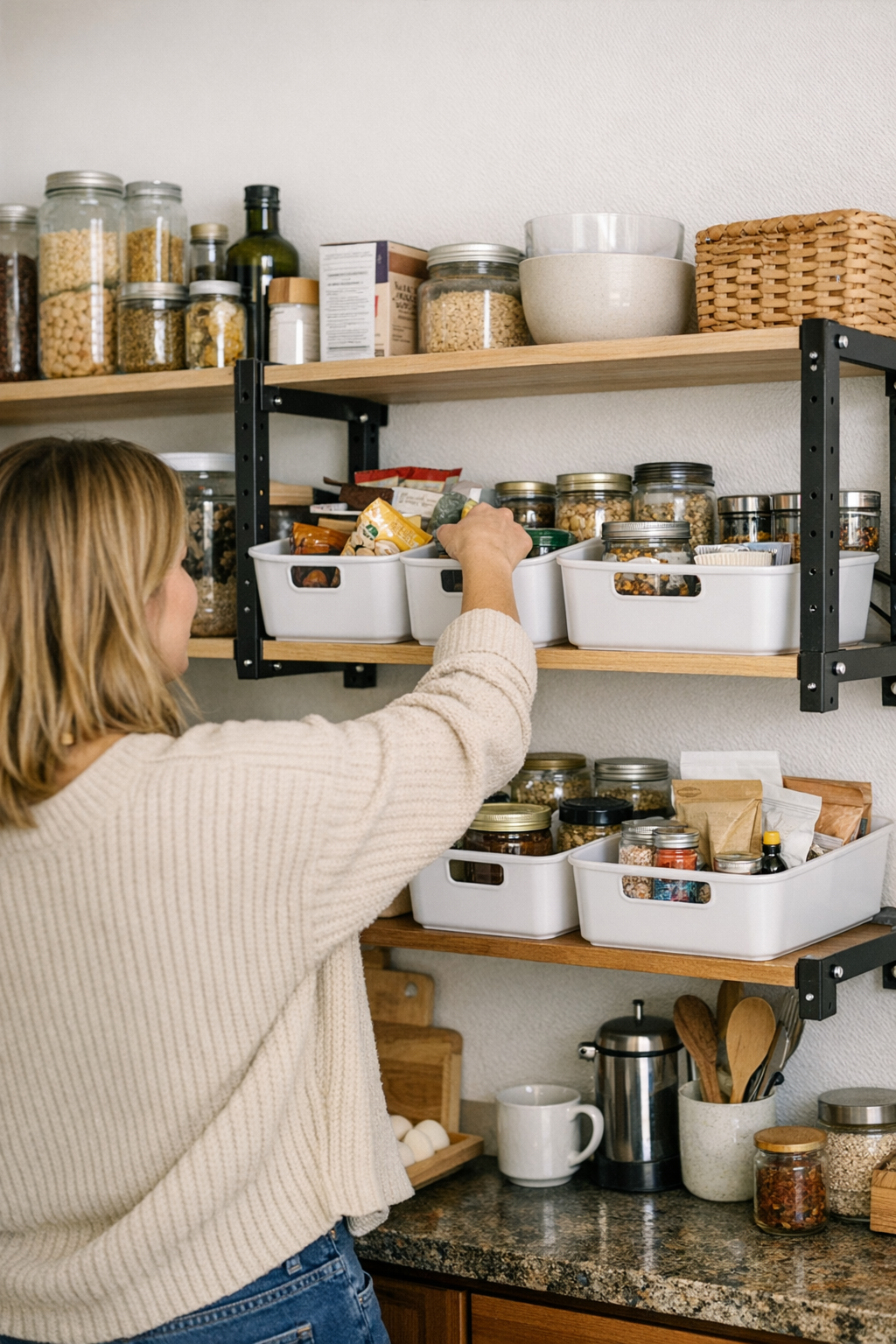
    Try this in a kitchen: Swap a row of loose snack bags for a shallow bin. Now, refilling snacks means one slide in, one slide out—no more shifting four other items just to reach a granola bar. Bins corral awkward or rolling items, making resets far less tedious. The shelf still looks open and accessible—but the chaos is contained before it can spread.

    Quicker Resets, Longer-Lasting Clarity

    Containment changes the shelf math. Resetting stops being a full-on reorg and becomes a two-minute tidy. Instead of nudging ten boxes and hoping nothing falls, you just slide, lift, or swap out a grouped bin. Categories hold their shape. Even in an entryway, a single tray or basket can anchor hats, gloves, and keys—preventing that runaway sprawl that greets you every time you head out the door.

    Physical boundaries reinforce routine habits. A simple divider keeps snacks from invading breakfast, cleaning products from wandering across laundry shelves, towels from slumping into shoe territory. When every group has both a visual and physical marker, resets feel faster and the system holds—even after a week of real use.

    When Open Shelves Signal It’s Time for a Change

    Does this sound familiar? You’re refolding the same shirt stack for the fifth time, untangling a pile of misfiled mail, or—again—moving three boxes just to find the soy sauce hiding behind random pasta. These are all signs your open shelves are missing containment. If keeping things orderly takes more work than actually using what you store, the system’s not serving you—it’s slowing you down.

    Daily Fixes That Actually Last

    Give every shelf a clear job. Use shallow bins or trays for loose, drifty items—snacks, cleaning supplies, all the one-offs that love to roam. Reserve wide, open shelf space only for what stacks solidly and stays put: books, baskets, or neatly folded linens. When (not if) things shift out of place, the fix should be a quick tap or toss, not a forty-minute reset.

    And forget the showroom fantasy. Functional storage doesn’t penalize daily use. It bends for busy mornings, late nights, and every mess in between. Sometimes, it’s the smallest shift—a few bins, a label, a better section break—that keeps your system steady through real life, letting you get in, get out, and move on.

    See all practical shelving and containment solutions at ClosetWorks.

  • Streamlining Cat Care: How Small Changes Improve Daily Feeding and Cleanup

    Smooth Cat Care Isn’t Only About Appearances

    A cat’s routine often looks peaceful from a distance—until your hand comes up empty for what should be there every time. The quickest pet care hits a snag when you reach for the refill bottle and it’s not on its usual shelf, or grab for a towel and get a charger cord instead. This isn’t just about missing supplies; it’s about how small gaps in the setup slow down ordinary cat care, especially after the fifth or tenth reset attempt. CalmPetSupply is built around fixing these use-it-again problems that pop up where real routines break down—not just how the corner looks when freshly arranged, but how it actually works during repeated, everyday reaches and cleanups.

    The Real Cost of One Missing Basic

    Cat care rarely falls apart because of visible chaos. Instead, trouble starts with one towel gone, a water bottle that wandered to another room, or a brush buried under the wrong pile. Suddenly, what should be a two-minute reset turns into a frustrating series of small detours—each one adding back-and-forth and eating up minutes you never planned to lose. A neat-looking setup stops feeling smooth the first time it fails to keep the most-used basics close.

    Every morning brings the same friction: the cat is waiting, the bowl isn’t quite clean, water’s splashed along the sill—yet there’s no towel within reach. Do you leave and circle back, or try wiping it down with something half-suitable? That single absent item can push quick cleanup to “not now” or make each wipe-down less complete. One or two of these tiny stalls, repeated daily, start stacking up—turning what should be an effortless routine into constant interruption.

    Items Drifting Out of Place: How Disruption Spreads

    Over the week, even the best setups slip. That towel you used in the kitchen? Still hanging there hours later. The water bottle you filled in the bathroom? Now it’s back behind the wrong door. By the time you reach a new touchpoint—after-lunch cleanup, litter sweep, or night refill—you’re retracing steps just to get what should have been right there. The friction isn’t dramatic, but it’s relentless: most routines get heavier from these misplaced items, all while the cat sits unbothered by the window, never knowing why things are taking longer.

    Good Setups Blend Function and Convenience

    Looking tidy doesn’t help if the basics aren’t ready without digging or moving something unrelated. A brush stashed up high, or a water bottle tucked behind a row of general house supplies, doesn’t save steps—it just hides the extra work. When cleaning up a bowl means working around a stack of shoes, or grabbing for treats gets tangled with extension cords, apparent order is covering for ongoing inconvenience instead of eliminating it.

    Shared spaces make this tension louder. Pile shoes next to pet bowls, toss laundry onto a towel hook, or let small electronics mix in with care items, and a quick grab becomes another slow-down. It’s not always a mess—just a steady thinning of what should be easy, until the routine drags from repeated small interruptions.

    Reset Friction: When Small Delays Compound

    Even when you manage an evening reset, friction reappears. Towel goes back at night—gone by lunch. Bowl gets wiped down for breakfast—now the cloth’s damp or missing by dinner. Water bottle ready in the morning? Used for cleaning something else by midday. The main sign: meal or cleanup routines keep stretching out, or you’re starting the next task with the space not actually ready. No amount of visible tidiness solves this if your supplies keep cycling out of reach.

    The root issue isn’t gear, but placement and routine return. If you’re still running small laps for supplies, organizing alone hasn’t fixed the daily drag. It’s the difference between a setup that “looks fine” and one that stands up to being used, reset, and repeated all week.

    Real-Use Example: Everyday Routine Reshaping

    After too many evenings spent chasing a lost towel or hunting down the refill bottle, you try something simple: put a hook directly next to the feeding spot and commit to always returning the towel on the spot, every single time. Give the water bottle its own place by the bowl and no longer let it disappear. Suddenly, wipe-downs happen right after a bowl gets messy. No pause. No doubling back. These unobtrusive adjustments won’t get noticed by a guest—but you notice. The difference is clear every day: each cleanup runs on time, not on memory, and you finally see what it feels like for a calm corner to stay calm, not just look composed.

    Care That Stays Close Works Best

    Water, towel, brush—kept within arm’s reach, every care moment stays easier to handle. Once supplies are truly by the feeding zone, regular tasks stop tripping you up. Fewer reminders, fewer detours—the payoff becomes obvious on routine five, six, or ten in the same week. The system holds together as long as the basics are close. Let those drift, and it comes undone quietly at first, then obviously, sparking tiny delays that stack up until the drag is impossible to miss.

    Takeaways for Everyday Pet Owners

    What works isn’t a pretty-looking setup but a system that stands up to repeat use. Every missing item or extra step drains recovery time into the rest of your day. Small changes—like fixing where towels hang, placing bottles in reach, or separating pet basics from the household mess—shift the entire routine from slow to steady. Cat care doesn’t have to be perfect, just reliably ready at the moments you actually need it.

    For more practical tips on streamlining your daily cat care—and keeping quiet routines just as restful as they look—visit calmpetsupply.myshopify.com.

  • Why Travel Shopping Often Disrupts Carry-On Packing Systems Quickly

    The gap between a tidy carry-on and a usable carry-on is easy to underestimate—right up until travel friction hits. That bag you pre-packed in precise order often collapses fast once you’re in motion: an extra cable here, a last-minute airport purchase there, and suddenly, your boarding pass is buried behind a charger and snack bar you didn’t plan for. Each new addition, however small, breaks the system you trusted to keep you quick through security, smooth in boarding lines, and frictionless at crowded gate zones. It’s not about running out of space—it’s about how easily the logic of your setup starts to block its own promise, turning every everyday retrieval (passport at the counter, phone for a boarding scan, headphones in a seat row) into a small but compounding delay. CarryOnSupply’s world is built around these friction signals: systems that look neat aren’t enough if fast, in-motion access keeps failing you where it matters.

    Where Packing Plans Fall Apart in the Real World

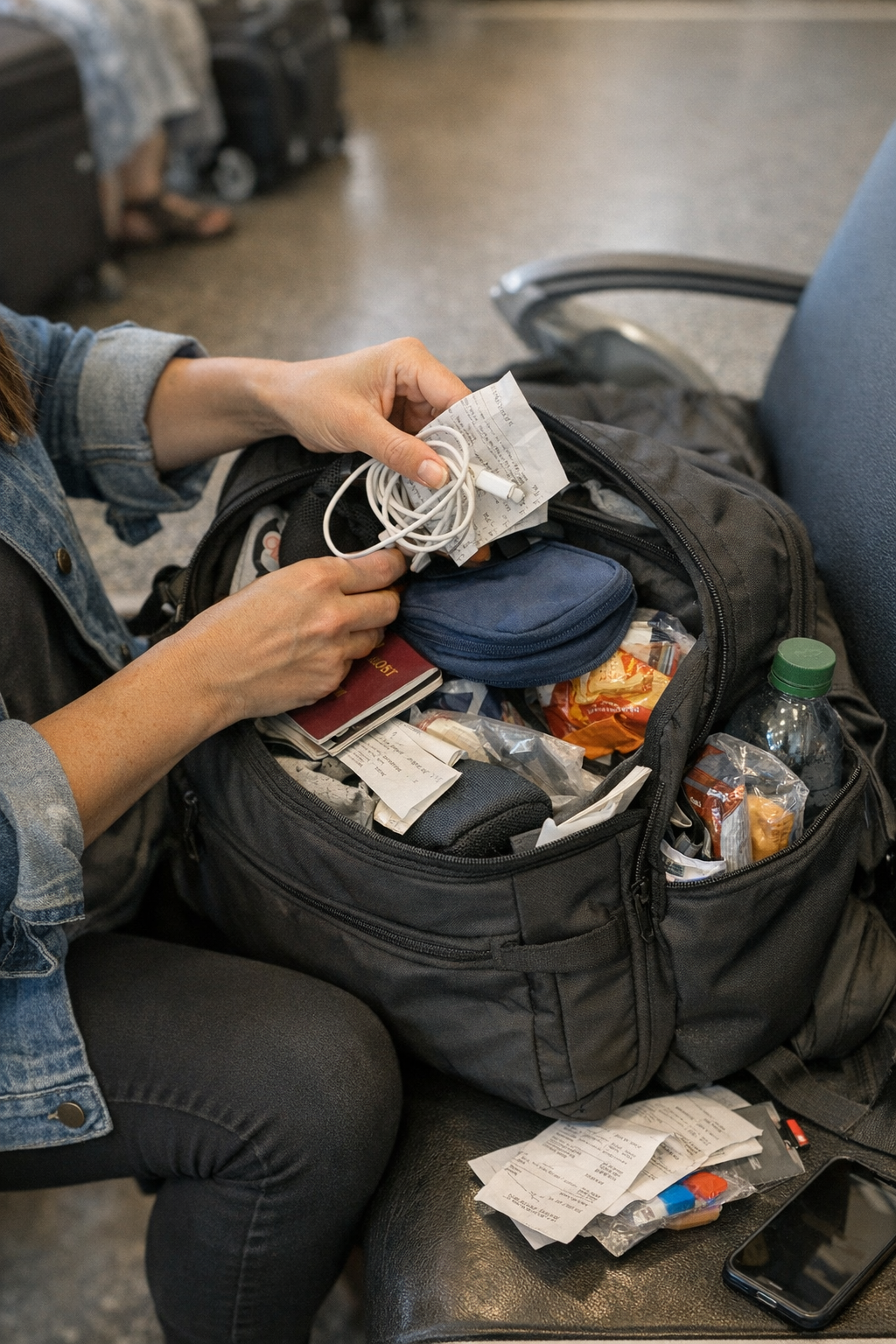
    The lineup looks flawless at home. Tech cords coiled, documents stacked, toiletries zipped in their cubby—every item has a place. But airport movement isn’t friendly to your plan. The first “just bought” charger or that airport water bottle has nowhere to go except the nearest open slot, shoving your essentials deeper and causing categories to overlap. Main organizers fill, but the real breakdown appears where you touch most: the slim outer pocket meant for your passport, the pouch you thought would stay clear for boarding passes, or the side slot for quick-reach items that’s now absorbing airport overflow.

    Where the Friction First Appears

    Friction starts where speed should be built in—outer pockets, document sleeves, quick-access pouches. That first purchase or loose snack pushes your ID behind a cable or receipt. Suddenly, retrieving something as basic as your passport feels like starting a scavenger hunt, especially when every line, every checkpoint, adds its own expectation of fast movement. It’s not usually a complete disaster; it’s the cumulative seconds lost with every tray transfer or seat shuffle that signal the system is unclenching. The sense that “everything’s where I need it” gets replaced by minor but repeated hesitation—which, in crowds, is all it takes to sour the sequence.

    The Problem with Static Packing Logic

    What looked optimal on your bedroom floor doesn’t hold up against mid-trip reality. Picture this: you open your beautifully prepped tech pouch for the third time in one trip. Now there’s a new cable from a duty-free stop, tangled awkwardly with the cords you laid out earlier. Your document sleeve, perfect for tickets and ID, now doubles as a wallet for random receipts. In a security line, one snug pocket is so cramped you hesitate to even try for your ID, elbowing the zipper instead and blocking movement behind you.

    These aren’t isolated moments. They’re recurring pain points—frameworks that break whenever anything unscheduled joins the lineup. Each re-packing, whether after a tray at security or a quick dig during seat entry, finds you settling for “close enough.” The friction isn’t always visible (from the outside, everything still looks packed), but every delay compounds as you repeat the same sequence at every stop.

    What It Feels Like in Routine Use

    It’s only after multiple security passes or boarding changes that you really feel the cost. That dedicated slot for tickets? Cluttered now—paper bent, charger pressing into it, receipts stuck to the side. Want your headphones at row 22C? Now they’re woven between new electronics and a snack. You’re standing in the aisle, clutching a phone and magazine, but the thing you want is always at the bottom or mixed with extras. Meanwhile, other travelers are jostling you or waiting longer as you dig and repack. Every retrieval gets slower, less predictable, and your setup, while still looking orderly, actually makes these moments slower instead of smoother.

    How Overlap Compounds Across a Trip

    What ruins flow isn’t big new items—it’s the steady drip of little things into the wrong spaces. A bag meant for separation and order turns clumsy when it can’t absorb mid-trip surprises. You hesitate to open the slim pouch in front of TSA, knowing it’s stuffed, or fight a stuck zipper that used to move smoothly before the outer pocket bulged. Each time you reach for what should be at your fingertips, it’s buried under whatever landed there last. By the second or third airport, it’s not just inconvenience—it’s a quiet fight with your bag at every stop. The harder you force the original logic, the more the whole setup resists, making access points obstacles instead of solutions.

    This is the moment most travelers recognize something’s off: You’re reopening the same pouch, circling through pockets that once felt intuitive, stepping aside at security to reshuffle. The system you built to help you move now needs constant management—its tidiness becomes the enemy of speed.

    The Small Change That Makes Travel Smoother

    What actually solves this? One change stands out in repeated use: isolate your overflow from your main zones. Instead of letting on-the-go extras fill every open pocket, designate one less-used compartment as your “change absorber.” Don’t try to permanently fit new finds into core organizers; defend your fastest-access areas (passport pocket, tech section, document holder) by banishing late additions to their own holding space. That way, your main system survives even as travel throws new things at you. The essentials—charging cables, tickets, passports—keep their frictionless lanes, while anything acquired mid-trip is prevented from polluting the logic you rely on for repeated movement.

    What This Looks Like in Actual Use

    Once you set aside an overflow pocket, there’s a shift. You pull your boarding pass without surprise extras tumbling out; document checks go back to quick flicks instead of frantic sifting; every security repack is familiar because your quickest zippers haven’t become catch-alls. Even as you duck into a tight seat row or reach up to the overhead, the muscle memory returns—what you need is still where you expect. You’re not faster only because the setup “looks” clean, but because every action in the travel chain is back to being predictable and low-interruption.

    Why “Looks Organized” Isn’t Enough

    A setup that looks ordered on the outside is a half-solution if it doesn’t survive actual travel routines. Travel order that doesn’t protect access under pressure is a false win. Function always outweighs photo-readiness: the key difference is how a bag behaves after its third, fourth, or fifth fast retrieval. By separating overflow, you give your best zones an actual defense against airport randomness, preserving their ritual speed even as surprises hit. In real-world travel, this detail turns a bag from something you fight back into a tool that moves with you—not just for the first checkpoint, but all the way through the last arrival hall.

    Shop practical carry-on problem-solvers at CarryOnSupply

  • How Smart Pet Travel Bags Reduce Stress After Airport Security

    Here’s the truth every pet traveler runs into, usually before boarding: A pet travel bag that looked perfectly sorted at home can become a snag in your trip the second you land after security. That sense of “ordered and ready” shatters the first time you have one hand on your pet and one hunting blindly through a pocket, blocking the line or fumbling while your animal squirms. The difference isn’t how neat your bag looks—it’s whether you can actually reach what matters fast, again and again, in that looping rhythm of stop, dig, move, repeat. The experience reveals: for real travel, “organized” isn’t enough. It’s the structure that predicts friction or flow—a lesson you relearn every time you return to movement. This gap is where PawGoTravel gear quietly proves its value or exposes what needs to change next.

    The Hidden Friction Inside Pet Travel Bags

    The biggest mistake in pet travel packing: assuming that a tightly organized bag will naturally mean smooth use. Maybe it looked flawless lined up on your hallway table—leash zipped beneath a neat flap, wipes slotted deep, bowls packed at the bottom. But when you actually travel, organization is stress-tested through repeated moments of disruption: getting through security, shifting in a boarding queue, fielding small messes at an awkward gate seat. Suddenly, you notice you’re clawing past the same three flaps to grab wipes or leash, always at the worst possible time. The “well-packed” bag feels like a slow-motion trap.

    A routine unfolds: You’re balancing your carry-on, your pet carrier twisting on your arm, and now you need a wipe fast. The wipes are under two zippers and a clipped flap. You release the leash—after fishing for the right metal clip—while your pet squirms impatiently at your feet. With every reach, every dig, your setup quietly drains your focus (and your pet’s patience) just when you need both steady. This friction doesn’t show in a photo but defines how stressful the trip feels by the third or fourth stop.

    When a “Prepared” Setup Becomes a Bottleneck

    This flaw in most “prepared” pet travel bags never announces itself at home, but travel exposes it fast. After the third line, the first unexpected clean-up, or simply another leash release for a jittery walk outside, the pattern is obvious: critical items are always buried. The wipes are under keyed compartments you forget. You’re guessing the right pocket for disposal bags—which always means opening the wrong one first. Even after you re-sort for the next stretch, the cycle repeats. You start every interaction slightly slower, slightly more frustrated.

    The painful truth: Bags that hide essentials make every response slower at exactly the worst moments. The difference between items “in a place” and items “in the right place” becomes the main story of travel interruptions—especially with a restless or anxious pet.

    Seat-Side Access: Where Real Comfort Is Won or Lost

    Airport reality isn’t tidy. There’s rarely room at a terminal seat to reorganize or unpack. What you need: to grab top-use items instantly, without breaking your flow or spilling everything else into the aisle. One well-placed seat-side pocket (even a basic one) can outdo the fanciest interior arrangement—every single time the day derails slightly, every time you have to reset on the fly.

    Picture a standard layover: your pet starts shifting, you realize there’s a cleanup brewing, you grab—and get snagged on three poorly placed zippers before finding wipes tangled with leash hardware. By the moment you’re ready, the window for a gracious, fast reset is gone. Each blocked reach doesn’t just waste time; it starts adding stress to you and agitation to your pet. The bag stops being a tool and turns into a recurring weak point in your routine.

    The Subtle Cost of Every Delay

    Speed isn’t the real win in pet travel. It’s about shedding all the extra, stressful decision points caused by poorly nested setups. Every forced dig—each moment hunting for a buried item—shows up not only in your posture but in how much mental drag you haul into the next stop. Your pet can sense it: tension rises, patience drops, and neither of you want to restock because you know you’ll be clawing at the same pockets again. That “friction” isn’t just annoyance; it’s a real, accumulating penalty on each travel segment.

    Reshaping Your Setup: The Value of Predictable Reach

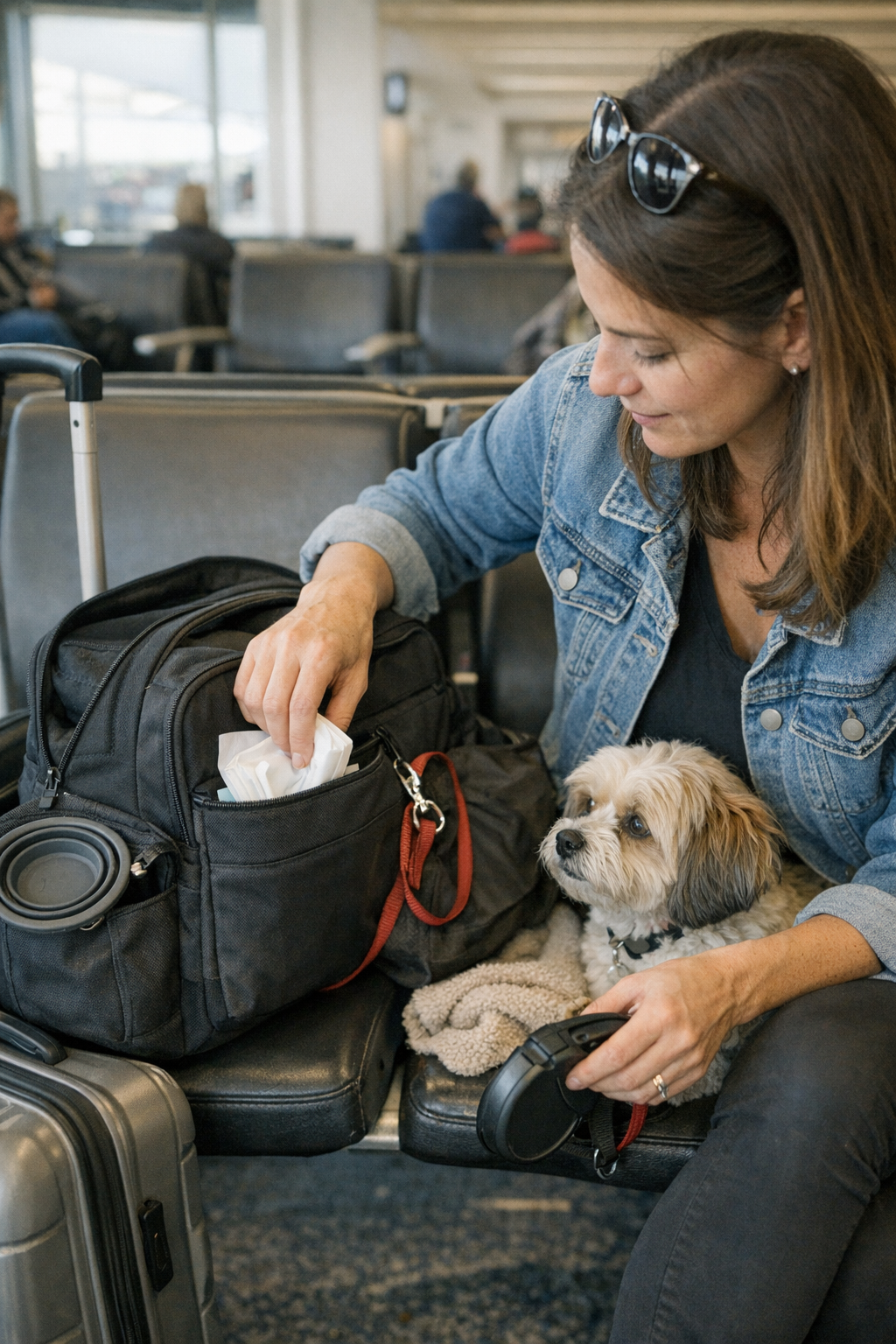
    A small but decisive fix: assign one external pocket for your highest-frequency, highest-disruption items. The change is instant and recognizable. Instead of dancing through pockets each time things get tense, you reach for a spot you know by muscle memory—zip, grab, reset—no matter your position or hurry level.

    The shift that matters: Place wipes, disposal bags, and a leash in this pocket—ignore symmetry, ignore how it looks when zipped up. That “imperfect” outside pouch will save you at every interruption, letting you handle messes or quick exits without fumbling or exposing your whole travel kit. Function trumps visual order here—it’s not about looking nice, but about shaving real strain off every single restart and stop.

    What Should Stay Deeper in the Bag?

    Not everything needs top billing. Reserve interior pockets for anything you’ll access only once: backup food, medical records, spare toys. The outer sections are strictly for what you’ll grab three or more times before your trip’s done. Get this division right, and you won’t be repacking mid-journey just because you needed one wipe or that leash—your most critical items live where repeated use demands them, not where a home organizer thinks they “fit.”

    Recognizing Persistent Weak Points

    No travel bag design is immune to repeated-use flaws. The same awkward zipper, the one item that keeps shifting, a comfort item falling out at the wrong stop—these problems resurface. Expecting perfection guarantees nothing but frustration. What matters is reducing the number of situations that force you to slow down, stall, or unpack just to get a simple job done.

    Experienced pet travelers spot these sticking points: where the solution they packed only repeats old headaches. Sometimes it’s wipes still buried by habit, or a leash doubled up for speed instead of losing it under food. Adjusting even one thing—a swap from deep slot to outside pouch—translates not only to faster access but to a steadier, less cluttered routine across your entire trip.

    Relief That Lasts Beyond the First Stop

    A pet travel setup that works doesn’t just separate items—it holds up to repeated, stressful moments and lets you move on fast, whether you’re crouched in a crowded row or hustling to make a connection. The “best” bag isn’t what photographs best before you leave. It’s the setup you still trust after the third clean-up, the fourth boarding call, the fifth quick reset. That’s the moment where real travel relief appears—and your chosen organization starts feeling like freedom, not another hidden obstacle.

    For real pet travel setups that are made for movement, visit PawGoTravel.

  • Why Fixed Task Lighting Outperforms Room Lighting in Small Office Corners

    The problem with small office corners isn’t that they start out dark—it’s how quickly their lighting breaks down when you actually work there. A ceiling fixture can make the room seem bright, but the second you lean over paperwork, swipe a file from under a shelf, or catch the edge of your monitor, the weak spots snap into view: shadows you can’t outmaneuver, glare slicing across screens, surfaces that refuse to stay consistently lit no matter how many times you angle a desk lamp. Most home offices with a corner setup—wedged beside bookcases, jammed against storage, or half-blocked by equipment—reveal the same stress: what passes for general illumination is uneven, unreliable, and quietly draining every time you sit down to work.

    The Hidden Friction of Small Office Corners

    You flip on the overhead light, expecting the whole office to function. But most “well-lit” corners unravel once you start using them. Your keyboard is half in shadow by late afternoon; your planner disappears under the permanent dusk cast by a high monitor. Move a stack of papers, push your chair, or adjust for a Zoom call—every shift exposes new gaps. Instead of the workspace serving you, you’re forced to hunt and compromise for usable light, second by second.

    Closely-packed storage, tall bookshelves, printers, and even the shape of your desk conspire against most ceiling fixtures. Their supposedly wide beams collapse into cluttered corners, leaving your tasks split between pools of visibility and dead zones of shadow. This isn’t a harmless inconvenience. Over time, the small drag of bad light adds up to genuine strain: mistyped notes, weary eyes, misplaced documents, and the underlying fatigue of adapting to a setup that works against itself.

    Why Room Lighting Alone Fails These Spaces

    Standard room lighting—a flush mount or semi-flush on the ceiling—throws a broad wash of light, but that spread is blunt. The more surfaces and edges your work area has, from raised shelves to deep desktop gear, the more the fixture’s light fractures. The ceiling solution that looked even at first glance can’t handle the real geometry of a cornered workspace. Monitor glare shifts with each hour and task surfaces stay patchily bright in exactly the wrong spots. Each piece of equipment you add multiplies the problem—not just briefly, but with predictable, routine friction every single day.

    This difference becomes painfully clear in late afternoons, during cloudy days, or any stretch when daylight shifts. The central area stays visible, sure, but the edges—the parts you use most for detail work—become unreliable. You end up angling your chair, dragging your laptop toward the middle, or reflexively sliding paperwork into the only area that “feels right” to see. These constant micro-adjustments interrupt not just comfort, but your momentum—adding invisible hurdles to every standard workflow.

    Real-Life Example: The Elusive, Usable Light Zone

    Picture a home office corner boxed in by shelves and a bulging filing cabinet. Overhead, a single flush mount: all looks set. But as your routine shifts from typing to reading, then to marking up printouts, the ceiling fixture’s limits close in. A shelf edge throws a line of shadow right where you annotate. The leftmost part of your desk disappears into dimness. Extend your arm, and you block what little light escapes. Tasks drag out as you chase a moving patch of visibility—constantly repositioning notes, chasing the “good” angle—while large portions of your surface slip into murk.

    Even a fast routine, like double-checking an invoice or updating a calendar, turns sluggish and odd. Small interruptions become habit; slow strain turns invisible but cumulative. The cost isn’t just time—it’s the depletion of focus, accuracy, and willingness to stay at the desk.

    The Task Lighting Difference: Targeted Clarity Where It Counts

    Fixed task lighting changes this equation entirely by anchoring clear, reliable light right where the work happens. Instead of asking a ceiling fixture to reach around corners and under shelves, an under-cabinet LED strip or hardwired wall sconce targets the actual problem zone. Mounted, for instance, 60 centimeters above the desk lip or shelf underside, these lights erase persistent shadow lines and carve a steady, usable surface no matter the hour or desk load.

    This isn’t just generic “brightness”—it’s a stable, focused field of light that doesn’t shift with every object you move. Your keyboard, notepad, and current project stay evenly visible whether the sun is up, down, or behind clouds. Where ambient-only setups cause glare, task lighting settles quietly, keeping outlines crisp and fine details legible. The directness ensures you never have to “find” your light; it’s always exactly where your hands, eyes, and tools need it—consistently reducing squinting, desk shuffling, and accidental shadow-casting.

    Routine Use: How Fixed Task Lighting Shifts Your Workflow

    Add a fixed under-shelf light to a formerly shadow-ridden desk and the change is immediate: that stubborn afternoon dimness across the center of your workspace just stops showing up. You’re no longer inching papers toward the cheapest patch of brightness, no longer twisting awkwardly for better angles. The entire usable zone stays predictable from morning to night, whether you’re editing, reading, drafting, or switching between monitors and hard copies. The difference? Each repeated task now unfolds on your terms, in constant clarity, rather than at the whim of your fixture’s coverage.

    Recognizing Lighting Weakness Before It Wears You Down

    Don’t trust a room’s overall glow—watch for the signals that lighting is quietly failing your workflow:

    • Lopsided desk brightness, where one half stays stubbornly dim even with lights fully on.
    • Shifting glare on monitors that creeps larger as daylight fades or as you change tasks.
    • The need to physically move objects, or yourself, to rescue documents from shadow or glare zones.
    • Rising eye strain or headache, especially tied to certain desks, times of day, or activities.

    These red flags are the early warnings: repeated annoyance isn’t normal wear-and-tear—it’s the product of a setup that isn’t supporting you, visually or practically.

    Tips for Achieving Reliable, Repeated Task Visibility

    1. Track where your hands and eyes are most active. Identify the physical zones—keyboard, reading nook, reference shelf—that see the most use. Test in real time; don’t assume a plan matches your routines.

    2. Target fixed task lighting to those weak spots. Just one well-placed under-shelf light or wall sconce over your crowded desk can outperform any ceiling fixture when the light actually needs to reach around objects and corners. Prioritize direct coverage over the actual work surface.

    3. Skip just adding more ambient light. Raising overall room brightness rarely solves shadow; it often just multiplies glare and wastes power. Layered lighting—balancing task and ambient—delivers control and reduces visual discomfort.

    4. Treat persistent eye discomfort as a setup failure, not an annoyance. When you catch yourself squinting at the same spot or reaching for tasks in unreliable light, it’s a sign to adjust the fixture, not just soldier through.

    The Lasting Impact: From Chasing Light to Predictable Comfort

    If you’re working daily in a tight office corner, lighting is not an upgrade—it’s the foundation for every task that requires accuracy and endurance. Ceiling fixtures perform for open rooms, but corner-heavy routines quickly show their gaps. Fixed task lighting, tuned for your real-world setup, banishes the constant distraction of “not enough” light and delivers the kind of usable clarity you stop having to think about.

    The shift isn’t cosmetic. It’s practical: no more rearranging papers for a sweet spot, no more squinting at half-lit forms, no more compounding fatigue that sneaks up day after day. A small upgrade to targeted lighting resets the baseline of your office—from an endless, interrupted hunt for the right light, to a routine that always runs on steady, reliable visibility. Find fixtures that solve these practical frustrations at LightHelper.

  • Why Leaving Space in Your Workstation Boosts Daily Workflow Efficiency

    Most tidy desks hide a real snag: the stricter your straight lines and cable paths, the more your routine chokes on invisible friction. You see it fast: drag your laptop an inch and the cable snags; nudge a notebook and it topples your phone because every object’s locked to the millimeter. Try to reach a pen “where it belongs”—and notice that tiny catch, that physical resistance, because everything looks perfect but nothing actually flows past the first hour. What at first reads as order soon turns into a maze—a setup so rigid it treats every lateral move like a problem to correct, not a gesture to support.

    When Order Looks Good—But Feels Awkward

    It’s easy to crave that photo-ready desk where every organizer, monitor, and lamp lines up perfectly. The flaw shows up the next time you actually work: switching between typing and notetaking, you find elbow room swallowed by a block of trays. Pulling your chair forward for a call leaves your shin pressed into the fixed face of a drawer unit. That “centered” monitor forces you to lean because the base won’t actually slide to match your posture drift mid-afternoon.

    Even cable management, when routed in locked channels or boxed flush against the rear, leaves you wrestling to plug in a device or crawling under the desk for a charger. Monday’s setup says “organized.” By lunch, each move starts bumping up against invisible rails—a desk that looks tidy at rest but drives slower with use.

    The Difference: Space for Movement Beats Rigid Lines

    Real function starts with open margins along your main work edges. Instead of forcing every item into a permanent slot, leave gaps—especially where your hands, arms, or devices actually move. That simple 15–20cm buffer between monitor riser and desktop trays gives you a swath for grabbing a pen, sliding a notebook, or flipping between tasks without running into staged barriers. A short run of cable left loose near your reach zone makes charging or swapping a device a two-second move, not a five-step process.

    Across a normal day, these margins pay off: you can drop a sketchpad next to your keyboard, sweep clutter off in one motion after lunch, or sneak a reference sheet under the monitor riser instead of rearranging storage cubes. The setup flexes when the workflow bends—no more negotiating with the tools that are supposed to help you.

    Rigid Setups: Where Small Friction Adds Up

    The most popular desk solutions—drawer units, cable trays, organizer sets—often trade one kind of mess for a new bottleneck. Add under-desk drawers: now, your legs knock them every time you adjust your chair or want to cross your feet. Add a cable box: now, every device swap means fishing for the right lead against resistance. The result: you start by solving “visible mess,” but land in a zone where your actual movements get pinched and guided by storage itself.

    This is why so many neat Monday setups morph into Thursday fatigue. It’s not about piles or chaos; it’s the creep of resistance. Each small interruption steals speed—reach, reset, slide, or stand become micro-negotiations with the gear, not seamless actions shaped by you.

    Real Use: Resetting for the Next Session

    The biggest test comes at reset. In a setup where every cable is clipped and every device docked, you can’t wipe the surface clear or reset for the next work block—because first you have to detach, trace, and align, slot by slot. Leave open workspace, and post-task resets take one gesture: swipe notebooks aside, uncoil a cable, and you’re already ready for what’s next.

    How Small Setup Changes Fix Daily Friction

    A deliberate 20cm margin between main elements makes all the difference. Laptops and notebooks “float” to where you need them, not where the tray prescribes. Releasing just a section of cable—enough for a natural plug-in—removes the repeated snag that turns every charge into a distraction. These small changes aren’t just for show: cleaning up takes seconds, not minutes; you can shift a lamp edge-on for a new angle, or pivot from digital to paper and back without hitting plastic roadblocks.

    Clutter comes back sometimes. But with usable, open lanes built into the setup, restoring clear working room never becomes a chore or a puzzle. The desk serves the work, not the other way around.

    Quick FAQ: Making Space Work for You

    How much desk should actually stay clear?
    Leave 15–20 centimeters open between core tools—monitor, keyboard, tray—especially where your forearms land or your hands do most of the switching. If you’re always dodging a box or organizer, that’s a sign you need more gap, not another tray.

    Cable trays or loose cables—which reset smoother?
    Anchor main cables with trays or boxes at the far edge, but always keep a section loose at the front or side. It’s about navigability: fast plug-ins, no tangled sprawl, and no need to unhook everything during a quick shift or reset.

    Why do “perfectly” aligned desks slow down over time?
    Because strict lines build unseen barriers. Every change gets translated into a friction point: move a monitor, catch on a wire; swap a pen, bump the tray. As habits and priorities flex during the week, those hard boundaries force old moves to become new chores, fragmenting your routine.

    What Actually Makes a Desk Functional, Not Just Neat

    Function isn’t about deliberate mess, but allowing movement and reset at desk-speed. A truly useful setup doesn’t just hold its shape for an end-of-day photo—it changes shape as quickly as your workflow does. Clamping a lamp for reposition, swapping a fixed drawer for a rolling cart, or using risers you can slide: these moves turn empty desk centimeters into flex space, not dead air.

    Instead of working “around” your setup—knees bumping drawers, hands colliding with organizers, cables dragging—you start seeing your workspace adjust to you. The difference is blunt: less forced tidiness, more unbroken flow between tools, tasks, and resets.

    In real use, the best workstation is the one that adapts without ceremony. That means room to move, objects that slide without a fight, routines you can reset in seconds, and a surface that never stops serving you even after the first “clean reveal.” If your desk looks organized but still interrupts your moves, it’s signaling for more open space—let the layout flex, and let workable order emerge from how you actually use it.

    Explore the full WorkBasic collection