Under-desk clutter doesn’t just look messy—it drags on your entire work cycle. One cable bites your ankle while you adjust your chair; an outlet brick wedges itself exactly where your knees should be; a bin meant for “organization” turns into a shifting obstacle you scoot around fifteen times a day. Every repetition—sitting down, pushing back, reaching for a notebook, rolling your chair to the printer—tests whether your desk’s underside helps you move smoothly or jams you into fresh workarounds. It’s not about hidden mess; it’s about every shift that gets slower or more awkward when the wrong object sits in the footwell or along the cable trail.
When “tidy” desktops create chaos below
A quick straighten above—slide the cup, nudge the keyboard, clear one notepad—and the surface looks clean. But that “clean” is often a cheat. Gear slides down out of sight: adapters, bricks, phantom cables all pushed under the desk, right into leg pathways. That relief lasts until the next routine movement—chair wheels stutter over a charger, your feet nudge a cable again, a quick shift becomes a clumsy shuffle. Instead of running out of desktop space, you’re running out of space to move naturally.
The result: a desk that passes any glance test but keeps interrupting your work at floor level. These aren’t just visual details; each minor snag or pause chips away at posture, drains attention, and erases the promise of a no-hassle reset with every return to your seat.
The real cost of under-desk friction
It’s not the first tangle—it’s the pattern that shows up by the third or fourth day. Repeated workflow exposes small failures: a chair catching on the same lonely cable every morning, a power brick that always rolls into your way, or a surge protector that drags cables whenever you stand up. Soon you’re anticipating obstacles, not jumping into work. “Do I need to clear the path again?” becomes part of your mental checklist before you’ve even hit the keyboard.
Posture begins to shift around these obstacles, sometimes without you noticing—the chair doesn’t tuck, your feet land in odd angles, and the cycle of micro-adjustments dulls both energy and focus. It’s not a dramatic jam, but a string of tiny interruptions that turn organization from a one-time task into a running battle under the desk.
Why quick fixes make some setups worse
Clearing the top by dumping chargers and cables underneath is a trap. Compression above trades for obstruction below. Your workflow—scooting between keyboard and notebook, pushing the chair back to think or switch devices—runs into resistance: tangled cords to dodge, bins to angle around, drawers that eat the last inch of knee space. The new “order” reroutes your movements and dulls speed and comfort, especially as the days stack up.
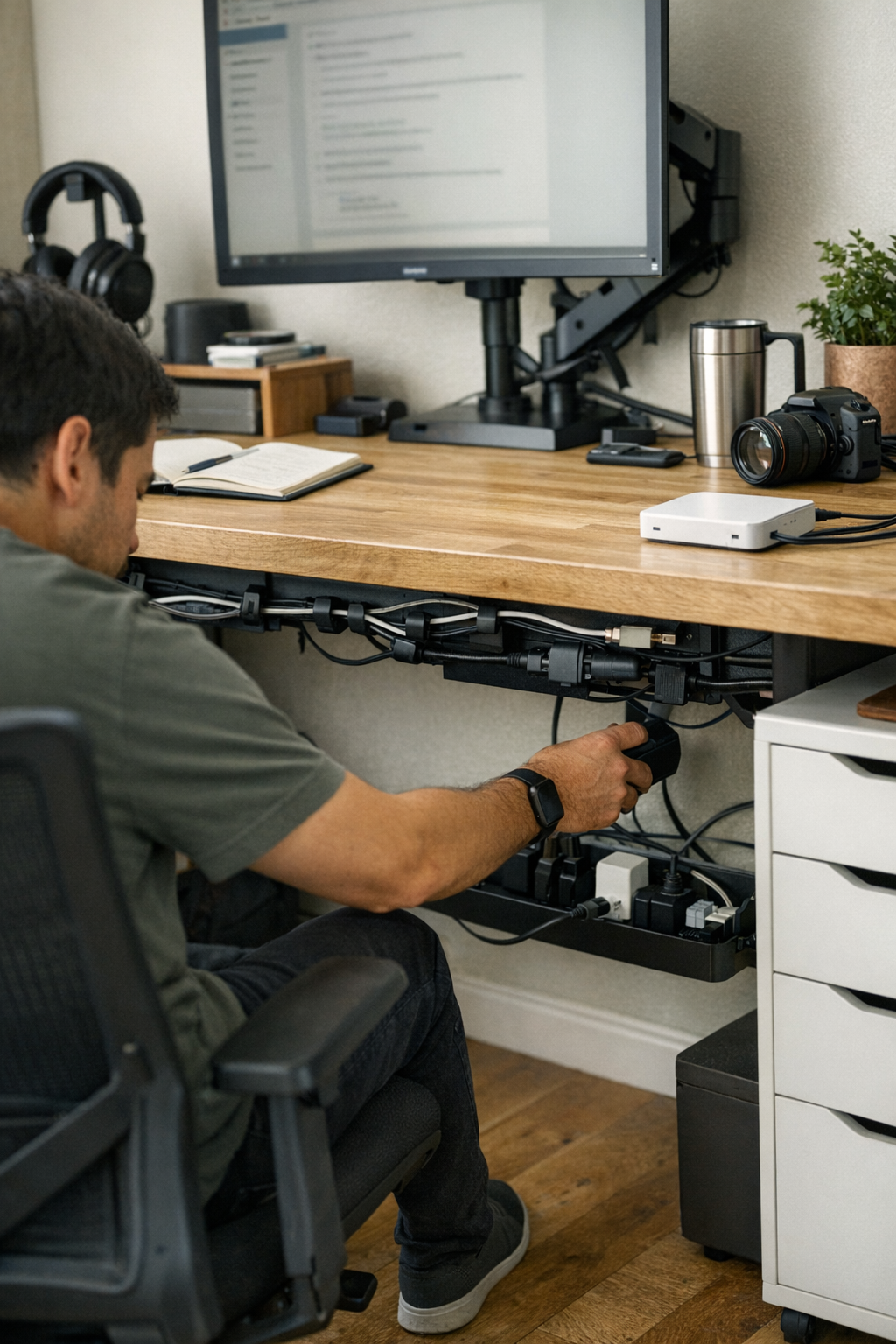
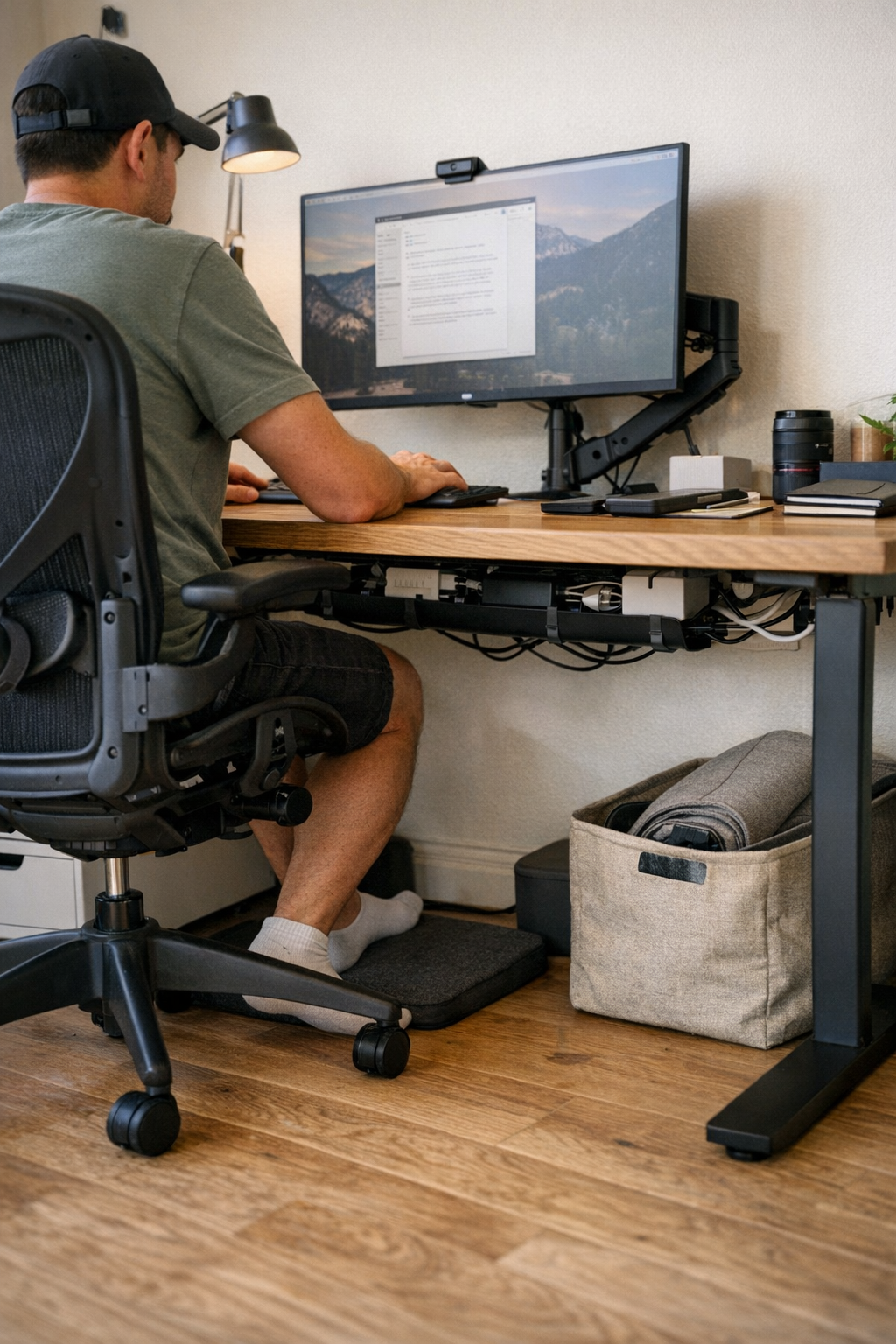
Contrast that with a desk equipped with a cable tray running along the back or a cable box that anchors power bricks out of your leg zone. Suddenly, your feet glide into place, the chair rolls without catching, and you stop calculating risks before each move. The invisible friction disappears, and it’s clear in the instant reset between tasks.
Reworking the underside: What actually helped
No need for elaborate builds: mounting a basic cable tray across the desk’s rear shifted the daily experience. Cables stayed pinned up, no longer lacing the floor. That freed up the footwell, so each device swap didn’t kick off another game of cable dodge. The “reset” after stepping away required zero rearrangement under the desk—and chair-to-keyboard became a direct glide, not a hopscotch over old freakouts.
Over weeks, the improvement stuck. Instinctive resets returned, with no double-take under the desk. The muscle memory for stooping to reroute cords faded out. What mattered wasn’t the tidy look, but the absence of constant, low-level drag on movement—each cycle simply worked, instead of working against you.
It wasn’t perfection—cables occasionally crept loose, devices were still added—but the sticky, repeat interference was gone, and the whole routine gained back an edge of flow and trustworthiness.
Getting the fit right: Storage vs. actual workflow
Dropping in organizers—whether trays, cable boxes, or clips—solves much of the obvious mess. But not every storage tweak matches the pressure points of how you work. Box in too much, and suddenly you’re crouched under the desk to reboot a router or unspooling cords you can’t reach. The difference between a usable fix and a fussy one rests on whether it clears friction for movement and device swap, not just on how empty the floor looks for a photo.
For example: outlets you use every day shouldn’t end up behind drawers or boxed under bins. Those daily plug-ins need direct access. A cable tray should keep chair space open, not jut into your path or create new shifting obstacles whenever you adjust your seat. And beware drawers or bins that slowly migrate forward, crowding your workspace and forcing legs sideways just to fit.
Which fixes last—and which only seem to work
The true test lands by the end of your first real work week. Does the under-desk fix remain invisible in motion, or do you find yourself building new small workarounds? Useful setups let you scoot, stretch, plug, and roll in and out fluidly—if you’re still pausing, ducking, or shuffling gear to reset, the “solution” is still part of the problem.
Quick FAQ: Under-desk setups in practical use
Does cable management really matter if I tidy once a week?
Absolutely—even if you reset every Friday, the everyday pattern of foot placement, chair guiding, or hunting for cables creates its own buildup. True cable control means you don’t notice small snags daily, so resets become background, not a task you brace for.
Should I store all extra gear under the desk?
Not if it kills movement. Filling every inch below shrinks legroom and pulls everyday devices out of reach. The best setups support access, not negotiation with hidden chargers or trays that drift and crowd your knees.
Can organizers actually make things worse?
Definitely—if organizers demand you crawl under to swap cables or force you to detach every cord to change devices, they add complexity. Aim for containment that simplifies movement and keeps frequently used ports within easy reach, not solutions that turn into rigid blockades.
When a small shift unlocks better reset cycles
Solving the underside of your desk isn’t about showing off empty floor space. It’s about breaking the pattern of constant, tiny interruptions—the cable snag, the blocked exit, the awkward return after stepping away. A cable tray, cable box, or more thoughtful placement of organizers doesn’t need to be dramatic to make resets fast and comfortable, posture settle without a fight, and distractions stop cropping up out of nowhere.
Watch for real signs: If you find yourself moving smoothly from keyboard to notebook, rolling in and out without stutter, and never scanning for hazards before sitting, you’ve created a setup built for use—not just looks.
Small, structural tweaks—especially those that protect the footwell and keep movement paths clear—pile up fast. That’s what makes a desk trustworthy: resets become automatic, not strained, and the surface stays ready through long sessions, with no mental or physical tax for just sitting down and getting started.