Category: Lighting & Work Setup

  • How Proper Cable Slack Management Enhances Workstation Efficiency

    Cable drag ruins a clean desk faster than clutter ever does. You feel it the moment a chair wheel snags a charging cord or a monitor resists your hand—an invisible flaw hiding beneath a surface that looks organized. Most setups fool you at first: cables routed out of sight, a newly tidy stretch of desk, everything visually under control. But the real test isn’t on day one—it’s when daily work turns cable management into a bottleneck, slowing every adjustment, every device swap, every reach for space behind the keyboard. If your setup only looks clear but forces you to untangle, reset, or work around hidden drag lines, the promise of “organization” collapses into repeated frustration.

    Where “Tidy” Fails: Cables and the Hidden Interruptions

    Most desk makeovers begin by vanishing cables—power bricks vanish into trays, ethernet cords zip-tied along the frame, chargers crammed in boxes beneath. Everything appears open; finally, no wires spill across the surface. Then, reality undermines the fix: the monitor arm moves, a cable jerks everything off center, or you roll the chair and hit a stubborn, tensioned wire. Needing to unplug or slide a device means fighting tight cable runs, not just moving your hands. What looked smooth now feels rigid.

    Visually clear does not equal comfortably usable. A spotless desktop often turns clumsy when slack is overcontrolled. You can’t adjust a screen or share space for notes without cables pulling back. Rigid loops keep USB hubs from reaching, power lines clamp monitors in place, and legs tangle with cords that looked out of sight. These aren’t flukes—they’re constant interruptions on a desk that values appearance over actual workflow.

    Routine Work Reveals the Real Cable Test

    Friction sneaks in during the routine—the video call ends, you slide the chair, and a too-short cable drags on your ankle. Switch from notebook to keyboard and the charger yanks everything taut. Plug in a new device, only to trace resistance all the way through a box or tray that let style win over movement. Seconds lost on each reset don’t feel like much, but multiplied by every day, minor snags erupt into chronic wasted motion.

    When you’re working at a compact desk—where keyboard, notebook, notes, and power all share one tight strip—mistimed cable slack is exposed by every quick reach, every attempt to shift position, every reset between tasks. Smoothed-over cabling can’t hide a workflow that keeps grinding to a halt as you try to pull, slide, or stow devices. In these spaces, a “clean” look becomes a trap if it kills flexibility.

    What Actually Changed: Small Slack Adjustments, Big Differences

    The breakthrough came not from fewer cables, but from freeing their movement: ditching hard cable ties for an adjustable loop behind the monitor, roughly two fingers wide. That tiny extra slack let the monitor glide for note-taking, device swaps, or a late-day screen shift, without jerking everything else off-axis. No more straining under the desk to fix connections, and devices could be pulled, pushed, or rotated in place—without setting off a new round of untangling or crawling for lost plugs. The visible effect didn’t suffer; the work path finally matched what the clear desk promised.

    Now instead of stashing every wire out of sight, there’s just enough movement for frequent adjustments. Device changes became a quick slide and plug, not a full teardown. Cables float with the motion, not against it. Once the right amount of slack was dialed in, the “organization” stopped being an obstacle and started making repeated routines less of a reset.

    This is about reliable movement, not staged neatness. Controlled slack creates a workspace you can use without hesitation—preserving the routes you actually use, and keeping small interruptions from becoming daily friction.

    Spotting Slack Problems Before They Multiply

    Slack issues are easy to miss if you value looks over movement—until the same pain points keep breaking focus. Watch for these desk-life signals:

    • Chair wheels tug cables — If rolling back always meets resistance, your slack is either routed through the wrong zone or simply too short for everyday moves.
    • Monitor won’t stay centered — Any time a screen jumps or pulls as you adjust, the cable isn’t flexing close to where movement happens.
    • Feet scuff or trip wires — Repeated contact means cables are routed where your legs need to move, damaging both the wires and your work rhythm.
    • Swapping devices feels like a reset — If every change requires unplugging, unlooping, or untangling, rigidity has won and workflow takes the hit.

    If you’re seeing these patterns, your setup isn’t failing on looks—it’s bleeding time on every routine action.

    Cable Control That Survives Real-World Desk Life

    Invisible cabling can become unusable cabling. Real workstations demand flexibility—screens shift, chairs roll, and feet need space to move. A practical desk doesn’t suffocate every wire; it leaves key slack visible and close to points of adjustment, while heavy main runs are lifted out of leg range with trays, or routed along the rear with a cable box. One adjustable loop behind the monitor or docking station can often hold the line between daily flow and clumsy resets.

    Hybrid approaches outperform pure concealment: anchor major cables above knee height with trays, route main power at the back, but leave one floating, adjustable segment where movement matters—behind each device that earns daily use, not buried out of reach where slow tension builds up. This keeps clutter out of the work zone while removing the headache from repeated, real use.

    FAQ: Tackling Cable Slack in the Everyday Workstation

    How much slack does a monitor or moving device actually need?

    A loop about two fingers wide behind the device is enough. This lets monitor arms glide and screens pivot for daily adjustments, while stopping cables from pooling underfoot or near wheels.

    How can I spot when slack management is failing?

    If a cable snaps, tugs, or scrapes, or your feet and hands start working around hidden resistances, your organization has crossed into obstruction. Cables should follow you—not the other way around.

    Should I just hide every wire?

    No. Total concealment is a trap if it freezes the setup. Leave visible loops where friction always returns: monitor centers, plug points, docking stations—the spots you touch and move every day.

    Lasting Usability Is Built on Forgiving Structure

    A desk that actually adapts doesn’t pretend that perfect order fixes workflow. The hidden win comes from setups where screens move naturally, chairs roll clear, and cables flex—not snap—as routines change. It’s the slack you never see in pictures, but always feel in the flow of real work. When your setup responds to you, not just your sense of order, you spend less time wrestling with wires and more time working how you intended.


    Explore the full WorkBasic collection

  • Why Careful Wiring Makes Indoor Lighting Reliable and Safe Over Time

    Most indoor lighting problems don’t start with dramatic failure. The fixture powers on, the room looks “done”—but you only notice the real problem after weeks of daily use. That soft flicker at the stair turn, the moment your bathroom vanity light creeps from crisp to uneven just as you lean toward the mirror, or the faint buzz in the laundry room when your hands are wet and visibility matters most. The issue is almost never sudden blackout; it’s the subtle, repeated interruptions—tiny hesitations at corridor thresholds, unexpected shadows over the only uncluttered patch of counter, light drifting from reliable to irritating. Poor connections behind the plate turn “okay for now” into a routine inconvenience that’s easy to excuse until it costs real comfort or clarity. In the world of flush mounts, sconces, vanity lights, and under-cabinet runs, the difference between “lit” and “usable” emerges only as you live with the light day after day.

    Where Weak Connections Surface: The Spaces That Reveal Trouble

    No one expects a new ceiling or wall fixture to become unreliable after just weeks—but certain spaces turn small flaws into daily friction. Hallway lights often flicker as you cross a worn patch or nudge a door closed; the bathroom sconce dips or hums, just when you’re checking your face in the mirror; under-cabinet spots lose even spread as you stack groceries or slide dishes, leaving the work surface half-shadowed. The frustration isn’t a full outage. Instead, it’s a ritual of double-tapping the switch, pausing to adjust, or shifting your stance to catch clear light. Every movement near these fixtures tests their stability—one closet slam or laundry pile can jar a “good enough” connection, pushing it closer to failure. When wiring shortcuts hide out of sight, even the best fixture can undermine your daily routine without warning.

    How “Just Installed” Turns Into a Daily Problem

    Lighting that looks flawless on install often reveals its weakness at the worst times—not in showroom calm, but during daily repetition. That’s when the second, tenth, or hundredth switch cycle, a week of humidity in the bathroom, or the steady thumping upstairs finally exposes how well (or badly) the fixture is wired. Flush mounts in hallways might rock subtly when doors close, and corridor edges can fall into shadow with uneven connection. A semi-flush or wall sconce, fine out of the box, begins to buzz or dim as vibrations or damp air creep into the wiring. Nowhere is this clearer than at the vanity: a rushed job creates exactly the kind of shadow line or color drop that makes you second-guess the mirror. Lighting that looks “bright enough” on day one can become tiringly unreliable when every movement, appliance, or passing footstep exposes inconsistency.

    Seeing the Bottleneck: It’s Not Always in the Bulb

    If you change a bulb and the flicker or dimness returns within days, the problem is almost always deeper. Poor wire connections behind the fixture turn every use into a gamble: laundry room lights blink as you slam the washer shut; under-cabinet strips create jumping shadows when drawers slam. Counter edges vanish at the wrong time. When a fixture regains brightness after a nudge or goes silent after you tighten the switch plate, it’s the wiring—out of sight, but not out of impact. Each repeated action—a pulled drawer, cabinet door swinging, stair footfall—tests whether the connection is solid or primed for another minor failure.

    Warning Signs in Everyday Spaces

    • Hallway and corridor: Flickers or dull spots as you cross, breaking your pace, even as the fixture glows overhead
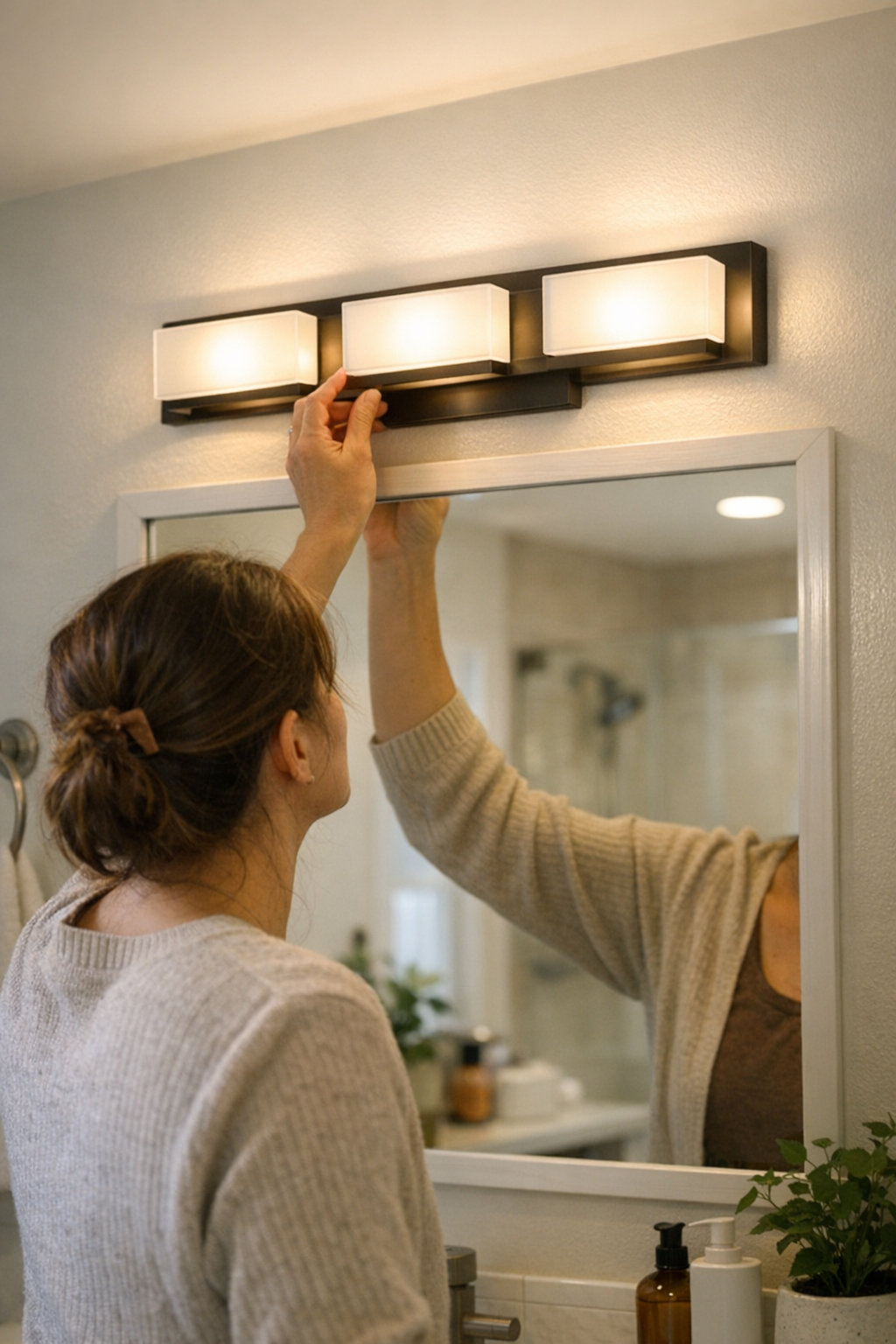
    • Bathroom mirror zone: Dimming, buzzing, or shifting shadow bands as you reach for the hair dryer or swipe at condensation
    • Under-cabinet task areas: Light dims or jumps as you move items, and the work surface loses even coverage right where you need it
    • Stairways: As you turn the landing, light lags or steps fade into unevenness, making each transition less automatic (and less safe)

    The Simple Fix: Intentional Wiring, Real Results

    The gap between a light that just looks right and one that stays reliable year-round is almost always care during installation, not expensive maintenance. Deliberate, tight wire connections—slow, confident twists and fully seated connectors—prevent nearly all the habitual flicker, fade, and hum that creep up after the fixture’s in place. A single local laundry upgrade proved it: once the strip light’s wires were resettled with screw-tightened firmness, months of machine vibration and wet hands couldn’t shake its steady glow. The “fix” isn’t complex; it’s a matter of blocking the gradual decline before it picks away at your routine. No more squinting over stains, no more second-guessing if the counter’s actually clean, no more need to tap the fixture back to life.

    Why Reliability Matters in High-Use and Humid Zones

    Certain home zones—stairs, tight corridors, bath vanities, laundry nooks—demand lighting that just works, every time, without pause. In these areas, each missed step, hesitated movement, or shadowy patch adds up: a flicker on the stair isn’t just annoying, it slows you down or nudges you into leaving a light on all day out of caution; a foggy, shadowed mirror means you might miss details or repeat tasks. These aren’t theoretical problems. A small break in visual confidence can disrupt your whole routine, making once-simple spaces a source of unease or delay. True lighting success isn’t a burst of brightness—it’s steady, invisible support that stays out of your way no matter how often you cross the threshold.

    Diagnosing Unstable Wiring Before It Disrupts Your Routine

    The real giveaway is repeat disturbance: flickering after a new bulb, light that comes back with a nudge, brightness ebbing after every round of switching, or sudden buzzing when the room is crowded. These aren’t “just” quirks—they’re clues that the problem is wired in, not a function of bulb or fixture style. Try crossing the hallway at dusk and see if your eyes ever need to catch up; check a bathroom mirror on a rushed morning for even, unwavering light; experiment with under-cabinet strips, noticing any fade or jitter as you stack, clean, or cook. Reliable connections make light vanish into your day. Unstable wiring keeps reintroducing itself, just enough that you adjust your routine without even seeing why—until you finally pause to fix what’s hidden behind the plate.

    Lighting You Can Trust: The Payoff in Everyday Calm

    A fixture you don’t notice is not just free from outages—it’s free from interruptions and doubts. Each unbroken trip down the hallway, every mirror check without a frown, every unobstructed kitchen task is a direct result of solid, intentional wiring and fixtures matched to space demands. Indoor lighting isn’t decoration—it’s the silent backbone that keeps rooms not just looking good, but working right. The best setups aren’t always the brightest or boldest; they’re the ones that let you move without friction, see without squinting, and trust the space to keep up with your routine, no matter how often you pass through.

    Find lighting designed for real indoor movement and clarity at LightHelper.

  • How Linear and Panel Ceiling Lights Transform Nighttime Room Brightness

    The difference between ceiling lighting that looks resolved and lighting that actually works shows up fast: the countertop zone left dim while every cable still catches your eye, the glare off one side of a desk, the shadowed half you avoid at night because it feels like a hassle to fix. A “minimal” fixture or tidy flush-mount promises a seamless look but in practice, it’s the edges, corners, and work surfaces that get ignored. After using the space for a week, you stop bothering with the kitchen backsplash, read from only one side of the shared table, and start stacking stray items under shelves where the lighting gives up first. Glare, patchy coverage, and cable clutter don’t fade—they become part of the routine.

    How Looks-First Lighting Choices Create Everyday Friction

    The first mistake is picking a ceiling fixture for its shape, not for how it really lights up your routine. You like the uncluttered ceiling—until two evenings later, when the central glare means you stand off to the side to avoid squinting, or shrug and leave half the island in shadow. Even when cables are “out of the way,” you keep noticing a drooping line or a support bracket just off your main sightline. Clean layouts on paper rarely survive the irritation of moving seats to stay out of glare, or leaving pantry shelves for “later” because you can’t see what’s near the wall.

    This friction adds up: a corner used only to pile stuff, a desk edge avoided after dark, fresh cable marks on the ceiling where you tried to fix the last misalignment. The workarounds pile up—and the room’s weak zones gradually become baked into daily habits.

    The Quiet Difference of Linear and Panel Ceiling Lights

    Switching from a single-point fixture to a linear or panel ceiling light doesn’t guarantee solved lighting—unless placement, mounting, and cable management work with your real room layout. Linear and panel lights break up harsh, central glare, spread brightness to side zones, and make the edges of counters and tables actually usable. Suddenly, prep work doesn’t crowd into one patch, papers don’t migrate from shadow to light, and the awkward “dead” zones get back into play after dinner. Evening comes and the whole surface stays visible—instead of one bright spot shrinking as you move away from the center.

    The risk: even a well-designed linear fixture can look as unfinished as a bulky flush-mount if you allow bent cable lines, loose brackets, or a slightly off-center install. “Low-profile” only helps if alignment and support disappear; otherwise, minor setup errors take over your visual focus and make the upgrade feel like another compromise.

    Spotlight Troubles With Single-Point Flush Mounts

    Flush or globe fixtures offer one dramatic oval of brightness—then leave the rest of the room fading into dull perimeter. Directly under the light, your eyes catch a sharp reflection off glossy surfaces or a too-bright patch on the desk. Move an inch toward the edge and you’re stuck squinting, shifting a laptop, or giving up on the far end for the night. Seeing cables first, light second, becomes normal—and glare makes every late-night cleanup or paperwork session feel like a negotiation.

    Real-World Setups: When Routine Use Picks Winners (and Exposes Weaknesses)

    Think of a shared workspace or family kitchen. A single overhead fixture keeps one spot serviceable—while everything outside its reach gets assigned to “some other time.” You don’t choose the best zone, just the one that isn’t in shadow. It’s not by design; it’s by lighting default.

    Over weeks, this creates lighting hierarchies you never planned: one side cleaned daily, the other side avoided by default; the shelf with nothing but backstock because reaching things there after sunset risks a stubbed finger. Most telling: during real routines, clutter grows exactly where light fails, not where storage runs out. A crowded prep counter is rarely a storage problem—it’s a lighting boundary.

    Moving to a linear fixture with supports hidden behind cabinet lines and cables wedged tight to a ceiling beam, the difference is immediate: consistent light lands across the whole work surface, flimsy excuses for not using half the room disappear, and after dark, there’s no need to chase down extra lamps or dodge stray reflections. The “good” spot isn’t the only one available—whole stretches of counter or desk finally stay in play. No empty corners, no shifting tasks when the light moves.

    The Real Impact: A Concrete Example

    Switching a four-foot linear light to run parallel with the kitchen counter rewrote how the space worked—especially at night. For the first time, the entire counter—from sink edge to back wall—stayed visible right through after-dinner cleanup. Brackets vanished behind trim, and an unruly cable tucked out of sight. Suddenly, routine movements flowed: prepping, rinsing, packing leftovers—no one hunting the old countertop “hot spot” and no stray lamp left in the way. Edge work and minor tasks could shift around without ever feeling half-lit or sidelined.

    Setting Up for Steady, Usable Light—Not Just a Finished Look

    Map out real traffic and task patterns before placing a single fixture. A desk isn’t just a rectangle: check where hands, eyes, and tools move, and run linear lights the same way. For kitchens, place panel or linear lights to hit counter spans evenly, with support brackets avoiding sightlines and cables routed away from overhead storage or walkways. Spreading out the light and securing attachment hardware does more for usable surface than another showy fixture ever could.

    Support hardware—brackets, cable management, anchor points—holds equal weight with the fixture. Skip corners with flimsy supports or exposed lines and every cleaning run turns into a reminder: the cable path was never finished, the bracket line shows in every photo, or that “almost” centered panel throws shadow every time you actually use the space. A neat install means cables follow the room’s lines, not your last workaround.

    Lighting Decisions That Outlast the First Impression

    Installing a ceiling fixture that solves “brightness” but skips coverage or cable control is a short-lived fix. The missing detail isn’t subtle: dim or half-lit corners, stacks and devices shifted for better light, and that tired “I’ll get to it later” feeling in every missed task zone. Ignore visible cables while mounting and you’ll catch your sleeve on one, or lose cleaning patience as crumbs pile up near the exposed edge. A room that feels “done” for photos still falls flat in daily use if movement and sightlines don’t match real routines.

    Consistency means more than symmetry: spread fixtures to reach deep work edges, not just the center; use soft-edge diffusion to prevent abrupt light-drop; disguise cables against beams or seams so they disappear from view. A linear light that’s too long distracts, while a short run leaves zones out. Picture your routines running through the finished layout—routine reveals every oversight your first impression misses.

    When the Setup Holds, You Notice What’s Missing—Fewer Adjustments, Less Compromise

    The best setup stops reminding you it’s there. If a week goes by without adjusting your posture for glare, moving piles out of shadow, or scrubbing around an exposed supply line, the improvement’s clear. Tasks spread out naturally rather than being dictated by the nearest patch of light. Those “just out of reach” cords, crumbs near the wall, or reading glasses left by the glare—these habits fade as steady, even light turns more of your space into usable territory.

    But even the right fixture fails without honest, clean setup. No panel, bracket, or under-cabinet light will stay invisible if cable droops, anchor points drift, or sightlines cut across ordinary work. Choosing light is only half the job; it’s the support, the cable route, and the final alignment that divide rooms you use from ones you tolerate.

    Find lighting and support solutions at LightSupport

  • How Concealed Cable Management Enhances Focus and Workflow Efficiency

    Cable routing on your desk isn’t cosmetic—it decides how well your workspace actually works, hour after hour. Exposed cords don’t just clutter your view. In repeated use, every dangling cable tugs your wrist, interrupts a reach to your notebook, or forces you to move devices just to clear space. What barely registers as background clutter in the morning becomes a constant disruption by late afternoon, when the motivation to reset fades and tangled lines slow every transition. The difference between a ‘tidy enough’ setup and one that truly removes friction isn’t about appearances—it’s about whether cables pull you out of flow and force you to manage your desk again and again.

    Visible Cables: The Hidden Cost of Daily Disruption

    In the tight space between your keyboard, notebook, and monitor, cables are rarely just passive background. Any cord trailing over your desk edge, looping into your workspace, or a charger wedged near your mouse pad quietly blocks movement. By midday, these lines turn into real friction points. Your pen snags a wire, a laptop cord makes you slide your notebook further away, or you pause to lay a stray cable flat before typing again. Minutes disappear—not as a single event, but through endless, invisible interruptions every time you switch tasks or shift posture.

    This all compounds during constant jumps from digital to paper, or when your desk depth is already tight. Two or three visible cables can turn the sweep between typing and handwritten notes into a sidestep—forced to nudge devices out of the way or recalibrate your elbow to dodge a power line. When pressure spikes toward the end of the day, these blockages break your focus, making every reset slower and harder to recover from.

    The “Neat but Not Clear” Trap

    It’s easy to imagine that a neatly bundled cord or zip-tied cluster solves the issue. But in practice, just shifting the mess to another part of the desk still lets cables interfere. Reach across to jot a note and your sleeve snags a tightly grouped wire. Try to slide a notebook from under a monitor riser and a looping cord jams the path. The desk may look controlled, but underneath, lines keep dictating your hand’s path and your desk’s reset speed.

    You’ll notice the compromise most when the pace ramps up: busy stretches expose every cable you thought you’d managed. The moment you pivot in your chair and graze a wire, or stop mid-flow to re-wrap a cord that’s crept loose, the gap between “tidy” and “usable” becomes instantly obvious.

    What Real Concealment Changes at Your Desk

    The real change comes only when cables disappear from both view and reach. This isn’t just about a cleaner look—it’s what lets desks actually move with you. A cable tray screwed under the back edge, a proper box hiding power bricks behind the monitor, or clip sleeves dropping lines entirely below the desktop: these moves shift the context of your whole workday. Suddenly, the sweep from keyboard to pad is open again, and you stop calculating your every elbow move.

    Noticeable differences appear almost instantly. You don’t track whether rolling your chair will catch a cord. Your mouse comes back into hand without a second check for tangles after sliding a notebook. The phantom urge to retidy between calls fades, freed from the need to manually police loose lines. Every retreat from a snag or pause for cable correction simply stops happening.

    How Cable Paths Shape Real Work Routines

    • Moving from laptop to notebook: With no cables crossing your dominant arm’s path, your pen lands and moves without detours.
    • Settling your chair for close focus: Cables routed out of leg space mean chair wheels and shoes clear the area—no hidden snag steals your momentum.
    • Resetting the desk between meetings: Clear surfaces, with cords out of sight, let you swipe stray notes away fast—no untangling or re-circling cords just to reclaim work area.
    • Late-day position shifts: If you switch to a stool, stand, or scoot sideways for a stretch, concealed cables don’t pull or push back. The desk stays neutral, letting you re-enter flow instead of fending off friction.

    When Concealment Fights Flexibility

    Total cable concealment comes with a price. Once cables drop into under-desk trays or fixed sleeves, quick swaps mean crawling below or undoing setups. Plugging in a new monitor, redirecting a charger, or moving a dock takes more time. For people whose workstations change often—testing hardware, loaning equipment, or swapping ports daily—perfect hiding quickly becomes annoying. Smart setups split the difference: anchor routine lines in a tray or cable box for daily clutter reduction, but leave a clip, slip-sleeve, or open hook at the surface for adapters or chargers you regularly change out.

    The result isn’t perfect calm, but a practical balance. Cables you touch every day stay accessible, but the ones that always get in the way disappear in the zones you actually use most. Even removing just your top two or three friction lines can return the desk to a usable reset rhythm—while a single flexible cable keeps device swaps easy without dragging chaos back onto the work surface.

    Everyday Clues: Is Cable Friction Costing You?

    Do you dodge cords to lay your notebook flat? Find yourself adjusting device positions just to clear a cluttered path for your hand? Notice split-second checks at the tray edge, or catch yourself re-tucking wires multiple times per day? That’s cable friction taking real time and attention. Individually, each slowdown is tiny. Over a week: real energy lost, more transition errors, and slower recoveries between tasks. These cues—reset delays, posture interruptions, repeated sightline checks—signal it’s time to rethink cable paths as more than a cosmetic adjustment.

    Small Structural Fixes, Big Workflow Return

    • Swap out visible cord wraps for a mounted under-desk tray; this immediately clears your main problem zone without major effort.
    • Let crucial charging lines retain a visible slack if you replug often, but drop workstation cables fully out of line-of-sight to eliminate constant touch-ups.
    • Track improvement not by surface neatness, but by how long you go without thinking about cable position. After several days, forgotten cables mean friction is gone.

    The Real Test: Desk That Feels Clear, Not Just Looks It

    A cable system isn’t working because your desk looks like an advertisement. The true measure: fewer interruptions, less repositioning, no habitual cable corrections, and easier transitions—especially when you’re under deadline. Every cable you hide is one less opportunity for friction, but excessive concealment can make swaps clumsy. For stable setups, the freedom from daily drag far outweighs rare plug-and-play inconvenience. What matters isn’t the perfect line or pristine surface, but whether your desk resets quickly and stays out of your way—day after day, task after task.

    Choose structure to match your real patterns. For most, a reliably hidden route for everyday lines, plus one flexible path for quick changes, delivers a smoother workflow that survives repeated use—and doesn’t require a daily cable audit to stay functional.

    Explore the full WorkBasic collection

  • Balancing Wire Nut Tightness for Reliable Indoor Lighting Performance

    Weak lighting is never just an eyesore—it’s a repeated interruption. You cross the hallway and the switch feels warmer each week. In the bathroom, the mirror brightens with a lag, leaving your face unevenly lit. On the stairs, a stubborn shadow slides across a single tread, making every trip feel less sure. The cause looks obvious—a cheap bulb, a tired switch—but too often, the real failure is buried deeper: a wire nut installed with the wrong tension, hidden inside the wall, quietly undermining how your lights perform day after day.

    How Wire Nut Tension Disrupts Everyday Lighting

    Lighting failure rarely explodes into view. Instead, it creeps in: a hallway that once glowed now flickers in your periphery; a work surface that looks “lit” but leaves you moving your hands to chase clearer light; a vanity fixture that shifts from flawless to spotty, never quite right after a few weeks of daily cycles. The problem doesn’t announce itself. It grows as wire nuts loosen or bite down too hard, pushing small weaknesses into every repeated use.

    That’s how the friction builds. You find yourself adjusting your walk to dodge a shadow strip along the kitchen counter, double-tapping the switch to “wake up” the light, or pausing at the stair landing, waiting for your eyes to adjust. These disruptions seem small—until steady routines become a checklist of workarounds and missed expectations.

    The Real Cost in High-Use Rooms

    What does the wrong connection really do? Imagine the contrast: stepping onto a landing where the light always breaks cleanly over the stairs versus one where dimness pools just as you reach for the railing. A fixture toggled twenty or more times per day slowly exposes every hidden flaw inside the box. Too loose, and you get inconsistent power—lights that hesitate, flicker, or fade unevenly. Too tight, and the wire insulation pinches, setting up failure that can’t be seen, only felt when the reliability slips, tap by tap.

    • Loose wire nuts: cause flickering, slow starts, and occasional outages—especially obvious when corridors, stairs, or baths get heavy traffic.
    • Overtightened wire nuts: stress and deform the wire, reducing lifespan and leaving circuits weaker over time, even when the fixture looks firmly in place.

    In vanity zones, the story repeats. At first, the lighting spreads evenly—no shadows, no fuss. Weeks later, one side dims or a plate feels warmer to the touch. You’ll notice hesitancy in the reflection, uneven light for shaving or makeup, and a creeping unpredictability in a routine that used to be automatic. All from a barely visible connection behind the wall—showing itself only with the repetition of daily living.

    Spotting Trouble That Hides Behind the Surface

    You rarely get flashing warning lights. Instead, look for:

    • Fresh flickers when toggling a hall or closet light—growing more frequent after weeks of use.
    • Switch plates or fixtures that run warmer than usual after a few quick cycles.
    • Shadows crawling over countertops, sinks, or stair landings even when overall brightness seems “fine.”
    • Uneven, off-balance light spread from fixtures that used to wash the whole area without drama.

    None demand immediate repair. But they chip away at trust in your home’s lighting: leaning closer to the mirror to see details, sliding your chopping board to catch the right light, or pausing before crossing a dim stretch of hallway that used to feel safe, automatic, and obvious.

    Scenes Where Small Wiring Weaknesses Become Visible

    Stairways and Landings

    The turn at the stairs should be automatic. But when a connection is imperfect, the shadow appears exactly where you need clarity—forcing a slower step or a hand searching for the rail. The discomfort spreads: every trip accentuates the flaw, and what used to be a smooth pattern becomes a moment of second-guessing, every single day.

    Bathroom and Vanity Mirrors

    Mirror light isn’t just about brightness. It’s about steady, balanced, shadow-free illumination that makes routines seamless. A loose wire nut means one side flickers or dims—forcing you to shift in search of even coverage just to shave or apply makeup. The split between “good enough to leave the house” and “just right” becomes a friction you can’t ignore when your hands are full and your time is short.

    Countertops and Under-Cabinet Lines

    A kitchen counter might look lit, but still fail if the wire nut isn’t right. One bad connection, and the run of light weakens—casting partial shadow, making chopping or reading labels more awkward. Instead of getting to work, your movement shifts and your eyes strain, wasting time for a fix that should have faded into the background long ago.

    Securing the Fix—Not Just Tightening for the Sake of It

    The solution is never about brute force. After another round of flickering under-cabinet lights, the instinct is to crank the wire nut harder. But overtightening only sets up fresh failure. The answer: twist until the wires are just secure—gently test with a tug. No slippage means you’ve landed the connection. If the insulation starts to twist or strand, you’ve gone too far. If it moves at all, you haven’t done enough. This balance—not force or neglect—restores reliability each time you flip the switch.

    The effect is immediate, and it holds up: flickers vanish, switches stop running hot on busy days, and—just as crucial—light returns to its intended state, steady and forgettable. No drama, no daily reminders, just a space you can move through without exception or workaround.

    Quick Testing Habit

    Whenever a light misbehaves, open the circuit box and check every connection, even those not directly behind the problem fixture. One off-balance wire nut anywhere can spread instability down the entire chain. Re-make each suspect connection with fresh wire nuts, toggle the switch several times, and check for stability: insulation smooth, wires anchored, result steady and unremarkable—just as it should be.

    Why Repetition Reveals What Occasional Use Hides

    Low-use rooms can hide wiring flaws for months. High-traffic zones—bathrooms, hallways, stairways, utility corners—turn every flicker or hesitation into a repeated interruption. Here, fixture reliability isn’t optional; it’s the difference between spaces that support daily habits smoothly or make every routine feel compromised. Weak wire nut practice that’s invisible in a guest room becomes constant friction in places where lighting matters most.

    Lighting That Disappears into the Routine

    When lighting just works, you stop noticing it. Hallways don’t make you pause. Mirrors don’t force you to squint or shift for balance. Counters and stairs stay fully usable—even in the busiest moments—because the fixtures do their job, and the connections behind them hold up under pressure. That’s the quiet value of a wire nut set right: not making the lighting perfect, but letting it do its job so well that your day—step, glance, and routine—doesn’t depend on it anymore.

    Visit LightHelper for practical indoor lighting solutions

  • How Wall Lighting Transforms Evening Rooms Beyond Ceiling Fixtures

    The first sign your ceiling light isn’t enough isn’t darkness—it’s the small, daily friction that starts piling up. Edges of tables go dim. Corners and shelves fade into uncertainty. You reach for something on the counter and miss. The room looked “done” when you installed that bright, clean overhead fixture, but within a couple evenings, the setup feels unresolved: conversation zones half-lit, faces unevenly shadowed, and surfaces that never catch enough light along their edges. This isn’t just about needing more lumens or replacing the fixture; it’s the inescapable blind spots of top-down lighting, especially after living with it through the real rhythms of your evening routines.

    When Overhead Lighting Falls Short—And Why It Keeps Happening

    It sneaks up the second you settle in. A group meal exposes the short reach of the ceiling light; people at the far end eat in partial shadow. Later, you’re stretching to see what’s on a shelf, or you realize you’re always turning your chair to dodge a glare band. Beneath the neat appearance—no cables visible, floors completely clear—surface-level “brightness” gives way to an unsettling flatness. Visual edges blur. Shared zones become awkwardly generalized. After a few cycles of bumping into these same problems, the frustration is hard to write off as a fluke.

    The Problem Isn’t Just Brightness—It’s Vertical Surface Blind Spots

    One major flaw: most ceiling fixtures ignore vertical surfaces almost entirely. They flood the floor and catch the center of the table, but wall edges and shelving sit in a dull gray. Bookshelves become shadow banks. Artwork disappears before night’s half over. Suddenly, you’re hauling in desk lamps or flicking on every under-cabinet light just to make corners usable. Even high-rated fixtures “underperform” in the spaces where daily work and storage actually happen. For every task, it’s coping—moving gadgets, squinting at margins, compensating instead of just using the space.

    Wall Lighting: Giving Shape Back to the Edges

    This is where wall-mounted lighting stops being a “nice to have” and starts feeling essential. Sending light horizontally, wall fixtures reclaim corners, show where shelves begin and end, and make edge storage as usable as the room’s center. The difference is obvious in any space where routines cluster away from the ceiling’s brightest circle: bookcases, workstations, dining nooks, even hallway seats. Suddenly, the silhouettes at the far end of the table become faces. The spine labels on the shelf are legible without a hand lamp. Details lost to dim edges come back into play.

    Trouble Starts with Placement, Not Just the Fixture

    Real improvement depends almost entirely on where you put the light. Mount a fixture too high, and its beam floats above where you actually use the space. Squeeze it into a distant corner, and the center stays flat while edges still vanish. Eye-level glare lines can make a newly installed lamp more disruptive than dark. Most irritating: a room that reads “finished” but requires you to constantly adjust—reposition a reading chair, shield your eyes, or shift the lamp for each activity. The only installations that actually solve these problems do the opposite: target where real routines need coverage, not just where it looks symmetrical or stylish.

    How Standalone Lamps and DIY Fixes Stack Up—And Fall Short

    Plenty of people patch their way around flat overhead light with desk lamps, clamp-on spots, and runs of LED tape. On paper, it should work. In reality: cable clutter sprawls. Outlets fill. Lamp bases migrate weekly across crowded counters. One bad tug on a cord, and the whole setup unravels. The room never feels fully “clear”—you’re dodging plugs to reach a drawer, or rerouting a lamp just to avoid a puddle of glare on your notepad. Every adjustment reminds you: the light still isn’t where you need it, and the support hardware keeps interrupting instead of disappearing into the background.

    Installing Wall Lights Where (and How) They Actually Help

    The shift comes when you prioritize daily use over decoration. Wall fixtures become assets when placed for activity, not appearance. For example: mounting a slim lamp two feet above a desk, away from corners that generate glare, but low enough to illuminate the upper shelves, transforms repeated tasks. Cables, when managed tightly along the base or trim, vanish into the room’s outline instead of drawing the eye or catching a foot. Gradually, your routine changes—less hunting for plug-in points, fewer awkward lamps crowding the table, cleaner lines of sight right where work, reading, or conversation happens.

    Best Heights and Spacing for Shared and Work Zones

    Most multipurpose rooms benefit from wall fixture centers between 48–60 inches from the floor. This isn’t just a number—it’s the zone that hits seated faces, catches table and desk edges, and keeps shelving visible while standing. To avoid “bright spots” that don’t help where you need them, space fixtures for overlapping coverage in activity areas—not just along walkways. If your counters, corners, or shared work surfaces still look dull or leave shadow stripes, check your spacing and mounting height: too close or too high, and you’re back to ceiling-light problems, just relocated.

    How to Spot—and Solve—the Most Common Setup Flaws

    The most common mistake? Seeing bright circles beneath the new lights, but still tripping over dim edges or missing the start of a shelf. This usually means fixtures are bunched together, mounted too high, or trained on walls where nothing happens. Test your room at dusk. Where does your attention snag—what spots force your eyes or your body to shift? That’s where a light is missing or misplaced. Prioritize mounting along actual use points: reading chairs, counter runs, group desk edges. Ignore broad rules. Instead, let daily behavior dictate where support is needed—your eyes (and routines) will tell you more than a tape measure ever could.

    Wall Lights Aren’t One-Size-Fits-All—But They’re Core, Not Optional

    Don’t expect wall lighting to replace focused task lamps for fine work—those narrow beams still have a job. But as a foundation, wall lights change a room from a patchwork of coping strategies to a usable, organized space. They deliver depth and edge clarity, making every shelf or work zone visible without extra gadgets cluttering the view. The transformation isn’t always severe on day one, but after a week of working, reading, or socializing without moving lamps around or losing tools to shadows, the improvement is inarguable.

    Why “Clean Looking” Isn’t Always “Easy Living”

    Rooms styled for cable invisibility and empty floors often end up hiding the real cost: last-minute desk lamps, glare dodging, constant cable rearrangement, and a setup that never fully works across all surfaces. Installing wall fixtures doesn’t just add light—it solves for repeat friction. By placing lighting where actual support or visibility is needed, you systematically remove the need for clunky end-run solutions. Bit by bit, visible and usable zones appear where once there were only bright centers and murky edges. Surface-level “clean” no longer means daily compromise.

    Flat edges, lingering shadow bands, and underlit shelving signal a setup that works visually but not practically. Lasting improvement comes from matching lighting to everyday routines—and choosing mounts, cable paths, and fixture alignments purposefully. When wall lighting answers real habits, its help shows up dozens of times a day—and the space finally feels ready for every use, not just inspection.

    Find more practical lighting and support solutions at LightSupport

  • How Accessible Hidden Desk Storage Enhances Workflow Efficiency

    Hidden storage under your desk promises a clutter-free surface, but the real test comes after a week of back-to-back work. Drawers, cable trays, and neatly routed wires might deliver a spotless first impression—but day after day, tiny obstacles creep in. You reach for a notebook and wonder if bending for the hidden drawer is actually worth the pause. A tidy cable box means every device swap becomes a knuckle-crunch under the table. What looks organized from across the room can still trip you up in the middle of your real, repeated routine.

    Clean on the surface, awkward in the routine

    The subtle drag of hidden storage doesn’t show up in a single moment—it builds through daily repetition. You end your day by clearing the desktop, stashing pens and notebooks into an under-desk drawer. By Tuesday, the motions already slow you down. Instead of an easy reach, you’re shifting your chair at an angle just to slide a notebook away. The cable you meant to box returns to the surface, “for a minute” that blurs into half a day. The setup is technically sorted, but if putting things away means detour and effort, order becomes its own interruption.

    Clutter doesn’t return all at once; it leaks in sideways. One item left beside the keyboard, a phone charger snaking out from under the monitor arm—little signals that your storage system is fighting your habits, not working with them. If every tidy-up costs energy or breaks your working flow, surfaces start to collect “temporary” piles right where you need to move fast. The desk still looks sharp, but the day-to-day reset gets heavier with each round.

    Hidden doesn’t always mean handy: When tidiness interrupts flow

    The promise of perfect cable management and invisible drawers is real—until those systems begin to slow you down. Maybe your pen tray sits just out of reach under the far edge, or a cable box hides everything out back. Every time you switch from typing to handwriting, it’s a sideways chair slide and a pause. Plugging in a device means feeling for the charger blind under the desk and bumping into a drawer unit. The more you “optimize” for concealment, the more you risk turning every routine move into a multi-step reset.

    Tidiness that interrupts movement costs you more than a messy desk. A tray within reach—even if it’s visible—sees actual use; a hidden drawer that disrupts your posture or movement falls out of your daily routine fast. Over a week, these repeated micro-adjustments undermine your workflow. The mental barrier to resetting grows, and by Friday, hidden storage becomes a source of small but persistent friction instead of a solution.

    Where desk setup choices quietly add—or remove—everyday friction

    Desk friction hides in ordinary motions: scooting back to open a drawer, fiddling with a cable route, leaning for a stapler because it lives half a desk away. The warning signs show mid-session—a stalled reach for a notebook, a cable you stop bothering to hide, or the steady migration of “temporary” objects onto your main work surface. These aren’t dramatic interruptions, but they chip away at the logic of the entire setup.

    Reset speed makes or breaks desk performance. When a drawer, tray, or cable path matches your working range, putting things away stops being a chore. There’s no pause, no “should I bother?” calculation—resetting the space takes one motion, not an extra effort. Overly hidden solutions, by contrast, act like slow leaks in your system. The result? Surface clutter quietly returns, and little inefficiencies stack up in the background, making organization harder with every cycle.

    Micro-scenes: Real moments where friction shows

    • Quick notebook swap: Ending a meeting, you need to jot a note—but the notebook is trapped in a low drawer. Do you squeeze a knee and reach down, or just leave it next to your keyboard for “later”?
    • Laptop charger dance: That charger routed into a deep cable tray looks neat until you swap devices twice a day. Suddenly, you’re crawling under the desk to untangle and re-plug wires you thought you’d organized for good.
    • Drawer as obstacle: An under-desk drawer unit tames loose supplies, but if it fills your knee space or blocks your feet, you start shifting your chair off-center—resulting in more surface sprawl and less posture comfort, hour by hour.

    What changed when accessibility became the priority

    A month of wrestling with hidden but awkward storage forced a reset. High-use items moved up to an accessible drawer, right within my seated reach. Cables I touch daily run along the front edge—visible, but out of the way—not buried behind a panel. Now, I can swap devices, stash supplies, or clear space in a single line of movement, no chair dancing, no pause. The routine of tidying disappears into use: every stow happens in rhythm, not as a separate to-do, and nothing gums up the middle of a busy stretch.

    The difference is practical, not just visual. When reset friction drops to zero, the desk actually stays organized without demanding extra effort or discipline. There’s no excuse-making about where the charger goes or why notebooks pile up; routines restore themselves because the steps match your flow. The workspace doesn’t just look neater—it runs with less drag, every single day.

    Questions that uncover hidden friction in your workspace

    Do small pauses keep popping up during resets?

    If “putting things away” means scooting your chair, ducking under the surface, or shifting posture, friction is there—even if it hides in routine. As real workloads pile up, these delays multiply and weigh down momentum.

    How deeply should cables actually be hidden?

    Total concealment might look right, but when fast cable swaps mean fishing for wires under the desk, the solution backfires. Instead, leave high-use cables reachable—organized, but in your real touch zone—so device changes don’t interrupt your rhythm.

    Are most-used items one motion away—or blocked by setup logic?

    If core tools end up buried behind or below your main seat line, you’ll create unofficial piles closer at hand—undoing order little by little. The best storage supports “one sweep” actions for the things you touch every session.

    Making hidden storage truly work: Small improvements, big impact

    Minimal surfaces mean nothing if every clean-up slows you down. The real standard is reset speed: how instantly you can stash, grab, or swap without straying from your seat’s natural arc. Effective hidden storage sits just inside your movement, not far outside of it, making day-to-day order easy instead of an end-of-week project.

    Test your setup: bring high-frequency items up a level, route your main charger along a reachable edge, or re-home that “essential” drawer to match your seated range. The right choices shift your workflow from stop-and-reset to nearly automatic order—a desk that remains clear because it works with your cycle, not against it.

    Hidden storage earns its place when it removes friction, not just clutter. The goal isn’t a showroom surface—it’s a setup that keeps pace with the way you actually work, making repeated resets simple, fast, and forgettable.

    Explore the full WorkBasic collection

  • Preventing Wiring Crowding to Ensure Safer Indoor Lighting Fixtures

    When crowded wiring hides inside your ceiling light or wall sconce, failures don’t show on day one—they appear when you need dependable, clear light and get flicker, delay, or a warm fixture base instead. In a bathroom, the mirror glow you count on for shaving or makeup starts to flutter the week you’re running late. The hallway fixture snaps on half a second late as you rush past, but you notice it every single time. At first, all looks normal: the switch works, the surface is smooth, and the fixture sits flush. But hidden tight bends and forced wiring inside the box mean stress builds with each switch, each bulb change, and each stretch of damp weather. It’s not obvious clutter—it’s strain you only see when routine moments start snagging on unreliable light. Real indoor lighting issues are about what you don’t see compounding until the room becomes harder to use, even when the setup “looks finished.”

    The Trouble Starts Where You Don’t See It

    Pushing wires to fit a fixture box to get the cover on—especially in flush mounts or compact bathroom lights—seems harmless, but compressed wiring turns daily use into slow sabotage. That packed box under your hallway or stair landing light? Every switch and surge sends minuscule stress through bent wires and jammed connectors. In the places you rely on most, like above the mirror or along a narrow corridor, that shortcut begins to show up as flickers, as delayed starts, or as a fixture base that’s warmer than you ever expected. The “out of sight, out of mind” approach becomes a recurring interruption—right when you need safe, stable light for movement, grooming, or finding your footing at a stair turn. Each use quietly worsens a flaw hidden by what seemed like a tidy install.

    Where It Shows Up Fastest: The Hardworking Corners

    Crowded wiring gives itself away in rooms where lights cycle constantly: laundry counter, bathroom vanity, or that kitchen hallway where every person flips the switch dozens of times a day. These are friction points—not for show, but for practical movement. Dim dips and untrustworthy startup creep in fast, often signaled by a faint buzz, a shadow clinging to the far side of the work surface, or a light that takes just that one beat longer to blink on. In wet areas or busy utility spaces, you start noticing warmth under your palm when swapping a bulb or, worse, feel forced to pause mid-task just to get light to cooperate. It rarely begins with dramatic failure—it’s a slow bruise, felt in routines.

    Appearance Can Be Deceiving: Finished Look vs. Function

    Flush mount ceiling lights and wall sconces earn their spot by staying out of view—edges crisp, covers smooth, everything tucked away. But burying a crowded box under a flawless lid turns “looks done” into a trap. That surface-level beauty hides an internal mess: excessive wire, forced wire nuts, and connections under stress every time moisture, dust, or normal movement settles in. You’ll notice it not on install day, but months later—when a steamy shower provokes flicker from the vanity, or a muggy day triggers buzzing inside your utility-room ceiling light. The fixture still looks pristine, but small breakdowns accumulate underneath, from breaker trips to delayed warm-up, all tracing back to hidden crowding slowly degrading performance where you want it tightest and safest.

    The practical cost? The room that seemed “bright enough” suddenly betrays you with spreading shadows across the counter, or a flicker in a hallway that unsettles your movement after dark. The gap between visual completion and true reliability grows with every shortcut in the box.

    Everyday Scenes: The Routine Reveals the Flaw

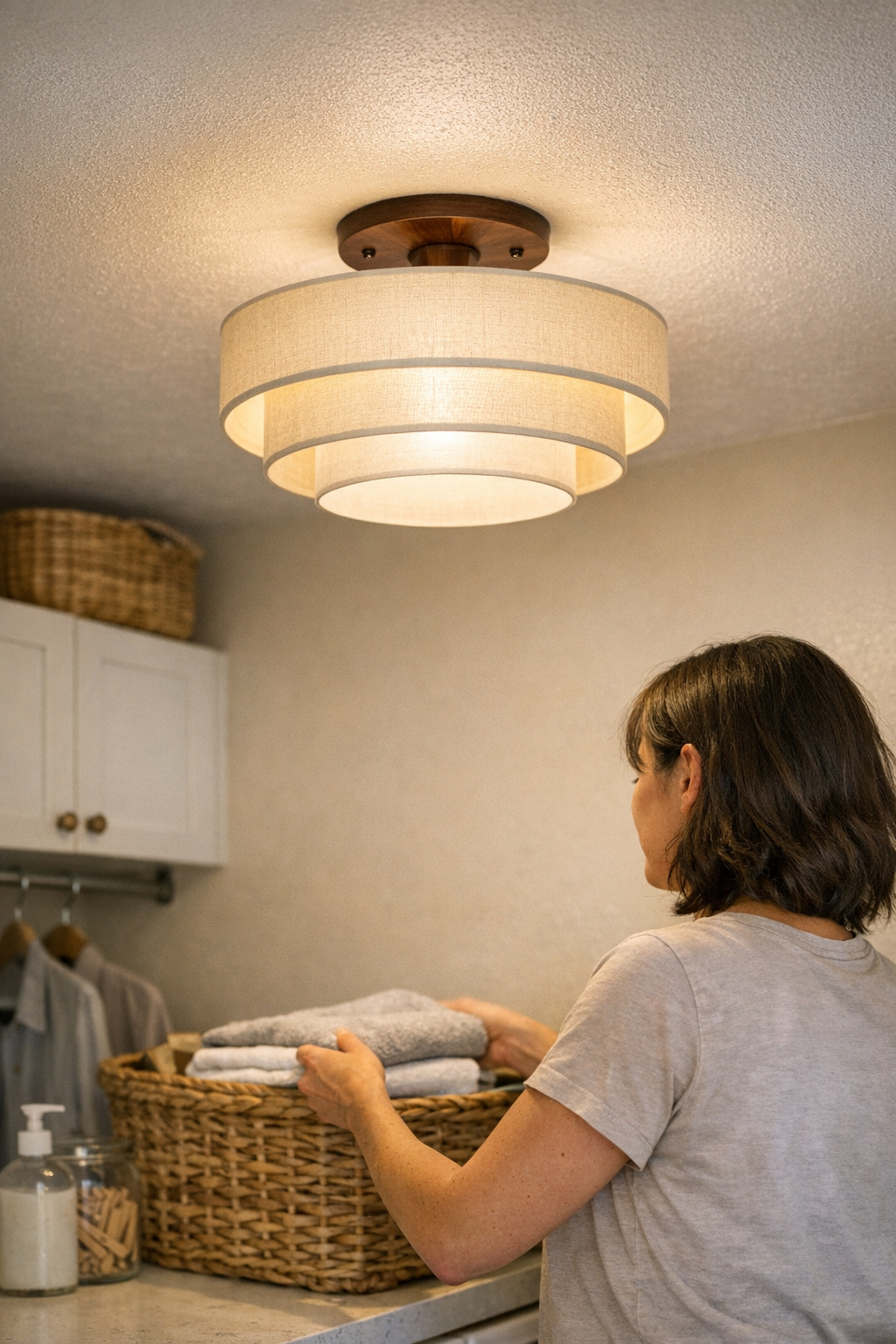
    Picture a compact laundry room with a low ceiling: the fixture appears fine, tucked close above the folding zone, but a shortcut—cramped box, wires pressed hard for the cover to fit—shows up only after weeks of cycling the light through busy afternoons. The problem announces itself with a sharp click or flicker the instant humidity and repeated use combine. A subtle shadow “sticks” across the basket or counter edge, breaking your flow while sorting clothes. Similar quirks emerge in any high-touch area when wiring is tight: the light falters, routine movement stalls, and the room demands attention for all the wrong reasons. Flawless appearances wear thin when daily habits depend on problem-free, shadow-taming light.

    The Simple Shift That Makes Lighting Invisible Again

    The difference often comes from a single practical change. Upgrading a compressed junction box—even by just an inch in depth—gives every wire the slack to lie flat, untwisted, and clear of accidental contact. That one adjustment turns a moody fixture into a steady, cool performer, ending the chorus of flickers, buzz, and warmth. In the revived laundry setup, pale shadows vanished from the back counter, and the light ceased grabbing attention every time the switch flipped. The upgrade was invisible in appearance, but obvious in use: lighting faded into the background, routines restored to easy, uninterrupted flow.

    Spotting the Hidden Signals

    If you notice heat at the fixture base, persistent flickering, buzzes, or a light that hesitates after months of smooth use, look first for tight, crowded wiring inside the box. These signals point to trouble compacted with every forced fit—a risk that rises from nuisance into real hazard if left ignored. Even a perfect visual finish can hide slow wiring damage. Should random breaker trips or redundant troubleshooting start to define your lighting experience, opening up the box to check for stress points is a practical fix worth making before more costly issues surface.

    The Low-Key Investment in Everyday Reliability

    In practical zones—stair landings, vanity counters, under-cabinet work spots—the price of getting wiring right is paid invisibly in frictionless routines. You want to lean at the mirror without chasing shadows, cross a stair turn without the risk of late-onset darkness, and flip a hallway light knowing it’ll simply work. None of this is possible when boxes are crammed and wires knotted behind the finish. Space inside the box means connectors relax, heat dissipates, and the fixture’s “invisibility” returns with each reliable switch. The result isn’t just safety—it’s silent, stress-free movement, week after week, across every threshold and workspace where light quietly makes life work.

    A Practical Tip: Don’t Force the Fit

    When installing or updating a fixture, do not force wires into a box that resists the fit. Before fastening the cover, check that every connection sits loose—nothing pressed tight against metal or another wire. Use right-sized wire nuts, lay out connections flat within the available space, and, if the box runs out of room, upgrade to a deeper or larger option once. It’s a one-time adjustment that removes daily irritations and turns lighting from a source of tension into a background strength you no longer worry about.

    Lighting That Works as Hard as Your Routines

    No matter the space—a utility hallway, stairwell, or tucked-away work counter—wiring choices behind the surface decide whether your routines stay smooth or constantly trip over flickers, shadows, and small failures. A well-sized box keeps the fixture from turning the easy part of your day into a troubleshooting session. It doesn’t just protect during install—it pays off every time you pass through the zone, lean closer at the mirror, or count on reliable, steady light. The fixtures you choose, and the way you install them, transform from a sequence of minor irritations to an invisible part of making indoor space safe, usable, and comfortable, every single time.

    Visit LightHelper for practical lighting that works where you do

  • How Wall Lighting Transforms Room Function Beyond Ceiling Fixtures

    Ceiling lighting makes rooms “look” finished—but leaves desk edges, shelves, and shared tables annoyingly dim. You set up the space, mount a single fixture, and for a moment, it feels resolved. But the promise of general brightness fades fast. Repeated use exposes what the photos hide: the center glows, while everywhere you actually reach—the far side of your desk, the ends of your shelves, the edge of a group table—slips back into shadow. It’s not just one missed spot. Every day, you stretch for a paper and lose it to a dim edge. The shelves you meant to use vanish behind silhouettes. Instead of feeling organized, the room starts demanding small workarounds just to stay usable.

    The Surprising Limits of Ceiling-Only Lighting

    Mounting a ceiling fixture feels like a shortcut to a clean, cable-free room. In reality, overhead-only setups almost guarantee friction where you least want it. The surface may look uncluttered, but it’s a trap that repeats on real days, not just move-in day:

    • Desk edges stay dim—papers slide just past the light, tools roll into unseen patches, and you start dragging items closer to see them.
    • Glare grows persistent—ceiling light bounces off screens or glossy tables, forcing you to shift your seat or shield your eyes just to focus.
    • Blurry perimeters—room edges merge with shadow, navigation feels subtly uncomfortable, and multi-use spaces reveal awkward, underlit stretches.

    This isn’t atmosphere—it’s the ceiling fixture’s central output failing at the edges. During work, reading, or prepping, the border zones become a problem. The difference between “looks bright” and “works everywhere” isn’t cosmetic: it decides whether you end up fixing the setup or working around it every day.

    Compensating for Bad Light: The Common Workarounds

    No one accepts dim edges forever. Annoyance turns into habit-forming fixes that don’t really solve anything:

    • Dragging table lamps across the desk to chase shadows—then stumbling over cables each time you get up.
    • Shifting your chair to monopolize the bright patch, leaving half the surface underused and making shared work frustrating.
    • Threading power cords across worktops or under tables just to force a little more light into a neglected corner or shelf.

    Minimal on paper but cluttered in reality: lamps colonizing every open spot, cords visible before you notice the room. You spend minutes each day re-aiming lamps, unwinding cables, and still find corners you can’t use without extra improvising. The supposed “neatness” of central lighting turns into a daily loop: what edge will you wrestle with today, and how much can you fix on the fly before giving up?

    The Real Fix: Bringing Light to the Edges

    Wall lighting, under-shelf strips, and mounted task lights change not just what you see, but what you can actually reach and use. Vertical lighting—targeted just above a desk, along a shelf, or around a room’s edge—unlocks areas that overhead light keeps underlit:

    • Visibly frames the room’s border—nothing slips into the gray. Every inch of the desk or shelf becomes available, not an afterthought.
    • Reduces glare shifts—task and wall lights balance out the harsh ceiling glare, making it possible to look at screens or documents for hours without fatigue.
    • Cuts clutter instead of spreading it—a wall sconce or under-shelf light manages cables out of sight, ending the daily crowd of lamps and unsightly extension cords across your work zone.

    The result is immediate: the desk edge stays as useful at night as it is in daylight, without cable chaos. Walking by a shelf, you spot what you need on the first glance. In meetings or projects, people don’t battle over the single lit spot or knock over a lamp just to see their notes—everywhere is usable, not just the center patch.

    A Real-World Example: From Dim Corners to Clean Borders

    Picture this adjustment: two pared-back wall sconces, mounted 15 inches above your desk, angled out just enough to wash the whole surface. Before, the far side was a lost zone—where things disappeared into darkness. After, the entire four-foot run of desk is evenly lit. You notice, not just once, but every time you work:

    • Papers tracked across the entire desk stay visible—no more collecting stacks into the “bright” patch and ignoring the rest.
    • Cable lines run behind the mounts, stay put, and fade out—no loops snaring sleeves or trailing toward the floor.
    • The tug-of-war with desk lamps ends. You’re not adjusting, re-aiming, or adding another fixture just to reclaim a surface edge. The light lands where your hands do.

    Why Edge Clarity Beats Appearance Alone

    What fixes the setup isn’t just mounting a fixture to look finished: it’s edge clarity that transforms use. In actual routines—grabbing something from a shelf, glancing down a desk, or prepping materials for the next task—it matters whether you can trust the lighting to show everything. Edge visibility shrinks clutter, demotes cables to the background, and makes routine resets automatic. When perimeter clarity holds, organization is an everyday baseline, not a project you have to redo every week.

    Small Adjustments with Big Impact

    You don’t have to overhaul everything to see the shift. One slim wall light, a plug-in strip under a shelf, or a slight bracket reposition can reveal the hidden capacity of a room. Getting the fixture at the right placement stops a string of daily hacks. These aren’t touch-ups—they’re what finally stops the room from fighting back when you use it for real work.

    Lighting That Keeps Up with Real Use

    Where routines repeat—shared offices, reading corners, dining tables—the right lighting support gives edges actual purpose instead of dead zones. Treating the perimeter as valuable means less scrambling, fewer cable traces, and fewer hours spent “fixing” the layout. The step from visually neat to consistently usable is simple: stop ignoring the edges. When lighting support follows the forces of daily use, the room stops demanding attention—and quietly works the way you needed from the start.

    Find practical wall lighting, mounting solutions, bracket supports, and under-cabinet options at LightSupport.

  • How Thoughtful Cable Management Transforms Your Workspace Stability

    A desk can look organized at eight a.m.—drawers closed, trays in line, cables tucked into a neat coil. But all it takes is a morning of device swaps, a quick notebook grab beside your keyboard, or a single phone charge, and suddenly cables are dragging across your reach, knocking pens off the edge, or knotting under the surface the instant you adjust your chair. If your clean desk keeps ambushing you with surprise cable catches or a dangling charger tangling with your leg, the setup isn’t working as well as it looks. Without real cable management, every reset is an obstacle course—and the clean-up never holds past lunch.

    Why cable friction wins, even when your desk looks tidy

    Surface organizers and drawer units fix visible clutter, but cables resist easy order. Every ordinary move—plugging in, pulling a device closer, adjusting your monitor—turns unmanaged cords into active friction. Loose lines swing into your elbow space. Power cables drag behind trays, slowing every pull of the mouse or keyboard. Moments lost untangling, pausing mid-task to unhook a catch, or scanning for the right charger are small, but they derail your focus and pile up over the week.

    Even with adjustable arms or under-desk storage, cables often invade the exact zones you need clear: the stretch for your notebook, the reach under a riser, or the pathway between leg space and foot rest. Trays, clips, and boxes might look disciplined at noon, but they rarely last through a day of plugging and unplugging. By late afternoon, most workspaces settle back into low-level cable chaos—just neat enough to pass, but never easy to use.

    Surface fixes vs. the test of actual cable movement

    Most “tidy” hacks struggle when the setup is in motion. Looping cables into a box or securing them in snap-on clips streamlines photos, not work. Try swapping out an external drive or shifting your screen toward the window and you’ll find yourself wrestling those same cables again—nothing about your reach paths or movement zones has changed. The more often you switch devices or reposition gear, the faster the surface fixes unravel. It’s not about being tidy for inspection; it’s about whether you can actually move through your routine uninterrupted.

    This is where under-desk trays and sleeves come in. Instead of organizing by hiding, you route cables on a path that matches how you use the space—anchoring them below, letting them flex just where you need connection, and keeping both knees and elbows unblocked. Devices plug in without reaching under a mess. An open desk edge and a monitor arm feel usable, not booby-trapped. Installation takes real attention: anchoring both ends, checking that nothing sags into leg space, measuring the distance so cables stay taut but not tight. The payoff is clear fast—no more pausing as a cable swings loose or snags a drawer, and no slow accumulation of cable spill under the desk.

    The daily test: Cables move, the desk should keep up

    Real workstation setups are rarely static. If you work between dual monitors with a laptop dock perched at the margin, or shift from typing to note-taking beside your keyboard, you know how easily one loose cable can break the flow. Drag a notebook out, swing a drawer open, or roll your chair back—and a single USB or HDMI cord flops into your path, forcing another micro-reset. The desk looks fine, but you burn time after every small adjustment, tracing and unkinking lines, nudging the dock back, or retrieving a fallen charger. By midweek, you’re repeating these moves by muscle memory—the untidy desk beneath the tidy surface.

    When cables follow a set route—anchored in a tray or sleeve, ending only where you connect—friction drops away. You can slide your chair, flip open a drawer, or adjust screen angle without having to hunt for a lost cable or rescue a charger from underfoot. The improvement isn’t cosmetic; it’s stability that survives actual use, day after day, not just at morning reset.

    What committing to cable management really shifts

    It took one too many tangled mornings to finally anchor every core cable in a slim under-desk tray. The thickest cord—a heavy monitor line—got locked behind the tray, immune to swings or accidental snags during even the deepest desk reset. Setting the tray five centimeters off the back edge put every connection within easy reach, while eliminating any chance for cables to pile up dust or slip below. Suddenly, charging a phone or moving the monitor started and ended in seconds. No more dragging a cord across the desk or unplugging the wrong device by accident. Each move—screen tilt, chair pivot, second keyboard plugged in—happened without a single cord interrupting the motion.

    The change was obvious in action, not just in looks: even as the workflow grew hectic—files scattered, hardware swapped, monitor arms repositioned—cable friction simply vanished from the routine. Tasks reset smoothly, and maintenance dropped to the background. Reaching to grab a notebook or spinning a drawer open never triggered the familiar cable-snag reflex.

    Quick troubleshooting for live cable issues

    • Constantly re-anchoring cords? Target both ends with under-desk trays or adhesive mounts. Give just enough play for device movement, but not enough slack for bunching or dangling in the active workspace. Surface boxes only mask the friction, not fix it.
    • Frequent device swaps? Lean on drop-in or open cable trays, not closed channels. These let you reconfigure cables on demand without overhauling the whole desk each time.
    • Ignoring cable nests under the desk? Tangles below gather more than dust—they snag feet, block casters, and gradually strain ports and connectors. Addressing the mess under the surface prevents both sudden interruptions and the slow build-up of wear.

    Recognizing real improvement—not just a neater look

    Winning at cable management isn’t about chasing an empty desktop; it’s about a desk that stops fighting your every move. The true sign: you switch from one device to another, adjust your chair, or reset for a new work session without a single cable entering your thoughts or blocking your path. It’s the absence of that recurring pause—the one where you wonder why you’re detangling again, even though everything looked organized at the start of the day.

    The best workstation setups become invisible—because they don’t force you to think about them. If a tidy desk still pulls at your sleeve, interrupts your reach, or makes you second-guess a quick device plug-in, start by tracking the cable paths. Removing recurring cable friction unlocks the benefits of every other desk upgrade—so each part can finally do its work, no matter how many times you reset.

    Explore the full WorkBasic collection