Category: Lighting & Work Setup

  • Why Realistic Expectations Transform Indoor Lighting Upgrades Successfully

    The most common lighting mistake reveals itself only after the fixture is up and daily routines resume: the room looks bright, yet something always interrupts clear movement or tasks. Not the design, not the wattage—the flaw is how the light falls short where you need it most. A stair landing feels risky after dark, half your face disappears in the bathroom mirror, or the hallway’s new glow never reaches that stubborn, shadowed corner. It’s not until actual use—dozens of trips, pauses, head-tilts, and small hesitations—that these gaps become annoyances you live with instead of problems you solve. Most lighting “solutions” focus on the initial look, not the way a space functions night after night with real routines, real movement, and real visual needs.

    Small Shadows, Persistent Friction: When Lighting Interferes With Routine

    The promise of every new light fixture is simple: see what you’re doing, move without pause. Yet that promise breaks down in the first week of normal use. Picture a flush mount ceiling light in a narrow hallway—it washes the center, sure, but cut one foot left at the stair turn and your path vanishes into a wedge of shadow. Or install a bright bar light above the bathroom mirror: what seemed “done” now forces you to lean, rotate, or squint because half your reflection is always in partial darkness. These aren’t rare flaws—they crop up in everyday traffic zones and workspaces, quietly turning routine actions into repeat frustrations. Over time, minor inconveniences become built-in friction: slow movement in corridors, awkward grooming pauses, extra effort just to see what’s right in front of you.

    Lighting that appears “finished” but interrupts real routine is far more common than most admit. The goal isn’t just illumination—it’s unhindered movement, full reflection, shadow-free prep. Instead, mismatched fixtures force awkward sidesteps, blind spots, and daily workarounds that never seem to vanish.

    Understanding the Real Lighting Problem: It’s Not Just About More Light

    Most people double-down on brightness or size when lights feel off, but blanket changes rarely fix the real trouble points. True lighting problems hide where everyday motion and tasks break from the room’s basic grid—edges, corners, and work zones left dim by even “ample” ceiling fixtures. The decision question isn’t, “Is it bright enough?” but, “Does this layout cover what I actually use and how I move?”

    • Stair Turns: A single ceiling light may fill most of a hallway, but the pool of light fails to reach the turn or landing. Movement here becomes guesswork.
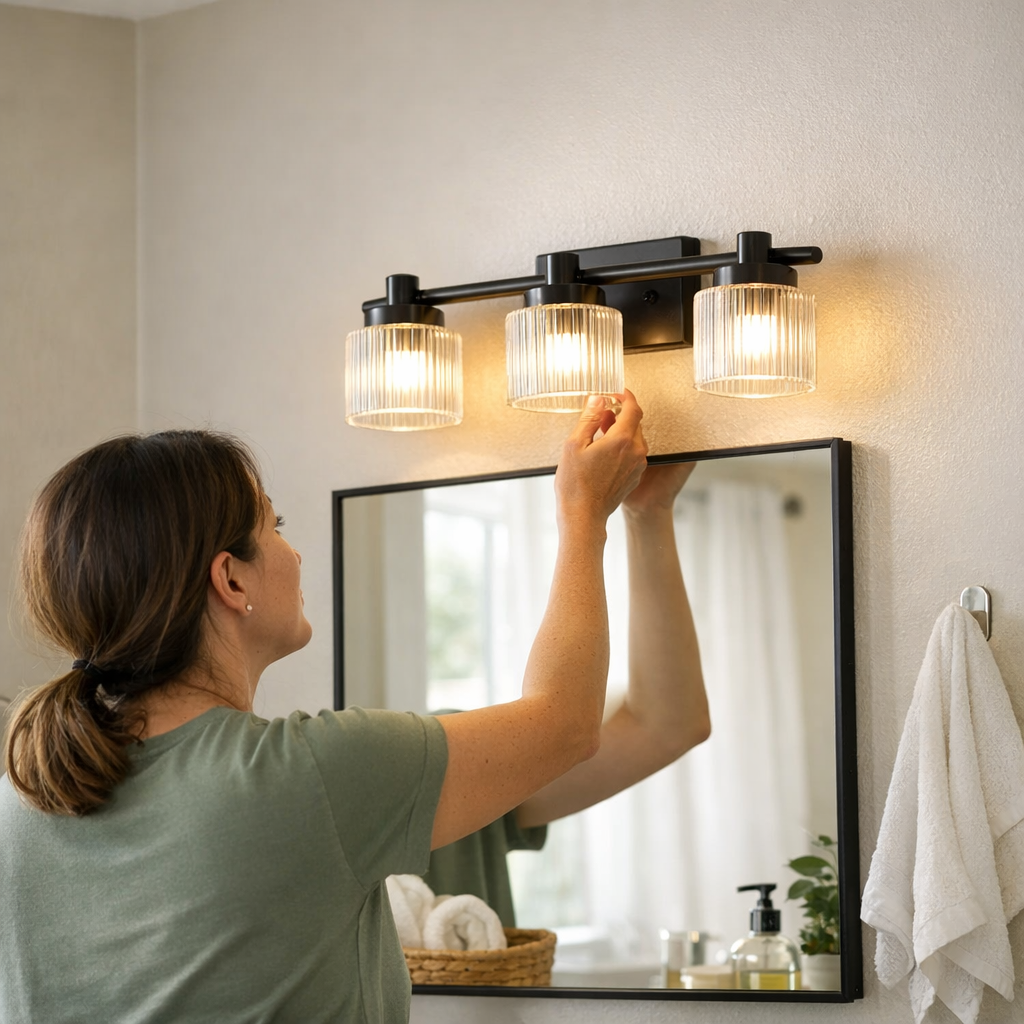
    • Bathroom Mirrors: An overhead fixture creates a sharp divide—half the face in glare, half in shadow. Shaving or makeup now means hunting for evenly-lit angles.
    • Under-Cabinet Spaces: Kitchen counters that look sunny at a glance can swallow your hands in shadow once you start chopping or reading fine print. The overhead light soaks the air, not the work zone.

    Quick check: At night, walk your usual routes using only the installed lights. Every spot where you pause, shift, or squint marks a true coverage gap—not a style issue, but a functional miss your next upgrade should address.

    How Shadow and Glare Compete—and Both Can Lose

    Many fixes trade one problem for another. Overpowering a dim vanity with a bright bar light above the mirror kills face shadows—but now every glossy tile glares, and your eyes catch harsh reflections instead of clarity. Replace hallway bulbs for higher wattage: the edges turn brighter, but a new slice of glare shines off the floor or the walls, still failing to reach the trickiest nook. Lighting design is less about “more” and more about “targeted”—where a well-placed sconce or side wall light, at eye level and aimed to soften, diffuses both shadows and glare without flooding the room or washing out details.

    The pattern is always revealed in the small, repeated adjustments. One week, you’re pausing to let your eyes adjust; next, you’re shielding them against glare. Consciously or not, you begin to work around the lighting instead of relying on it. The setups that actually work don’t just look right—they align with your routine, countering the precise friction points your habits expose.

    Tangible Upgrades, Immediate Results

    The best fixes aren’t about total overhauls—they’re usually one precise adjustment that removes a daily headache. Add a small wall sconce at head height beside a stair corner; you won’t see the effect from a distance, but your step lands as confidently at midnight as it does at noon. No more inching forward or guessing in the dark wedge. Or in that awkward laundry nook under the staircase—where the flush mount never reaches the washer controls—a budget under-cabinet fixture above the surface does more for visibility than any ceiling upgrade. Even reading a label or folding clothes stops being a chore of finding the angle; the light lands exactly where hands move and eyes focus.

    Evaluating Effectiveness: The Disappearing Problem Test

    The surest sign of a lighting win? Forgetting there was a problem. Once a sconce is moved or an under-cabinet light is added, and you go days without pausing, leaning, or fighting a blind spot, you know the change was right. The friction dissolves—not in appearance, but in the routine. Real success comes from living in the space and feeling the old adjustments fall away, not in bright catalog photos or perfectly balanced poses.

    Choosing Upgrades That Actually Fix the Routine

    Lighting improvement isn’t about bigger fixtures or chasing a “bright” look; it’s measured by the quiet relief of friction disappearing from routine use. Standard tips push aesthetics or raw lumen counts, but the payoff comes from that hundredth trip through a hall or the unbroken view in front of a mirror that always used to bother you. Choose upgrades that specifically reduce those daily pauses, strains, and shifts—the real “unfinished business” of any space.

    • If you’re still pausing for visual clarity, your lighting isn’t actually finished—regardless of how well-lit it seems.
    • Distinguish between rooms that “appear bright” and setups that let you work, move, and see without hesitation.
    • Target recurring problem spots—like shadowed corners, mirror imbalance, or dim under-cabinet zones—instead of spreading more light everywhere at once.

    You’ll know you’ve made the right change when you stop thinking about how to see and simply get on with what you’re doing. Lighting shouldn’t dominate attention; it should disappear into the flow of your routine, solving its job so quietly you forget it was ever a problem. For practical lighting made for real spaces and real use, check LightHelper’s full selection of indoor fixtures and solutions at http://www.lighthelper.myshopify.com.


  • How Proper Cable Management Transforms Desk Stability and Workflow

    You can stare at a spotless desk and still feel the drag: a cable snakes across your elbow, a charger cord nudges your phone dangerously close to the edge, your typing flow interrupted by one sliding wire. The minor tug and clutter look almost invisible at first—until another plug-in, another stretch for a notebook, or another off-center keyboard cue you to the real problem. It’s not just what’s on your desk that slows you down—it’s how cables cross, slip, and repeat the cycle of small collisions throughout your workday.

    Every ignored snag makes things worse. Charging cords have a way of creeping, pulling phones into drop zones or sending tablets skidding sideways. That mouse cable you left loose can unplug when you scoot your chair to grab a notebook. A monitor that shifts after every plug-in starts feeling like a slow leak in the whole setup. By midweek, these little resets become routine: shift, re-center, re-plug, repeat, even when the desk itself still looks organized at a glance. The friction builds wherever cables invade reach zones—especially between keyboard and screen—forcing you to fight the same hassle over and over during daily tasks, notes, or meetings.

    When “Organized” Still Interrupts: Recognizing Real Desk Friction

    A desk that looks clear isn’t always a desk that works. Hidden friction shows up fast when you try to move: cables zig-zag behind the mouse during a notebook swerve, a stray USB line lifts every time you reach for the phone, and clutter returns—this time by feel. The phone charger you line up each morning slides its way into your typing space, pushing pens, knocking the mouse, or just collecting dust in reach. Drop a few more connectors into the mix, and you’re primed for restarts and the occasional device drop, no matter how neat the setup appears.

    This is where most workstations break down: that so-called “managed” surface unravels as soon as you start actually working. It’s not about sweeping the top clear. It’s about whether your cable routes block or clear your hands—especially in the tight “swap lane” between the keyboard and monitor, where you flip between tasks and the mess shows up in motion, not just sight.

    Anchoring Cables: Which Solutions Match Your Routine?

    There’s more than one way to route cables—and each changes the work rhythm. An under-desk tray or sleeve hides most wiring, freeing up your hands and keeping surfaces open for fast keyboard/notebook switches. This difference gets sharp on cramped desks, where every inch of open reach counts more than visual order. Snap all the lines into a channel, and you can cross from typing to handwriting to screen without a cable sliding under your palm.

    But every organizing “fix” has a catch. Hide too well, and you hide convenience too. If you swap chargers, drives, or monitors often, fishing for the end of a cord under the desk turns a tidy setup into a time tax. Buried cable paths make routine reconnects awkward, especially for anyone with a mobile setup or shared workspace. For fast swapping, a simple cable box at the edge or a flexible clip sleeve keeps things both corralled and accessible—some order, some freedom, adjusted to what you actually touch. The trick is knowing where you need grab-and-go versus lock-down hiding.

    Difference Over Time: Repeated-Use Wins (and Drawbacks)

    On a desk with loose cables, every adjustment becomes a gamble. Reach for the notebook and a charger tugs a phone with it. Turn to plug in headphones and a mouse cable catches your sleeve. The payoff for anchoring—using cable trays or snap-in channels—is immediately tactile: the surface stays still, device positions hold, and the daily after-work “reset” shrinks from a tangle sort to a simple sweep. The reach path stays open and predictable, session after session.

    Still, cable management becomes self-defeating if you box yourself in. Anchored cables that can’t move at all end up requiring awkward stretches, under-desk dives, or even whole reset routines for what should be quick swaps. If your work pattern changes—think frequent monitor shifts, alternate devices, or hot-desk handovers—any ties that feel too permanent quickly become just another source of drag. The system needs to flow with how often you actually reconnect, not just look neat at rest.

    Small Realities: Keeping the Desk Fluid (Not Just Tidy)

    What reset the pattern on my own desk was simple: a clamp-on tray hidden just out of sight, anchoring most cords but leaving open loops at the edge for quick device swaps. Power strips stopped drifting below my feet. The monitor—once a sliding target after every cable change—stayed centered, no matter how many notebook flips or late-afternoon reach-overs. By the end of the week, the payoff was obvious: each plug-in felt mechanical, not like a mini cleanup. The desk went from “looks fine, feels off” to a surface that actually stayed set after every cycle.

    The system isn’t about appearances or total elimination of mess. Any workstation that forces you to slow down just to charge, swap, or move is stealing focus—even if it scores points for tidiness. Anchor cables where they don’t get in the way, and choose trays or boxes that match your change pattern, not some abstract idea of order. It’s utility first, visual calm second.

    Scenes from a Real Workstation: Where Cable Management Pays Off

    • Mid-morning switch: Keyboard shifts back, notebook comes out—no flick, no cable jerk, no phone sliding toward the edge.
    • Device shuffle: Drive and tablet plug into a hub mounted under the desk—top stays fixed, you jump between devices without snag or nudge.
    • Fast reset, no tangle: Unplug, pull a cable clear, that’s it. Everything stays lined up for the next round—no fishing under the desk, no wonky mouse, no recentering the screen.

    When these patterns get built into muscle memory, you notice what vanishes: the micro-pauses, the fingertip rescue missions, the recurring device drift. Especially on high-turnover days—with stacks of notes and constant plug-ins—it’s the lack of friction that stands out. If you keep having to “fix” cable paths, the routine isn’t working. Look for every repeat rescue; that’s a live signal your setup needs an actual reset, not just another cleaning.

    Quick Reference: Cable Management Uncluttered

    How do I stop cables from pulling or dragging devices?
    Route them through an under-desk tray, box, or sleeve—move weight and tug pressure off the surface so your devices can’t be yanked by accident.

    Will cable management block quick swaps?
    It can. Closed trays or tight sleeves slow you down if you swap often. Leave one or two key lines accessible with a desktop dock or an open box at the edge if you do frequent device changes.

    Do trays or sleeves really help in long sessions?
    Yes—anchored cables keep your reach area clean and steady, cutting down on mid-session distractions. Especially by the end of the day, the difference in energy and attention is obvious versus an always-sliding setup.

    The Real Test: Does Your Desk Work—Not Just Look—Better?

    A workstation that feels stable—even after a day of device swaps, notebook pulls, or shifting from call to call—is built on invisible fixes: cables routed out of the way, but not boxed in beyond what your pattern allows. The right cable management makes the desk feel ready for work, not just ready for photos. If you’re still pausing to move, rescue, or reset after every work burst, the cables are in control, not you. Arrange for smoother resets, and watch how quickly a “tidy” desk finally starts to work.

    Explore the full WorkBasic collection

  • Why Proper Bracket Placement Is Key to Seamless Lighting Setup

    A lighting setup that looks invisible when installed can quickly reveal its real-world flaws once you start using the space for actual work. The flush bracket hides behind the cabinet or desk until your sleeve catches, a cable droops into view, or you find yourself shifting papers just to avoid a sliver of glare. What seemed “minimal” in the still photo starts to interfere during every reach, wipe-down, or plug-in. The surface promises order but quietly produces daily friction—snagged hands, exposed wires, uneven light on key areas—that doesn’t fade, just shifts shape as your routine unfolds. The lighting world loves clean lines, but a clean look doesn’t mean a clean experience.

    When Looks Alone Don’t Solve the Problem

    Sleek, low-profile lighting is engineered to fade into the background—ideal for narrow shelves, multipurpose tables, or any surface where you fight clutter. But the “vanishing” bracket or hidden strip rarely stays out of mind once you’re back in motion. The same slim edge that disappears visually can intrude on your hand path. Brackets scrape skin during routine sorting, or a cable previously tucked flush sags exactly where you need to slide your laptop. The visual win collapses with every micro-interruption: a clean install that’s physically in the way becomes a silent source of irritation, and the hidden piece calls attention to itself every day.

    Scene: The Desk That Won’t Stay Clear

    A compact desk looks sorted: under-shelf LED strip, cable tucked out of sight, mount pressed flat to the back edge. But by midweek, paperwork and devices nudge the mounting bracket—now the “invisible” cable hangs loosely, glancing your wrist as you reach for a charger. The edge of each page lands in a thin shadow no matter how you adjust the pile. The desk stays visually crisp, but tasks pile up on top of small, compounding disruptions. Clean lines invite use, then demand correction.

    Why Practical Placement Matters More Than Minimal Looks

    Real use exposes what the eye misses: an unseen bracket isn’t unfelt, and an invisible cable can become an ongoing distraction. The “tidy” mount turns clumsy at the intersection of lighting, movement, and cleaning. Pushing a laptop forward, stacking binders close to a mounted strip, wiping crumbs from a compact counter—all can snag the part you thought would vanish. Friction comes from the overlooked crossing points, and each minor clash interrupts flow more than any visual clutter ever did. The difference between looking finished and feeling resolved plays out every time your routine collides with hardware you barely notice at rest.

    The Hidden Cost of Quick Installs

    Quick installs favor first impressions: symmetrical bracket placement, low-profile clips, cables pressed into arbitrary grooves. But a setup that scores on aesthetics alone falls apart during daily routines. Glare undealt with at the edge of a shelf, a bracket that pokes out just under elbow height, or a cable that you have to dodge every cleaning session—these are the failures that don’t announce themselves until you’re using the space for real. You hesitate before moving a file, or pause to adjust a fixture that never quite holds still. The setup never quite disappears, leaving a workspace that asks for constant maintenance.

    How Subtle Installation Choices Turn Into Everyday Interruptions

    Some setups pass the first day, only to let friction sneak in over time. One kitchen’s “floating” LED panel looked seamless—until a routine cleaning day dislodged the loose cable and caused flickering. In a busy workspace, two nearly identical wall-mounted lights told different stories: one flush against the wall, never noticed again; the other mounted just a hand-width too forward, scraping knuckles with every monitor shift. The misstep isn’t always dramatic, but it’s always repetitive—the break between use and design shows up in the small, frequent stutters of your daily routine.

    Everyday Evidence: The Test Is in the Repeats

    Most lighting issues make themselves known only after a few days of natural use. If your “minimal” setup requires you to steer around a bracket, flatten a cable that keeps curling up, or settle for dim corners and recurring glare, your system is serving looks, not function. The real test is whether the space lets you work, reach, and clean without notice—no hesitation, no correction, no persistent shadow to work around. Micro-problems build up, leaving an area that lingers in your attention for the wrong reasons.

    Small Adjustments, Big Improvements

    Most fixes are surprisingly minor: a bracket shifted an inch, a cable anchored closer to the wall, a low-profile mount swapped for a flush version. The difference? Disruption that vanishes for good. In one example, a desk known for constant cable migration settled down after the line was anchored just where hands stopped hitting it. The light stayed out of sight—and out of mind—because the cable stopped interrupting the natural path. In a kitchen, switching from a projected bracket to a flat-mount meant one less detour every night during cleanup. Small physical moves erase ongoing friction that looks tiny on paper and feels endless in practice.

    Tip: Test Before You Finalize

    Lay out your planned lighting or cable supports, then run through real motions—stack papers, wipe surfaces, plug in devices, adjust your chair. Watch which edges your hand actually contacts, spot where a cord creeps into view, feel for any sharpness or snag. Adjust the hardware before committing. This step is cheap insurance against a month of compounding hassle and overlooked distraction.

    Designing for Real Use, Not Just Visual Calm

    The real win is a setup that’s both invisible at a glance and unfelt in daily use. True background status means you never pause to think about glare on a notebook, a cable loose on a shelf edge, or a bracket digging into your wrist. No extra sweep with the hand, no sideways glance at a shadow. What you can’t see shouldn’t leave a mark in your routine. Until then, your “minimal” solution still has room to improve—because a lighting or support piece that solves clutter visually, but imposes new small struggles, hasn’t actually solved much at all.

    www.lightsupport.myshopify.com

  • Why Checking Box Depth Matters for Reliable Indoor Lighting Fixtures

    The most common—and costly—lighting mistake in hallways, stairwells, or laundry rooms isn’t the fixture you pick. It’s ignoring whether the electrical box is the right depth for the job. You can install a slim, high-tech, or damp-rated ceiling light and still end up with constant trouble: the fixture wobbles every time someone brushes past, leaves a visible gap or harsh shadow along the ceiling, or never sits truly flush. Each day, these flaws turn up in exactly the situations you notice most—navigating stairs at night, pausing by a bathroom mirror, or folding laundry under a light that can’t settle into place. Over time, that friction builds. Rooms stop feeling reliable. A space looks updated but doesn’t work any better.

    Where Box Depth Surfaces in Daily Lighting Friction

    It’s rarely obvious on day one. Maybe you install a clean-lined flush mount above the hallway or at a bath vanity. The brightness is better, but soon the fixture reveals a faint shadow perimeter—or an off-kilter rim where it should meet the ceiling. The supposed “upgrade” flickers with a sliver of movement, or the seams feel exposed every time a door slams or someone dusts. Instead of blended, the fixture broadcasts every small mismatch, and the interruption repeats every time the space is used.

    Shallow or crowded boxes are more than a visual issue. Wiring gets tight, leading to strain each time you adjust or clean. Mounting hardware that’s supposed to remain hidden starts protruding below sightlines. When a room is meant for quick, repeated tasks—stairs, entries, vanities—those visual and structural tensions never go away. Shadow bands, uneven edges, or off-center placements are not oddities; they’re constant reminders that the install wasn’t matched to the structure behind it.

    Repeated Use Reveals the Weak Spots

    What starts as a “minor” annoyance keeps surfacing, because real lighting success is measured in how the room gets used again and again:

    • Stairwells: A loose fixture throws halos onto the steps, distracting you the instant you pause at a landing and leaving dark spots in exactly the places softer light is needed for safety.
    • Bathroom vanities or mirrors: Shadow lines split your reflection, forcing you to shift side-to-side just to avoid glare or get even face light. Every close look highlights the imbalance.
    • Laundry counters and work surfaces: An unevenly anchored fixture cuts off the countertop’s edge in shadow, making it easy to misplace items or miss a spill during chores.
    • Corridors and entryways: Lights that won’t sit flush create glare patches that draw the eye away from the movement path, often making one side of a hallway bright and the other distracting or dim.

    Each time you adjust a bulb or clean around the fixture, you feel the compromise. Wires pinch tighter, mounts flex under light pressure, and those same awkward shadows or exposed screws resurface. Annoyance becomes routine, especially in spots built for quick movement and clear, usable light. Repeated use keeps revealing what the install missed.

    The Gap Between Appearance and Use

    Lighting catalogs rarely show what actually happens when a low-profile fixture meets the wrong box–not until you live with it. That supposed “invisible” mount only works when the depth behind the ceiling or wall lines up with the fixture’s needs. Go too shallow and you get tilted lenses, seams at the ceiling, and cold light leaking across the wrong surfaces. Even in spaces that look brightly lit, feet or faces fall into shadow. Harsh edges and off-angle glare creep in, showing that a bright result isn’t always a usable one.

    Imagine a hallway that’s technically illuminated but still shrouds each step in shadow—or a bathroom mirror that seems perfect until you lean in to shave or check details and find the light slicing your reflection in half. The letdown isn’t a style flaw; it’s a structural mismatch that surfaces with every routine.

    A Real-World Fix: Changing the Box, Not Just the Fixture

    Take a laundry area plagued by the problem. An ultra-slim LED, picked for its low profile and modern look, never sealed flat above the counter. Every time someone stacked shirts or cleaned the surface, the light wobbled—an exposed gap let in dust, wiring felt cramped behind, and uneven shadows carved lines across the tile. After weeks, the room felt makeshift, no matter how new the light looked.

    Replacing the shallow box with a deeper one changed everything. Suddenly, the fixture locked tightly in place, hiding every seam. Wires lay safely with room to breathe, and the entire counter was washed in steady, even light—no more dim edges or stark glare. That swap didn’t merely tidy up loose hardware; it removed a daily annoyance, turning a high-traffic work zone into a space that finally functioned as intended. Every movement felt steady, every task stayed visible, and the difference was clear every time the light clicked on.

    Catching Box-Depth Trouble Before It Starts

    How do you keep the problem from repeating in your next install? First, measure the box depth before choosing a fixture. Most standard ceiling or wall boxes are about 1.5 inches deep, but plenty—especially older or utility-room boxes—can be shallower. Always compare this directly to the manufacturer’s requirements. Warning signs aren’t subtle: if wires feel pinched, mounting brackets peek from under the fixture, or light leaks from unintended gaps, box depth is likely at fault.

    Signs You Need a Deeper Box

    • Fixture rocks, shifts, or refuses to sit flush even after remounting
    • Persistent shadow bands or glare lines surround the light
    • Wires feel tight or exposed with each adjustment or cleaning
    • Mounting hardware becomes visible around the fixture base

    These aren’t cosmetic details—they’re persistent obstacles. An ill-matched box turns daily routines into a series of minor corrections: shifting to avoid glare, squinting at shadowed counters, noticing uncovered screws. Letting these add up means the room works against you, not for you.

    What To Do If Your Box Depth Isn’t Right

    If you have broad access—unfinished ceilings or utility rooms—a practiced DIYer can sometimes swap a box themselves. For anything else, especially behind drywall, tile, or tricky wiring, call an electrician. Safety and long-term reliability trump saving a few minutes. Upgrading to a deeper box isn’t just about code; it guarantees that your upgraded fixture will sit solid, wires will stay protected, and the lighting will serve you as intended for years of repeated use.

    Practical Tip: Always Double-Check Before You Buy

    Don’t judge by appearance or spec alone. Before you add new ceiling lights to busy spaces—hallways, over stairs, vanities, laundry counters—spend two minutes checking how deep your box is and whether wiring can fit easily. That simple check is the difference between “quick upgrade” and months of nagging imbalance, shadow, and unnecessary strain every time someone flicks the switch or cleans the lens.

    Lighting That Works Where You Need It—Every Day

    The best ceiling and wall lights get out of your way—they serve the task, light the path, and vanish into daily routine. Box depth isn’t glamorous, but it’s often the missing link between lighting that just looks good and lighting that quietly performs. Especially where movement, visibility, and safe routines matter, don’t settle for a bright fixture that interrupts itself. Structure matters. Match what’s behind the surface to what your space demands, and let your lighting finally feel finished, not just newly installed.

    Explore the full LightHelper collection

  • How Flexible Cable Management Enhances Daily Desk Workflow Efficiency

    A desk can look immaculate at first glance—cables hidden, surfaces clear, every tool in its place—yet by mid-afternoon, small interruptions pile up. You shift your mouse or slide your keyboard, only to feel a snag from a cable tucked tightly beneath. Try reaching for a notebook or pivoting your monitor toward a colleague, and a resistance tugs back with just enough force to break your rhythm. When physical friction starts to show, you realize: a setup that looks clean isn’t always built to move with you. Surface order isn’t the end point—a workable setup means your cables, storage, and gear actually keep pace with the real, repeated motions of your workday.

    Cable Friction: Why Tidy Isn’t Always Functional

    It’s easy to believe that hiding every cable means you’re done. Under-desk trays sweep cords out of sight, floor boxes reduce visible mess, and desk-edge clips keep lines in check. But clean lines can mask growing trouble. If a cable tray holds wires in place too tightly, you’ll feel every chair adjustment through your mouse or keyboard. A charger cord drags across your planner. Floor boxes achieve visual order but may pinch cables or crowd the already limited room your feet and chair need. Desk clips offer fast access for swapping chargers or devices—until spinning a document means bumping into a snagged wire that steals desk space or yanks a gadget off balance.

    The gap between “cleaned up” and “actually functional” gets wider the more hours you put in. A strategy geared for appearances often fails the moment your workflow requires flexibility or quick rearrangement.

    How Setup Choices Play Out in Real Work Hours

    A setup that made sense on paper can become a barrier as tasks shift. Picture a small workstation: keyboard perched above an under-desk drawer, power strip at the back edge, a monitor squeezed between your planner and a file tray. Slide the keyboard even slightly, and a cable trapped beneath a drawer unit stops the movement short. Move the monitor, and the HDMI cable jerks taut, threatening a disconnection. By the time you’ve switched devices for the sixth time or tried to clear space for notes, under-desk storage units and cable paths feel less like organization and more like silent obstacles.

    These aren’t dramatic failures, but they drain momentum: a mouse cable caught on a drawer lip, a surface clip that bends until it snaps off, a power cord that won’t stay routed and instead spills across your footrest. Even the neatest-looking desk can develop its own quiet resistance the more you interact with it.

    Where Resistance Builds: Everyday Snags

    • Connecting a backup drive, only to find the cable’s reach forces your laptop and notebook into competing corners.
    • Pivoting the monitor for a quick glance with someone beside you and watching the cable pull the whole screen askew.
    • Moving from typing to notetaking but a phone charger drags across everything, scattering reminders and tangled notes.

    These moments aren’t disasters, but they make clear: a setup rigged for “showroom tidy” doesn’t always survive the routine of real work.

    What Actually Shifted My Workspace from “Neat” to “Usable”

    For months, my under-desk cable tray promised a tangle-free office. By week four, frustration set in—the more I moved, the more my desk fought back. The fix wasn’t just swapping products, but changing the smallest detail: switching to a flexible cable sleeve and leaving a simple palm’s width of slack where cables dropped below the surface. Suddenly, I could adjust the lamp for a late call, move the monitor toward the window, or even kick my chair back without triggering a ripple of cable snags or lost tools.

    That little bit of slack made the desk feel cooperative, not rigid. There was no more clumping beneath the chair, no surprise monitor slides, and no scattering of pencil cups from a cable popping loose. The improvement was less about hiding clutter and more about letting the setup bend with each routine movement.

    Small Details, Larger Difference

    Slack management isn’t the headline, but it’s what lets a cable sleeve earn its keep across a week of shifting tasks. Just enough give means you aren’t untangling cords after every device swap or hunting for a charger buried behind a drawer. The aim isn’t a perfectly staged desk, but one that endures the hour-by-hour changes you actually make.

    FAQ: Common Cable Management Friction Points

    How do I know when cables are actually slowing me down?
    If you feel any catch, tug, or forced reroute when you move your mouse, monitor, lamp, or keyboard—and this happens more than once or twice a day—it’s your workstation telling you the setup isn’t keeping up. Frequent micro-interruptions mean it isn’t just a cosmetic issue.

    Which is better for routine use: desk clips or cable trays?
    Desk clips make device swaps fast but keep cables in sight, and rapid hand movements can pull cords at odd angles. Trays and boxes sweep clutter away, but if there’s not enough slack, every everyday shift—grabbing a notebook, moving a chair—feels forced. The right choice depends on your device habits, but the test is simple: does your main routine flow without interference or workarounds?

    How often should I revisit cable routing?
    Every time you add a device, unplug a charger, or start noticing a cable migrate from its map, it’s time. If a cord drops where your feet rest, catches on a drawer, or gathers dust midweek instead of staying put, your setup needs attention. Overlooking these cues turns small frictions into weekly productivity drains.

    Visible Order vs. Reliable Motion: What to Watch For

    A desk that looks organized isn’t always easy to work with. Cable trays can turn into cable traps. Floor boxes solve one tangle only to create a new navigation zone for rolling chairs. Reliable workspaces aren’t judged by how invisible the cabling is, but by whether you can move between keyboard, screen, and notepad without a single disruption.

    The line between “tidy” and “truly usable” comes down to small, practical tweaks—a forgiving sleeve, slack at the drop point, a clip positioned for actual reach. Over time, these changes cost nothing in appearance but pay back every adjustment without drama or delay. Real organization is the setup you don’t have to think about when moving from one task to the next.

    Explore the full WorkBasic collection

  • Why Matching Connector Sizes Matters for Reliable Indoor Lighting Fixtures

    When your hallway throws shadows across the floor, your bathroom mirror edge blurs with steam, or your kitchen counter loses definition after dusk, it’s rarely just the bulb or the fixture style at fault. It’s often the connector size—the part that marries fixture to wall or ceiling, holding light exactly where your routine needs it. A mismatch here, and you’re guaranteed a slow creep of problems: loose fits, gathering dust lines, flickers on every pass, a once-unnoticed gap that nags every time you wipe the counter or hear a door slam.

    Why the Right Connector Size Shapes Real-World Lighting

    Connectors are the hidden backbone of flush mount and semi-flush ceiling lights, hardwired wall sconces, and any task fixture meant to hold up under real life. When the size is right, the fixture sits crisp against the surface—no daylight peeking through, no spongy give when you swap a bulb, no edge for steam or dust to claim. The moment the connector is even slightly wrong, routine use exposes it: a hallway fixture shifts whenever the door closes; a bathroom right above the mirror fades from clean line to blurred edge after just a week of showers; dust collects where the gap grows wider every time you clean.

    In spaces where lighting isn’t just décor but navigation—stair turns, tight hallways, laundry corners—the smallest connector misfit becomes a daily interruption. Maybe your fixture looked perfectly flush at the start. After a week of footsteps or a month of cleaning, you start seeing tattle-tale shadows where the ceiling and fixture no longer quite meet. Flickers creep in—not total failure, but enough to hesitate at the top step or glance back at the switch, wondering if the light’s about to fail for good.

    Everyday Friction: Where Issues Sneak In

    Hallways That Gradually Lose Their Clarity

    Cross the hallway after dark expecting one clean, shadow-free surface—and suddenly, one side falls away, the line where ceiling meets wall blurred. A slightly undersized or sloppy connector lets the fixture sag just enough that the wash of light is lopsided. With each slammed door or vacuumed floor, it drifts further: thin shadows along the baseboard, flicker from a loosened wire, and a subtle, nagging confusion when your feet don’t land where you expect. Light designed to reveal now hides hazards and adds uncertainty where clarity is needed most, especially at stair turns or corridor bends.

    Bathrooms and Laundry Rooms Pay the Toll Fastest

    Moisture never misses an opportunity. In a bathroom, a flush mount with the wrong connector lets steam sneak into the seam after every shower. Dampness warps paint, dust cements into stubborn borders, and the ceiling edge never quite looks clean again. You flip the switch and get a jitter of hesitation—not enough for a call to maintenance, but enough to notice every morning. In laundry rooms, connectors that can’t handle vibration will wobble the fixture loose; lids banging, baskets brushing by, and machines rumbling amplify tiny gaps into clear tilts or outright droops. The more you use these spaces, the more the flaw asserts itself: fixtures angled off, covers loose to the touch, cleaning always a battle with unreachable grime.

    The Subtle Ways Connector Mismatch Interrupts Your Routine

    Bad connectors become a built-in chore. If you’ve reseated a loose fixture, wiped at a dust line that clings no matter what, or paused at a hesitant flicker after closing a door, you’ve felt the impact. A small misfit ripples: a fixture that pulls away under each minor touch, extra seconds lost to cleaning stubborn corners, a quiet worry about exposed wires behind a tilted cover. In rooms meant to support daily movement—kitchens, bathrooms, busy hallways—these aren’t minor annoyances, but friction that slows your routine.

    Repeated use compounds the damage. Every bulb change, every cleaning, every time the fixture is jostled, the imprecise fit deepens. Instead of fading into the background, the light calls for constant correction—tightening, straightening, second-guessing if you’re about to see it flicker or slip out of place. With time, the risk spreads from cosmetic to function: exposed wiring, poorer resistance to dampness, a fixture that surrenders to gravity and routine alike.

    Two Fixtures, Two Outcomes: What Lasting Fit Actually Looks Like

    Put two flush-mount fixtures side by side on the same landing. The one anchored with the right connector stays sharp, flush, and bright—every bulb change is simple, every pass on the stairs is clear and free of distraction. Its spread is even, its shadow lines are where they should be, and it stands up to slamming doors and running feet without give.

    The other, installed with a mismatched connector, ages fast. At first, nothing is obvious—by week two, a tilt begins. By week four, dust lines betray the gap, and every passing footstep rattles a loose cover. It sneaks up: the stairway still looks bright, but movement feels less sure, and comments about the “dimmer” feeling begin even while the bulb is fine. This isn’t just visual—it’s a subtle erosion of routine comfort.

    How the Right Connector Fixes the Cycle

    Once frustration reaches a point you can’t ignore, swapping in the proper connector resets the experience. Suddenly the fixture is part of the ceiling again, zero sway as baskets pass or shoes bang stairs. There’s no more hunting for new dust lines, no pulse of worry over exposed wiring, no flicker after a steamy shower. Cleaning is faster, the room stops demanding your attention, and light finally acts like background support rather than a tiny, daily hassle.

    The change isn’t dramatic—it’s decisive. What stands out is the absence of “checking if the light is still tight,” the return of steady mirror clarity, and the end of shadow-tracing at corridor edges. The right connector doesn’t just finish the job; it takes the frustration out of repeated use.

    One Real-World Tip That Pays Off

    If you’re not sure whether your connector is right, don’t judge on day one. Check after a few days’ routine—watch for a wiggle, check for dust lines, or pause if you see that first hairline shadow after cleaning. These are your warning signs: address a small gap now, and you’ll skip months of daily annoyance before it cascades into a real problem.

    For flush mount, semi-flush mount, wall, and practical task lighting solutions built for everyday spaces that stay reliable with daily use, visit LightHelper.

  • Why Invisible Supports Make Wall Lighting More Reliable Over Time

    Cables stay tidy for a few days—then real life takes over. Stick-on mounts and plug-in lights promise a damage-free, markless setup, but by week two the limits show. Wires droop across desk edges, adapters dangle below shelves, and every brush with a chair leg risks yanking a cable loose. The wall might look “untouched,” but under every shared table, along compact work surfaces, or below kitchen shelves, small distractions build fast—cables sliding out of sight, plugs slipping free, surfaces harder to clean. Setup that seemed invisible at first becomes a daily interruption right where clarity, comfort, and order matter most.

    Why “Clean” Installs Breed Hidden Hassle

    There’s short-lived pride in an unmarked wall: no screw holes, no brackets—just floating fixtures and smooth lines. But when a lighting setup relies on adhesives or skipping hardware, friction is only delayed. The first few days are all about appearances—no hardware in sight, everything flush. Then reality sets in as cable weight tugs free, sticky pads let go, or someone moves a chair too close. What looks seamless on day one starts pulling itself apart under normal use.

    Hidden hassle shows up fast. Each routine action—pulling a chair, cleaning a shelf, plugging and unplugging—sends cables arcing away from the wall, drooping at the edge, or creating a visible dip under a desk. Hands and feet snag on loose lines. What started as a “minimal” solution devolves into near-daily maintenance just to keep the space functional and clean.

    The Real Cost of Bare Installations

    Skipping mounts or cable management buys fake simplicity, but it quietly trades away surface usability. Exposed or drifting wires don’t just spoil the look—their movement becomes a practical problem:

    • Shared work tables: Multiple users, more shifting. Each person adds stress to wires, pulling plugs or sending fixtures askew.
    • Tight corners: Chair backs, bags, or even elbows easily brush up against loose adapter cords.
    • Under-shelf kitchen runs: Quick passes with a broom or a grabbing hand tangle on low-hanging cables or wobble unsecured lights.

    A clean wall rarely means a friction-free space. Without real support—a discreet bracket beneath a shelf, a cable guide along the edge—the lighting setup moves, and that movement becomes visible mess and repeated annoyance.

    Visual Simplicity vs. Lasting Usability

    It’s tempting to hide every piece of hardware in pursuit of a perfect look. But the lack of subtle support leads to visible clutter and frequent frustration, especially where rooms are small or shared:

    • Cable creep: Cords flatten on install day, then arc down painted walls or across table edges as weight accumulates or adhesives fail.
    • Plug strain: Plugs slip from outlets, adapters dangle half-out, or a lamp flickers off after someone shifts a cord just slightly.
    • Snag points: Chair feet, cleaning rags, hands—all find the single wire out of place, pulling it further out of line with every routine movement.
    • Clutter clusters: Desk corners and outlets become hotspots for tangled lines, making the cord mess impossible to ignore before you even focus on the task at hand.

    The illusion holds until small misalignments stack up. Each bump or adjustment chips away at organization. The wall may be pristine, but the lived-in space feels tense and inconvenient—a setup that interrupts instead of resolves.

    Repeated-Use Friction: Real Scenes, Real Interruptions

    Picture the trade-off: You stick an LED strip under a floating shelf with adhesive. It disappears at install, but by day five, the cable slumps below the edge. The next chair roll snags it, feet catch, plugs inch their way out. Clearance under the shelf shrinks, making every cleaning sweep or quick grab for a charger more of an obstacle course. The “invisible” fixture is now visible as an everyday hassle—one that threatens to disconnect or tangle with each use.

    This scene isn’t rare. Under-cabinet lights in tight kitchens, bookshelf fixtures along hallway paths, workstations with shared power outlets—all amplify the same gaps: a missing bracket here, an absent cable anchor there, leading to daily interruptions, workarounds, and adjustments.

    Adjustment as a Red Flag

    If you find yourself nudging the same cable back, retucking an adapter, or dodging dangling wires every few days, that’s a support structure failing under real-life use. When your setup demands constant minor fixes, it’s a clear sign that invisible support is missing exactly where routine movement tests the install. Over time, these fixes become reflex, sapping focus and making the room harder to enjoy—no matter how untouched it looks when still.

    The Small Fixes That Quietly Change the Room

    The answer isn’t heavy-duty hardware on every wall—but a few low-profile pieces, placed where actual friction happens, can transform daily life. Try:

    • Finger-width under-shelf guides that keep cables taut and shielded from hands and legs, leaving surfaces clear without visible marks.
    • Small brackets, tucked just out of the direct touch zone, locking adapters or fixtures in place so plugs don’t shift or slip.
    • Well-placed anchors at shelf ends or along desk supports that keep cables parallel and prevent gradual drift, even if the remainder runs hidden.

    These pieces don’t dominate the look—but they change the feel: fewer disconnects and untangling rituals, easier cleaning, and setups that stay neat and quiet through actual use, not just after install. The space keeps its minimal appearance and becomes easier to live in—cleaner both visually and in everyday function.

    Tips for Sustainable Cable Management

    Secure cables out of sight, not just out of mind. Anchor wires to the underside of shelves, backs of desks, or tucked along edges—pick spots where movement occurs or drooping starts. One or two small supports in the right places last longer and work better than a handful of stick-on clips that loosen quickly.

    If adhesives are your only choice, start at stress points—test their strength where cables are most likely to pull. Reinforce before drift and sag appear. Always pair heavy plug-in adapters with a block or bracket so weight doesn’t pull down the entire setup—a detail most cord layouts alone can’t solve.

    The Hidden Advantage of Subtle Support

    The best indoor lighting arrangements aren’t just “clean” at first—they disappear from thought in daily life. When a bracket or guide holds fast out of sight, you don’t notice cables slipping, lose light to drift, or fight clutter beneath a minimal surface. The clean wall remains, but the space genuinely works—free of mess, continuous adjustment, and those small irritations that kill comfort over time.

    Most rooms don’t need more hardware—just better use of support, where movement and mess start to show. Don’t accept daily disruption to keep walls pristine. With the right lighting supports, you get both visual calm and practical order—untouched looks that actually hold up through use, not just through the first week.

    LightSupport – indoor lighting and support built to maintain real comfort, clarity, and order in practical spaces.

  • How Under-Desk Organization Quietly Transforms Your Daily Workflow

    The floor under your desk shouldn’t demand attention—yet it ends up controlling your workflow far more than the desktop itself. When cables drag against your legs, bins drift into knee space, and power strips snake just out of reach, each interruption breaks the illusion of order. Even a meticulously arranged desk becomes a frustration zone if what’s below keeps tripping you up. That half-hidden under-desk area quietly dictates whether you settle in and stay focused—or keep pausing to fix, nudge, and reset the same problems again and again.

    When the Floor Looks Tidy but Still Slows You Down

    Visual tidiness is easy to fake—and quick to betray you. Bins slide neatly under the desk, cords are swept to the side, surfaces look “finished.” It lasts about as long as your first stretch of real work. Halfway through the morning, after a few chair moves, one device change, and a single note-taking switch, the neat floor is cluttered again: a bin inches into your footpath, a charging cable hooks your shoe, and you’re crouched to untangle something that shouldn’t even be visible. These aren’t dramatic failures, but the inconvenience is relentless in small doses. A setup that looks clear still manages to slow you down, interrupt your stride, and force you to fix problems that keep resetting.

    Why Repeated Under-Desk Interruptions Add Up Fast

    What starts as a minor nuisance—bins just shy of where your legs should go, a wire trailing close to your rolling chair, the power strip migrating into pedal territory—compounds with every hour. You might catch it after the third reach for a notebook, or notice it’s become a constant fight by mid-morning. Every chair roll seems to bump a container sideways. Cords that were looped up drop just enough to snag a foot. A power strip meant to be easy-access spirals into a dust-collecting hazard, always a little too mobile, always in the wrong place.

    This is workflow friction on repeat: your returns to the desk are never clean. You stop to move bins so your knees fit, retrieve a cable, or reposition a drawer that’s crept into your swivel line. Instead of gliding back into work, you choreograph a minor reset. The cost isn’t obvious in minutes—it’s the way focus diffuses, pace slows, and task-switching gets harder every cycle. Each “small fix” becomes recurring static in your day.

    A Real-World Comparison: Passive vs. Active Setup

    Here’s the real break: A workstation that looks tidy but isn’t anchored (“passive”) melts into chaos as you use it, while an “active” setup with structural solutions stays predictable. Take cable trays: mount one under the rear desktop, and cords stay corralled above floor level. No underfoot clutter, no lost chargers, no tripping on tech. Drawer units that stop short of your chair’s sweep path don’t become hazards under pressure—they simply exist, always clear, never blocking your reach or yearly wear.

    The most usable desks aren’t pristine for photos; they’re the ones where, after an hour of work or a dozen position shifts, nothing has shifted beneath you. The bins remain anchored, cords invisible, and leg space clear. That’s what actually feels organized.

    How a Practical Reset Fixes the Real Problem

    Every lasting fix isn’t decorative—it’s a structural reroute beneath the desk. That means using a rigid cable tray installed just behind the desktop so every vital wire—laptop, monitor, hub—lives above your feet, off the floor, never dropping into the walking or rolling zone. If a power strip needs daily access, anchoring it in a cradle behind a modesty panel keeps plugs right at hand, no awkward crouching or cable grabs necessary. The result: wires are always within reach for a quick tether, but never in the way, even during fast device switches or phone charges.

    As for storage, abandoning a free-floating bin for a rolling drawer unit only helps if you position it so the chair’s glide path stays clear. That means drawers anchor just out of reach of knees and wheels—no more bins that slide away, wedge against the chair, or demand a mid-session shuffle. It’s rarely dramatic on the first day, but across a week or two, reset friction disappears almost entirely. The real test? You stop even noticing: you just slide back in, no need for a foot-nudge, a hands-and-knees rescue, or a focus break to reestablish order.

    Scenes from Repeated Use: Why “Looks Neat” Can Still Cause Trouble

    • Keyboard to notebook switch: Desk surface is clear, but each pull of your notebook means your knee catches a cable drooping below—a minor snag, every single time.
    • Rolling back after a break: You come back with coffee and the chair jams—a stray bin or drawer has slid several inches out. No smooth return; you stop, shift, and reset before you can work again.
    • Device charging cycle: Every device swap knocks a cable loose; the USB hub cord falls to the floor, so you’re kneeling for a rescue—third time this week.
    • The end-of-day reset: Bins have drifted, cables have tangled; instead of just shutting the laptop and walking out, you’re stuck restoring order that only ever lasts until the next round.

    Mini FAQ: Clearing Up Common Under-Desk Questions

    How can I keep cables off the floor but still access everything?

    Install a cable tray along the rear underside of your desk. This anchors cords up high, leaves plugs easy to reach, and eliminates runaway wires tangling feet or chair. For setups needing frequent device swaps, it’s the fastest way to cut daily interruptions.

    Do “loose” bins really matter that much?

    Yes. Unanchored bins almost always creep into leg space by afternoon, block chair rolling, and turn quick grabs into awkward reach-arounds—amplified as you switch tasks or reposition often. A stable organizer or anchored drawer unit eliminates that constant migration.

    Is it worth fully resetting my under-desk structure, or is surface tidying enough?

    Surface tidying is only cosmetic. A real reset means assigning stable, fixed zones for storage and cables under the desk, so each return is clean—no wasted motion untangling, no knee collisions, no clumsy rearrangement before you can settle back into focused work.

    The Real Test: Does Your Setup Stay Out of Your Way?

    What matters isn’t how the under-desk zone looks at 9 a.m., but whether you can move, roll, reach, and reset—repeatedly—without disruption. The optimal workstation is one that becomes invisible in use, not by hiding the mess, but by eliminating the background friction that breaks your workflow. When bins stop drifting, cables stay where you left them, and resets happen without a thought, real focus finally sticks. So if you keep bending for a fallen cord, nudging a storage bin aside, or wrestling with legroom throughout your week, it’s the under-desk setup—not you—that’s costing you most.

    Explore the full WorkBasic collection

  • Why Photographing Wires Before Disconnecting Prevents Lighting Issues

    Swap out a ceiling or wall light in a hallway, stairway, laundry, or bathroom—and small mistakes follow you for weeks. One wire in the wrong place, no photo backup, and the room looks finished but works wrong: a stair switch that does nothing halfway up, hallway zones stuck lit or dark, a mirror that glares in the wrong direction. The light is on, but the routine stumbles.

    Small Wiring Misses = Ongoing Lighting Friction

    Lighting feels simple on the surface—flush mount in the laundry, semi-flush in the hall, a vanity bar over the mirror. But under the ceiling plate, wire positions blur together fast. Skip the photo, trust your own memory, and what seemed routine ends up with the hallway switch triggering a distant glow, or the laundry counter trapped in shadow at dusk. You flick one switch, the wrong end lights up, and everyday movement is a little more awkward. It doesn’t scream to be fixed, but it sticks around.

    A missed wiring detail isn’t just a nuisance on install day. It weaves into every repeated use: missed steps at a stair landing, a well-lit room that still pulls your eyes away from the real work, or the daily glare from a mirror sidelit instead of evenly balanced. The lighting isn’t broken—but it calls for another mental note, another workaround, every single time.

    Where Lighting Mismatches Hurt Most

    Stairways: Switches That Drop You Into Darkness

    Think of a stair landing wired for a two-way switch. It works for one trip, then night falls, and carrying laundry up, you flip the bottom switch—nothing happens above. The top switch lost its control, the landing stays half-lit, and every climb feels off-balance. For stairs, coordination matters more than raw brightness. That gap shows up most clearly when your hands are full, and you hesitate mid-step, feet feeling for an edge you can’t see.

    Corridors and Laundry: Partial Illumination That Breaks Flow

    Install a flush ceiling light in a hallway or laundry zone and, at first, everything looks covered. But routines expose the cracks: you pivot at the washer, hunting for the dryer’s edge in harsh shadow, or cross the hall and find one wall fading into a gloom the switch can’t reach. A miswired or misremembered setup doesn’t block use, but it adds friction—forcing a head tilt, a shuffle, or a narrowed field every time you pass through.

    Bathrooms: Glare, Shadows, and Disrupted Routine

    Bathroom lighting exposes wiring slips brutally. One swapped wire, and the vanity strip throws glare to the left, shadow to the right—or vice versa. Shaving, makeup, face washing: nothing is truly visible, and the mirror becomes a guessing game. The room glows but fails on clarity, turning small routines into small frustrations you can’t unsee once you’ve felt the difference.

    One Sharp Photo—The Fastest Insurance Against Repeat Error

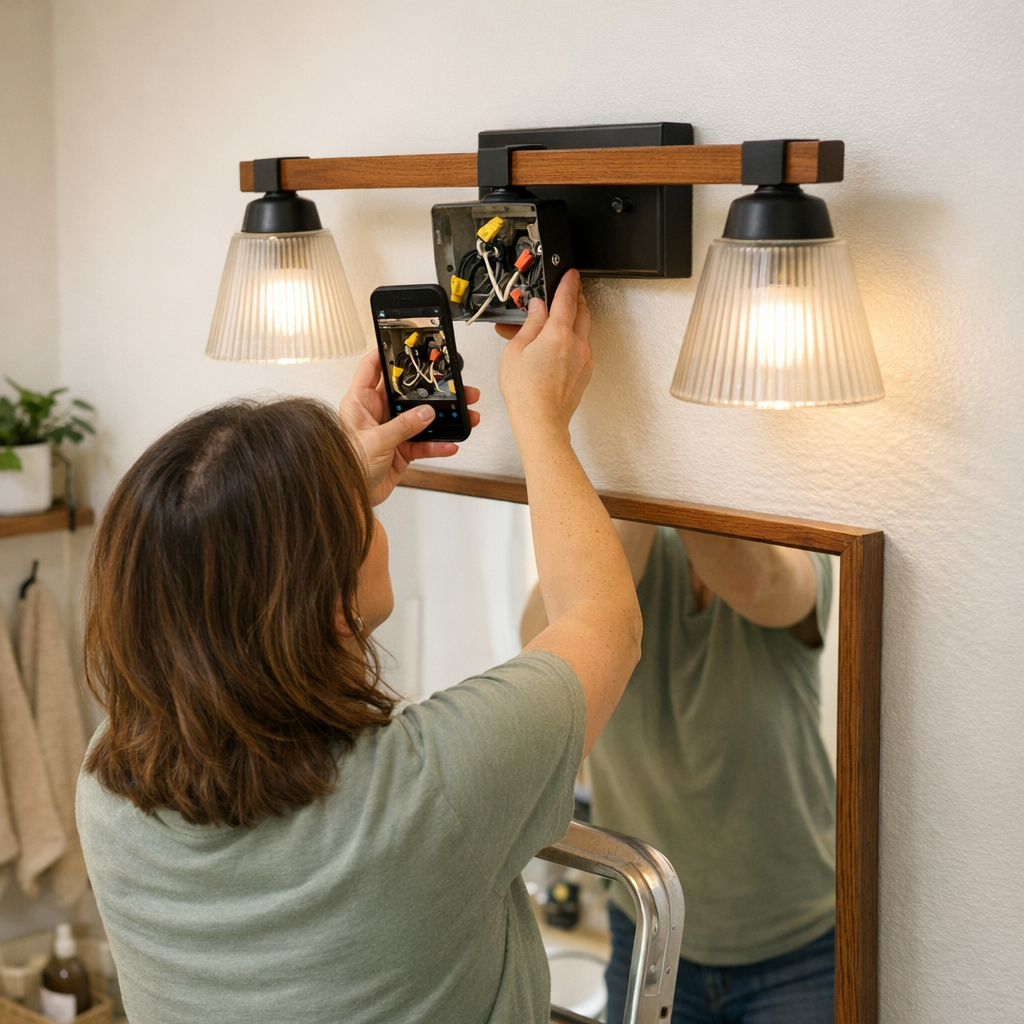
    Before loosening any screws, take a clear photo of how your current fixture is wired. Most ceiling and wall setups have three or more wires crossing tight box spaces—white neutrals tucked behind black travelers, grounds twisted and wedged, sometimes extra wires from old renovations. Later, when dust falls in your eyes and a wire slips loose, that single photo turns chaos into easy order. Your future self gets one glance and knows exactly what goes where.

    The payoff is not dramatic at first. But after days of normal use, the difference stands out: both stair switches control the landing every time, laundry lights the countertop—not the ceiling, mirrors stay evenly lit instead of flaring or shadowing, and hallway trips don’t need workarounds. The lighting setup disappears into the background, supporting every routine without breaking flow.

    Reduced Guesswork, Reliable Movement—Lighting You Stop Thinking About

    The win is quiet but constant: fewer wiring errors mean fewer daily interruptions. Stairs feel safer, hallways support movement, bathrooms keep faces visible, and the laundry fades into the background where it should. Old patterns—flipping the “wrong” switch, dodging a shadow, tilting for clearer light—fade away. The room is just usable, every time, with no extra thought.

    Pro-Tip: Make the Pre-Disassembly Photo Your Habit

    Ten seconds now prevents weeks of reworking, testing, or living with awkward zones and mismatched switches. Whether swapping a flush mount in the laundry, putting up new vanity sconces, or adjusting corridor lighting, that photo beats every mental plan. The habit is simple, but it protects every routine in your lighting zone from avoidable disruption.

    For flush ceiling lights, wall lights, vanities, utility room fixtures, and more practical lighting solutions: LightHelper

  • Optimizing Linear and Panel Ceiling Lights for Functional Workspaces

    The wrong lighting setup looks solved until you actually use it—then every missed spot, exposed cable, and awkward glare becomes a daily obstacle. You notice it during late-night reading sessions, when one corner of the desk sits in shadow no matter how you adjust. You feel the friction in busy afternoons spent shifting your chair just to escape harsh glare, or every time you try to hide a cable that keeps creeping back into view. That flush ceiling light looked right in the install photo—until the real routines exposed the gaps: a dim workspace edge, a cable you can’t ignore, and a room that runs on constant small workarounds.

    Setups That Seem Fine—Until You Actually Use Them

    First impressions hide the daily compromise. A clean, low-profile panel or linear light disappears against the ceiling but reveals practical failure fast. Mount a bracket a bit off, leave a cable in the open, or center the fixture instead of lining it up with where people actually sit, and you’ll start seeing these problems almost immediately:

    • One side of the desk always trapped in shadow, forcing your laptop to the middle.
    • Direct glare on your monitor every afternoon, no matter how you angle the screen.
    • Cables trailing where your arm rests, impossible to route out of sight or mind.

    The tidy install wears thin by midweek. Extra lamps pile onto surfaces. USB cords stretch across shared areas just to reach the last spot that still needs light. People quietly claim the least uncomfortable seat, and each workaround is a signal the setup serves the photo more than the people using it.

    Why Panels and Linears Outperform Bulbs—But Only If Installed for Real Use

    Panels and linear ceiling lights are built to throw light wide and even, covering reading zones, desk surfaces, edge tables, and shared work areas where bulbs can’t reach. But their advantage depends completely on how they’re integrated with the space. A fixture “centered” to the room but out of line with the actual desktop leaves the far edge dim. A cable dropped thoughtlessly into your task zone becomes a snagging hazard—a minor flaw that grows more irritating with every use.

    Real Example: A Finished Desk That Interrupted Every Routine

    Picture a shared study area: new flush-mount panel, perfectly level, exactly in the architectural center. On day one, it looked done. On day two, anyone moving to the desk’s edge realized the reading light cut off—one third of the work surface in shadow. The desk middle was usable, the edges needed grab-and-go fixes: personal lamps, stick-on LED strips, extension cords routed awkwardly below. By the week’s end, the room looked finished in photos but forced users into a rotating strategy of switching accessories and shifting seats, trying to get basic visibility and avoid eyestrain. The supposed solution introduced daily frustration in a place meant for focus.

    The same supports got repositioned and replaced again and again. The drag—unpacking a lamp, moving a bracket, stretching another cable—was minor each time, but stacked up to an environment that always felt one move away from right.

    Cable Management: The Subtle Difference Between Calm and Clutter

    Exposed cables and ill-placed brackets do more than bother the eye—they get in the way. A linear fixture that should unlock the workspace is undermined by a cable that dangles into your armspace or snags behind your devices. Every visible wire or support bracket that interrupts a hand movement, catches a sleeve, or shifts with every minor adjustment is a reminder the installation stopped at looks, not use.

    Route a cable to hug the wall and it disappears from focus and from daily risk. Mount a bracket that follows the furniture, not just building symmetry, and you prevent mid-task interruptions that sap concentration hour after hour. When these details are missed, every extra cable or lamp appearing over time signals the “solution” was just a pose—never a real fit for the space’s pressure points.

    How an Aligned Bracket and Tucked Cable Changed the Scene

    One practical change: shifting a linear light so the lit edge matched the desk’s actual working edge, not the room’s geometric center. Upgrading to a bracket that directed the cable flush along the wall instantly cleaned the desk zone—no more bumping cords, snags, or visual tangle. Edges grew as usable as the middle. Side tasks and group sharing improved. The result wasn’t just visual order but fewer mid-task disruptions, less on-the-fly lamp rearranging, and a setup people finally stopped noticing—because it started doing its job.

    The True Cost of Overlooking the Details

    Minimalist fixtures still introduce daily friction if not properly aligned with repeated use. The space might “complete” a design checklist while leaving users juggling distractions every hour: stray cables, misplaced beams, or unstable support hardware. These minor faults cut into focus, project flow, and comfort.

    Real use exposes the gap between planning and practice. Mount a fixture only for ceiling balance or photographic symmetry, and daily routines pay for it: patching clarity with extra accessories, re-aiming or unplugging lights, living under chronic glare. The mistakes show up as lost clarity, ignored workspaces, and chronic, quiet frustration—all because the setup fit the plan, not the pattern of real activity.

    Tips That Hold Up in Real Spaces

    • Prioritize surface zones over ceiling lines: Mount lighting so it follows where people actually work—desk edges, table boundaries—not just the room’s geometric order.
    • Make brackets and wires disappear in use: Any cable or support visible or touchable during normal tasks will become a fixture of everyday distraction.

    Everyday Improvement vs. One-Time Visual Fix

    The real win from panel and linear lighting comes when every bracket, cable, and light line supports real routines—not just the initial look. Clean mounting is just the start. The difference appears when the setup fades out of attention: no distracting glint when you move, no constant cable shuffle, no need for stacked fixes or resigned seat changes. When you do notice stray wires, shifting sight lines, or persistent “workarounds,” those are cues that a setup detail misses actual life, not just the design goal.

    LightSupport focuses on making those details right—for setups that work not just on install day, but for every hour of real, repeated use. Visit LightSupport