Category: Lighting & Work Setup

  • Why Consistent Corridor Lighting Tone Enhances Visual Comfort and Flow

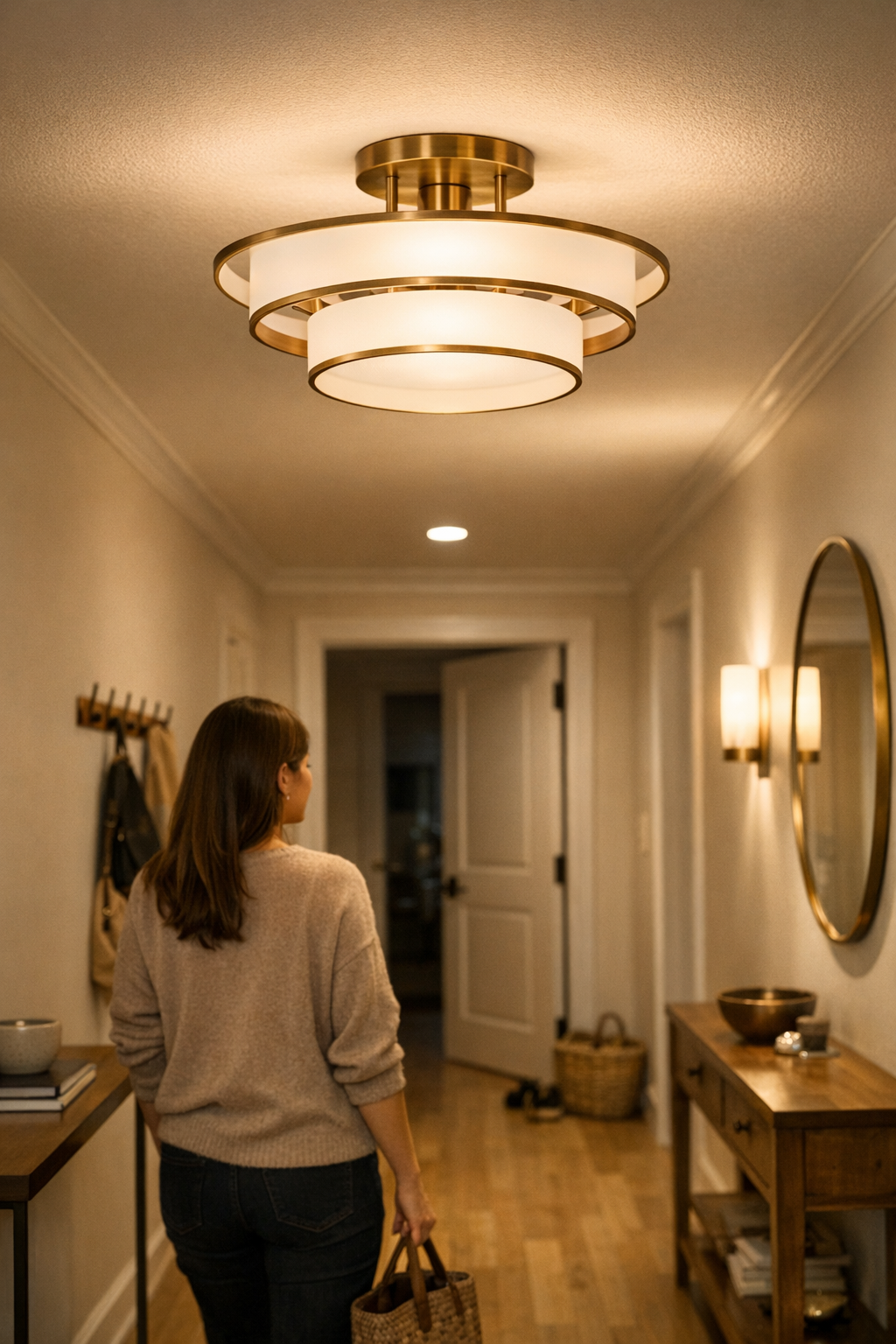
    Corridor lighting doesn’t fail on installation day—it slowly undermines routine every time you pass through. The real problem shows up a week in, when the hallway just feels “off.” One step is bright white, the next is faded amber, and the last bulb in line casts a cold, uncomfortable tint. Glare shimmers above a coat hook; a dim stretch by the entry hides keys and shoes in the shadows. The corridor doesn’t link rooms; it slices itself into uneasy patches. Even small differences—bulbs swapped at different times, panels from mismatched batches—build up until every trip down the hall delivers a visible, nagging inconsistency. What looked seamless in daylight now feels distractingly unfinished at night, especially when movement stops being fluid and becomes a string of micro-hesitations.

    When Light Tone Splits the Corridor

    It only takes a subtle shift: one “neutral” bulb, another “soft white,” and suddenly the hallway betrays itself. Step from zone to zone and the color temperature dips or spikes, forcing your eyes to adjust inside the same supposed passage. Edges blur, corners bounce mismatched shadows, and fields of glare or dull spots show up exactly where daily movement happens. The shift is worst after sunset—no daylight to dilute the contrast—so corridors meant for quick, direct movement instead trigger side glances and slowed steps. Functional space fragments into interruptive mini-scenes, exposing every substitution or shortcut in the lighting plan.

    The result is not just a different look but a drag on routine. It’s hunting for shoes in a yellowish bubble while the coat hook sits in a harsh beam. Pausing beside a glare-pool to let a guest pass, feeling shadows change as you cross threshold after threshold. Practice anything in that passage—putting on sneakers, hauling groceries, nudging the door open with a backpack—and the interrupted flow makes itself known over and over.

    How Small Inconsistencies Creep In

    Even deliberate planning can backfire. Matching fixtures is only as safe as their underlying batches. One missed detail—a replacement bulb pulled from the kitchen drawer, a panel strip reordered months later—sets off the chain. A “4000K” is not always a true match when the tint or batch has drifted. A corridor that looks aligned on install day drifts into patchwork reality: faint amber against cool white, haloes skipping from ceiling to wall, hotspots on tile or wood, awkward shadows down the baseboard. Under repeated use, the inconsistencies get easier—not harder—to spot.

    Daytime hides, nighttime reveals

    By day, mismatched tones fade behind other distractions. But at dusk, a corridor’s misalignments glare into view. Cold light bounces off one side of the wall, turning coats or pale surfaces blueish, while an opposite edge glows tired yellow. Pausing to check what’s underfoot, glancing back at a half-open door, you feel the disconnect more than see it outright—shadows that don’t line up, objects half-lit where you expected clarity. If you’ve caught yourself adjusting, squinting, or leaving something at the “better lit” end, you’ve run into the problem directly.

    Movement Exposes the Weak Spots

    Staying still can hide poor lighting, but hallways are built for movement. What seemed balanced across ceiling and wall breaks apart underfoot as you walk: floor shadows jump, glare streaks past hooks or shelves, depth flattens near doorways. Every change of step—especially when carrying something or rushing—makes the flaw obvious. Peripheral vision catches light shifts even faster: a misplaced panel, a too-cool surface, a streak of glare from an exposed LED strip that seemed fine on paper but disrupts repeated use.

    Crossing a five-meter corridor after dark becomes a silent checklist of small corrections. You slow down at a dim patch, sidestep a coat dumped in the glare, try not to miss the pair of shoes you can’t quite see in the corner. The “straight line” between spaces becomes interrupted by light—so much that you catch yourself wondering if a simple route could be simpler still.

    How Uniform Tone Transforms Corridor Use

    The fix isn’t an architectural overhaul—it’s consistent tone and matching support. Align every bulb, panel, or strip to the same neutral output (usually 4000K) and the physical corridor becomes functionally continuous. No more abrupt edge shifts. Baseboard shadows hold their line; door frames stop throwing weird bands. Grabbing a tote from the hook no longer means pausing to adjust your eyes. Even piles of shoes, which once vanished into a dark corner, become clearly visible with no effort. The upgrade isn’t about a showy change, but about making the corridor work so smoothly that it fades into the background of daily movement.

    Visibility you don’t need to think about

    A corridor with true tone consistency operates quietly. Whether you’re carrying groceries, reaching for a scattered toy, or walking with a guest, your movement no longer “bounces” against the light. The visual field stops shifting. You stop scanning for missed objects or hunting for a switch that shouldn’t be needed. Instead, the space finally acts as the seamless connector it was meant to be, supporting real routines without extra pause or friction.

    Common Misses and Field Lessons

    • Don’t trust visual similarity in the shop. Always bring a sample bulb and confirm both Kelvin rating and maker—similar appearance is no proof of identical tone when installed.
    • Never mix batches for panels or strips unless you’ve staged them side-by-side in your actual space. Factory drift—usually invisible in the box—can jump out once the lighting is installed down a linear passage.
    • Test before going all-in on installation. Lay out panels or screw in bulbs temporarily, then walk the corridor at dusk. Subtle mismatches become glaring under real-night conditions that no daylight or phone test can reproduce.

    Even a single inconsistent fixture unravels the intended flow. Narrow passageways punish poor alignment the hardest—side vision immediately picks up on odd tones and shadow breaks. Wide corridors disguise mistakes better, but in tight, high-use transitions, tone drift and panel mismatch pile up fast. The point isn’t to stage-perfect “design,” but to achieve comfortable utility quietly, so the corridor’s lighting supports, rather than interrupts, the routine it was meant for.

    Making Simple Setups Actually Comfortable

    If your corridor still draws attention after it’s “done,” something’s off. True lighting support isn’t about flash or fiddly options—it’s about resolving the basic sequence: clear sight, steady tone, smooth movement. When you can walk, reach, or check for essentials without thinking, the improvement feels invisible but real. Don’t add complexity; settle for a consistency that’s so natural you forget you ever needed to think about it. That’s when the corridor finally works.

    For practical indoor lighting, lighting support, and accessories to help corridors (and every space you repeatedly use) feel easier and more comfortable, visit LightSupport.
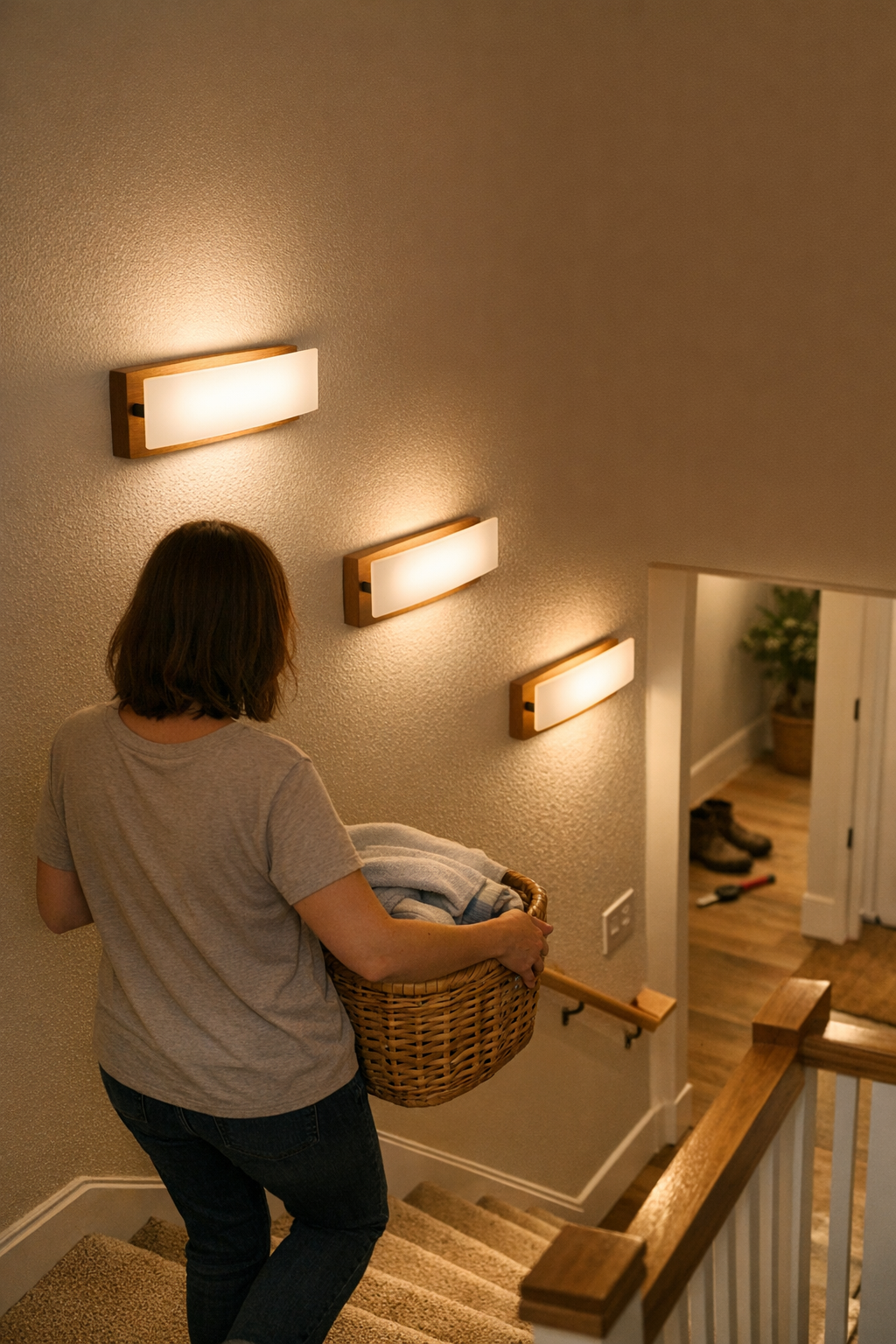

  • Why Adding Wall Lights Transforms Stair Safety and Visibility

    Most stairways look bright enough—until your routine exposes what the lighting misses. You’re halfway up, arms full with laundry or groceries, when a sharp shadow erases the landing edge. The ceiling fixture pours light over the general space, but the step in front of you blurs right where a stray shoe could hide. Every squint, pause, or foot that searches for a tread in the half-dark is a reminder: “well-lit” in theory can leave you guessing, especially at corners, top, or bottom steps. The real decision isn’t between bright and dim—it’s whether relying on just an overhead fixture lets unseen risks build up in your path, night after night.

    Why Overhead Stair Lighting Doesn’t Tell the Whole Story

    An overhead ceiling light covers the stairwell—but not the details that keep movement safe. Flush mount and semi-flush ceiling lights scatter a general glow across the steps, making the area look lit. On paper, it’s enough for routine traffic, especially during the day. But under real use, overlooked shadows and disappearing edges surface at the worst moments: the very spots where clutter gathers, or where a split-second glance can miss a tool, sock, or shifted tread. A bright zone overhead still leaves blind spots low on the stairs or at tight turns, regardless of bulb strength.

    It’s not about total darkness. What shows up is an uneasy hesitation: your foot slows before a shaded step, or your eyes linger, uncertain if you’re seeing a trick of the light or something you should avoid. These are holes in coverage—quiet friction points—missed in daytime but stubborn after dusk. They’re why even “bright” staircases trip up real routines.

    Everyday Routines Expose the Weak Points

    The limits of ceiling lighting become obvious the moment daily movement challenges them. Hauling laundry or carrying groceries, you ask yourself: Are all treads clear—especially that corner, that dip, or the first and last steps? Half the trouble isn’t in finding your way, but in second-guessing whether a shadow means something’s there. If you regularly slow down at the same spot, it’s not just habit; it’s compensation for what the lighting fails to show.

    The signal isn’t catastrophe, but irritation that builds every day: pausing at the landing, testing a toe before turning, peering into shadow for a dropped object. These micro-stalls don’t make headlines, but erode confidence in the space one hesitation at a time. Each routine stumble is less about clumsiness and more about fixture placement—not quite matching how people actually use stairs, especially as daylight drains or the house gets busier.

    Where Single Fixtures Fall Short

    On a straight, narrow set, a single ceiling light may just hold up—until autumn evenings or late-night returns stretch your routines. Add a stairway turn, open up the width, or increase foot traffic, and the problems multiply. Shadows invade the outer corners and landing edges, just as the main fixture bounces light onto walls or glossy surfaces, sometimes creating glare overhead and darkness underfoot.

    The issue isn’t the fixture’s design, but the one-size-fits-all approach. High-use steps fade first, while bright highlights stay above eye level and real visibility thins out below. On busy days, it’s easier than you think to overlook a wayward toy, misjudge a step’s edge, or stall in front of that same dark patch—while the ceiling glows, but the stairs themselves test your attention with every pass.

    How Supplemental Wall or Step Lighting Changes the Experience

    Adding wall or step-level lighting doesn’t just make the stairs look different—it changes how you move. Shielded wall sconces or discreet, low-mounted step lights don’t decorate; they deliver clarity along tread lines, corners, and landings. Suddenly the spot you used to pause is mapped out in calm, direct light. Edges become certain, dropped items stand out before you reach them, and late-night trips stop demanding double-checks at every landing.

    This isn’t about more wattage. It’s about putting focused light where movement and safety actually happen. When each crucial step, from top to bottom, is neatly defined, the difference isn’t just visible—it’s felt whenever your foot lands exactly where you expect, and the routine pause at the turn disappears on its own.

    Not Just “Brighter”—But Clearly Safer Movement

    During daylight, supplemental lights may fade into the background, but as routines return—pets dashing, kids carrying books, you rushing at dusk—the transformation is unmistakable. Safer passage comes from fewer blind guesses and more routine confidence, not from flooding the stairwell with raw brightness. The stress isn’t in darkness, but in the need to look three times before stepping; step-level lighting removes this tension by making the next move obvious.

    Practical Tips for Reliable Stair Visibility

    • Use shielded or diffused fixtures. Bare bulbs and intense downlights create glare or harsh patches; aim for fixtures mounted just above tread level, washing light gently across each step instead of blasting it downward.
    • Tackle the weak spots first: Prioritize the riskiest areas—the top step, first landing, and at any sharp turn. Even a single added fixture at these points can eliminate routine hesitation where it matters most.
    • Test lighting at night—and with normal movement flows. Setups that seem fine during installation can feel inadequate after dark or in real use. If you still find yourself squinting, pausing, or prodding a step, shift the angle or add a fixture until those moments vanish.

    When Lighting Matches Actual Stair Use

    The mark of a properly lit stairway isn’t a wow factor—it’s friction that quietly disappears. Lighting that follows your steps, your turns, and your armloads lets the space adapt to real movement, not just floorplans or catalog shots. The impact is plain: no more reaching a landing in doubt, no more searching with your foot for a hidden edge, no more annoyance when dusk arrives before you expect it. Instead of adjusting your stride to fit the lighting, the lighting adapts to you.

    Even familiar homes reveal the gap between “looks bright” and “feels reliable” once routines put fixtures to the test. The payoff isn’t luxury; it’s simpler, safer movement—one that’s felt every night, every errand, every trip up or down. Find solutions for safer, clearer stairway lighting at LightHelper.

  • Creating a Functional Desk Setup That Supports Seamless Device Changes

    The clean desk illusion tricks nearly everyone: cables vanished, devices lined up, surfaces clear—on day one, the workspace looks ready. By midday, reality hits. You reach for a charger or try to slide your chair in, and suddenly that perfect order demands workarounds: a cable tug here, a bin blocking leg space there, a monitor that won’t shift because the wires are locked in. What seemed sleek at 9 a.m. now becomes a daily loop of micro-frustrations—proof that neatness isn’t the same as a desk that actually works when you need it.

    The Real Cost of Prioritizing Looks Over Function

    Chasing visual order is satisfying—a clean surface is easy on the eyes. But burying clutter without considering movement or reach turns the so-called upgrade into its own obstacle course. The decline is quiet at first: a charger cord flicks across your notes, a power block cramps your legs, a cable snags when you shift the keyboard. Ignore one, and another crops up: plugging, adjusting, and moving things becomes part of the routine, not for better flow but because the “order” creates its own set of steps to undo.

    When “Tidy” Gets in the Way of Real Work

    A workspace looks perfect just after reset—wires pinned to the rear edge, adapters stowed below, not a single cable on the desk. But this staged calm never survives actual work. Need a different laptop? Undo the clips, thread the cable—there goes the so-called efficiency. Phone low on battery? The outlet is boxed behind a bin; now you’re crouched on the floor. Adjust the monitor? The tightly routed cable either pulls loose or simply doesn’t move far enough. Instead of supporting the workflow, the setup starts fighting every new task.

    Classic Friction Points That Sneak Up Fast

    • Cable Cross-Talk: Neat routing puts cords where your forearms need to go, snagging your wrists every time you jot notes or type.
    • Blocked Movement Paths: Under-desk storage brings surface relief but can jam your legs or force awkward pivots—especially on desks that already feel tight.
    • Pinned Power Bricks: Out-of-sight cable boxes mean every switch or swap requires bending, digging, or partially unpacking the setup just to charge one device.

    Where Setup Decisions Actually Matter: Repeat Use, Not First Impressions

    The real desk test happens in motion: switching quickly from keyboard to notebook, prepping for a call, dragging in a second monitor at 4 p.m. A cable tray fixed too far back? Now every device change breaks flow—you’re ducking under the surface, knee bumping a drawer mid-meeting. Display cable routed tight for looks? Monitor height is now a multi-step detour, not a quick adjust. It’s not the cable count, but the way each one adds invisible steps—standing up to reach a charger, shifting everything just to regain elbow room, or realizing you’ve tucked away the one adapter you now need. A desk works in practice when friction drops every time you reset, not just when the surface is empty at the start.

    Routine Interruptions Add Up Quickly

    Interruption rarely looks like mess. It’s your pen blocked by a cable stretch, a headset that nearly reaches but pulls back at the last centimeter, a mouse path interrupted by a tray edge. If you handle multiple devices, shift between seated and perch postures, or adjust your monitor for different jobs, every layer of “tidy” that isn’t designed for change becomes another stop-and-rethink moment. The cost isn’t clutter—it’s the slow leak of focus every time you hit a snag.

    The Small Change That Made Returning to My Desk Seamless

    The biggest shift? Not another organizer, not endless ties. I mounted a simple open cable tray along the front edge of the desk—ten centimeters back, within reach but off the work surface. Instantly, cables cleared the desktop, chargers and adapters stayed ready, and the usual plug-and-swap routine no longer meant crawling or dismantling half the setup.

    This worked because:

    • Chargers and cables stayed accessible—every device swap was just a reach, never a search or a crawl.
    • No whip or drag over papers; cables flexed but didn’t spill into the workspace.
    • Routine resets—typing, sketching, hopping on a call—didn’t involve undoing yesterday’s order. Nothing jammed, nothing hidden only for “neatness.”

    Over time, this single change beat every attempt to hide or box away wires. The desk stayed ready between sessions—no more undoing “tidy” just to begin again.

    Questions That Come Up in Real Use

    How do you keep cables both tidy and accessible?

    Don’t hide usability for appearance: An open tray just under the front edge means cables are tidied away, yet instantly at hand. Closed boxes and clipped routes trade away practical speed every time you need to add, remove, or swap something—no matter how neat they look.

    What’s the most costly mistake in cable management for a working desk?

    Pushing minimalism at the cost of function: When everything is clamped or routed out of sight, device swaps require disruption. You lose real speed if the flow depends on undoing “organization.” Work slows, and the supposed improvement starts to wear thin within days for anyone who changes hardware or repositions frequently.

    How quickly do these issues start to matter?

    If the desk hosts shifting tasks, mixed gear, or regular resets, you’ll notice the drag the first week. Smooth on day one, stuck by day five. The minor workarounds outnumber the visual wins fast—and compound until it feels easier to work anywhere but the “organized” desk.

    What Separates an Organized Desk from a Reliable One

    Reliability isn’t a perfectly silent surface; it’s being able to return, plug in, shift position, and pick up where you left off—without first fixing or unblocking part of the setup. The best desktop setup is the one that removes double-checking, pauses, and forced resets, not just clutter.

    Tidy is only the beginning. Lasting gains come when your setup fades out of the way: nothing to fiddle with, no detour just to access your own equipment, no ritual reset. If each session makes you rethink cable paths, move drawers, or chase adapters, “good organization” is only hiding the problem. The difference is plain by the flow: does your desk help you start, or does it make you fight the same hidden frictions every time?

    Explore the full WorkBasic collection

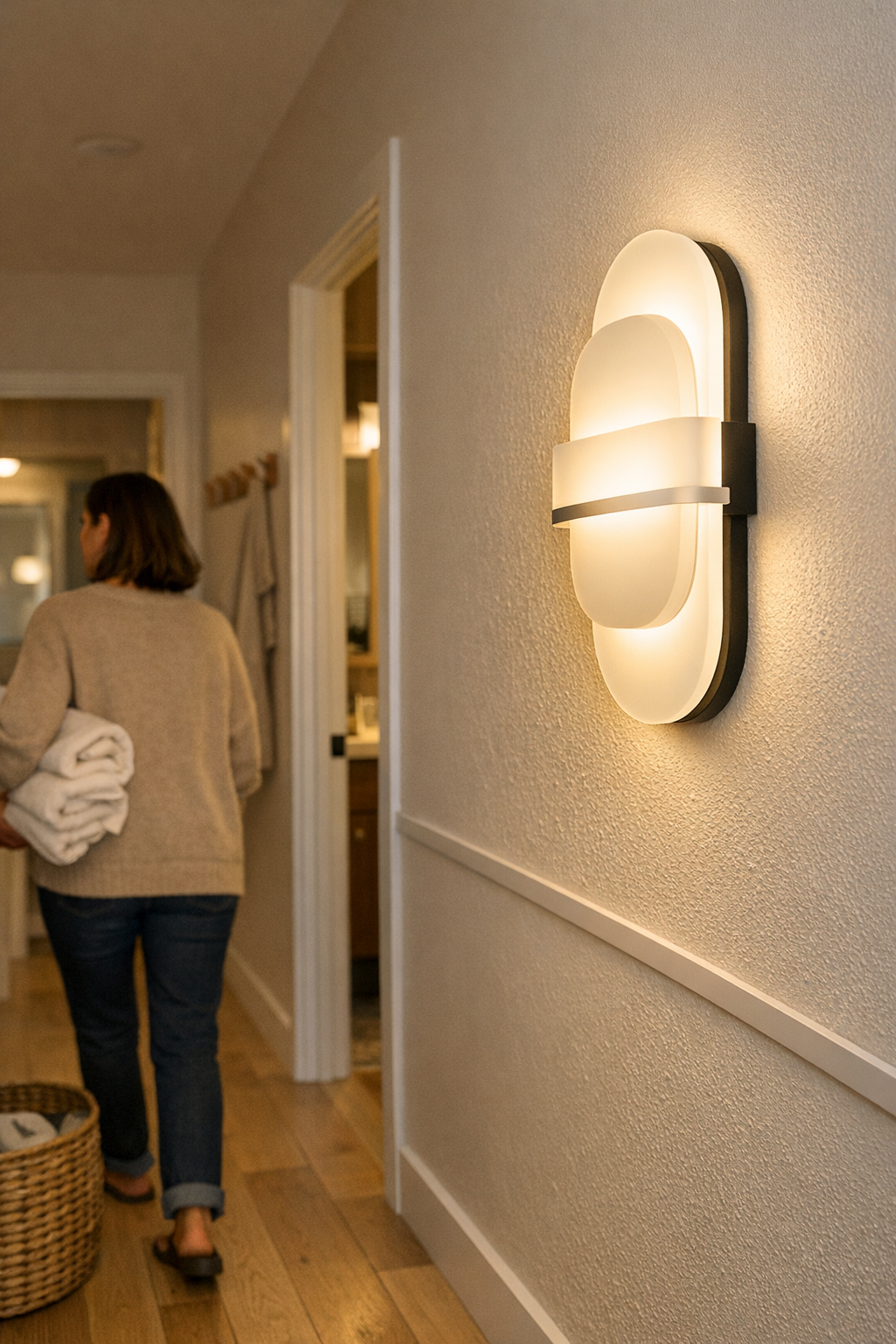
  • Creating Calm Hallway Lighting That Eliminates Glare and Clutter

    Hallway lighting failures don’t stay hidden for long. The sharp glare of a bare LED panel, the uneven pools left by a flush ceiling fixture, the exposed under-shelf strip that looked invisible in the package—all of them show their real limits once daily routines start to test them. Turn the corner with an armful of laundry and squint at the hotspot flaring at eye level. Notice a thin cable threading down to the outlet, slightly out of reach but still distracting in your side vision. Pass through before sunrise, hesitating at the shadow lines pooling in front of doorways. Every pass, each soft stumble, adds up: what began as “clean” now means pinched sightlines, unpredictable brightness, a trip over an awkward support when you’re not fully awake. Weak hallway lighting isn’t a small inconvenience; it’s a repeated interruption, dragging attention exactly where you want none—into the gaps, the glare, the hardware that never quite fades from view.

    Where Minimal Lighting Setups Trip You Up

    Minimal fixtures rarely stay invisible once you need the space to work. That flush LED tray promises a crisp ceiling line, until the exposed diodes catch your eye and force you to change your path. Plug-in lights on the shelf edge look “discreet,” but their hotspots carve sharp transitions as soon as a doorway breaks the beam. Even if you only register a quick glance away or a slight body shift, those micro-adjustments signal a setup that isn’t truly blending into your life. Day-to-day use turns these small misalignments into friction: hands reaching for backpacks in the morning, tired eyes darting from glare on a midnight snack run, one person shifting their stride to avoid the same hard-lit patch near the linen closet.

    The real problems multiply with movement—especially with other people, bags, or just the collision of regular activities. A cable that looked hidden in photos snags on a shoe or hangs one inch too low. “Perfectly placed” once, a fixture now throws shadow bands down the wall or makes a narrow passage feel even tighter. Hardware that promises minimalism draws the eye every time you pass, refusing to disappear when routines demand the space just work. In real homes, the lived friction always outpaces the showroom promise.

    Lighting That Works With — Not Against — Your Movement

    Hallway lighting has to move with you, not stand in your way. It isn’t a question of pure brightness; it’s about consistency—light that fills without shouting, so every walk-through feels neutral, no hesitation. Controlled diffusion changes everything:

    • Flush ceiling panels “disappear” on install day, but the hard downward beam bounces off floors and makes glare nearly impossible to escape in motion.
    • Wall-mounted diffusers or under-shelf bars, slightly more visible at first, actually cast an even wash across your walk—softening corners, dissolving abrupt edge shadows, letting you ignore the fixture entirely after a few passes.

    The shift isn’t just theoretical—it’s immediate and gets sharper the more the space is used. One week with a good setup: you stop bracing for eye shock by the bathroom door, no longer pause to dodge a bright spot, and baskets or bags stop catching in the same overlooked corner. When hallway lighting works, you “forget” it—not by hiding the fixture, but by removing the tension that makes you notice where it fails. Unremarkable is the goal: light that fits so well it becomes part of your muscle memory, not a navigation challenge every night.

    Real-World Hallway Setbacks: Where the Setup Fails

    Picture the hallway at its worst moments: arms overloaded, lights needed most, routine breaking down. That exposed ceiling bulb worked fine until you flinch and grope along the shadowed wall, eyes burning from a misplaced hotspot. A cable running along the ceiling skips the tidy look altogether—hooking coat hangers, snagging a child’s sleeve, or just interrupting calm every single time you see it out of the corner of your eye.

    Compact hallways with shelving or multiple doors multiply the problem. Strong beams frame the space exactly wrong—turning “organized” storage into blind corners or giving every reach for a coat a lingering moment of awkwardness. The missed seconds and flickers of discomfort aren’t in the marketing photo, but they become the real cost of an unresolved setup, day after day.

    What Changes Hallway Lighting From Distracting to Dependable?

    Reliable hallway lighting is built with placement, not power. More lumens or a trendier fixture won’t undo practical mistakes. What usually makes the big difference: a low-profile, wall-mounted light run parallel to the hallway’s length, cable-managed in a channel that matches your trim, installed at roughly one meter above the floor. It’s not flashy—it’s a structural shift.

    • Positioning below eye level wipes out direct-glare crossfire; you stop wincing on each pass.
    • Wall wash softens the sharp baseboard shadow and brings dim corners into usable view—night or day.
    • Neutral cable channels ride tight to the wall or baseboard; wires disappear, and nothing interrupts shoes, baskets, or shoulders cutting through.
    • Doorway “blast zones” vanish: the surface stays visible, even, and free of sudden visual drama.

    Give it one month: the nagging shuffle disappears, glances at the lighting drop off, and the old habit of squinting or bracing fades. The fixture no longer asks for attention—because it truly blends with how the space is used, outlasting showroom perfection by simply not getting in the way.

    Practical Observations for Smoother Hallway Lighting

    Don’t Try to Dim Your Way Out of Glare

    Most hallway glare comes from exposed bulbs or direct-view LEDs, not raw output. Lower wattage only softens the problem; it doesn’t fix the underlying angle or intensity. Diffusing shields and smarter positioning almost always deliver clearer comfort than fiddling with how bright the room feels on paper.

    Cable Management Should Quiet the Space

    Unmanaged wires don’t just look off—they drag your eye every time you pass, breaking concentration and adding visual clutter. Closely fitted cable channels, matched to existing baseboards or run behind shelf lines, make wiring silent in daily life. After a few days, covered edges vanish and your focus returns to simple movement, not sidestepping the setup.

    Mounting Height Matters—Aim for Steady, Even Light

    Mount hallway lighting at about one meter above the floor when possible: this avoids harsh sightlines, broadens the spread, and keeps fixtures out of the danger zone for door swings. Especially in narrow passages and with low ceilings, the payoff is less in appearance and more in how routine movement stays relaxed—no dodging brackets, no glancing at the light mid-step.

    The Real Test: How the Space Feels After a Hundred Passes

    The difference between a hallway light that looks good on install day and one that works month after month is always revealed in routine. If the fixture “disappears,” not by hiding, but by never breaking your flow, you know the setup is finally right. Lasting comfort isn’t about technology or perfect cable runs in week one—it’s about designing away those little repeated stings that nobody notices until they’re finally, quietly gone. Only then does the hallway become what it was meant to be—just a part of daily movement, no longer a reminder that something didn’t fit.

    Shop practical indoor lighting and support at LightSupport

  • Why Under-Cabinet Lighting Transforms Kitchen Detail Work Efficiency

    The difference between a kitchen that looks bright and one that actually works becomes obvious as soon as you reach for a knife at the counter. Overhead fixtures might flood the room with light, but the first time you try to slice vegetables after sunset, it’s clear: the countertop itself is still riddled with glare, uneven shadows, and dark corners where you actually need to see. Every meal prep becomes a pattern of leaning closer, shuffling cutting boards into the “least bad” patch of light, second-guessing ingredient colors, and wiping the same area twice because debris hides just out of view. For anyone relying on ceiling lights alone, this isn’t a rare annoyance. It’s a daily design problem that wastes time, strains your eyes, and makes ordinary tasks more awkward than they need to be. The right lighting setup isn’t a style choice—it’s a silent determiner of how smooth, safe, and stress-free your kitchen routine actually feels.

    When “Bright Enough” Isn’t: Shadow Problems in Everyday Kitchen Use

    A room can seem brightly lit until you actually put it to use at the counter. As soon as you step up to chop, measure, or scrub, overhead-only lighting exposes its weakest point: you’re always working in your own shadow. Cabinets overhang the workspace, your body interrupts the main beam, and even the most powerful flush-mount fixture leaves part of the counter dim. Before you notice it, you’re squinting at labels, dragging utensils to the front edge, or nudging a coffee maker toward any available light spill. This low-key struggle becomes routine, even if you’ve gotten used to the workarounds.

    The consequences add up: missed crumbs, knife slips, tomato seeds sticking to unseen patches, or a backsplash that’s never really clean because you just can’t see that last streak. Every subtle frustration stems from the same flaw—surface lighting that only looks good from a distance, but fails right where you need clarity most. The urge to “just get through” the task grows stronger with every evening meal, every hurried morning, every repeated workaround that interrupts real flow in the heart of the house.

    Why Shadows Keep Returning: The Limits of Overhead Fixtures

    Traditional ceiling fixtures are designed for general brightness—but they almost never solve counter-level visibility. Task surfaces are exactly where ceiling lights perform most poorly. Cabinets and arms cut off the beam, creating uneven patches. You turn on the switch, step forward, and instantly see the lit backsplash fade to gray under the wall cabinets. The edge of the counter vanishes. You find yourself creeping forward, stacking bowls in the only visible zone, or trying to twist a stronger bulb into the socket, only to have glare replace darkness and hotspots pop up beside new shadows.

    The scenario repeats every time: you prep dinner with the main light on, but ingredient details are still dull or hidden. Upgrade to a modern ceiling fixture, and the old imbalances still win. No matter how bright the room feels overall, the counter keeps you trapped in a loop of adapting or accepting half-seen tasks—always pushing for a spot where you can “just see enough.”

    Under-Cabinet Lighting: The Everyday Improvement That Sticks

    Lighting the work surface directly—close to where you actually cut, wash, or organize—breaks the cycle of dimness at the core of your kitchen routine. Under-cabinet lighting isn’t decorative. It’s a physical solution to the specific defects of ceiling-only setups. A well-placed linear strip along the inside cabinet front throws even, focused light across the entire counter. No more shifting side to side to dodge your own shadow. No more missing a rogue peel or oversalting dinner because of muddled contrasts.

    • Accurate ingredient colors, visible without adjustment—greens, meats, and spices all read true without guessing.
    • Clear work zones—crumbs, smudges, and edge drips stand out instead of fading into murk.
    • Consistent comfort—your arm, your knife, your mixing bowl all stay visible, all the way across, every evening.

    This isn’t just about convenience; it’s relief from daily micro-frustrations. Every prep or cleanup goes smoother. You don’t need to rearrange your stance or squint. Most importantly, the clarity isn’t just brighter—it’s repeatable, night after night, without effort or correction.

    Real Scene: The Shift from Shadow to Clarity

    You’re home after work with dinner still to cook. The kitchen looks fully lit, but the instant you stand at the counter, a blunt shadow from your own head and the cabinet lip cuts right across your cutting board. You push vegetables into the open, sigh, and only realize you missed a bit of peel an hour later. With a sharp line of under-cabinet LED—placed close to the cabinet’s front edge—every inch of surface pops into even brightness. Now you slice, sort, and wipe down with everything in plain, shadowless view. The silent drain of arm strain, eye fatigue, and repeated movement simply fades, meal by meal, as the routine finally stops fighting the lighting mistake built into so many kitchens.

    Common Missteps: Where Under-Cabinet Setups Go Wrong

    Installing under-cabinet lights isn’t a guaranteed fix unless you get their placement right. The most common error is setting fixtures too far back, leaving half your usable space still in shade. Push the light too close to the wall tile and you end up squinting at bounce glare—not the intended result. True usability comes when lights hug the inner cabinet front, flooding the counter (and only secondarily the backsplash) with even, wide coverage. If a shadow lingers, sometimes all it takes is nudging the strip an inch forward.

    Quick Tip: Look for Continuous, Even Output

    Puck lights or spaced mini-fixtures often cause a polka-dot pattern—bright-hot, then gap, then bright-hot. Continuous LED bars or strips create an uninterrupted band of light: every inch of counter usable, every task zone equally clear, no matter what time you’re working. Small detail, huge difference.

    Combining Overhead and Under-Cabinet Lighting: Practical Gains

    Ceiling and under-cabinet fixtures aren’t rivals—they’re partners, each fixing what the other leaves out. Overhead ambient light keeps you moving safely through the space, but only real surface-level light kills the fatigue of repeated guessing at details. With both, you move confidently from fridge to sink, prep without interruption, and finish cleaning without chasing invisible streaks. Forgotten messes and slowdowns shrink. You stop treating illumination as something to manage and finally let it serve the routine you wanted in the first place.

    Week after week, the small wins add up: less cleanup fatigue, more reliable prep, fewer “missed spots,” and kitchen work that stops feeling like a wrestling match with your own lighting.

    Why This Detail Matters—Even in “Well-Lit” Homes

    A room that seems bright at a glance can still trip you with surface-level struggle. Task lighting isn’t about visual style or a designer trend—it’s about bridging the gap between general glow and usable, actionable clarity. If you’re still sidestepping for a good view, missing wipedown streaks, or making do with whatever illumination happens to fall on your counter, you’re living with a built-in compromise. The principle is bigger than kitchens: laundry counters, workbenches, even a household command center all suffer from overhead-only washout. The right fixture, targeted to the actual work zone, fixes what vague “brightness” never will. It makes repeated use natural, without ongoing correction.

    The question behind every good setup: can you step up and see what you need, every single time, without adjusting or guessing?

    For more practical lighting options designed to solve real indoor visibility problems, visit LightHelper.

  • Transform Your Workspace with an Under-Desk Cable Tray for Smooth Movement

    If you’ve kicked a charger, fished under your desk for a USB cable, or spent work time untangling adapters beneath your chair, you already know: desk-surface tidiness isn’t the same as actual usability. Cables taped to the leg, cord bundles behind the monitor, or a carefully coiled power strip may look neat, but under the surface, friction reappears fast. It drags against your feet, clutters your reset path, and turns “organized” back into awkward the moment you change your seat, grab a notebook, or switch devices. Workspace photos don’t show this—the daily payoff and daily cost only show up in use.

    When a “Tidy Desk” Isn’t Enough

    The real test isn’t how your desk looks at 9 a.m.—it’s what happens when you shift position after an hour. You reach beside the keyboard for a notepad, and your foot catches a cable loop that’s resurfaced behind your ankle. Swapping a laptop or plugging in new gear, you discover the bundle that held together for the photo doesn’t flex with you. Suddenly, cable drag and power-brick tug set boundaries for where your feet and chair can actually move. Every adaptation—pop up to adjust a monitor, scoot to the side after lunch—turns up new snags.

    With each attempt to reset, the organizing layer splits: a desk that looked ready for a “clean setup” snapshot eight hours earlier now has cords dangling, adapters drifting under your wheels, and a surface that resists clutter while the zone below your knees grows unpredictable. The problems aren’t dramatic but they add up—routine movements become little negotiations, posture suffers, and “ergonomic” arrangements need constant reacquainting to stay effective. What stays hidden out of sight is what quietly interrupts your day.

    Moving Cables Overhead: The Behavior Shift

    An under-desk cable tray isn’t about the photo—it’s about clearing your movement zone for actual work. Once cords, chargers, and adapters move overhead, the workstation stops fighting your legs and starts behaving like an environment tuned for repetitive, real-world use. The tray acts as an anchor, rounding up the slow cable drag that usually slips back into your path: no more nudging a rogue plug before you get up, pausing to rescue something stuck under the chair wheel, or tensing your ankle every time you scoot in or out.

    The improvement isn’t just at install—it accumulates with each routine. The phone charger that always slid off the desk disappears from your mental checklist. Instead of pausing to tiptoe through a reset, you settle in, adjust, stand up, and switch devices as your workday demands—less micro-fiddling, more forward motion. The tray keeps dozens of small interruptions from accumulating into a bigger, harder-to-diagnose problem.

    Placement Matters: Not Too Far, Not Too Close

    Installing a tray is one of the few times you dictate—and then feel—the cable pathways during real movement. Put the tray tight against the desk edge, and your knees hit it every time you sit down. Slide it too far back, and cables slip off, reappearing where your heels want to rest or swing. Over days of routine, the sweet spot—often about ten to twelve centimeters from the edge—feels right because it disappears under your natural range of motion, not because of a template. Tune it to your actual sessions: lean forward, scoot your chair, let your feet fall where they want to—if the tray interferes, move it. Specific fit beats generic symmetry every time.

    Where the Real Gain Appears: Day-to-Day Use

    The difference sharpens after several cycles, not on day one. Typing in the morning, sketching to the side in the afternoon—you notice nothing gets in the way as your body, not just your hands, shift work modes. A week later, you realize the daily questions—did I just unplug something with my foot? Why is my charger dragging?—fade from your mental overhead. Resetting the desk becomes automatic, not tedious, because stray cables don’t creep into the leg space where you actually reclaim focus between sessions.

    This isn’t just “ergonomics,” it’s about knocking out the disruption zone between organized and actually usable. When all your repeat-use charging (laptop, phone, monitor, light) stays corralled overhead, you stop tiptoeing and start working. Desk trays won’t make clutter vanish, but they will keep friction out of your essential movement area—the real bottleneck most fixes miss.

    Even Small Setups (and Small Changes) Count

    On compact desks, under-desk real estate is brutally limited. Built-in drawers, slide-out organizer units, or cramped file boxes are helpful until stray power cords wedge into the same path. A tray that actually matches your daily motion doesn’t just tidy—it keeps storage from swapping one frustration (piles everywhere) for another (trapped legs or snagged toes). Even a short or side-mounted tray can clear the main walkway. The payoff is visible: your storage units work, feet move cleanly, and you avoid the reset-rework spiral that wastes real minutes every week.

    Practical Checks Before—and After—You Install

    • Test your real movements—pretend you’re grabbing a notebook, stretching mid-session, plugging in, or sliding between keyboard and sketchpad. Where do your feet and knees naturally fall?
    • Do all cable routing while actually sitting, not from a standing view. If you only optimize what’s visible on the empty desk, friction returns the minute you start using it for real work.
    • Accessibility beats perfection: choose a tray that lets you swap out devices efficiently. Trying to “seal” the mess might solve visual clutter, but if every new adaptor needs a crouch-and-search, you’ve simply swapped one problem for another.

    The first week after install, you don’t just notice fewer tugs and less wrestling with your chair. The aftermath of a meeting, a reset between tasks, or midday energy drop doesn’t require a legroom overhaul. Most days, you won’t remember the tray—just that work flows with less debris, physical or mental, in the way.

    Quick FAQ

    How do I choose the right tray size?
    Pick a tray that supports all major device cables without intruding into your movement zone. For most setups, leaving around ten centimeters from desk edge to tray limits knee and foot interference. Always trace your actual cable runs and device chargers first, not just guesses from a product sheet.

    Will a tray make plugging or unplugging harder?
    Not if you leave room. Overfilling or fully enclosing trays can create new friction (or lost adapters) during cable swaps. Go for open access you can reach without a hunt—organization that trades away ease-of-use isn’t organization, just visual tidying.

    What if my desk has crossbars or limited mounting space?
    Even desks with undercarriage hurdles can use trays—just offset the install, use a shorter tray, or split cables into two paths. Partial cable management still solves most movement issues, as repeated workspace friction almost never comes from the entire undersurface at once.

    Order Underneath = Flow on Top

    Whether your setup juggles multiple devices, shares a compact surface, or rotates regularly between seated and standing work, surface-level sorting only gets you so far. The shift comes when cabling, power strips, and chargers move up above the leg zone—into trays tuned to your actual pattern of use. That’s when the “neat” desk starts behaving—reset after reset, session after session. You’ll see tidiness but feel the real win: freed-up routines, fewer interruptions, and a sense of space that persists through real work, not just when the desk is still and unused.

    Explore the full WorkBasic collection

  • Why Lighting Accessories Make or Break Your Workspace Setup

    Most lighting setups seem “finished” the minute they’re installed—until real use exposes their limits. What drags a tidy surface back into chaos isn’t the bulb or brightness, but loose brackets, peeling cable guides, plugs knocked crooked, and “invisible” supports that quietly shift out of place. The true problem isn’t that light looks wrong, but that cables creep across your sightline, a lamp falls out of aim, and you end up working around a setup that was supposed to make things easier.

    When Looks Deceive: The Day-One Setup vs. Real Living

    You mount a low-profile under-cabinet strip, feed the cable through its track, and the kitchen suddenly looks resolved—clean lines, edges squared, shadow eliminated. But by the second week, after your daily coffee routine and a few rushed lunches, stress points start to show. The bracket that held firm now rattles when a cabinet door swings; a once-straight cable sags out of its channel after catching on a bag handle. Little by little, friction takes over the space.

    The lamp that started perfectly aimed has wandered off-target. You find yourself with just enough glare near your laptop to start using only half your desk. The area feels less usable, and every fix—re-tucking the cable, turning the light back—becomes an extra nuisance built into your day. Appearance holds, but function unravels with every bump, reach, and stretch.

    The True Test: How Accessories Shape Lighting That Lasts

    The weakest part of a lighting setup often isn’t what you see; it’s whatever holds things where you need them, every time. A flimsy bracket or cable sleeve might disappear into the background at first, but over weeks, these small pieces shape whether your routine flows or grinds. A support that can’t handle a sideways tug translates into cables migrating onto the counter or a task light never quite pointing where you want it.

    Where Failure Shows Up First: Everyday Pressure Points

    Weakness rarely screams at once. Instead, it’s the steady spiral—a bracket creaks every time you nudge the screen, a cable works loose after shifting the keyboard, a plug tilts after a rolling chair presses sideways. “Finished” slowly becomes “fragile.” What signals trouble:

    • Cables you’re always re-routing to keep out of sight or reach
    • Lamps slumping, refusing to hold position as you work or cook
    • Shadows appearing right at the prep or writing zone’s edge
    • Spaces you avoid because the light stops making the area usable

    Setups Under Real-World Pressure: Scenes from Everyday Spaces

    Ceiling Panels vs. Under-Cabinet Strips: Invisible but Not Equal

    A flush ceiling panel keeps mounts and wiring out of mind and out of the way—nothing to snag, nothing to disturb. When supports are buried and stable, this calm sticks around. Glare stays contained, and there aren’t loose cables threatening to catch on your ladder or dust mop. Move to an under-cabinet run, and every motion tells a different story.

    Under a busy kitchen shelf, a mounting point weakens with each door swing. Yesterday’s cable management loses grip, so cords droop just low enough to catch your jacket or brush against what you need. “Tidy” stops lasting beyond one hectic week, and clutter creeps in wherever hands, bags, or kitchen tools circulate.

    Desk Edges and Shared Tables: Small Failures, Big Impact

    Set a slim LED strip along a shared table or perch a lamp under a shelf, and day one impresses—unified line, clean perimeter. But elbows lean, bags slide, cords come and go. Cheap adhesive at desk edge pulls loose and curls away. A power cable slips forward until it hangs off the tabletop, the light bar bends just a little further every day. Function fails quietly—the last third of the workspace goes dim, and people sidestep to any spot that stays reliably lit. You catch yourself avoiding the “good” side, because it can’t stay good.

    Small Fixes, Real Payoff: When the Right Accessory Changes Everything

    Stability doesn’t demand a new fixture; it starts with a deliberate fix at the most abused spot. Replace a slumped adhesive bracket with a screw-on mount at the desk edge. The cable finally stops sliding off, the light bar stays in line, and the routine—write, grab, stretch—no longer ends in cable slip or light aim drift. Over a week, tinkering disappears and the surface quietly stays in order.

    One solid anchor at the right pressure point brings the whole setup back to reliable use—restoring edge light, protecting desk area, keeping glare out of your eyes, and letting the upgrade pay off beyond its appearance.

    Clutter, Glare, Instability: Knowing When to Rethink Your Setup

    Notice any fix you repeat—re-aiming a lamp, rescuing a fallen cable, tightening a bracket after every busy week. These are signals your setup doesn’t match reality. Adhesive that fails after every surface wipe, trays that let cables squirm loose, unstable clamps that float until they irritate. The “wear and tear” isn’t wear; it’s the wrong support for your actual pattern of touch and movement.

    Look for persistent friction: glare you can’t dodge, clutter building at a single pinch point, light always shifting out of place. That’s the moment for a targeted fix—a real mount, a clipped cable, a proper plug brace. Ignore it, and the daily battle with your lighting becomes just another source of slow, steady frustration.

    Tips From Real Use: What Lasts and How to Spot Weak Links Early

    • Anchor in high-contact zones. Desk edges, door zones, and busy shelves need hardware that won’t peel off or loosen with normal movement.
    • Organize cables by structure, not shortest path. Route along back edges or under lips where they’re protected, instead of letting them dangle where they get knocked loose with every motion.
    • Take time with your pressure points. Ten extra minutes spent mounting a bracket at a stressed spot means weeks where you’re not resetting the same cable or lamp every day.

    Why Living With Light—and Its Supports—Matters Most

    Task lights, panel runs, and accent bars rely on the quiet resilience of every support, channel, and bracket. The real difference between a lighting setup that fades into your routine and one that sabotages it: reliability that doesn’t draw attention to itself. The right accessory quietly endures repetition. The wrong one interrupts your flow day after day—and sets off the slow undoing of even the most beautiful result.

    The job isn’t done until your lighting still works the way you need it, after real use has tested every detail. Prioritize real support, deliberate anchors at high-stress points, and accessories that answer repeated contact—not just a polished first look.

    Find supports and accessories made for practical, repeated use at LightSupport.

  • Why Ceiling Lighting Alone Slows Down Your Daily Cleanup Routine

    Everyday cleaning shouldn’t be a hunt for crumbs you can’t see. Yet, in most homes, basic overhead lighting creates glaring blind spots—surfaces “look” lit but force you to hunt in shadow for every last streak and crumb. If you’ve ever circled back to the same edge, leaning in just to catch what the main light misses, you’ve felt how badly the wrong setup steals time and turns quick cleanups into drawn-out, second-guessing routines. The repeated frustration isn’t just annoyance: it’s the cost of lighting that works in theory, not in use.

    Why Standard Ceiling Lights Miss the Mark in Real-World Cleanups

    The default option in most daily-use rooms is a single flush-mount ceiling light. On paper, the wattage covers everything. But stand anywhere but the exact center—scrubbing a counter, leaning over the sink, or shifting down a hallway—and the illusion breaks. The middle stays bright while edges fade, surfaces streak with shadow, and the very spots you touch disappear at odd angles.

    The constant scenario: center glare, edge neglect. A counter’s working edge sits in dullness even if its middle gleams. Hallways have a pool of light that fades as you near the door, turning movement into hesitation. Mirrors betray you from the side, lighting one cheek and leaving the other ghosted in the dark. The payoff: missed grime, repeated swiping, and movement that’s slower and less confident—room after room.

    Everyday Scenarios Where Lighting Friction Adds Up

    1. Countertop Cleanups and Missed Edges

    In the kitchen, you’re already tired, and you’re wiping down the counters at night. Shadows pool along the back edge and around the faucet. Leaning over to inspect your work, your head or elbow throws even darker shade. The overhead flush mount does little for the far side; you find yourself reaching and tilting, cleaning the same patch twice or more. Bit by bit, the cleanup drags, not because you missed a spot, but because your lighting did.

    2. Hallways That “Look Bright” But Feel Dull to Move Through

    You walk through a corridor lit by a central ceiling light. The floor ahead looks safe, but a step to the side and the wall loses definition. Turning the corner, a shoe rack or bag blend into shadowed edges. You end up either slowing your step or brushing the wall—never quite trusting your movement, even when, from a distance, the hallway “seems” lit well enough.

    3. The Bathroom Test: Surfaces That Stay Uneven

    In bathrooms, a single mid-room fixture dazzles the white sink center while leaving both mirror and faucet in patchy dimness. Grooming means shifting your angle to catch real detail, wiping means fighting both glare and shadow. Every motion turns into a recalculation—never just a single, confident pass.

    From Showroom Brightness to Real, Usable Illumination

    Apparent brightness from the threshold doesn’t guarantee usable light at eye level or work height. The true test: as you move through cleaning steps, does every surface reveal what’s left undone—or do you always have to adjust your angle, backtrack, or squint for confirmation? Overhead-only setups impress at first glance and fail during real routines, revealing the limits no catalog photo shows.

    Solving these blind spots doesn’t require an overhaul—just layering the right types of light where they close routine gaps:

    • Wall sconces by worktops erase shadow lines where dirt collects and overheads can’t reach.
    • Under-cabinet strips, especially in kitchens or utility corners, push even, damp-safe light right down to the hands and backsplash—no missed crumbs, no long reach-around.
    • Square-diffused flush mounts overhead, paired with low-glare wall fixtures, fill the entire room with usable illumination, not just broad, unfocused glow.

    The Visible Shift: Faster Routines, Fewer Misses

    Upgrade a single dome light to a square flush-mount plus a shallow wall sconce at the critical counter, and you see the change where it matters: hands stop flattening along backsplashes, no more circling the faucet, no more hunting a better angle. Glare drops. Side shadows flatten out. That nervous pause—“Did I actually get it all?”—just vanishes.

    Routines tighten: kitchen, bath, or hallway, surfaces show dirt or water marks on the first pass; nobody’s looping around for another check. The goal isn’t decorative perfection—it’s clarity at every edge and comfort in fast, repeated movements, even if you’re hauling laundry or cleaning at an odd hour.

    Do Small Rooms and Tight Corners Still Benefit?

    In small, packed-in kitchens or cramped laundry alcoves, a single shadow means every mess is more obvious and movement is more awkward. Overhead-only setups amplify the annoyance: cleaning turns into squinting and triple-passing already-tight spaces. Targeted fixtures—under-cabinet bars, wall sconces placed at problem spots—erase these dark patches, turning dead corners into usable space without the constant mental second-guessing.

    Damp-Rated Lights: Reliable Illumination Where It Matters Most

    High-moisture zones like bathrooms and laundry rooms push ordinary fixtures past their limits. Steam, condensation, and humidity turn average lights hazy, and you’re left with uneven, unreliable spread—glare here, dim zone there. Damp-rated ceiling or wall fixtures keep output even and steady, no matter the weather or the routine. The upgrade isn’t glamour—it’s real-time confidence, less wiping blind, and one fewer source of nightly friction.

    Choosing Lighting that Supports the Routine, Not Interrupts It

    The best setup isn’t the prettiest—it’s the one that cuts through daily hassle. When ceiling and wall lights work together:

    • Work surfaces are fully visible from first wipe—no leaning, no circling, no double-checking in the dark.
    • Edges and corners finally stay found: even runs of cabinets, stair turns, and entry nooks reveal mess or trip hazards instantly.
    • Movement flows without stop-and-start: you move at your real pace—not the pace forced by “almost bright enough” lighting.
    • Cleanups shrink down to their real size. Most of all, the routine itself gets quieter, because light isn’t something you have to work around anymore.

    In spaces defined by movement and detail, lighting that bridges the gap between “looks bright” and “actually clear” isn’t a design extra—it’s the difference between a routine that drags and one that just works.

    http://www.lighthelper.myshopify.com

  • How Under-Desk Cable Management Transforms Your Workspace Efficiency


    Most desk clutter hides out of sight—underneath, not on top. What actually unravels your workflow isn’t the pens or notebooks above but the cable knots lurking below: charging cords snagging your ankle every time you roll your chair back, adapters sliding off invisible ledges, and the same USB hub pulling free the second you shift for a stretch. The supposed “clean” surface becomes a trap—every time you move your feet or reach for a notebook, there’s a silent catch or something half-yanked loose. These constant under-desk tangles quietly slow you down, forcing routine motions into caution and turning simple resets—like plugging in one more device—into a mini obstacle course. Hidden cable mess doesn’t just annoy; it blocks posture change, steals legroom, and builds a cycle of distraction most setups never make visible until you try to move.

    Desk Clarity Starts Below—Where Cable Structure Sets the Rhythm

    A tidy desktop fools you until repeated use exposes the real problem zone underneath. Cable order only lasts when cords have a real structure—a tray, sleeve, or channel that keeps them exactly where they belong. Without this foundation, even a minimalist surface slides into chaos by midweek: that carefully cleared workspace is suddenly hemmed in by looping wires or stray chargers drifting toward your knees. The friction doesn’t come all at once; little by little, each laptop plugin, monitor reposition, or foot shuffle lets another cable invade your personal space, adding just enough resistance to interrupt your flow again.

    Small changes amplify fast. Bring in a new docking station, and by next morning your reset ritual balloons—untangling extra HDMI cords one morning, crawling under the desk after dropped adapters the next. No matter how organized the surface stays, the underlying structure (or lack of it) decides whether you work or troubleshoot all day.

    Scenes Where Cables Break Flow—And When the Right Tray Fixes It

    Real interruptions never look dramatic—just repetitive, and expensive in time:

    • Pushing your chair back hits resistance—again. It’s the charging cable, wrapping itself around your foot for the fourth time this week.
    • The mouse stutters mid-call, forcing you under the desk for an impromptu cable swap—right into a tangle you can’t see or sort with one hand.
    • Switching from sit to stand pulls the Ethernet cable tight. A half-centimeter more, and the connection would drop; your posture stalls until you crawl below to untwist it.

    None of these break the desk—they just crack your focus and force awkward compensations. An under-desk cable tray quietly erases this friction. Instead of cords hanging low or spreading across the floor, everything is channelled above your knees, tidied behind a simple barrier. Day-to-day, you stop noticing cables at all—no more adjusting legs to keep from kicking power strips, no more fearing a routine device swap will scatter adapters across the carpet.

    How a Simple Tray Adjusts the Desk Routine

    The visible difference isn’t just neatness—it’s the speed of resetting your workspace. With cables locked into a tray at the back edge, movement becomes automatic. Swing from keyboard to notebook without catching a loop; add or remove a device without sending chargers tumbling out of reach. Instead of bending double for a single cord, you pull, adjust, and return—all in the natural path of work.

    Desk size doesn’t spare you: even on a compact writing desk, reclaiming barely three centimeters above your knees can turn crowded posture into open access. On a high-motion standing desk setup, a cable tray is the one stable line that keeps power cords from sabotaging every sit-stand change. Every setup without it forces you to adapt—to lost space, slower swaps, and extra fiddling after each task.

    Not Every Cable Solution Is the Same—Tradeoffs in Real Use

    Quick fixes—adhesive clips, soft sleeves, or a cable box shoved deep under the desk—work until they don’t. Clips slide off when you bump a cord once too often. Sleeves get overloaded and start dragging down, making the tangle messier with each new device. Even cable boxes solve only half the problem: hiding power bricks but taking up foot space, blocking natural chair movement, or adding a fresh obstacle when you need to trace a wire fast.

    Only a mounted tray or defined under-desk channel keeps cables clear and reliably routed, even when your setup evolves. Because these are fixed, they let you add or swap gear without reintroducing the problem—new monitor or lamp, old path stays neatly controlled. The less you have to touch the cables, the less chaos returns with every upgrade.

    Everyday Reset: From Chaotic Clutter to Quiet Order

    With the right tray, suddenly unplugging a power brick is a top-down motion—not a hands-and-knees routine. Dragging a foot or rolling your chair becomes automatic, with nothing to snag. Those spare adapters that always slid to the floor now live one reach away, out of sight but not out of mind. Properly placed trays, especially at the far rear desk edge, let you see and adjust cables as needed without sacrificing work area or movement zones.

    The change is less about appearance and more about how the desk moves with you: resets go from halt-and-fix to seamless, legroom stays open, and the invisible pain points—lost time, constant cable worry, the frustration of a “clean” surface that still tangles—start to disappear for good.

    Quick-Scan FAQ: Real Questions From Daily Use

    Do cable trays really help for tiny desks?

    Yes. On small desks, cable trays open up crowded knee space, stop charger sprawl, and make every notebook or device swap less of a balancing act. Even a small increase—just a few centimeters away from the floor or legs—shifts comfort and makes resets routine instead of disruptive.

    Are cable boxes ever a better choice?

    Sometimes. Boxes hide large adapters and power strips, but at a cost: they take up space where your feet or chair need to move. For setups where you only change gear rarely, that’s fine. But for desks with frequent height or posture shifts, trays keep cables riding safely above the daily traffic zone—making movement the default, not a risk.

    Is there a “wrong” way to manage cables?

    Yes—using only sticky clips or loose sleeves means cables don’t stay put. Over time, cords edge back into movement zones, pile up in hard-to-reach pockets, and make every new device a scavenger hunt. What works one day unravels the next unless there’s a fixed, mapped route for every core cable line.

    The Quiet Cost—And Payoff—Of Structured Cable Flow

    Cable management isn’t for looks—it’s about repeated freedom of movement. A well-channeled setup turns frustration into predictability: you grab what you need, move how you want, and reset the desk without renegotiating hidden mess. The benefit stacks up—lost minutes crawling after cables, awkward posture tweaks, and the small interruptions that make every workday feel more congested than it should. The real payoff shows up in hours, not seconds: focus holds, posture adapts, and resets shrink to a blink instead of a chore.

    The right tray or channel becomes the behind-the-scenes structure that holds the whole workstation together, keeping your routine effortless, whether you’re switching tasks, adjusting position, or just trying to make the space feel less like an obstacle course. Most improvements barely show, but you feel them—and once the friction goes quiet, you notice every time you use someone else’s desk and find your feet blocked, cables loose, and chaos one move away.

    Explore the full WorkBasic collection

  • Why Stable Lighting Accessories Matter for Everyday Desk Use

    Most lighting setups feel “done” the moment tools are down—but it’s during the normal, messy week that the flaws show up fast: a cable you tucked neatly behind the desk starts creeping forward until it snakes around your foot; the lamp you positioned just right on Monday crowds your mouse by Wednesday; a low-profile bracket that seemed clever lets the fixture wobble after barely two days of shifting gear or adjusting seats. What looked stable at install can unravel with every bump, plug-in, or surface wipe. These repeated-use breakdowns don’t show in before-and-after photos. They’re obvious when you have to pause, fix, or dodge the lighting and support choices supposed to free your routine, not interrupt it.

    Why Lighting Support Problems Rarely Show Up Right Away

    Right after installing, everything feels squared away: cables vanish behind adhesive clips; under-shelf lights line up edge-to-edge; brackets disappear behind hardware. But sit through one real workweek, and weaknesses surface. The cable that looked invisible yanks loose after a third device swap. The lamp edge shifts every time you plug in something else, and the under-desk wires that once seemed anchored find their way back under your chair. Clutter isn’t always visible—it creeps in as slack, sag, and subtle drift until your so-called finished setup needs constant touch-ups just to function.

    Surface Setups: When Neat Appearance Isn’t Enough

    Looks can mislead, especially on a shared worktop. Maybe you anchored cables with slim adhesive clips along the rear desk edge. By Thursday’s device swaps, wipes, and quick rearrangements, the clips start peeling—humidity wins, the adhesive gives up, and cable loops drop into leg space. Just as you reach to adjust your lighting, a loose line tugs a lamp sideways. The “minimal” setup turns high-maintenance as soon as more than one person uses the space, or the routine breaks even slightly. What held visually clean Thursday morning falls into distraction by week’s end: slumped wiring and shifting fixtures force you to manage the desk, instead of just using it.

    Accessory Choices: Why “Simple” Supports Often Fail First

    Quick fix options—tiny clips, stick-on brackets, ultra-thin cable guides—promise invisible control. But the real test is not installation; it’s a week of actual use. Humid days weaken adhesive. Extra adapters or cleaning sessions pull stick-ons loose. Suddenly, those “simple” fixes turn into daily annoyances: exposed cables flopping out, tripping points under the desk, tangles you can’t ignore.

    By contrast, a rigid cable raceway screwed along the wall or desk edge holds steady, even as cleaning, device swaps, or the rush of a Monday morning shuffle everything else. The best support isn’t always the most seamless to the eye—it’s the one you can’t dislodge without actual force, and never have to readjust as routines shift.

    Unseen Instability: Brackets and Lighting That Don’t Quite Hold

    Lighting that feels solid on day one won’t necessarily stay put. Take the typical under-shelf or wall-bracketed fixture: you clip it in, feel the click, and call it done. Live with it a week—reach for supplies, dust the corners, nudge boxes—and the bracket flexes or tilts. The light bar droops, cables wedge into new gaps, and every small movement adds distance from your “fixed” position. You end up pushing lights back into place, closing gaps that collect junk, and cleaning around an unsteady mount.

    The mistake was easy, fast installation over practical grip. The desk edge goes from clear to cluttered, lighting casts new shadows, and even basic cleaning means interrupting your flow for maintenance that shouldn’t be needed. In flexible or shared rooms, these weak spots unmask themselves with every routine shuffle.

    Real Fixes Reveal Themselves Over Time

    The “aha” shift usually comes once you’ve resecured a sliding bar or tangled a cable for the tenth time. Swapping from stick-on fasteners to a fixed cable channel finally sticks the landing: cables remain anchored, work surfaces clear, lighting stays where you aimed it—even after a week of rearrangements. Installing a solid channel along my own desk edge was the only way to end the cycle of re-tucking, re-clipping, and untwisting lines. After that, equipment swaps and weekly sweeps can happen without even noticing the supports—the best signal that the solution works is forgetting it exists.

    Lasting support means less fixing, less tidying, and zero daily nudges. Not Instagram-perfect, but vital in real work: smooth cleaning, organizers that slide freely, lamp bars that hold steady for months without adjustment.

    Testing Your Setup: The One-Week Rule

    Unsure if your lighting or cable setup is finished? Test with a real week. Use the room as usual: roll the chair, wipe surfaces, swap chargers, plug and unplug wherever needed. If you have to fix or reseat any support more than once, something’s off. Screw-mounted brackets and firm channels nearly always pass this test. Adhesive and friction-fit supports routinely fail after a few days of real movement or cleaning.

    Ignore setup-day appearances. Wait for five ordinary days. Any support that shifts, sags, or needs re-anchoring under your normal routine is a weak link flagged for upgrade.

    A Few Useful Upgrades That Actually Last

    No setup survives forever, but a handful of changes can make life measurably easier:

    • Choose stability over invisibility: Visible, screw-in channels and mounts resist tugging, humidity, and device swaps far longer than stick-on or micro-sized alternatives intended only to hide clutter.
    • Anchor near the problem spot: Plug-in adapters and extension cords should be secured close to outlets and fixtures, not left dangling mid-cable—every extra inch is an invitation for slack, twisting, and mess.
    • Expect more from shared spaces: If a setup is used by more than one person or changed often, select brackets and clips rated for heavier weight and frequent adjustment. “Good enough” generic options rarely survive real sharing without constant fixes.

    The goal isn’t flawless looks; it’s removing the need to think about the setup when you move, wipe, or work—so routine friction disappears instead of coming back every week.

    When Setup Effort Means Everyday Calm

    You know the space is right when the supports never call attention to themselves, when lighting stays pointed and cables fade from sight through every shuffle and surface change. Lasting calm isn’t about pretty first impressions—it’s about setups that don’t demand weekly rounds of untangling and realigning just to get light where it’s needed.

    Find lighting and support accessories that turn setup effort into real, lasting calm at LightSupport.