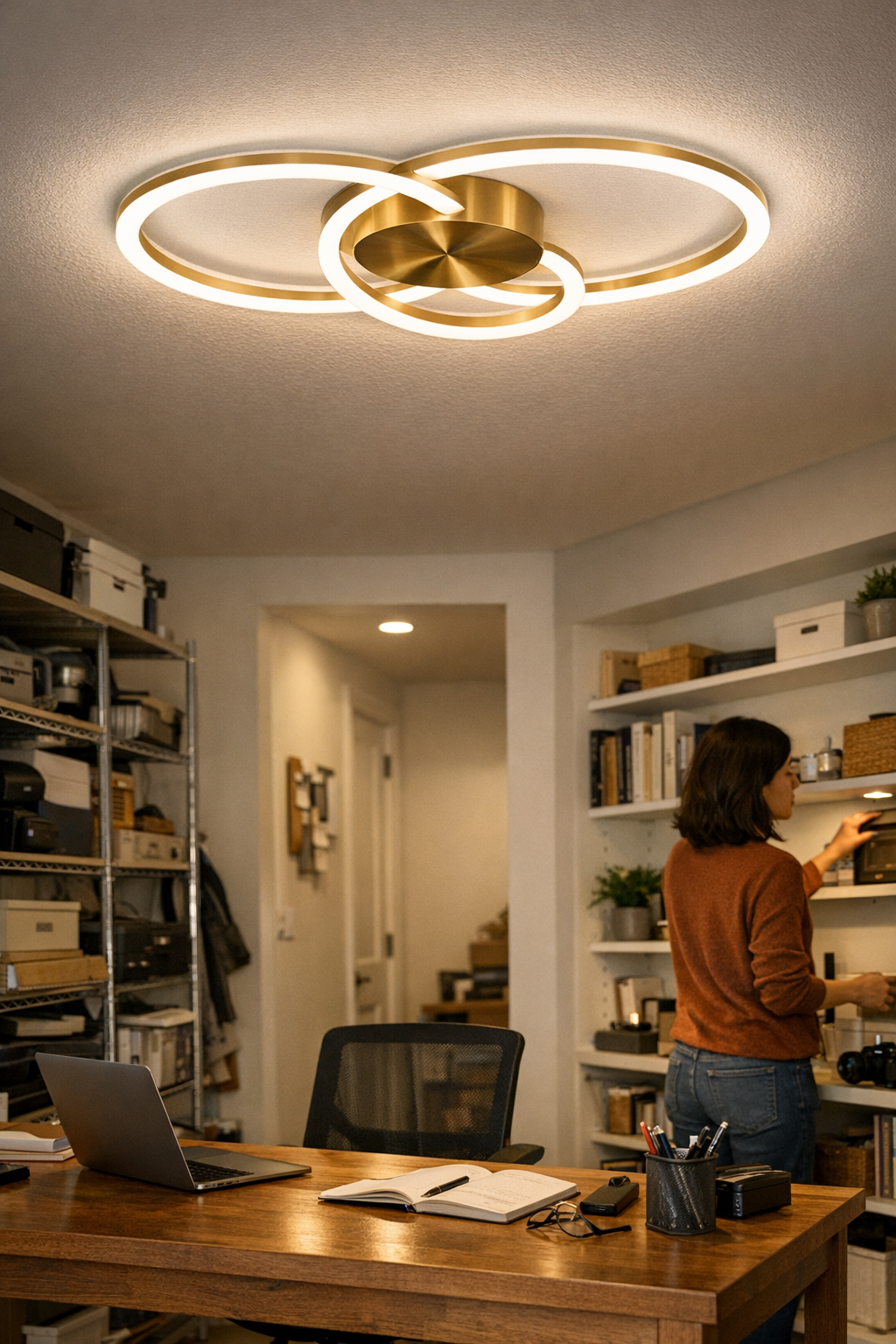
Category: Lighting & Work Setup

  • Why Under-Desk Cable Management Often Fails and How to Fix It

    Under-desk cables are almost invisible—until they wreck your rhythm. The clean desk you set up on Monday can turn into chaos by Thursday: a chair wheel pinches a forgotten charger, or the under-desk drawer jams halfway open because a cable loop slid directly into its path. What looked organized under fresh lighting now interrupts your reach, grinds against your storage, and trips up the routine that’s supposed to keep you focused. The promise of a tidy appearance—smooth surfaces, cables hidden away—collapses as soon as you actually start cycling devices, shifting your chair, or using drawers with any regularity.

    When “finished” isn’t the same as functional

    Desk setups fool people with visual order. Hiding stray cords, bundling everything tightly, and pushing organizers flush against each surface often creates a look that barely survives its first week. The illusion breaks fast: open a drawer to grab a notebook and feel resistance you didn’t expect, or try to move your feet and end up tangled. Whenever monitor arms swing or you swap out chargers, the tight, “invisible” arrangement becomes a small obstacle course.

    Visual tidiness rarely translates to real ease of use. You notice it less during an initial test run, but by day five—after swapping in new devices, bumping the monitor, or trying to clear room for a snack—the “out of sight” cords are in the way, demanding attention every time you try to reset or adapt. The desk surface stays clean, but below the surface, every new routine exposes another friction point.

    Repeated use exposes workstation weak spots

    Picture a typical situation: compact desk, laptop docked, dual monitors, an under-desk drawer tucked underneath. You start the week with cables routed tightly into trays, looking streamlined and deliberate. By Wednesday, a single device change—like adjusting screen height or plugging in a new charger—drags you into ten minutes of detangling or undoing bundled cords. That smooth tray becomes a slow-down, the drawer catches on a cable you thought was safe, and basic swaps get stranded in partial teardowns.

    The more you repeat daily actions – reaching for a notebook, shifting in your chair, plugging in a phone – the more the rigid “ordered” setup works against you. These aren’t decorate-and-forget problems—clutter slips directly into your workflow and pace. What hid clutter visually now bakes it into movement: rails grinding to a stop, cables dragging as your chair moves, reset friction right when you need to move fast.

    This is where the whole cable management problem flips: functional flaws don’t announce themselves until you’ve lived with your setup through a workweek. Especially in tight or multi-device spaces, inflexible cable runs leave you fixing the same obstacle, again and again.

    What seems efficient can slow you down

    Nearly every “tidy” cable approach—forcing cords behind a box, clamping every line to a single rear path—misses the point in real use. When every cable is forced into strict alignment, adjusting anything means dismantling everything. Trays positioned directly ahead of storage or leg space become instant barriers; neatness locks the whole setup rigid, delaying every adaptation.

    Short-term order, long-term interruption. Those perfect cable trails don’t flex with reality—each device swap leaves you rebuilding routes, while hidden tangles build up out of sight. Chair wheels scuff cords, drawer tracks stall on invisible bumps, and repeated “fixes” add to the time lost in the next reset. Usability drops every week the setup stays this rigid.

    A rethink: Cable control that keeps pace with real work

    Switching to a more forgiving cable setup felt different immediately. The aim shifted: instead of hiding everything or demanding strict lines, it became about working with actual movement. Leaving a true path for drawers and legs was equal priority to a tidy look. The setup that worked best wasn’t a bulky box hidden at the back—it was a slim cable channel, placed just past the drawer’s reach, close enough for hand access but clear of storage friction. Each cable got enough slack to swap devices or reroute power—without the domino effect of untangling an entire cluster.

    A few centimeters of margin makes a measurable difference over a week of work. Drawers stop catching. The anxiety of crawling underneath or wincing at snagged feet fades. Device swaps and charger resets don’t stall out the next task. You get a workspace that’s supportive, not demanding—one you don’t have to second-guess during ordinary routines.

    Every reset is less of a hassle

    The real improvement is practical: drawers open freely, chargers swap without hesitation, and your workflow doesn’t pause for “cable rescue” every other session. Even if you can spot an occasional wire from the front, the friction you feel disappears. No more prioritizing showroom appearance over movement and flexibility. “Invisible” cables are a myth—what counts is never hitting the same snag twice.

    FAQ: Troubleshooting the most stubborn under-desk cable problems

    How do I stop cables from tangling with under-desk drawers?

    Route cable channels clear of all drawer hardware. Place channels further back from the desk’s edge and away from sliding tracks, so storage can move freely without hitting bundled wires. If you notice a catch in daily use, reroute before it starts to slow your workflow further.

    What’s the smartest way to handle frequent device swaps?

    Avoid forcing all your cables into a single tightly-bound trunk. Open channels or individual adhesive clips let you pull or add one cord without disturbing the rest. Each line gets its own slack—so swapping in and out doesn’t tangle or force a reset for the entire desk.

    Why does my workspace still feel cramped after doing cable management?

    Rigidity is the issue. If your cable runs cross leg space or drawer paths, their hidden drag slows daily motion—even if nothing looks cluttered. Test your flow: if you can’t move as naturally as before, it’s time to reroute or adjust your channels to restore actual comfort in use, not just a tidy look.

    Deliberate cable choices build everyday confidence

    The best desk setups don’t force you to think about cables at all during work. If you can shift positions, swap a charger, or open storage without any extra move, your layout works. The pursuit isn’t perfect invisibility—it’s control that lets you forget about cable friction and reset delays for good.

    Choose cable management that serves your pattern, not just your sense of order. Compromise a little on invisibility for a lot more fluency at the desk, and the setup stays effective day after day—no matter how many times you reset.
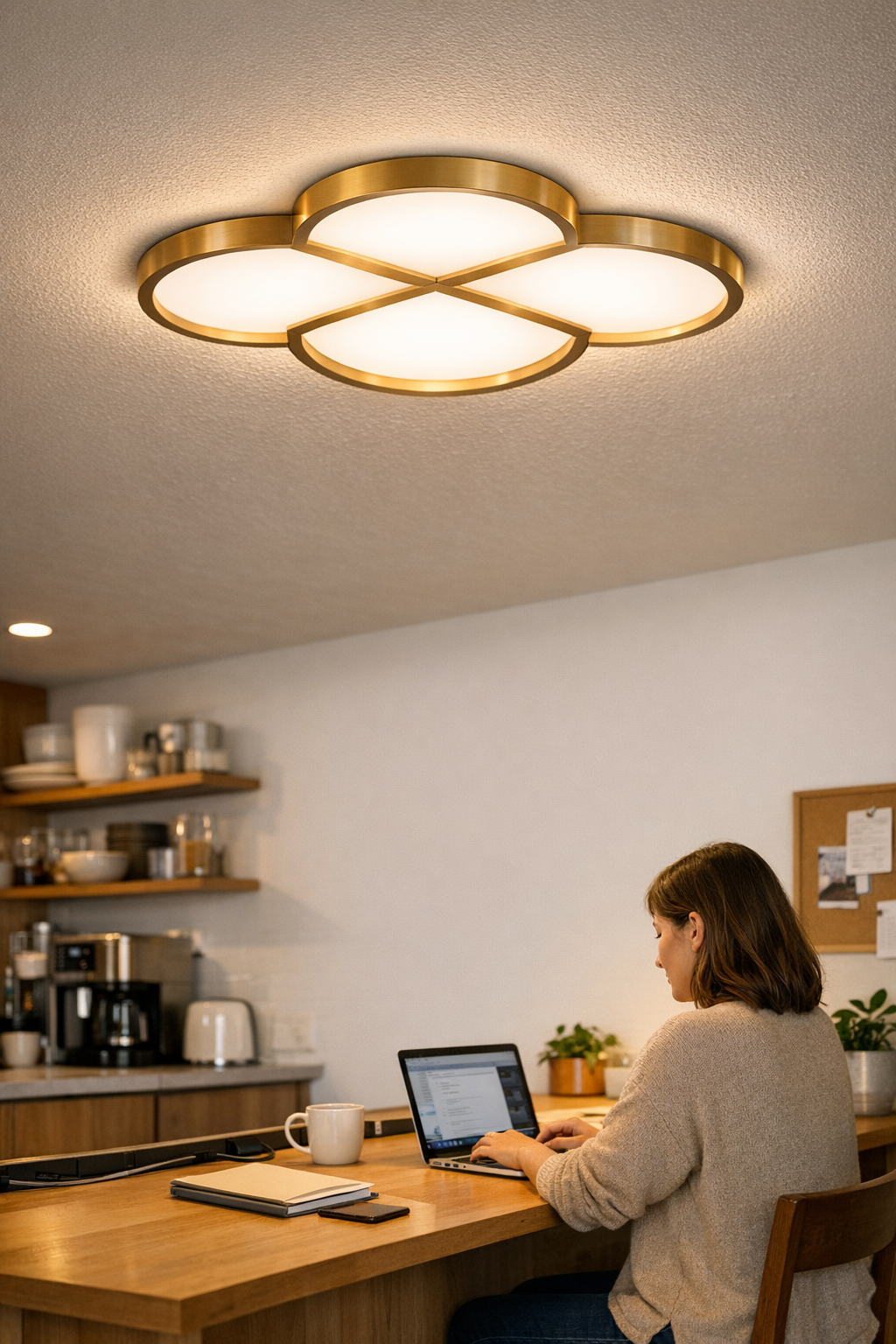
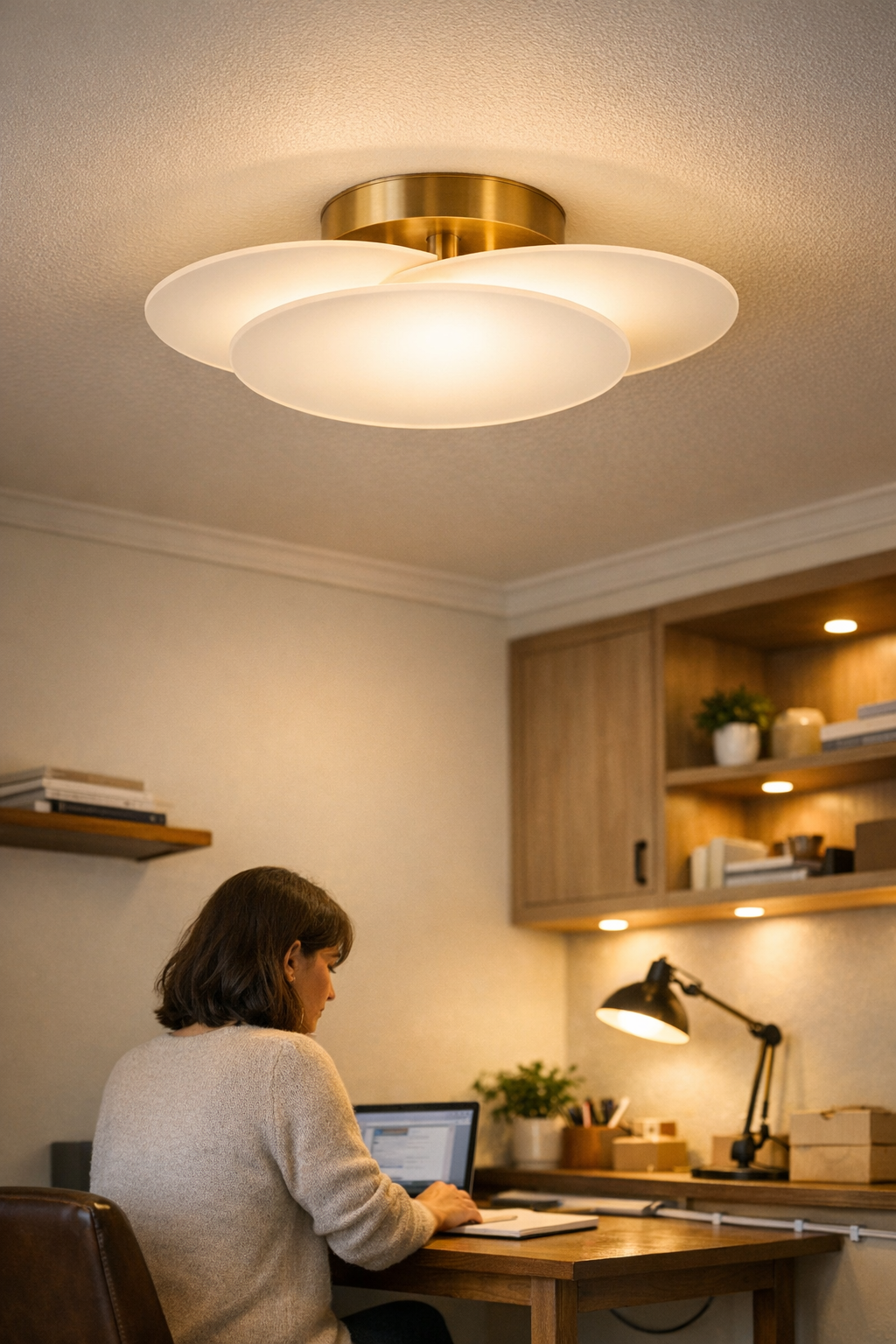
    Explore the full WorkBasic collection

  • How Linear and Panel Ceiling Lights Transform Crowded Ceilings into Calm Spaces

    Lighting and support setups fall apart hardest after the first week, right when you need them to just work. The signs: glare streaks cutting across your screen every afternoon, cables that always resurface under your chair or beside your hand, and work edges that stay dim even though the fixture above looks crisp and central. In kitchens, studios, or any shared surface, it’s not the style that wears you down—it’s the creeping inconvenience: rearranged seats, improvised lamps at the edge, and a sense that the more you “optimize,” the more cables and shadows push right back in. This is the friction most lighting photos skip and most rooms keep repeating.

    The Everyday Friction of Messy Lighting

    If you’ve ducked to avoid a stray cable or caught yourself angling your work so you don’t block the one usable beam, you already know what weak ceiling planning delivers. Spot fixtures and statement pendants look decisive when first installed. Yet after a few days, it becomes a juggling act: overheads cluster together, cables snake along edges, and you’re physically working around the limits of the setup every time you reach, swivel, or pull up another chair.

    Most installations chase symmetry at rest and forget the movement, repositioning, and adjustment that happens dozens of times in actual use. The centered fixture leaves islands of darkness at the margins; “clever” cable routes slide back into sight every time you reroute a device. Wall brackets that appeared flush on paper now occasionally jar elbows or narrow your reach at the busiest stretch. Even as surfaces seem tidier, every step or task reveals a new interruption.

    How Linear and Panel Lighting Change the Equation

    The shift comes with broad, low-profile coverage. Instead of clustering light in one spot and hoping the rest falls into place, linear and panel LED fixtures spread usable illumination right to the edges—eliminating underlit corners, reducing glare at the desk, and keeping everyday movements clean.

    On long tables, counters, or shared setups with chronic cable creep, these fixtures adapt to routines instead of freezing them in place. You stop scooting chairs for the “bright patch,” stop fencing with desktop lamps, and start noticing fewer tripping hazards at the cable points. The daily annoyance isn’t defeated by looks—it’s resolved by an arrangement that holds up through dozens of uses, not just before the room photo.

    Scene: The Narrow Table Dilemma

    Imagine a kitchen-length worktable: one simple ceiling light, everything looks calm. But within days, every tool and notepad drifts beneath the only bright cone. Margins go dim. Extension cords and clamp lights sprout along the sides. Anyone grabbing a charger, shifting a tray, or pulling out a stool inevitably knocks a cable loose or knocks the light out of aim. No matter how neatly cables were tucked on day one, they keep sneaking back into view and snagging sleeves.

    In shared rooms, every move multiplies the problem: a bumped cable tangles up two seats, an unplugged lamp breaks up the conversation zone, and glare sneaks in after each seat shuffle. Order unravels the instant the room is used by anyone except the installer. Clean lines overhead didn’t solve dirty friction on the ground. The setup looks better than before, but repeatedly feels unfinished.

    Making the Shift: From Clutter and Glare to Clean, Functional Illumination

    Actual clarity comes by replacing scattered points and piecemeal cable runs with a panel or linear fixture set to your surface—not just your ceiling’s geometry. If your desk is ringed by brackets and cords, a flush panel above the active work area instantly puts light where your hands and eyes land—removing the need to drag in side lamps, and letting shelving or monitors stay put without fighting for the “good” spot.

    The difference isn’t cosmetic. That low-profile, edge-aligned fixture allows brackets and cable channels to stay invisible in the path of use. Corners that lived in shadow now pull their weight. Cables once crossing footpaths get routed clear in ways that actually last. Bracket and channel choices finally support the rhythm of work instead of blocking it—holding cables out of elbows’ reach, not merely out of sight lines.

    After adjusting, you catch yourself not needing to adjust: plugging in the laptop doesn’t spill the charging cable over your desktop, notes stay visible regardless of the hour, and you aren’t twisting trays to chase a brighter angle. The fixture stops being a piece to manage and becomes a quiet piece of the space—support receding into routine.

    What to Watch For with Every Setup

    First-day neatness hides long-term annoyances. Even a flush globe, centered and “clean,” can blind you from the side or leave the busiest edge in shadow. Smart cable tricks fail if the lit area misses where you sit, read, or reach. Wall brackets that look invisible at a glance can still crowd hand space by the second week. Routine tells you what’s succeeded: if you keep moving lights, shifting posture, or hunting for clean cable paths, your support system is out of sync with your life, not just your layout.

    Visual calm is an illusion if you’re still ducking glare or working around dark patches. Actual ease comes from setups matched to real, changing activities—not a frozen plan. If every day triggers the same workaround, your ceiling or mounting plan needs to do more than look finished.

    Where Linear and Panel Fixtures Make the Biggest Difference

    Linear and panel lighting transform zones that demand broad, reliable coverage—think dining tables where food and conversation spread, shared desks that host spreading paperwork, or long counters crowded with appliances and arms. These are not spots for decorative pin lights; they’re spaces where uniform edge-to-edge brightness and truly unobtrusive support hardware let the area function without daily improvisations, elbows hitting cables, or lights needing constant repositioning.

    For nooks or very focused areas, task lamps still have a part—but they can’t match the core clarity or eliminate the small, nagging interruptions that creep in at the margins of high-traffic surfaces.

    Real-World Tips for Cleaner, Smarter Lighting and Support

    • Align light with use, not just the center line. Place fixtures where work or conversation actually happens—even if it breaks the “symmetry.”
    • Map cable routes to real motion. Run cords to avoid daily stretches, open drawers, and the sweep of arms and chairs, not just to achieve the tidiest appearance.
    • Test lighting across active zones. A surface that is bright everywhere is a surface you don’t need to baby or re-aim.
    • If habitually shifting a lamp, dodging glare, or chasing a clearer corner, assume it’s the setup—not you—that needs the change.

    When It’s Time to Rethink the Setup

    When you catch your sleeve on a cable loop again, find a bracket blocking your notebook, or watch your best workspace stay dim regardless of “good” fixtures, it isn’t just a small annoyance. That’s your room telling you looks aren’t enough—the structure still isn’t working. Rethinking lighting and support isn’t a luxury fix: it’s what marks the line between a space that demands daily workarounds and one you actually want to use, without interruption.

    Let your lighting and hardware serve your movements, not the other way around. Improvement isn’t proven by untouched surfaces—it’s found in all the routines you finally stop noticing: cables finally out of reach, the shadow that disappears for good, the edge that becomes part of your usable surface instead of a dead zone. That’s where light and support pay off.

    http://www.lightsupport.myshopify.com

  • How Ceiling Lighting Shapes Comfort and Usability in Shared Spaces

    The surest sign your ceiling lighting isn’t working? You start each day expecting a smooth routine, but the interruptions never stop. Glare bounces off your screen right when you need to focus. You reach for a shelf and realize you’re working in your own shadow. Your chair snags yet another loose cable—evidence that every lamp you’ve added is a patch for a larger problem: your lighting and support don’t fit the way you actually use the space. The photos looked clean and the fixture seemed minimal, but daily use exposes friction you can’t ignore—just trace the trail of moved lamps, taped plugs, and tangled lines. Most setups don’t look like trouble until you’re forced to adjust and readjust, losing focus to workarounds instead of getting anything done.

    How Quickly Bad Lighting Reveals Itself

    The difference between “looks finished” and “actually works” always surfaces by the third or fourth day. The first hour, that slim ceiling panel or flush fixture projects calm—no wires, no visible clutter. But as soon as normal routines set in—booting up your laptop, squaring up to a monitor, picking up stacks from a corner—you start chasing shadows and dodging flare-offs. What seemed like a clear, well-lit space now has cold spots and glare lines visible the moment you shift position. Add one lamp and you drag a new cord across your footpath. Scoot your chair back and you’re wrestling with a cable that wasn’t part of the plan. Each small hassle gets multiplied by repetition, amplifying how little the minimal look helps when practical lighting is missing.

    Why Minimal Fixtures Often Miss the Mark

    Visually minimal overhead lighting usually sacrifices use for looks. Most flush ceiling fixtures spill brightness all around but still can’t keep desk edges, room corners, or wall runs genuinely usable. The bloom of even light in a photo turns into patchy dimness every time you actually check the task surface, or a bolt of glare slicing into your field of vision when you sit at a screen.

    Shared and multi-use rooms make this clash worse: ceiling lights set the base level, but because they miss shelves and corners, any other lamp you add either fights the overhead glare or doubles the exposed cable chaos. The illusion of minimalism ends as soon as one “support” piece is needed—and the room’s balance is lost.

    When Looks Deceive: Clean Install, Messy Use

    You can reroute, bracket, and cover every ceiling wire, leaving a perfect surface overhead—until actual work destroys the effect. Shadows land where you want consistency. You plug in an extra lamp, and suddenly that “clean” path becomes a tangle of cords or a new tripping hazard right in your best walking line. Rely too much on the finished install and the lived experience becomes a mess of re-anchored supports and surfaces that never feel consistently usable.

    Scenes From a Frustrating Routine

    A compact workspace, a sharp low-profile fixture, and a single desk lamp—the setup looks solved at sunrise. But by lunch, reflections flicker on the screen and corners swallow detail. There’s no steady edge for work; adding a lamp means tape or another bracket, with cables coiling across the desk or floor. Simultaneously, the shelf edge you reach for is half-lit, and under-shelf lighting leaves an awkward transition so your hand still searches uncertainly for the right cover.

    Now everything requires a workaround. You’re taping cords to keep them out of wheel tracks, twisting flex arms hoping they’ll reach a blind spot, adjusting brightness by instinct rather than design. “Minimal” quickly turns to patchwork as new needs emerge—and the more you improvise, the less you trust the setup to actually help.

    When “Upgrades” Don’t Fix the Real Issue

    The cost isn’t just minor daily bother; with every fix, the routine gets heavier. Every new lamp or plug strip brings its own cable management headaches. You tack a tray under the desk only to realize another exposed channel gets in your way. Fill one dark zone and another appears across the room. Even with extra hardware, surface edges remain inconsistent, visibility shifts from hour to hour, and the impulse to “fix” things creeps back every few days.

    None of these patches solve the core mismatch. If the overhead doesn’t support the surface—if support hardware just papers over weak points—every quick fix just creates a new friction to remember and work around.

    What Actually Helped: A Real-World Lighting Change

    After weeks of circling the same problems, I replaced my ceiling light with a dimmable, directional fixture—aimed so general tasks happened in an even pool, leaving targeted spots for wall and desk lights to fill. I anchored every essential cable with real brackets, running them tight along walls or under desk lips, not dragging loose over workspaces. Routine immediately changed: walls and shelves stayed visible, cords stopped snagging, and extra lamps were mostly for preference, not as a desperate patch for poor layout. The clarity wasn’t about perfection—it was about no longer losing focus to the same old avoidable interruptions.

    Tips for Sharper, Easier Daily Lighting

    Let Ambient Light Support—Not Dominate—Your Room

    Start with a dimmable or directional ceiling fixture, and set a lower base level. Your task and accent lighting should layer in, not have to fight or overtake a harsh overhead. This approach avoids harsh jumps and means additions actually solve problems instead of creating new ones.

    Beware the False Minimal: Clean Looks Can Hide Daily Friction

    A minimal fixture often means hidden discomfort: the key surfaces stay dim, fingers land in soft shadow, or glare hits your usual sightline. Evaluate fixtures during real work or shared use—track where you’re forced to move, tweak, or bring in backup hardware every day.

    Cable Management Isn’t Just “Nice to Have”

    Anchored cable runs are structure, not just style. When cords are parallel to surfaces—sheltered by proper brackets, never just looped in reach—you reduce snags, missed connections, and daily disruptions. Over weeks, this stops the low-grade friction that piles up and subtly dents your focus.

    The Payoff: Effortless Routine, Quiet Reliability

    Lighting and support that fit the real shape of your use—shielding glare, illuminating true work boundaries, anchoring cables out of the way—aren’t just tidier. They make routines flow, removing the interruptions that never appear in glossy photos but undercut every task. The test isn’t how perfect a surface looks, but how invisible the lighting feels once every movement is supported and every edge is actually clear.

    When daily work goes uninterrupted and your space stops reminding you of what’s wrong, you’ve finally landed on a setup that works—subtle, reliable, and adjusted to the room as you really use it.

    Visit LightSupport for lighting and support essentials that work in real-life use.

  • Transform Your Workspace by Lifting Cable Slack Off the Floor

    Rolling your chair to the desk should be automatic—until stray under-desk cables throw it off. Outwardly, a few coils tucked near the wall might suggest everything’s under control. But one week of actual work—moving between keyboard, notebook, and the occasional device grab—reveals the friction beneath: cables catch, wheels hesitate, and every adjustment risks a jolt of resistance under your feet. The desk looks tidy; the work doesn’t feel it. Foot nudges become routine just to shift position, and what seemed like “invisible order” steadily clutters each move, interrupting flow and breaking the promise of a ready workspace.

    Cable management stops being background detail the moment slack stays on the floor. What settles quietly in place at the start of the day turns into a web of mini-obstacles by lunch—a mental drag you barely notice until your reset speed slows, or you’re crawling under the desk for the third time to untangle, trace, or re-plug a loose cord. The risk isn’t just snags: it’s the subtle breakdown of workflow, where the desk remains deceptively neat but feels stubbornly unreliable and unpredictable as work stacks up.

    When cables “look” managed, but your feet know the snag

    Hiding cables against the baseboard with zip-ties or pressing loops into corners can fake visual calm—until you try to move. Shifting sideways to retrieve a notebook, leaning in for late-night edits, or simply adjusting your chair after a call: each move exposes the compromise. The “tidy” cable becomes a trap—sandpapering your shoes, catching toes, and forcing you to work around hazards rather than with a clear path. Workflow splinters as you dodge and nudge, focus breaking every time a coil drags or resists.

    Even tight cable box setups, meant to erase mess, just displace the real problem. You can hide a power brick, but an extra meter of cable freed from the floor never stays put. On a compact desk, there’s nowhere for slack to hide. Chair wheels hunt it down no matter how carefully you arrange things. The first serious cleaning triggers the usual scramble: unplugging half your setup as vacuuming turns order back into a tangled heap. By the end of the week, tracing cords back to power isn’t a rare event—it’s part of your regular troubleshooting routine.

    Everyday work signals the real cost of floor slack

    You notice it most when you’re not thinking about it. Shifting a notebook beside your keyboard, and suddenly the chair resists—caught by a cable you forgot was there. Digging your heel into the floor for more legroom and bumping your monitor or speaker cord until everything shifts out of place. Small reach habits—grabbing a charger, standing, or scooting in to see a shared screen—each become a calculation as slack left loose introduces just enough drag to disrupt the flow. Crowded setups magnify every interruption.

    No single cable is an isolated snag. Once a cord drifts out of its lane, interruptions repeat. By midday, it’s become reflex to nudge cords with your foot before rising. By week’s end, you’re unconsciously changing how you sit and move just to avoid knocking out a laptop charger or sending a USB hub tumbling. The effect is cumulative: every “tidy-up” still leaves you one move from the next disruption. Even after a clean reset, the sense of workspace stability and trust slowly unravels.

    Supporting cables off the floor rewires work flow

    The real fix transforms behavior more than appearance. Get slack above ground—using a cable tray or clips under the desk—and the pattern changes immediately. In my own setup, a tray set roughly 7cm from the desk’s back edge grabbed not only main cables, but the little adapters and plug-in hubs that once scraped at my feet. Suddenly, there’s no under-desk sweep before you roll forward, no steering around low drags, and no contortionist crawl just to add a device. Plugging in becomes a reach, not a ritual.

    What stands out isn’t just a neater look—it’s that the next session starts clean. You sit, shift, reach, and there’s no mental inventory of lurking hazards. Shoes, wheels, and bags drop free onto open floor. Monitors and chargers keep their connections without fuss, even after hours of changing position, stretching, or quick cleanups during a break. The interruption loop breaks; the workstation behaves as intended session after session.

    What actually changes in daily use

    Small frictions vanish. You roll straight in, reset the screen, grab what you need—no cable resistance or searching for a path. Cleaning turns predictable; end-of-day vacuuming no longer triggers chaos. In the middle of heavy work—video calls, switching from sitting to perch-standing, or reaching for drawer storage—cables stay silent, nothing else pulls attention. The cycle stops: fewer calculations, fewer forced adjustments, more time spent working, not troubleshooting.

    Quick workstation FAQ: solving cable slack for real work

    How do I keep my desk cables under control when moving constantly?

    Get slack off the floor along the entire cable route. Under-desk trays and cable sleeves pinned to the desktop stabilize cords and prevent snags, no matter how often you shift your chair or stretch across a deeper surface.

    Is a cable box enough to prevent under-desk mess?

    Cable boxes hide chunky adapters and power strips, but don’t control cable length between device and box. To actually keep slack up and away from movement paths, you need trays or clips—especially at a small desk, where every centimeter counts and foot space is at a premium.

    What’s the silent problem nobody fixes with cable slack?

    Letting slack gather on the floor turns little disruptions into a daily pattern—routine snags, dirt, disconnection. The common mistake: treating these as inevitable instead of reshaping the setup to eliminate them entirely.

    Final observation: off-the-floor support isn’t obvious—until it’s missing

    A desk can look minimalist and still underperform. Pulling cable slack above the floor doesn’t just clean up the view—it removes silent, repeat interruptions from every task. When you stop stepping on stray plugs and clipping chair wheels on drifts of slack, you don’t think about cables at all—and that’s the real goal. The best structure vanishes from attention, freeing up headspace and hands alike. You move, reset, and the desk stays ready, not just organized—a difference you only feel when you realize you’re no longer braced for interruption.

    Explore the full WorkBasic collection

  • How Adjusting Short Lighting Wires Can Improve Everyday Room Functionality

    One invisible wire controls the life of your room more than you think: a too-short connection pins your ceiling light or wall sconce in the only place the wiring allows—not where you actually need light. The problem isn’t dramatic at first. Over time, though, the buried compromise becomes obvious: you cross a hallway and visibility trails off at one end, you reach the top of the stairs and your footing feels a shade less certain, you lean closer to the mirror to escape a band of shadow, or your laundry counter stays stubbornly dim while the far wall glows. This isn’t a problem you’ll spot by reading wattage or browsing product photos. Every day, the room’s layout—and that just-out-of-reach wiring point—quietly undercuts how well your lighting works, no matter how bright the fixture claims to be.

    When Wiring Dictates Lighting, Use Falls Short

    Most people only realize how much a misplaced ceiling box shapes their routines after months of repeated annoyance. Placing a fixture wherever the original builder stopped the wire isn’t a neutral choice—it’s a real-use limitation you can’t tune away with a stronger bulb. The pattern shows up everywhere:

    • Stair turns left murky at night, forcing cautious steps.
    • Hallways where you move from glare into fading darkness by the far wall.
    • Work counters where one hand is always in shadow, no matter how intense the light source.
    • Bathroom mirrors caught between stripes of brightness and dead zones, complicating every routine.

    These issues feel small until they accumulate. You hesitate before stepping, adjust your angle at the mirror, shift laundry baskets, or subtly alter your path each evening—reminders that brightness alone never fixes the sense that the light isn’t really on your side. Within weeks, this isn’t a rare annoyance but a constant, low-grade drag on comfort and movement.

    The Real-World Cost of Misplaced Fixtures

    Scene: Crossing the Hallway

    Picture this: each night you walk down a hallway with a ceiling light bolted near the entry door—because that’s where the box was. The far side? Dim. You slow instinctively, eyes adjusting to the shift. That darkness at the end may not be dangerous, but every trip is less automatic, every turn a moment of vigilance you’d rather not need. The route is lit, but not really visible.

    Scene: At the Bathroom Mirror

    A vanity light fixed by a short wire means all your morning routines happen in a zone wrestling with both glare and darkness. Light travels across the mirror at an awkward angle, creating a hot spot up top but leaving your cheeks and jaw in shade. Shaving, brushing, applying makeup—you find yourself tilting and squinting, working around a problem that started with wiring, not the fixture or the finish.

    Scene: The Laundry Counter’s “Dark Side”

    In a cramped laundry, the ceiling light near the wall lights up the entrance, but the spot where clothes pile up stays dim. You angle baskets for better visibility, sometimes just to fold a dark shirt. One misplaced box trades dozens of future hours for a less-functional workspace you end up resenting on every wash cycle.

    Short Wires Force Workarounds—or Unseen Risk

    Compromised placement means repeated fixes, none ideal. When your fixtures can’t reach where they matter, real work and real comfort start slipping:

    • Dragging in table lamps or temporary stick-on lights, cluttering your surfaces
    • Changing routines—folding laundry near the lit wall, never in the dark corner
    • Rushing stair turns in shadow, increasing the chance of awkward slips
    • Straining eyes to avoid harsh glare or chasing better brightness at odd spots

    This isn’t about perfect decor or “designer” results—it’s the difference between a room you move through naturally, and one that slows you down in dozens of invisible ways. Weak coverage doesn’t just annoy; sometimes it puts you at risk in places—stairwells, laundry rooms, cluttered halls—where visibility matters most.

    Why a Powerful Bulb Doesn’t Fix Placement Problems

    You can replace a bulb with twice the lumens and still have the most important area stuck in shadow. When placement is defined by the closest box instead of the real focal point, extra wattage just throws misplaced light onto surfaces you weren’t trying to see. Examples turn up everywhere:

    • A hallway light installed near the door blasts the wall but leaves a corridor corner dark
    • A bathroom sconce placed high and to the side turns your mirror into a guessing game
    • A laundry ceiling light stuck over the entry floods the wrong wall, never reaching where you fold

    No amount of brightness makes up for a setup that always makes you move, squint, or guess where shadows will land. Fixture placement defines real usefulness—not just advertised output.

    The Quiet Impact of Better Wire Planning

    Fixing these everyday frictions doesn’t always mean new fixtures—it usually means moving them to where they serve. Extending wiring, shifting the box, or using a code-compliant extension lets your lighting actually reach the areas you use. Small moves make the most difference when:

    • A ceiling light shifts two feet, finally centering over the folding counter or stairwell
    • A hallway or stairway fixture moves away from the door, covering the walking path end-to-end
    • A vanity or mirror light comes into true alignment, wiping out odd face shadows in seconds

    The real benefit is in the day-to-day: you stop dodging dark zones, stop making “workarounds” part of your routine, and rooms stop signaling caution every time you walk through. No major remodel—just practical relief, making old annoyances quietly vanish.

    Tips for Addressing Short Wire Limitations

    Whenever you plan to move a fixture, keep it code-compliant. Use only approved extension kits or install a new box with all wires properly secured. If the requirements seem unclear, a licensed electrician is the surest answer—less trouble later, less hidden hazard now.

    Practical move: Before touching wires, tag your real-life “dark spots” using sticky notes as you run through chores for a day. Don’t trust the plan—let the use patterns show you where the light belongs. The best mounting point often appears through lived-in friction, not layout drawings.

    Lighting Should Follow Use—Not Just Old Wiring

    Lighting is structural, not just cosmetic. The original wire run shouldn’t decide how safe your stairs are, how clean your mirror zone looks, or whether you can see the counter edge at all hours. Rooms that get lighting placement right start to feel open, dependable, and unremarkable—in only the best way—because the fight with darkness and glare drops away. You stop thinking about the light, because now it finally follows you, not the other way around.

    Browse coverage-first indoor lighting solutions at LightHelper.

  • How Proper Monitor Alignment Transforms Your Workstation Comfort and Efficiency

    The desk that looks organized—but feels subtly wrong after an hour—is more common than you think. The daily details tell the truth: your monitor slides just out of line, pushing you into a constant neck tilt; a cable sags over your notebook’s space, tugging as you write; the riser that made sense at setup now feels like an obstacle when you reach for anything. Creative hacks pile up—books for monitor height, clamps angled for stability, trays nudged to fit a shifting workflow—but every workaround rearranges how you sit, reach, and move. What starts as a small fix becomes a cycle of micro-adjustments and posture drift. A supposedly “improved” workspace actually reprograms your movements—shoulders raised, chair twisted, trays skating to a new edge—because the basics won’t stay put.

    When “tidy” is not the same as usable

    Desk setups fool most people at first glance. The monitor lines up at the center; cables vanish behind the surface; organizers frame the edges. Everything appears under control, but the hidden friction starts immediately in real use. The screen is a touch too low, or worse, slowly slides out of place over the morning. Charging a device sends the whole cable nest shifting—and hands keep bumping into the riser meant to declutter. Trays block one another, even as the surface looks clear.

    These aren’t just quirks—they pull your routine off track. You skip the notebook because a cable’s in the way. You swivel your entire chair rather than adjust the screen. Even a video call demands shuffling trays or restacking something just to see the screen straight on. By midweek, the tidy layout from Monday becomes a silent source of distraction, extra reach, and lost time.

    The real-world cycle of misalignment

    Repeated use exposes the split between a stable-looking desk and one that works under pressure. Day after day, your routine isn’t just sitting and typing. It’s a loop: flipping between keyboard and notebook, reaching for a phone, plugging in headphones, riffing on a call, pulling open a drawer for documents, nudging the screen to regain your view. Every reset introduces a new interruption—none huge, but together unavoidable.

    The loop never quite closes cleanly. The monitor slides out of sight, demanding another push; stray cables wedge behind a riser or snag on a pen as you pull them forward. The drawer unit—meant to keep clutter down—commandeers leg space or blocks the reach for your mouse. Set the monitor at the wrong height, and your neck will remind you by lunch. Try to re-balance one piece (cable slack, storage, or light) and you unsettle another—screen stability, viewing angle, or elbow room.

    How posture and workflow bend around the setup

    It’s not always obvious on the first day. But over dozens of work cycles, your body stops fighting the problem and starts working around it. That means you swing the chair instead of moving the screen. You shift trays sideways to fit your elbow, or avoid drawers blocking your knees altogether. Behavioral workarounds take over—tiny imbalances building up, until “routine” means compensating for equipment that never quite fits. The clearest cue isn’t in the look but the fact that re-entering your workspace always costs a few extra movements you barely register.

    The shift: What changed when alignment held steady

    Replacing a riser stack and tangled cable bundle with a strong, tensioned monitor arm isn’t a dramatic before-and-after—it’s a gradual unraveling of friction. The monitor locks in at 52 cm from the desk edge, lined up with your main seat. It stays put, doesn’t pitch forward, and never needs you to nudge it back after opening a notebook. Cables now cross the desk in managed paths, above the real work zone, not dangling beneath your reach or pulling gear off-center. Trays only migrate if you move them, not because the screen does.

    This isn’t desk perfection. It’s the slow fade of awkwardness. Posture centers itself. The reach to your notebook no longer crosses a cable cluster. Getting back to work after each break is frictionless, not punctuated by a minute of setup. After several days, instead of picking up new minor habits to avoid inconvenience, you simply stop thinking about the desk at all. The difference accumulates: the desk becomes something that gets out of the way instead of being one more thing to manage.

    Recognizing the signals of a desk that’s fighting back

    You don’t need analytics to spot when your monitor setup is quietly sabotaging you. Look for these in everyday routines:

    • You keep nudging or rotating the monitor just to center your view.
    • Stiff shoulders and a tired neck slowly creep up by late afternoon.
    • Cables never seem to stay where you set them; you’re always untangling, re-routing, or shifting them out of your work zone.
    • Trays, drawers, or desktop organizers migrate across the surface—not for better reach, but because the core screen-to-seat line keeps shifting or getting blocked.
    • The desk looks magazine-ready, but your body keeps shifting or adapting, never quite comfortable.

    Why organizing for appearance can sabotage actual work

    The most common trap is optimizing for symmetry or a “clean” look while sidelining how you actually move through the workday. A balanced, photo-ready desk invites posture shortcuts that turn chronic. A monitor placed for looks can knock cables into the wrong spot, block storage, or force your chair into an angle that settles into bad habits by the end of a week. The cost is paid in dozens of small adjustments that build up, never quite landing on a setup that suits what you really do hour after hour.

    What a workstation that actually holds together looks like

    A strong desk setup is practically invisible in use. The monitor stays locked to your main sightline—no more intermittent drift to correct. Cables follow consistent paths that don’t block quick notebook flips, keyboard swaps, or fast device changes. Storage drawers are accessible but never steal your leg space or force you to reach sideways. This is less about perfect order and more about a workspace that finally stops fighting back.

    What changes? You reach for what you need without a dance of micro-adjustment. Resetting for the next task means returning to your seat, not another round of pushing, untangling, or re-centering. Attention stays on the work, not the surface. Ergonomics stop being a checklist and become routine without effort.

    Quick FAQ: Real-use setup questions answered

    How do I know my monitor position is sabotaging my routine?
    If you nudge the screen more than you realize, twist or lean for a clear view, or feel body tension by day’s end, your monitor’s placement isn’t working. If you have to shift trays or reorganize cables just to fit a notebook, the main problem is likely misalignment at the heart of the desk.

    Do monitor arms actually solve real-world desk friction?
    Yes, for anyone switching devices, referencing paperwork, or working long hours, a well-tensioned arm eliminates drift, enables precise placement, and helps cable and storage management play along instead of against you. Riser stacks or static stands tend to fix one pressure while creating new ones—a clear surface but a blocked reach, stable monitor but tangled cable, and so on.

    What should determine your monitor position?
    Forget the literal midpoint of your work surface. Start from where your main seat meets natural posture and line of sight; arrange cables, lighting, and storage to support that position, not dictate it. Accessories should orbit your main workflow, not interrupt it.

    Why an aligned workstation pays off beyond appearance

    A desk that locks in—monitor reliable, cables tamed, viewing line stable—won’t erase every workday annoyance, but it eliminates the small, repeated resets that quietly eat into comfort and attention. With the right arm, the right distance, and storage arranged for real reach, your desk supports you instead of scolding you. The benefit is cumulative: you may not notice it in a single day, but after a week, only the right structure prevents those hidden, stackable interruptions from returning.

    Explore the full WorkBasic collection

  • Why Ceiling Lighting Outperforms Lamps in Shared Compact Rooms

    The real weakness of shared rooms filled with a mix of desk and floor lamps isn’t subtle—it shows up every time you plug in one more cord, shuffle the lamp for a better angle, or catch yourself glancing at cables before even noticing the room. A patchwork lamp setup might feel flexible at first, but in daily use, it turns into a sequence of micro-annoyances: dim edges just out of reach, exposed cords rerouted around chairs, and glare that never fully disappears. This quiet friction is what keeps routines off-balance: every “fix” for a dark spot creates a new loop of distraction, and the space keeps demanding more work just to stay useable.

    The Patchwork Problem: Lamps Fix Spots, Not Spaces

    Step into any shared room depending on freestanding lamps and you’ll see it. What started as a “smart” lamp in each activity zone—reading, working, relaxing—turns patchy fast. Each fixture throws a contained pool, leaving surface edges lurking in shadow. Add more lamps and the lighting never truly evens out; instead, cords start dictating paths around desks and under tables, forcing people to walk the long way or trip on a surprise slack loop. Suddenly, the urge to move the lamp or untangle a cord becomes part of the routine, and function slips while clutter creeps in.

    The longer this setup stays, the more energy goes into managing the light instead of using the space. Rearranging cords becomes chore number one. Someone’s always nudging a lamp, shielding their eyes from glare, or stretching to see beneath a shelf. Spaces that double as work and circulation zones become tension spots: there’s always a task or a corner with a dim, inconvenient edge or a cable waiting to catch a foot.

    Ceiling Lighting: The Step Up Most Spaces Need

    When you swap scattered lamps for a ceiling fixture, the difference isn’t subtle—it’s structural. Ceiling lights cover the whole area, pushing even, reliable light across work surfaces and walking paths. Suddenly, you’re not rotating lamps between tasks or negotiating who gets the best lighting for that project. Surfaces stay visible; clutter drops. The drag of cord-removal, lamp-shifting, and glare-checking mostly disappears.

    Put this to the test: try finishing a group project at a wide table. With lamps, there’s always someone caught outside the pool of brightness, scooting a light for edge papers, or stepping over a cable half-hidden under a seat. Switch to a ceiling panel above the main zone—now, nobody’s covering shadows with a hand, no one’s dodging a cord just to stand up, and the whole table sits in stable, consistent light. The only risk is a fixture positioned too far off-center or a panel that throws glare, but those are easy to see and fix; the baseline leap in usability is immediate.

    Beyond Appearance: Why “Neat” Isn’t Enough

    It’s easy to mistake a tidy lamp cluster for a working solution. Cord wraps and careful placement can make a space look settled—for about a week. Reality settles in when someone moves a chair, and the cord drags loose, or the lamp gets bumped off-angle. Routines devolve into endless small corrections: bending to re-coil cables, moving a lamp because a book or laptop blocked the spread, or trying to smooth the cord that’s always just a bit too exposed for comfort.

    The right ceiling light solves this at the source: Raising the lighting up and off the surfaces frees every desk, shelf, and chair for real use, not cable management. It’s not just a better look—it’s a setup you don’t have to keep perfecting every day. The system becomes harder to break, and daily routines run cleaner because nothing is waiting to snag or shift at the edge of comfort.

    Scene in Focus: The Shared Workspace That Stays Frustrating

    Picture a narrow, lived-in workspace edged with shelves and scattered devices. On paper, several small lamps—one for the desk, one under the shelf—should be enough. In practice? Shadows show up at eye level and beneath shelves, right where small things disappear from view. To actually see into the corners, you find yourself leaning awkwardly, and cables bulk up in the tightest spots, waiting for a chair wheel, backpack, or shoe. Sessions start and end with two minutes untangling something, resetting a lamp, or tugging at cords to prevent a snag. Efficiency drops before the work even starts.

    Introduce a ceiling panel—replace the lamp collection with one well-placed fixture overhead. Now the previously dull shelf edge stays clear even as daylight fades. The walkway is finally free—no more cable bumps at foot level. The main activity zone gets full light, so you’re not stuck staging everything under that one “good” lamp or splitting focus between shadows and glare. The disruption cycle ends: the space cooperates instead of fighting back.

    Real Consequences: Routine Disruption Adds Up

    The cost of lamp-based setups doesn’t just add up—it compounds. Each time you stop to adjust a light, reroute a cord for a Zoom call, scoot a lamp toward a drifting shadow, or shift your chair out of a half-lit zone, you lose time and focus. Shared spaces—coworking rooms, home-offices, anywhere routines overlap—get stuck in constant minor resets. Every new user inherits last session’s tangle and shadow, and the whole process repeats, creating a loop of small but real disruption.

    Ceiling Lighting Is Rarely a Perfect Cure—But It’s a Better Baseline

    No setup escapes trade-offs. Ceiling fixtures fix the repeated annoyances of lamp scatter, but only if they’re positioned to match the real work and walk zones. A panel set too far off pulls the shadow back in, and harsh bulbs can bounce glare if spread is ignored. Still, for most compact or mixed-use rooms, moving from a lamp patchwork to ceiling lighting neutralizes the main routine breakers. It means fewer cable piles, no clumsy lamp shuffle, and near-total surface visibility. Sometimes you’ll still want a small lamp for detail work or warmth—but you lose the endless cycle of untangling and readjusting for basic clarity.

    Small Shifts, Lasting Gains: Where the Value Shows Up

    A space can appear finished and still trip you up every day. The practical value of shifting to ceiling lighting reveals itself less in appearance and more in the vanished distractions: reaching for a file without fishing for a cord, scanning the shelf without squinting for contrast, setting up for a new task without needing to rearrange the room. The room stops announcing its lighting problems and starts quietly supporting whatever happens in it. That’s the shift between a space that’s just “put together” and one that finally works—routine after routine, even as needs and layouts evolve.

    Find practical lighting and support solutions at LightSupport.

  • Why Proper Fixture Placement Beats Stretching Wiring Every Time

    Most indoor lighting “solutions” fail the minute you walk through a room after dark. It’s not the light itself—it’s where the light lands and what it misses. Real friction starts as soon as you reach the stairway landing and half the steps vanish in shadow, or you stand at the bathroom mirror and find your face sliced in two by glare and gloom. Wiring-led fixture choices might fill a floor plan, but they rarely fill the needs that show up during an average week: squinting to match socks in dim laundry corners, hunting for a hallway light switch while hugging the wall, or shifting position just to see your own reflection clearly. The difference is sharp: a room can look lit and still tangle up the routines inside it. That gap is where daily discomfort creeps in, and it’s where the real work of indoor lighting begins to matter.

    When “Good Enough” Placement Is Never Quite Enough

    Blueprints make any fixture look like an improvement. But the first rushed morning or late-night errand turns flaws obvious: try walking a narrow stairwell and finding the top step lost in murk, or using a mirror split between daylight and darkness. Fold laundry beneath a ceiling light that looks bright on paper—the cabinet edge still disappears under shadow, no matter how many times you swap bulbs. These persistent annoyances trace back to one root cause: lighting picked for cable reach, not for real use. Fixtures that only serve the ceiling leave the people below making constant adjustments, each awkward gesture a signal that placement—not brightness—is the heart of the problem.

    Shadow lines and missed targets stack up over time. Every day, routines reveal the underside of poor placement: half-lit stairs start to feel dangerous, split hallways keep you hugging walls, and a “bright” kitchen leaves your work surface indistinct. Even a new install becomes another source of low-level strain—stepping slow, hesitating at corners, squinting at mirrors—while the “solution” cements the inconvenience you hoped to solve.

    Why Fixture Placement Shapes Every Movement

    The critical mistake keeps repeating: putting the fixture wherever the existing wire just barely reaches—the result is a room that looks illuminated but functions as a patchwork. Problem zones include:

    • narrow hallways with hard corners or branches
    • stair landings where pooled shadow covers the top step
    • bathroom mirrors that see real grooming, not just appearance
    • work surfaces, cabinet runs, or entry points with tight task needs

    An off-center ceiling mount or a wall light set to dodge new conduit doesn’t just look odd; it builds in frustration. Shadow sprawls across counters when folding linens, grooming turns into a battle with glare at the mirror, and every corridor walk becomes a test of memory and confidence as one side slips into darkness. Placement always trumps power—no bulb will fix a bad angle. The moment your behavior changes just to get basic visibility, the fixture’s in the wrong spot.

    Surface Brightness vs. Useful Light

    A stronger bulb fools you for a minute. Surface-level glare only shifts shadows, never removes them. Brighter bulbs deepen contrast, throwing edges into sharper shadow and increasing discomfort where you need calm, even light—the mirror glares, countertop details blur, and every routine slows down. In bathrooms, a face divided by brightness and dark makes shaving or makeup unpredictable. At the kitchen or laundry counter, you lean away or stretch sideways, searching for a usable patch of light. The point is blunt: placement commands every movement, while wattage fights a losing battle with the room’s shape and activity zones.

    Typical Frustrations that Linger After “Quick” Installs

    Real routines draw out the pain points. Here’s where rushed installs, guided by wiring not need, fail over and over:

    • Stairways stuck in semi-darkness. The top or bottom turn is always a risk; every load of laundry or sprint upstairs is slower, more watchful.
    • Hallways with one safe lane. Nighttime trips push you against walls just to stay oriented, the other side lost in shadow.
    • Mirror zones that drain patience. Shadow splits, glare blinds—fixing it after is nearly impossible without shifting the light itself.
    • Cabinet and laundry counters veiled in gloom. The room looks bright at a glance, but the working edge blurs away when you need it.
    • Everyday routines become slow and awkward. Even grabbing keys or folding towels means awkward angle changes and repeated squinting—tiny tasks that never feel simple.

    This isn’t a list of minor headaches—it’s a diagram of how a single shortcut during install locks in inconvenience that you feel every single day.

    What Happens When You Respect the Room—Not Just the Wiring?

    Fixing this isn’t about gut renovations or expensive rewiring. A modest move—adding a short conduit or shifting a fixture by just 30 centimeters—can erase the gloom that slows you down. A subtle fixture shift will bring continuous, balanced light to laundry workspaces, restore full visibility to hallways, or finally let the bathroom mirror show your whole face in normal use. The outcome is not about visual “wow”; it’s about the muted sigh of relief when you realize you aren’t tripping, leaning, or second-guessing your movements as you cross, groom, or work.

    Smart placement delivers, every time:

    • Shadow control: banishes awkward darkness from stairs, mirrors, and work surfaces
    • Natural movement: lets you walk, fetch, or groom without caution or extra steps
    • Consistent comfort: calms glare, reduces eye strain, and keeps sight lines balanced
    • Routine flow: makes habitual tasks straightforward, not slowdowns to be managed

    Tip: Quick Coverage Test After Installation

    After installing any new light, stand at each main zone—stair turn, mirror, countertop—and do what you usually do. If you find yourself shifting, craning, or avoiding glare and shadow, the placement still needs work. Sometimes a small shift or changing to a flush mount, wall sconce, or task fixture is enough to reshape the whole experience.

    Shortcuts in Wiring Always Reappear as Long-Term Hassle

    Forcing wires or gambling on awkward box placements saves almost nothing. What you really get is a ceiling that looks finished but never actually helps. Electrical shortcuts tie you to years of minor but constant hassle: dark steps, incomplete mirrors, vanishing cabinet edges, and daily routines that always take more attention than they should. What’s saved at install is lost in every repeated annoyance—clipped movement, hesitancy, the ongoing sense that the room won’t quite cooperate.

    The best lighting setups start when fixture placement is dictated by repeated use—not just the nearest wire. Bathrooms, hallways, laundry rooms: all of them reward moving the light just enough to line up with the real pathways and tasks that fill your year. Skilled installers and savvy homeowners know it’s the small, targeted change—a fixture nudged to the right spot, the right fixture in the right role—that adds up to hundreds of quieter, easier routines. Change the placement, and the room finally works for you, not against you.

    Ready to make your space as usable as it looks? Explore practical indoor lighting solutions at LightHelper.

  • How Adjusting Monitor Height Transforms Your Workspace Efficiency

    A desk that looks organized can still slow you down. The surface is spotless at 9 a.m., but by the second or third workday, the cracks show: your neck clenches from a screen set too low. Reaching for a notebook means scraping past cables, a phone charger wedges itself between your best pens, and that “clean” look hides a growing reluctance to sit back down. The real issue is not clutter you can see—it’s the design bottlenecks you feel every time you trade typing for notetaking or juggle devices, with every cable drag, crowded edge, and missed reset adding friction. The wrong setup isn’t just inconvenient once; it interrupts your workflow over and over, especially when quick access and fast switches are part of your daily routine.

    When Neatness Stops Short of Real Usability

    Spend a day or two at a desk that looks neatly arranged and the same frustrations start to return. A flat-footed monitor base sets the tone: everything seems placed just right—until you find yourself leaning forward for a better look. The monitor eats up the rear half of your desk; your handwritten pad now competes with a power block or cable coiling too close. Real work becomes a sequence of micro-adjustments: shifting a charger to reach a sticky note, moving your elbow to avoid cord rub, or propping up your phone at the last open corner. The effect adds up. By midweek, the desk is officially “clear” but working at it feels slower, less inviting, and you catch yourself hesitating before every session.

    Recognizing Friction as It Builds

    These snags aren’t isolated. If you reach over the same charging cable every time you want a stapler, or have to maneuver your laptop for a comfortable writing spot, your desk’s physical arrangement is fighting your workflow. These interruptions multiply quickly in setups that look tidy but ignore repeated motion. A so-called clean desk has a cost you notice more with every switch—until a single shift in structure delivers relief you only realize after the change.

    One Small Change, Many Improvements

    Monitor height is a pivot point for real usability. Raising your screen with a monitor arm moves more than just pixels—it immediately relieves neck tension and reclaims the back strip of desk that a stand once blocked. Suddenly, cables that used to snake forward get tucked into a cable tray behind the monitor, out of the path of your mouse or notebook. The difference isn’t just tidier cable lines—it’s the way you recover usable space for trays, notepads, or a docking station right at hand instead of fighting for every inch. What once passed for “efficient enough” reveals itself as an obstacle factory the moment you experience truly open, available workspace.

    Desk Depth: Where It’s Won and Lost

    On a compact or shared desk, every centimeter at the back counts. With a fixed, standing monitor and crowded base, usable desk space melts away fast—chargers land in the center, organizers and trays drift into places you don’t actually reach. Instead of sweeping the desk clear for a task, you find yourself untangling a charger, nudging the lamp aside, or pausing every time you need something tucked behind the screen. The result: surface “order” stops mattering when the desk’s depth feels rationed and every task asks for another workaround.

    Living with a Setup That Actually Matches the Work

    Switching to a monitor arm and cable tray turns daily friction into quick, repeatable relief:

    • Handwritten notes fit beside the keyboard—no more navigating a charging cord just to jot down an idea.
    • Cables tuck neatly behind the monitor, not running through your writing zone.
    • Organizer trays and storage boxes move forward or back as needed, never blocked by awkward hardware.

    Returning to this desk, resets are a non-event: no search for a free outlet, no detangling charger bundles, no shifting piles to reclaim your working area. The monitor glides forward for a spreadsheet session, then pulls back so you can spread out papers or charge a device—smooth hand-offs, not constant rearrangement. “Organized” stops being a look and starts feeling more like flow.

    Real-World Example: The Midday Reset

    If your day shuffles between digital and paper tasks, even one thoughtful adjustment pays off every time. Picture this: after lunch, you come back and want to draw a quick diagram or leave yourself a note. No cable to move. No screen base stealing half your reach. The notebook lands exactly where you need it, not on top of a charger tangle. That absence of correction—no workaround, no body contortion, no pause—quietly becomes the real advantage, lightening your work rhythm without any conscious effort.

    Early Warning Signs Your Setup Needs a Shift

    Spot these repeated signals that layout, not clutter, is costing you actual work time:

    • You twist, crane, or shift in your chair to properly see the monitor.
    • Chargers and USB cables creep into your main workspace by the afternoon.
    • Storage trays or organizers end up out of reach, sliding behind the screen or a cable knot.
    • Every work session starts with ten minutes of minor resets just to regain a clear surface.

    Those patterns aren’t solved by adding bins or baskets. They mean your desk’s structure is at odds with your workflow. The fix is not just hiding more cables—it’s changing the physical logic: lift the screen, route the wires, free up the places you actually use.

    FAQ: Small Questions that Signal Big Friction

    What happens if my monitor stays too low?

    Low monitors invite neck strain, collapsed posture, and faster fatigue. They push storage out of reach, make cables harder to manage, and turn basic task switches into repeated workarounds.

    How do cable trays make a real difference?

    Cable trays pull wires away from the working edge, keeping your surface ready for fast transitions. No more mid-task tangle, no more charger creeping under your pad—just a reset surface and stress-free reach, session after session.

    When is it time to rethink my setup?

    When you keep skirting cables, moving gear, or adjusting posture for the same tasks daily, it’s time. Real efficiency is the setup that lets you transition—work, write, charge—without making space for every step.

    Workstations: It’s Not Just About Looks

    The real test isn’t immaculate appearance—it’s whether your desk lets you work on your terms, without repeated reset, reach-around, or silent frustration. The right structure matches your routine: monitor at the right height, cables under control, organizers and tools clearly accessible. Fix the structural choke-points, and the entire week smooths out. You’ll feel what’s missing: that steady drag of minor interruptions and the slow erosion of momentum from a desk that only ever looked tidy.

    Explore the full WorkBasic collection

  • Optimizing Shared Spaces with Smart Ceiling Light Placement

    Linear vs. panel ceiling lights: the biggest difference usually surfaces after you move past the first week—once work spreads out, cables migrate, and the smooth, symmetrical fixture overhead can’t keep up with the room’s real rhythms. That panel, so clean in pictures, leaves one side of the counter in shadow and the corners unclaimed as people gravitate toward the center for survival brightness. Meanwhile, the urge to haul in extension cords, prop up extra lamps, or nudge your chair to dodge glare starts to feel inevitable, no matter how sleek the original plan looked.

    Where Looks Slip and Friction Creeps In

    The appeal of a flush-mount panel or slim overhead rectangle is all about eliminating the mess of cables and forgetting the chaos of scattered plug-ins. But after a few normal days—papers sprawled, laptops charging, team discussions—the flaws show up as lived-in inconvenience. It isn’t that the fixture is broken; it’s that the simplest ceiling setup ignores where light fades out. The “clean” look overhead can unravel at ground level: distant desk edges sink into shadow, group work clusters in hotspots, extension cords snake between seats, and those side-table lamps you thought were gone creep back to fill the gap. The fixture may hang straight and tidy, but the everyday lighting pattern is full of blind spots.

    When Surface Lighting Falls Short in Real Life

    A centered ceiling panel makes for a tidy diagram but rarely aligns with the action below. Picture the daily routine: the main table runs the length of the room, but the brightest beam falls onto the walking path or halfway across someone’s notes. People at the far edge lean forward, shift chairs, or play musical seats for a temporary lighting upgrade. The result? The room doesn’t stay clean for long. Personal lamps reappear, wires resurface, and the initial effort at order is chipped away by workarounds and clutter hiding in plain sight.

    Shift to a linear fixture, lined up directly over the working zone, and the equation changes. Run it lengthwise, not just centered, and shadows along the far edge disappear. Task coverage follows the table, not the ceiling pattern. The difference isn’t just light distribution—it’s eliminating the cycle: no one fighting for a “good spot,” fewer random fixes, and less eye strain by the end of the day.

    Spotting the Trouble Before It Settles In

    The “wrong fit” rarely jumps out at installation. It’s the subtle daily workarounds—documents drifting into dimness, arms stretched to shield screens from reflection, cables sneaking back for emergency side lighting. The room looks handled at a glance but feels unfinished the moment you’re chasing usable light or tidying up somebody else’s extension cord.

    Small Changes, Big Difference: Aligning Light to Routine

    One overlooked fix: match the fixture to the active zone, not the architectural symmetry. In a recent office reset, replacing a centered panel with a continuous 2.4-meter linear above the main table snapped the lingering shadow from the table edge into full visibility. The old tide of personal lamps vanished, and cable creep stopped. Was it flawless? Not completely; a faint dim strip near the doorway lingered. But the “make do” improvisation everyone tolerated simply faded out, replaced by a layout that held up against real use patterns.

    Lighting should move with people, with habits, with the shifting nature of the surface—not just fill a checklist or land in the ceiling’s geometric center.

    Uneven Coverage and the Return of Clutter

    Even a top-spec fixture fails if it’s undersized, dropped in the aesthetic sweet spot, or simply not built for the real way people use the room. Too-short linears or panels that only bless the center leave new busy zones in the dim. More users multiply the problem—edges darken, corners get cold, and the scramble for power and useful visibility restarts. The tension doesn’t come from installation but from the drag of adding “patch” after patch—extra lamps, creative cable trails—until the setup feels more complicated than what it replaced.

    Why the “Clean Look” Isn’t Always the Best Use

    A recessed fixture wins on cable control, but if it can’t visibly light the actual surface in play, the workaround cycle resumes. That first impression of polish breaks down by week two as the routine outpaces the overhead plan. Spot the mismatch before the extensions and table lamps multiply—otherwise, “clean” turns into “constantly corrected.”

    Reducing Cable Chaos Before It Starts

    Cable creep is relentless in shared or shifting workspaces. The moment someone can’t see clearly, their own fix—an extra lamp, a new extension—finds its way in. Soon, cords tie up walkways and clutter the floor. The way out: select fixtures with built-in cable guidance or keep installation tight overhead, directly above the main surface. Wire management up and out of the way blocks the chronic extension-cord drift and preserves the look (and safety) longer than any quick rearrangement.

    The best “clean” is the one that doesn’t unravel the moment the routine gets busy again.

    Recognizing and Addressing the Good-Enough Illusion

    It’s easy to be lulled by how finished a room looks right after setup. But when the floor is retaped with cords after a few weeks, or you’re shifting lamps yet again, “good enough” shows its limits. An overhead panel can function for balanced, square rooms or small focused tasks—but in longer, group-oriented, or single-axis surfaces, linear fixtures step up with coverage where people actually work and move. The difference is felt not in the installation, but in having less to fix every week.

    Quick Tips for Fixing Daily Lighting Strain

    • Inspect the real working zone, not just the middle: Sit or stand where the activities actually happen. Can you see every inch of your task surface, or does shadow block the edge?
    • Spot cable creep early: If new power strips or extension cords appear by week four, your overhead approach is missing a stretch of usable space.
    • Don’t accept “almost right” fixture placement: Sometimes moving a linear, choosing a longer fitting, or carefully rotating the light makes the whole surface workable—no major overhaul needed.

    Final Note: Match Lighting to Use, Not Just Appearance

    Lighting setups that survive the first month often reveal what actually matters—how much improvisation is still needed. If you keep finding temporary solutions accumulating underfoot or at the far end of a table, it’s time to question whether the lights fit the true repeat pattern. For project tables, shared desks, or daily-use surfaces, aim for fixtures and supports that manage cables and give real, even coverage, even if it means bending symmetry or revising that tidy-looking plan. Everyday usability always outlasts a first impression.

    http://www.lightsupport.myshopify.com