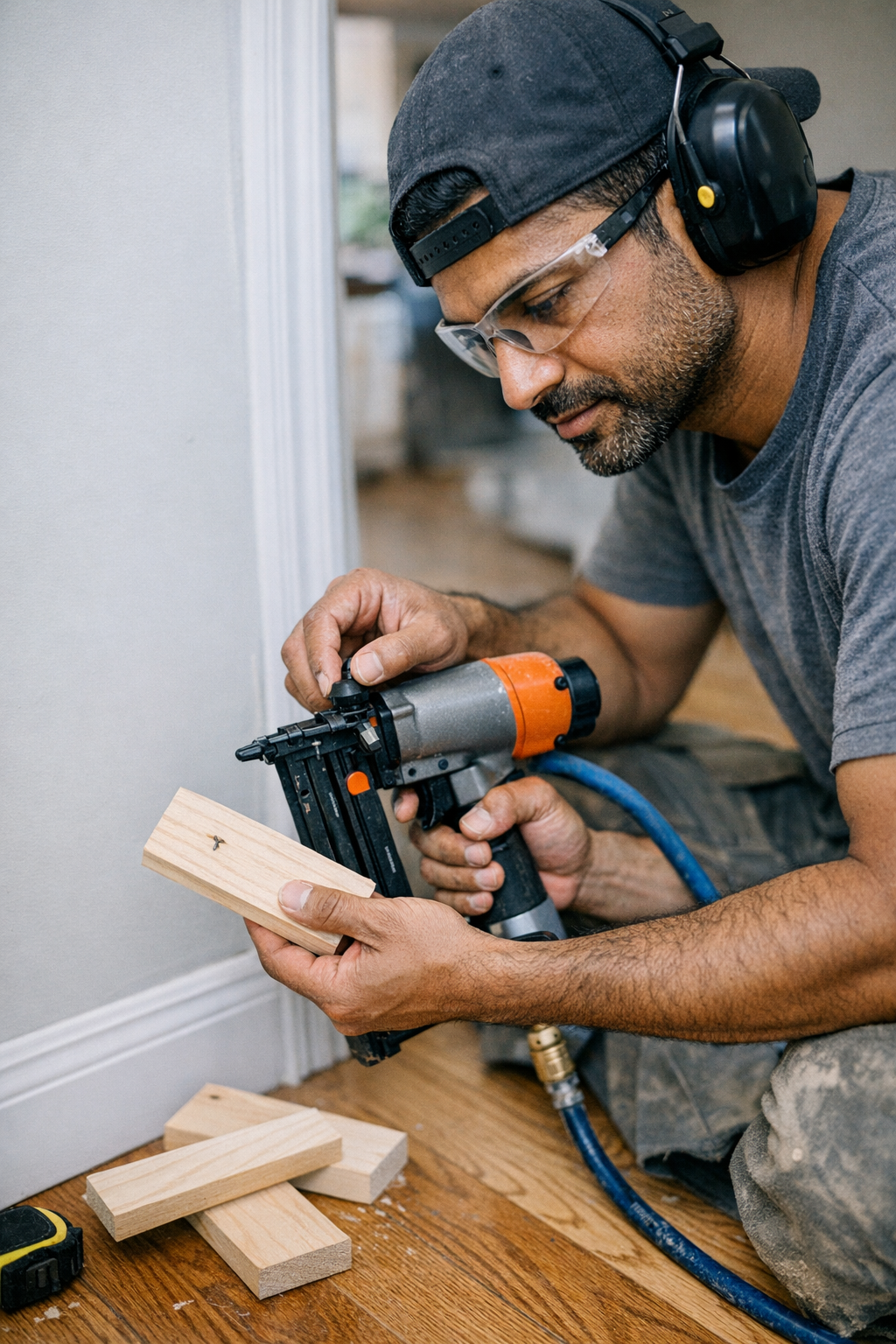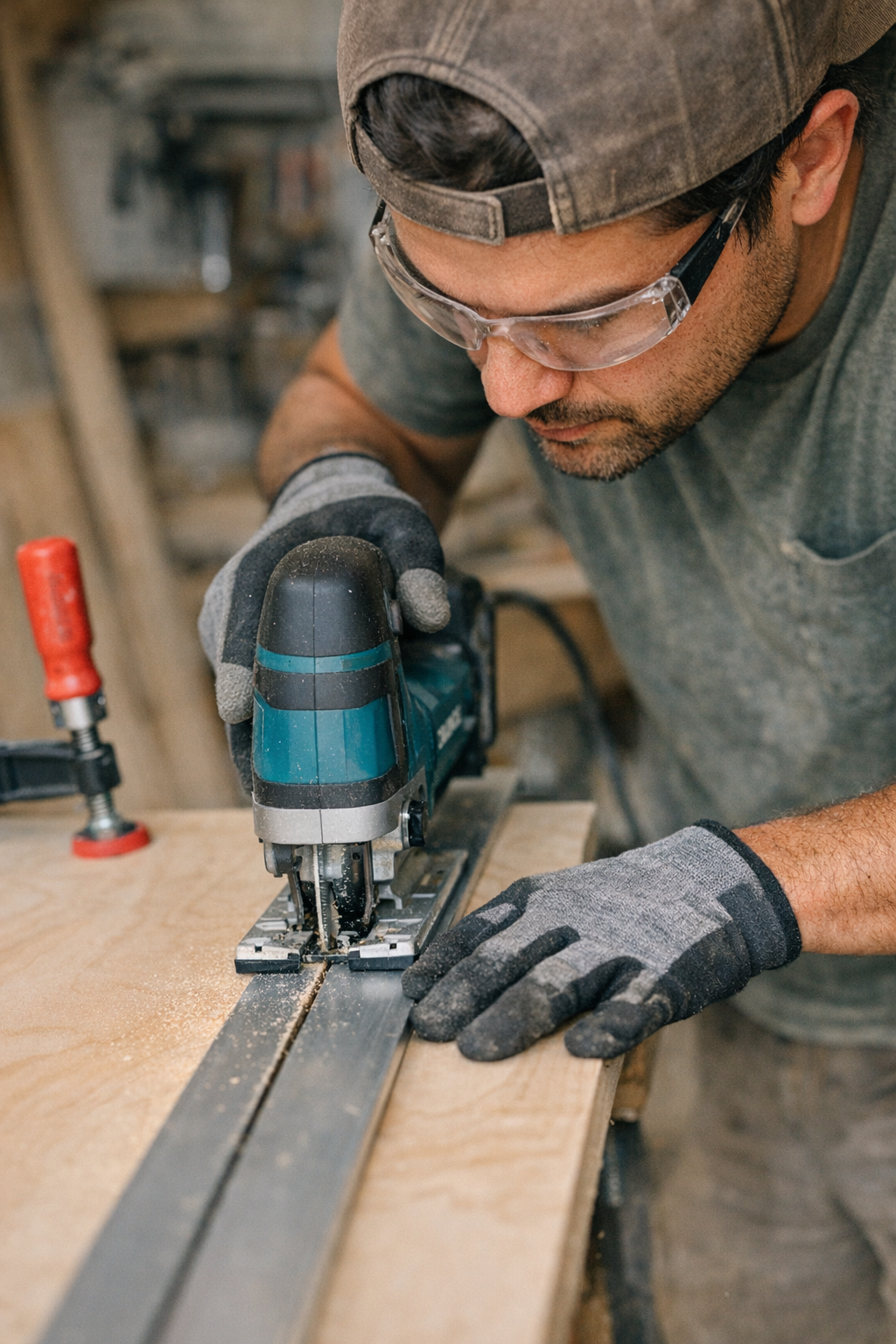
Blog

  • The Simple Clamp Trick That Transforms Your Jig Saw Cuts

    Why Jigsaw Cuts Often Go Off Course

    If you’ve ever tried making a perfectly straight cut with a jigsaw, you know how tricky it can be. Even with a carefully drawn line and steady hands, the blade tends to wander, creating jagged edges or slight curves that ruin an otherwise solid piece of work. This isn’t a sign of poor craftsmanship but a common challenge with jigsaws that many woodworkers face.

    The root of the problem lies in the nature of the tool and how it interacts with the material. Jigsaws are lightweight and versatile but often a bit “jumpy” during operation. The blade is thin and can flex sideways, especially if pushed too quickly or at an inconsistent angle. This flexibility means that even slight variations in pressure or speed can cause the blade to deviate from the intended cut line.

    In addition, the orbital action feature—designed to speed up cuts—can contribute to less precise results. Higher orbital settings increase the blade’s forward and backward movement, which makes the cut rougher and harder to control. Over time, it becomes clear that no matter how experienced you are, freehand jigsaw cutting requires a reliable method to keep the line straight.

    Choosing the Right Blade and Settings

    Before diving into the solution, it’s important to consider the blade and settings you’re using. For cutting plywood or making fine cuts, a blade with 8-12 teeth per inch (TPI) is ideal. These blades offer a good balance between cutting speed and smoothness, reducing the risk of blade flexing and tear-out.

    Using a blade labeled for “straight” or “precision” cuts can also help. These blades tend to be wider and stiffer, which minimizes deflection during the cut. On the other hand, blades meant for scrolling or intricate curves are thinner and more prone to wandering when forced into straight cuts.

    Keep the orbital setting low—zero or one—when cutting veneer or plywood. Higher orbital levels are better suited for softwood or rough cuts but increase the chances of chipping and blade drift on finer materials.

    The Simple Trick: Clamping a Straight Guide

    Here’s where the magic happens: instead of relying solely on your hand to follow the cut line, use a clamped guide. This simple addition will transform your jigsaw cuts from irregular to professional-quality edges.

    Find a straight, rigid piece of wood or metal that is at least as long as your workpiece. This will serve as your fence, guiding the base (shoe) of the jigsaw in a perfectly straight line. Before clamping, measure the distance from the blade to the edge of the jigsaw’s shoe. This offset matters because your guide should be positioned so the blade runs exactly on your cut line while the shoe presses against the guide.

    Securely clamp the guide along your workpiece, as close to the cut line as possible, taking care to ensure it doesn’t move during cutting. With the shoe pressed against the guide, the jigsaw’s blade naturally follows a perfect straight path, eliminating the guesswork and micro-adjustments that cause blade wandering.

    Pro Tips for Better Setup

    • Check blade alignment: Make sure the blade is perfectly perpendicular to the shoe to avoid angled cuts.
    • Wrap edges for protection: Cover the bottom edges of your guide with painter’s tape to prevent scratching finished surfaces.
    • Avoid over-clamping: Clamp firmly but gently enough to avoid warping thin materials or bending the guide.

    Adjusting Speed and Pressure

    While the guide ensures your cut stays straight, controlling speed and pressure remains vital. Pushing the saw too fast, especially at maximum strokes per minute, overheats the blade and dulls its teeth. This heat, in turn, causes the blade to soften slightly and veer along the wood grain instead of the straight path.

    Instead, operate your saw at a moderate speed, allowing the teeth to do the cutting with minimal forward pressure. If making a long cut, pause a few times to let the blade cool down or run the saw without load briefly. This prevents heat buildup and ensures consistent cutting performance.

    A Refreshing Perspective: Less Force, More Control

    When first using a clamped guide, many operators instinctively apply less mental effort in trying to control the tool, which paradoxically improves the cut quality even more. By focusing on maintaining consistent, light pressure and smooth movement, rather than trying to “fight” the saw into the cut line, the blade performs optimally, vibrations reduce, and edges stay clean.

    This shift in mindset—from battling the tool to guiding it—can be eye-opening. The jig saw goes from a temperamental instrument to a precise, reliable cutter.

    Material Considerations and Blade Selection

    Using a bi-metal blade brings additional benefits. These blades are more heat-resistant and last longer than typical high-carbon steel ones. They’re especially helpful when cutting melamine or veneered plywood, where minimizing chip-out is critical.

    Choosing the right blade length and thickness also matters. Thicker blades resist flexing better, and longer blades can handle deeper cuts without pushing the tool beyond its limits.

    Real-World Example: From Frustration to Precision

    In a recent bookshelf project, uneven freehand cuts on birch plywood end panels resulted in visible imperfections when assembled. After switching to clamped guides, those small but noticeable irregularities disappeared. Cutting became faster and less stressful. The edges were cleaner, and the final assembly more professional-looking.

    This simple change—clamping a straight edge—added just a few minutes of setup but saved hours previously spent sanding, filling, or recutting pieces.

    Key Takeaways

    • Use a clamped guide matched to your saw’s shoe-to-blade offset for straight cuts every time.
    • Select the right blade: 8-12 TPI, bi-metal, and suitable width improve cut quality and reduce heat buildup.
    • Operate at moderate speed with consistent, gentle pressure; avoid forcing the saw through the material.
    • Prepare your guide with protective tape and clamp gently to avoid damaging workpieces.
    • Reframe your approach: let the tool follow the guide instead of fighting to freehand the line.

    Incorporating this technique into your workflow introduces discipline and control without complicating your process. It’s a small step that yields outsized results, especially for projects where precision and finish matter.


  • Why Your Jigsaw Tilts on Curves—and How to Stop It

    Why Tight Curves Challenge Your Jigsaw

    Have you ever started cutting a tight curve with your jigsaw, only to notice the blade swaying, the tool tilting awkwardly, and the cut line going off track? You’re far from alone. Tight curves are a common headache for anyone using a jigsaw, even skilled woodworkers. The familiar responses—checking the shoe alignment, fiddling with speed settings, or blaming the type of wood—often don’t solve the core problem.

    To improve the precision of your curves and avoid frustrating jigsaw tilt, it helps to understand exactly why this happens and how you can adjust your approach for smoother results.

    What Causes Jigsaw Tilt on Tight Curves?

    A jigsaw differs significantly from stationary tools like bandsaws or scroll saws. It’s handheld, highly portable, and comes equipped with a thin blade that’s supported only at one end. When you attempt to cut a tight curve, the blade naturally flexes because it’s trying to follow the curve but lacks rigid support at the tip. This blade flex leads to a phenomenon where the baseplate (often called the shoe) begins to tilt or rock as the tool loses even, stable footing against the material.

    One common impulse is to push harder through the curve, assuming that increased force will help keep the blade on track. Paradoxically, this only makes the problem worse. More pressure causes the blade to twist in its kerf (the narrow slot the blade cuts), increasing the likelihood of the jigsaw tilting or the cut veering from the intended line. At worst, this can cause heat build-up, burning the wood surface and dulling the blade faster.

    The Role of Blade Selection

    Using the right blade is crucial. Blades with around 10 to 12 teeth per inch (TPI) and a narrow profile—generally less than 1/4 inch wide—deliver better control on tight curves. Their slim width allows for smaller radius turns without excessive flex. Blades made of bi-metal tend to last longer, especially in hardwood or plywood, than standard high carbon steel blades.

    Sticking with a generic all-purpose blade during tight curve cuts is a common mistake. Such blades are often wider and more prone to bending, causing the shoe to tilt and resulting in rough, uneven cuts. Investing in the right blade type for your project can dramatically reduce tilt and improve overall cut quality.

    Maintaining Shoe Contact and Stability

    Another subtle but critical factor in jigsaw tilt is how the shoe sits on the work surface during tight curves. The shoe must remain fully flush with the material. Even a slight lift on one side—sometimes just a millimeter—can cause the blade to wander and the tool to feel unstable.

    Woodworkers often describe this as the “ski edge” effect—the shoe rides only on one corner, losing proper contact and causing the tool to tilt noticeably. Maintaining full and even shoe contact throughout the curve is essential for accuracy.

    Keep Your Equipment Clean

    Small details count. Sawdust buildup, dried glue, or debris on the shoe’s bottom can create uneven contact, increasing tilt risk. Regularly clean the shoe base, especially before tight, precision cuts, to ensure the jigsaw stays level and predictable.

    Speed and Patience: Keys to Better Curves

    Pushing the jigsaw quickly through a tight curve often backfires, producing blade flex and shoe tilt, along with uneven cuts and potential burn marks. The solution is to slow down before entering and throughout the curve. Allow the blade teeth time to cut cleanly and clear sawdust instead of forcing the tool forward.

    If your jigsaw offers variable speed control, dialing it back from its maximum—say from 2,800 strokes per minute (SPM) down to 1,500 or 1,800 SPM—can make the cut smoother and reduce tool tilt. This slower speed gives you greater control, especially on dense or thick materials, and helps the blade track the curve neatly.

    Experienced woodworkers often adopt a rhythm: accelerate through straight segments, then ease off speed before and during curves, somewhat like changing pace when driving a vehicle through winding roads.

    Real-World Application: Flooring Installation

    For example, during a herringbone flooring project involving intricate oak cuts, reducing the jigsaw’s speed by half while navigating tight patterns noticeably minimized blade burn and enhanced cut alignment. The time invested in slowing down saved hours of corrective sanding and refitting down the line.

    Grip and Handling Technique

    After years of hands-on practice, one impactful adjustment is in how you hold the jigsaw during curves. Instead of gripping solely on the rear handle, position both hands closer to the baseplate. One hand can gently steer the front of the jigsaw while the other modulates speed and stability at the rear.

    This approach is like controlling a pizza cutter rolling around dough: not raw force but a gentle coaxing motion. Guiding the tool’s nose helps keep the shoe steadily engaged with the work surface and provides tactile feedback when the blade starts to twist or the shoe begins to lift.

    It takes a little practice if you’re accustomed to a single-handed grip, but the improvement in control and curve quality is substantial. With both hands engaged near the shoe, you can detect and counteract tilt before it disrupts the cut.

    Common Culprits Behind Jigsaw Tilt on Curves

    • Blade Too Wide: Wide general-purpose blades won’t hold tight curves well, increasing flex and tilt. Narrow blades under 1/4 inch work best.
    • Dull Blades: Dull teeth require excess pushing, which leads to tilt. Inspect blade sharpness frequently, especially after cutting harder woods.
    • Forcing the Cut: If you feel resistance and find yourself muscling the tool, pause and evaluate blade condition and technique.
    • Loss of Shoe Contact: Heel or side lifting means the saw is tilting. Regularly feel and visually check for steady shoe placement.

    Field Example: Stair Riser Fabrication

    On a project cutting curved stair risers from MDF, a crew member consistently tilted the jigsaw, causing undercuts nearly 5 mm off the template. After switching to a narrow 12 TPI blade and coaching him to hold the saw with both hands near the baseplate, both his speed and accuracy improved noticeably. No more blade binding or burning, and the parts fit perfectly on assembly.

    Refresh Tip: Focus on the Curve’s Moment, Not the Entire Cut

    When you anticipate a challenging curve, mentally break down your cut into segments rather than trying to master the whole curve in a single pass. Approach each small section slowly, adjust your grip and speed as needed, then proceed. This segmented mindset helps you regulate pressure, maintain shoe contact, and keep the blade straight through the curve’s most demanding portions.

    This approach helps prevent overwhelm and improves consistency, especially on complex shapes or unfamiliar materials.

    Final Thoughts: Technique Over Force

    Ultimately, jigsaw tilting during tight curves comes down to managing blade flex, grip position, shoe contact, and tool speed—not brute force. With a sharp, narrow blade, a moderate stroke rate, and hands anchored near the shoe, you’ll find your curves cleaner, your cuts straighter, and your overall woodworking experience more satisfying.

    Each time a jigsaw cut tilts or wanders, it usually signals that the blade is being forced beyond its capabilities or that your grip is compromising stability. Instead, slow down, check your setup, and guide the tool gently through those tight curves. These subtle adjustments will save material, reduce waste, and deliver professional results.

    How often do you evaluate your cutting technique before starting a complex jigsaw cut? Streamlining your approach today can pay off in fewer headaches tomorrow.

  • Streamline Travel: Master Packing, Breeze Through Airport Security Effortlessly

    The day before a flight always has its own odd energy. I’m shuffling between my bedroom and the open suitcase, grabbing that missing charger, double-checking for my passport just to be sure it hasn’t disappeared. Every time, I start out wanting my bag to be streamlined—just the essentials, nothing crammed in at the last minute. Sometimes I pull it off. Other times, even with a small carry-on, I find myself already dreading the digging around to come.

    Then comes the airport morning. The sun’s barely up when I roll my scuffed navy suitcase through the sliding doors. The terminal’s bright, the hum of suitcase wheels and airport chatter in the background. Security lines wind by the usual Starbucks and clusters of slow-moving travelers. I’ve noticed when my bag is packed neatly, the line almost feels shorter—I just watch it move and drift through. But if my bag’s a mess, the wait feels longer and my patience wears thin.

    There’s a weird exposure to standing in that security line, shifting from foot to foot, untangling headphones, wishing I’d tucked the liquids where I could actually find them. People behind me fiddle with their phones, sometimes sigh if I pause too long. I feel like a little display: “Traveler Who Didn’t Quite Get It Together.” Out come the sunglasses, the stray charger cord, toothpaste wedged in a pouch I can’t quite reach. It’s easy to imagine everyone is annoyed, though most are distracted by their own boarding pass or laptop bin routine.

    This is where having the right bag helps a lot. I stumbled on one that’s basically become my go-to—the kind where everything finally has a place. I found it late one night, just clicking around: here. Something about it just works, simple and neutral. I’ve noticed: the better I pack, the less those security lines get to me.

    When my carry-on is organized, I float. With a messy bag, time seems to crawl. The scripts of laptops in trays, shoes coming off, the security staff motioning people through—all of it feels slower if I’m reaching for something I can’t find. It’s less about science and more just that a disorganized bag tests my patience.

    I remember one woman ahead of me with everything in order—laptop out, toiletries ready, just moving through with zero fuss. Then it’s my turn, and I’m on a scavenger hunt: searching for a document, discovering a sock in the wrong place, watching a pen escape down the belt. My bag gaped open, as if unsure what it was supposed to be doing.

    On a flight to Portland last fall, my bag was a disaster zone. I was the one apologizing as something fell out—twice. The relief after clearing security was instant. There’s a certain peace in finally dropping into a gate chair, bag at your side, everything still there (more or less).

    I keep chasing that tidy feeling. Sometimes I manage: just a small bag, nothing buried, easy access to anything I might need. It’s funny how the state of my bag mirrors what I’m carrying mentally. The lighter and more organized it is, the less weighed down I feel. The line might not move any faster, but I don’t mind waiting as much.

    Turns out, the right carry-on isn’t just about pockets or wheels. It’s the feeling you get when you yank it from the closet—you know you’re set, that this trip is doable. Travel is rarely just about the flight. In airports, everyone’s headed somewhere for their own reasons. Keeping things light and simple makes the whole shuffle through security feel a bit less chaotic. That first moment sliding the bag overhead and taking a seat by the window always feels like a tiny win—no cords spilling out, no lost pen underfoot. Just a little calm to start the journey.

    Eventually, every trip wraps up. Whether landing at a new spot or heading home, that first step through customs or out to the curb brings back the memory of how things felt at the start. Sometimes I’ve packed right, sometimes not so much. Either way, the bag beside me is a running reminder—for next time.

    It’s a quiet satisfaction, like finishing a chapter as the plane touches down. Now, I toss fewer things in and trust my carry-on. Sometimes, reaching for what I need and finding it instantly, I notice I’ve stopped thinking about the security line completely. The line’s just there, moving at its own pace.

    All trips eventually blur together, but the little moments—wrestling to close a messy bag, easing through security with everything in place—stick with me. It’s minor, but always seems worth bringing home.

    If you’re packing for your own early morning airport run, hope your bag keeps things easy. And if you’re still searching for a good one, there’s always a link here for whenever the next trip comes around.

  • When a Reciprocating Saw’s Power Becomes Your Biggest Risk

    Understanding the Limits of the Reciprocating Saw

    The reciprocating saw, often simply called a recip saw, is a powerhouse tool known for its versatility and aggressive cutting action. It’s a staple on construction sites, in workshops, and many home garages due to its ability to quickly cut through a wide range of materials. However, that very aggressiveness can become a drawback in situations that require precision, delicacy, or care around sensitive components.

    Before diving into a project with a recip saw, it’s important to recognize when it’s not the best choice, as using it improperly can lead to damage, poor finish quality, and even safety hazards.

    Why the Reciprocating Saw Isn’t Always the Best Choice

    Precision Limitations

    The reciprocating saw’s rapid back-and-forth motion, complemented by an often orbital blade action and stroke rates up to 3,000 strokes per minute (SPM), makes maintaining a steady, straight cut challenging. Even with fine-toothed blades (14–18 teeth per inch), the blade tends to wander, resulting in splintered edges, rough finishes, and cuts that aren’t straight. Tasks requiring clean, visible lines—like cabinetry, finished trim, or detailed framing—are usually better served with tools designed for finesse.

    Risks When Working Near Plumbing and Wiring

    High vibration and the vigorous motion of a recip saw increase the risk of slipping or misalignment. This can be particularly hazardous when working around plumbing, electrical wiring, or finished surfaces that you want to protect. The saw doesn’t differentiate between the intended cut and the infrastructure behind your workpiece, making accidental damage surprisingly easy. I recall a situation removing a rusty metal planter where the blade slipped and nicked a water pipe, resulting in an unexpected flood that required immediate attention.

    Handling Thin or Fragile Materials

    Materials such as sheet metal, vinyl siding, and thin plastics react poorly to the reciprocating saw’s vibration. Instead of a clean cut, these materials tend to vibrate, flex, or distort during cutting, often leaving jagged, dented, or malformed edges. Using the wrong blade—such as a coarse 6 TPI demolition blade—can exacerbate this effect. In such cases, hand tools like tin snips or oscillating tools offer better control and cleaner cuts.

    Fatigue and Heat Build-Up in Long Cuts

    For extended cuts in plywood or drywall, a recip saw can be exhausting to manage. Its weight and vibration lead to operator fatigue, which in turn increases the chance of mistakes and uneven cuts. Additionally, prolonged cutting causes blades to heat up quickly. Overheated blades lose sharpness, sometimes develop blue discoloration from heat, and can scorch or warp the edges of your material, necessitating extra sanding or repair work after the cut.

    Making Smarter Tool Choices

    It’s tempting to reach for the recip saw as a one-size-fits-all solution, especially when demolition is involved. But thoughtful tool selection not only improves the quality of your work but also saves time and reduces cleanup and repairs.

    Tools to Consider Before the Reciprocating Saw

    • Handsaws or Coping Saws: Ideal for detailed, quiet work with minimal kerf and vibration, especially in tight spots or when you need accuracy.
    • Jig Saws: Equipped with 10–20 TPI blades, these provide tight turns and better control on thin materials—great for plunge cuts and flush finishing near trim or finished surfaces.
    • Oscillating Multi-Tools: Excellent for plunge cuts, small areas, and work near delicate materials without causing vibration or tear-out.
    • Tin Snips and Bolt Cutters: Best for cutting thin metals and fasteners quickly and cleanly without sparks or heavy vibration.
    • Circular Saws: Produce straight, clean cuts in plywood or framing lumber and reduce the need for sanding post-cut.

    A Real-World Refinement Tip

    Before starting demolition or removal with a reciprocating saw, take a moment to prepare your workspace carefully. Score drywall edges with a utility knife before cutting with the saw to limit tear-out, and always clear or shield nearby plumbing or electrical fixtures. Clamping down surrounding materials and placing a scrap piece of wood behind the cut line can prevent accidental damage and keep your cuts cleaner. This small step dramatically reduces surprise repairs and keeps your job site safer.

    Balancing Speed and Control in Demolition and Renovation

    Recip saws excel at rough demolition or removing stubborn framing members where precision is less critical. But even in demolition scenarios, adding a bit of preparation pays dividends.

    For example, when removing old window frames, scoring and exposing edges carefully prevents the saw from tearing a wall apart. The additional few minutes upfront save hours of repair and patching work afterward. Respecting the saw’s power and limitations means you get faster, cleaner results and less frustration overall.

    Key Takeaways for Using Reciprocating Saws Wisely

    • Use the recip saw for what it’s best at: rough cuts, demolition, and tasks where precision isn’t vital.
    • Think twice before cutting near sensitive infrastructure: take extra steps to protect plumbing, wiring, and finished surfaces.
    • Choose the right blade for the material and cut: fine-tooth bi-metal blades for metal, and avoid demolition blades on thin or delicate materials.
    • Prepare your cut thoughtfully: score edges, support the material, and clear the area to reduce vibration and damage.
    • Know when to switch to a different tool: jig saws, oscillating tools, handsaws, and snips can all outperform recips in accuracy, control, and finish quality.

    By pausing and assessing the task before powering up the reciprocating saw, you can avoid unnecessary damage, improve your overall results, and save time cleaning up or making repairs. The tool’s brute strength is undeniable, but it should be matched with care and respect for the complexity of your project.

  • How One Blade and a Simple Trick Calm Your Saw’s Shake

    Understanding the Challenge: Why Reciprocating Saws Shake When Cutting Nails

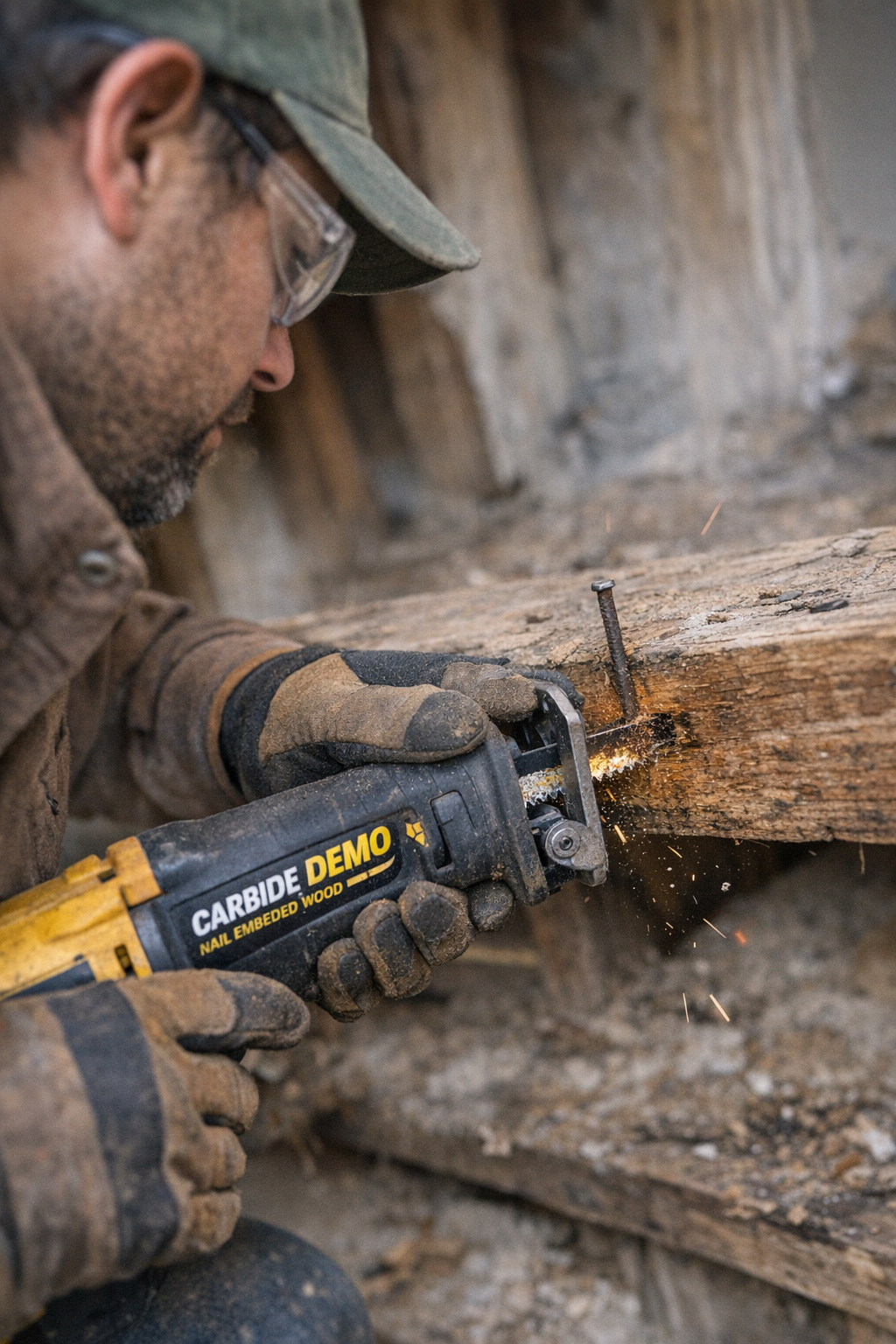
    Anyone who’s tackled a renovation or demolition project knows the frustration: you bring out your trusty reciprocating saw, aim it at a stubborn rusty nail or a hidden fastener deep within reclaimed wood, and as soon as the blade hits metal, your saw starts shaking violently. The tool rattles, your grip falters, and the cut becomes unpredictable. What’s causing this frustrating vibration, and is there a way to avoid it?

    Reciprocating saws are designed for versatility and brute force. They excel at cutting through wood, pipes, and various materials where precision can take a backseat to speed and power. But as soon as the blade encounters metal—especially embedded nails or screws—the cutting action changes dramatically. The interaction between the blade’s teeth and the hard metal creates a rapid catch-and-release effect. Instead of a smooth slice, the blade jerks, sending vibrations up your arm. This vibration isn’t just uncomfortable; it makes controlling the saw challenging, wears blades out quicker, and increases the risk of mishaps.

    The Secret Weapon: Choosing the Right Blade

    Many DIYers and even some professionals underestimate the importance of blade selection when cutting metal embedded in wood. Not all reciprocating saw blades are created equal, especially for demolition tasks. The key to smoother, less violent cuts lies in two factors: the blade’s material and its design.

    Blade Material: Bi-Metal and Carbide-Tipped Blades

    Standard steel blades may work well for wood, but they struggle and dull quickly when forced against nails or screws. Bi-metal blades combine a flexible steel backing with high-speed steel teeth, offering excellent durability and resistance to heat buildup. They flex less and can handle cutting through nails repeatedly without cracking or dulling rapidly.

    Carbide-tipped blades take it a step further. Their tooth edges are coated or tipped with tungsten carbide, one of the hardest materials available, allowing them to slice through metal easily. While more expensive, carbide-tipped blades last significantly longer on demolition jobs.

    Design Matters: Tooth Pitch and Blade Dimensions

    Look for blades with a variable tooth pitch—meaning the teeth alternate in size and spacing, typically ranging between 6 to 10 TPI (teeth per inch). This variety in tooth size reduces the catch-and-release effect that causes blade vibration, leading to smoother cuts on mixed materials.

    Additionally, thicker blades (usually between 1.2 to 1.5 mm kerf) and wider widths (20–25 mm) provide improved stability. A sturdier blade resists twisting and “blade slap,” where the blade bounces against the material, intensifying the vibration.

    A common error is attempting to use narrow, high-TPI wood blades (14+ TPI) for cutting nails. These tend to overheat quickly, dull almost instantly, and cause excessive shake. Investing in demolition-rated blades designed to handle metal and nailed wood will save time, frustration, and multiple blade replacements.

    Mastering the Technique: How to Use the Saw to Minimize Vibration

    Blade selection is critical, but technique plays an equally important role in vibration reduction. One of the most effective and often overlooked tricks is to firmly press the saw’s shoe—the flat metal plate at the front—against the material before starting a cut.

    The Role of the Shoe in Reducing Vibration

    • Vibration Absorption: The shoe helps absorb the impacts and dampen the vibrations before they reach your hands.
    • Blade Stabilization: Pressing the shoe flush against the surface reduces blade twist and skidding as the saw starts cutting, keeping the cut line accurate.
    • Power Alignment: A firmly placed shoe aids in keeping the force directed correctly, allowing the blade teeth to engage smoothly and consistently.

    Many users simply rest the shoe lightly or let it float above the work, amplifying tool chatter. Instead, applying steady, deliberate pressure creates a more controlled cutting environment.

    Additional Tips for Smooth, Comfortable Cuts

    Adjust Saw Settings for Metal Cutting

    Many reciprocating saws feature adjustable orbital action designed for faster wood cutting by adding a slightly circular motion. However, orbital action increases blade movement and vibration during metal cuts, especially around nails. For cutting metal or nailed wood, reduce or turn off orbital action to ensure a straighter, steadier cut.

    Maintain a Relaxed Grip and Proper Speed

    Tightening your grip in reaction to vibration only makes shaking worse and leads to premature fatigue. Instead, keep your hands relaxed, arms slightly flexed, and let the saw’s weight help guide the cut. Avoid forcing the saw or pushing too aggressively; cutting at a moderate speed (roughly 2,000–3,000 strokes per minute) lets the blade do the work without overheating or excessive vibration.

    Allow Blades to Cool and Rotate Them Regularly

    Cutting through metal generates heat that quickly dulls blades and increases vibration. After prolonged cuts, pause to allow the blade to cool for 30 to 60 seconds. Having spare blades on hand for swapping out during larger projects can dramatically extend cutting efficiency and comfort.

    Refresh Tip: Take Micro-Breaks to Maintain Precision and Reduce Fatigue

    Long cuts requiring continuous attention can cause arm fatigue and reduce your ability to control vibration. Scheduling brief pauses every 10-15 minutes—even if just to shake out your hands or reassess your grip—helps reset muscle tension and focus. This subtle reset improves control, prevents overgripping, and promotes safer cutting over long periods.

    Common Pitfalls That Amplify Vibration

    • Forcing the Saw: Pushing too quickly or at maximum speed without stabilizing the shoe leads to overheating, quick blade dulling, and aggressive vibration.
    • Using Inappropriate Blades: Wood-only blades won’t withstand nails or embedded metal, causing burning, blade wobble, and poor cuts.
    • Neglecting the Shoe: A floating or loosely applied shoe means the blade absorbs all the shock, resulting in violent shakes.
    • Overgripping the Saw: Clenching the handle tightens the arm and hand muscles, amplifying perceived vibration and reducing control.
    • Ignoring Orbital Settings: Using high orbital mode on metal increases erratic blade movements and vibration.

    Putting It All Together: Real-World Benefits

    Integrating the right blade choice with deliberate shoe contact and mindful technique transforms what can be a violent, exhausting task into a controlled, efficient process. In one renovation, switching from a standard wood blade to a quality demolition blade with variable tooth pitch reduced blade wear dramatically and kept cuts straighter. Firmly setting the shoe against the wood further stabilized the saw, significantly cutting down on vibration.

    The results: less fatigue, fewer blade changes, cleaner cuts, and improved safety. Instead of battling your tool, you collaborate with it, letting its power and your control combine for precision even in the messiest jobs.

  • Why Your Nailer Jams When It Matters Most—and How to Fix It

    Understanding Why Nailers Jam at Crucial Moments

    If you’ve spent enough time wielding a nailer, you know the frustration when it suddenly clunks, stutters, or jams—especially when the pressure is on and you’re racing against a deadline. Whether you’re installing baseboards for a client’s house or fitting crown molding in your own living room, the unexpected halt in workflow can drive your stress levels sky-high.

    Typically, the culprit isn’t the nailer by itself. More often, the problem starts from small missteps we make during use or maintenance. Under pressure, tiny errors can quickly snowball, causing the tool to stumble just when you need it most. This article breaks down the main reasons nailers jam and offers practical advice to keep your projects running smoothly.

    Common Causes of Nailer Jams

    Contrary to popular belief, nailer jams aren’t random; they usually have identifiable and fixable causes. Recognizing these can protect you from downtime and frustration.

    1. Using Incorrect Nails or Staples

    Manufacturers design nailers to accept specific fastener types, gauges, and lengths. For example, finish nailers typically accommodate 16- to 18-gauge brads ranging from 5/8″ to 2″. Using anything outside of this specification—even just a slight gauge mismatch—can cause the nails to feed improperly and jam inside the magazine.

    When the fastener strip isn’t an exact fit, the nails may cock sideways, or get stuck at feed points designed for different dimensions. This is especially common when mixing leftover nails from previous jobs or borrowing staples from a different tool.

    2. Improper Loading and Alignment

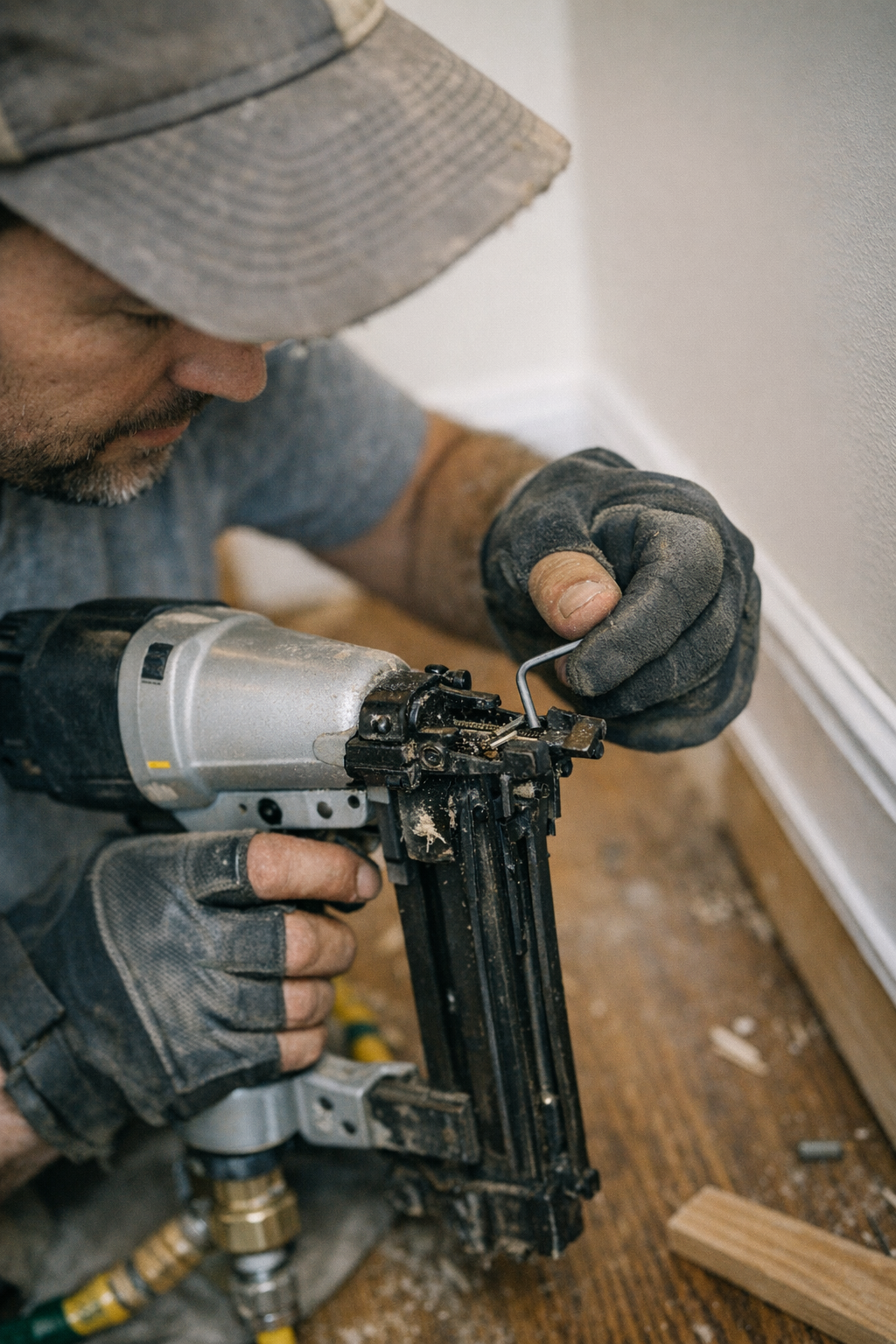
    Loading the nails quickly without ensuring perfect alignment often leads to feed issues. Even a tiny misplacement can create enough resistance for the tool to jam. For example, an 18-gauge brad nailer’s feed channel is often as narrow as 1.2mm. If a nail strip is pushed just 1mm too far forward or not seated flush against the guide, the feeding mechanism can stall.

    Developing the habit of pausing briefly during reloads to nudge the nails back gently into place can prevent many jams. It’s a simple habit but saves you from tearing down your tool on the fly.

    3. Dirty or Poorly Lubricated Magazine

    Dirt, dust, sawdust, or old lubricant buildup can gum up the magazine and preventing smooth feeding. Regularly cleaning the inside of the nosepiece and magazine channel, and applying manufacturer-recommended lubrications, keeps your nailer running like clockwork.

    4. Overfiring or Firing Too Quickly

    Trying to work faster than your nailer’s cycling capability often backfires. Most consumer-grade nailers are rated around 2–4 cycles per second. Exceeding that by triggering shots in rapid succession can cause double fires, overheating, or sticking nails.

    Heat causes expansion of the metal components inside the nosepiece, increasing friction and binding the nail strip. Particularly for coil nailers, which fire dozens of nails in quick bursts, proper pacing is critical to avoid jams.

    5. Incorrect Air Pressure or Battery Charge

    Pneumatic nailers require correct air pressure to drive nails fully and reset the driver mechanism. Running at pressures too low means the punch mechanism can stall halfway, causing jams. Conversely, operating at pressures above the manufacturer’s recommended range stresses internal components and encourages misfires.

    Always check your compressor settings or battery levels before starting the job to ensure your nailer performs optimally.

    Real-World Experience: How a Simple Habit Change Made a Big Difference

    During a hectic home renovation, my finish nailer repeatedly jammed during a trim job. After a few frustrated disassemblies, I realized my mistake: I was loading fasteners too quickly and letting them settle ever-so-slightly forward, misaligning the strip.

    A small change—just pausing to gently tap the nail strip back so it was fully seated in the guide channel—transformed the experience. This two-second habit prevented misfeeds almost entirely, saving me from stressful downtime and preserving the project’s schedule.

    This taught me a valuable lesson: deliberate, mindful tool handling can prevent many headaches, especially when the clock is ticking.

    Maintenance Tips to Avoid Repeated Jamming

    Regular Cleaning and Inspection

    Cleaning your nailer at the end of each day, especially after messy jobs, helps maintain smooth function. Remove dust and debris with compressed air or a soft brush, and check for signs of burrs or damage on the driver blade.

    Check the Driver Blade

    A bent or nicked driver blade repeatedly causes jams and misfires. If you notice inconsistent driving or frequent jams, inspect the blade and replace it if necessary.

    Use the Correct Lubrication

    Applying a few drops of pneumatic tool oil (for air tools) to the moving parts keeps the tool cycling smoothly. Avoid over-lubricating, which can attract dust.

    Refresh Tip: Slow Down to Speed Up

    When you’re stressed and trying to rush, your body tends to get tense, and your actions become jerky or hasty. Taking a moment to breathe and approach your nailer reload or firing rhythm deliberately can dramatically reduce errors and jams.

    This subtle mental reset encourages better hand-eye coordination and precision, translating into fewer mishaps. Remember, consistently fast isn’t same as smoothly fast—patience in action ultimately leads to higher productivity.

    Summing Up: Keep Your Project Moving When It Counts

    Nailer jams are not inevitable or mysterious. More often than not, they’re a sign of fasteners mismatched for your tool, slight misalignments during loading, improper air pressure, or firing speed that’s too aggressive. Addressing these details with deliberate care can prevent jams from derailing your momentum.

    Adopt small but effective habits—like gentle fastener seating and paced firing—to keep your tool in tune. Maintain your equipment responsibly, and watch how much smoother your workdays become even under the tightest deadlines.

  • How One Simple Depth Adjustment Saves Your Trim from Splitting

    Understanding the Common Problem: Why Does Trim Split?

    One of the most frustrating moments for any woodworker or DIY enthusiast is when perfectly cut trim suddenly splits as you nail it into place. You’ve carefully measured, cut, and aligned that piece of trim, only to hear a sharp crack as the wood gives way. The result is an unsightly split that compromises the finish and wastes materials.

    Many attribute this problem to “bad wood” or simply “bad luck,” but the truth is more technical: the settings on your finish nailer or stapler often play a pivotal role in whether or not your trim splits. The force and depth at which a fastener is driven deeply affects how the wood responds—especially on delicate edges or harder boards.

    Why Depth Setting Matters in Finish Nailing

    Every finish nailer or stapler, regardless of brand or price point, has a mechanism to adjust the depth of the fastener. This can be a dial, a switch, or sometimes an adjustment requiring tools like a screwdriver. This setting controls how far the nail or staple is driven below the surface of the wood.

    Proper depth adjustment is critical because driving a fastener too deep can create a wedge effect, pushing the wood fibers apart and causing splits. On the other hand, if the nail or staple is set too shallow, it will stand proud above the surface, which interferes with finishing work and creates a rough appearance.

    Recommended Settings and Basic Guidelines

    • Use nails that are typically between 1¼” to 2″ in length for most trim work.
    • Adjust the nailer so fasteners sit flush or just slightly (up to 0.5 millimeters) below the surface.
    • If your tool offers variable strokes per minute (SPM), use a moderate speed—roughly 50–80 SPM—to reduce impact force and minimize splitting.

    How to Avoid Split Trim in Practice

    A common novice mistake is to leave the nailer at factory default settings or run it at maximum power to ensure nails are fully driven. However, wood, especially softwoods like pine or pre-primed MDF, reacts differently depending on grain direction and moisture content.

    Shallow nail placement near edges greatly increases the risk of splitting. For narrow trim pieces less than 2″ wide, aim at least ¼” in from the edge. For hardwoods or tougher species, pre-drilling pilot holes with a small bit (1/16″) helps prevent splitting altogether.

    Testing Your Settings Before Installing Trim

    One of the simplest yet most effective ways to avoid splitting is to spend a few minutes testing your nailer on a piece of scrap trim before starting your installation:

    1. Take an off-cut from the batch of trim you’re about to install.
    2. Set your nailer or stapler to the lowest depth setting.
    3. Fire a nail or staple into the scrap, then inspect closely for any cracking or splitting.
    4. If the fastener head isn’t sufficiently countersunk, increase the depth slightly and repeat.
    5. If you notice any cracks, dial the setting back to the previous safe point.

    This simple test ensures you’re not working blind, and the cost is negligible compared to replacing split boards.

    Acclimate Your Wood and Control Environmental Variables

    Wood’s response to nailing isn’t static—it varies with moisture content and temperature. Trim that’s stored in a cold garage and then brought into a warm room can behave differently. The colder, slightly damp wood is more prone to splitting because it is less flexible.

    A practical approach is to let your wood acclimate indoors for at least a day before installation. Combined with proper tool depth settings, this acclimatization drastically reduces the risk of splitting. Adjusting the air pressure on pneumatic nailers to around 70 PSI and setting the drive depth mid-range can also help during these transitions.

    A Refresh Tip: Slow Down and Reassess Your Work Flow

    When you get into the rhythm of installing trim, it’s tempting to set the nailer once and rely on “muscle memory” or previous jobs. However, each new house, batch of wood, or season change demands fresh settings. A subtle but powerful habit is to reset your depth adjustment regularly—even multiple times per job if needed.

    Pausing briefly to retest on scrap slows the pace but enhances quality and reduces frustration. It shifts your workflow from reactive repair toward proactive prevention, saving time and material on the downside.

    The Benefits of Getting Depth Settings Right

    When your fastener depth is dialed-in correctly, you’ll notice immediate improvements: trim boards hug the wall smoothly without cracks or gouges, fasteners sink neatly ready for filling, and your caulking and paint jobs look seamless. Overdriven nails or staples create unnecessary sanding and patching, while shallow ones might catch or cause paint failure.

    Beyond aesthetics, consistently proper depth settings reduce callbacks and rework, improving job satisfaction and professional pride. That snug, silent fit of trim is a small but fulfilling “win” every woodworking professional enjoys.

    Final Thoughts: Make Depth Testing a Ritual

    There is no once-and-for-all depth setting that works on every project. Wood species, grain, humidity, temperature, and even paint or primer coats can all shift how your fastener should be set.

    Your best defense is a simple routine: take the off-cut from your current batch, test fastener depth before starting, and adjust as needed. Make this an ingrained habit whenever you switch trims, work environments, or tools.

    That small investment in setup time ensures your trim work is clean, your materials intact, and your finishing process smooth. Split trim boards become the exception instead of the rule—and that makes every job easier and more professional.

  • “Master Calm Travel: Pack Smart, Start Every Trip Peacefully”

    There’s a quiet that seems to settle in the apartment the night before a trip. The city is softer as the daylight fades, and my suitcase sits open beside the bed—my dependable, hard-sided carry-on, covered in a few familiar scuffs and stickers. Sometimes I put on a playlist, or just leave the window cracked for the evening breeze, but lately, the thing that makes travel days easiest is just taking the packing slow. No rush—just a calm start to the adventure.

    This wasn’t always the case. My old routine was a last-minute scramble: clothes in heaps, tangled chargers, always glancing at the clock or scrolling through a to-do list. The next morning, I’d shoot out of bed, heart racing, half-certain I’d left behind something important—passport, phone charger, any sense of calm. In the past year or so, I’ve gotten into the habit of setting everything out the night before, checking and rechecking until it feels right. It’s a basic ritual now: jeans smoothed out instead of bunched up, snacks in the side pocket, favorite sweater folded for easy reach on the plane. There’s some comfort in knowing the carry-on I picked up here—http://carrysupply.myshopify.com—always has just the right pockets when I need them.

    By dawn, everything’s set. The carry-on feels familiar in my hand. Heading out to the ride-share, weaving through early traffic to LaGuardia, the morning feels less stressful without last-minute worries. Even airport security seems less daunting, and while some travelers rush by with arms full of shoes, jackets, and electronics, I’m not so frazzled. Everything I need is packed and ready.

    There’s something nice about airports in the morning, too—a sense of fresh starts everywhere. With my bag just the right size, I’m not waiting at the check-in counter or the carousel. Instead, I can grab a decent coffee and watch as sunlight creeps through the airport windows. Traveling light isn’t just practical; it actually lets me notice small, good moments—a dad tying his kid’s shoes, a gate agent sharing a smile.

    Airports have a way of putting everyone on edge, but having only a carry-on and a clear plan makes a difference. This time, my flight’s headed to Seattle. Once we’re airborne, my carry-on fits beneath the seat, and I settle in with my book. Somewhere over the Midwest, looking out at snowy patches and tiny towns far below, I catch those small in-between moments you rarely notice in the rush.

    Landing always feels quick—suddenly the shuttle doors open and the outside world is waiting. Seattle’s morning mist sticks to the windows, and the air feels cold but welcoming. As others crowd around the baggage carousel, looking for their bags, I just walk on with my carry-on. The smooth morning back home makes arriving here easier too.

    In the hotel, I leave my bag beside the desk. I didn’t realize how much difference it makes to start a trip calmly—how that feeling stays with you through airports and unfamiliar streets. Packing in an unhurried way, with a bit of intention, makes the rest of the day quieter too. Wandering along Elliot Bay, grabbing coffee or visiting a gallery, my steps just feel lighter.

    One morning heading toward Pike Place Market, I found the pair of gloves I’d stuffed deep into a side pocket—just in case. It’s kind of satisfying to find something small and useful you packed without thinking.

    After days of meandering through Seattle—checking out coffee spots, tide pools, library corners—I’m ready for the trip home. The peaceful start I gave myself seems to carry through, making the return trip softer, even if there’s a twinge of wishing I’d stayed longer. Unpacking is quieter too, like a gentle landing.

    Looking back, it always comes down to the basics: packing with a bit of patience, taking the time to set the tone. And if you’re wondering, the bag with pockets deep enough for gloves and a zipped compartment for snacks is the one I found here: http://carrysupply.myshopify.com.

    There may not be one perfect way to travel, but for me, it all starts with a calm beginning and a bag that keeps up. The next trip will have its own early morning, its own new city—and probably, my old carry-on rolling along beside me.

  • “Mastering Travel Rituals: Packing Comfort in Every Carry-On Journey”

    It always begins in that quiet stretch between a closed suitcase and the first chime of the alarm. There’s a certain comfort in the calm before heading out. I always end up pacing around my apartment, just sure of a few things: coffee brewing for when I wake up, a stack of travel documents in a worn envelope, and my reliable carry-on waiting by the door.
    Over time, anticipation has replaced the old nerves about leaving home. It wasn’t anything fancy—just figuring out what feels right for me. I throw in the sneakers I know I’ll actually wear, pack the book I might not finish, water my neighbor’s fern. These little routines feel like a quiet ritual. I almost expect to forget something—maybe a charger or that one scarf—but I’ve found that leaving a few loose ends isn’t the end of the world.

    Getting to the airport puts me in a kind of in-between space. The city outside the taxi window looks familiar, but I already feel a step away from it all. Somewhere between clicking my seatbelt and tossing my carry-on into the backseat, my mind jumps ahead to where I’m going. At the airport, I blend in with the early crowds, watching all the suitcases roll by. I like seeing what people grab onto when they’re between places—the calm travelers moving at their own pace, the bag lifted in one go at security, that quick pat of the pocket for a passport.

    Standing in those long lines, the weight of my carry-on is always reassuring. It stays steady while everything else gets shuffled at boarding gates and during the inevitable gate changes. Airports have taught me patience. Delays happen; sometimes there’s nothing you can do except wait and pass a small look of commiseration with someone across the lounge. I’ve even ended up sleeping in a terminal overnight—jacket for a pillow, curled up next to my bag. Oddly enough, it was fine. I didn’t feel alone.

    There’s something about early morning flights. Outside is still dark, everything feels possible. Once on board, as the runway lights slip by, I usually close my eyes for a second. It’s as if each mile up in the air loosens worries a little. The gentle pressure of my bag under the seat helps keep me settled. Sometimes, with hours to kill, I’ll flip open a notebook and just jot down whatever comes to mind. There’s space for it up there somehow.

    Jet lag is a strange companion but arriving somewhere new always brings a shot of energy. Shuffling through customs, clutching the handle of my bag, I notice new scents—coffee, cars, maybe a bit of rain. The wheels on tile remind me of every city I’ve landed in before. Even if I forget something, I’m glad I took those extra minutes at home, double-checking for aspirin, an old city map, or a crumpled snack at the bottom of my bag.

    For me, it’s the simple rituals that make leaving easier—a bit of mental checklisting, unplugging things at home, texting my sister my ETA. One summer in Italy, I met someone who always packed blank postcards for new friends. I liked that idea. Now I sometimes slip an empty envelope next to my clothes, just in case.

    Coming home, I notice how my packing shifts. I wedge souvenirs and mementos into spaces I didn’t know I had. Departures and arrivals blend together after a while, but the small routines—organizing what I bring, double-checking before I leave—tie every trip to the next. It’s never been about getting it perfect, just about finding those little comforts.

    Maybe that’s what I like most about frequent travel, knowing home is always at the start and end. And my carry-on just keeps coming along, no matter how many journeys it takes.

  • Why Following Grit Steps Transforms Your Woodworking Finish

    Understanding Why Grit Order Matters in Wood Sanding

    If you’ve ever admired a flawlessly smooth tabletop at a craft fair or in a professional woodshop, you’ve likely wondered what process created such a perfect finish. The secret often lies not just in the sandpaper grit itself, but in the order the grits are used. Proper sequencing prevents the dreaded swirl marks that can ruin an otherwise pristine surface.

    Swirl marks typically show up as circular scratches under finishes, betraying rushed or improperly sequenced sanding. They’re especially common when you skip grits or jump from very coarse to very fine without intermediate steps. Avoiding them means respecting the progression of grit sizes, allowing each step to effectively remove scratches left by the previous grit.

    Why Skipping Grits Causes Swirl Marks

    The main culprit behind swirl marks is skipping grit sizes during sanding. When moving from a coarse grit to a fine grit too quickly, the fine sandpaper can’t effectively remove deep scratches created by the coarse sandpaper. Instead of eliminating those scratches, you’re just polishing them, and under wood finishes, these still show up as unsightly patterns.

    For example, jumping directly from 80 grit to 220 grit is a common mistake. The fine 220 grit sanding disc will glide over the deep grooves left by 80 grit, leaving them visible even after finishing coatings are applied. This problem is particularly pronounced in hardwoods like maple or cherry, where deep scratches easily telegraph through the finish.

    Recommended Grit Progression for a Swirl-Free Finish

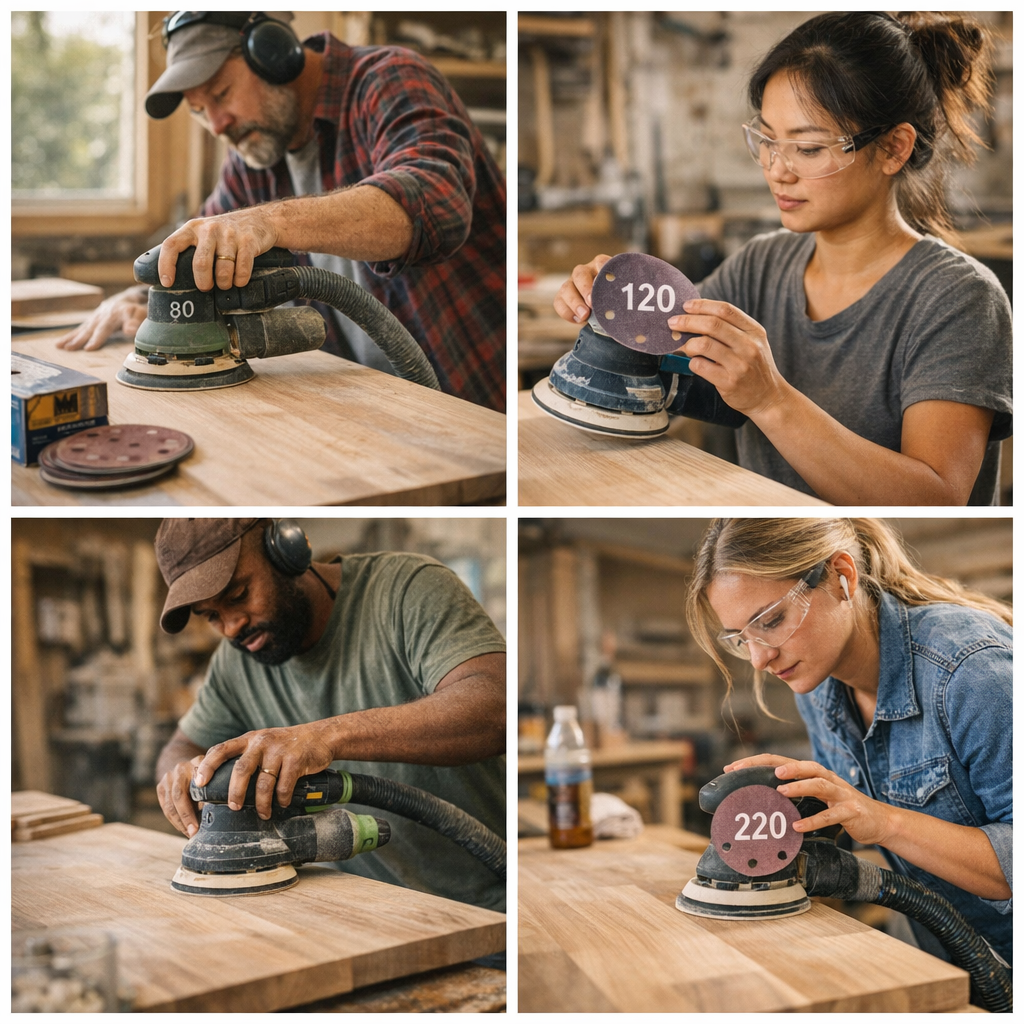
    Professional woodworkers swear by a gradual grit sequence that moves up one step at a time:

    • Start with 80 grit for rough shaping or flattening surfaces.
    • Progress to 120 grit to smooth and begin refining.
    • Move to 180 grit for further smoothing.
    • Finish with 220 grit for an ultra-smooth surface ready for finishing.

    This steady progression ensures that each sanding step removes the scratches left by the previous grit completely, resulting in a perfectly smooth surface with no visible swirl patterns.

    Choosing the Right Tools and Settings Matters

    Equally important as grit sequence is choosing the appropriate sanding tools and settings. Random orbital sanders are preferred for their ability to reduce visible swirl marks compared to traditional rotary sanders or hand sanding.

    Operating your random orbital sander at a moderate speed—typically between 10,000 and 12,000 orbits per minute (OPM)—with a 5-inch or 6-inch pad helps prevent overheating and swirl patterns. Overly fast speeds can burn the wood or create deeper scratch patterns.

    Additionally, using sanding discs with an “open coat” design helps reduce dust loading by providing more space between abrasive particles. This keeps the abrasive active longer and prevents clogging, which can cause uneven sanding.

    Pro Tip: Keep Your Discs Organized

    A simple yet effective workshop habit is to write the grit number on the Velcro side of your sanding discs. This prevents confusion mid-project and eliminates mistakes like skipping a grit or accidentally jumping ahead.

    Dust Management and Technique: Essential for a Clean Finish

    Beyond grit order and machine settings, dust management dramatically impacts your sanding results. Fine dust particles left on the surface between grits can cause new scratches or imperfections.

    Always vacuum or wipe down the surface thoroughly between sanding steps. Using a tack cloth or low-lint microfiber cloth helps remove any remaining dust. Some woodworkers attach a shop vacuum to their sander’s dust port (typically 1.25 inches in diameter) to reduce airborne dust and keep the work surface cleaner.

    Also, maintain steady pressure—too heavy-handed sanding can cut unevenly and leave marks that require more work to remove. Let the sander’s motion do the work. Overlap each sanding pass by about a third to ensure even coverage without patchy spots.

    Refresh Tip: Slow Down and Embrace the Process

    Often, the biggest enemy of a flawless finish is rushing. It’s tempting to leap to the finest grit to speed things up or skip vacuuming to save a minute. However, every shortcut risks creating swirl marks that show up after finishing, forcing costly fixes.

    Try this small mindset shift: treat sanding as a meditative, stepwise ritual. Spend focused time on each grit progression, check your discs, tidy up the dust, and move deliberately. This attentiveness transforms sanding from tedious labor into craftsmanship and ensures you can take pride in the finish.

    Case Studies: Lessons From the Workshop

    On an oak shelving project, skipping the intermediate grits turned what should have been a shining finish into a surface riddled with fine swirl patterns. When finished with oil, those imperfections became impossible to hide. The fix involved re-sanding step-by-step through all grits and thorough dust cleaning, doubling work time.

    Conversely, projects where I adhered to 80, 120, 180, and 220 grit progression finished with buttery smoothness every time. The surface was so refined that even bare wood felt like glass to the touch, and finishes applied flawlessly without magnifying imperfections.

    Summary: The Simple Sequence for Swirl-Free Sanding

    1. Choose a random orbital sander with appropriate speed settings (10,000–12,000 OPM).
    2. Use sanding discs starting at a coarse grit like 80.
    3. Progress sequentially—never skip grits.
    4. Use an open coat abrasive pattern for better dust management.
    5. Keep dust under control by vacuuming or using tack cloths between steps.
    6. Maintain slow, even pressure and overlapping passes.
    7. Label sanding discs clearly to avoid stepping out of sequence.

    Following this disciplined approach will dramatically reduce swirl marks and produce wood surfaces ready for flawless finishing layers. It takes patience and attention, but the rewards are tangible in every perfectly smooth project.

    Remember: sanding isn’t just a chore—it’s an essential stage of craftsmanship. Getting grit order right transforms the final look and feel, making your work stand out for its quality and polish.