Blog

  • Why Some Oscillating Blades Outlast Others on Hardwood

    Anyone who’s worked with oscillating tools on hardwood knows the frustration: you start with a blade that cuts cleanly through thick oak or maple, but after just a few boards, the blade starts to smoke, stall, or lose its edge. Some blades barely last an afternoon, while others endure for weeks. So what really makes an oscillating tool blade last longer when working with tough hardwoods? Let’s break down the factors that affect blade longevity from a hands-on perspective.

    Why Hardwood Is Hard on Oscillating Tool Blades

    Hardwood species such as oak, walnut, and maple are dense and rigid materials. They often contain microscopic silica deposits within their grain structure, which act like natural abrasives on cutting blades. This density also causes the blade to heat up quickly during use, accelerating dulling and wear. The combined effect means your oscillating tool blades are constantly tested when slicing through hardwood.

    Using the wrong blade is a common pitfall. For example, blades designed for softer wood or general demolition won’t hold up well on hardwood flooring or trim. High-carbon steel (HCS) blades with a low tooth count (6–8 teeth per inch) can dull within a few feet of cutting through dense hardwood. In contrast, bi-metal blades featuring a higher teeth-per-inch count and specialized tooth profiles are designed to withstand this abuse better, often lasting significantly longer.

    Key Features of Durable Oscillating Blades for Hardwood

    Bi-Metal Construction

    A durable oscillating tool blade for hardwood typically has bi-metal construction, combining flexible steel backing with durable high-speed steel (HSS) teeth. This design allows the blade to flex without breaking and resists overheating, which can prematurely dull softer blades. Look for bi-metal blades rated for heavy-duty use, which means they’re engineered to handle prolonged cuts in thick hardwood without visible tooth rounding.

    Japanese-Style Tooth Profile

    Blades with Japanese-style teeth feature a fine, double-row tooth design operating at around 17–20 teeth per inch (TPI). This profile is optimized for clean, fast cutting through wood, and it resists clogging with hardwood dust. Less clogging leads to less friction and lower cutting temperatures, extending blade life significantly.

    Wider Blade Profile and Thick Kerf

    Choosing a blade with a wider cutting profile (approximately 1-3/4″ or more) helps distribute heat across a larger area, reducing wear. A blade kerf thickness between 0.7 and 1.2 millimeters supports straight cuts without binding or twisting, which again reduces heat buildup and dulling. Stability during the cut is just as important as sharpness.

    Secure Universal Fitment

    A blade that fits your oscillating tool snugly with minimal wobble preserves the blade’s attachment tabs and ensures efficient power transfer. Loose or cheap adapters introduce play, causing excess wear on the blade’s mount points and accelerating blade failure.

    Practical Tips to Maximize Blade Life on Hardwood

    Rotate the Blade Between Cuts

    Here’s a simple but often overlooked tip: after each hardwood cut, rotate the blade slightly on its mount before starting the next. Because different segments of the blade’s edge wear unevenly during a cut, this practice exposes fresh teeth to the wood every time you start a new pass. It effectively doubles the usable cutting edge, extending blade life without extra cost. This strategy can be a game-changer on longer jobs involving multiple hardwood boards.

    Manage Speed and Pressure

    Running your oscillating tool at full speed (often 10,000–20,000 oscillations per minute) may feel like a way to cut faster, but it leads to overheating. I recommend using a moderate speed setting with a mild orbital action (if your tool has one, setting 2 or 3 out of 5 works well). Applying steady but gentle pressure allows the blade to cut efficiently without bogging down or generating excess heat.

    Regularly Cool the Blade

    Heat is the enemy of blade longevity. When making long rip cuts on hardwood, pause every 30 to 60 seconds to feel the blade temperature. If it becomes too hot to touch, allow it to cool down or press the blade tip into a scrap metal piece as a quick heat sink. This simple practice reduces thermal damage and keeps the blade sharper longer.

    Keep the Workspace Clear of Sawdust

    Accumulated sawdust acts like abrasive sandpaper on a blade’s teeth. Clearing dust away frequently during cutting reduces friction and wear. Using compressed air or a vacuum attachment can help keep the working area clean and your blade healthier.

    A Refreshing Perspective: Quality Over Quantity

    It’s tempting to push blades until they completely fail in pursuit of squeezing out the last cut, but this often backfires. Dull blades produce rough cuts, increase your workload, and stress the tool’s motor. Instead, consider replacing blades proactively—when cutting efficiency noticeably drops or you hear the tool laboring. This mindset shift means less time spent fighting your tool and more time focused on precision and safety.

    Also, invest time upfront selecting blades designed specifically for hardwood applications rather than general purpose or demolition blades. This strategy saves you repeated stops and replacements throughout a project.

    Conclusion

    There’s no magic oscillating tool blade that lasts forever on hardwood, but selecting high-quality bi-metal blades with Japanese-style teeth, using wider blade profiles, and securing a tight fit on your tool lays a strong foundation for longevity. Combine this with smart usage habits—rotating the blade between cuts, running at moderate speeds with controlled pressure, cooling the blade regularly, and clearing debris—and you’ll notice a substantial increase in blade life and overall productivity.

    Being mindful of blade maintenance isn’t just about saving money; it’s about improving the quality and efficiency of your work. By understanding how hardwood interacts with your oscillating blade and implementing these practical tips, you’re well on your way to mastering smooth, durable cuts every time.


  • The Overlooked Filter Habit That Silently Saps Suction Power

    Understanding Why Suction Power Drops

    It’s a familiar scenario: you power on your blower or vacuum with high hopes, only to realize it’s barely pulling dirt or debris. Whether you’re dealing with fine sawdust from woodworking or collecting leaves clumped inside your garage, that sudden loss of suction can make what should be a straightforward cleanup frustrating and slow.

    Many assume the motor is weakening or the machine is simply worn out. While these can be valid reasons, the root cause often goes unnoticed—your vacuum or blower’s filter is fighting a hidden battle.

    How Filters Impact Airflow and Performance

    Every blower and vacuum relies on a filter to trap dust, particles, and debris to protect the motor and prevent clogging. Over time, these filters accumulate ultra-fine dust that can build up deeply within the filter’s fibers, even when it looks relatively clean on the surface.

    This buildup restricts airflow, starving your machine of the air circulation needed for strong suction. The result is a drop in performance, increased strain on the motor, and potentially reduced equipment lifespan.

    In real-world use, I’ve seen brand-new vacuums lose half their suction power after just one day spent tackling drywall dust. Especially when dealing with fine particles like MDF or cement dust, cleaning the filter regularly, and more importantly, ensuring it’s functional, becomes critical.

    The Hidden Problem of Damp Filters

    One of the biggest mistakes users make is reinstalling a filter before it is completely dry after washing. It’s tempting to rush and get right back to work, thinking a “mostly dry” filter is fine.

    However, moisture trapped inside the filter binds with dust particles and creates a dense clog that chokes airflow. This not only reduces suction dramatically but can also encourage mold growth, leading to unpleasant odors.

    A personal experience drives this home: I once quickly rinsed my filter before a big job and replaced it after just 20 minutes of drying. Despite appearances, the filter remained damp inside. My vacuum’s suction was weak, and it took me a full week of troubleshooting before realizing it was the damp filter causing the problems. Once dried fully, suction instantly returned to normal.

    Best Practices for Cleaning and Drying Filters

    • Allow Full Drying Time: After washing, set your filter in a warm, airy place. Outdoors is ideal, but a well-ventilated indoor area with a fan works well too.
    • Position Filters to Maximize Airflow: Place the filter so air circulates through all sides for even drying. Avoid leaving it flat on a surface where moisture can pool.
    • Be Patient: Let the filter dry overnight if possible. Only reinstall it when it feels completely dry—both on the surface and deep in the folds.
    • Use Low Heat Wisely: If you’re pressed for time, tap out excess water and use a hair dryer on a low heat setting or place the filter near a heater—never directly contact the heat source to avoid damaging the filter material.
    • Keep a Spare Filter: Having an extra filter ready means you can swap out a dirty or damp one immediately, avoiding downtime.

    Refresh Tip: Change How You View Maintenance Time

    When you’re focused on the work ahead, it’s tempting to view maintenance tasks like drying filters as interruptions or delays. Try reframing this routine as an essential investment in your machine’s longevity and your own efficiency.

    Think of drying your filter fully not as waiting but as preparing your tool so it performs flawlessly, reduces future breakdowns, and grows your confidence for tough jobs. This small shift in mindset turns patience into a productivity advantage rather than a frustrating pause.

    Why This Helps You Work Smarter

    Once I made fully drying filters a non-negotiable step, cleanup became noticeably easier. The blower’s motor ran quieter, suction stayed strong throughout the job, and tasks finished faster without repeated passes. There was no more that dusty, musty exhaust smell—just solid, clean power.

    Whether you’re a contractor on site or a DIYer at home, clean and dry filters help you get the job done right the first time. Saving time and reducing machine strain add up to real results week after week.

    In Summary

    Don’t underestimate the critical role your filter plays in your blower or vacuum’s performance. Clogged or damp filters severely cut suction power, cause motor strain, and extend cleanup time.

    Make a habit of thoroughly drying your filters after cleaning and only reinstall them when they’re completely moisture-free. This simple but often overlooked step restores airflow, boosts suction, and protects your equipment’s health.

    By taking a little extra care with your filter maintenance, you’ll avoid needless frustration, enjoy smoother jobs, and extend the life of the machines that keep your work moving.

  • How Clear Lines and Dust Control Transform Cutting Precision

    Understanding the Hidden Impact of Dust on Cutting Accuracy

    If you’ve ever spent time in a workshop, you know the satisfaction that comes from a precise, clean cut. Yet, there’s a subtle factor that often goes unnoticed until it causes frustration: dust. Dust accumulation during cutting not only impacts visibility but can also cause inaccuracies that degrade the quality of your work. Over years of woodworking, many artisans learn that dust control is crucial for achieving professional results.

    Whether you’re working with hardwood, plywood, or MDF, sawdust doesn’t just clog your workspace — it can sabotage your cutlines and make repeat passes a challenge. This article explores why dust control matters and how integrating blowers and vacuums into your routine can enhance both precision and efficiency.

    The Real Cost of Ignoring Dust

    A thin layer of wood dust might seem harmless at first. It’s often regarded as a sign of productivity. However, dust collection is about much more than cleanliness. Every pass of the blade generates fine particles that quickly obscure pencil lines, scribed edges, or factory-printed guides. Once these reference points vanish beneath a blanket of sawdust, accuracy suffers.

    Visibility plays a crucial role in guiding a cut. When dust accumulates, woodworkers find themselves squinting, wiping surfaces mid-cut, or stopping altogether to clear debris. Each pause increases the chance of misalignment and errors. For example, plunge cuts performed without dust removal can quickly lose their reference lines, causing uneven or oversized cuts.

    Using aggressive orbital settings on jigsaws instead of lower, controlled speeds amplifies dust swirl and hides cut marks faster. Micro-movements of the blade triggered by tiny fragments caught in the kerf can widen the cut, leading to poor fitting joints or wasted material.

    Real-World Scenario

    On a recent site installation of prefinished maple flooring, a crew member repeatedly trimmed stair nosing pieces. Without any dust extraction, his cutting guidelines disappeared after just three passes. However, after pausing briefly to vacuum, the next piece fit flawlessly, saving time and avoiding costly material waste. This simple step illustrated how dust management is key for professional consistency.

    Why Visibility of Cutlines Matters

    One of the most immediate and visible consequences of dust buildup is loss of the visual guide line. Whether it’s a pencil mark, scribed layout, or printed guide, if it’s obscured, you’re essentially working blind. Even the most experienced woodworkers rely heavily on clear sightlines—often more than intuition or hand feel.

    Effective dust extraction by attaching a vacuum or blower nozzle close to the blade path keeps these lines clear in real time, reducing the need to stop or reposition. Professionals often keep the nozzle 3 to 5 inches from the cut to maximize debris capture while not interfering with the cut itself. For table saws, a vacuum rated at 100 CFM or higher is ideal to handle the volume of dust. For handheld tools, the priority is a snug dust port adapter that maintains suction and line visibility during cuts.

    It’s important to note that integrated dust ports on tools may not suffice when working with high-density or dusty materials like MDF or melamine. Supplementing the built-in system with a portable shop vac is a worthwhile investment for maintaining cutting precision on all project stages.

    Practical Tip: Optimize Your Dust Nozzle Position

    A small adjustment can produce surprisingly big results: positioning your vacuum nozzle about 4 inches from the blade instead of directly above it often improves real-time dust capture. This placement avoids interference, particularly when working with smaller stock, and reduces dust settling on the work surface and surrounding areas. Using flexible hose supports or magnetic brackets helps maintain consistent nozzle distance without the need for constant repositioning.

    Beyond Visibility: Dust Affects Tool Performance and Longevity

    Dust doesn’t just obscure your view—it also impacts the operational reliability and lifespan of your cutting tools. Loose debris can get into blade bearings, upset tool balance, and cause micro-vibrations that reduce accuracy. In cordless or track saws with precise blade tracking, even a slight buildup under the saw shoe can cause the blade to wander up to 2 millimeters per cut.

    Excessive dust clogging tool vents or switches can increase motor temperatures by 10–20°C, which accelerates wear and may cause premature failure during a job. This is especially true for thin-kerf blades or oscillating multi-tools where precision depends on uncompromised blade movement.

    Maintaining Focus and Professional Discipline

    Working in a dust-filled environment creates subtle mental fatigue. The background noise of dust buildup can distract and reduce your concentration levels, increasing the chance of mistakes. For those sensitive to airborne particles, eye irritation can further diminish focus during critical steps such as trimming or joinery.

    Adopting a habit to vacuum the workspace regularly—ideally after every plank, case piece, or significant cut—helps maintain a tidy environment, sharpens attention, and promotes safer working conditions. This disciplined approach translates directly into higher-quality outcomes and fewer costly fixes.

    Refreshing Your Approach: Clean as You Go

    Switch your mindset from “I’ll clean up at the end” to “I maintain cleanliness throughout the project.” This simple mental shift can redefine your workshop workflow. Consistently keeping cutlines visible and tools free of buildup reduces rework and speeds up completion rates.

    Even if you don’t have a full dust collection system, investing in a quality portable vacuum with a HEPA-rated fine filter can drastically improve air quality and cutline visibility, especially when working with engineered wood or MDF. Small, cumulative improvements add up to professional-grade precision over time.

    Summary and Key Takeaways

    • Dust obscures crucial visual guides and forces frequent stops, which increase error risk.
    • Active dust extraction using vacuums or blowers positioned close (3–5 inches) to the cutting line helps maintain visible, crisp cutlines.
    • Small adjustments like nozzle placement and regular workspace vacuuming elevate precision and tool performance.
    • Dust buildup affects tool longevity, blade tracking, and motor health, resulting in less reliable cuts.
    • Working clean and focused is a productivity and quality multiplier.

    Before you start your next cutting task, ask yourself: is the guideline as visible at the end of the cut as it was when I started? If not, it’s a clear sign your dust control needs improvement. Embrace proactive dust management as a foundational step in delivering craftsmanship that’s both precise and professional.

  • How One Simple Feed Direction Transforms Your Router Cuts

    Understanding Feed Direction and Its Importance in Routing

    If you’ve ever routed edges and noticed some cuts come out smooth while others end up chipped or rough, you might be overlooking a fundamental factor: feed direction. Despite its simplicity, the direction in which you move your router relative to the bit’s rotation dramatically affects the quality of your cuts and the safety of your work.

    Feed direction refers to the way you guide your router across the wood in relation to the spinning bit. Most routers spin clockwise when viewed from above, meaning the cutting edge moves left to right at the front of the bit. This direction of spin informs how you should feed the tool into the material for the best finish and safer operation.

    Conventional vs. Climb Cutting: What’s the Difference?

    There are primarily two ways to feed your router:

    • Conventional Cutting: Feeding against the bit rotation (moving the router so it pushes into the bit’s rotation)
    • Climb Cutting: Feeding with the bit’s rotation (the router moves in the same direction the bit is spinning)

    Most woodworking projects benefit from conventional cutting because it offers better control and minimizes tear-out. You’ll feel a slight resistance pushing the router against the spin, which helps prevent the tool from grabbing the wood and jumping forward unexpectedly.

    Climb cutting, on the other hand, can lead to cleaner surfaces in certain difficult grain situations. However, it’s riskier because the router tends to pull itself into the cut, often requiring a firm grip to keep it steady. This technique is usually reserved for final passes on small, controlled pieces or specialized applications.

    Detecting the Right Feed Direction in Practice

    If you suddenly find the router hard to steer or it seems to lurch ahead, you’re likely feeding it in the wrong direction—climb cutting unintentionally. A correctly performed conventional cut should feel smooth with manageable resistance.

    Feed direction can also affect the finish; the wrong feed tends to create burn marks, chatter, or splintered edges, especially on end grain or cross-grain cuts prone to blowout.

    Practical Tips for Managing Feed Direction and Router Setup

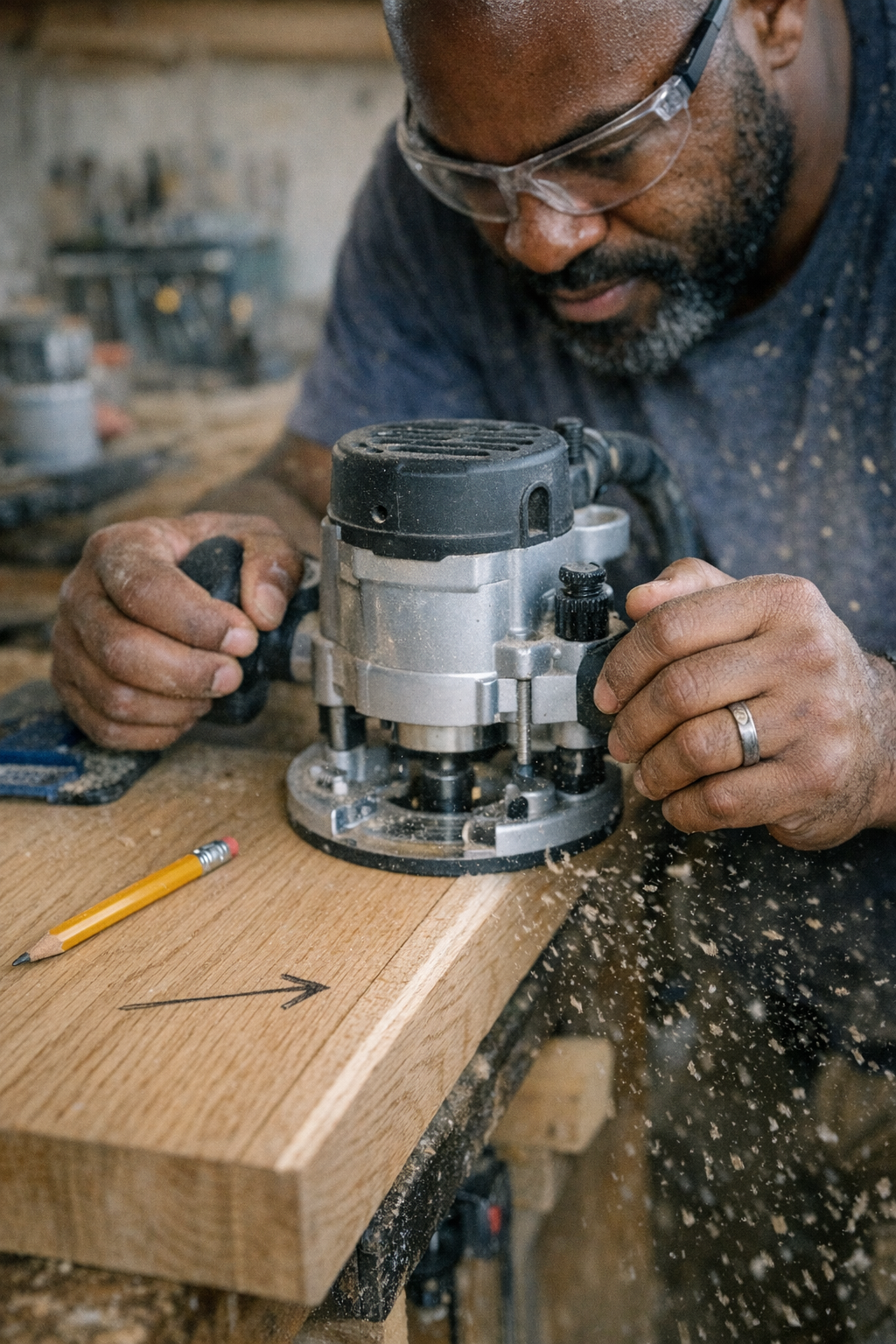
    1. Mark Your Feed Direction: Before routing each board or component, take a few seconds to draw small arrows indicating the optimal feed direction right on the wood. This tiny step can save you hours of guesswork and prevent costly mistakes, especially in dusty or fast-paced environments where it’s easy to forget or lose track.

    2. Match Feed Direction to Workpiece Orientation: On outside edges where you stand facing the board, you usually move the router from left to right against the bit’s clockwise spin. For inside cuts like dados or grooves, it typically reverses—feeding from right to left—to maintain the same opposing feed.

    3. Optimize Bit and Speed Selection: Use sharp bits appropriate for your material—carbide-tipped 2-flute bits work well on hardwood edges. Adjust your router speed based on bit diameter; smaller bits (up to 12mm) can run at 18,000 to 24,000 SPM, but larger bits require slower speeds (under 16,000 SPM) to prevent burning or chatter.

    Feed Direction and Material Considerations

    Materials like MDF or veneered plywood are more prone to splintering if fed incorrectly. For these, using spiral up-cut bits with narrow kerfs (3–5mm) and taking light passes of 2–3mm will reduce tear-out and preserve surface quality.

    End grain is particularly vulnerable. When routing end grain, reduce your passes to minimize chip-out or consider a very light climb cut on the last millimeter only if you’re comfortable controlling the router.

    A Refresh Tip: Slow Down and Reassess Your Cutting Process

    It’s tempting to speed through routing to finish a project quickly, but rushing often causes more problems than it solves. If your router starts to feel strained, noisy, or seems to push back against you, pause. Check your feed direction, bit sharpness, and router speed.

    Adjusting your feed speed to a steady, controlled pace is crucial. A slower feed at optimal bit speed will consistently yield cleaner edges and less effort, particularly on hardwoods and figured stock. Remember, good routing isn’t about how fast you move, but how well you control tool and material interaction.

    Common Mistakes to Avoid

    • Routing all edges in a continuous loop without adjusting feed direction—this often causes improper feeds and poor finishes.
    • Relying solely on climb cuts to speed up the process—increases risk of injury and work damage unless expertly managed.
    • Making deep passes that overload the router and bit, leading to tear-out and tool wear.

    Instead, break your routing into manageable sections. Reorient the router as needed so you can always feed against the bit’s rotation. Take multiple light passes rather than one aggressive cut.

    Real-World Experience: Avoiding Expensive Errors

    On one job, an apprentice accidentally used a climb cut while rounding over a bullnose edge on freshly sanded oak stair treads. This caused the router bit to grab and surge forward, chewing a significant 2-inch chunk out of the workpiece. The result was wasted materials and lost time—an hour-long delay to replace the damaged tread.

    This scenario underscores how subtle mistakes around feed direction can quickly translate to real-world consequences, especially on critical or expensive parts.

    Summary: Feed Direction Matters More Than You Might Think

    When routing, the simplest adjustment—feeding your router against the bit’s rotation—can dramatically improve your cut quality and safety. Combining this with appropriate bit selection, speed control, and light passes leads to the best results.

    Small habits, like marking arrows on your boards, and slowing down to reassess your setup, are practical ways to reduce errors and improve your woodworking outcome without extra cost or effort.

    Next time you pick up your router, take a moment to visualize the bit’s rotation and plan your feed direction accordingly. This tiny act of mindfulness often separates a perfect edge from a piece that demands extra sanding or worse, replacement.

  • How Hidden Heat Gun Mistakes Quietly Warp Your Woodwork

    The Versatile Heat Gun and Its Subtle Risks

    Whether you’re stripping paint, loosening adhesive, drying surfaces, or softening materials, the heat gun is an indispensable tool in any workshop or job site. Its ability to quickly apply controlled heat makes tasks easier, but improper use can cause problems that don’t show up immediately. One of the most common hidden issues is warping—materials becoming distorted or bowed after cooling down. These changes often appear hours or even a day later, creating frustrating challenges when you think the job is done.

    Why does this happen? The culprit is uneven heating that causes differential expansion and contraction within the material. This undervalued phenomenon can ruin hours of work if not managed properly. Understanding how heat interacts with wood, plastics, and composites is key to avoiding these silent pitfalls.

    How Heat Causes Warping in Wood and Other Materials

    When you apply heat to a piece of wood or plastic, that external surface heats and expands faster than the inner core. For example, if the surface reaches 90°C while the core is still around 40°C, the outer fibers stretch out more rapidly. The interior resists this expansion, and that creates internal stress.

    Once you remove the heat, the material cools and shrinks unevenly. Since different parts of the piece expanded at different rates, the contraction doesn’t balance out nicely, and permanent deformation results. In a 1-meter length of three-quarter-inch pine molding, even a short thirty-second imbalance can cause a bow of several millimeters—enough to cause installation headaches or cosmetic flaws.

    Unfortunately, repairing warp caused this way is difficult. Conventional clamping or steaming rarely brings the piece back to its original shape because the wood fibers and resins have been stressed and “set” in a new position. Prevention through careful technique is the smarter solution.

    Common Mistakes That Lead to Warping

    One frequent error is overheating a focused small area for too long. For example, you might hold your heat gun only 1 to 2 inches away at full temperature on a stubborn spot to get paint bubbling or glue melting faster. Although it looks like progress, you’re setting up uneven temperature gradients. The surrounding cooler material cannot keep up, and tensions form.

    Another mistake is using the maximum temperature setting by default, rather than dialing down to the lowest effective heat. Many jobs don’t need the gun’s full blast; lower temperatures produce gentle and more uniform heating.

    Additionally, neglecting nozzle size or distance can contribute. Small, concentrated nozzles focus heat in a tight area, increasing risk. Holding the gun too close—less than 4 inches for broader surfaces—also invites uneven heating.

    Proven Techniques for Preventing Warping

    Maintain Proper Distance and Movement

    The key to an even, warp-free application is distance and sweep. Hold the heat gun about 4 to 6 inches from the surface instead of right up close. Move the gun back and forth steadily at a pace that avoids overheating any single spot—doubling your usual sweep rate from, say, three seconds per inch to one and a half seconds per inch often works well.

    Use the Appropriate Temperature and Fan Setting

    Rather than maxing out heat, reduce it to the minimum effective range—often between 350 and 450°C for paint removal and adhesive softening. Some heat guns also allow airflow adjustment. Selecting a moderate airflow helps distribute heat more evenly without blasting a focused hot spot.

    Choose the Right Nozzle Attachment

    Wide fan or flat nozzles spread heat more gently across wood panels or molding, minimizing the risk of localized overheating. Narrow or concentrator nozzles can be reserved for very specific tasks but should not be used extensively on flat trim.

    Monitor Material Temperature Physically

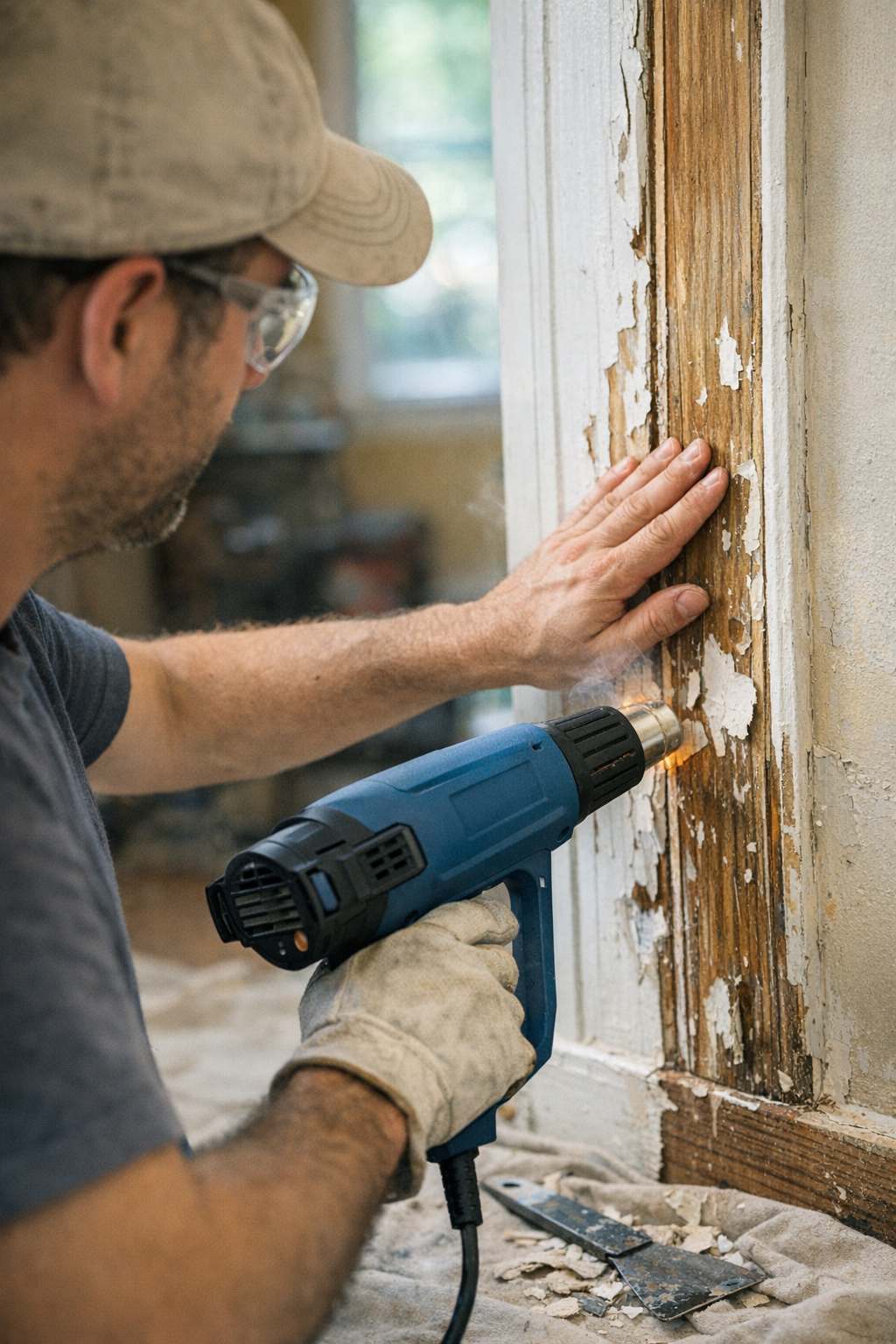
    One underrated trick—borrowed from professional flooring installers—is to place your free hand lightly on the reverse side of the wood. Once that side feels noticeably warm, about 30°C above ambient temperature, pause heating and allow the piece to cool or even out before continuing. This tactile feedback prevents accumulation of hidden internal stresses.

    What Not to Do: Why Clamping Often Fails

    It might be tempting to assume that if wood warps after heating, you can simply clamp it flat afterward. In reality, materials like pine or MDF baseboards won’t reliably return to their original shape without prolonged, controlled heat and pressure treatment—something impractical on most job sites.

    This is because fibers, once stretched and “set,” resist bending back. Clamping them tightly may reduce visible bows temporarily but can introduce other problems, such as splits or creases along the fiber grain.

    Refresh Tip: Slow Down to Speed Up Quality

    It’s tempting to rush a heat gun job when paint isn’t peeling or adhesive won’t budge fast enough. But slowing your pace and applying heat consistently over broader areas prevents warp, saves time spent on redoing warped pieces, and improves finish quality.

    You don’t need to overheat. Think of it like baking a cake—you don’t want to burn the edges before the middle is cooked. Scanning gently and monitoring temperature ensures the entire material heats evenly.

    Practical Example: Avoiding Warp on Pine Molding

    When stripping paint from pine molding, I use a 1500W heat gun set at medium (about 550°C max, but dialed down to 400–450°C where possible). Holding the nozzle roughly 4 inches away with a wide fan tip, I move across the molding steadily at about 1.5 seconds per linear inch.

    I check warmth by touching the backside of the molding every 15 or 20 seconds. If it starts getting too hot, I pause and let it cool. This avoids the warped, bowed sections I’ve seen when focusing intensively on small stubborn spots for longer than 30 seconds.

    The result: paint loosens without permanent distortion, and the molding fits back in place without force or fuss.

    Summary: How to Use Heat Guns Without Warping Your Work

    • Keep your heat gun at least 4 inches away when heating broad surfaces.
    • Use the lowest effective temperature setting and moderate airflow.
    • Move the heat gun steadily, keeping sweep rates brisk to avoid overheating.
    • Choose wide fan or flat nozzles for greater heat distribution.
    • Use your hand on the reverse side to monitor heat buildup and pause before temperatures get too high.
    • Avoid lingering over single spots to prevent internal stress buildup and warp.
    • Don’t rely on clamping warped pieces to fix distortion—prevention is better than correction.

    By staying mindful of these techniques, you’ll preserve the integrity of wood, plastics, and composites in your projects. Whether you’re a DIY enthusiast or a professional craftsman, incorporating an informed, measured approach to heat gun work improves long-term results and avoids costly mistakes.

    Adjust your heating habits today to keep your next project straight, flat, and beautiful for years to come.

  • Why The Two-Inch Heat Gun Rule Could Save Your Project

    Understanding the Importance of Distance When Using a Heat Gun

    There’s often a brief, silent moment just before you squeeze the trigger on a heat gun. It’s that instant where confidence meets caution. Whether you’re softening old paint on a window frame, shrinking tubing over a bundle of wires, or loosening a stubborn bolt, one critical factor determines your success: how far you hold the heat gun from the surface.

    If you’ve ever scorched paint, bubbled plastic, or accidentally set off a smoke alarm by applying too much heat too close, you know the consequences of ignoring this simple but vital detail. Although wattage and nozzle choice contribute to your results, it’s the distance between the heat gun’s nozzle and the material that really controls surface temperature, heat spread, and how the material reacts.

    Why Distance Matters More Than You Think

    Heat guns commonly operate between 400°F and 1,100°F (about 200°C to 600°C), but that doesn’t mean your material experiences those exact temperatures. The effective heat on the surface depends heavily on your distance and how long you hold the gun in one place.

    Holding the heat gun too close — say, less than half an inch (12 mm) — can quickly push the surface temperature beyond safe limits. This often causes warping, bubbling, charring, or melted plastic, sometimes before you realize it. In one restoration project, aiming the nozzle too close while stripping an intricate door panel not only loosened the paint but also lifted a thin veneer beneath. It was an expensive lesson: the margin for error shrinks rapidly the closer you bring the heat source.

    The “Two-Inch Test” to Find Your Safe Working Zone

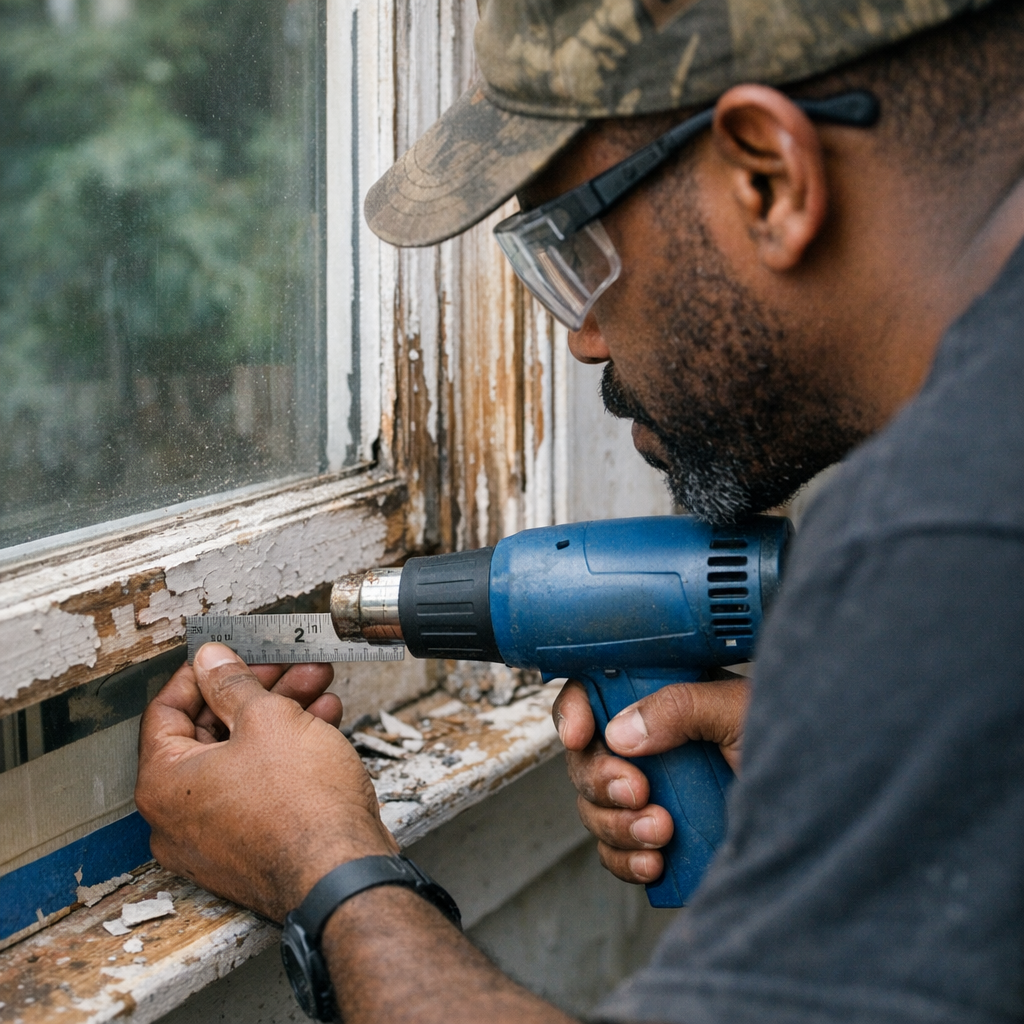
    A practical starting point is the “two-inch test.” Set your heat gun to a moderate temperature — roughly 500°F (260°C) — and hold it two inches (50 mm) from the work surface. Use a ruler or your fingers to gauge distance. At this range, you’ll usually see paint soften or shrink tubing contract within 5–10 seconds.

    If nothing happens, you can cautiously move closer in half-inch increments, but stay alert for signs of damage like discoloration, smoke, or bubbling. If you spot any of these, pull back immediately. For delicate materials such as soft plastics or fragile finishes, it’s often safer to hold the gun three inches or more away and reduce the temperature below 400°F (200°C). Always begin with a test on scrap or an inconspicuous area.

    Movement and Exposure Time: Avoid Staying in One Spot Too Long

    One of the most common errors—even when distance is correct—is holding the heat gun stationary on one spot for too long. Even a perfect two-inch distance can overheat the substrate if the gun stays still. For example, removing vehicle decals typically works best at two inches with steady, continuous motion; lingering causes paint distortion or bubbling.

    An experienced warehouse technician I know swears by a checklist taped to his bench: test on scrap, measure distance, check surface temperature lightly by touch if possible, and always scan the surface for uneven gloss or early softening. His caution stems from one costly mistake, where a single pass too close ruined an entire batch of terminal housings.

    Material Differences Affect Optimal Distance

    Keep in mind that surface reaction to heat isn’t linear. Lightweight, low-mass materials like vinyl or thin plastics are sensitive and can bubble or melt within seconds if too close. In these cases, maintaining at least a three-inch distance with the lowest heat and airflow setting is wise.

    Heavier, denser surfaces—like thick hardwood or metals—can tolerate closer proximity and higher heat, but heat guns should never be held still for extended periods. Continuous sweeping motion prevents localized overheating.

    Practical Refresh Tip: Practice Mindful Heat Application

    A subtle but valuable trick to improve your precision is to mentally rehearse the procedure before you begin. Visualize positioning your hand exactly two inches away, maintaining a constant sweeping motion, and timing each pass to no more than 4–5 seconds per zone. This kind of mindfulness helps reduce mistakes caused by distraction or haste.

    Whenever you start on an unfamiliar material, double your usual distance and halve your heat setting for the first pass. This cautious approach lets you read the material’s response without risking damage. If everything looks good, you can then gradually adjust to optimal settings.

    Additional Tips for Specific Jobs

    • Shrinking tubing on wire junctions: Hold the heat gun at two inches with low to medium heat and keep moving it constantly over the tubing to avoid hotspots.
    • Removing labels or decals: Start at two inches with moderate heat. Watch the edges for softening adhesive, then gently lift to peel without damaging the surface beneath.
    • Stripping paint or varnish: Don’t just focus on temperature; after heating the surface, allow it to cool for at least 90 seconds before scraping. This reduces gouging or tearing, especially on softened veneers or wood.

    Common Pitfalls and How to Avoid Them

    Beyond distance and motion, avoid these mistakes to protect your work:

    • Rushing: Trying to speed up by reducing distance or increasing heat almost always leads to scorching or bubbling.
    • Ignoring smells or early warning signs: A faint burning smell or slight smoke is your cue to stop immediately and reassess.
    • Failing to work on scrap material first: Every project can vary, so testing saves from damage and costly redo.

    Summary: Distance Is Your Most Valuable Control

    By treating the distance between your heat gun and the target surface as a precise setting—not just a vague guideline—you drastically decrease the risk of surface damage. Holding the gun approximately two inches away is a reliable starting point for most jobs. From there, slowly adjust based on material sensitivity and observe carefully.

    Combine this with continuous sweeping motion, limited exposure time, and a habit of testing on scrap materials, and your results will reliably improve. Over time, checking your distance will become second nature, saving you material, time, and frustration.

    So next time you reach for the heat gun, ask yourself: how close am I holding it, and what’s the safest way to control the heat to protect my work?

  • How Choosing the Right Bit Transformed My Work Speed

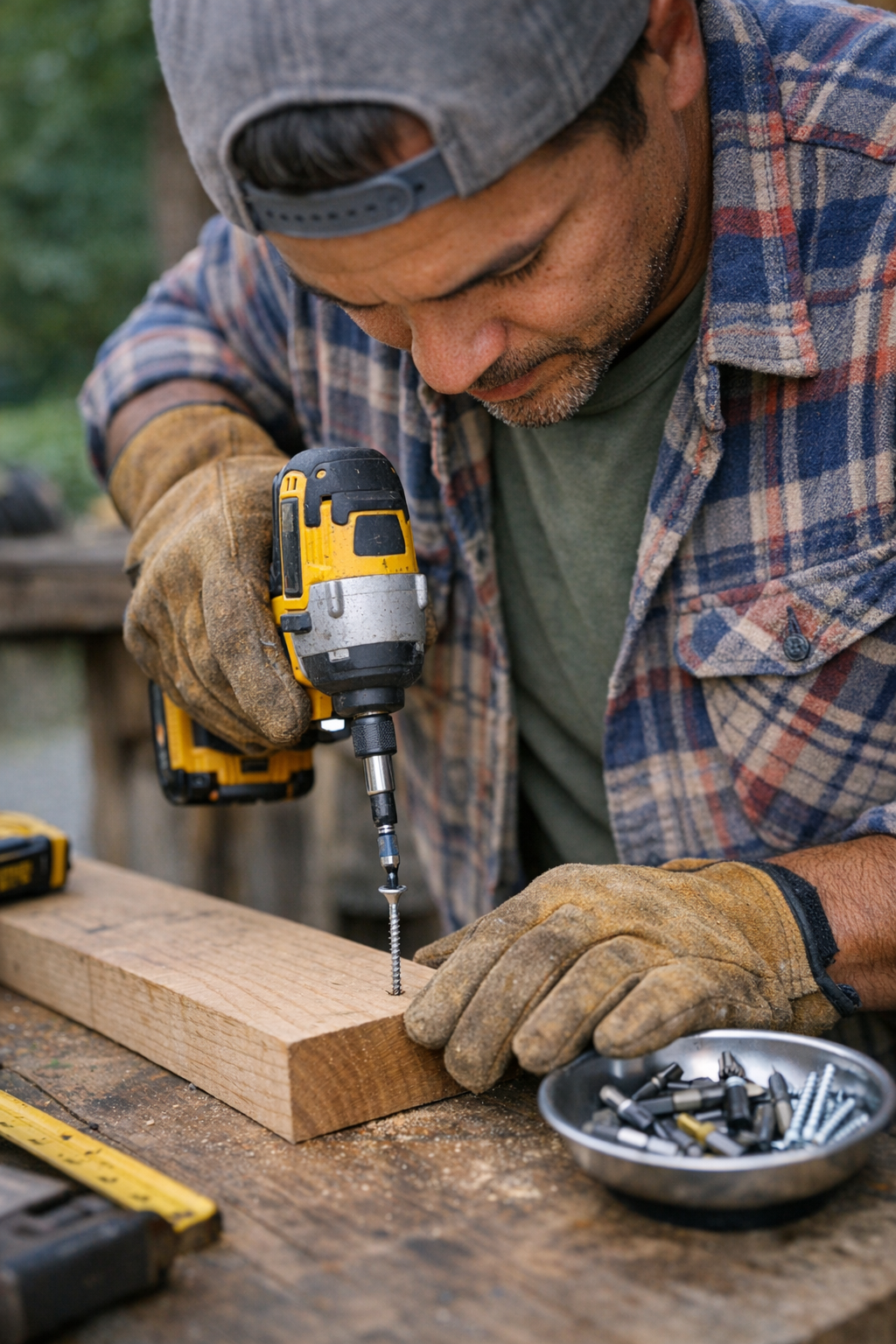
    Unlocking Efficiency: The Impact of Bit Selection on Fastening Speed

    There’s an almost hypnotic satisfaction in watching an impact driver rhythmically sink screws, whether you’re assembling decks, hanging drywall, or tackling cabinetry. That steady churning sound marks progress and efficiency, turning what could be hours of work into minutes when you use the right tools. But surprisingly, the key to doubling your fastening speed often lies not in upgrading your impact driver, but in choosing the right bit.

    Many professionals and DIYers alike invest in powerful impact drivers, expecting major performance leaps. Yet, it’s a common discovery that even a top-tier driver can underperform if paired with a mismatched or worn bit. The often-overlooked secret is that bits play a pivotal role in driving speed, precision, and the prevention of stripped screws.

    Why Bit Quality and Fit Matter More Than You Think

    Initially, most users rely on inexpensive multi-bit sets or the default bits included with a driver. Standard Phillips #2, square drive, or Torx bits are common choices. Over time, however, issues start cropping up—bits cam out, screws strip, and work slows down. Even the most powerful driver won’t compensate for these setbacks.

    Here’s what really happens: a poorly fitting or worn bit fails to engage the screw head properly, leading to slippage and wasted energy. This wasted motion translates into more pauses, more re-drives, and ultimately more time spent. A small investment in the right bit can eliminate these headaches and bring noticeable productivity gains.

    Case in Point: Real-World Time Savings

    On a cabinet installation I handled last year, switching from a generic Phillips bit to a magnetized, milled Torx bit matched to the screw size cut my assembly time nearly in half. This wasn’t a flashy upgrade—just a precise, fitted bit that reduced cam-out and held screws firmly, so I could keep a steady work rhythm without interruption.

    The difference? While the impact driver’s power remained consistent, better bit engagement ensured every screw seated cleanly at the first attempt. This smooth flow reduced wrist strain and gave the finished project a clean, professional appearance.

    Choosing the Right Bit Profile for Your Material

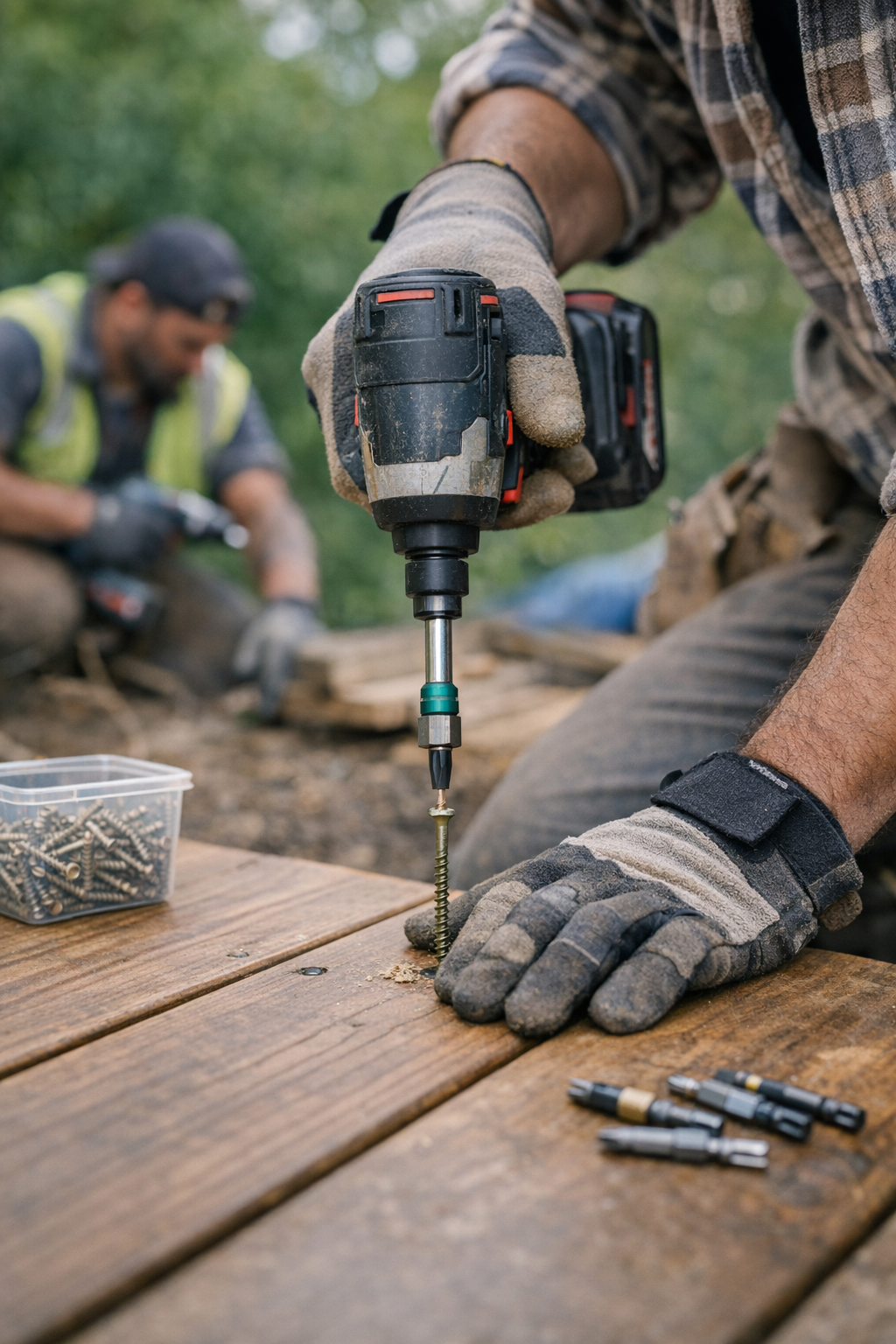
    Bit profiles significantly influence fastening outcomes, especially depending on the material you’re working with. For example, on pressure-treated lumber or composite decking, a Torx T25 bit drastically reduces cam-out compared to a Phillips head. The star-shaped recess design spreads torque more evenly and generates deeper engagement with the screw.

    Many builders have noted cam-out incidents cut by more than half when switching properly sized Torx bits, especially with impact-rated, hardened steel (S2 grade or better) bits. Bits in the 2″ to 3″ length range that are magnetized hold screws securely and reduce drop losses during installation—an invaluable benefit when working overhead or in tight spots.

    Impact-Rated vs. Standard Bits

    Some bits are simply stamped metal, while others are precisely milled and heat-treated for durability. Using impact-rated bits designed to withstand the high torque and concussive impacts of an impact driver prevents twisting or deformation under load. Over dozens or hundreds of drives, this stability translates to fewer stripped screws and less need for bit replacement.

    Tips for Maintaining Bit Performance Over Time

    One of the most common, yet avoidable, causes of slowdowns is bit wear. Bits gradually lose their edges, causing more slippage and increasing the torque required to drive screws. If you notice your driver skipping or you have to push unusually hard, it’s time for fresh bits.

    Keep a rotation of bits available on larger jobs. Swapping out dull bits before they cause stripped screws saves time and protects your project’s finish.

    Match Bit Length and Torque to Your Screws

    For thick hardwood or plywood panels, use 2″ to 3″ impact-rated bits sized correctly for your screws. Checking the teeth per inch (TPI) and ensuring bit-screw compatibility can enhance engagement and reduce cam-out.

    Refresh Tip: Step Back and Reassess Your Workflow

    When you feel stuck or slowed, it’s easy to blame your tools and push harder. Instead, take a moment to reassess. Are you using the right bit for your screws and materials? Does the bit fit snugly without wobble? Can it hold screws magnetically to reduce time spent drops or retrievals?

    This subtle shift in perspective—from increasing power to adjusting fit—often yields the biggest gains in speed and quality. It’s a behavioral upgrade that requires no new tools, just an intentional approach to preparation.

    Common Mistakes and How to Avoid Them

    • Using worn or rounded bits: They increase cam-out and risk ruining faces and edges.
    • Ignoring bit fit: Loose fits lead to wasted torque and screw damage.
    • Sticking with Phillips on tough materials: Switching to Torx or square drives dramatically reduces slippage.

    Real-Life Comparison: Phillips vs. Torx on a Commercial Deck Build

    On a recent commercial deck project, two crews worked side-by-side with different bits. The team using Phillips bits replaced bits twice by midday, experienced 20% more stripped screws, and spent extra hours fixing bolt-on post connections. Meanwhile, the crew using properly matched Torx bits finished ahead of schedule, with fewer bit replacements, cleaner results, and less fatigue.

    This highlights the measurable impact bit selection has on efficiency and quality in real-world scenarios.

    Actionable Tips for Your Next Project

    1. Before starting, take 10 seconds to match your bit to your screws. Check for wobble and slip at the head.
    2. Choose magnetized, impact-rated bits tailored to your screw profile and length for better control and fewer drops.
    3. Keep spare bits on hand and replace them at the first sign of wear to maintain consistent torque transfer.

    In summary, the difference between a smooth, efficient fastening job and a frustrating, slow one often comes down to bits—not just the driver. Prioritizing fit, magnetization, and profile matching unlocks a step change in productivity, wrist comfort, and finish quality.

    Taking these simple steps before your next build or repair can shave hours off your work time, reduce errors, and save you from costly rework. The smallest upgrade—your bit choice—can truly double your fastening speed.

  • Why Do Screws Strip Even with a Powerful Impact Driver?

    If you’ve ever assembled furniture, built a shed, or tackled home repairs, you’ve probably encountered the frustrating moment when a screw head strips, leaving your bit spinning uselessly inside. Impact drivers are widely celebrated for their ability to make driving screws easier and reduce this very problem. Yet, even with a quality impact driver in hand, stripped screws are an all-too-common nuisance. Why does this happen?

    The Promise and Reality of Impact Drivers

    Impact drivers revolutionized how we handle screws by delivering bursts of high torque combined with rotational impacts. Unlike conventional drills, they’re designed to drive screws quickly and with less wrist strain. However, many users find that stripped screws still occur, sometimes even more frequently than expected. To truly understand why, it’s essential to look beyond just the tool and examine how the screw, bit, and operator interact.

    Common Reasons Screws Strip Even With Impact Drivers

    1. Using the Wrong Bit Size or Type

    One of the leading causes of screw stripping is a mismatch between the bit and screw head. Even a slight mismatch, like using a #2 Phillips bit on a #1 screw, drastically reduces torque transfer and increases the chances of cam-out, where the bit slips out from the screw’s grooves. Choosing the correct bit type is equally important—Phillips, Torx, square, or Pozidriv each require matching bits to prevent damage.

    2. Worn or Damaged Bits

    Over time, bits develop rounded or chipped edges that no longer grip screw heads effectively. Even the most powerful impact driver can’t compensate for a dull bit. For durability and performance, it’s advisable to retire bits after roughly 200 to 300 screws, especially when working with tough materials like hardwood or MDF.

    3. Driving at the Wrong Angle

    Driving screws at an angle rather than perpendicular to the material reduces the bit’s surface contact with the screw head. When your tool is off by more than 10–15 degrees, only a small part of the bit engages the screw, making stripping far more likely. This lateral pressure not only damages the screw but can also bend or shear the shank.

    4. Applying Excessive Speed or Torque at the End of the Drive

    Impact drivers can deliver torque levels upwards of 125 Newton-meters and have speed ranges that sometimes exceed 3,000 impacts per minute. When the screw is nearly fully seated, continuing at maximum speed or torque can shear the fastener or mushroom its head, ruining both screw and bit.

    5. Fatigue and Loss of Focus

    After long projects involving repetitive screwing, grip strength and attentiveness tend to wane. This often leads to misalignment or rushing, increasing the chance of stripping, especially near the end of a day or shift.

    A Practical Tip: Start Slow and Steady Before Engaging Impact

    One simple adjustment can significantly reduce stripped screws: begin each screw drive at a controlled, low speed before engaging the impact function. When starting a screw, set your impact driver’s variable speed trigger to a lower range (roughly 800–1,400 RPM). Apply firm, steady pressure, ensuring the bit seats flush and straight within the screw head before allowing torque to build or the impact mechanism to kick in.

    This slow “setting” moment prevents the bit from slipping, reduces pilot hole enlargement, and helps the screw embed itself smoothly. Once the screw threads in without hesitation, you can increase speed and allow the impact driver to finish the job. This approach not only saves screws and bits but also improves overall driving accuracy and reduces wasted time fixing stripped fasteners.

    Additional Best Practices to Extend Bit and Screw Life

    Use Impact-Rated Quality Bits and Screws

    Not all bits and screws are created equal. Select bits made from durable materials like S2 steel with coatings such as black oxide, which resist wear and improve grip. Similarly, use screws rated for impact driving—these often feature harder metals and precise manufacturing tolerances that improve performance. Keeping fresh, high-quality bits on hand in a magnetic tray can make a noticeable difference on any job site.

    Maintain Proper Body Position and Control

    Beyond the tool and hardware, how you physically position yourself impacts results. Standing directly over the screw with your shoulders squared and supporting your driving hand’s wrist and elbow aids in delivering straight, consistent force. Avoid angling the driver under any significant degree; even small misalignments can lead to premature wear and stripping. Steadiness during the drive often matters more than sheer speed or torque.

    Refresh Your Approach: Focus on Intentionality Over Speed

    It’s easy to fall into the trap of rushing through screw driving, especially when deadlines loom. Yet, slowing down slightly and adopting a mindful approach can transform your experience and results. Think of the impact driver not just as a tool that brute-forces fasteners into place but as an extension of your hand requiring partnership. When you pause to verify alignment, bit seating, and apply gentle initial pressure before “letting the hammer fall,” the tool works with you instead of against you.

    This shift in mindset encourages patience, reduces stress on both hardware and tools, and ultimately leads to better craftsmanship. Plus, it minimizes frustration often caused by having to back out and replace stripped screws.

    Conclusion

    Despite what you might expect, stripped screws remain a common challenge even when using quality impact drivers. The key to reducing this problem lies in paying attention to detail: use properly sized and fresh bits, drive screws straight and slow at first, and maintain solid body alignment. Managing your tools and technique with care allows the impact driver to shine, boosting efficiency and reducing waste.

    Next time you pick up your impact driver, try consciously starting each screw at low speed, checking seating precisely, and then letting the impact mechanism take over. You may find your screws stay intact longer and your bits last through many more projects.

  • Why Hammer Mode Mistakes Quietly Drain Time and Patience

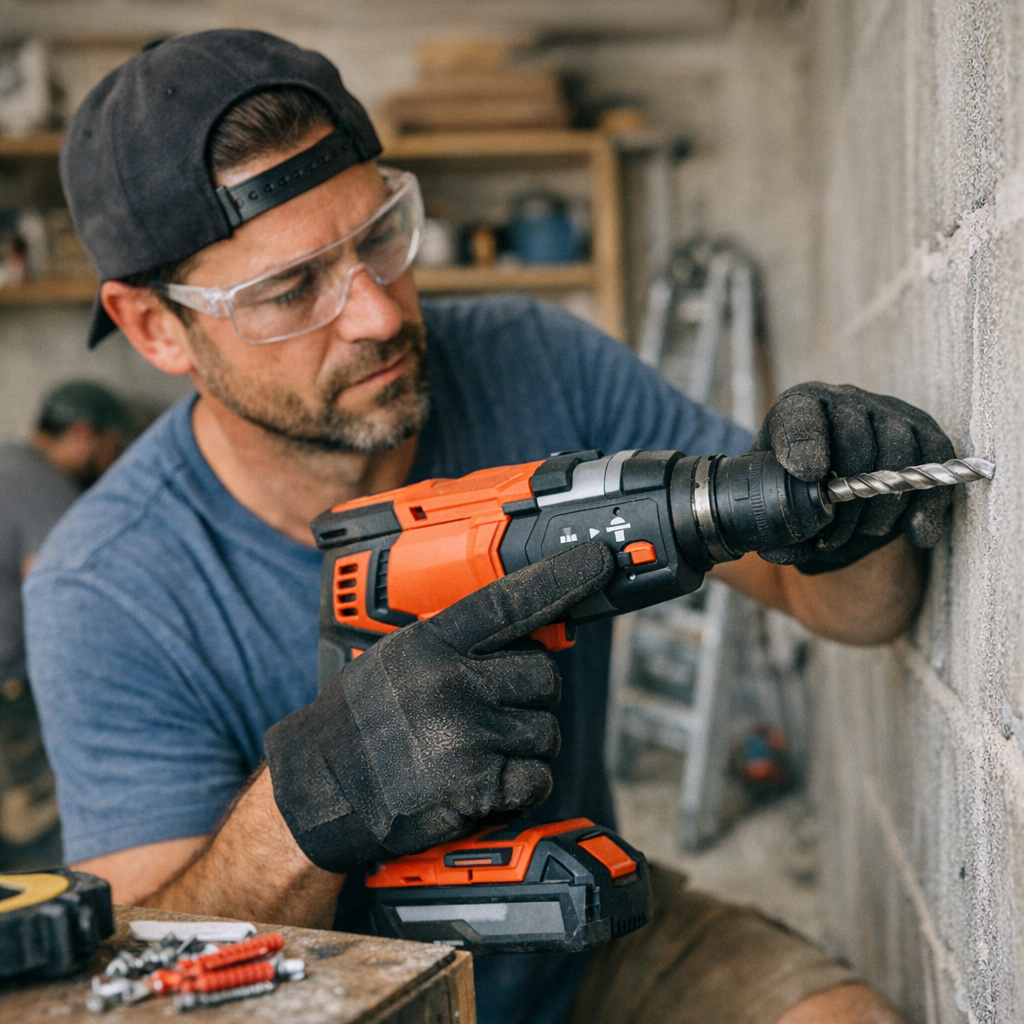
    Understanding Your Hammer Drill: More Than Just a Twist and Press

    Using a hammer drill for the first time can feel like a mix of excitement and uncertainty. The tool’s robust feel in your hand promises efficiency, but a simple switch—often overlooked—can make the difference between effortless drilling and frustrating delays. This switch is the hammer mode selector, and it’s a detail many beginners miss until they encounter unexpected challenges.

    The Beginner’s Pitfall: Forgetting to Engage Hammer Mode

    Many newcomers to power tools assume that hammer drills automatically deliver hammering action once powered on. However, most models have at least two primary settings: a regular drilling mode and a hammer drilling mode. Sometimes, there’s even a screwdriver function included. Failing to switch into hammer mode means the drill bit spins, but it doesn’t deliver the rapid forward hammering action needed to efficiently chip away at hard materials like concrete or brick.

    These mistakes not only delay the job but can also cause premature wear on bits and tool components. For example, trying to drill anchor holes into concrete without hammer mode active means you’re essentially grinding the bit against the surface rather than breaking it down. Overheating and dulling the bit are common results.

    Why Hammer Mode Matters: How the Percussive Action Works

    Hammer mode activates a rapid pulsating action that thrusts the drill bit forward thousands of times per minute while it spins. This pounding motion is critical for breaking apart masonry and other dense materials. When operating correctly, a hammer drill in hammer mode combines rotational force with impact, significantly speeding up drilling and reducing strain on the tool and user.

    Typically, hammer drills can generate between 3,000 to 5,000 blows per minute, depending on the model, which dramatically accelerates hole creation in hard surfaces. Without hammer mode, drilling hard materials becomes a slow, inefficient process prone to overheating and damaging the bit.

    Matching the Right Bit and Mode to Your Material

    When drilling into hard masonry, selecting the right bit is just as important as choosing the correct drill mode. Carbide-tipped masonry bits and SDS-Plus systems are designed to withstand the percussive forces of hammer drilling. Attempting to use standard drill bits or the wrong setting compromises performance and increases wear and tear.

    Conversely, using hammer mode inappropriately—such as drilling into drywall or wood—can cause unnecessary chipping and damage, leaving ragged holes. Adjusting your settings based on your target material ensures clean, precise results.

    Practical Tips to Master Hammer Drill Use

    • Always Check the Mode Before You Start Drilling. Take a moment to verify that the hammer mode switch shows the correct icon—a hammer symbol for hammer mode, or a drill bit symbol for standard drilling. This simple step can prevent minutes or even hours of frustration.
    • Set the Mode Before Powering the Tool. Flip the hammer mode switch before connecting the battery or plugging in your drill. This mindful pause helps you focus on preparation rather than reaction.
    • Clear Dust Regularly. When drilling deep holes, pull the bit out periodically to clear accumulated debris. Dust buildup increases friction and heat, which can shorten bit life and slow progress.

    A Shift in Perspective: Transforming How You Approach Drilling

    Developing an intentional habit around your drill’s mode selection can transform your workflow. Instead of rushing to start the task, build a sequence: gather your bits, check your drill’s modes and settings, and then align your materials and workspace. This “pre-set” routine anchors your concentration on the task rather than the tool’s quirks.

    Incorporating this pause can reduce mistakes, save your tools, and improve your final results. It’s a subtle shift that fosters mindfulness and precision—a beneficial mindset for any DIYer or professional builder.

    Final Thoughts: Make Hammer Mode Your Friend, Not an Afterthought

    The hammer mode switch is a small but powerful control on your drill. Treat it as a critical part of your preparation and workflow rather than a detail to be overlooked. Consistently setting your drill into the appropriate mode not only protects your bits but also saves you from fatigue and poor workmanship.

    By making mode checks routine, you’ll discover your projects flow smoother, your tools last longer, and your drill holes look neat and professional. Next time you face a wall that seems to resist your bit spinning, ask yourself: is hammer mode really active?

  • How a Simple Pause Can Prevent Your Concrete Drill Bit from Burning

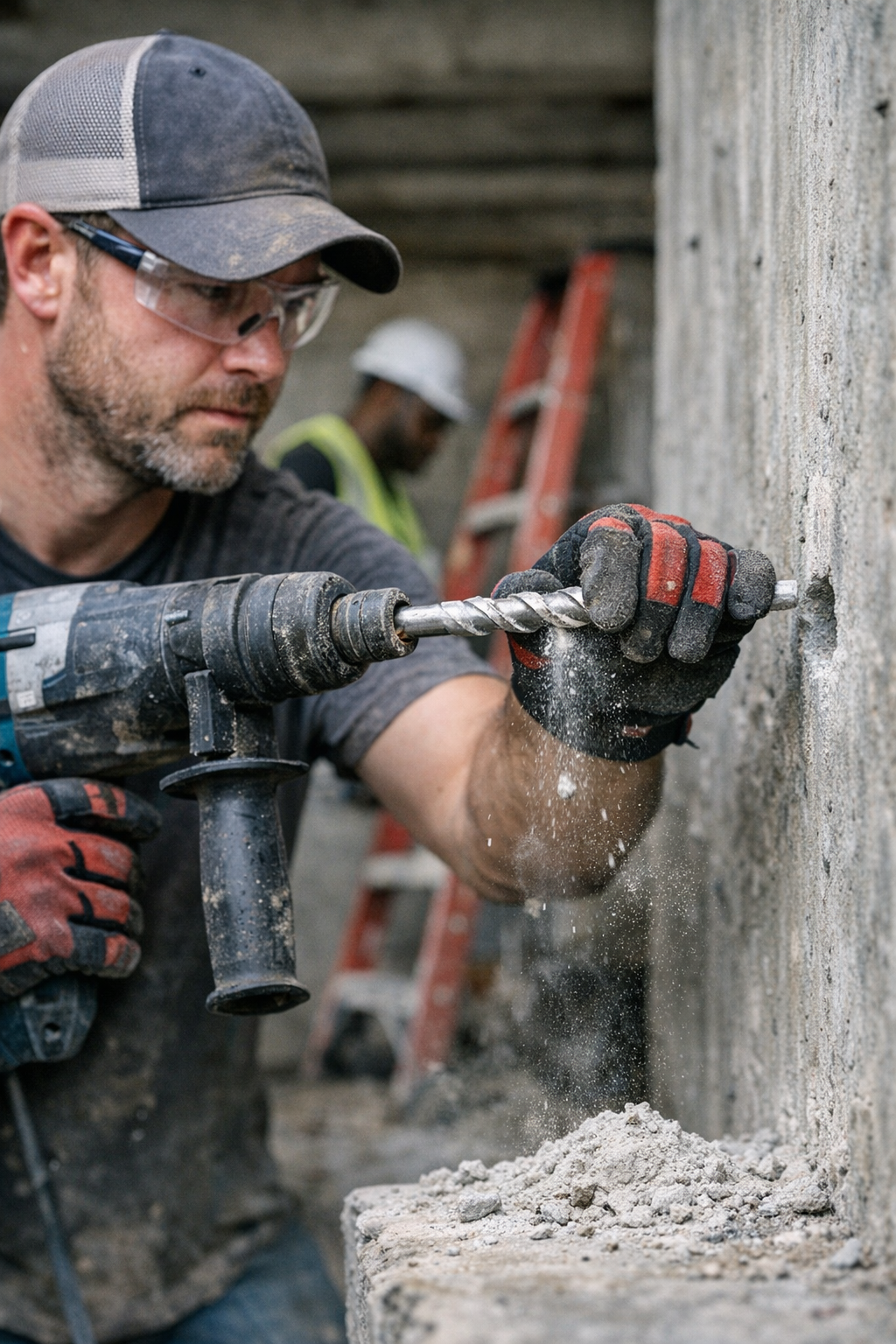
    Why Drill Bits Overheat When Drilling Concrete

    Drilling into concrete can be a frustrating experience, especially when your drill bit becomes unbearably hot halfway through a hole. This common issue results in slower progress, potential damage to your tools, and unsatisfactory holes that don’t meet the professional standard you want. Understanding why drill bits overheat and how to prevent it can save you time, money, and frustration on any masonry project.

    What Makes Concrete So Challenging to Drill?

    Concrete is a highly abrasive, dense material, packed with rough aggregate that quickly wears down drill bits designed for softer materials like wood or metal. The increased friction between the drill bit and the concrete generates substantial heat. Without proper technique and equipment, the metal in your bit can become so hot that it softens or warps, damaging the cutting edge and shortening the life of your tools.

    The Right Tools Matter

    Using the correct drill bit is not optional. Masonry bits with carbide tips are specifically engineered to withstand the harsh abrasion of concrete. They usually have a harder, more durable cutting edge and a wider kerf (6–8 mm) to help with dust clearance. A hammer drill running in hammer mode (usually between 1,500 to 3,000 strokes per minute) helps by pulverizing the concrete rather than grinding it, making the drilling process more efficient and reducing heat buildup.

    In contrast, using standard wood or high-speed steel (HSS) bits will lead to rapid dulling and overheating. These bits are not designed for the impact and abrasion of concrete and will turn blue from overheating, signaling metal temper loss and damage.

    Common Causes of Overheating Drill Bits in Concrete

    • Excessive Continuous Drilling: Drilling straight through without breaks causes friction to escalate the drill bit temperature quickly, especially on holes deeper than two inches.
    • Incorrect Speed Settings: Too high an RPM on dense concrete, particularly without enough forward pressure, causes the bit to spin rather than cut, generating more heat and less progress.
    • Inappropriate Drill Bits: Using twist bits or metal bits instead of carbide-tipped masonry bits leads to rapid heat buildup and damage.
    • Poor Dust Clearance: Concrete dust packing into the grooves of your bit traps heat and increases friction, reducing cutting effectiveness and accelerating damage.

    How to Prevent Overheating: Proven On-Site Practices

    On the job, experienced contractors use timing and technique to manage heat buildup in drill bits. A simple but powerful tip is to drill in short bursts of 10–15 seconds before fully retracting the bit from the hole. This routine allows:

    1. Cool air to reach the bit and lower its temperature dramatically.
    2. Concrete dust and debris to clear from the bit’s flutes, preventing heat-trapping buildup.
    3. Reduction of the continuous heat cycle that causes metal softening and bit damage.

    It’s common to feel tempted to “push through” a hole in one continuous motion, but this strategy is counterproductive. Instead, backing out the bit regularly keeps the drill bit cutting sharp and prevents overheating.

    Don’t Overdo the Pressure

    Applying too much downward force may seem like it speeds up drilling, but it can actually cause faster wear, overheating, and damage to the bit. Let the hammer feature on your drill do the heavy lifting — it’s designed to break up the concrete efficiently without needing excessive force from your hand.

    A Real-World Experience: Learning the Hard Way

    During a recent renovation, I tried drilling multiple 6mm concrete anchor holes without breaks, pushing the bit to keep pace. Within minutes, the drill bit’s shank was glowing red-hot, forcing me to stop and let it cool. Frustrated, I changed tactics by pulling the bit out every 10–12 seconds, tapping out debris, and letting air circulate. The temperature dropped significantly, allowing me to drill 20 anchor holes without overheating a single bit.

    This change sped up the overall work time because the bit stayed sharp and efficient. It transformed a frustrating task into a smooth process.

    Refreshing Your Drilling Technique: The Power of Rhythm

    Think of drilling into concrete like a musical rhythm: instead of a continuous, exhausting push, embrace a steady, repeated cycle of drilling in and pulling out. This practice improves tool longevity and quality of holes while keeping your rhythm steady and reducing fatigue.

    Once you master this pacing, your drilling work will feel more controlled and less strenuous, boosting job satisfaction and results.

    Additional Tips for Successful Concrete Drilling

    • Use a Vacuum or Blow Out Dust: If possible, use a vacuum attachment or compressed air to clear out dust from deep holes to maintain cooler bit temperatures.
    • Check Bit Condition Regularly: Inspect your bits for chipped carbide tips or wear after every few holes; a dull bit overheats faster.
    • Keep Tools and Bits Clean: Concrete debris buildup on the bit and drill chuck can cause heat to rise quickly. Periodic cleaning helps with efficient heat dissipation.

    Summary

    Drill bit overheating when working with concrete is a problem easily avoided by carefully selecting the right tools and adjusting your technique. Using carbide-tipped masonry bits, hammer drills on the correct settings, and adopting a drilling rhythm with frequent retractions to clear dust and allow cooling makes the difference between a smooth job and constant tool frustration.

    Remember: more pressure and speed don’t always mean faster drilling. Often, a steady, methodical approach enhances both the quality and speed of your concrete work, while extending bit life dramatically.

    Practicing these techniques on your next project will help you achieve cleaner holes, longer-lasting tools, and a more efficient workflow every time you pick up your drill.