
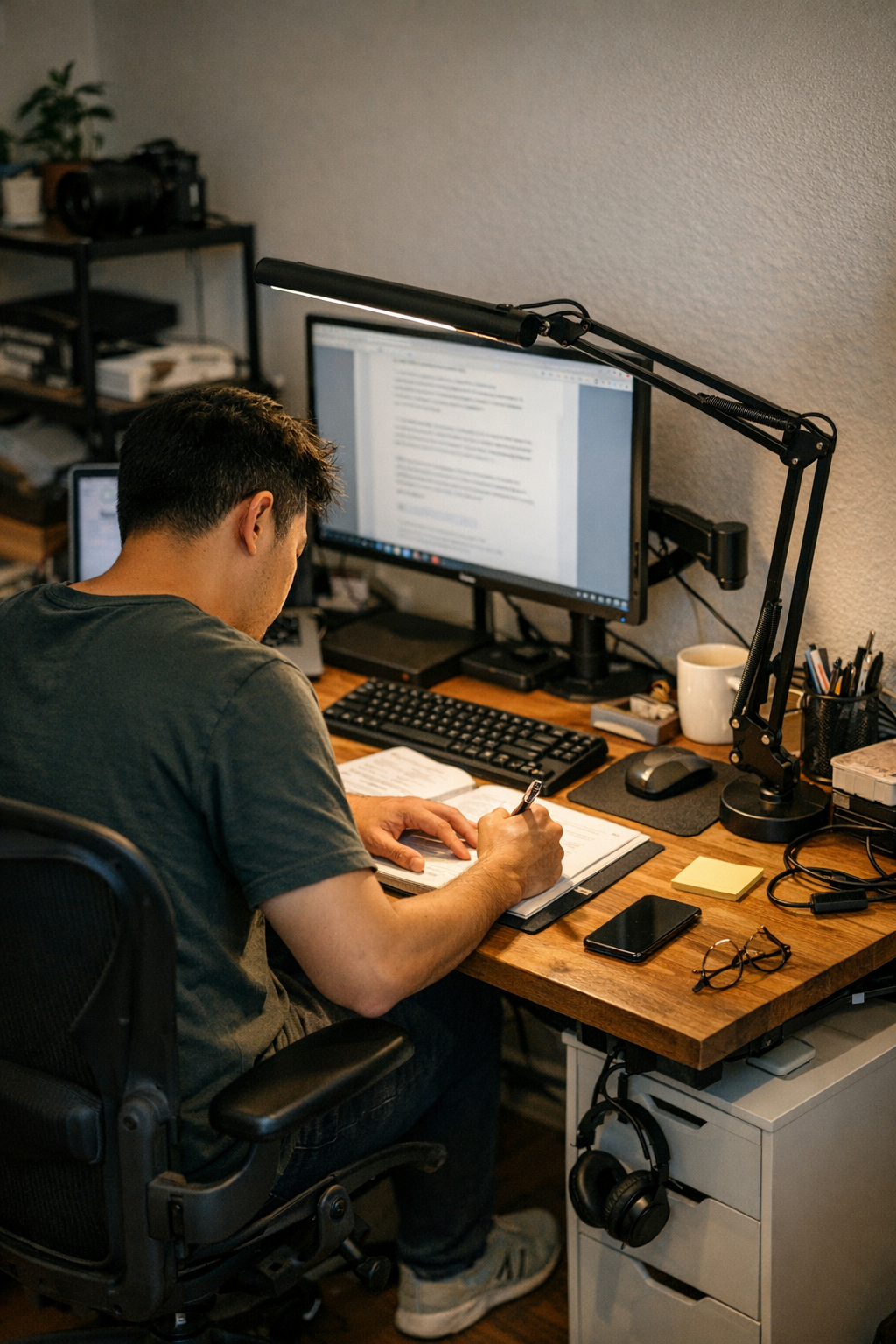
Most workstation lighting is chosen for the desk’s appearance, not for the work you actually do. But if you sit down to repeat tasks, shift between keyboard and notes, or work through a late afternoon stretch, the gap between tidy light and useful light becomes hard to ignore. A lamp that lights the full surface looks “finished,” but the moment you move beyond that single centered patch—reaching for a charger, flipping pages, dragging a notebook closer—you start battling shallow shadows and surface glare that drain focus and energy hour by hour.
Lighting for work isn’t about flooding the whole desk—it’s targeting the places your hands move and your tools land, again and again. Broad, even light across your workstation might keep things Instagram-tidy. But it also turns every cable, adapter, or backup pen into constant visual noise, and forces you to chase “good” light for every task shift. Focused, hand-area lighting does more than mute clutter: suddenly, micro-adjustments and side shadows fade out, and switching from one tool to the next stops feeling like a reset. Over a single packed week, you notice it—the difference in how easy it is to clear the desk, avoid fatigue, and stay on track mid-project.
Desk Light Decisions That Show Up in Daily Routine
Look at an organized setup: monitor centered, under-desk drawer to the right, everything routed with trays or boxes, cable clips around the back edge. On paper, it’s “solved”—but real work still bogs down. You’re shuffling your chair, tilting a clamp lamp, or propping up sheets just to chase a usable pool of light. Even with smart storage or a neat cable path, supplies drift into the gloom at the desk’s edge. Mid-task, hands stray past the beam and you’re forced to angle your wrist or rotate the whole chair to see a detail clearly. The light you picked for neatness stops matching your actual work path within days.
This gap becomes routine: pens and sticky notes gather where the lamp hits hardest, while the rest—chargers, reference books—slide into the dim edges you ignore until clean-up. Resetting your desk means dragging everything from shadow to center, not rethinking how you work. The desk looks streamlined—but your workflow keeps running into friction, especially if you’re repeating the same switching and stretching motions every day.
How Shadows and Glare Fail Real-World Desk Use
Take the classic late-day scenario: editing a document at a “finished” workstation, lamp posted over the monitor on a tidy riser. The surface glows, but your typing hands cut straight through the beam, making an alternating pattern of glare, dead shadows, and missed texture. Each interruption—squint, chair nudge, lamp adjustment—breaks your rhythm and focus. When you push supplies aside or stack a notebook, your own arm blocks the task light and you lose another minute fumbling for clarity. Over the course of a long session, productivity doesn’t just slow—it fragments, turning lighting into a maintenance problem instead of support.
These small disruptions add up fast: a workstation that felt dialed in that morning becomes awkward by 3 p.m., after enough rounds of switching lamps or shuffling organizers to escape that shadow edge. Lighting becomes another thing to “fix,” not a tool that you can actually forget about while working.
Making the Switch to Hand-Focused Lighting
The real shift wasn’t a new lamp, but a new aim: putting light exactly where hands, tools, and notes actually land—every task cycle, not just for show. Instead of stepping into and out of shadows for every step (glancing at a reference, sketching a section, recharging a device), the work area stays in steady, clear light. Switches—from keyboard to notebook, or from digital to paper—go quicker and break rhythm less. This doesn’t just speed task flow, it lowers the reset burden between sessions.
Here’s what changes during a week of real use: Placing a clamp lamp arm so its beam stretches directly over your work zone—keeping the base clear of drawers, not fighting against an under-desk tray—eliminates the cable snags and awkward supply bumps that haunted the “centered” setup. Now, tools and notes stay where you actually need them. End-of-day resets shrink: instead of multiple moves, a single sweep organizes the desk. Small clutter stops piling up, and you spend less time repositioning light, more time working.
Breaking Down the Real Advantages—And the Missed Opportunities
Hand-focused lighting delivers:
- Sharper task focus—your “active zone” is always visible, with no shifting shadows or distracting glare
- Less unnecessary movement—hands rarely pass out of light, so you stop sliding the chair, hunting for a clear spot, or juggling supplies just to see
- Reduced visual clutter—letting edges of the desk fade soft means loose items aren’t always in the way
- Quicker resets—once your main work area stays consistent, routine cleanup shrinks from daily chore to a few seconds’ work
On the other hand, broad surface lighting comes with hidden costs:
- Random clutter is always in view, whether you’re using it or not, pulling at your attention when you need to focus
- Frequently-used tools gravitate to the brightest patch, leaving the rest of the space ignored and crowded
- Simple tasks—like jotting a note or checking a secondary device—start dragging out, because you have to adjust the lamp or your posture every time
FAQ: Tuning Your Lamp for Real Workstation Performance
How do I position a desk lamp to avoid hand shadows all day?
Set the lamp so the beam falls slightly forward and down, right over where your wrists, notebooks, or active devices actually work. The light should cover your typical reach and movement, not just the geometric center. Check by sliding your hand through routine motions; if you hit a shadow or glare, adjust the arm, not your workflow.
Does hand-focused light work for setups with multiple monitors or shifting work zones?
If you anchor your routine—keyboard, sketch pad, device dock—focused light helps reduce interruptions and strain. For setups where you move between different equipment or split tasks side-to-side, flexible arms or under-shelf bar lamps make it easier to keep the beam where work happens. The key is quick, one-step adjustability—not a lamp that adds another reset as you go.
What happens if I skip hand-area lighting and stick to whole-desk light?
You end up working around the lighting instead of with it: awkward reach, eye fatigue, moments spent dragging a lamp or moving tools back toward the center. The longer your session, or the more your tasks change, the more these interruptions eat into time and energy—especially as the quality of daylight shifts through the day.
Not Just Tidy—A Desk That Works for You Every Time
Lighting needs to match the real rhythm of desk work, not just give the surface a uniform glow. A tidy desk is only stage one—if the tools, light, and reach don’t sync with how you actually work, friction sneaks back in. After a week with lighting that follows your workflow—not just your layout—setups feel less crowded, reset time falls, and focus recovers faster. The appearance stays clean, but the real difference is what you notice after several tough sessions: a desk that works at hand level, not just a surface that photographs well.