
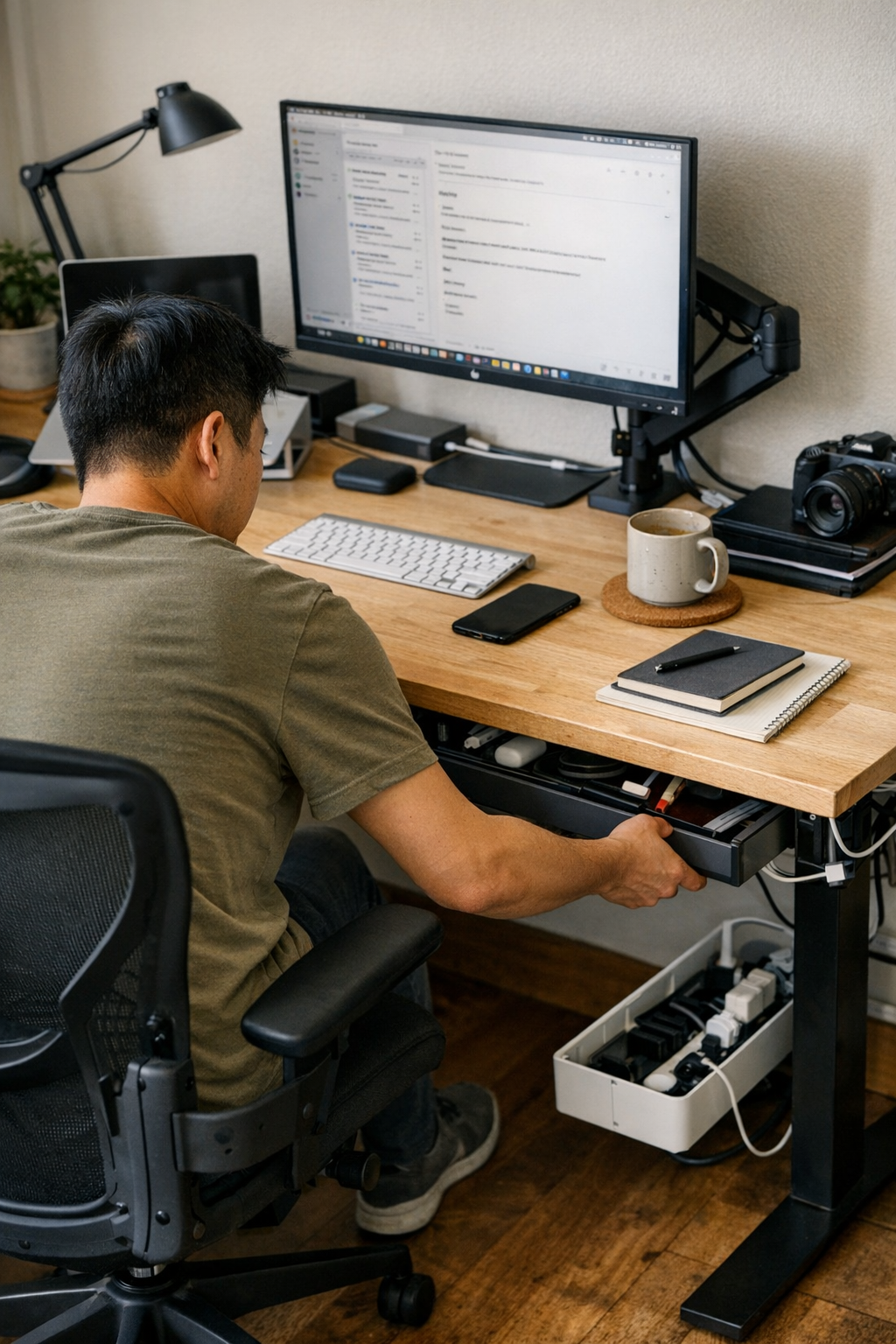
Hidden storage under your desk promises a clutter-free surface, but the real test comes after a week of back-to-back work. Drawers, cable trays, and neatly routed wires might deliver a spotless first impression—but day after day, tiny obstacles creep in. You reach for a notebook and wonder if bending for the hidden drawer is actually worth the pause. A tidy cable box means every device swap becomes a knuckle-crunch under the table. What looks organized from across the room can still trip you up in the middle of your real, repeated routine.
Clean on the surface, awkward in the routine
The subtle drag of hidden storage doesn’t show up in a single moment—it builds through daily repetition. You end your day by clearing the desktop, stashing pens and notebooks into an under-desk drawer. By Tuesday, the motions already slow you down. Instead of an easy reach, you’re shifting your chair at an angle just to slide a notebook away. The cable you meant to box returns to the surface, “for a minute” that blurs into half a day. The setup is technically sorted, but if putting things away means detour and effort, order becomes its own interruption.
Clutter doesn’t return all at once; it leaks in sideways. One item left beside the keyboard, a phone charger snaking out from under the monitor arm—little signals that your storage system is fighting your habits, not working with them. If every tidy-up costs energy or breaks your working flow, surfaces start to collect “temporary” piles right where you need to move fast. The desk still looks sharp, but the day-to-day reset gets heavier with each round.
Hidden doesn’t always mean handy: When tidiness interrupts flow
The promise of perfect cable management and invisible drawers is real—until those systems begin to slow you down. Maybe your pen tray sits just out of reach under the far edge, or a cable box hides everything out back. Every time you switch from typing to handwriting, it’s a sideways chair slide and a pause. Plugging in a device means feeling for the charger blind under the desk and bumping into a drawer unit. The more you “optimize” for concealment, the more you risk turning every routine move into a multi-step reset.
Tidiness that interrupts movement costs you more than a messy desk. A tray within reach—even if it’s visible—sees actual use; a hidden drawer that disrupts your posture or movement falls out of your daily routine fast. Over a week, these repeated micro-adjustments undermine your workflow. The mental barrier to resetting grows, and by Friday, hidden storage becomes a source of small but persistent friction instead of a solution.
Where desk setup choices quietly add—or remove—everyday friction
Desk friction hides in ordinary motions: scooting back to open a drawer, fiddling with a cable route, leaning for a stapler because it lives half a desk away. The warning signs show mid-session—a stalled reach for a notebook, a cable you stop bothering to hide, or the steady migration of “temporary” objects onto your main work surface. These aren’t dramatic interruptions, but they chip away at the logic of the entire setup.
Reset speed makes or breaks desk performance. When a drawer, tray, or cable path matches your working range, putting things away stops being a chore. There’s no pause, no “should I bother?” calculation—resetting the space takes one motion, not an extra effort. Overly hidden solutions, by contrast, act like slow leaks in your system. The result? Surface clutter quietly returns, and little inefficiencies stack up in the background, making organization harder with every cycle.
Micro-scenes: Real moments where friction shows
- Quick notebook swap: Ending a meeting, you need to jot a note—but the notebook is trapped in a low drawer. Do you squeeze a knee and reach down, or just leave it next to your keyboard for “later”?
- Laptop charger dance: That charger routed into a deep cable tray looks neat until you swap devices twice a day. Suddenly, you’re crawling under the desk to untangle and re-plug wires you thought you’d organized for good.
- Drawer as obstacle: An under-desk drawer unit tames loose supplies, but if it fills your knee space or blocks your feet, you start shifting your chair off-center—resulting in more surface sprawl and less posture comfort, hour by hour.
What changed when accessibility became the priority
A month of wrestling with hidden but awkward storage forced a reset. High-use items moved up to an accessible drawer, right within my seated reach. Cables I touch daily run along the front edge—visible, but out of the way—not buried behind a panel. Now, I can swap devices, stash supplies, or clear space in a single line of movement, no chair dancing, no pause. The routine of tidying disappears into use: every stow happens in rhythm, not as a separate to-do, and nothing gums up the middle of a busy stretch.
The difference is practical, not just visual. When reset friction drops to zero, the desk actually stays organized without demanding extra effort or discipline. There’s no excuse-making about where the charger goes or why notebooks pile up; routines restore themselves because the steps match your flow. The workspace doesn’t just look neater—it runs with less drag, every single day.
Questions that uncover hidden friction in your workspace
Do small pauses keep popping up during resets?
If “putting things away” means scooting your chair, ducking under the surface, or shifting posture, friction is there—even if it hides in routine. As real workloads pile up, these delays multiply and weigh down momentum.
How deeply should cables actually be hidden?
Total concealment might look right, but when fast cable swaps mean fishing for wires under the desk, the solution backfires. Instead, leave high-use cables reachable—organized, but in your real touch zone—so device changes don’t interrupt your rhythm.
Are most-used items one motion away—or blocked by setup logic?
If core tools end up buried behind or below your main seat line, you’ll create unofficial piles closer at hand—undoing order little by little. The best storage supports “one sweep” actions for the things you touch every session.
Making hidden storage truly work: Small improvements, big impact
Minimal surfaces mean nothing if every clean-up slows you down. The real standard is reset speed: how instantly you can stash, grab, or swap without straying from your seat’s natural arc. Effective hidden storage sits just inside your movement, not far outside of it, making day-to-day order easy instead of an end-of-week project.
Test your setup: bring high-frequency items up a level, route your main charger along a reachable edge, or re-home that “essential” drawer to match your seated range. The right choices shift your workflow from stop-and-reset to nearly automatic order—a desk that remains clear because it works with your cycle, not against it.
Hidden storage earns its place when it removes friction, not just clutter. The goal isn’t a showroom surface—it’s a setup that keeps pace with the way you actually work, making repeated resets simple, fast, and forgettable.