
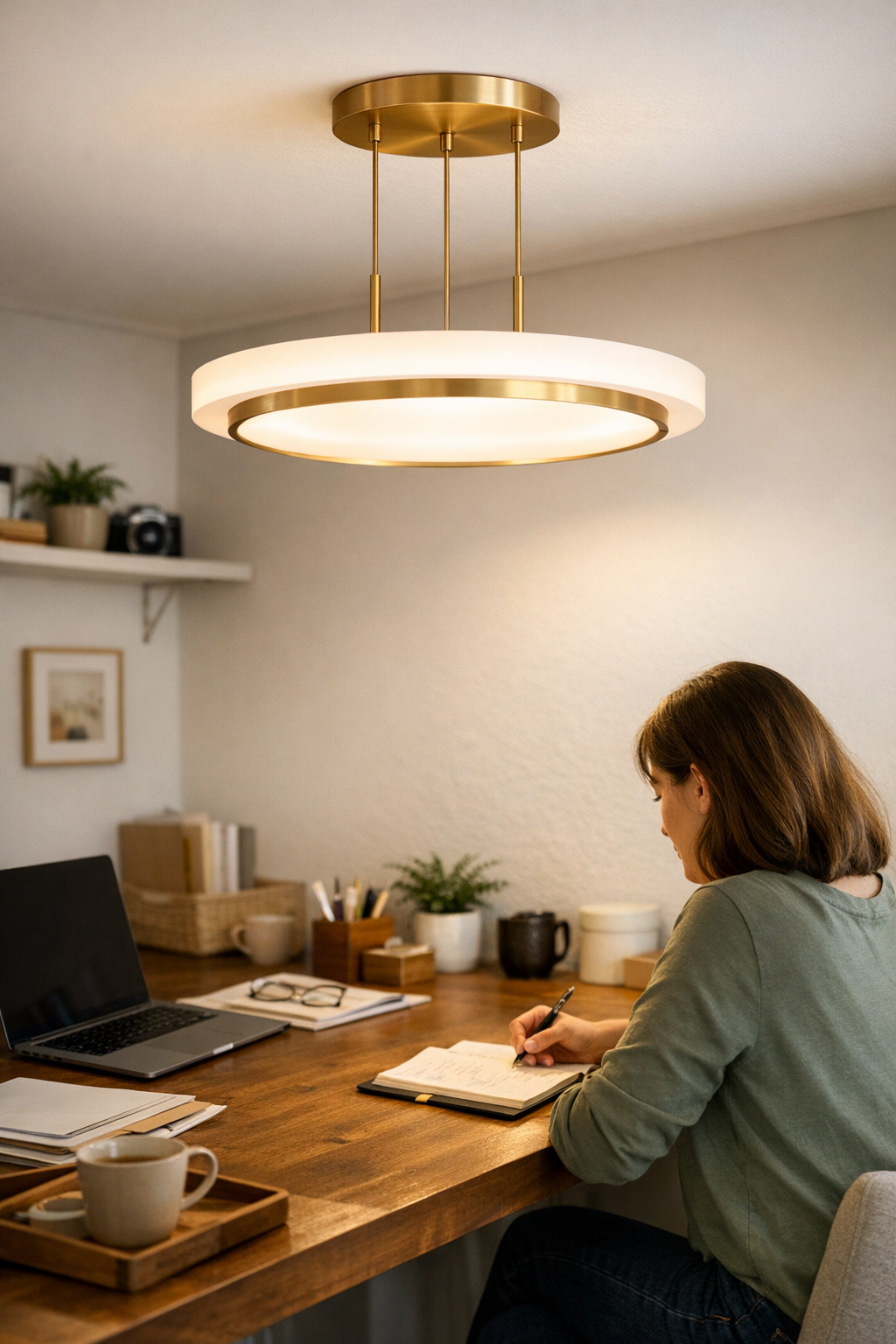
The real trouble with work area lighting doesn’t show up during installation—it shows up on the second, third, and tenth time you use the space. That new LED bar or low-profile desk lamp might look clean and organized out of the box, but the first full work session exposes what photos can’t: a dim strip right where your wrist rests, a perfect bracket that blocks your favorite pen, or a cable setup that snags as soon as you move your charger. You find yourself shifting, squinting, or nudging things back to “usable”—again and again. The spot that seemed fixed in place keeps losing focus as shadows and glare drift across your work. A setup that looks streamlined on install day can still create headache points that slow you down every day after.
Why Brightness Isn’t the Whole Story
Many lighting setups fail not for lack of light, but for the way that light lands—or doesn’t—on what you actually do. The room feels bright at first because the LED panel or task lamp floods surfaces with white, but real friction starts: glare on a glossy notebook, the far edge sliding into murk, cables crossing spots your arms or keyboard move through. Even a “minimal” cable run can sabotage you if it means unplugging something just to roll your chair or spread out a binder.
Lighting that looks smooth on day one reveals its cracks with use. Paper piles stack up in the only shadow left. You slide out a laptop and a bracket blocks where you want to rest your wrist. A small detail—a misaligned bar, an exposed wire—becomes a repeated disruption, no matter how finished the setup looked to start.
Small Setup Decisions, Big Day-to-Day Impact
It’s the subtle friction that eventually dictates what gets used and what silently exhausts you. A cable dragging two inches too far into your work zone might seem minor until it brushes your hand thirty times a day. A lamp base claiming one corner at install time soon claims your patience, as its bulk or reach pushes your papers—and your focus—aside. These aren’t just passing annoyances. Shifting things back, looking for clean light, or hoping the charger stays put—each invisible delay adds up, draining your momentum.
Over days and weeks, these “minor” mismatches outlast whatever visual order the room had at the start. Fatigue sets in, not from the tasks themselves but from nudging the gear, battling unpredictable dim bands, or never quite having a desk edge you can settle into without adjustment.
Desk Edge Woes: When Clean Looks Don’t Equal Comfort
A typical open desk or shared table often hides its weak points until the routine sets in. Overhead light seems strong enough—until you pull a chair to the end seat and discover half the work surface is in shadow, or the laptop catches a sharp glare. Passing notes means chasing the last patch of light, or rotating items just to read your own handwriting. The tidiest surface, with cables zipped and fixtures flush, ends up forcing you to work around dead zones and hot spots instead of through the actual work.
This is where setup logic matters more than surface appearance. You notice the “finished” look doesn’t hold up when the cable bracket creates a ridge under your palm or the light that once looked perfect now throws shadow on every shared seat. Comfort drifts as soon as you start using the space for real tasks—showing just how quickly a visually resolved setup can fall short of lasting usability.
The Real Difference: Task Lights and Placement That Hold Up
The setups that stay comfortable through a week—or a month—are built on thoughtful task lighting and support placement, not just strong bulbs or cosmetic order. You recognize them because:
- Light lands exactly where hands meet work and screens—not just creating a general zone but eliminating the shadows and glare at the business end of every motion.
- Edge-mounted LED bars, low-profile under-shelf strips, or side-track lights keep illumination consistent even when you spread out materials or shift your seat, keeping the actual working edge clear—not just the center “design” area.
- Cables don’t just disappear visually—they’re routed out of traffic zones, tucked along unused ledges or behind shelf faces, so they don’t reappear every time you plug something in or drag a pad across the desk.
What breaks through is the lack of little repairs. After the first few uses, you realize you’re not compensating for the setup—no empty spot at the desk edge, no recurring tangle, no lighting zone that needs re-aiming when your work routine shifts.
When Task Areas Shift, Lighting Should Adapt
Few work surfaces stay static. Some days the main work zone moves to the edge, or you share the space for a project. Adjustable arms, sliding bars, and pivoting task lamps make a practical difference by letting lighting coverage follow your routine—not force your routine to fit the lighting. The same “fixed” overhead light or desk lamp you trusted at install can leave you squinting at the margins just because you sat two feet farther out.
Lighting that fits your real movement changes everything: A wall-mounted strip, adjustable bracket, or under-shelf panel, when installed for the way you actually use the area—not just its layout—gets rid of dim patches and surprise glare. Cables that move with gear, not against it, mean you’re not one device swap away from a disruption. The goal is less fixing, more working, even when the task or layout changes midweek.
Everyday Visibility: Clarity Where You Actually Work
The most dependable sign of a right-fit lighting setup? You stop noticing it—because you’re never pausing to fix shadows, move cords, or dodge glare. Clarity follows your hand from the middle to the edge; brackets and cables vanish from mind because they stay clear of your movements. When a setup blends into your routine, you know you’ve solved not just appearance but function.
Spaces wired for “maximum brightness” or cable visual order may look right until repeated use exposes creeping glares, shifting shadows, and tangled support. Prioritizing true edge visibility, movement paths, and cable logic yields a work zone that holds up beyond first impressions—a place where you can just work, not manage the setup every time you sit down.
Real-World Tips for Day-to-Day Lighting Comfort
- Mount LED bars or slim task lights just forward of the desk or shelf edge to erase the “blind spot” where hands, tools, and notes collide with awkward shadows.
- Route cables behind mounting hardware or under shelf lips so movement stays clean—no more split-second hand snags or visible tangle creeping back into view.
- Check and re-adjust light positions when changing hardware or routines—don’t let one-time setup decisions set traps for your daily workflow.
The real test: After a week, is your setup reducing distraction—or quietly creating more? Choose lighting and support logic that disappears into your routine, and you’ll replace constant correction with real focus.
Visit LightSupport for practical lighting and support setups fit for real repeated use.