
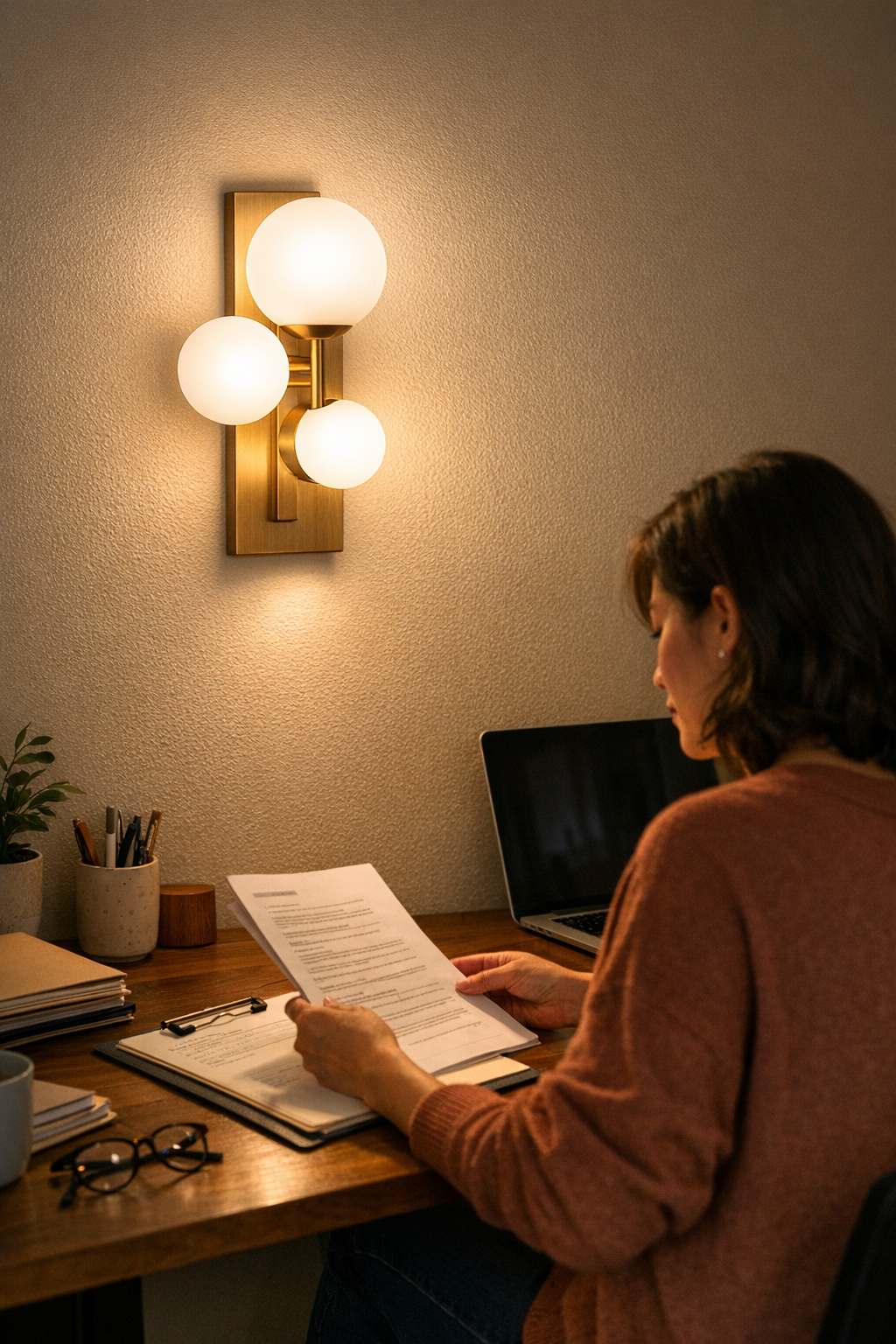
A desk setup can look streamlined—a neat lamp, clean lines, no visible clutter—and still wear you down, day after day. Glare streaks across your monitor, your eyes dart to a cable looped across the edge, and your “solved” setup quietly demands small, constant fixes: adjusting the lamp’s angle, scooting your seat, stacking papers just to block a reflection. What seemed carefully arranged at first becomes a source of interruption, not focus. When lighting and support don’t match real working habits, friction accumulates in every session, no matter how established the routine.
Why Glare Keeps Sneaking Back, Even in “Solved” Setups
Glare isn’t just an occasional inconvenience—it’s a regular intruder that returns as soon as you begin using the space. A desk lit by an overhead panel or a sleekly mounted lamp may look like a productivity win, but the moment screens light up or hands move through paperwork, the cracks show: a bright patch tracks across your documents, or your monitor turns into a mirror for the ceiling light. Initial satisfaction fades when the setup ignores the surfaces you actually interact with.
The real issue isn’t which lamp looks best or how well you’ve hidden cords—it’s whether the light falls where you actually work. If your lighting stays fixed on looks instead of alignment, stray glare or murky shadows creep in. Each day brings the same fight with distraction: surfaces washed out, reflections that pull your eyes away from what matters, and the kind of lingering discomfort that isn’t obvious until the workday stretches on.
Workspaces That Look Right, But Act Wrong
Plenty of setups appear “finished” but reveal their weak spots once you start working. Ceiling panels flood the space and erase dark corners, but that blanket light often bounces straight off smooth desk surfaces or screens, etching a bright stripe across your primary view. This isn’t a rare failure—it’s the new normal by afternoon: sunlight shifts, ambient panels stay fixed, and you start reaching for folders or tilting your laptop just to regain usable real estate on your desk.
Task lamps promise targeted clarity, but that’s only true if their brackets and shades are tuned perfectly. Slide one just a little off, or route a cable without thinking through sightlines, and you’ve traded general glare for sharp, creeping shadows—or a cable that distracts before the work even starts. The setup may look clean, but you’re still dodging problems every hour.
Scenes From a Real Worktable: Two Approaches, Two Problems
Picture a shared worktable: Overhead, a ceiling fixture casts wide light; below, an under-shelf strip clicks into place with minimal brackets. Both setups seem intentional. But the ceiling-lit side collects hot spots as the afternoon fades—laptop screens reflect glare from angles that never showed up in the morning, and paperwork picks up harsh lines that shift as you swap seats. Meanwhile, under the shelf, the light stays controlled and single-directional, but its reach is short—the far side of the table loses definition, so anyone sharing materials ends up squinting at patches of shadow or stretching to pull things into the lit zone.
“Filming” the setup for photos might hide the drift, but in real use the weaknesses resurface. Each improvement solves one problem but quietly creates another, and you’re left with a space that functions worse the longer it’s used without small, targeted adjustments.
What Actually Moves the Needle on Glare
After weeks of nudging angles and dodging glare stripes, the first real breakthrough isn’t a brighter bulb. It’s an adjustment you feel in workflow: a glare shield clipped onto the lamp, knocking out harsh streaks across key documents; the bracket tweaked just enough to push light away from the screen, not onto it; a cable redirected to trace the desk’s back edge instead of the hand path. Not a design overhaul—just enough friction removed in the right spot.
The effect isn’t dramatic in photos, but at your desk it’s obvious. No more reaching for folders as makeshift shields, no more flickering annoyance from cable shadows, no more ritual adjustments before every session. The workspace finally works with you, not against you—the real goal for any lighting or support setup.
Common Signals: When Glare and Cables Haven’t Been Tamed
- Eyestrain begins not with intensity, but with steady, slow build-up during routine tasks.
- Bright streaks or shifting patches show up on screens or documents, just as you’re trying to focus on details.
- You catch yourself stacking objects or moving equipment simply to dodge a persistent glare spot.
- Visible cables or oddly placed brackets claim your attention, breaking focus more than actual clutter.
If you’re constantly searching for “the right spot” to work, it’s rarely due to mood or habit—it’s almost always a mismatch in lamp angle, light support, or cable placement.
Why Fixing the Support System Is as Important as the Light Itself
The weakest link in any desk setup isn’t always the bulb. A cable draped across open desk, a bracket that shines more metal than sense, or a lamp arm set at just the wrong height can undo hours of planning. Every visible cable or misplaced support throws new lines and shadows into your routine. Support structure isn’t cosmetic—it shapes the entire field of view, redirecting attention (and frustration) with every misplaced element.
Test this: After you set up “tidy” cable runs or new support hardware, sit at the level you’ll actually work—not standing, not looking down from above. A cable that’s invisible in profile view often turns into a visible annoyance right at eye level, introducing distraction where you most want focus.
Putting the Space to the Test: What Holds Up Across a Week?
A good lighting or support setup isn’t measured by how crisp it looks the first day—it’s defined by what stays invisible after a week. If you’re still sliding your monitor every afternoon or ignoring half a shared table, something isn’t supporting real use. Satisfying setups are the ones that “disappear”—no need for daily cable shuffles, no fighting a moving glare stripe, no adjusting lamp heads just to make a piece of paper legible.
Small interventions last longest: a shield that cuts hot spots, a simple bracket realignment, a cable held flush against support bars. None radically alter how the workspace looks, but each one shrinks the list of things that slow you down, hour after hour. Most setups don’t fail all at once—they slip, quietly, where support or alignment hasn’t matched routine reality.
From “Looks Good” to “Lives Better”: A More Reliable Approach
The difference between a setup that “looks good” and one that’s truly workable is invisible in most catalog photos but obvious in daily use: no glare arcs sneaking onto your screen, no cables drawing your eye, no surfaces left just a little too dark or too bright. Address lamp angles, cable lines, and support details before friction becomes routine—adjust them during real tasks, not just at setup.
A week later, what stands out isn’t the clean look, but the silence: no more fiddling, no more small, predictable annoyances, just a space that holds steady as the day changes. That’s when you notice your lighting and support are finally doing their job—by staying out of your way.
Find practical indoor lighting, cable management, and support solutions at LightSupport.