
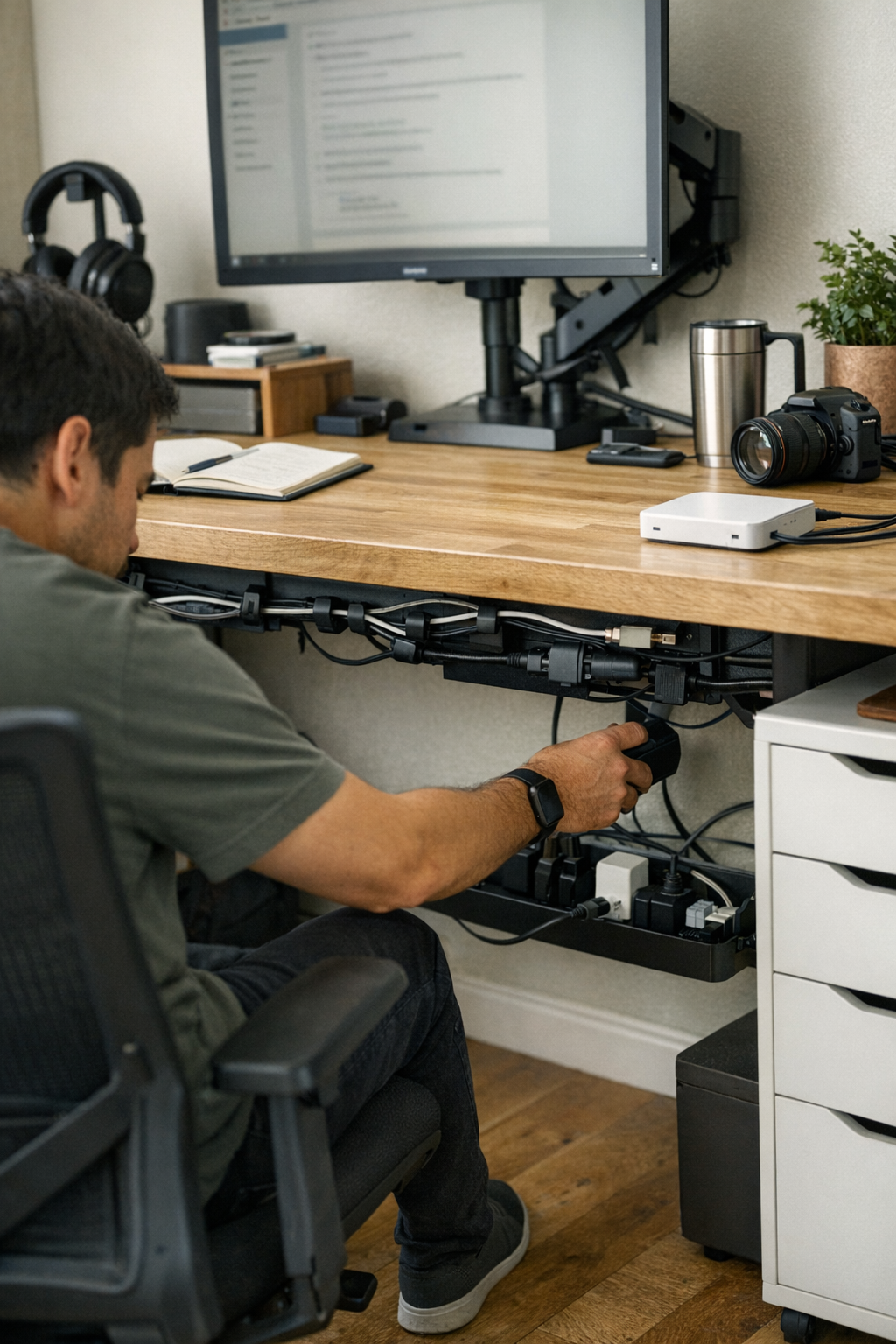
“Cable management” isn’t just a battle against ugly wires on the floor—it’s a silent decision that shapes how every desk session unfolds. Even when a workspace looks perfectly organized, most setups begin to fail in the same hidden way: power and data lines—chargers, monitor cords, ethernet links—all crammed together under the work surface, out of sight and supposedly “solved.” The clean look fades fast once real work kicks in. Every time you need to charge, reconnect, or swap a device during a task, access turns clumsy. The tidy tray you admired on day one becomes a single snag point—a source of cable drag, surprise disconnections, or the time-wasting hunt for the right end. What started as an improvement starts to quietly slow you down, one tangled interaction at a time. That’s where the real friction lives: a setup built to hide mess but not stress. Instead of a smooth reset, you get a prettier version of the same interruptions.
Where visual order masks real interruptions
That initial rush when no cables dangle and every wire disappears behind a smooth tray? It fades by midweek. Repeated use doesn’t just fray the surface—it exposes where the system quietly breaks down:
- USB cables anchored tightly against oversized chargers. Plugging in a device means prying twisted cords apart, not a quick in-and-out.
- Monitor leads shift or snag when tugging on a charger, causing screens to flicker, glitch, or briefly power down mid-report.
- Ethernet and power lines pinch each other in cramped trays, setting up dropped calls or flickering internet right at the wrong moment.
At first, the irritation barely registers—a repeated pause, a device swap that drags. But with each reset, those seconds spent untangling or re-plugging eat away at the benefit of the organized look. Clean lines do nothing for desk flow if they collapse under real use.
Day-to-day wear: When form slides out of sync with function
Mid-task, try plugging in a dying laptop. What should be a reach-and-click turns into cable negotiation—nudging chargers, easing a block of knotted plugs, grazing a network wire and hoping nothing else disconnects while your uploads run. The drag isn’t just cable on cable—it’s lost focus, a manual interruption built into the setup itself.
This isn’t a one-off. Count every routine: connecting headphones, adjusting a monitor, resetting a jammed peripheral, sliding out from your chair and catching a cable underfoot. When power and data lines share a path, each task builds friction—compressed cords overheat, signal cables get soft spots, USB ends bend just a little more each day. You start planning your workflow around the hassle rather than the desk helping you. Tiny delays accumulate, and the “order” shows its real cost.
Small setup changes that rescue the daily rhythm
The fix isn’t more hiding—it’s smarter separation. Rerouting cables by function changed not just how the desk looked but how it worked:
- Power strip anchored out of direct reach: Mounting the main strip to the back underside of the desk makes AC adapters accessible for charging but keeps the bulk out of the way of everyday reach.
- Data cables mapped separately: USB, HDMI, and ethernet lines roam along the upper desk edge with adhesive clips or split sleeves. Power bricks can’t drag them; nothing tugs unexpectedly.
Straightforward, but the impact is instant. Laptop comes out—charger slips free, monitor stays live. Swapping from a phone dock to a tablet is done in one motion, not two. Accidental yanks stop, reset cycles shrink, and every swap takes less thought and less time. Interruptions don’t just decrease; they almost vanish from routine notice.
Scene from a typical reset cycle
Monday, early: Switching audio from headphones to a desk speaker used to mean ducking under, guessing which cable, and gambling—sometimes unplugging the wrong one and losing power or the network. Now, the cable is clipped up and separate, always within visual reach. No interruptions, no do-overs.
Friday, late: Battery running low during an upload. It used to mean reaching around, bumping the USB hub, or getting a flicker on the monitor with every move. Now, power is its own run, plug-in happens instantly, and nothing else wobbles.
Recognizing signs of hidden cable friction
How can you tell if your setup is failing function beneath the surface? The clues repeat if you know what to watch for:
- Devices disconnect when a different cable is moved—one line’s tangle drags the others down.
- Warm, flattened cord spots in your trays or under the desk—places where wires are pinched against adapters or brackets.
- Hesitation before every swap: If plugging in or out reliably takes two tries or extra checking, your flow is being taxed by hidden friction.
Cable containment isn’t the real solution
No box or tray eliminates friction if it crams every wire into the same corridor. Neatness is not enough—actual improvement comes from giving each cable type its own logical mapped path. Use trays for power only, keep data lines clipped at the edge or above the surface, and make critical connectors visible, not buried. That way, mid-task resets don’t derail your focus, and the desk supports the way you actually move—no matter how cluttered the day gets.
Spot-check: Is your new structure actually helping?
Proof isn’t the clean look—it’s the reset test: Can you grab or remove a power cable in one motion, without yanking a monitor cord or fumbling for the Wi-Fi? If not, you’re still living with micro-interruptions that eat away at workflow. If untangling is a routine, the “organized” system is just hiding its failure in plain sight.
Workstation flow is built on real cable simplicity
A desk that looks perfect but disrupts your rhythm isn’t really organized—it’s dressed up dysfunction. Every moment you spend not untangling, replugging, or tracing a mystery wire is time given back to your actual work. When separation becomes part of the structure—not just a surface fix—the workstation feels awake, lighter, and more usable, every session. The difference isn’t flashy. It’s in all the problems that quietly stop happening.