
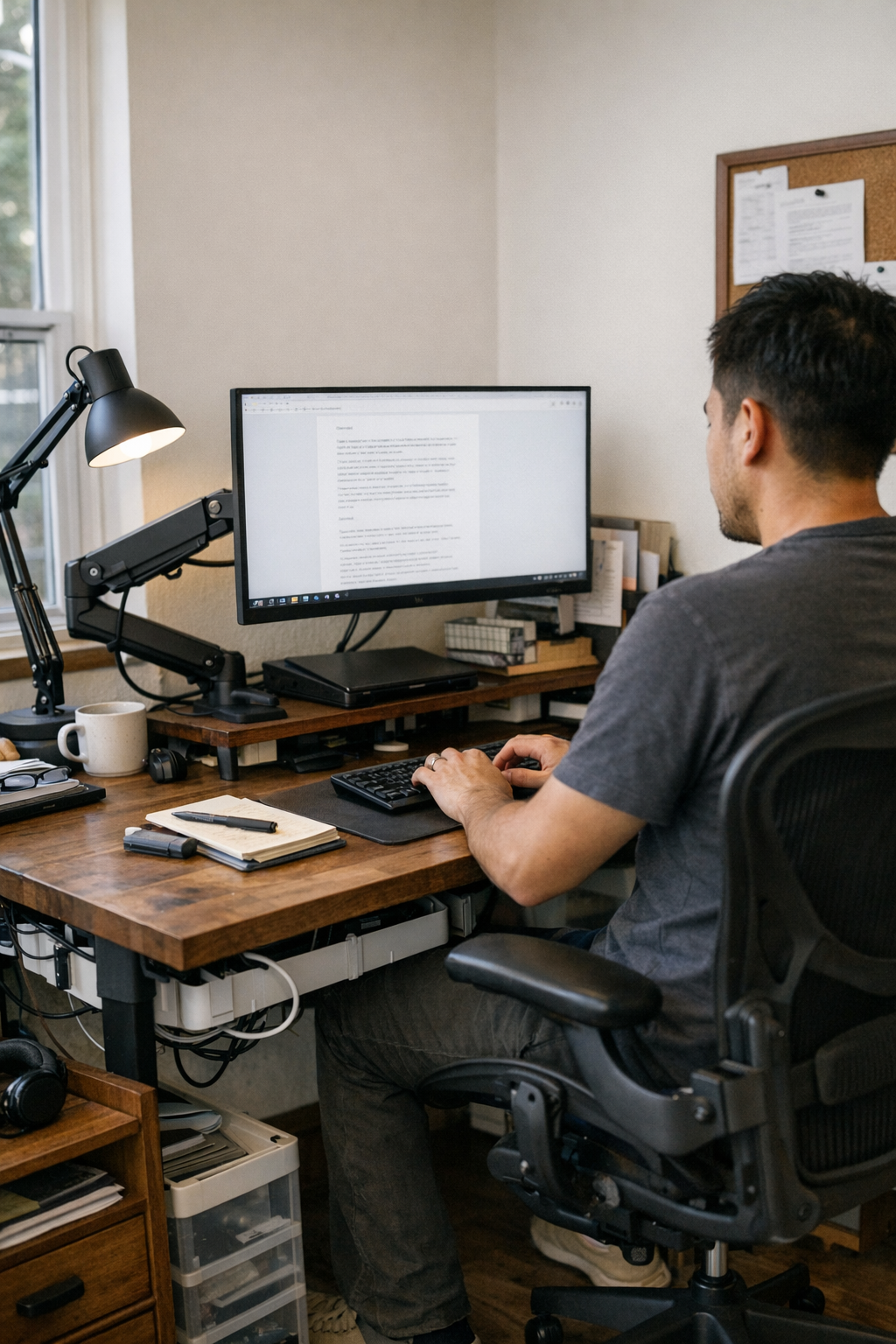
The desk that looks organized—but feels subtly wrong after an hour—is more common than you think. The daily details tell the truth: your monitor slides just out of line, pushing you into a constant neck tilt; a cable sags over your notebook’s space, tugging as you write; the riser that made sense at setup now feels like an obstacle when you reach for anything. Creative hacks pile up—books for monitor height, clamps angled for stability, trays nudged to fit a shifting workflow—but every workaround rearranges how you sit, reach, and move. What starts as a small fix becomes a cycle of micro-adjustments and posture drift. A supposedly “improved” workspace actually reprograms your movements—shoulders raised, chair twisted, trays skating to a new edge—because the basics won’t stay put.
When “tidy” is not the same as usable
Desk setups fool most people at first glance. The monitor lines up at the center; cables vanish behind the surface; organizers frame the edges. Everything appears under control, but the hidden friction starts immediately in real use. The screen is a touch too low, or worse, slowly slides out of place over the morning. Charging a device sends the whole cable nest shifting—and hands keep bumping into the riser meant to declutter. Trays block one another, even as the surface looks clear.
These aren’t just quirks—they pull your routine off track. You skip the notebook because a cable’s in the way. You swivel your entire chair rather than adjust the screen. Even a video call demands shuffling trays or restacking something just to see the screen straight on. By midweek, the tidy layout from Monday becomes a silent source of distraction, extra reach, and lost time.
The real-world cycle of misalignment
Repeated use exposes the split between a stable-looking desk and one that works under pressure. Day after day, your routine isn’t just sitting and typing. It’s a loop: flipping between keyboard and notebook, reaching for a phone, plugging in headphones, riffing on a call, pulling open a drawer for documents, nudging the screen to regain your view. Every reset introduces a new interruption—none huge, but together unavoidable.
The loop never quite closes cleanly. The monitor slides out of sight, demanding another push; stray cables wedge behind a riser or snag on a pen as you pull them forward. The drawer unit—meant to keep clutter down—commandeers leg space or blocks the reach for your mouse. Set the monitor at the wrong height, and your neck will remind you by lunch. Try to re-balance one piece (cable slack, storage, or light) and you unsettle another—screen stability, viewing angle, or elbow room.
How posture and workflow bend around the setup
It’s not always obvious on the first day. But over dozens of work cycles, your body stops fighting the problem and starts working around it. That means you swing the chair instead of moving the screen. You shift trays sideways to fit your elbow, or avoid drawers blocking your knees altogether. Behavioral workarounds take over—tiny imbalances building up, until “routine” means compensating for equipment that never quite fits. The clearest cue isn’t in the look but the fact that re-entering your workspace always costs a few extra movements you barely register.
The shift: What changed when alignment held steady
Replacing a riser stack and tangled cable bundle with a strong, tensioned monitor arm isn’t a dramatic before-and-after—it’s a gradual unraveling of friction. The monitor locks in at 52 cm from the desk edge, lined up with your main seat. It stays put, doesn’t pitch forward, and never needs you to nudge it back after opening a notebook. Cables now cross the desk in managed paths, above the real work zone, not dangling beneath your reach or pulling gear off-center. Trays only migrate if you move them, not because the screen does.
This isn’t desk perfection. It’s the slow fade of awkwardness. Posture centers itself. The reach to your notebook no longer crosses a cable cluster. Getting back to work after each break is frictionless, not punctuated by a minute of setup. After several days, instead of picking up new minor habits to avoid inconvenience, you simply stop thinking about the desk at all. The difference accumulates: the desk becomes something that gets out of the way instead of being one more thing to manage.
Recognizing the signals of a desk that’s fighting back
You don’t need analytics to spot when your monitor setup is quietly sabotaging you. Look for these in everyday routines:
- You keep nudging or rotating the monitor just to center your view.
- Stiff shoulders and a tired neck slowly creep up by late afternoon.
- Cables never seem to stay where you set them; you’re always untangling, re-routing, or shifting them out of your work zone.
- Trays, drawers, or desktop organizers migrate across the surface—not for better reach, but because the core screen-to-seat line keeps shifting or getting blocked.
- The desk looks magazine-ready, but your body keeps shifting or adapting, never quite comfortable.
Why organizing for appearance can sabotage actual work
The most common trap is optimizing for symmetry or a “clean” look while sidelining how you actually move through the workday. A balanced, photo-ready desk invites posture shortcuts that turn chronic. A monitor placed for looks can knock cables into the wrong spot, block storage, or force your chair into an angle that settles into bad habits by the end of a week. The cost is paid in dozens of small adjustments that build up, never quite landing on a setup that suits what you really do hour after hour.
What a workstation that actually holds together looks like
A strong desk setup is practically invisible in use. The monitor stays locked to your main sightline—no more intermittent drift to correct. Cables follow consistent paths that don’t block quick notebook flips, keyboard swaps, or fast device changes. Storage drawers are accessible but never steal your leg space or force you to reach sideways. This is less about perfect order and more about a workspace that finally stops fighting back.
What changes? You reach for what you need without a dance of micro-adjustment. Resetting for the next task means returning to your seat, not another round of pushing, untangling, or re-centering. Attention stays on the work, not the surface. Ergonomics stop being a checklist and become routine without effort.
Quick FAQ: Real-use setup questions answered
How do I know my monitor position is sabotaging my routine?
If you nudge the screen more than you realize, twist or lean for a clear view, or feel body tension by day’s end, your monitor’s placement isn’t working. If you have to shift trays or reorganize cables just to fit a notebook, the main problem is likely misalignment at the heart of the desk.
Do monitor arms actually solve real-world desk friction?
Yes, for anyone switching devices, referencing paperwork, or working long hours, a well-tensioned arm eliminates drift, enables precise placement, and helps cable and storage management play along instead of against you. Riser stacks or static stands tend to fix one pressure while creating new ones—a clear surface but a blocked reach, stable monitor but tangled cable, and so on.
What should determine your monitor position?
Forget the literal midpoint of your work surface. Start from where your main seat meets natural posture and line of sight; arrange cables, lighting, and storage to support that position, not dictate it. Accessories should orbit your main workflow, not interrupt it.
Why an aligned workstation pays off beyond appearance
A desk that locks in—monitor reliable, cables tamed, viewing line stable—won’t erase every workday annoyance, but it eliminates the small, repeated resets that quietly eat into comfort and attention. With the right arm, the right distance, and storage arranged for real reach, your desk supports you instead of scolding you. The benefit is cumulative: you may not notice it in a single day, but after a week, only the right structure prevents those hidden, stackable interruptions from returning.