
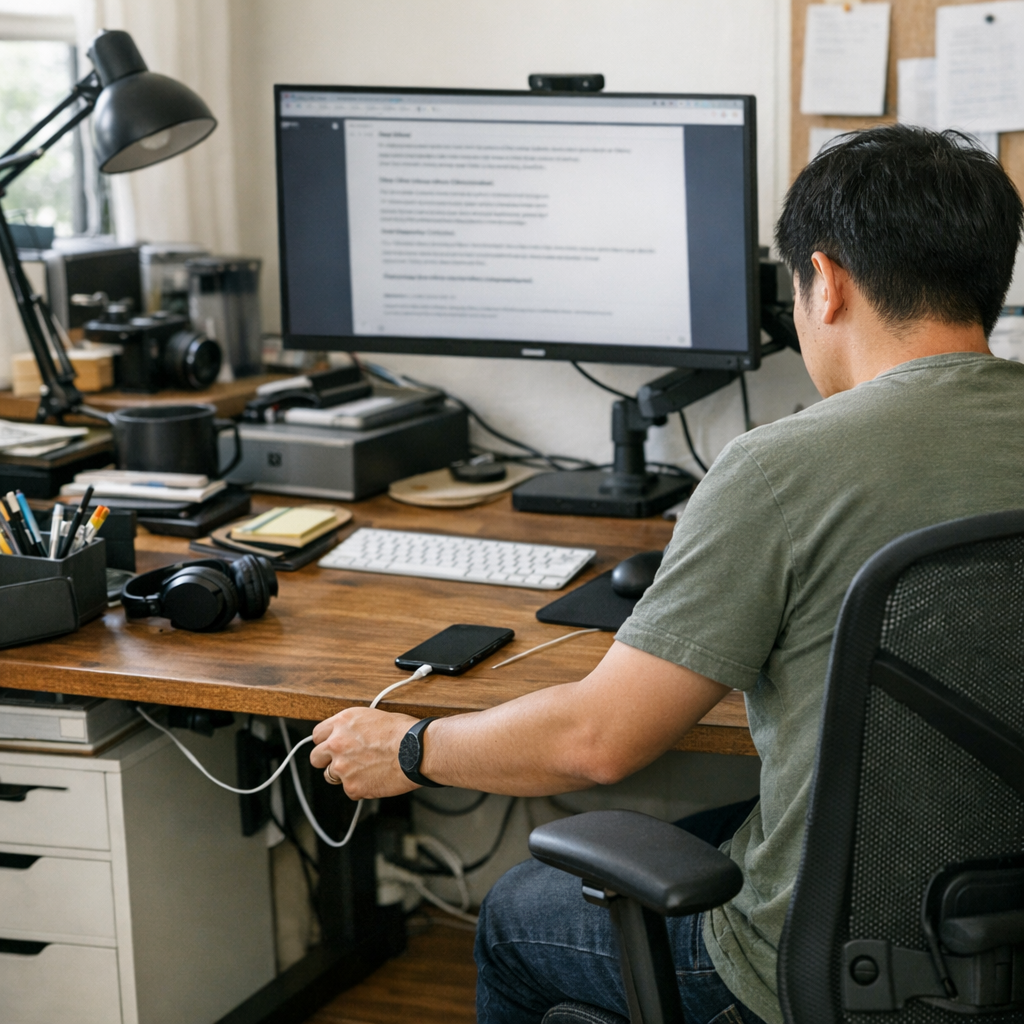
The gap between a desk that looks organized and a workstation that actually works shows up fastest midway through the week—right when routines stress-test your setup. At 8 a.m., the surface checks every box: matching trays, cable sleeves lining the back edge, drawers tucking clutter out of sight. But by the third reach for your charger or the fifth switch from keyboard to notebook, the friction surfaces. You dodge around a clip cup to scribble notes, nudge a storage bin with your elbow, or reroute your mouse cable—again. That so-called “clean” desk exposes its flaw: order that interrupts flow is just new clutter in disguise. The desk looks calm, but the workflow stutters.
Where order starts becoming a source of friction
More storage always sounds like the solution—no tangled cords, no scattered pens, drawers tucking everything neatly below eye level. But every layer promises control and delivers distraction: under-desk drawers tighten leg space, so you’re forced to rotate, perch, or stretch. Monitor risers and cable trays promise structure; in repeated use, they creep into your workspace, nudging against your mouse hand, cutting your writing area, or making you reach further for anything not staged front and center.
Friction builds quietly. Need to unplug a laptop? First, wrangle the cable box open. Want your notebook? Slide past two organizer edges to reach it. During each work session, micro-delays stack up—and the layout that seemed logical now demands small, constant adjustments. A strategy that once promised efficiency now parses every move into extra steps, more scanning, more resets—especially when you’re busiest, or shifting between meetings, emails, and real-deadline work.
The workday in repeat: small interruptions add up
By Friday, the “pristine” desk from Monday has shrunk. Move your laptop to free up camera space, and it bumps a storage bin hard against the edge. Monitor sits perfectly centered on its riser, but your wrist perches off a sharp corner during note-taking. That cable sleeve—meant to organize—now pulls, snags, or needs repeated tucking every time you add or swap a device. What’s supposed to streamline instead produces static: layers of order slowing basic movement, and making every reset heavier than it looks on paper.
Every action choreographs itself around edge lines: reaching for a sticky note means tracing a path around bin corners. Dropping a pen means angling past the stacked tray. Even the simple act of sitting shifts—a drawer edge presses at your knee, and you adapt posture unconsciously. The difference hits hardest after lunch resets or back-to-back calls: an “organized” desk is easy to admire, but harder to work in when everything blocks the direct path to action.
The turning point: what changed when visual weight was reduced
Fixing friction didn’t mean shuffling boxes, but stripping the desk back—removing, not just rearranging. One oversized organizer gone: now a notebook slides aside in one gesture, not three. Ditching a bulky riser for a monitor arm cleared a whole zone behind the keyboard—charging cords dangle just long enough to grab, not so long they tangle, and you stop reaching around covers just to dock your phone. Removing even a single item shifted the rest: finally, your dominant hand had true open space, quick actions happened in the direct line of sight—not forced around a container or interrupted mid-reach.
With density reduced, movement followed. No more bumping a cup or tray at every transition—typing, writing, mouse movement became continuous rather than punctuated by dodges. Most surprisingly, the left-hand zone—where a stack of sticky notes and pen holders always waited—when emptied, became the “instant transition” spot; nothing blocked the most-used line on the desk, and every task sped back up. Accumulated frustration—the kind you barely notice except in its absence—finally faded, replaced by smoother resets, less searching, and fewer micro-shifts each time you started over.
The hidden costs of “hiding” clutter
The myth: hide everything and you’ll have a perfect setup. The reality: tucking away cables, notebooks, or accessories usually means every plug-in, grab, or device swap slows down. Neatly concealed breaks rhythm—every access comes with an extra open-unthread-return step. Visual weight isn’t just about tidiness—it’s about whether your workflow stops for its own systems. As containers stack and drawers fill, each layer saps directness, shaves seconds, fragments focus, and adds small posture shifts that wear down comfort across longer sessions.
FAQ: Navigating visual weight and workstation habits
Isn’t hiding cables and accessories always better?
Only if you rarely use them. Gear you move in and out daily—laptops, tablets, headphones—suffer most when you have to untangle cable sleeves or open storage just to connect. Inconsistent access usually slows you down more than a little visible clutter ever would.
How do I recognize when my desk is carrying too much visual weight?
When you pause to find routines—having to push past containers to use core tools, re-scan the surface before every task, or slide items aside just to begin—it’s a signal your setup is now working against, not with, your pace. If desk resets feel like rearranging a display, not prepping for real work, friction has taken over.
Does streamlining always mean less storage?
No; it means better placement. Sometimes the fix is moving a drawer so your legs don’t knock it all day, letting a monitor arm float the screen for more surface, or leaving one cable visible right where you unplug by habit. The focus moves from hiding to smoothing the most frequent actions—so the desk works with your patterns, not against them.
Finding the balance: clarity over perfection
What keeps a desk usable is never just how little sits on it, but how directly your hands, eyes, and devices work together in cycles. Comfort is cumulative: every subtraction that makes resets faster or avoids extra steps returns more value in repeated daily use than a photo-perfect moment ever could.
No one wins for “best hidden cable” if that cable delays you hundreds of times. The real test is how quickly your workspace returns to neutral, and how easily you can reach what’s next without thinking about storage. A lighter-feeling arrangement—even if some elements stay visible—delivers steady relief over time. That sense of ease multiplies, far outlasting the first-hour impression of tidiness.