
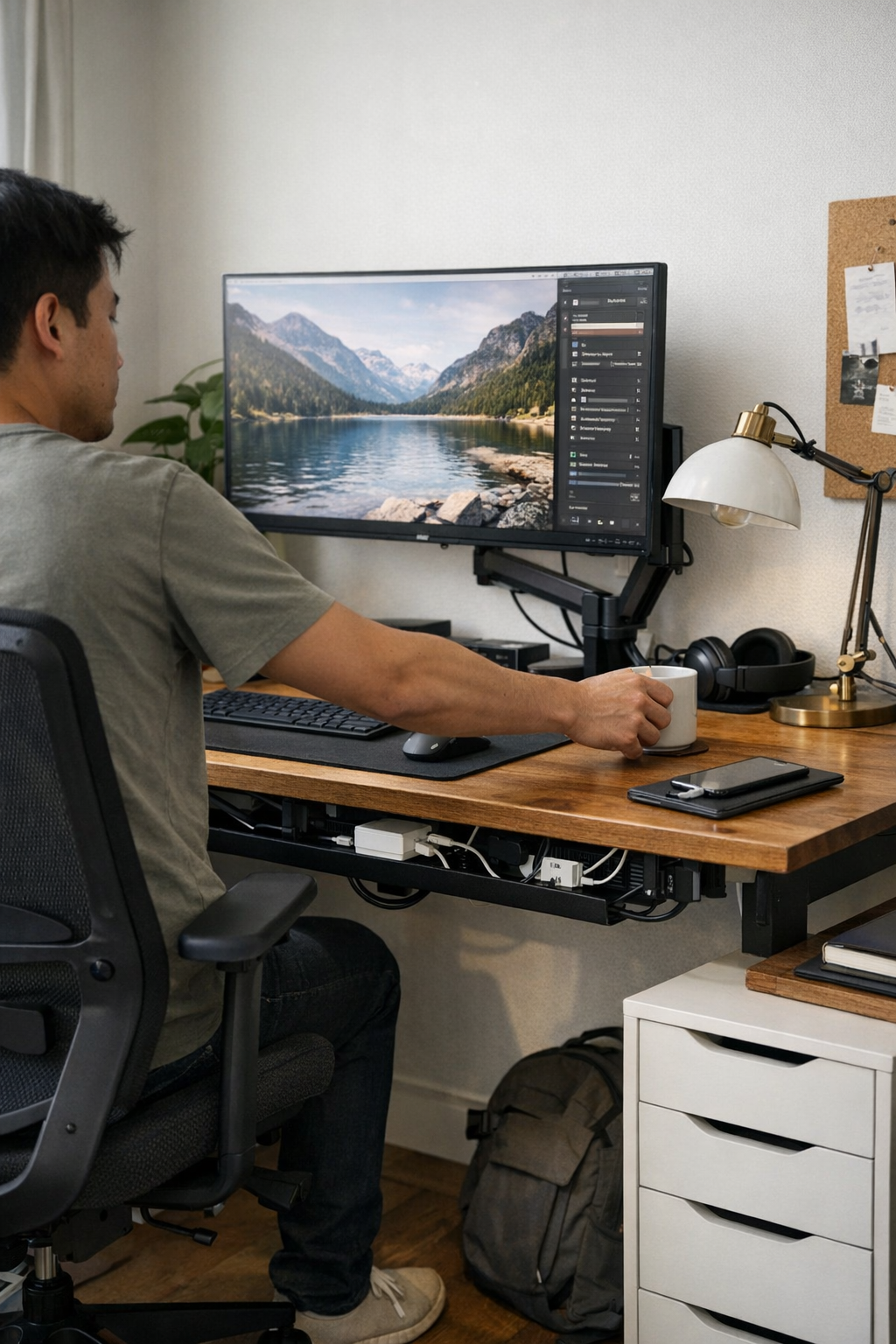
A desk can look spotless and still trip you up—especially when cable chaos hides under the surface. If you connect and disconnect devices every day, you know the pattern: you reach for your notebook and a cable drags across your arm. Sit down in a hurry, and your charger clips your chair or pulls tight at your ankle. Try shifting your keyboard or clearing space for a notepad and a forgotten cable blocks, snags, or yanks itself back out of reach. Each small interruption breaks your flow. The desk still looks right, but feels stuck. Over a day—or a week—these friction points pile up, proving that visible order does not equal easy work. The wrong cable setup turns even the neatest shelf or clean sweep into a reset loop you never quite escape.
What Actually Changes When Desk Cables Are Properly Anchored
When work pressure kicks in—shifting from email to sketching, charging a phone, flicking on a lamp—the difference between tidy cables and true usability shows up immediately. A guided cable path isn’t just about appearance; it keeps cords from sabotaging your routine at exactly the wrong moment. An under-desk tray keeps power lines out of the way when you roll your chair or reach for a drawer. A cable box takes the cluster off the desktop and out of leg space. Clips, magnetized or mechanical, stop connector ends from falling behind the desk just as you need them. Each anchor fits someone’s real work: trays for fixed setups or shared desks, clips for fast device swaps, boxes for hiding the clutter but potentially slowing quick changes. The improvement is obvious when task speed rises—your charger’s just where you left it, your lamp never shifts off target, and the “quick plug” actually is quick.
The Difference Between Looking Organized and Working Smoothly
It’s easy to fall for a desk that looks calm—until work starts and old irritations reappear. Mid-project, you slide your notebook beside the keyboard and a loose cord drags back into your writing space. Shift your mouse and suddenly the pad is hooked on a headphone cable. These aren’t rare mistakes; they’re signals your cable path doesn’t match your reach or routine. Tucked cables may look clean but still block your natural move set.
Any time you pause to nudge a cord or clear space for your hands, your desk layout is taking from your attention, not returning it. True cable anchoring—tray, clip, channel—erases these micro-pauses and lets devices and hands move as expected. The improvement isn’t just in calm; it’s in every cycle you don’t have to reset.
Real Desk Moments: How Setup Choices Save or Burn Energy
Consider where cable bottlenecks usually show up: the rear corner, where phone chargers, lamp cords, and USB hubs tangle below the sightline. It feels clever at first to drop everything behind the edge. But the price shows itself quickly. Mid-task, a gentle tug for your phone drops your lamp cord over your papers. Swap a device, and the charger vanishes under the desk. Each recovery means digging, unplugging, fishing—work interrupted, focus scattered, small resets breaking the day. Even small repeated detours can wear you out.
This is where structural change—the right under-desk tray or a disciplined row of cable clips—does more than tidy. The cable can flex, but never slip into the wrong spot. No charger yanks; no lamp off-balance. Even when you move fast, the fallout never spreads across your usable space. A steady cable track blocks predictable annoyances, so you stop losing energy to the same reset.
Case Study: From Loose Drop-Offs to a Desk That Stays Ready
One user gave up on chasing cables and added a fixed tray underneath. Lamp wires and chargers routed directly out of reach—the “dead zone” along the desk edge became a buffer for hands and notes. Suddenly, drawers opened without hitting tangles, connectors stayed visible, and nothing rolled behind the surface. The biggest change didn’t show up as a perfect photo, but as the list of problems gone missing. Opening the drawer no longer jerked a power cord loose; retrieving a charger was instant, not a mini scavenger hunt. In a few weeks, the pattern was clear—no more routine resets, no more slowdowns for the sake of “order.” The real win was not having to think about it at all.
FAQs: Anchoring Your Cables Without Overcomplicating the Desk
How do I pick between cable boxes, trays, or clips?
Let your work style decide. If you reroute or unplug often, clips keep cords accessible and flexible. For hiding clustered adapters or hub lines, cable boxes work—but they can slow fast swaps. Under-desk trays organize multiple cords in one sweep beneath, which is best if your main desk devices rarely change. For setups that shift with the workday, mixed use—trays for power and clips for chargers or headphones—gives the best blend of stability and speed.
How can I tell if my cable setup isn’t actually helping?
Watch for red flags: digging for a missing cord, straining around cable clusters to open a drawer, pausing to untangle mid-task—these all mean your “organized” look is still costing you time. If cables invade your reach, block motion, or require regular rescue, better anchoring is due.
Can cable management fix small monitor or lighting annoyances?
Yes—many monitor drift and lamp angle problems start with cables anchoring the wrong way. Unsecured wires pull screens slightly off-center or nudge a lamp out of the sweet spot. Guided, anchored cables hold these settings steady, cutting down the slow slip that builds up posture strain.
When Setup Matches Habit: Why Guided Cords Bring Everything Together
The strongest change from real cable anchoring isn’t style—it’s reliability under pressure. When you route cables to fit your actual work, each move stays predictable, even when sessions get busy or device swaps pile up. The best system is the simplest one that matches your actions: clips only where you reach most; trays deep enough for all chargers you leave overnight; boxes where the mess matters more than instant access. Each day that cords stay “almost” right but drift out of line, you lose a little flow—hesitant reaches, extra attention, fragmented focus. Once cables match your pace, the desk surface stops demanding resets and starts making work easier, no matter what you plug in next.
If you want a setup built for real movement, not just tidy optics, start with cable guides and give every anchor a job. Your desk will feel more stable, your routines less fussy, and each work session will launch straight—a surface that keeps up instead of holding you back.