
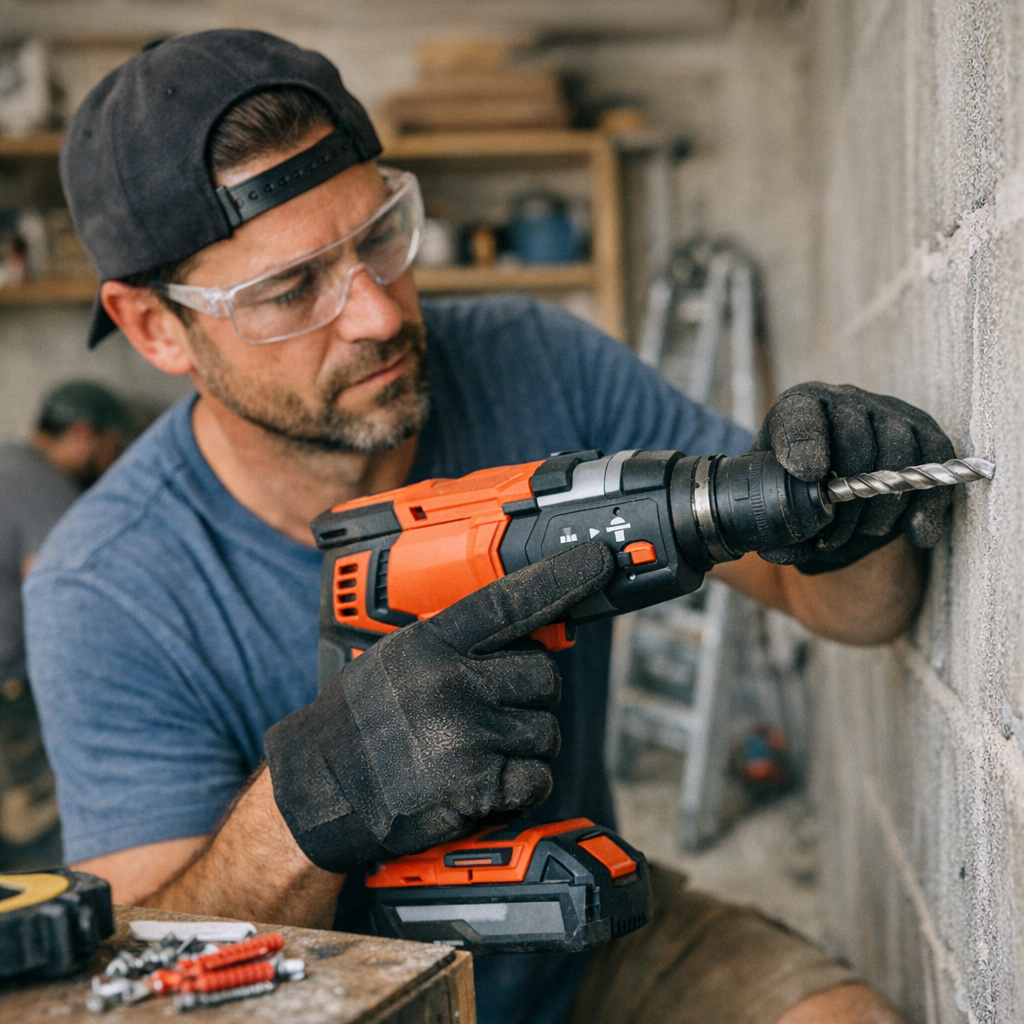
Understanding Your Hammer Drill: More Than Just a Twist and Press
Using a hammer drill for the first time can feel like a mix of excitement and uncertainty. The tool’s robust feel in your hand promises efficiency, but a simple switch—often overlooked—can make the difference between effortless drilling and frustrating delays. This switch is the hammer mode selector, and it’s a detail many beginners miss until they encounter unexpected challenges.
The Beginner’s Pitfall: Forgetting to Engage Hammer Mode
Many newcomers to power tools assume that hammer drills automatically deliver hammering action once powered on. However, most models have at least two primary settings: a regular drilling mode and a hammer drilling mode. Sometimes, there’s even a screwdriver function included. Failing to switch into hammer mode means the drill bit spins, but it doesn’t deliver the rapid forward hammering action needed to efficiently chip away at hard materials like concrete or brick.
These mistakes not only delay the job but can also cause premature wear on bits and tool components. For example, trying to drill anchor holes into concrete without hammer mode active means you’re essentially grinding the bit against the surface rather than breaking it down. Overheating and dulling the bit are common results.
Why Hammer Mode Matters: How the Percussive Action Works
Hammer mode activates a rapid pulsating action that thrusts the drill bit forward thousands of times per minute while it spins. This pounding motion is critical for breaking apart masonry and other dense materials. When operating correctly, a hammer drill in hammer mode combines rotational force with impact, significantly speeding up drilling and reducing strain on the tool and user.
Typically, hammer drills can generate between 3,000 to 5,000 blows per minute, depending on the model, which dramatically accelerates hole creation in hard surfaces. Without hammer mode, drilling hard materials becomes a slow, inefficient process prone to overheating and damaging the bit.
Matching the Right Bit and Mode to Your Material
When drilling into hard masonry, selecting the right bit is just as important as choosing the correct drill mode. Carbide-tipped masonry bits and SDS-Plus systems are designed to withstand the percussive forces of hammer drilling. Attempting to use standard drill bits or the wrong setting compromises performance and increases wear and tear.
Conversely, using hammer mode inappropriately—such as drilling into drywall or wood—can cause unnecessary chipping and damage, leaving ragged holes. Adjusting your settings based on your target material ensures clean, precise results.
Practical Tips to Master Hammer Drill Use
- Always Check the Mode Before You Start Drilling. Take a moment to verify that the hammer mode switch shows the correct icon—a hammer symbol for hammer mode, or a drill bit symbol for standard drilling. This simple step can prevent minutes or even hours of frustration.
- Set the Mode Before Powering the Tool. Flip the hammer mode switch before connecting the battery or plugging in your drill. This mindful pause helps you focus on preparation rather than reaction.
- Clear Dust Regularly. When drilling deep holes, pull the bit out periodically to clear accumulated debris. Dust buildup increases friction and heat, which can shorten bit life and slow progress.
A Shift in Perspective: Transforming How You Approach Drilling
Developing an intentional habit around your drill’s mode selection can transform your workflow. Instead of rushing to start the task, build a sequence: gather your bits, check your drill’s modes and settings, and then align your materials and workspace. This “pre-set” routine anchors your concentration on the task rather than the tool’s quirks.
Incorporating this pause can reduce mistakes, save your tools, and improve your final results. It’s a subtle shift that fosters mindfulness and precision—a beneficial mindset for any DIYer or professional builder.
Final Thoughts: Make Hammer Mode Your Friend, Not an Afterthought
The hammer mode switch is a small but powerful control on your drill. Treat it as a critical part of your preparation and workflow rather than a detail to be overlooked. Consistently setting your drill into the appropriate mode not only protects your bits but also saves you from fatigue and poor workmanship.
By making mode checks routine, you’ll discover your projects flow smoother, your tools last longer, and your drill holes look neat and professional. Next time you face a wall that seems to resist your bit spinning, ask yourself: is hammer mode really active?