
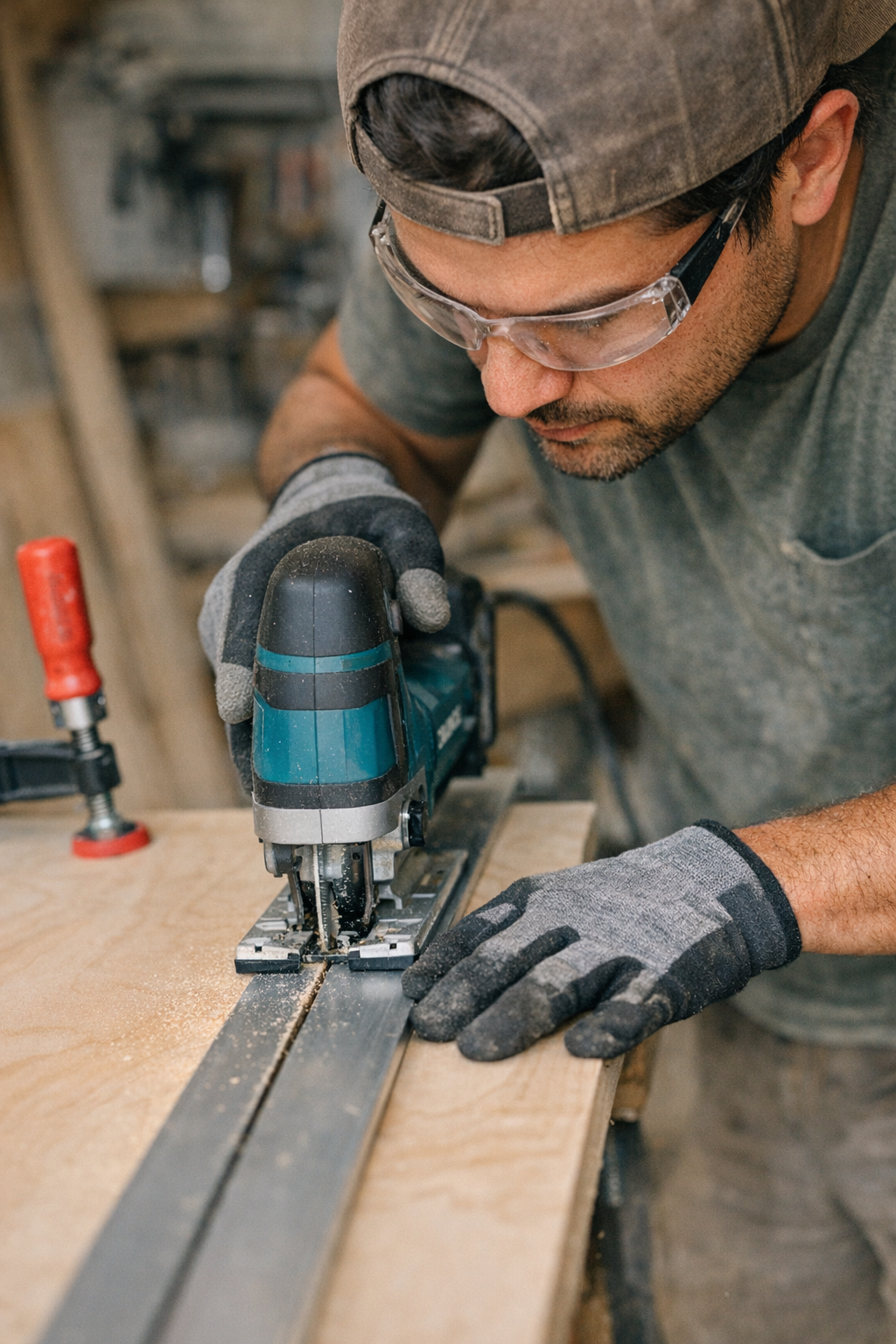
Why Jigsaw Cuts Often Go Off Course
If you’ve ever tried making a perfectly straight cut with a jigsaw, you know how tricky it can be. Even with a carefully drawn line and steady hands, the blade tends to wander, creating jagged edges or slight curves that ruin an otherwise solid piece of work. This isn’t a sign of poor craftsmanship but a common challenge with jigsaws that many woodworkers face.
The root of the problem lies in the nature of the tool and how it interacts with the material. Jigsaws are lightweight and versatile but often a bit “jumpy” during operation. The blade is thin and can flex sideways, especially if pushed too quickly or at an inconsistent angle. This flexibility means that even slight variations in pressure or speed can cause the blade to deviate from the intended cut line.
In addition, the orbital action feature—designed to speed up cuts—can contribute to less precise results. Higher orbital settings increase the blade’s forward and backward movement, which makes the cut rougher and harder to control. Over time, it becomes clear that no matter how experienced you are, freehand jigsaw cutting requires a reliable method to keep the line straight.
Choosing the Right Blade and Settings
Before diving into the solution, it’s important to consider the blade and settings you’re using. For cutting plywood or making fine cuts, a blade with 8-12 teeth per inch (TPI) is ideal. These blades offer a good balance between cutting speed and smoothness, reducing the risk of blade flexing and tear-out.
Using a blade labeled for “straight” or “precision” cuts can also help. These blades tend to be wider and stiffer, which minimizes deflection during the cut. On the other hand, blades meant for scrolling or intricate curves are thinner and more prone to wandering when forced into straight cuts.
Keep the orbital setting low—zero or one—when cutting veneer or plywood. Higher orbital levels are better suited for softwood or rough cuts but increase the chances of chipping and blade drift on finer materials.
The Simple Trick: Clamping a Straight Guide
Here’s where the magic happens: instead of relying solely on your hand to follow the cut line, use a clamped guide. This simple addition will transform your jigsaw cuts from irregular to professional-quality edges.
Find a straight, rigid piece of wood or metal that is at least as long as your workpiece. This will serve as your fence, guiding the base (shoe) of the jigsaw in a perfectly straight line. Before clamping, measure the distance from the blade to the edge of the jigsaw’s shoe. This offset matters because your guide should be positioned so the blade runs exactly on your cut line while the shoe presses against the guide.
Securely clamp the guide along your workpiece, as close to the cut line as possible, taking care to ensure it doesn’t move during cutting. With the shoe pressed against the guide, the jigsaw’s blade naturally follows a perfect straight path, eliminating the guesswork and micro-adjustments that cause blade wandering.
Pro Tips for Better Setup
- Check blade alignment: Make sure the blade is perfectly perpendicular to the shoe to avoid angled cuts.
- Wrap edges for protection: Cover the bottom edges of your guide with painter’s tape to prevent scratching finished surfaces.
- Avoid over-clamping: Clamp firmly but gently enough to avoid warping thin materials or bending the guide.
Adjusting Speed and Pressure
While the guide ensures your cut stays straight, controlling speed and pressure remains vital. Pushing the saw too fast, especially at maximum strokes per minute, overheats the blade and dulls its teeth. This heat, in turn, causes the blade to soften slightly and veer along the wood grain instead of the straight path.
Instead, operate your saw at a moderate speed, allowing the teeth to do the cutting with minimal forward pressure. If making a long cut, pause a few times to let the blade cool down or run the saw without load briefly. This prevents heat buildup and ensures consistent cutting performance.
A Refreshing Perspective: Less Force, More Control
When first using a clamped guide, many operators instinctively apply less mental effort in trying to control the tool, which paradoxically improves the cut quality even more. By focusing on maintaining consistent, light pressure and smooth movement, rather than trying to “fight” the saw into the cut line, the blade performs optimally, vibrations reduce, and edges stay clean.
This shift in mindset—from battling the tool to guiding it—can be eye-opening. The jig saw goes from a temperamental instrument to a precise, reliable cutter.
Material Considerations and Blade Selection
Using a bi-metal blade brings additional benefits. These blades are more heat-resistant and last longer than typical high-carbon steel ones. They’re especially helpful when cutting melamine or veneered plywood, where minimizing chip-out is critical.
Choosing the right blade length and thickness also matters. Thicker blades resist flexing better, and longer blades can handle deeper cuts without pushing the tool beyond its limits.
Real-World Example: From Frustration to Precision
In a recent bookshelf project, uneven freehand cuts on birch plywood end panels resulted in visible imperfections when assembled. After switching to clamped guides, those small but noticeable irregularities disappeared. Cutting became faster and less stressful. The edges were cleaner, and the final assembly more professional-looking.
This simple change—clamping a straight edge—added just a few minutes of setup but saved hours previously spent sanding, filling, or recutting pieces.
Key Takeaways
- Use a clamped guide matched to your saw’s shoe-to-blade offset for straight cuts every time.
- Select the right blade: 8-12 TPI, bi-metal, and suitable width improve cut quality and reduce heat buildup.
- Operate at moderate speed with consistent, gentle pressure; avoid forcing the saw through the material.
- Prepare your guide with protective tape and clamp gently to avoid damaging workpieces.
- Reframe your approach: let the tool follow the guide instead of fighting to freehand the line.
Incorporating this technique into your workflow introduces discipline and control without complicating your process. It’s a small step that yields outsized results, especially for projects where precision and finish matter.