If you’ve spent a day on the line—riveting, drilling, wrenching nonstop—you already know when safety gear crosses the line from “fine” to a liability. The shift is never dramatic; it creeps up just as you reach peak focus. Suddenly, gloves you trusted slip mid-pull, goggles streak over a critical guide mark, or your respirator draws breath like you’re sucking through felt. Efficiency stutters, rework piles up, and you feel every shortcut you took with gear cleaning catch up at the worst time.
How Neglected Gear Derails the Work Rhythm
Dust, sweat, and metal filings accumulate layer by layer, unnoticed through each repetitive task—drilling joists, sanding edges, affixing hundreds of fasteners. Dirty gear doesn’t waste time with warnings: slippery gloves turn precise work into muscle-wasting battles, smudged lenses throw off your last good attempt at a straight cut, and a clogged respirator throttles your concentration just when the dust cloud peaks.
This isn’t theory. Missed grips mean a drill bit skips, seams go crooked, edges need recutting, and you end up burning through your best batteries or blades. The dirt that built up unseen costs you in missed marks and a fatigue curve that gets steeper by the hour. By cleanup, you’re left with a gear triage that steals time you needed for real resets.
What Happens When Cleaning Slips Off the Checklist
Every real workspace, from job sites to solo garages, moves fast on a good day—until you hit hour three and the little lapses start bruising your output. In high-repeat work like siding, metal framing, or scoring tile, grime quietly loads your gear with each motion. It’s rarely dramatic—until a glove twist ruins alignment or you start misjudging depths through a foggy face shield.
The pinch comes in the mid-shift grind. That’s when gloves, already damp, glide where grit should bite. Goggles you wiped on your shirt now scatter task-light glare across cutting marks. You can blame tired hands, but most times it’s buildup, blurring the line between sharp work and slip-ups. Ignore it, and you’re not just fighting stubborn materials—you end up fighting your own tools.
Glove Reality: No Cleaning, No Control
Compare two pairs of gloves at shift’s end. At a glance, both pass—but wear them, grab a vibration-heavy drill, and the truth shows quick. The pair scrubbed down after each 90-minute block still grips hex and trigger. The quitters, slick from oil and invisible dust, slip just when you need clean control for straight holes or countersinks. That struggle adds up: more hand tension, shifting torque, and mistakes that eat chunks out of the next round’s progress.
Goggles: One Smudge, One Missed Mark
A faint haze on safety lenses isn’t just cosmetic. With the wrong angle on site lights or window glare, that old fingerprint turns alignment guesswork into a detour. Suddenly, it’s harder to judge saw blade paths, match measurement lines, or spot hairline splits before you commit a cut. Not planning for routine wipes puts every small cut or drilled pilot hole at risk.
When Dirty Gear Dictates Unplanned Pauses
Nothing derails workflow faster than unpredictable gear failures. In real fast-cycle tasks—setting hundred-plus siding pins, rapid drilling, or panel fastening—the exact second a glove slides or a lens clouds, you’re forced to stop, wipe down, and reset. Each time, you forfeit your momentum, and that quick fix robs minutes that add up by shift’s end. On jobs where battery swaps are already scheduled for efficiency, it’s your safety gear—not your drill—that starts calling timeout. And you pay for it: rushed corrections, sore hands, repeats you could have prevented with basic routine.
Sneaking Cleanliness Into the Workday: The 90-Minute Rule
Strict cleaning intervals—every 90 minutes, no exceptions—stack up as efficiency, not hygiene theater. Here’s the practical breakdown from actual sites:
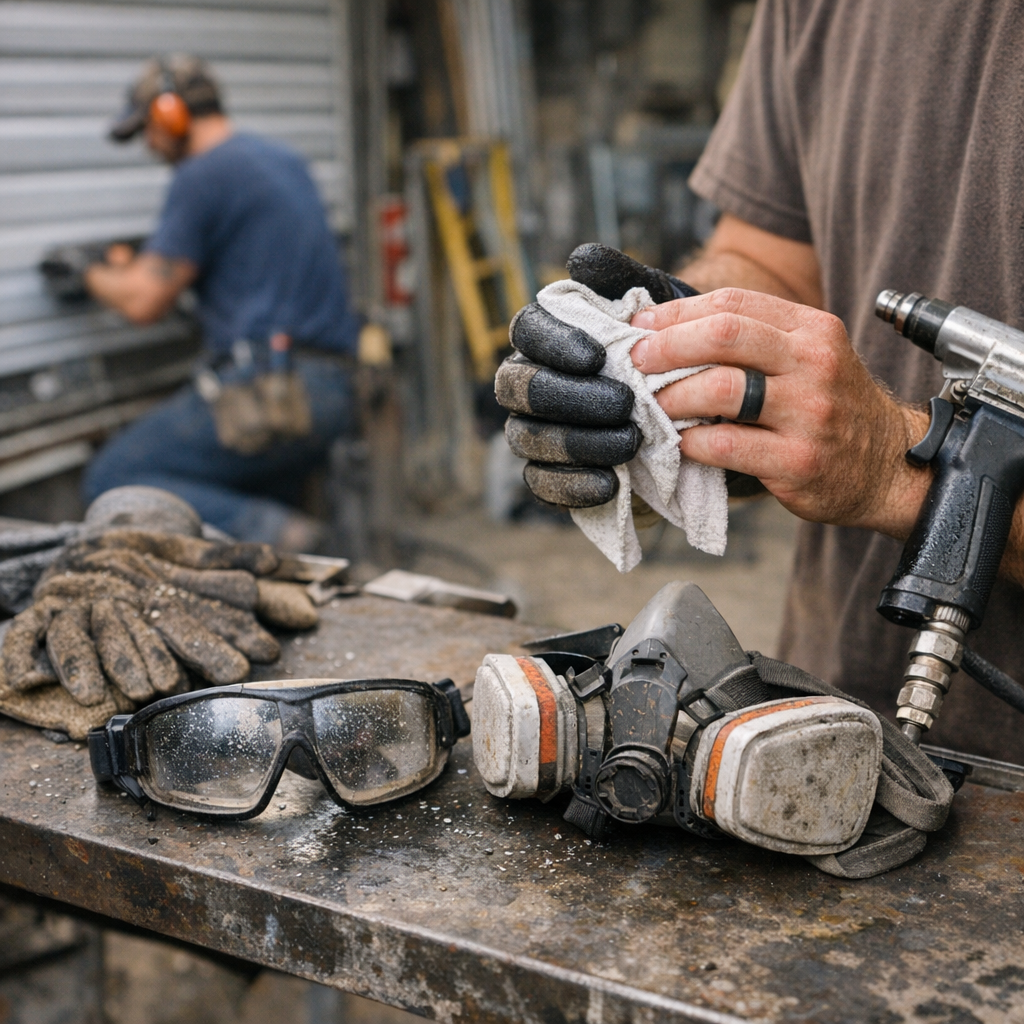
- Glove wipe-downs with isopropyl mean consistent grip—no second-guessing on high-torque gear
- Task-light goggle checks expose smudges before you botch a final cut or mess up a finished surface
- Respirators get opened, filters knocked out, and comfort checked so you’re not distracted when sanding or cutting kicks up dust clouds
The results aren’t hypothetical. Glove performance stayed consistent, lines stayed crisp, and finish corrections dropped. Cleanup became a tight, predictable block—not a scramble. That’s the real difference: more energy and attention for linework, less wasted time on “how did I miss that?” moments.
Quick Spot Checks and Gear Swaps: Small Wins, Big Impact
Get in the habit: after every break, check your glasses in the light—if you see a faint mark or a spot in your sightline, clean it. For gloves, if the grip still feels off after a proper wipe and dry, don’t push your luck—swap them. Some residue, like fine oils or embedded composite dust, can’t be wiped out and just kills grip for the rest of the day.
Respirators are the same: if airflow suddenly feels rough, you catch odd odors, or a filter seems sluggish, don’t wait for a full stop. Swap the cartridge or clean immediately. Waiting until a complete clog means that fatigue and distraction have already sneaked in, especially when sanding, grinding, or using demolition tools in the dust cloud.
“Good Enough” Always Costs More in the Long Run
Slipping by with an end-of-day wipedown doesn’t cut it if you’re drilling, sanding, or fast-cutting all day long. The stacked-up friction, missed precision, and burnout are silent at first but become impossible to ignore shift over shift—straight cuts turn rough, pilot holes wander, and every battery change feels heavier than the last.
Turn a few minutes of cleaning into your new quality control loop. Cleaner gear carries over to your next task, prolongs tool life, makes every cut truer, and ensures you’re working at max capacity—not fighting avoidable breakdowns just as focus matters most.
Find more practical gear and get the right setup for real work routines at Gumboll.