Category: Uncategorized

  • The Simple Torque Habit That Protects Your Bolts Every Time

    The Hidden Risks of Over- and Under-Torquing with Impact Wrenches

    We’ve all experienced it: tightening that final lug nut with an impact wrench, feeling confident, only to realize moments later that you may have either stripped the threads or left the fastener too loose. Impact wrenches are incredible tools that speed up fastening tasks dramatically, but with their strength comes a fine line between efficiency and damage.

    These powerful tools can easily exceed recommended torque limits, which leads to stripped threads, snapped bolts, or under-tightened connections that loosen over time. The manufacturers provide specific torque specs for good reason, but many users rely on the tool’s sensory feedback alone—often leading to unintended damage or frustrating rework.

    Why Torque Matters More Than You Might Think

    Torque measures the rotational force applied to fasteners, and each bolt or nut has a recommended torque range to ensure it holds securely without damaging the threads or the surrounding material. For example, most passenger vehicle lug nuts require an 80–100 ft-lb torque. Yet impact wrenches on medium or high settings can exceed 150 ft-lbs, surpassing safe limits especially when dealing with softer materials like aluminum or zinc alloys.

    When a bolt is over-tightened, you risk damaging—or stripping—the threads. On steel-to-steel fasteners, damage might not be obvious immediately, but upon disassembly, a stripped or stretched thread can turn a straightforward job into a significant challenge. On softer metals, the damage often reveals itself right away, reducing fastener integrity and safety.

    Conversely, under-tightening leaves assemblies vulnerable to vibrations, which can loosen bolts over time. This is critical in applications ranging from automotive suspensions to flooring systems, where failure due to loose fasteners can cause safety hazards or accelerate wear.

    Common Pitfalls: Relying on Feel and Sound Alone

    One of the biggest mistakes is relying solely on the “feel” or “sound” of an impact wrench to judge if the bolt is tight enough. This method is unreliable as high-powered impacts can mask the actual resistance felt, particularly when working with varying fastener sizes or materials. A bolt can feel tight but still be far from its required torque, leading to inconsistent and potentially unsafe results.

    A Simple Two-Step Process to Protect Your Bolts

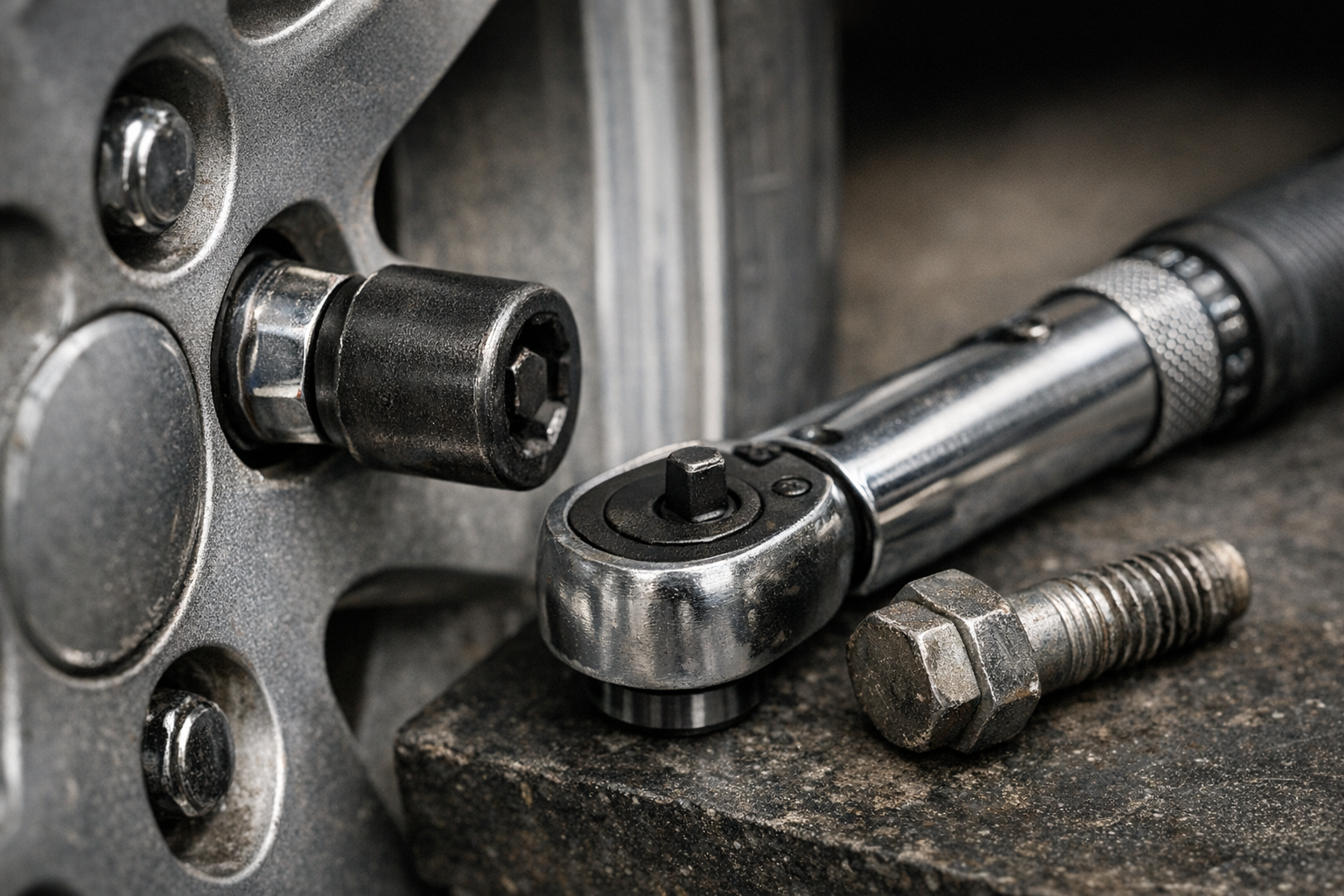
    After experiencing firsthand the frustration of stripped bolts and seized fasteners, I adopted a straightforward yet effective habit: I always start with the lowest torque setting on my impact wrench and finish with a manual torque wrench set precisely to the manufacturer’s specification.

    Most modern impact wrenches have multiple torque settings—commonly low, medium, and high. The high setting is tempting because it’s fast and seemingly efficient, but it’s also where most damage happens. By using the low setting, I ensure that bolts are seated without excessive force applied too quickly.

    Once the fastener is firmly in place, I switch to a manual torque wrench to perform the final tightening step. This approach takes an extra 30 seconds per fastener but dramatically reduces the risk of thread damage, snapped bolts, or under-tightening.

    Practical Tip: Marking Torqued Fasteners

    To keep track of which bolts are tightened properly—especially in assemblies with many fasteners—I use a paint marker to add a small dot on each nut or bolt head. This visual cue helps prevent accidental skipping or double-tightening and improves workflow accuracy.

    Real-World Application Examples

    When working with common fasteners like M6–M12 bolts or T20–T40 Torx screws found in automotive, machinery, or even heavy furniture construction, this method has saved countless headaches. Soft metals like aluminum wheels or engine components benefit the most since they’re more prone to thread damage.

    Similarly, in flooring and structural furniture assembly, where fasteners are subjected to vibration and shifting, ensuring each bolt is properly torqued prevents premature loosening and structural failures.

    Refreshing Your Approach: Slow Down to Speed Up

    It may seem ironic, but intentionally slowing down to double-check torque settings leads to faster, smoother projects. This subtle mindset shift—from rushing to finish to respecting the precise application of torque—builds a rhythm that improves quality and saves time in the long run. It’s not about adding steps for complexity; it’s about making each step smarter.

    By embracing patience and precision, you create more durable, reliable assemblies that perform better and last longer. This refreshed perspective transforms fast and sloppy work into efficient craftsmanship.

    Lessons Learned and Final Advice

    From personal experience, skipping the final torque verification using a manual wrench is a costly mistake. On one project, I torqued lug nuts on my car’s wheels using the impact wrench’s highest setting. Months later, removing the wheels revealed one stuck bolt ruined by stretched and fused threads, costing an afternoon of drilling and extraction.

    Since then, I strictly adhere to the two-step method: low setting on the impact wrench for fast initial engagement, followed by a carefully calibrated manual torque wrench for final tightening. This approach has eliminated stripped bolts for me and improved overall work quality.

    Remember, your power tools are there to make your work easier—not a substitute for accurate technique. Next time you reach for your impact wrench, take that moment to adjust the torque setting to low and commit to the final torque check with a manual wrench. Your bolts, tools, and peace of mind will thank you.
  • How a Reverse-Tooth Blade Transformed My Woodworking Cuts

    Understanding the Challenge of Edge Splintering

    Anyone who has worked with a jigsaw on plywood or veneered boards knows the frustration of seeing splintered edges after a cut. Edge splintering, also known as tear-out, occurs when the saw teeth pull wood fibers upward instead of cleanly slicing through them. This is especially problematic on plywood, laminate furniture panels, or any woodwork where clean, sharp edges are essential.

    While factors like cutting technique and tool quality influence the outcome, the choice of blade plays the most critical role in minimizing tear-out. Not all jigsaw blades are created equal, and understanding their design can help you achieve professional, splinter-free finishes.

    How Tooth Design Affects Splintering

    Standard jigsaw blades feature upward-pointing teeth meant to cut on the upstroke. This upward motion naturally lifts wood fibers on the top surface, often causing splintering on the visible side of a board. The problem worsens with plywood and veneered materials because the thin top layer easily tears as the blade exits.

    Using a blade with the wrong tooth-per-inch (TPI) count can make things worse. For delicate surfaces, blades with 10 to 20 TPI offer a good balance—fewer teeth tend to rip fibers, while too many can generate heat and burn the wood.

    Implementing a thin-kerf blade (around 1 mm) reduces the volume of material removed per cut. This subtle difference means less resistance and a smoother finish, further decreasing splinter risks.

    Reverse-Tooth Blades: The Key to Clean Cuts

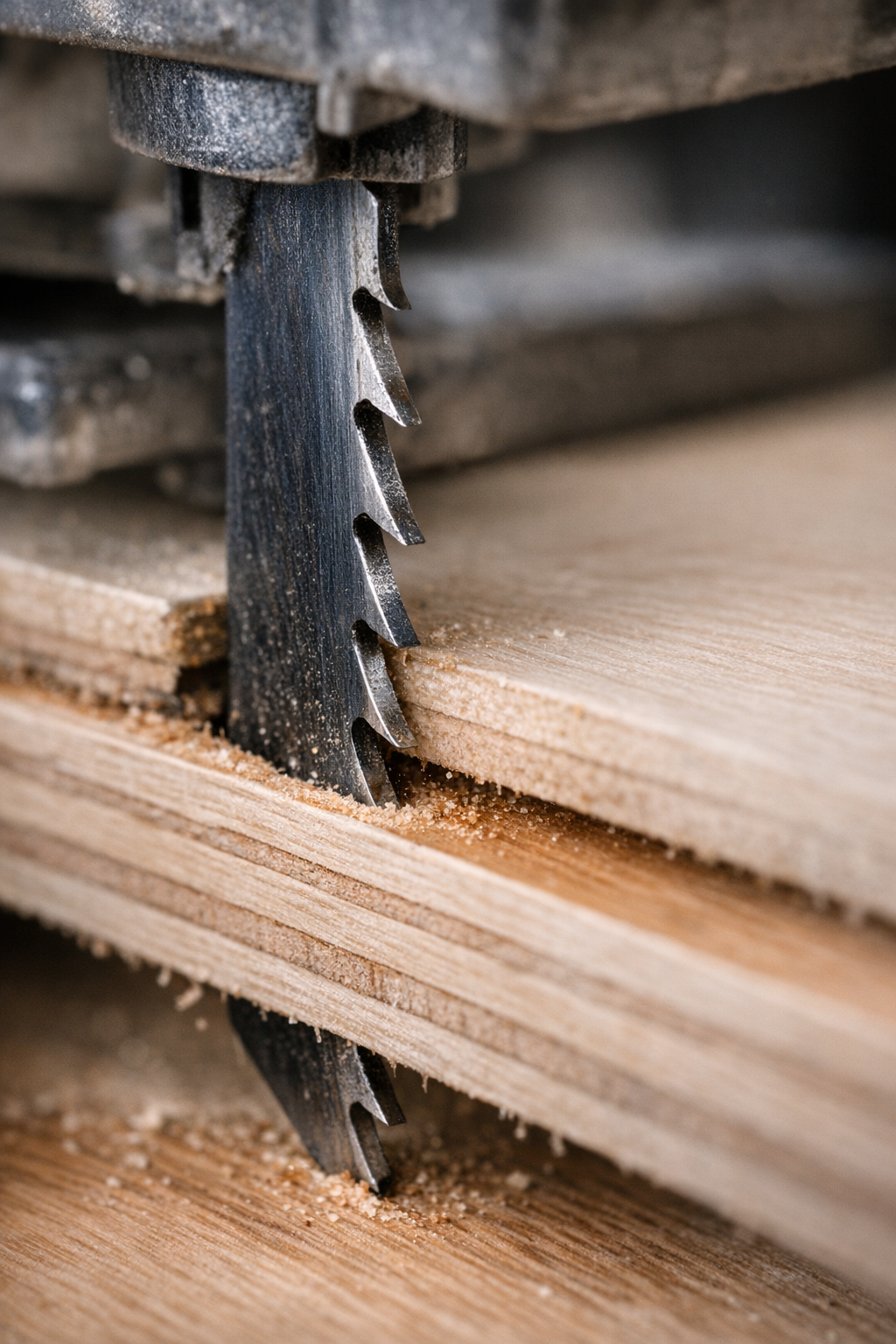
    One of the most effective ways to prevent splintering is to use reverse-tooth (or down-cut) blades. These blades have teeth pointing downward, which means the cutting action maintains pressure on the wood fibers at the top surface, preventing them from lifting and tearing.

    When the blade travels upward through the board, the downward-pointing teeth slice the surface fibers cleanly. This produces glassy smooth edges on the top—the “show” side—without splintering or chipping.

    From personal experience and many woodworking projects, swapping to a reverse-tooth blade made a dramatic difference on visible shelf panels and decorative plywood. It removes the need for excessive sanding or post-cut edge repairs, saving substantial time and effort.

    Optimizing Your Cutting Setup

    To get the best results with reverse-tooth blades, match your jigsaw’s speed and feed rate accordingly. A cutting speed between 1000 and 1800 strokes per minute (SPM) usually provides a solid balance. Too fast, and the blade heats up and dulls prematurely; too slow, and you risk melting or rough cuts.

    Feed pressure also matters. Apply moderate, steady force allowing the blade to do the work rather than pushing it aggressively. Attempting to force a cut through dense plywood or melamine can cause the blade to wander or burn the surface.

    Practical Tip: Use a Sacrificial Scrap Board

    Clamping a thin scrap board directly on top of your workpiece is a simple but highly effective trick to reduce edge splintering. This sacrificial layer provides several benefits:

    • Holds surface fibers in place to prevent them lifting
    • Absorbs exit pressure as the blade leaves the material
    • Dampens vibration, stabilizing the cut line

    When you remove the scrap board after cutting, you’re left with a flawless top surface. For best effect, match the sacrificial board’s thickness and density to your workpiece (around 6–10 mm plywood works well). Too thin and it won’t protect enough; too thick and it may interfere with cutting depth or blade control.

    Blade Quality and Maintenance Matter

    Not every reverse-tooth blade is reliable. Cheaper blades may overheat, leave burn marks, or dull quickly, especially on tougher materials. Investing in well-made blades with fine, precise tooth sets designed for veneers, laminates, or plywood will ensure cleaner cuts and longer service life.

    Look for blades made from high-carbon steel (HCS) or bi-metal constructions. Bi-metal blades are tougher and resist dulling, holding their edge 2 to 3 times longer than basic carbon steel alternatives in medium-density fiberboard.

    Keeping your blades clean is vital. Resin and dust build-up increase friction and heat, accelerating wear. After cutting, brush off debris or blow it out with compressed air to keep the blade running cool and sharp.

    Cutting Technique and Blade Orientation

    Most woodworkers cut with the visible side facing upward. This is perfect when using reverse-tooth blades, which protect the top surface. However, with standard up-cut blades, the best approach is to put the show face down, as the splintering tends to occur where the blade exits.

    By matching blade orientation and tooth direction, you can ensure the cleanest possible finish on the side that matters most. This is especially critical when working with high-value plywood or premium veneers where edges must be paint-ready or glued seamlessly.

    Refresh Tip: Manage Your Cutting Rhythm

    Long continuous cuts, especially through dense melamine or hardwood plywood, can cause blades to heat and warp, leading to scorched edges or uneven cuts. To prevent this, let your blade rest for a few seconds after every 40–50 cm of cutting. This brief pause cools both the blade and motor, extending blade life and preserving edge quality.

    Common Pitfalls and How to Avoid Them

    • Too Fast Cutting Speed: Rushing fades edges and burns the wood. Maintain moderate speed for clean results.
    • Incorrect TPI Selection: Using blades with too few TPI on veneers leads to tear-out; too many can overheat quickly.
    • Ignoring Blade Maintenance: Dirty blades degrade performance – keep them clean and sharp.
    • Not Using a Sacrificial Board: Overlooking this simple measure can mean extra sanding or damaged edges.

    Conclusion

    Edge splintering can derail even the most carefully planned project if not addressed properly. By focusing on the right blade type—primarily reverse-tooth blades—paired with appropriate cutting speed, feed pressure, and sacrificial clamping boards, woodworkers can consistently achieve clean, professional cuts.

    This combination reduces tedious sanding, preserves valuable materials, and elevates the quality of final work. Whether you’re a hobbyist or a professional, these techniques will enhance your jigsaw cutting results on plywood, laminates, and veneered panels.

  • Why Jigsaw Blades Bend on Thick Cuts—and How to Stop It

    Understanding Why Jigsaw Blades Bend on Thick Material

    If you’ve ever struggled to make a straight cut with a jigsaw through thick wood or plastic, you know how frustrating it can be when the blade starts to bend or wander off course. Despite how simple jigsaws seem, cutting deeper into thick stock often reveals an unexpected challenge: the blade flexes, causing curved or uneven cuts.

    This isn’t just a matter of a cheap blade or faulty tool. It’s a complex interaction involving blade design, material characteristics, and technique. Let’s break down what’s really happening inside your jigsaw as you cut through thick material.

    The Physics of Blade Bending

    Jigsaw blades are intentionally thin—usually between 0.6 mm and 1.2 mm thick—to allow them to move quickly and make curved cuts easily. However, this thinness also makes them vulnerable to deflecting under pressure. When a blade is cutting through wood thicker than about 2 inches (50 mm), more material pushes against both sides of the blade, creating friction and resistance.

    The deeper the cut, the more leverage the blade has to bend sideways. If you push or speed up the cut too much, the blade bows under the load instead of cutting straight down.

    Common Causes of Blade Bending and How to Avoid Them

    1. Blade Selection and Geometry

    Blades with fewer teeth per inch (TPI), such as 6–10 TPI, allow faster cutting but tend to be more flexible. Finer blades (14–24 TPI) have higher stiffness and hold straighter cuts in thick materials, though they cut more slowly. Also, blades designed for deep cuts are usually wider and thicker (around 7 mm wide and 1.2 mm thick) and made from bi-metal or high-speed steel (HSS), which offer better resistance to bending.

    2. Incorrect Orbital or Pendulum Action Settings

    Many jigsaws feature orbital action that moves the blade in an elliptical pattern for faster and more aggressive cuts. While great for thin or soft materials, orbital action increases lateral forces on the blade when cutting thick stock, causing it to flex and wander.

    Solution: When working with thick materials, set the orbital action to zero or the lowest setting. This keeps the blade moving straight up and down, minimizing side stress.

    3. Excessive Feed Pressure and Speed

    Applying too much pressure or pushing the saw through thick material too quickly forces the blade to bend. Conversely, cutting too fast increases friction and heat, further softening the blade and leading to deflection.

    Solution: Let the blade set the cutting pace. A typical speed range for thick hardwoods or dense plastics is 500–1000 strokes per minute (SPM). Resist the urge to muscle your way through the cut.

    4. Tool Misalignment and Base Plate Angles

    If the base plate isn’t perfectly square to the blade—often a subtle 1–2 degree tilt—it worsens blade deflection on deep cuts. Over time or with impacts, your jigsaw’s shoe can become misaligned.

    Solution: Use a carpenter’s square or try cutting a test board. If the cut isn’t perpendicular, inspect and adjust the base plate or seek repairs. Even small angles off vertical translate to visibly crooked deep cuts.

    5. Dull or Damaged Blades

    A dull blade doesn’t cut efficiently; it scrapes instead, generating excessive heat and causing the blade to soften and bend. You may also notice burn marks or smoke.

    Solution: Replace blades regularly, especially before deep cuts. Keep extra stiff bi-metal blades on hand designed for your material type.

    Real-World Experience: Lessons from the Workshop

    Early in my woodworking journey, I treated jigsaws like magic sticks: point, cut, done. But thicker boards revealed the limits quickly. My blades would bend, wander, and sometimes break.

    The game-changer came when I consciously slowed my pace and paid attention to the blade’s behavior. Instead of forcing a cut, I allowed the blade to “lead.” If the blade moaned or the cut started to stray, it was a signal to relax my grip and ease off straight away.

    I also started to pause every 30 to 60 seconds during thick cuts. This brief rest lets the blade cool down, preventing heat-induced warping and increasing blade longevity.

    Refresh Tip: Shift Your Mindset from Rushing to Listening

    It’s easy to get tunnel vision when focused on finishing a project quickly, but stepping back can bring surprising improvements. The next time you feel tension or frustration while cutting, pause and listen to your saw. How does the blade sound? Is it cutting smoothly or laboring? Does it seem to be bending? Let this feedback guide you rather than pushing harder.

    Tips to Achieve Straighter Cuts on Thick Material

    Choose the Right Blade

    • Opt for wide, stiff bi-metal blades with a thickness around 1.2 mm for stability.
    • Match TPI to material density: 10–14 TPI works well on hardwoods and plastics.
    • Consider blades labeled for plunge cuts or thick-stock use.

    Adjust Your Saw Settings

    • Set orbital/pendulum action to zero for cleaner, straighter cuts in thick stock.
    • Use moderate speed (500–1000 SPM) based on material resistance.

    Perfect Your Technique

    • Feed the blade gently, let it do the cutting.
    • Pause regularly to let the blade cool, especially on cuts deeper than 1–1/2 inches.
    • Inspect and straighten the base plate if necessary.

    When Cutting Thick Materials, Patience Pays Off

    Blade bending isn’t a failure or a sign that your jigsaw can’t handle the job—it’s a natural consequence of physics. The right combination of blade choice, saw settings, and a bit of patience transforms a frustrating challenge into a manageable process.

    Once you master these subtle adjustments, you’ll notice straighter, cleaner cuts and less material waste. Your blades last longer, and your confidence in tackling thick stock will grow.

    Remember, a jigsaw that feels like an extension of your hand—not a tool you fight against—comes from understanding the tool’s physics and tuning your technique accordingly.

  • Why One Small Twist Quietly Undermines Your Safety Gear

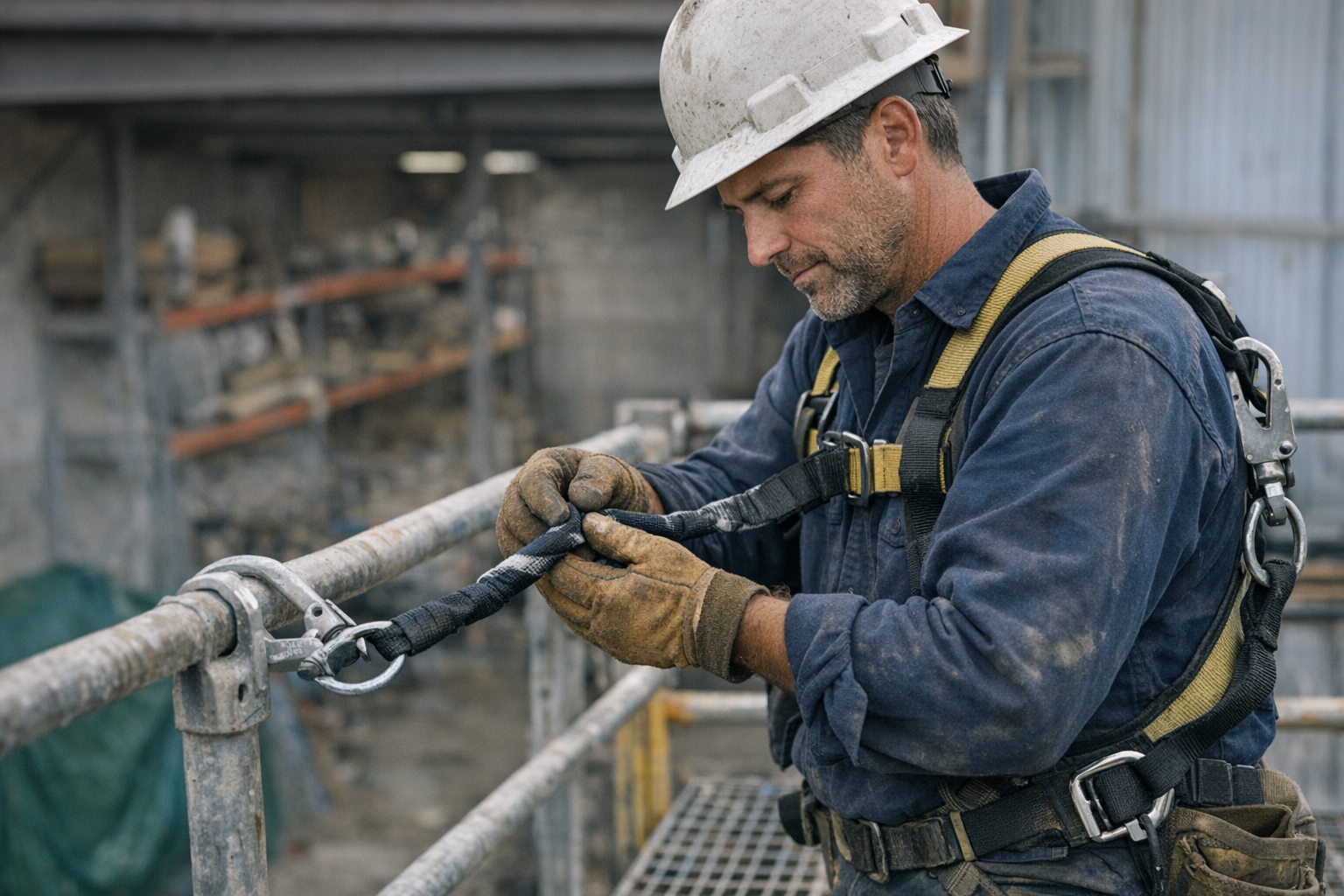
    Every worker who uses fall protection gear knows the importance of safety checks before climbing or working at height. Securing your harness and lanyard properly can make the difference between a safe shift and a life-threatening accident. While many people focus on fall hazards, one often overlooked risk is how a small twist in a lanyard can silently degrade its strength, sometimes without visible warning.

    The Hidden Danger of a Twisted Lanyard

    Picture a busy job site. You clip in quickly, checking your harness but giving less than full attention to your lanyard’s orientation. Maybe the webbing crossed over itself, or you stepped on it, introducing a half twist without realizing it. This minor misalignment may feel negligible, yet it sets off a dangerous chain reaction.

    The internal fibers of a lanyard are designed to carry distributed loads along their length. When twisted, the fibers experience friction and bending stresses that they don’t normally encounter. Each movement causes microscopic abrasion inside the webbing, gradually weakening the structure long before any external damage becomes visible.

    According to international standards like EN 354 or ANSI Z359.13, lanyards must withstand forces up to 22 kN (about 5,000 pounds) to ensure reliable fall arrest performance. However, repetitive twisting is not part of these test conditions. In real-world use, a twisted lanyard can lose tearing resistance repeatedly under normal load cycles, and the breaking strength may degrade significantly over time.

    How Twisting Affects Load Distribution

    During a fall, the harness’s dorsal D-ring and the sub-pelvic and thigh straps are engineered to share the arrest forces efficiently—roughly 60–70% through the pelvic and legs, with the remainder through the shoulders. This distribution minimizes risk of injury and suspension trauma by reducing localized stress and pressure.

    A twist distorts this load path. Instead of forces traveling straight along strong, aligned fibers, the load concentrates on kinked or pinched sections that aren’t designed to handle such stress. This increases the chance of fiber breakage and potential failure at loads well below the rated breaking strength.

    Moreover, improper alignment can shift load onto sensitive anatomical structures, increasing risks of circulation impediment during suspension. Suspension trauma, caused by restricted blood flow in the legs under hanging conditions, can develop quickly—potentially within minutes.

    Recognizing and Managing Twist-Related Wear

    One challenge is that early damage from twisting is often hidden inside the webbing or in areas obscured by equipment. Visible signs might be subtle: stiffened segments, hard spots, or slight creases that don’t feel natural. Because of this, reliance solely on visual inspections can lead to missing early warnings.

    A simple but highly effective method is performing a tactile check every time you gear up. Run two fingers along the full length of the lanyard from anchor to harness connection, feeling for any unusual stiff areas, raised fibers, or twists. If you detect even a minor twist, unclip and gently shake or straighten the lanyard before reconnecting. This “Twist-Check” habit takes only seconds but strongly reduces the silent buildup of internal stress.

    Real-World Example: The Cost of a Neglected Twist

    On a rainy afternoon, a seasoned worker hurried to secure his anchor point before wrapping up the day. Clipped in but distracted, he only glanced at his lanyard visually and didn’t feel for twists. Later, he noticed an unfamiliar tug beneath his shoulder blade. Investigating, he found a tight twist near the connector—a spot prone to rubbing during motion and moisture exposure.

    If this issue had gone unnoticed during further workdays, the lanyard could have deteriorated internally to the point of failure, particularly under dynamic loading. This near miss highlights why the extra attention to lanyard alignment is critical for safety.

    Practical Tips to Prevent Twist-Related Failures

    • Perform the Twist-Check: Before starting work, run your fingers along your lanyard’s entire length to identify and correct any twists or kinks.
    • Be Mindful During Movements: Avoid stepping on your lanyard and be careful when moving around anchor points to prevent unintentional twisting.
    • Inspect Frequently: Regularly check your lanyards for any abnormal stiffness, bulges, or discoloration. If any damage is suspected, remove the equipment from service.
    • Train Your Team: Share knowledge about twist-related wear with colleagues to develop a culture of safety vigilance.

    Refresh Tip: Shift Your Focus to Daily Micro-Checks

    Safety isn’t just about big actions like using harnesses or anchors correctly; it’s about cultivating small, consistent habits that catch problems before they grow. Incorporating a quick tactile check of your lanyard into your gearing routine not only prevents silent material fatigue but also resets your mental focus. This moment of mindfulness sharpens awareness and helps ensure you’re fully engaged before climbing or working at height.

    Why Small Actions Matter—Preventing Catastrophic Failures

    Many serious fall protection failures start with seemingly insignificant missteps. A single twist in the webbing might not cause immediate problems but can cascade into critical damage under real-world conditions, especially when combined with moisture, dirt, and normal wear.

    Creating a routine that includes the Twist-Check interrupts these silent damage pathways, maintaining your gear’s full rated strength and protecting your safety margin.

    Conclusion

    The next time you prepare for work at height, remember that the safety of your lanyard depends on proper alignment and attentive care. The twist may be small, but its impact can be deadly. By taking the few seconds to run your fingers along your lanyard, straighten any twists, and maintain a tactile inspection habit, you safeguard yourself and your coworkers from preventable accidents.

    Routine care and awareness are your best allies in preserving the life and strength of your fall protection gear. Safety is a daily responsibility that starts with small details—don’t underestimate the power of a simple twist check.

  • The Silent 5-Second Habit That Could Save Your Life Today

    Why a Quick Harness Check Matters Every Time

    Every day on the job, just before you climb up a scaffold or secure yourself to a harness, there’s a brief but critical moment. You might glance at your gear and ask yourself, “Did I really check this thoroughly?” It’s tempting to rush, especially if you’ve worn that harness dozens of times with no issues. But that small pause for a quick inspection can literally mean the difference between a routine workday and a catastrophic fall.

    Safety gear is designed to protect, but it wears down with use. Harnesses endure rough conditions—exposure to weather, dirt, chemical spills, and accidental damage during transport and storage. Overlooking minor wear and tear can lead to serious failures when you least expect them. That’s why developing a consistent 5-second harness check routine is a vital habit for anyone working at height.

    Common Hazards That Wear Out Your Harness

    People often assume, “If it looked fine yesterday, it’s fine today.” However, harness webbing and hardware can degrade quickly depending on usage and environment. Some typical issues include:

    • Frayed or cut webbing: Even a small nick or thin spot can reduce the strength dramatically. The synthetic fibers used in harnesses carry high loads—but damage weakens their integrity.
    • Dirt and chemicals: Mud, grit, and especially solvents can embrittle or corrode materials, hidden from casual sight.
    • Bent or corroded metal buckles: These are critical for secure fit and connection. Rust or damage compromises locking mechanisms and load-bearing capability.
    • Twisted or misrouted straps: Webbing must lie flat to distribute force evenly in a fall. Twists can cause localized pressure points and increase injury risk.

    Regulatory standards like EN 361 in Europe or ANSI Z359 in the U.S. mandate minimum strength requirements (often 15kN or more in static tests) for harness components. Any visible damage puts your harness out of compliance, regardless of how minor it looks.

    How to Perform a 5-Second Harness Check

    Taking just a few seconds before each use to inspect your harness can prevent a lifetime of regret. Here’s a straightforward routine anyone can apply:

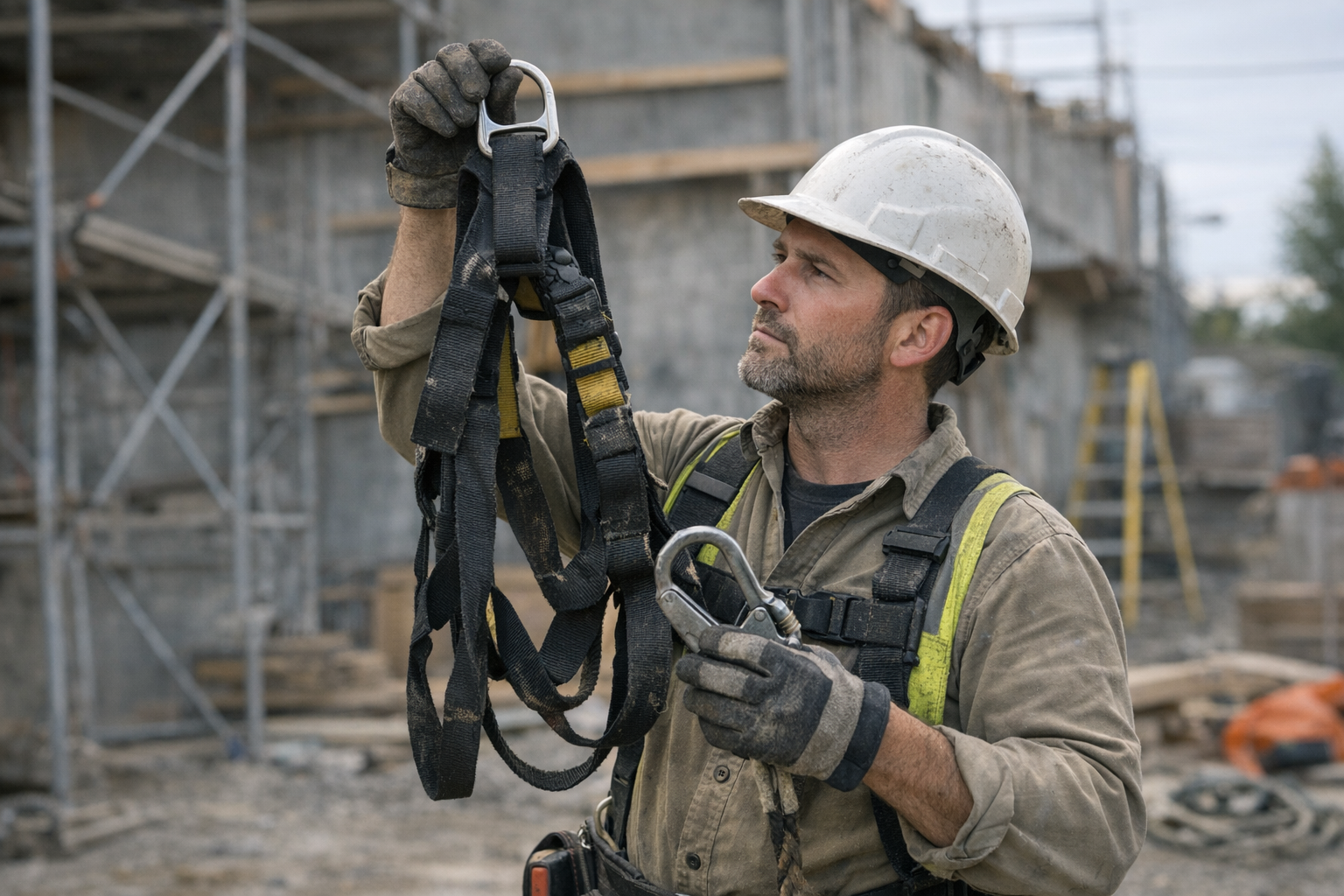
    1. Hang the harness by the dorsal D-ring: Grab the back D-ring and let the harness dangle freely. This simple step straightens out all straps, making it easier to spot twists, misalignment, or tangling.
    2. Run your hands along every strap: Feel for rough patches, thinning, or cuts. Use your fingers to detect any raised threads or irregularities invisible to your eyes. Even a small catch can indicate hidden damage.
    3. Inspect buckles and connection points: Open and close all buckles to check for smooth movement and full closure. Any grit, stiffness, or deformation can affect locking ability during a fall.
    4. Check the lanyard connectors and carabiners: Make sure gates close fully and locks engage properly. A jammed gate or partial closure is a frequent cause of tie-off failures, especially if environmental elements like sand or ice are present.
    5. Verify fit and adjustment: Ensure straps are flat, untwisted, and adjusted properly. Thigh straps should be snug but not too tight (allow 2–4 finger widths). Poor fit increases suspension trauma risk if a fall occurs.

    Understanding Suspension Trauma and Proper Fit

    Incorrect harness fit isn’t just uncomfortable; it can be dangerous. Suspension trauma occurs when blood circulation is restricted during prolonged hanging, potentially leading to unconsciousness within minutes. Properly adjusted sub-pelvic straps distribute forces evenly across the pelvis and thighs, reducing pressure points and improving blood flow.

    When a fall is arrested, the dorsal D-ring channels most shock loads through the harness: roughly 60% through the thigh straps and the rest via shoulders. Ensuring straps aren’t twisted or loose helps keep these forces balanced and lowers injury risk.

    A Real-World Example: The Power of Hesitation

    A colleague once spilled his harness onto a gritty, damp surface right before a climb. Without his usual check, he almost strapped in. But a brief 5-second review caused his hand to catch on some frayed webbing near a buckle. Taking an extra moment to examine detected a hidden cut beneath the stitching. Replacing the harness that day likely saved him from a horrific accident.

    In contrast, a coworker who skipped proper adjustment one day ended up suffering a classic suspension trauma event after just ten minutes working suspended off a roof edge. His thigh straps were too loose and twisted, restricting circulation. He required prompt medical attention due to numbness and swelling.

    Refresh Tip: Make Your Checks Automatic and Stress-Free

    Check routines can feel like just another chore, especially early mornings or during busy shifts. But a simple mindset shift can help — view the 5-second harness check as an act of respect toward yourself and your team. It’s less about compliance and more about ensuring you return home whole.

    Try combining the check with another morning ritual, like tying your boots or pulling on gloves. Linking actions turns the check into instant habit—no extra time, no mental clutter.

    Benefits Beyond Safety: Confidence and Awareness

    Consistent quick checks do more than catch gear issues. Over time, you develop a tactile familiarity with your equipment. You’ll notice subtle changes—how the buckles feel when they’re slightly loose, or how webbing ages and handles stress.

    This heightened field awareness builds confidence. Instead of second-guessing your setup mid-shift, you get that reassuring sense, “My gear is solid, and I’m ready.” That calm certainty can improve focus and reduce accident risk overall.

    Final Thoughts: Is Your Routine Enough?

    Ultimately, safety on heights demands more than rules or regulations—it requires steady habits and disciplined awareness. Taking just five seconds to inspect your harness before every climb isn’t an inconvenience; it’s a crucial step that protects your life.

    Ask yourself honestly: does your daily routine leave room to detect small problems before they escalate? Building that extra moment into your workflow can turn a simple habit into a lifesaving reflex.

    Remember: Your harness is your lifeline—not just another piece of equipment. Treat every check with respect, and you’ll climb with greater confidence, every time.

  • How to Know When Your Reciprocating Saw Blade Needs Replacing

    Understanding the Importance of Saw Blade Maintenance

    Your reciprocating saw blade may seem like a simple component—just a thin strip of metal fastened to your tool. However, it plays a pivotal role in every cut you make. Using a dull or damaged blade doesn’t just hurt the quality of your work; it can stall your progress, overwork your tool’s motor, and even create safety hazards.

    Experienced professionals and dedicated hobbyists alike know that recognizing when to replace a blade is essential for maintaining productive, safe, and efficient cutting. Let’s dive into the telltale signs your blade needs replacing, why ignoring these will cost you more in the long run, and how proactively swapping blades leads to better results.

    Key Signs It’s Time to Replace Your Reciprocating Saw Blade

    1. Sparks and Smoke Indicate Excessive Friction

    If you see sparks while cutting metal or notice smoke rising from the blade, you’re dealing with a dull blade producing too much friction. This often occurs with fine-tooth blades (18–24 teeth per inch, or TPI) on steel or coarse-tooth blades (6–10 TPI) on wood. When overheating happens, it’s a clear warning that the blade’s cutting efficiency has sharply declined.

    2. Jagged, Sloppy, or Burned Cuts

    New or well-maintained blades cut cleanly, producing precise, smooth edges. Conversely, a dull blade will yield uneven or splintered cuts, leaving the material frayed or burned. If you notice the kerf (cut width) widens, or edges darken with scorch marks, your blade is past its prime.

    3. Noticeable Drop in Cutting Speed

    Is each cut taking significantly longer than before? Since typical reciprocating saws operate around 2,500–3,000 strokes per minute (SPM), a slowdown suggests resistance caused by blade wear. Rather than blaming your technique, it’s usually a sign to refresh the blade.

    4. Increased Vibration and Tool Chatter

    All reciprocating saws have some vibration, but excessive shaking or erratic movement during cuts often signals a blade that no longer tracks straight. Not only does this affect cut accuracy, but it also accelerates wear on your saw’s motor and internal components.

    Common Pitfalls of Using a Worn Blade

    A frequent mistake is applying extra pressure or raising the orbital action setting to push a dull blade through the material. This only generates more heat, wears out both motor and blade faster, and increases the risk of losing control or damaging your workpiece.

    Additionally, using the wrong blade type or quality for your material expedites blade wear. For example, blades designed for wood won’t last in demolition work involving nails or metal pipes. Selecting high-quality bi-metal or carbide-tipped blades specifically rated for your task will save you time and frustration.

    Blade Life Varies by Material and Blade Type

    The lifespan of a reciprocating saw blade depends largely on what you’re cutting and the blade’s design:

    • Wood Cutting: Straight wood blades can remain sharp for dozens of cuts on softwood like pine.
    • Mixed Demolition: Blades with variable pitch teeth (e.g., alternating 10/14 TPI) are built for durability across wood, metal, and composite materials but will dull quicker with intense use.
    • Metal Cutting: Fine-tooth blades specialized for thin sheet metal may only last for a few cuts during heavy use.
    • Heavy-Duty Demolition: Cutting through cast iron, conduit, or thick composites can wear blades down fast—sometimes within a single workday.

    Real-World Example: The Cost of Pushing Blades Too Far

    Consider this scenario: while demolishing old deck railings, the blade began to struggle halfway through. Cuts became jagged, the saw bucked unpredictably, and the blade’s shoe started gouging the surrounding wood. Simply switching to a fresh 14 TPI bi-metal blade transformed the experience—progress resumed smoothly, with cleaner cuts and less effort. This swap reduced total cutting time by over 50%, illustrating how blade maintenance directly affects efficiency and safety.

    How to Develop a Blade Replacement Routine

    Rather than waiting for failure, embedding blade inspection and replacement into your workflow ensures reliable performance. Here’s a practical approach:

    Pre-Job Inspection Steps

    • Visual Check: Look for rounded, missing, bent, or discolored teeth. Blue or black tints indicate overheating and compromise blade integrity.
    • Feel the Teeth: Gently run a finger along the blade’s edge (carefully to avoid injury). Sharp teeth should feel rough and grabby. Smooth or dull-feeling teeth need replacement.
    • Check Straightness: Lay the blade flat to detect warping or kinks. A blade that bends out of alignment affects cut precision and risks tool damage.

    Replace blades that fail any of these tests before starting your cuts.

    Refresh Tip: Take Short Breaks to Extend Blade Life

    When working on tough materials, try cutting in shorter bursts—about 20 to 30 seconds per pass for metals—then pause to let the blade cool. This simple habit reduces overheating and prolongs sharpness, especially during extended demolition work.

    Benefits of Timely Blade Replacement

    Regularly swapping out your saw blade preserves all aspects of your work: cleaner cuts, reduced material waste, less chance of injury, and longer saw life. It also makes your workdays smoother, minimizes frustration, and helps maintain a professional standard of quality.

    By setting aside a moment each day or before major projects to inspect and replace blades, you ensure your reciprocating saw is always ready to perform at its best. This habit builds discipline into your tool care routine, saving you time and money in the long run.

    Final Thoughts: Make Blade Checks Part of Your Prep

    The difference between struggling through a project and finishing efficiently can often come down to the condition of your blade. Rather than ignoring warning signs or “getting your money’s worth” by pushing a dull blade, consider the cost of lost productivity and damaged materials.

    Next time you gear up for a big cut, take a moment to inspect your blade. A simple swap out before you start keeps you cutting clean, working safely, and maintaining momentum.

    When did you last change your reciprocating saw blade?

  • How Tooth Count Transforms Your Saw’s Speed and Precision

    Why Tooth Count Matters in Reciprocating Saw Blades

    When it comes to demolition or renovation, the power of your reciprocating saw is only part of the equation. The blade’s teeth per inch (TPI) profoundly affects how fast and smooth your cuts will be. Recognizing how TPI influences performance can save time, energy, and unnecessary blade wear on the job.

    Understanding Teeth Per Inch (TPI)

    TPI refers to the number of teeth on the blade within one inch. This simple measure reveals a lot about the blade’s cutting profile:

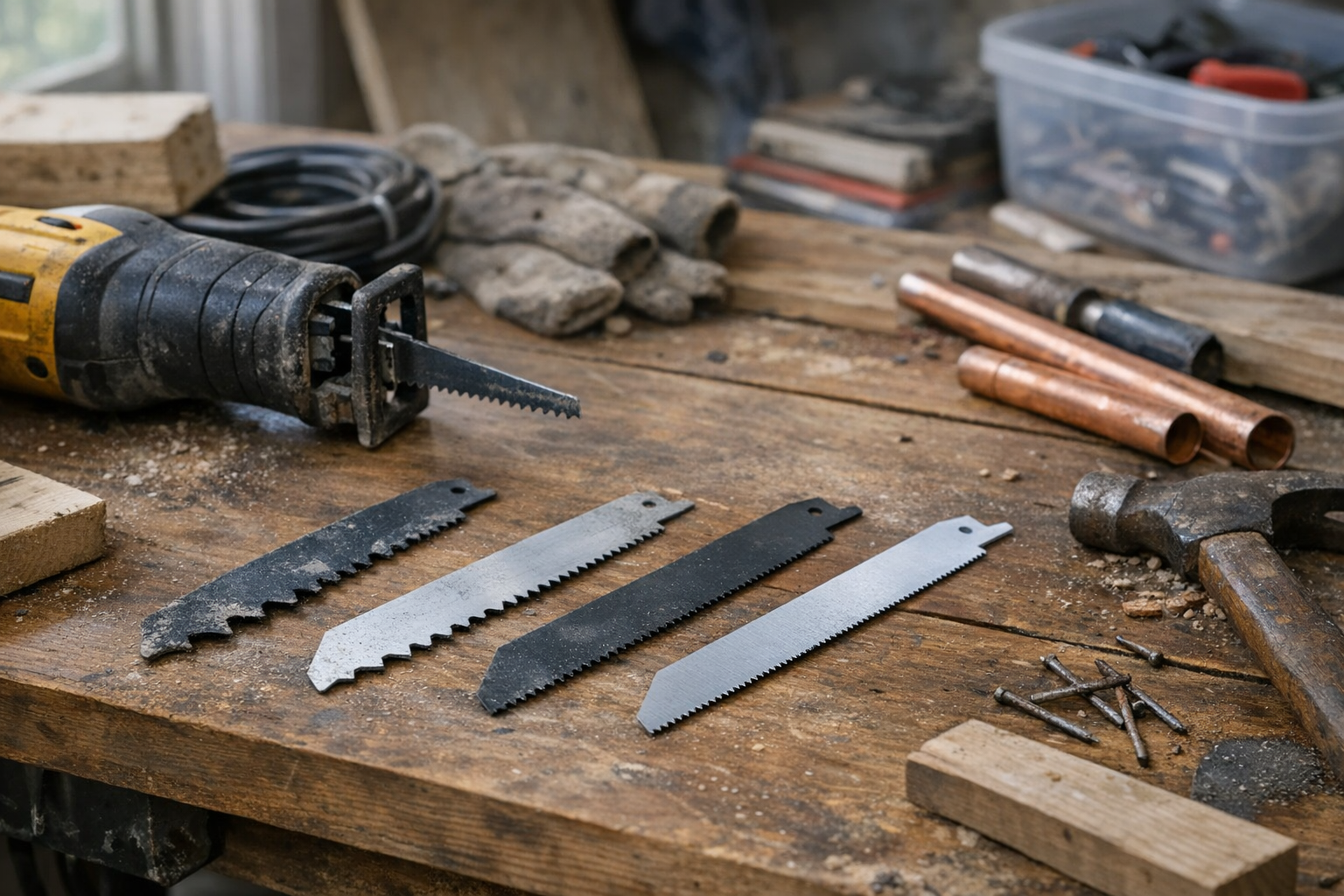
    • Low TPI (6–10 teeth per inch): These blades have fewer, larger teeth, ideal for fast and aggressive cuts through wood and softer demolition materials.
    • Medium TPI (10–14 teeth per inch): Offering a balance, these blades suit situations with mixed materials, including wood with embedded nails.
    • High TPI (14 teeth and above): Designed for cutting metals, PVC, and finer finish work where smooth, snag-free cuts are essential.

    Matching TPI to Your Material and Task

    Choosing the right tooth count based on your cutting material can dramatically improve efficiency and blade longevity.

    Wood and Fast Demolition Jobs

    For framing, plywood, and soft demolition tasks, lower TPI blades (6–10) excel. With larger teeth, these blades bite deep and cut quickly, helping you blaze through wood and composite materials. They’re especially effective in wood that contains nails when you opt for bi-metal blades, which provide enhanced durability against hard fasteners.

    Mixed Materials and Renovation Tasks

    When you encounter a blend of wood, nails, and other materials, choosing a medium TPI blade (10–14) balances cutting speed with control. These blades reduce vibration compared to coarser blades, helping you maintain precision in renovation scenarios.

    Metal, PVC, and Fine Finish Work

    High TPI blades (14 and above) shine when you’re cutting metal pipes, conduit, or materials requiring a clean finish. Blades with 18 to 24 TPI and a narrow kerf (around .035″) minimize friction and heat buildup, extending blade life and providing smoother cuts that reduce post-cut cleanup.

    The Interaction Between TPI, Stroke Speed, and Pressure

    The number of teeth isn’t the only factor controlling speed and efficiency. Your saw’s stroke per minute (SPM) and how firmly you push the blade also matter:

    • Low TPI blades perform best at high SPM (around 2,800 to 3,000 strokes per minute). Applying steady, moderate pressure lets the teeth slice through material cleanly without overheating.
    • High TPI blades require slower, smoother strokes with less pressure to avoid tooth damage and excessive wear.

    For example, forcing a coarse blade with excessive pressure may cause teeth to dull prematurely due to heat and friction.

    Practical Experience: The Impact of Choosing the Correct TPI

    Picture cutting an old pine window frame. Starting with a 14 TPI metal blade, the saw buzzes but barely makes headway. Switching to an 8 TPI demolition blade transforms the experience: the saw glides effortlessly, finishing the cut in a fraction of the time and with less strain on your arms.

    This illustrates a key point — even the most powerful saw struggles if the blade isn’t right for the task. Adjusting tooth count can turn hours of effort into minutes of efficient work.

    Balancing Speed and Finish Quality

    While low TPI blades bite fast, their cuts tend to be rougher and cause more splintering. A simple two-step technique can raise your finish quality:

    1. Use a low TPI blade for the initial fast, rough cut.
    2. Follow up with a high TPI blade to smooth the edges and reduce tear-out.

    This approach saves time overall and delivers cleaner results for visible cuts or finish carpentry tasks.

    Refresh Tip: Let the Blade Work for You

    One of the most common mistakes is forcing the saw blindly. Instead, try easing your grip and allowing the blade to cut at its own pace. Letting it glide steadily reduces wear, decreases vibration, and often speeds up the job. You’ll feel the difference between fighting the tool and collaborating with it. This subtle adjustment can be surprisingly powerful, especially when paired with the appropriate TPI blade.

    Additional Recommendations for Blade Selection and Use

    • Use bi-metal blades for demolition when nails or other fasteners are common, as these blades resist wear better.
    • If using a reciprocating saw with orbital action, keep the orbital setting engaged for wood cutting, and turn it off when cutting metal — this improves blade longevity.
    • Maintain an organized blade rack, so the right TPI blade is always within easy reach. Frequent blade changes aligned with material types pay dividends in cutting speed and blade life.

    Conclusion

    Your reciprocating saw is only as fast and effective as the blade it’s equipped with. Selecting the right tooth count based on your cutting material and adjusting your cutting technique unlock faster, cleaner cuts with less frustration. Whether demolishing old framing, slicing through pipes, or fine-tuning trim, understand your TPI—and let your blades work smarter, not harder.

    Remember: start coarse for speed, shift finer for precision, and respect your blade to keep it sharp and ready.

  • How the Right Driver Bit Can Save Your Screws—and Sanity

    Understanding the Root Causes of Stripped Screws

    If you frequently use drills or impact drivers, you’ve likely encountered the frustrating whine and slip of a driver bit spinning out of a screw head. Stripped screws aren’t merely an inconvenience—they cost you time, increase frustration, and sometimes even damage your project materials.

    More often than not, stripping results from a mismatch between the driver bit and screw head, worn tools, or poor technique. Recognizing these factors is the first step toward addressing the problem.

    Common Reasons Screws Get Stripped

    • Incorrect bit type or size: Driver bits must match the screw head profile and size precisely for optimal grip.
    • Worn or poor-quality bits: Rounded edges or fatigue reduce contact and increase the chance of cam-out.
    • Inferior screws: Soft metals or previously damaged screw heads strip more easily.
    • Excessive torque or angled pressure: Applying too much force or screwing at an angle encourages the bit to slip out.

    How Bit Design Influences Stripping

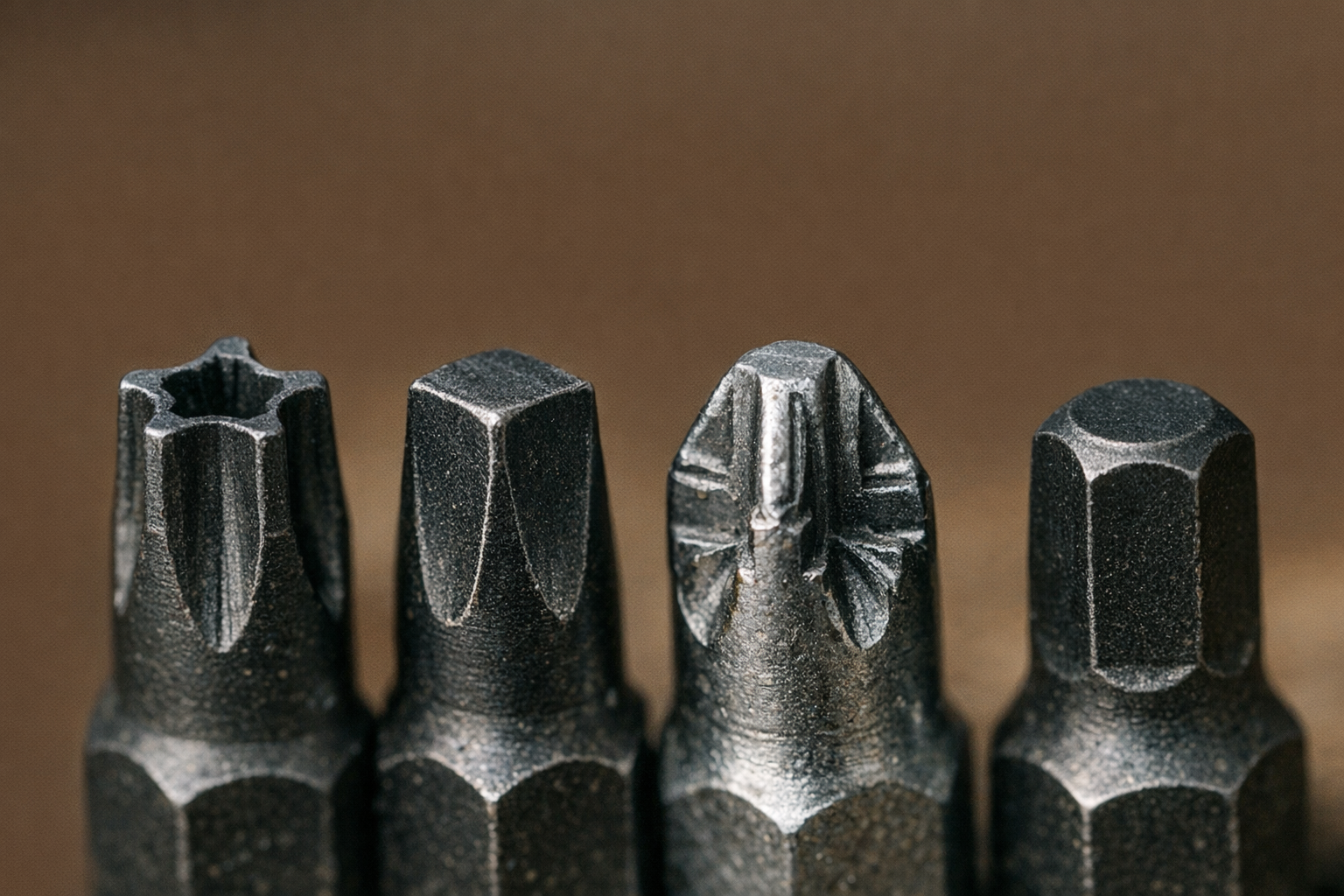
    Choosing the right driver bit type matters as much as technique. Let’s explore four popular bit profiles and how their designs reduce stripping:

    Torx Bits: The Star Performer

    Torx bits are shaped like a 6-pointed star, offering increased surface contact with the screw head. This design minimizes cam-out, even under high torque, which is why Torx has become standard in many applications requiring durability.

    For example, when driving 3” structural screws at high RPMs using an impact driver, Torx bits hold the screw firmly without slipping. Using the correct size—usually T20 or T25 for heavy wood screws—is critical to maintaining a tight fit. Any undersizing will lead to cam-out and potential strip-out.

    Owners should also ensure their Torx bits have crisp edges and replace them at the first sign of wear to retain grip advantages.

    Square (Robertson) Bits: Reliability in Construction

    Common in North America, square driver bits feature a robust square tip that offers deep, positive engagement with the screw head. The snug fit allows you to even start screws one-handed, making them incredibly effective for repetitive tasks such as subflooring or decking.

    In my experience, driving long deck screws into wet timber becomes noticeably easier with #2 Robertson bits—the bit stays firmly planted without slipping even as fatigue sets in. Choosing the correct size (#1, #2, or #3) is essential to avoid spin-outs caused by poor fit.

    Pozidriv Bits: The Improved Phillips

    While often confused with Phillips, Pozidriv (PZ) bits include extra ribs that prevent cam-out common in Phillips screws. Mainly used in European furniture assembly, these bits deliver better control even in particle board or composite materials.

    Recognizing Pozidriv screws is easy—they have additional “tick marks” on the head. A common mistake is to use a Phillips bit (PH) on a Pozidriv screw, which leads to stripping due to poor fit. Sizes like PZ2 are prevalent in flat-pack furniture.

    Hex (Allen) Bits: Simple, Slippage Resistant

    Hex bits are common in bicycle repair and some furniture assembly. Their six flat sides prevent cam-out because there are no “rises” to cause the bit to slip out under torque. Using exact metric sizes is crucial; mixing imperial and metric can damage the screw head.

    For deep-set screws, opting for long-shank Allen bits avoids wobbling and ensures even pressure on the fastener.

    Practical Tips to Avoid Stripping Every Time

    Tip 1: Always Pause and Match Bit Profile and Size

    Before driving any screw, take a moment to verify both the bit type and size. Similar-looking bits can feel close but differ subtly enough to cause slippage. I’ve learned that dropping the bit into the screw head before starting—feeling for a tight, wobble-free fit—saves enormous frustration later.

    Even under time pressure, committing to this habit drastically reduces stripped screws and saves time spent on screw extraction.

    Tip 2: Maintain and Replace Your Bits

    Worn or rounded bits are a silent enemy. If you feel the bit slip or hear clicking noises while driving screws, it’s a sign the bit edge has lost integrity. Keep commonly used sizes marked and regularly inspect their condition before starting projects.

    Additionally, for heavy-duty jobs that use impact drivers delivering up to 200 Nm of torque, invest in impact-rated bits specifically designed to resist twisting and shearing.

    A Fresh Approach: Shift Your Mindset on Fastening

    Here’s a subtle but powerful mindset refresh: rather than rushing to drive screws fast, treat screw driving as a direct dialogue between your tool and the material. Paying attention, even briefly, to the fit of your bit turns your work from a race against time into a controlled process. This shift reduces mistakes and makes your projects more enjoyable.

    Eventually, this mental shift becomes automatic, and you’ll find yourself instinctively reaching for the right bit and torque setting without breaking pace.

    Conclusion: Precision Matters for Cleaner, Safer Builds

    Stripped screws are rarely just bad luck—they usually signal a need to reconsider your choice of driver bits and maintenance habits. Whether you choose Torx, Square, Pozidriv, or Hex bits, each offers design advantages that minimize slippage and strip-out when paired with proper technique.

    By prioritizing exact bit profiles and sizes, inspecting tool wear, and shifting your approach to screw driving, you’ll reduce frustration and achieve cleaner results. After all, smooth, reliable fastener installation is foundational to professional, high-quality workmanship.

    So next time you reach for your drill, spend a moment checking your bit. Your fasteners—and your finished project—will thank you for it.

  • Why Do Masonry Drill Bits Overheat? The Surprising Reason

    Understanding Overheating in Masonry Drilling

    Drilling into masonry such as concrete, brick, or cinder blocks is a common task, yet it presents unique challenges compared to softer materials like wood or drywall. One frequent issue is the rapid overheating of drill bits during these jobs, which can lead to dulling, damage, and slower progress.

    But why exactly do drill bits heat up so quickly when working with masonry? Unlike softer surfaces, masonry is dense and abrasive. The drill bit is subjected to intense friction as it grinds through stone or mortar particles, and if this friction isn’t managed properly, it generates heat almost immediately.

    The Role of Friction and Debris in Bit Overheating

    Friction occurs when two surfaces rub against each other—in this case, the drill bit’s cutting edges and the gritty masonry material. The spiral flutes of a masonry bit are designed to help remove dust and debris from the hole as you drill. However, masonry dust is fine and tends to compact quickly inside the drilled hole, especially if the bit doesn’t clear it frequently.

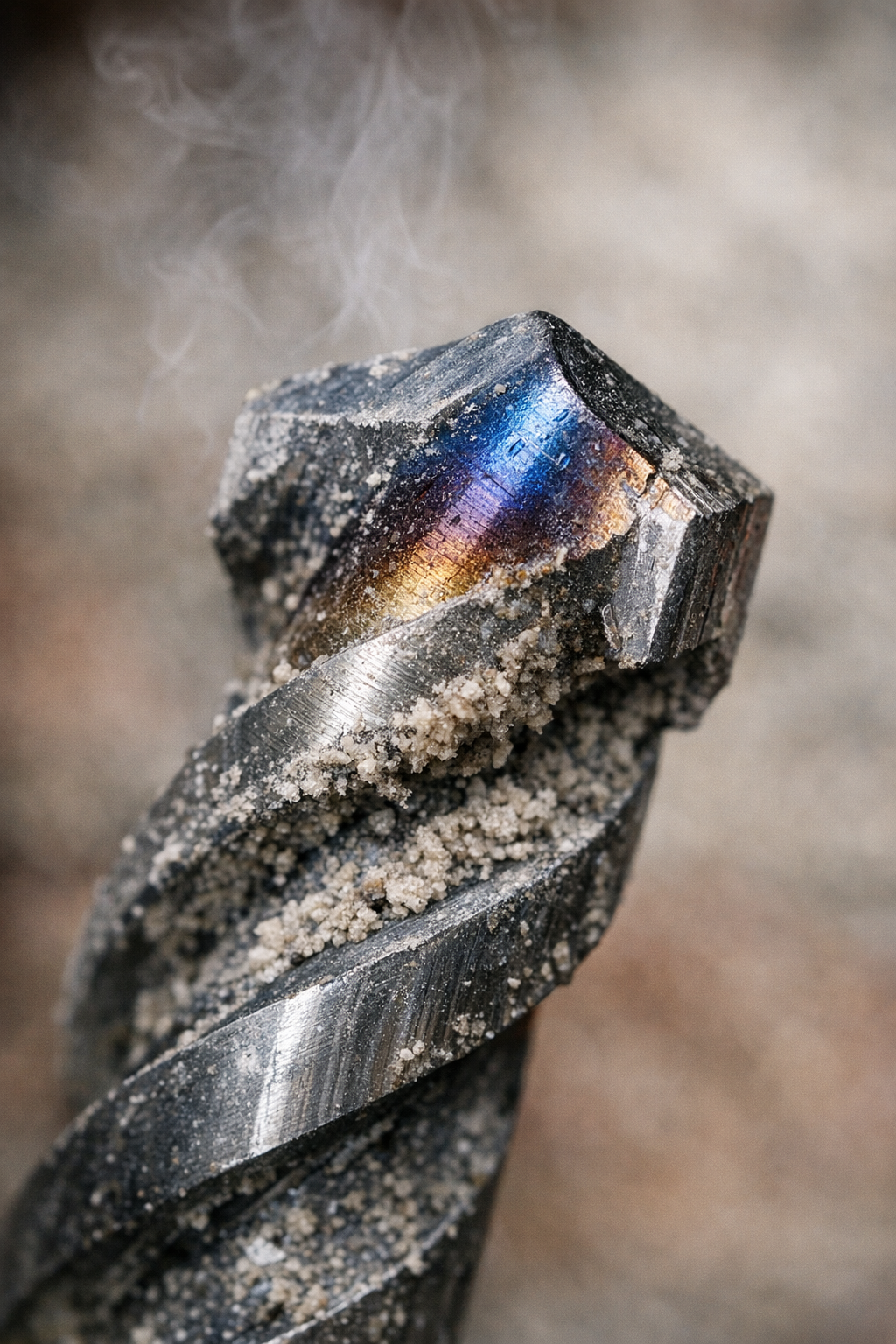
    When dust accumulates near the drill tip, it increases friction even further and traps heat. Without the ability to dissipate that heat efficiently, the bit’s temperature spikes rapidly. This can cause discoloration of the steel (blue or brown hues), dull the cutting edges, and send burning odors into the air.

    Speed and Feed Rate Impact

    Another critical factor is the drill’s speed (typically measured in RPM or strokes per minute) and the pressure applied. Masonry drilling generally performs best at low to moderate speeds—commonly between 500 and 1,500 strokes per minute when using a hammer drill mode. Running the drill at excessively high speeds can multiply friction and cause heat to build too fast for the bit to handle.

    Similarly, applying too much force throws the bit into overdrive, pressing the flutes tightly against the wall and increasing contact friction. The ideal approach is a steady, moderate feed combined with controlled speed to balance efficient cutting with heat management.

    Real-World Experience: A Lesson in Drilling Technique

    In practice, I’ve witnessed firsthand how drilling technique determines bit longevity. On one renovation project, two brand-new masonry bits were ruined by overheating in stubborn basement concrete. Initially, I drilled continuously with firm pressure and high speed, causing the bit tips to discolor and the drill to stall.

    Switching strategies to a “pecking” technique—drilling for a couple of seconds, then pulling the bit out to clear debris and let the tool cool down —produced dramatically better results. The bits stayed cooler, we drilled faster overall, and the holes were cleaner and more accurate.

    Key Reasons Bits Overheat So Fast in Masonry

    • Compaction of Dust: Fine masonry dust clogs the hole quickly and trapped dust raises friction and heat.
    • Inappropriate Speed: High RPMs increase heat production exponentially during cutting.
    • Excessive Pressure: Overloading the bit presses it tightly against the surface, increasing friction beyond optimal levels.

    Choosing the Right Bit

    The type of bit matters too. Carbide-tipped masonry bits provide better heat resistance than standard High Carbon Steel (HCS) bits. However, no bit can withstand sustained overheating if speed, pressure, and dust removal are neglected.

    Practical Tips to Prevent Overheating

    1. Use the Pecking Drilling Method

    Drill for 2–4 seconds, then pause and pull the bit out to clear accumulated dust. This continuous clearing ensures the tip doesn’t get buried in compacted debris, reducing friction and heat buildup.

    2. Regulate Speed and Pressure

    Keep your drill speed moderate (around 500–1,500 SPM in hammer mode). Adjust the pressure so the bit advances steadily but does not stall or bind. Aim for a comfortable force roughly between 12–18 kilograms, enough to bite smoothly without loading excessively.

    3. Select the Correct Drill Setting for Material

    Soft bricks and mortar respond well at lower orbital settings (1–2 on a 4-level scale), while plain concrete requires higher power but still controlled application (levels 3–4). Adapting settings prevents overexertion of the bit.

    Mid-Project Refresh: Change Your Perspective on Drilling

    Drilling masonry is a dance of technique rather than sheer force. Resist the urge to power through in one continuous motion, even when time is tight. Instead, think of it as a measured rhythm—bite, pause, clear. Recognizing overheating signs early (like color changes, odors, or stalling) allows you to adjust instantly and protect your bits before damage becomes permanent.

    Taking time to monitor your bit temperature and drilling cadence can feel slower initially but leads to faster, cleaner holes and longer bit life overall. This mindset shift can refresh your approach and turn frustrating masonry drilling into a smoother, more predictable process.

    Recognizing Signs of Bit Overheating

    • Discoloration: A blue, brown, or purple tint at the bit tip is a classic heat signature.
    • Burning Smell: A faint metallic or burning odor often accompanies excess heat.
    • Sluggish Drilling: The tool feels like it’s stalling or binding unexpectedly.
    • Visible Dust Smoke: Occasionally, dust may smolder slightly due to heat.

    If you notice any of these signs, stop drilling immediately, back the bit out, and allow it to cool. Then dial back your drill speed, lighten pressure, and resume using the pecking technique.

    Long-Term Benefits of Proper Technique

    By adjusting how you approach masonry drilling, you not only protect your bits but also improve job quality. Holes are cleaner, anchors fit better, and you spend less time swapping broken bits mid-project. A good rhythm reduces tool wear and even lowers the risk of operator fatigue.

    Consider rotating bits during large jobs or employing a cool-down pass for deep holes. Keeping a keen eye on drill performance and bit condition pays dividends in efficiency and durability.

    Conclusion

    Overheating drill bits in masonry drilling are a common yet avoidable problem rooted primarily in friction and poor dust management. Employing a thoughtful drilling technique—moderate speed, controlled pressure, and frequent dust clearing—dramatically reduces heat buildup and prolongs bit life.

    Mastering this rhythm requires patience but rewards you with smoother drilling, better-quality anchor holes, and less downtime caused by bit failure. Next time you pick up your hammer drill for masonry work, remember: a little technique goes a long way.

  • Why Impact Ratings Matter More Than You Think for Eye Safety

    Stepping onto a busy workshop floor for the first time, one of the first things you might notice is how different safety glasses really are. Some feel light and flimsy—almost just clear plastic—while others have robust frames and lenses that suggest real durability. But what truly distinguishes effective eye protection isn’t just how they look or feel; it’s their impact rating.

    Impact ratings are technical standards that specify exactly how much force safety glasses can endure without breaking or failing to protect your eyes. Unlike guesswork or assumptions, these ratings come from rigorous testing procedures designed to simulate real hazards workers face every day.

    Why Impact Ratings Matter

    When working in construction, manufacturing, or even home improvement, flying debris can go from an unnoticed risk to a serious eye injury in seconds. A small metal fragment, wood chip, or splinter can travel at high speeds and cause permanent damage if your eye protection isn’t up to the task.

    That’s where impact ratings come in. They tell you that the glasses you’re wearing have passed stringent tests where objects are propelled at the lenses at defined speeds and sizes, confirming whether the eyewear can absorb or deflect the impact without breaking or ejecting the lens.

    Common Eye Protection Standards Explained

    ANSI Z87.1 (United States)

    The American National Standards Institute (ANSI) sets one of the most widely recognized standards for safety eyewear in the U.S., called ANSI Z87.1. Within this standard, you’ll find two key levels:

    • Basic Impact (Z87): Glasses must survive a 1-inch (25.4 mm) steel ball weighing roughly 2.4 ounces, dropped from a height of 50 inches (about 1.27 meters). This simulates medium-speed debris you might encounter during light tasks.
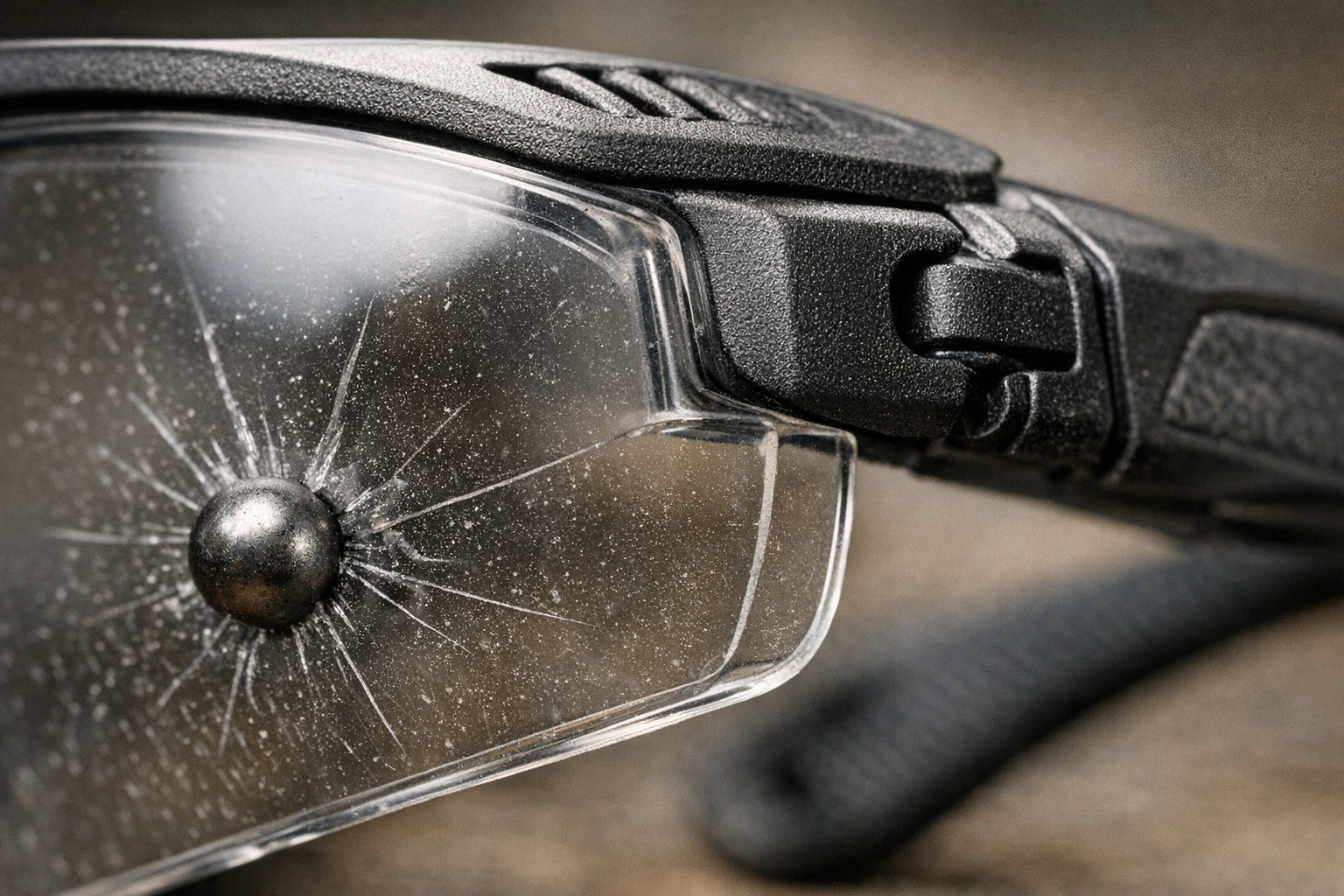
    • High Impact (Z87+): The “plus” designation indicates higher protection. Glasses must withstand a 1/4-inch (6.35 mm) steel ball shot at 150 feet per second (about 45.7 meters per second) without the lenses breaking or coming loose. This rating is crucial for heavy-duty jobs like grinding, cutting, or any task generating high-speed particles.

    EN 166 (Europe)

    Over in Europe, safety glasses follow the EN 166 standard, which prioritizes impact resistance as well. Markings on eyewear indicate the level:

    • F (Low Energy Impact): Tested against particles traveling at 45 meters per second.
    • B (Medium Energy Impact): Tested against higher speed projectiles at 120 meters per second.

    Choosing glasses with the right EN 166 rating gives you confidence that your protection will hold up under similar real-world conditions.

    Matching Impact Ratings to Your Task

    Using the right eyewear for the specific hazards you face is critical. Here’s a practical snapshot:

    • Grinding, Cutting, or Using Rotary Tools: Opt for glasses labeled with ANSI Z87+ or EN 166 B. These higher impact ratings provide the durability to withstand faster, harder strikes.
    • Painting, Dusty Environments, or Light Debris: Basic ANSI Z87 rated glasses may suffice, but it’s essential to stay alert to the possibility of accidental slips or higher-impact incidents.

    One common mistake I encountered was colleagues using just regular prescription or sunglasses during quick jobs — a risky practice since those lenses usually lack any impact certification and can shatter on impact.

    The Real-Life Difference Impact Ratings Make

    Personal experience is the best teacher. Once, while working on a renovation, a coworker accidentally tossed me a crowbar. It missed my face but struck my glasses squarely. Thanks to their ANSI Z87+ rating, the lenses absorbed the impact and got scratched but didn’t break or come loose. Had I been wearing anything less protective—or nothing at all—the result could have been a serious eye injury.

    That close call reshaped my approach to eye safety: I started keeping my high-impact safety glasses right next to my frequently used tools instead of tucked away in a drawer. That simple placement helped remind me—and others on site—to put them on consistently. Because in fast-paced environments, convenience often wins over good intentions.

    Choosing and Maintaining Protective Eyewear

    What to Look For

    • Certification Marks: Flip your glasses over and look for clear markings such as “Z87” or “Z87+” (ANSI) or “EN 166 F” / “EN 166 B” (Europe). These are assurances that your glasses have undergone rigorous testing.
    • Lens Quality: Avoid lenses with distortion, cracks, or pitting. Even micro-cracks can weaken protective properties and cause failure during an impact.
    • Proper Fit: Glasses should fit snugly but comfortably against your brow and cheeks, with no large gaps around the edges that can let debris in. Temples should hold the frames firmly without causing headaches or pressure points.

    Why Fit Matters

    Safety glasses that don’t fit well are more likely to be removed mid-task or slip out of place, exposing your eyes exactly when protection is needed the most. Loose glasses can slide down your nose, allowing particles to sneak inside, while overly tight ones cause discomfort that wears you down over time.

    Refresh Your Perspective: The Small Habit That Makes a Big Difference

    Wearing eye protection is often about habit as much as it is about equipment quality. Here’s a simple mindset tweak I recommend:

    Instead of thinking of safety glasses as an extra step or an inconvenience, make them the first tool you reach for before starting any task.

    Try mentally marking the glasses as an extension of your hand—a tool you wouldn’t work without. By placing them in a visible, easy-to-grab spot near your main workbench or tool box, you create a visual cue to put them on each time.

    This adjustment often overcomes that stubborn temptation to “skip them for a minute” and keeps you consistently protected, especially during quick jobs or jobs with changing risks.

    Final Thoughts on Eye Safety and Impact Ratings

    Understanding and respecting impact ratings turns guesswork into smart, informed decisions that protect your eyesight. Whether you’re cleaning up drywall dust or grinding metal, the right rated glasses can be the difference between a close call and a life-altering injury.

    Next time you gear up, spend an extra moment checking those etched markings and adjusting your glasses for comfort and fit. It’s a small effort with a big payoff that helps you keep working safely and confidently—day after day.