Author: jaesoon_admin

  • Why Your Oscillating Blades Dull Fast—and How to Fix It

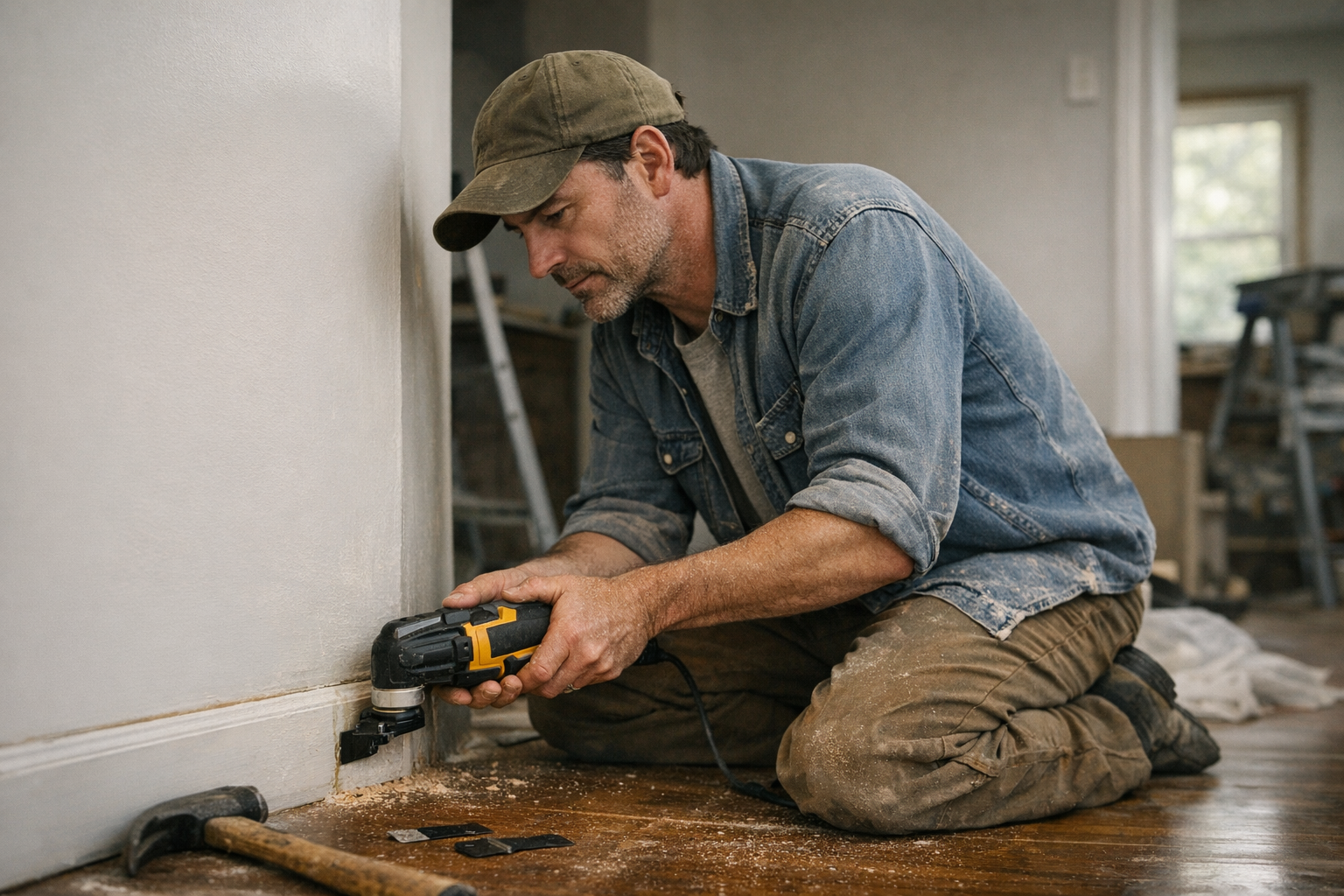
    There’s something uniquely satisfying about slicing through stubborn trim or making a precise plunge cut with an oscillating multi-tool. Its versatility and precision make it a favorite in any renovation or repair arsenal. Yet, a common frustration many users face is the rapid dulling of their blades—often after just a few cuts. This not only interrupts workflow but also adds unexpected costs and aggravation.

    Understanding why your oscillating blades wear out quickly is the first step toward smarter usage and longer-lasting performance. Let’s dive into the causes and explore practical ways to extend blade life without sacrificing efficiency.

    Why Do Oscillating Blades Wear Out So Fast?

    It’s rarely a single cause. More often, several factors combine to shorten a blade’s lifespan.

    1. Using the Wrong Blade for the Material

    Each oscillating blade is designed with a specific material in mind. Wood blades typically have 6–8 teeth per inch (TPI) and are made from high-carbon steel (HCS), optimized for clean cuts in wood and soft materials. However, using these on metal trim or embedded nails accelerates dulling.

    For metal—especially nails, screws, or non-ferrous metals—bi-metal blades with finer teeth (10–14 TPI) are ideal. Tile and grout require blades with carbide or diamond grit edges. Mismatching blades and materials causes rapid wear and poor cutting performance.

    2. Heat Build-Up from Excessive Friction

    Oscillating tools operate at high oscillations per minute (OPM), often between 18,000 and 22,000. Pushing too hard, pausing too long, or plowing through a cut without adequate movement generates heat due to friction. This heat softens the blade’s cutting edge (especially HCS blades) and quickly reduces sharpness.

    3. Improper Technique and Excessive Force

    It’s common to want to muscle through cuts as if using a reciprocating saw. However, pushing hard doesn’t speed things up; it bends or chips the blade’s teeth and generates damaging heat. The key is to let the oscillation and blade design do the work rather than forcing progress.

    4. Blade Quality and Thickness

    Not all blades are manufactured to the same standard. Inexpensive blades often use inferior materials, imperfect welds for tooth sections, or are too thick (a large kerf), resulting in rough cuts and faster dulling. Investing in better-quality blades pays off, but even premium blades dull without proper care.

    Adapting Your Approach: Technique Matters

    One of the most overlooked factors in blade longevity is how the tool is handled during cuts. I once thought blade wear was just inevitable until I observed a tradesperson working more deliberately. Instead of aggressive force, they applied gentle, consistent pressure and allowed the tool to oscillate freely. As a result, their blades lasted well beyond expectations.

    Practical Tip: Reduce pressure and focus on controlled, steady movements. Let your arm act as a flexible guide instead of a rigid lever. Resist gripping the handle too tightly or forcing the blade through the material.

    For plunge cuts, starting at a 10–20° angle rather than plunging straight in helps the cutting teeth engage progressively. This reduces friction spikes and heat buildup, ultimately preserving the blade edge.

    Refresh Tip: Shift Your Mindset to Precision over Power

    It’s natural to associate power tools with brute force. But oscillating tools thrive when you give them a measured, purposeful touch. Instead of thinking, “How fast can I push through?” try asking, “How can I maintain control and consistency?” This subtle change in mindset often leads to better results and longer blade life.

    Key Practices to Extend Blade Life

    Building on technique, here are practical adjustments that consistently yield longer-lasting blades:

    • Match Blade and Material: Always choose the appropriate blade type and TPI. Bi-metal blades for metal, carbide for tile and grout, and HCS for wood.
    • Control Speed: Use lower oscillation speeds for tough materials (10,000–15,000 OPM). High speeds can overheat and dull blades faster.
    • Cut in Short Bursts: Instead of continuous cuts over 30–60 seconds, alternate cutting and resting. This cools the blade and prevents heat damage.
    • Angle Your Cuts: Start cuts at an angle to engage teeth progressively, reducing surface contact and friction.
    • Keep Blades Clean: Adhesives, paint, and dust build up on blades, increasing friction and heat. Periodically wipe blades clean with a rag or tap off debris between cuts.
    • Rotate Blades for Different Tasks: Mark blades for specific uses like demolition or fine finish work to preserve them longer.

    Understanding Blade Quality and Specifications

    Quality matters, but it’s not just about price. Look for blades with consistent manufacturing standards: good welds, proper thickness, and materials suited for your key projects.

    For detailed work, thinner blades (less than 1mm kerf) provide better control and clean cuts. For demolition or aggressive cutting, thicker blades tolerate rough use but may heat up faster.

    Reading reviews and user experiences can save money and frustration. Many users report blades losing teeth rapidly after hitting nails on cheap blades despite manufacturer claims.

    A Case Study in Efficiency

    During a recent window renovation, I faced trimming out old window moldings filled with nails. My first blade became dull within minutes. Instead of swapping repeatedly, I switched to a bi-metal blade, dialed down the tool speed to roughly 12,000 OPM, and cut in short bursts under 20 seconds each, cleaning debris regularly. That approach allowed me to finish three windows with a single blade, a clear win in time and money saved.

    Final Thoughts: Small Changes, Big Impact

    Prolonging oscillating blade life boils down to combining smart blade selection, appropriate speed, and gentle, controlled handling. Instead of forcing cuts, be deliberate—allow the blade to work at its own pace. Regular cleaning and rotation between blades based on task further stretch their usefulness.

    Blade-Life Extension Tip: When possible, let blades cool between cutting sessions. On site, a quick dip in water or a blast of compressed air removes debris and dissipates heat, helping blades last longer during intense workflow.

    Next time you prepare for a project, consider these tweaks. Not only will your blades stay sharper longer, but you’ll likely find your work smoother and more satisfying.

  • Why Does Tear-Out Happen—and How Can You Prevent It?

    Understanding Tear-Out in Router Work: What Causes It and How to Prevent It

    Anyone who has worked with a router on wood knows the sinking feeling: you’re routing a crisp, clean edge, fully focused, when suddenly that harsh noise rings out—the bit catches unexpectedly, sending a jagged splinter ripping out of your otherwise smooth surface. This flaw, known as tear-out, can quickly derail the appearance and quality of your project.

    Why does tear-out happen? And, far more importantly, what practical steps can you take to minimize or avoid it? Getting to the root of tear-out means understanding the interaction between the spinning router bit and the wood fibers, as well as how your technique influences the outcome. Let’s explore the causes of tear-out, how to recognize vulnerable fragile spots in your workpiece, and effective strategies to improve your results.

    What Actually Causes Tear-Out?

    Tear-out occurs when wood fibers are lifted or torn rather than sliced smoothly by the router bit. The spinning blade cuts fibers ahead of it, but if fibers aren’t properly supported or if cutting parameters aren’t optimized, those fibers can break away unevenly.

    Key Factors Leading to Tear-Out

    • Grain Direction: Routing against the grain can lift delicate fibers instead of cleanly cutting them. Understanding grain flow and routing with it whenever possible reduces tear-out.
    • Bit Sharpness: A dull or damaged bit doesn’t slice cleanly, instead tearing fibers and causing rough edges. Regularly inspect bits for dullness and use high-quality carbide-tipped or spiral up-cut bits for cleaner cuts.
    • Feed Rate: Moving the router too quickly increases force on the fibers and can cause splintering, while moving too slowly risks burning or chatter marks. Aim for a steady, balanced feed aligned with bit speed—commonly between 14,000 and 18,000 RPM—and adjust based on wood hardness and bit size.
    • Workpiece Support: Unsupported edges, especially at end grain or corners, are prone to splintering. Fibers without backing support easily pull away during cutting.
    • Bit Type and Tooth Count: Choosing the right bit profile and the number of teeth is critical. For example, high-tooth-count spiral bits (two or more flutes, 1/4″ shank) are excellent for hardwoods and plywood and reduce tear-out significantly compared to basic straight bits.

    Spotting Trouble Zones Before Routing

    Tear-out isn’t equally likely across every section of your wood project. Recognizing areas at risk allows you to adopt specialized strategies to protect those spots.

    Common Vulnerable Areas

    • End Grain: Edges that expose end grain fibers tend to tear more readily since the fibers run perpendicular and are weakly supported.
    • Corners and Curved Profiles: Sharp transitions and curves often lack backing support or place uneven stress on fibers.
    • Veneered and Highly Figured Woods: The thin veneer layer, or irregular fibers in figured woods, may delaminate or peel in long strips under a router bit.

    When routing unsupported grain at an outside corner, for example, using an aggressive bit profile or one that removes too much material in a single pass can instantly result in break-out.

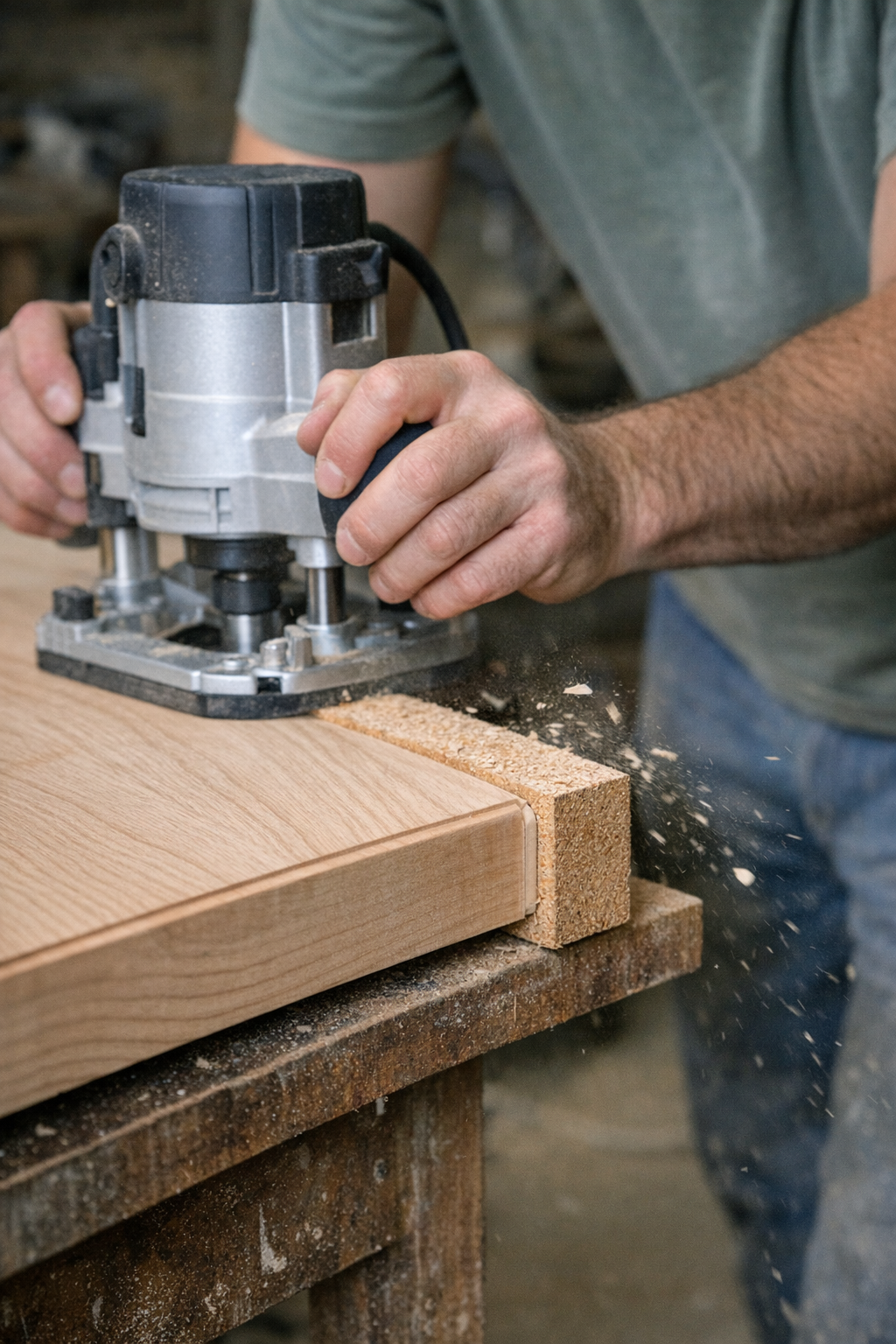
    Simple Yet Effective: Using a Backer Board

    One of the most straightforward adjustments that dramatically cuts tear-out is to clamp a backer board flush behind or beneath the workpiece edge you’re routing. Though it might seem like a small extra step, the results speak for themselves.

    When the router bit reaches the end of the cut, instead of gouging into unsupported fibers, it cleanly slices into the solid backer board. This transfers any splintering or tear-out to the sacrificial scrap rather than your finished piece.

    This technique excels when working on tabletops, door edges, shelves, and other projects where exposed end grain or edges must remain flawless. It costs a little time to set up but can save hours of repairing or replacing damaged material.

    Additional Tips for Cleaner Routing

    • Route End Grain First: Beginning with the vulnerable end grain edges allows any minor tear-out to be cleaned up later when routing adjoining sides.
    • Take Multiple Shallow Passes: Instead of attempting to remove all the material in one deep cut, adjust your bit for shallower depths—around 2 to 3 mm (about 1/8 inch) per pass. This reduces strain on fibers and yields smoother edges.
    • Test Grain Direction and Bit Rotation: Make test cuts on scrap to determine if climbing or conventional routing produces a cleaner result. Climb cutting (moving with the rotation rather than against) can reduce tear-out in some scenarios but requires steady control to avoid the router “jumping.”
    • Adjust RPM for Larger Bits: For larger router bits (over 1 inch diameter), reduce the router’s speed to prevent chatter, heat buildup, and chip-out.

    Refresh Tip: Listen Closely While You Rout

    One subtle but powerful skill is training yourself to listen to the router’s sound during operation. Smooth, consistent humming generally means the bit is slicing cleanly. Conversely, a rough, rattling noise often signals an impending tear-out or aggressive fiber lift.

    By paying close attention and stopping immediately if you notice a change in tone, you can adjust feed rate, routing depth, or technique before damage occurs. This moment of mindful listening becomes a simple preventive checkpoint that can save your project.

    Making Tear-Out Manageable

    While tear-out can never be entirely eliminated—after all, wood is a natural and unpredictable material—understanding its cause and applying thoughtful strategies make it far less frequent and always manageable.

    Using sharp, well-maintained bits, routing with awareness of grain direction, employing backer boards, and taking shallow passes go a long way toward producing consistently clean edges and profiles. Coupled with experiential feedback such as sound cues and strategic routing order, you’ll find tear-out transforms from a dreaded problem to a minor annoyance.

    Reflect regularly on your workflow and setup, and you’ll develop the discipline to identify potential tear-out risks before they happen, ensuring your craftsmanship remains precise and professional.

    Summary

    Tear-out during routing is primarily caused by routing against grain, dull bits, improper feed rates, and unsupported wood fibers—especially at end grain and corners. Mitigating tear-out involves using sharp, appropriate bits with sufficient tooth count, routing in multiple shallow passes, employing simple backer boards to support cuts, and tuning feed speed and bit RPM to the material.

    Listening attentively to your router’s sound and testing routing direction in scrap can further minimize risks. These small adjustments add up to cleaner finishes, less wasted material, and a more satisfying woodworking experience.

  • How Precise Bit Depth Control Transforms Your Woodworking Edges

    Working with a router along the edge of a board often brings a surge of anxiety, and for good reason. Achieving that crisp, clean cut instead of ending up with rough edges or damaged wood largely depends on how precisely you control the router bit depth. Many a good piece of wood has been ruined because this critical step was rushed—or overlooked altogether. The following guide dives deep into mastering bit depth control so you can confidently achieve smooth, professional-looking edges every time you route.

    Understanding Why Bit Depth Control Is Crucial

    On the surface, setting the bit depth on a router might seem like a simple adjustment, but the reality is far more nuanced. Cut too shallow and your edge profiles can look weak or uneven, tempting you to pass over the same cut multiple times and waste valuable time. On the other hand, cutting too deep in a single pass invites a range of problems — tear-out, scorching, chip marks, or even the router jumping unexpectedly. These issues are especially pronounced when working with hardwoods, veneers, or delicate laminates.

    The ideal approach balances depth and precision. For example, a standard roughing pass with a sharp carbide or high-speed steel bit typically involves removing around 3 mm (roughly 1/8 inch) on hardwoods, or slightly more—around 4 to 5 mm (3/16 inch)—on softer woods per pass. Sticking to consistent bit depths helps minimize vibration and keeps feed rates smooth, reducing stress on both the tool and the workpiece.

    Bit specifics also matter. The number of flutes or teeth per inch (TPI) on your router bit influences edge finish quality. More flutes generally produce cleaner cuts but require you to slow your feed rate or reduce router speed (RPM) to avoid burning or tearing the wood fibers.

    Step-by-Step: How to Find Your Perfect Bit Depth Each Time

    A simple but game-changing tip is to always set your bit depth with the router unplugged and resting on its side. This improves safety and gives you a clear view of the bit relative to your workpiece. Start by loosening the locking ring and lowering the bit gently until it just touches the wood surface. From there, raise the bit by the exact amount of your intended cut depth—sometimes as minimal as 1/8 inch for delicate profiles.

    If you’re using a handheld router, make sure the base plate sits flat against a hard, level surface while adjusting depth. Avoid guessing by eye. For plunge routers, use the depth adjustment stops and lock them firmly once set. Many trim routers feature fine micro-adjustment dials, letting you achieve accuracy down to half a millimeter—ideal when processing multiple matching pieces or working with prefinished materials.

    A Simple “Scrap Test” That Saves Projects

    Before making a cut on your real workpiece, always verify your settings with a test pass on a scrap piece of matching wood. This step can’t be overstated. Testing confirms that your bit depth is correct, that cuts are clean and crisp, and that there’s no burning or tear-out before committing to the actual project.

    If you see any scorch marks on the scrap, review your router’s RPM. For many hardwoods, an optimal speed range is between 16,000 and 22,000 RPM, depending on the bit diameter. Larger diameter bits require slower speeds to rest the wood and prevent burning. Conversely, running the router too fast or pushing the bit too slowly can cause scorching or rough edges.

    Real-World Strategy: Using a Depth Stop Block

    After trial and error, one of the most effective tricks I’ve adopted is using a small wooden block cut to the precise depth I want to route. When setting up, place the router base on a flat surface and position the block next to the bit. Lower the bit until it just contacts the block, then lock the depth adjustment.

    This simple physical reference takes guesswork out of adjustments and allows quick, repeatable setups. When routing batches of identical parts, I keep this block handy and reset the bit depth before every run. It’s a tiny tool that dramatically reduces sanding and correcting time later on. If you step away and return to the project later, that block reliably “remembers” the setting for you.

    Why Taking Two (or More) Shallow Passes Produces Exceptional Edges

    Regardless of your final target depth, never try to cut it all at once. Breaking it into multiple shallow passes helps you achieve clean, burn-free edges, prevents chipping, and puts less strain on your bit and router.

    The temptation to rush and push deeply in one pass often leads to issues. Deep cuts can cause the router to chatter, the bit to wander, or worse, grab and gouge the wood—especially when using HSS bits instead of carbide. A solid rule of thumb is to keep each pass no deeper than half the diameter of your bit.

    For example, when working with maple, hickory, or other dense woods, especially on floor panels or beading profiles, this approach preserves bit sharpness and results in those flawless, chip-free edges professional woodworkers aim for.

    Slow, incremental routing also lets you monitor changes in the router’s sound or feel. If the pitch shifts or resistance grows, it’s time to slow down or revisit your settings before irreversible damage happens.

    Ergonomics and Environment: Small Adjustments That Impact Depth Control

    Another often-overlooked factor is your setup height and body position. Routing at an awkward level leads to inconsistent pressure and poor depth control. Setting your workpiece or routing table at waist height creates better visibility and more even downward feed pressure.

    Using adjustable workhorses or benches that position stock just below elbow height helps maintain control and alignment throughout longer runs or detailed edge profiles, reducing the chance of mistakes due to fatigue or reach.

    Refresh Tip: Shift Your Perspective to Embrace Patience

    When routing, it’s easy to fall into the mindset of speed and efficiency. But excellent edge work rewards patience. Instead of rushing through setup, pause and think of bit depth adjustment as an essential preparation phase—like sharpening your pencils before sketching. Investing these few extra minutes can save hours of sanding, patching, and redoing cuts down the line. Approaching routing as a deliberate, measured process rather than a task to rush transforms your woodworking experience and boosts overall quality.

    Final Thoughts

    Achieving clean, professional edges with a router isn’t just about owning premium tools or expensive bits. It comes down to good habits: consistently checking and setting bit depth carefully, running test cuts on scrap wood, and embracing incremental passes. These practices not only produce better results but extend bit life and reduce frustration.

    Make bit depth control a routine part of your workflow—just like clamping your workpiece or checking blade sharpness. That little bit of patience upfront pays dividends in smoother cuts and less finishing work. The next time you run your hand along a perfectly routed edge, you’ll know it’s the payoff of thoughtful preparation and respect for the tool’s capabilities.

    Explore the full Gumboll collection to find compatible router bits and accessories that can help optimize your routing setup.

  • How Patience and a Heat Gun Rescue Old Paint Jobs

    There’s a familiar tension that creeps in before you start removing old paint from any cherished woodwork, whether it’s a banister handed down through generations, a window frame that anchors a room, or a vintage side table with memories embedded in its grain. The fear isn’t just that paint will come off; it’s that the surface beneath—your wood, metal, or masonry—might suffer permanent harm. Scratches, gouges, burns, or warping often seem like inevitable side effects of a paint removal project, especially if you rush or wield your tools too aggressively.

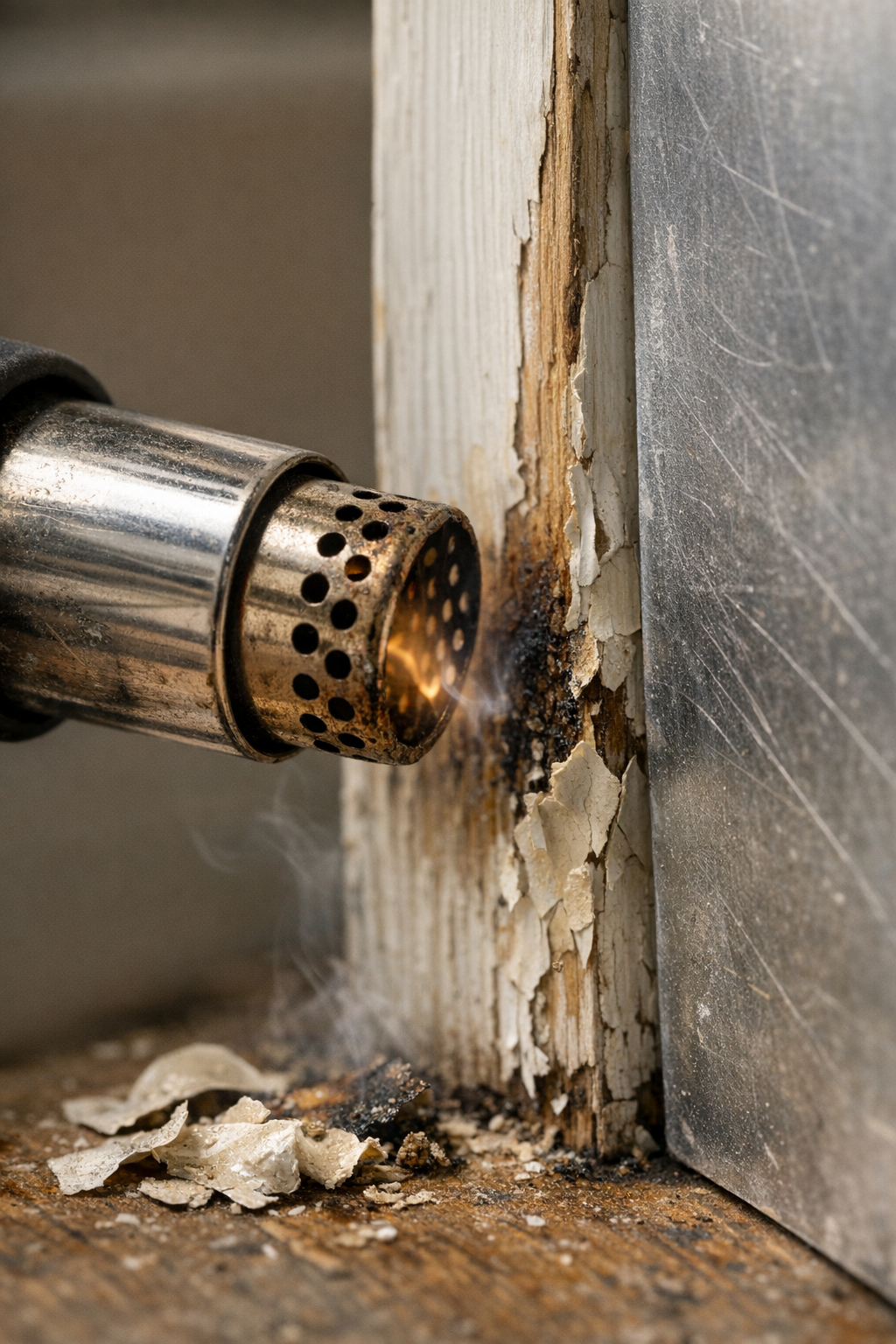
    However, there’s a method that transforms this daunting chore into a manageable, even satisfying experience: using a heat gun with patience and precision. Over many projects spread across woodwork, metal trims, and even some masonry details, I’ve learned that heat guns can safely soften and release paint without striking the surface beneath. But only if you respect the tool’s power and nuances. This article distills those lessons into actionable advice, informed by real workshop moments and hard-earned insight.

    Why Choose a Heat Gun for Removing Paint?

    Traditional paint removal often conjures images of chemical strippers or vigorous sanding—methods that either fill your air with noxious fumes or leave clouds of dust. A heat gun offers a cleaner alternative: it gently warms paint until it softens and peels off. Unlike chemicals, it avoids harsh solvents and potential surface stains; unlike sanding, it doesn’t abrade the substrate itself.

    Heat guns work effectively on diverse materials—from solid wood to metal surly enough to take heat, and even on masonry if you proceed carefully. Understanding how to control temperature and proximity is the key. Most heat guns offer temperature settings from roughly 400°C up to 600°C (750°F–1100°F maximum), but for paint removal, you rarely need to exceed 300°C–400°C (570°F–750°F). Staying below the maximum temperature preserves the surface’s integrity and keeps the paint’s behavior predictable.

    Additionally, if your heat gun has variable airflow, resist the temptation to blast at full force. A softer, moderate airflow prevents softened paint from splattering or spreading messily, helping you maintain clean control.

    Assess the Surface and Paint Before You Begin

    Before firing up your heat gun, take a moment to identify the materials you’re working with and the type of paint involved. Wood species with thin veneers or intricate, delicate molding can distort under excessive heat if treated carelessly. Metals generally tolerate heat well, but always double-check compatibility, especially with finishes or primers that might contain sensitive components.

    One critical caution concerns paint containing lead, which was common in pre-1970s homes. Overheating lead-based paint can release hazardous fumes. If you suspect lead paint, exercise extreme caution: follow safety guidelines, wear respiratory protection, and consider professional removal.

    The paint’s composition affects how it reacts to heat. For example, acrylic or latex paints might melt into a sticky, stubborn residue rather than crisply lifting. In these cases, lower heat settings and slower scraping help avoid making a mess.

    Real-World Experience: Learning to Work Slowly Pays Off

    A personal story illustrates why rushing with a heat gun can backfire. Last fall, while repainting window frames in a chilly sunroom, I was pressed for time and anxious to finish quickly. Cranking the heat gun to its highest setting, I held it too close to the wood surface. The paint blistered and bubbled rapidly, but so did the wood beneath—small dark scorch marks appeared that no amount of sanding fully erased.

    After that frustrating experience, I adjusted my approach. Instead of maximum heat, I dialed back to a medium-low setting (~350°C/660°F), keeping the gun 1.5 to 2 inches away from the surface. Instead of hurrying, I worked in gentle, overlapping movements over small sections no wider than my palm. Waiting only long enough for softening paint to react, rather than pushing longer, prevented damage and made scraping easier.

    Step-by-Step Guide to Gentle Heat Gun Paint Removal

    1. Test a Concealed Spot First. Before tackling a prominent area, try a hidden corner. This trial helps you gauge the heat setting and the surface’s reaction without risking visible damage.
    2. Set Your Heat Gun to Medium-Low (300–400°C). High temperatures can cause burns and distortions. Starting lower and adjusting upward as necessary is safer.
    3. Keep the Heat Gun Moving. Constant motion prevents overheating any one spot. Use smooth side-to-side sweeps or small circular motions without lingering.
    4. Watch Closely for Paint Bubbling. Once you observe bubbles or slight peeling, stop heating and pick up your scraper.
    5. Scrape with Care Using the Right Blade. Use a flexible, rounded scraper blade about 1 to 2 inches wide, held at a shallow angle (10–15°). This minimizes gouging risks.
    6. Allow Stubborn Areas to Rest. Don’t force the scraper on resistant paint; instead, cool the area briefly and reapply gentle heat.
    7. Clean Residues Lightly. After scrapping, wipe down with a slightly damp cloth to remove loose paint fragments and dust.

    Choosing and Using the Right Scraper Makes a Big Difference

    A simple but impactful shift that transformed my approach was swapping sharp-edged scrapers for flexible blades with rounded corners. These kinds of scrapers conform gently to curves and contours, peeling paint instead of digging into the substrate. Maintaining the scraper at a flat, low angle helps slide it beneath softened paint with minimal impact.

    If you ever feel the scraper snagging or sticking, resist the urge to force it. Reheat the spot and loosen the paint safely. Over time, sharpening or replacing your scraper blade keeps it effective without increasing injury risk to the surface.

    After Paint Removal: Handling the Surface with Care

    Once you have removed the paint, the temptation might be to sand aggressively or use harsh chemical cleaners to prep the surface. Resist. Especially with wood, over-sanding removes original character and weakens thin veneers or delicate details. Instead, choose a light buffing method using fine-grade steel wool (0000 grade) or a fine finishing pad.

    For metal surfaces, a soft brass brush helps clear remaining paint bits without scratching. Maintaining the surface’s natural texture at this stage ensures better adhesion for new paint or finishes.

    Refresh Tip: Slow Down to Save Future Work

    When tackling paint removal, it’s tempting to hurry through and “get it over with.” But slowing your pace isn’t just about avoiding mistakes in the moment—it’s a way to safeguard your project’s longevity.

    Each time you rush and damage the surface, you add more labor, cost, and frustration downstream. Conversely, patient, gentle work preserves the integrity of your materials and creates a better foundation for refinishing. Think of this as an investment: a little more time now can save hours of corrective work later.

    Taking breaks to step back, reassess your heat and technique, or simply breathe can shift your mindset and reduce fatigue-driven errors. This deliberate tempo turns paint removal from a chore into a thoughtful craft.

    Final Thoughts: Mastering the Art of Heat Gun Paint Removal

    Removing paint without harming the underlying surface demands respect—for your tools, the material, and the process. The secret lies in balancing enough heat to soften paint against too much heat that damages. Pair that with the right scraper choice and controlled, patient motions, and you gain command over a task often dreaded.

    Every project teaches you to refine your approach: the settings, the distance, the speed, and the scraping technique all blend into a rhythm tuned over time. Mistakes aren’t failures; they’re lessons that help you protect what matters.

    If you’re planning future DIY refinishing or restoration projects, consider how this adaptable, low-mess approach can save your surfaces and your sanity.

  • How Small Heat Gun Habits Transform Your Indoor DIY Safety

    Completing a DIY project indoors with the help of a heat gun can bring a sense of quiet satisfaction—whether it’s stripping old paint, softening adhesive, or accelerating drying times on paint and finishes. The steady hum of the tool, the subtle scent of warmed materials, and the small victories of things going smoothly all contribute to that rewarding feeling. Yet, beneath this straightforward utility lies a layer of risk that many users don’t fully consider. Using a heat gun indoors demands respect for its power and thoughtful precautions, because a simple slip can quickly turn from productive to problematic.

    Why Heat Guns Are Essential for Indoor DIY Work

    Heat guns have become staples in many toolkits because they combine precision, versatility, and controlled heat delivery. Unlike open flames or chemical strippers, heat guns provide a safer alternative for tasks like paint removal, vinyl repair, or tubing shrinkage. Their ability to offer variable temperature settings—from gentle warmth to intense heat—makes them adaptable across many surfaces and materials.

    However, when working indoors, those very benefits can introduce new challenges. Confined rooms mean less airflow to dissipate heat or fumes and increase the chance of encountering flammable materials like old insulation, wooden trims, or loose debris. In such environments, a moment’s carelessness can lead to scorched surfaces, smoke alarms, or worse. Recognizing these risks is the first step toward mastering safe and effective heat gun use.

    The Risks Hidden Indoors

    • Limited Ventilation: Fumes from heated paint or adhesives linger indoors longer, posing health risks and potentially igniting if mixed with sparks.
    • Flammable Materials Nearby: Dust, curtains, cardboard, and insulation can easily ignite or melt unexpectedly if exposed to stray heat.
    • Hidden Hazards: Wiring behind walls or old wooden surfaces might get damaged or catch fire if heat isn’t carefully controlled.

    All these factors mean that even routine projects need an extra layer of mindfulness indoors.

    Common Mistakes and How to Prevent Them

    Nearly every DIYer who has worked indoors with a heat gun can recall a small misstep or near miss. These incidents often boil down to a few key oversights that are completely avoidable with proper preparation and technique.

    1. Failing to Clear the Workspace

    One of the simplest but most overlooked steps is prepping the immediate area. Soft plastics, paper, loose dust or sawdust, and fabric near your work zone can all turn into unexpected hazards under high heat. Take the time to sweep or vacuum dust, move magazines and papers away, and secure curtains or drapes before switching on your heat gun.

    2. Ignoring Temperature and Fan Speed Controls

    Not every heat gun is created equal, and many offer adjustable temperature dials and fan speeds for a reason. Choosing the right setting—typically between 200°C and 600°C depending on your task—prevents overheating. For example, delicate vinyl flooring repairs usually require lower temperatures with controlled airflow to avoid burning or warping. Using the highest setting when it’s not needed can lead to rapid material damage and even ignite underlying surfaces.

    3. Letting the Power Cord Get Too Close to the Heat Source

    The heat gun’s nozzle can surpass 600°C (over 1,000°F), which instantly melts or damages anything in direct contact. A common rookie error is letting the power cord droop near the nozzle. This can cause plastic insulation to melt, short out the tool, or spark electrical hazards. Always secure and route the cord well away from your working area.

    A Game-Changing Setup Tip: The Metal Heat Shield

    Years ago, while stripping paint near some wooden kitchen shelves, I discovered a simple modification saved me from scorched walls and nerves. Placing a large lightweight metal sheet—like a clean baking tray or an old aluminum clipboard—upright behind the section I was working on acted as a heat shield. This reflects excess heat and catches softened debris that might otherwise damage surfaces or cause drips.

    This technique is easy to implement yet highly effective. The shield should be slightly larger than the target surface and positioned just a few inches behind it. It doesn’t add fuss or time but provides a physical barrier that helps keep surrounding areas safe. For narrow trim paint stripping, pairing this setup with holding the gun at a 30–45 degree angle and using short, overlapping passes keeps heat concentrated and controlled, avoiding warping or deep burns.

    Keeping Safe and Comfortable When Things Heat Up

    Knowing that heat guns can easily reach temperatures of 600°C (around 1000°F) or more underscores why caution is paramount indoors. Several simple habits can maintain workspace safety and lower stress during your DIY sessions.

    • Use a Stand or Non-Flammable Surface: When not actively heating surfaces, rest your heat gun on a dedicated stand or a metal surface. Never set it nozzle-down on wood, fabric, or piles of paper.
    • Ventilate Generously: Always crack a window, switch on a fan, or open a door to circulate air. Fumes from paint and melted plastics accumulate quickly and degrade indoor air quality.
    • Limit Heat Application Time: Apply heat in short bursts or quick sweeps rather than a prolonged blast. This controlled approach lessens the chance of overexposure and potential damage.
    • Unplug When Not in Use: For safety and peace of mind, disconnect the heat gun when you take breaks or finish work to prevent accidental activation or curious pets touching the tool.

    Another tip related to distance: hold the gun approximately 25mm (about 1 inch) away from the surface. Being too close risks burning the material and reduces your ability to distribute heat evenly, which can damage paints, plastics, and conceivably wiring behind panels. I personally find setting a kitchen timer for 30–45 second intervals helps remind me to move the gun or pause and reassess the surface temperature to prevent damage.

    Refreshing Your Perspective: Take Short Breaks to Reassess

    Amid focused work, it’s easy to get tunnel vision and unintentionally apply heat too long or miss subtle signs of scorching. A practical technique to refresh your perspective is to deliberately step back every few minutes—literally take a short break from the task to inspect your work and surroundings with fresh eyes. This pause not only helps catch problems early but keeps you mentally alert and reduces stress during tedious jobs.

    During these short breaks, grab a quick breath of fresh air by stepping near an open window or door. This simple habit enhances ventilation and renews your concentration, making the overall process safer and more enjoyable.

    The Small Details that Make the Biggest Difference

    In many ways, the secret to safe and effective indoor heat gun use lies in the minor adjustments and habits you develop. Double-checking your workspace, protecting nearby surfaces, carefully controlling temperature and distance, and pacing your work with intentional breaks can transform what might feel like a risky operation into a smooth, confident process.

    Even seasoned professionals approach heat gun work indoors with a blend of respect and caution. That slight increase in heart rate before flipping the switch isn’t paranoia—it’s recognition of the tool’s power and the responsibility to keep both the home and yourself safe.

    Final Thoughts

    Using a heat gun indoors need not be nerve-wracking. With thoughtful preparation, controlled temperature settings typically between 350–450°C for paint stripping, and simple protective measures like heat shields and good ventilation, you can tackle your projects with greater precision and far less risk. Remember: it’s the small things—the extra couple of minutes prepping your space, the right angle, the shield strategically placed behind your work area—that help keep your tools, your home, and your nerves intact.

    Before you start your next indoor DIY heat gun project, ask yourself: Have I cleared the area, set the optimal temperature, planned for quick passes, and positioned a heat shield? These steps will make all the difference between an efficient, satisfying job and an unexpected mishap.

  • Why Choosing the Right Impact Driver Bit Changes Everything

    When you reach for your impact driver to tackle a project—be it fixing a deck, tightening fence screws, or securing a detached bracket—you might glance over a box of assorted bits and wonder if it really matters which one you pick. At first glance, most bits look interchangeable, but choosing the wrong one can quickly lead to frustrating issues like stripped screw heads, slipping tips, and wasted effort. Understanding the common impact driver bit types can dramatically improve your efficiency and save you from expensive trips back to the hardware store.

    Why Selecting the Right Bit Matters

    Even if your impact driver cranks out serious torque, that power doesn’t mean much if the bit isn’t the right fit. The wrong bit can cause cam-outs—where the bit slips out of the screw head—leading to stripped screws, damaged materials, and sore hands. Time lost fixing these mistakes far outweighs the seconds saved by grabbing the wrong bit originally.

    Bit design and fit are just as important as the driver’s power. For example, a No. 2 Phillips bit looks similar to a No. 3 Phillips but using them interchangeably is a surefire way to wreck screw heads. Impact drivers deliver anywhere from 1,200 to 1,800 in-lbs of torque, and bits not rated for impact use often twist or break under that stress.

    The Classics: Phillips, Slotted, and Pozidriv Bits

    Phillips (PH)

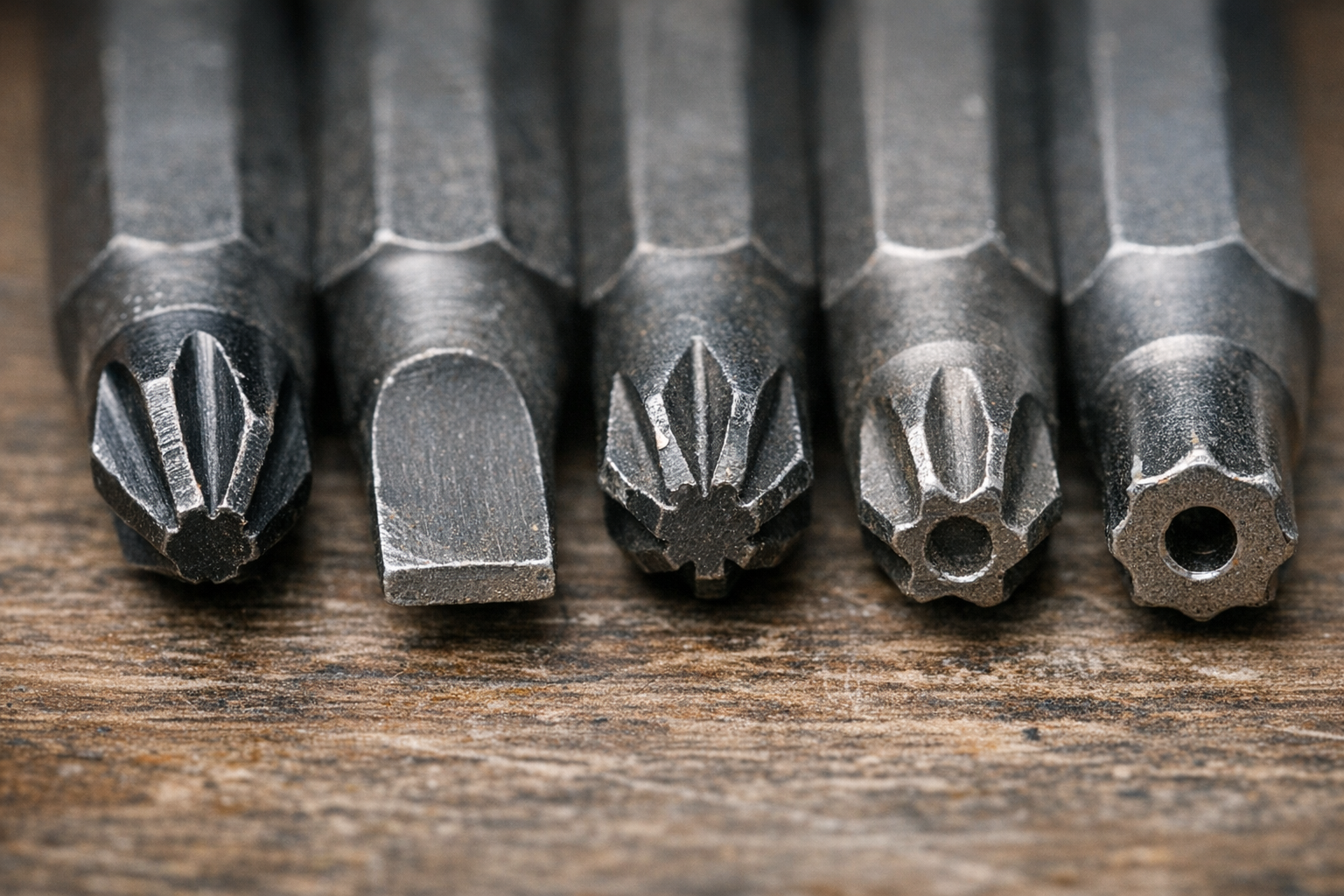
    Phillips bits, with their iconic cross shape, are the go-to for many general-purpose screws. Their self-centering design works well for fast assembly, keeping things aligned as you drive. However, if you find yourself stripping Phillips screws frequently when using an impact driver, check if your bits are truly impact-rated.

    Typical Phillips bits are made from regular S2 steel, which can twist or wear out under repeated heavy impact. Impact-rated bits use special heat treatment and alloy blends to withstand the torque without snapping. For most household wood screws, a No. 2 Phillips impact bit, often coated with black oxide or featuring a torsion zone design, serves well.

    Flat / Slotted

    The flat blade is the simplest bit shape, fitting screws with a single straight slot. They aren’t ideal for impact drivers because they tend to slip out easily, especially under high torque. Use them carefully—stick to hand driving or a low torque setting (under 1,000 impacts per minute) to avoid damaging the screw slot or bit tip.

    Pozidriv (PZ)

    Similar in appearance to Phillips but with added ribs between the blades, Pozidriv bits offer superior grip and reduce cam-out. It’s crucial to match Pozidriv screws with Pozidriv bits, as using Phillips on Pozidriv screws will quickly chew away the ribs, ruining the fasteners in moments.

    Look closely at the screw head: extra small tick marks between the slots are a giveaway that it’s Pozidriv.

    Star Power: Torx and Security Bits

    Torx (T)

    The six-pointed star shape of Torx bits makes them favorites for heavy-duty applications like decking, automotive work, and structural fastening. Their design spreads torque evenly, letting you apply more force without slipping or damaging the screw head.

    Torx sizes are straightforward—T20, T25, T30, etc.—and it’s important to use an exact size match. For deck building, a T25 impact-rated bit about 2 inches long with a magnetic tip is an excellent choice. This setup reduces stripping, especially when driving long structural screws.

    If you encounter stuck or rusted screws, switching to a torx bit (always impact-rated) often reduces slips and gives better control, particularly in treated or outdoor wood.

    Security Bits

    Some Torx screws have a small hole in the center, indicating they require a tamper-resistant bit. While you won’t use these every day, having a security Torx bit can be a lifesaver when dealing with appliances, public fixtures, or specialized hardware.

    Square (Robertson), Hex, and Specialty Bit Types

    Square (Robertson)

    Robertson or square bits are very popular in Canadian construction and gaining ground in the U.S. Their square recess offers excellent grip and resists cam-out more than Phillips or slotted bits. Common field sizes include No. 1 (red), No. 2 (black), and No. 3 (green).

    These bits are great for repetitive tasks like subfloor installation or cabinetry because they reduce hand fatigue and bit wear. Key caution: never use a smaller square bit on a larger screw; this quickly rounds both and ruins the fasteners.

    Hex (Allen)

    Hex bits resemble tiny Allen wrenches and are essential for furniture assembly, set screws, and some door hardware. Sizes range across metric and SAE standards (4mm, 5mm, 6mm, etc.).

    A practical tip: magnetic impact bits—not just the bit itself, but with magnetic holders—help keep screws in place for overhead or awkward-angle tasks, making single-handed starts easier, especially on metal or sheetrock work.

    Jobsite Organization Tip

    Keeping your bits organized saves time and stress. Set aside a dedicated organizer with your most-used bits—like T25 Torx, No. 2 Phillips, and No. 2 Square—so they’re ready for common trades like rough carpentry or framing.

    Materials and Design: What Makes a Bit Impact-Rated?

    Impact-rated bits are engineered to absorb the repeated hammering action inside impact drivers. Made from hardened steel alloys like enhanced S2 steel and often featuring specialized coatings, they flex under torque instead of snapping. Along with toughness, some bits include torsion zones—twisted sections designed to absorb torque spikes and prolong bit life.

    Bit length matters too. Standard 2-inch bits are best for most framing or general work. Longer bits (3 or 6 inches) help reach tight or angled spots but can reduce control and increase bit wobble.

    Maintaining Your Bits for Longevity

    One overlooked productivity hack is replacing dull or rounded bits immediately. Even if a bit seems to work “well enough,” its worn edges will damage screws faster, making driving harder and risking tool damage. Create a “retired” box for worn bits to avoid accidental reuse.

    Regularly clean bits with a magnet or compressed air to remove metal shavings or debris—especially when working with treated or composite woods. This prevents premature wear on the bit tip and keeps your drives smooth.

    Refresh Tip: Matching Bits to Screws Saves Time and Reduces Frustration

    Before starting any project, spend a moment lining up the bits next to your screws. Confirm the fit visually and physically—an exact match may save you minutes or even an hour of frustration later. This small step is often skipped but pays dividends in keeping work flowing and stress low.

    A real-world example: During a subfloor installation, the crew had two types of screws mixed—Phillips and square. Poor organization led to frequent bit switching, delays, and, eventually, someone forcing the wrong bit on a square screw, stripping multiple heads. Arranging bits and screws side-by-side beforehand quickly restored order and kept everyone calmer.

    Practical Bit Sets for Common Projects

    • Home repairs: Phillips, slotted, and square bits cover the vast majority of tasks.
    • Decks and outdoor work: Include Torx bits, especially impact-rated T25s, plus security Torx for tamper-resistant fasteners.
    • Furniture assembly and fixtures: Hex bits handle these tasks well.

    When in doubt, don’t rush picking a bit. Taking a few extra seconds can prevent igniting a cascade of problems.

    Conclusion

    The choice of impact driver bit may seem minor but plays a major role in how smoothly every fastening task goes. Using bits that match screw types and sizes, that are impact-rated, and replacing them when worn, keeps your work efficient and reduces frustration. Instead of just grabbing the first bit you find, be deliberate. Your projects—and your hands—will thank you.

    If you want to explore a wide array of bits to suit different applications, consider looking through comprehensive collections designed to streamline your tool setup and keep you ready for any fastening challenge.

  • How One Simple Pause Prevents Stripped Screws Every Time

    Few experiences are as aggravating as when your impact driver suddenly lets go of a screw. That sinking feeling when your bit spins helplessly in a screw head, which has lost its grip, can halt your project and turn a simple task into a frustrating ordeal. If you’ve ever dealt with stripped screws, you understand how quickly momentum can grind to a halt. The good news? Most stripped screws don’t have to happen at all. By understanding why screws strip and adopting a few practical habits, you can prevent these setbacks and keep your work moving smoothly.

    Why Do Screws Strip?

    Stripping a screw typically results from a loss of proper engagement between the driver bit and the screw head. While degraded or poor-quality screws and bits do contribute, the overwhelming majority of stripped screws come down to technique and tool use.

    Here are the most common reasons screws get stripped:

    • Driving at an angle: If the driver bit is not aligned squarely with the screw, the torque transfers unevenly, causing the bit to slip.
    • Excessive speed or torque: Running the impact driver at its highest speed before full contact is made can cause the bit to cam out.
    • Incorrect bit size or type: Using a bit that’s too small or the wrong profile for a screw’s recess puts extra stress on the heads and bit edges.
    • Worn or low-quality bits: Bits with rounded or chipped edges fail to maintain grip and easily slip.
    • Skipping pilot holes in dense materials: Hard woods or composite substrates increase resistance, making driven screws prone to stripping if the path isn’t prepared.

    Additionally, under pressure to work fast or from lapses in attention, it’s easy for users to underestimate the importance of careful setup before each fastener. Impact drivers deliver high torque bursts, which amplify any misalignment or impatience.

    Pause, Align, Then Drive: A Simple Habit to Prevent Stripping

    In real-world scenarios, minor adjustments to how you approach each screw can make all the difference. A helpful technique I’ve relied on is to literally pause for a second before squeezing the trigger.

    What does this look like in practice?

    • Set the bit in the screw head carefully: Place the bit firmly inside and visually confirm it’s fully seated.
    • Check alignment: Ensure the driver shaft and your wrist are aligned at a 90-degree angle to the work surface.
    • Feel for engagement: The bit should “click” or settle squarely into the recess, signaling it’s properly seated.
    • Adjust as needed: If anything feels off, lift and reposition to avoid slipping.

    This deliberate one-second pause before each drive helps maintain control, reduces slip risk, and prevents screw head damage. While it may feel like a small thing, the impact on your build quality and frustration level is profound.

    Tip: Use the Correct Bit and Pilot Holes

    Choose bits that match the screw head perfectly—Phillips #2, Torx T20, or whatever fits your screw type. Impact-rated bits are worthwhile because they withstand the repeated torque shocks better, maintaining sharper edges longer.

    When working with wood, drilling a pilot hole appropriate for the screw size helps reduce driving resistance and splitting, especially in hardwoods. For softwoods, a 1/8″ pilot hole often suffices. Adjust your impact driver’s speed to a moderate setting (1000–1500 RPM) and start with a lower torque clutch setting, increasing only as necessary. This prevents overdriving and cam-out events.

    The Role of Speed and Torque Settings

    Driving screws too quickly increases the risk of stripping. Most impact drivers can exceed 2500 RPM in maximum speed, which is usually too fast if you haven’t confirmed proper bit-seat and alignment. Starting slow allows the screw head to engage fully before the tool ramps up torque.

    Using torque settings judiciously is just as important. Lower clutch settings provide controlled torque, preventing the driver from blasting the screw head once reach resistance limits. This is especially critical when installing flooring or hardwood decking fasteners, where precision matters.

    Tip: Use Both Hands on Long Screws

    When driving longer screws (2 inches or more), like deck or subfloor screws, hold the driver with both hands. This adds wrist stability and allows better control over alignment and pressure. Also, operate on a medium-to-high torque setting rather than drill mode to apply consistent force without risking excessive overdrive.

    Refreshing Your Approach: From Frustration to Flow

    If stripped screws have felt like an unavoidable hassle in the past, try this subtle mindset shift: see each fastener as its own mini project. This fresh perspective encourages you to slow down momentarily and give proper attention exactly when it counts.

    Instead of rushing to finish or assuming the driver will compensate for misalignment, remind yourself that a smooth, well-aligned start sets up the rest of the drive for success. This not only prevents damage but leads to cleaner, more satisfying results.

    By integrating this mental reset, you transform the task from a repetitive chore into a measured, quality-driven process. Over time, this builds confidence and reduces anxiety about stripped screws completely.

    Real-World Impact

    On a recent project assembling garage shelving with a friend, implementing the pause-and-align habit cut our stripped screws from multiple per hour down to zero. This was despite using the same screws and nearly new impact driver as before.

    The difference was clarity and control. My friend, who had always accepted stripped screws as an unavoidable nuisance, now credits this simple routine for saving time and headaches during follow-up deck installation. In fact, he completed hundreds of screws with no issues—a testament to how much technique matters over gear.

    Summary: The Small Shift That Saves Time

    Stripped screws are nearly always preventable. The key lies in adopting a few purposeful habits: pausing to check bit alignment, matching your bit size and type to your screws, drilling pilot holes when needed, and adjusting speed and torque settings appropriately.

    This approach requires no new tools, just a moment’s attention before each screw drive. By making this mental and physical habit second nature, you not only prevent stripped screws but improve the quality, feel, and pace of your projects.

    Next time you pick up your impact driver, take that brief moment before pressing the trigger. Set yourself up to succeed, and watch your projects flow uninterrupted.

  • How Simple Habits Quietly Boost Your Drill’s Battery Life

    Understanding Your Drill’s Battery Drain on Tough Jobs

    When working on demanding projects—whether drilling through reinforced concrete or assembling rugged wooden frameworks—the rapid drain of your drill battery is a familiar and frustrating reality. Heavy materials and high torque demand more current, often pushing batteries beyond their comfortable limits. For example, hammer drills operating on concrete can consume well over 10 amps continuously, which rapidly exhausts standard 2.0Ah or 4.0Ah batteries.

    Battery life isn’t just depleted by large workloads; inefficiencies like stalling, incorrect tool settings, or overusing hammer mode on softer materials can also accelerate power loss. Running drills at maximum RPMs without adjusting to the material’s demands leads to wasted battery juice and overheating.

    Practical Habit #1: Allow Batteries to Cool Down Before Charging or Reuse

    One surprisingly impactful habit is giving batteries time to rest between uses. After intense drilling, batteries heat up internally to temperatures that can exceed their optimal operating range (around 20–25°C or 68–77°F). Plugging a hot battery directly into the charger reduces the charge rate or triggers safety cutoffs, slowing the recharge process and accelerating battery degradation.

    Similarly, using a cold battery straight from a chilly toolbox or vehicle affects performance because cold cells deliver less power until warmed. By simply setting your batteries on a dry, shaded surface and letting them reach room temperature for 15–20 minutes before swapping them back into the drill or charger, you preserve battery health and improve runtime during your job.

    Tip:

    Carry a small towel or cloth to wipe off dust and sweat before swapping batteries. This helps keep contacts clean and supports efficient energy transfer.

    Optimizing Drill Use: Speed, Pressure, and Bit Maintenance

    Adjusting how you work with your drill can significantly extend battery life. Instead of blasting at maximum speed, lowering drill RPM to a controlled 500–800 (depending on the job) reduces current draw and heat buildup. Combine this with steady but firm pressure to maintain bit engagement without stalls or overdriving.

    Also, maintaining sharp, job-appropriate bits reduces friction and prevents unnecessary battery drain. A dull carbide bit, for example, can soak up energy while delivering poor progress, frustrating both you and your pack. Opt for SDS-plus bits for holes under 20 mm, and SDS-max bits for larger drilling, ensuring the bits are clean and in good condition.

    Pre-Drilling Strategy

    Before driving full force, mark your holes and begin with short, gentle trigger pulls to “start” the hole. This reduces drill walking and minimizes sudden current spikes, conserving battery power for when you need it most.

    Keep Tools Clean: A Simple Yet Often Overlooked Step

    Accumulated dust and debris inside your drill can hinder motor performance, forcing it to work harder and consume more power. Regularly clean around vents and battery contacts using compressed air or a dry brush. Dirty contacts cause voltage drops, leading to premature tool shutdown or misleading low-battery warnings.

    Furthermore, clearing cooling vents prevents overheating, which directly improves your drill’s operational efficiency and battery consumption. Taking a few minutes after each session to maintain your drill can translate into significant runtime improvements over weeks and months.

    Battery Rotation and Management

    If you have multiple battery packs, rotate their use instead of draining and charging a single one repeatedly. This balances wear across all packs, prolonging their overall lifespan and ensuring consistent performance throughout your project. Pro-grade batteries typically endure 500 to 1,000 full charge cycles before noticeable performance drops, so mindful rotation keeps you closer to these optimal numbers.

    Refresh Your Routine: The Power of Mindful Pausing

    In the hustle of construction or renovation, it’s tempting to swap batteries immediately and keep pushing. But pausing to let batteries “breathe” is a subtle, restorative habit that pays big dividends. This pause not only helps thermally stabilize the cell chemistry but mentally gives you a brief moment to review progress, plan your next moves, and adjust your technique if needed.

    When I started carrying a small towel and designated shady resting spots for batteries on hot summer projects, the change was tangible. Batteries stayed cooler, avoided thermal shutdowns, and maintained steadier output even during afternoon heat spikes. Integrating these pauses turned an exhausting day into more sustainable work sessions.

    Final Thoughts

    Extending your drill battery’s life on heavy jobs comes down to thoughtful adjustments: letting batteries cool, moderating drill speed and pressure, keeping gear clean, pre-drilling smartly, and rotating packs. Small behavioral changes compound, helping you avoid unexpected downtime and expensive battery replacements.

    Next time you head to the jobsite, consider whether your batteries have the rest they need between swaps. That few minutes’ pause can keep you drilling smarter, longer, and with less hassle.

    If you’re interested in exploring compatible tools and accessories, you can browse the full Gumboll collection.
  • When and Why to Switch Between Hammer and Drill Modes

    Some tools sit quietly in the back of your toolbox, waiting for the moment when you need reliable muscle to tackle tough materials. Hammer drills and their regular drill counterparts are perfect examples of versatile tools that require a bit of know-how to use effectively. If your drill offers a toggle between hammer and drill modes, understanding when and why to switch is essential—not just for getting the job done, but for working smarter and preserving your equipment.

    Understanding the Difference Between Drill and Hammer Modes

    At a glance, the distinction seems simple: drill mode rotates the bit, while hammer mode adds a percussive hammering action alongside the rotation. However, the implications of this difference extend far beyond a simple toggle.

    Drill Mode Explained

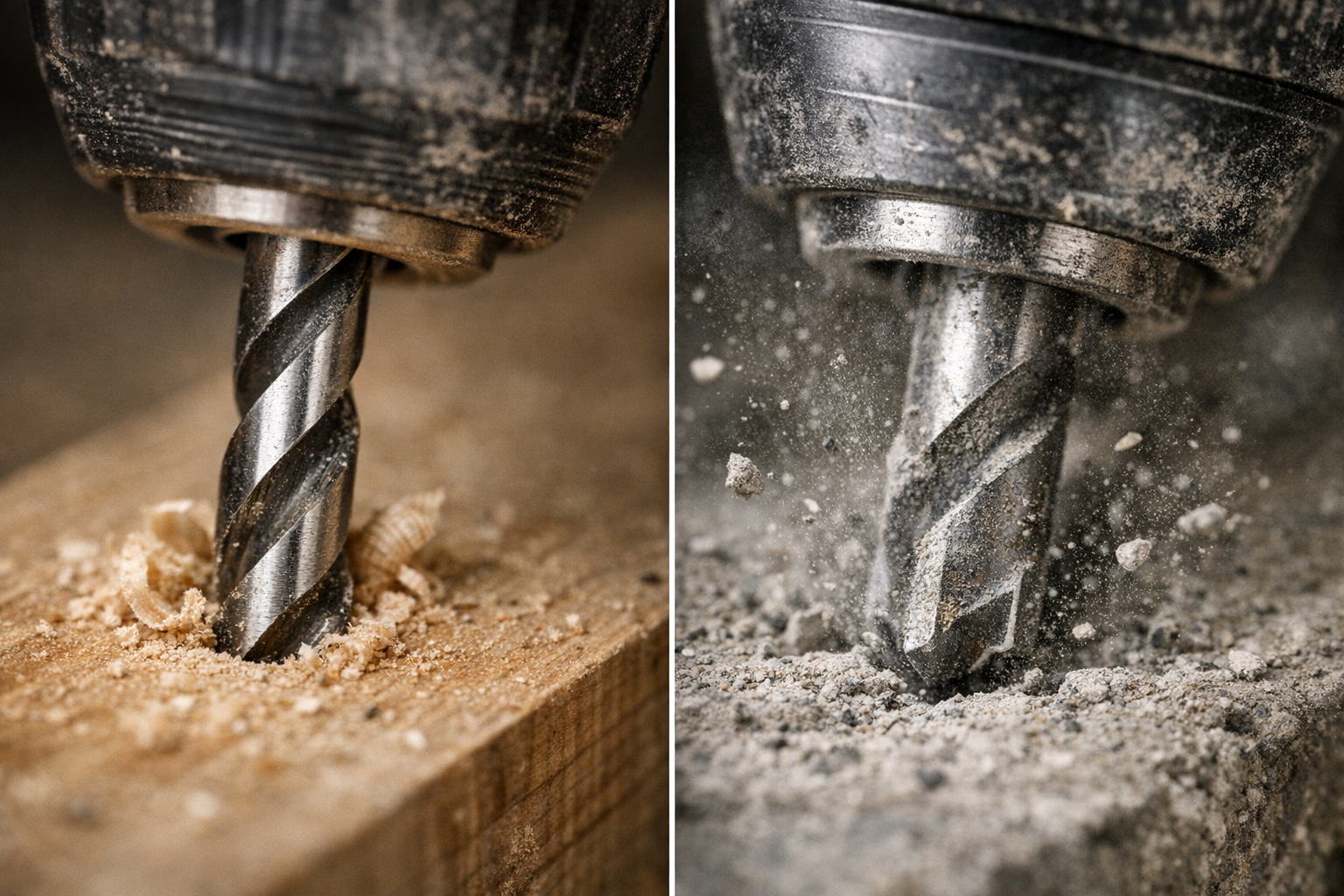
    Drill mode causes the bit to spin continuously without any forward impact. This mode works best on softer or more delicate materials, such as wood, plastics, thin metals, and when driving screws. The steady, controlled rotation helps create clean holes without unnecessary vibration or damage. For instance, using a sharp, purpose-made wood or metal drill bit at speeds around 800 to 1,200 SPM often yields excellent results.

    Hammer Mode in Action

    Hammer mode adds rapid, forceful blows along the axis of the drill bit, effectively hammering the material as it rotates. This action helps break up hard, brittle surfaces like masonry, brick, concrete, or natural stone. Because these materials resist pure rotational drilling, the impact bursts the surface, allowing quicker progress. In hammer mode, carbide-tipped masonry bits are essential. Hammer drills often operate at high impact rates—from about 4,000 up to 48,000 blows per minute—depending on the model.

    Identifying which mode to employ isn’t just about sparking drills or overheated bits; it’s about reading the material and adapting your approach for efficiency and tool longevity.

    Real-World Experience: The Impact of Using the Right Mode

    One memorable project involved hanging a heavy garage storage system on an uneven brick wall. Initially, I kept the drill in standard drill mode by habit. The bit overheated, drilling stalled repeatedly, and the brick resisted every inch. Switching to hammer mode changed everything—drilling became smoother, faster, and noticeably less strenuous. Holes were cleaner, the carbide bit stayed cooler, and the drill itself felt less taxed.

    This experience highlights how choosing the right setting can preserve both your drill bits and your physical energy. For example, drilling a 6mm hole into concrete in drill mode could take over a minute, risking damage to standard high-speed steel (HSS) bits, whereas hammer mode could accomplish the same hole in under 10 seconds.

    Choosing the Right Mode for Materials: A Practical Guide

    Material Use Drill Mode Use Hammer Mode
    Drywall
    Wood
    Plastic
    Thin metal
    Brick, block masonry
    Concrete
    Stone
    Tile ✓ (with caution)

    Important Considerations for Delicate Surfaces

    Never use hammer mode on delicate surfaces like drywall or ceramic tile unless you want to risk cracks or splits. For tiles, select a sharp spear-point bit and reduce the speed to maintain control and reduce heat buildup. Patience and precision trump brute force here.

    Developing Good Habits: Avoiding Common Mistakes

    Check Your Drill Mode Every Time

    A surprisingly common error—especially on busy worksites—is neglecting to verify the drill’s mode before starting. If you’re driving screws with the drill left in hammer mode, you risk damaging screw heads and the material, not to mention suddenly jerking yourself off balance. Conversely, attempting to drill masonry in drill mode can lead to blown bits and wasted time.

    Quick Preventative Tip: Before putting the bit to work, press the trigger lightly for a split second and listen. Hammer mode produces a distinct rattling or hammering sound. Verify the mode indicator visually to ensure you’ve got the right setting. This quick check prevents heat build-up, damaged bits, and ruined surfaces.

    Match Your Bits to the Mode

    Using a standard high-carbon steel (HCS) bit in hammer mode is a fast track to dulling or breaking bits. Always use carbide-tipped masonry bits for hammer mode, especially on brick and concrete. Similarly, for wood or metal, use appropriately shaped and sharpened bits designed for those materials.

    Key Indicators for Switching Modes

    Here are clear signs that will help you decide if you need to switch:

    • Switch to hammer mode when:
      • The drill bit stalls immediately against hard material.
      • You hear a high-pitched whine with minimal progress.
      • The bit heats up rapidly without effective drilling.
      • Fine dust escapes rather than larger chips.
    • Stick to drill mode when:
      • Working with fragile materials like drywall or tile.
      • When precise, clean holes are required.
      • Working on soft materials such as wood, plastic, or sheet metal.
      • Driving screws, where hammer action can cause cam-out.

    Refresh Your Perspective: Listening and Feeling Your Drill

    Beyond toggling switches and matching bits, developing an intuitive understanding of how your drill reacts can elevate your skills. Listen to the noise your drill makes—the smooth hum of drill mode versus the rhythmic pounding of hammer mode—and feel the vibration through the handle. Early recognition of these cues lets you adapt on the fly, avoiding damage and improving efficiency.

    Also, an often overlooked habit is periodically pausing during extensive drilling in masonry to let your bit cool. Run the drill briefly off the workpiece at low speed or simply rest for 30 seconds. This practice helps prevent overheating, preserves the carbide tip, and extends bit life.

    Final Thoughts: Making the Most of Your Hammer Drill

    The difference between hammer and drill modes is more than mechanical—it’s about how you respect the materials, your tools, and yourself. Armed with knowledge, a bit of practice, and attentiveness, you’ll find your hammer drill becomes less of a guessing game and more a natural extension of your hand. Remember to always:

    • Match the mode to your material and task.
    • Use the correct drill bits designed for the mode.
    • Check your drill’s mode setting every time before starting.
    • Pay attention to feedback: sounds, feel, dust, and progress.
    • Pause during long masonry tasks to cool your bits.

    By adopting these habits, every drilling job becomes smoother, safer, and more enjoyable.

  • Why Cutting Perfect Curves with a Jigsaw Feels Like Magic

    There’s something undeniably satisfying about guiding a jigsaw through wood, watching its blade effortlessly follow a curved line. However, anyone who’s tried cutting curves with this versatile tool knows it’s not always easy to achieve a clean, smooth edge. Beginners often end up with wobbly lines and rough edges that require extensive sanding to fix. The good news is that with the right approach—and a few practical adjustments—your curved cuts can become both precise and tidy, saving time and improving the final look of your projects.

    Understanding the Jigsaw’s Role Beyond Straight Cuts

    While jigsaws are often overlooked in favor of tools like circular saws or table saws, they actually excel at cutting curves, scrollwork, and intricate patterns. This is because a jigsaw’s blade moves up and down while allowing you to pivot the tool, tracing almost any shape you draw. You’ll find it invaluable for custom shelving, decorative pieces, or DIY signs that demand fluid curves.

    Still, to make the jigsaw work for you rather than against you, certain settings matter a great deal. For example, an orbital setting controls the forward and backward motion of the blade. Typically, a low-to-mid orbital setting (levels 1 or 2 on a scale of 3–4) is ideal for curves. This reduces aggressive forward blade movement, which can cause the blade to wander and tear especially on tight radii. Additionally, keeping the blade speed, measured in strokes per minute (SPM), moderate—around 800 to 1200 SPM for detailed work—helps maintain clean tracking without chipping the material.

    Choose the Right Blade: The Key to Clean Curves

    One of the biggest game-changers is selecting a blade designed specifically for curves. Typical blades made for straight cuts tend to be wider (more than 1/4 inch) with fewer teeth per inch (TPI), which limits their ability to turn sharply. Using these can leave your edges jagged and force you to push harder, increasing blade flex and imperfections.

    Instead, opt for narrower, fine-toothed blades with a width of 1/8 inch or less and at least 10–12 TPI. Blades labeled for “curves” or “scrollwork” feature these specifications. For softwoods and plywood, high carbon steel (HCS) blades are sufficient. For tougher materials such as laminates and hardwoods, bi-metal blades provide greater durability and maintain sharpness over time.

    A frequent mistake is using a generic blade for all cuts. This lack of precision causes unnecessary cleanup and uneven edges. Take a moment to select the blade that matches your project’s material and curve radius—it’s a simple swap that will drastically improve your results from the very first cut.

    The Importance of Proper Workpiece Securing

    Curving isn’t just about blade choice; it’s also about controlling the workpiece. Material movement during cutting can throw you off, so securing the piece firmly is critical.

    Clamps are your best friend here. Use at least two clamps positioned within 2–3 inches on either side of your cutting line, both before and after the area you plan to cut. This setup minimizes vibrations and prevents the wood or panel from pivoting unexpectedly, which is a common cause of uneven curves.

    Additionally, use your non-dominant hand as a guide—not for pushing or forcing—but gently resting on the material to stabilize it while keeping fingers clear of the blade path. For slick surfaces like melamine or prefinished panels, placing a small piece of anti-slip matting under the workpiece adds extra grip and prevents slipping.

    Master Your Pace: Slow and Steady Wins the Curve

    Patience is crucial when cutting curves. Forcing the jigsaw too quickly through tight turns often leads to blade deflection, rough edges, or even blade breakage. Maintaining a consistent, slower speed—usually between 800 and 1200 SPM—allows the blade to track the curve smoothly without overheating or chipping.

    When you approach a tight corner or complex bend, pause cutting briefly. Release the trigger and allow the blade to stop fully, then gently pivot the tool to align with the next segment of your curve before resuming. This simple pause prevents accidental notches or gouges at the start of turns and translates to cleaner edges.

    Remember to take short breaks every foot or so during long curved cuts, especially in dense or hardwood materials. This helps cool both the blade and motor, improving cut quality and tool longevity.

    Optimizing Sightlines and Work Positioning

    How you position yourself and your workpiece can greatly affect accuracy. Trying to cut while leaning awkwardly or with your cutting line obscured makes it difficult to follow the curve precisely.

    For better control, adjust your stance so your eyes look straight down the cut line rather than from above at an angle. Sometimes stepping to the side of your workbench or elevating your material slightly on a block enhances visibility. If your jigsaw has a dust blower, keep it running to maintain a clear cut line. For tools without built-in dust removal, a quick brush or puff midway through a cut keeps your line visible.

    A Subtle Perspective Shift: Take Micro-Breaks and Reset

    After guiding the jigsaw through several inches of a curve, pause for a moment—not just to rest your hands or cool the blade—but to consciously reset your focus. This brief mental break encourages you to reassess your hand positioning, ensure your workpiece is still secure, and clear away sawdust. Often, this subtle pause renews precision and steadiness, preventing cumulative small errors that can worsen over longer cuts.

    Learning to see cutting curves as a rhythmic process of cutting, pausing, pivoting, and adjusting transforms the experience from a rushed chore into an enjoyable craft.

    Accepting and Learning from Small Imperfections

    Even with the best technique, some tiny imperfections are natural, especially when you’re just starting out. Instead of letting these mistakes frustrate you, recognize them as part of developing your skill and touch. Over time, your hand-eye coordination improves, and smooth, confident curves will become second nature.

    Interestingly, occasional intentional rounding of sharp turns or subtle deviations can add character and individuality to handmade pieces, reminding viewers of the human touch behind the work.

    Conclusion: Let the Jigsaw Work With You

    Cutting clean curves with a jigsaw is less about brute force and more about technique, patience, and setup. From choosing the right blade to securing your material and managing your pace, small adjustments yield big improvements. Embrace pauses during curves, optimize your viewpoint, and treat the tool as a cooperative partner. These mindful changes turn challenging curved cuts into rewarding tasks.

    Remember, mastery comes with experience. Each project builds your intuition about the interplay between blade, material, and movement. After all, the smoothest curve is a product of both skill and a respectful partnership with your tools.