
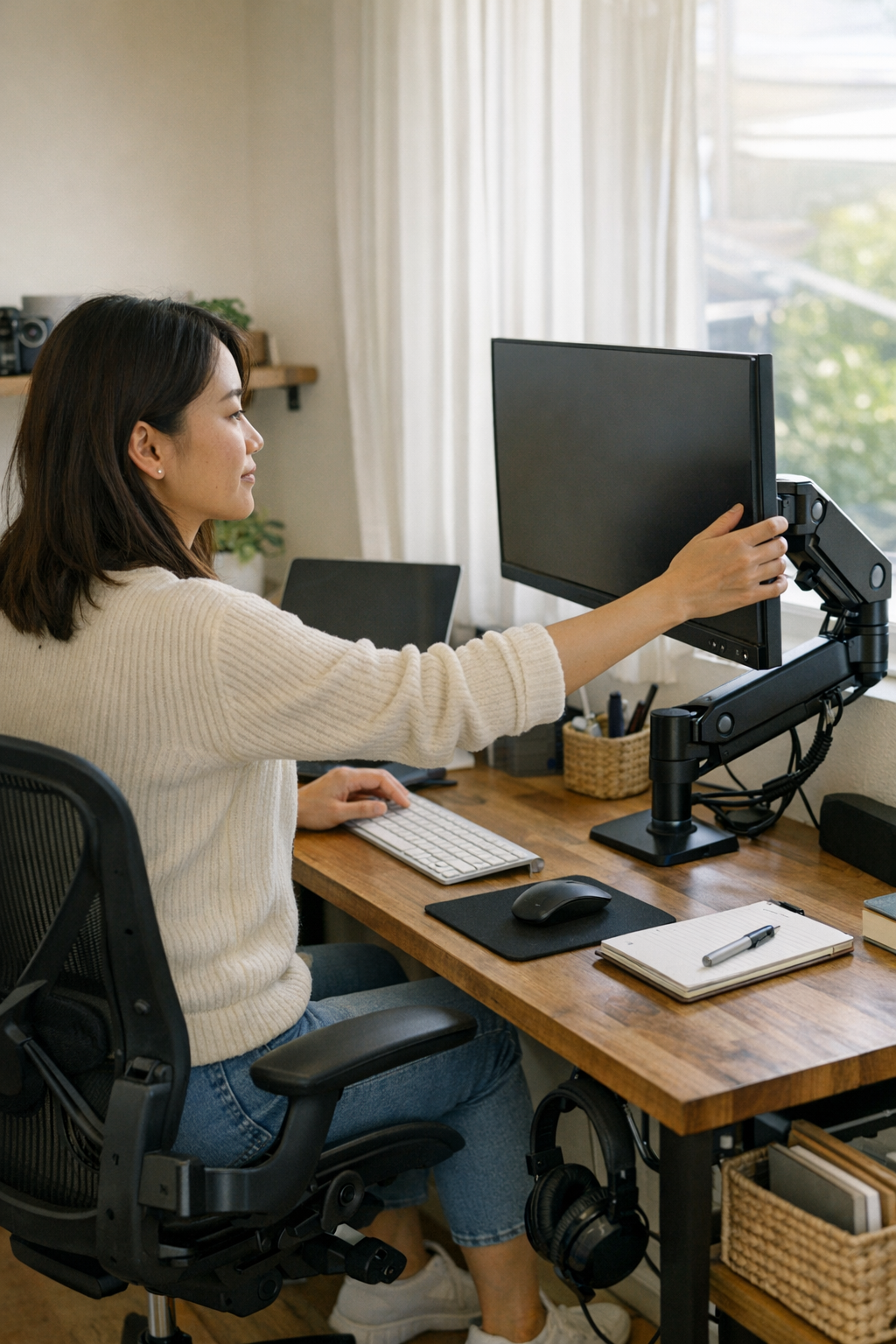
Sometimes, the workspace feels like a congested highway — objects crammed at odd angles, every inch of the desk claimed before even settling in. Morning light filters softly through the blinds, casting a gentle glow over the workspace as the day begins. As the mug finds its usual spot at the edge of the desk, just far enough to avoid accidental spills but close enough to reach comfortably, small adjustments start to take shape.
The keyboard nestles against the desk mat’s corner. Where before the monitor’s bulky base dominated the scene, there’s now a surprising lightness; the monitor floats above the surface, a space freed beneath it, inviting hands to spread out. No longer confined by the rigid edge that once forced wrists into awkward positions, this elevated display brings an unexpected comfort. The desk surface beneath is uncluttered—a quiet invitation to write, sketch, or simply rest a hand.
Reclaiming Workspace Freedom
The first digital alert appears before the day fully kicks off—a calendar notification pulsing steady amidst open tabs and browsers. Paper notes, sprawled across the desk in familiar disarray, wait patiently to be read and organized. What would have been frustration in the past now feels like a minor dance: the monitor, free from the shackles of its base, no longer jams into the left wrist or impedes movements. Instead, a smooth sliver of wooden surface stretches between the writing area and screen, offering room to breathe—a clear lane through the morning’s rush.
Throughout the morning, meetings come and go. The chair rocks gently on the floor mat, sunlight shifts angles and brightens the room by mid-morning, and the troubles of glare on the screen become manageable. Adjusting the monitor no longer requires upheaval; tilting or sliding it is effortless, eliminating the scramble to rearrange laptops, papers, and cables just to find a comfortable viewing angle. The screen’s flexibility allows sunlight to bounce away harmlessly, sparing the eyes and easing tension.
Practical Tips for an Efficient Desk Setup
- Elevate Your Monitor — Positioning your screen at eye level reduces neck strain and encourages better posture. Adjustable arms or stands can liberate desk space, allowing for a cleaner, more versatile surface.
- Organize Cables Wisely — Instead of letting cords tangle and snag, use cable channels or clips to route them neatly. This simple step avoids obstacles and keeps your workspace streamlined.
- Designate Zones — Create specific zones for work tools like notes, keyboard, mug, and phone. This habit minimizes frantic searching and keeps the workflow steady.
Break Free from Clutter and Discomfort
After lunch, the world of cables and clutter that once lurked beneath the monitor changes too. The messy tangles of charging wires and mouse cables, which stubbornly caught on pens or mugs, no longer sabotage the space. Now, cables trail cleanly through their channels, rarely making their presence felt. The ease of movement across the desk highlights the value of such seemingly small changes.
Posture improvement is subtle but powerful. Without the heavy monitor base forcing cramped positions, the neck relaxes, shoulders can drop naturally, and elbows spread without strain. A slight monitor tilt, achieved with a mere touch, invites a more comfortable viewing posture, reducing the nagging aches that used to creep in by the afternoon.
Refresh Your Workspace: Shift Your Perspective
One effective way to maintain energy during long workdays is to periodically reassess your workspace and habits. Instead of waiting for discomfort to remind you something’s off, take a moment to pause and adjust — tilt the monitor up or down, rotate your chair away from a glare, or simply stand and stretch. These small shifts can reset both your body and focus.
The Subtle Impact of Thoughtful Design
The true benefit of tools like a floating monitor arm lies in what they eliminate rather than what they add. The absence of obstacles lets you glide across tasks smoothly. No longer are your hands discouraged by unexpected edges or trapped behind bulky hardware. It’s the gentle difference that transforms frustration into flow, turning your desk from a battleground into a balanced workspace.
As the afternoon unfolds, switching between spreadsheets, calendars, and notes becomes seamless. Fingers often hover over what used to be a cramped zone of interruptions, pleasantly surprised by the open, continuous surface of the desk. The seamless glide of the mouse across the desk mat reminds you how much these minor spatial freedoms matter.
Ending the Day with Ease
When it’s time to clean up and pack away, the process feels unhurried and natural. Sliding the chair back, putting the mug into the sink, and brushing a hand over the wood grain happen without resistance or clutter-induced fumbling. The monitor holds steady, poised above the cleared space, a silent sentinel ready for tomorrow. Its presence no longer demands awkward postures or navigation skills—it simply is, waiting.
Even as night falls and streetlights cast long shadows through the blinds, the workspace remains calm. The glow of the screen is gentle, free from glare or angle strain. It’s a quiet assurance that tomorrow’s tasks and even small pauses in between will flow without the old tension and constant negotiation.
Embracing Simplicity in Your Workspace Design
Relief in a workspace often looks like absence—the missing obstacles and subtle adjustments that reduce friction every day. A floating monitor arm, uncluttered cables, and a designated arrangement give your hands, eyes, and mind permission to relax. They remove the need for frequent compromises, making room for focus, creativity, and wellbeing.
It’s a small change with a big impact. By refining your workspace setup to minimize disorder and maximize comfort, your desk transforms from a source of daily negotiation into an ally in productivity. When the day ends, there’s less to reorganize, fewer obstacles to clear, and more room for calm.
The next morning, your workspace will be ready—unbothered and inviting—as if it, too, had rested in the quiet night, prepared for whatever the day might bring.